|



Mike_da_Spike
-
Posts
3793 -
Joined
-
Last visited
-
Days Won
241
Content Type
Profiles
Forums
Events
Downloads
Store
Articles
Everything posted by Mike_da_Spike
-

settings [RESOLVED] Future Pinball AIO Settings Help
Mike_da_Spike replied to [email protected]'s topic in General
Nice catch! I didnt notice that -
settings [RESOLVED] Future Pinball AIO Settings Help
Mike_da_Spike replied to [email protected]'s topic in General
There's a pretty good manual flthat is distributed with the latest pinballx versions (since pinballx versions starting from June 2022), but it can also be downloaded in the download section. It show upgrades and downgrades, but also almost all settings you can do with pinballx. Glad you upgraded to latest version without issues -
settings [RESOLVED] Future Pinball AIO Settings Help
Mike_da_Spike replied to [email protected]'s topic in General
No, sorry thats the log for pinballx. I think it should be in your fp folder, but maybe Terry disables it. Not sure. Freezy enables it by default and should bevin the folder where the main exe is running. Btw. According to your pinballx.log, you are running approximately 200 releases behind. You have 4.06 and thoughtblatests is 6.05 That will not fix your issue, but it will give better support. Strange part is: you run batch file and dmdext fill load, but running from pinballx you said, its not showing. Can you post a new log.rxr to see if batch is running? We cannot see if dmdext is running, but if you press alt tab, will that show the dmd somewhere? -
settings [RESOLVED] Future Pinball AIO Settings Help
Mike_da_Spike replied to [email protected]'s topic in General
No. Only remove fploader as pinballx will launch fploader with the appropriate table.. so that's good You can check in the dmddevice.log if there was anything launched at all. Maybe you didn't save the dmd to correct position? -
settings [RESOLVED] Future Pinball AIO Settings Help
Mike_da_Spike replied to [email protected]'s topic in General
What is happening if you doublevcluck the batch file outside pinballx ? It looks like it is waiting until the batch file exists, but it wont exit -
Pinball FX3 instruction guides / cards
Mike_da_Spike replied to joyrider3774's topic in PinballX Media Projects
See first post : you can download those guides from ftp on this location "/-PinballX-/Other Uploads/Joyrider3774/Pinball FX3/Instruction Cards" -
10.8.1 is not a correct version to use. It's the test channeversiinl for standalone devices, but not recommended for windows devices . Click the info tab within vp if you want to know the revision.
-
Not at pc, but downloaded the pdf on my phone. Chapter 3.3 explains how to downgrade and download older versions
-
settings [RESOLVED] Future Pinball AIO Settings Help
Mike_da_Spike replied to [email protected]'s topic in General
This pinhead is senior as well, but worked too long in IT. But glad I could help👍 -
settings [RESOLVED] Future Pinball AIO Settings Help
Mike_da_Spike replied to [email protected]'s topic in General
I see you use shortcut and paramaters in the launch before. Thats not correct. here's mine : Use the "..." (3 fots) to browse to the folder and to select the correct file name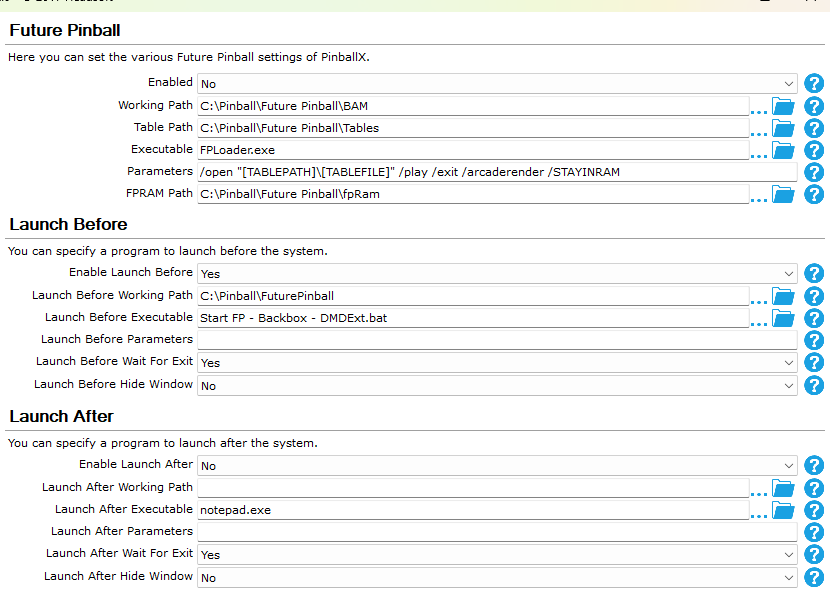
-
settings [RESOLVED] Future Pinball AIO Settings Help
Mike_da_Spike replied to [email protected]'s topic in General
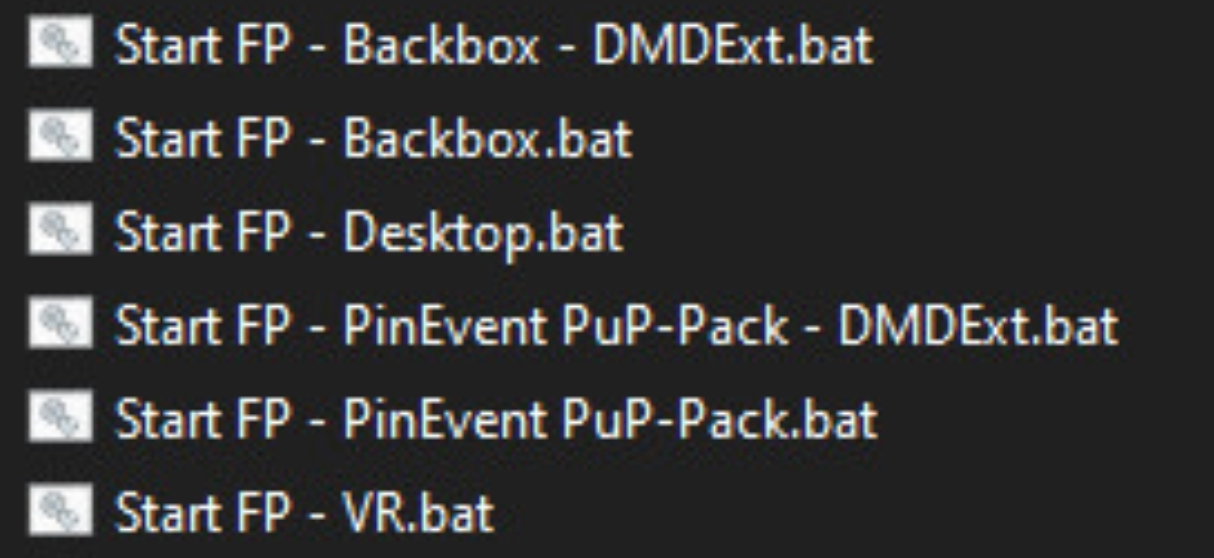
I'm not at a pc right now, butvplayed last week with it. Screenshot is from internet @TerryRedcreated the following batch files: 2 batch files has the dmdext command in it (and a version of dmdext is also in de fp folder. You only need to modify your dmddevice.ini in the fp directory if you dont use the global ini file) The last entry of those batch files are fploader.exe. Remove this entry and save the batch file If you use a mix of pinevent and normall fp tables, you need 2 seperate systems. Set the batch file as launch before and use the normall parameters for fp to launch the table I hope this make sense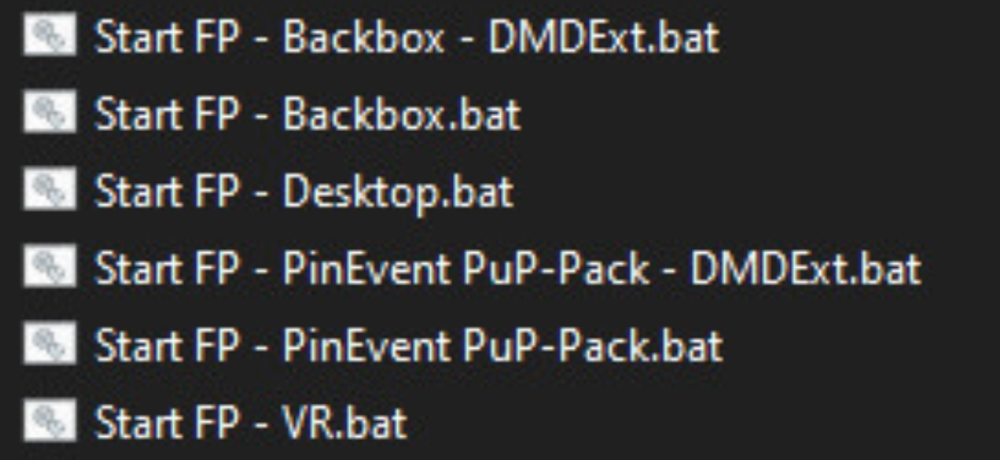
-
settings [RESOLVED] Future Pinball AIO Settings Help
Mike_da_Spike replied to [email protected]'s topic in General
Best way is to edit the batch files. Remove theclast line which would launcg fploader.exe Than you can setbthe batch file as run before scrpt for that specific fp system (so you can create multiple systems for fp) -
Which version you want ? I can give you a link But within the pdf documentation that is distributed with PinballX, I explains how to download an older version as well
-
[RESOLVED] Freezy's DMD shows up in Pinballx main screen.
Mike_da_Spike replied to Steev7's topic in General
You can save the dmd for pinballx only. So you can adjust the dize and position. But it doesn't make sense to use freezy's dmd virtual dmd instead of the buildin dmd of pinballx (except if you use a real dmd) -
I tested the downloads, but I could download older versions. (Even very old ones) Did you do it according the procedure as described in the manual?
-
I don't see the screenshot grab in your log. Was that the log directly after you created the screenshot ? If you an older version of pbx, will that work and what is in the log?
-
Can't reinstall https://www.pinballx.com/vbbxsetup.exe not found 404
Mike_da_Spike replied to stinkefisch's topic in General
You're the man !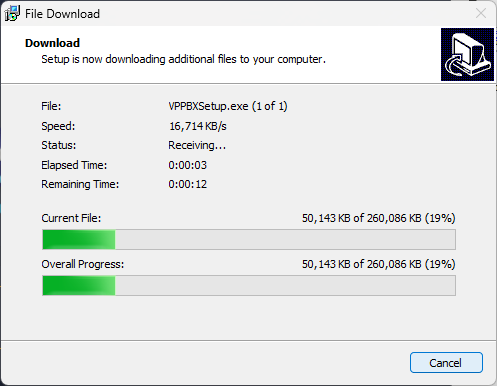
-
Can't reinstall https://www.pinballx.com/vbbxsetup.exe not found 404
Mike_da_Spike replied to stinkefisch's topic in General
Don't unintstall PinballX en install a new version. This could overwrite some of the XML database files (I know FX3 will do it) Just use the upgrade. For you, just uncheck this box and hit 'next' to continue. Dont forget that you need to install Visual Pinball yourself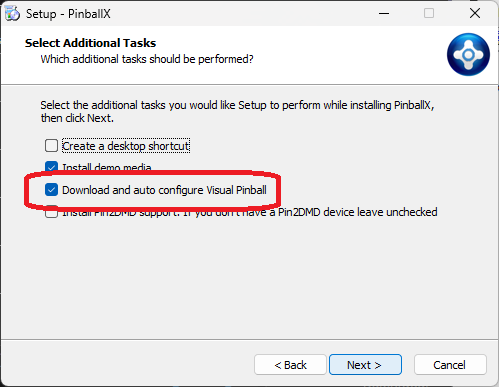
-
Can't reinstall https://www.pinballx.com/vbbxsetup.exe not found 404
Mike_da_Spike replied to stinkefisch's topic in General
Normally I would not select it, but didn't have pbx yet on my lapto, and thecdefaultvis that VP will be installed. Think its only 1 time, not during upgrade Edit : With screenshots : I just wanted to make an email to tom about it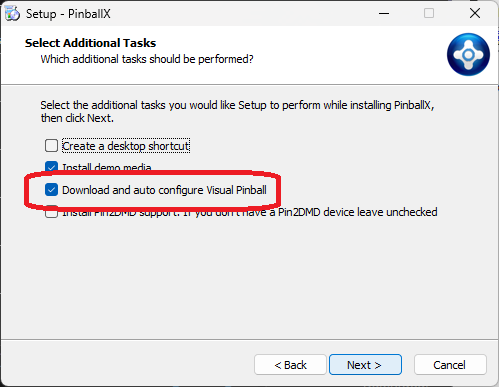
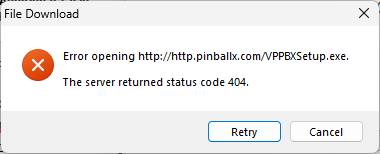
-
Can't reinstall https://www.pinballx.com/vbbxsetup.exe not found 404
Mike_da_Spike replied to stinkefisch's topic in General
I saw it today as well. It was during the installer when you select to also install vpinball. @Tom Speirsworth to fix it, or too busy with unity? 😆 -
[RESOLVED] Pinball X setup - not seeing backglass/table videos
Mike_da_Spike replied to rtkiii's topic in General
You don't have by any change 2 videocards enabled ? -
And dont forget to add VR as well 😍
-
No, played with the 10.8.0 'standalone' version. It's working, but needed to add all games manualy to steam library, no front end for linux that I could use to have 1 app and select tables Edit: see this tnread
-
Wow nais! Definitely interestedfor Pinballx! Ifyou added to unity, it will be a small step to add a VR room with it. I was busy during my hospital visit to add Visual pinball to my wife's steamdeck (she loves pinball as well) . This device runs linux. Most projects are now multiplatform, so would be a nice to have. And if PBX can run on a steamdeck and launch vp a new group of people would be intrested.
-
Added in 1st post the Pinball M settings as well (including a basic XML file) Als created some Tarcisio wheels and system logo: