|



Mike_da_Spike
-
Posts
3789 -
Joined
-
Last visited
-
Days Won
241
Content Type
Profiles
Forums
Events
Downloads
Store
Articles
Everything posted by Mike_da_Spike
-
 If you encounter the same issue as RobertMS above, here's a quick workaround : Go to settings If you have 'Show new tables add' set to no and also the settings behind to 'add none' Change the following in this order: Set first the settinsg to "add all" change 'Show new tables' add to Yes Now exit settings screen and click in the top listbox on your XML again (this will reload the complete XML file again) This shouldn’t display all tables as obsolete! Sorry about that, it’ll be fixed in the next release.
- 418 replies
-
- 2
-

-
- mikedaspike
- scutters
- (and 1 more)
-
No, not that I'm aware of. Did you made a change to your table settings in settings.exe ? Can you attached your pinballx log and ini and databasemanager.log? thanks!
-
In the rush, I forgot to mention 2 other small features. DBM recording can now quickly search for any missing media. Visual Pinball ROM will be checked after a DBM record, and the ROM name in the main form will be changed. A notification in the action log will be shown, and you must save the table to confirm the change. Thanks to @Dna Disturberfor helping me to identify a rom
- 418 replies
-
- 4
-
-
- mikedaspike
- scutters
- (and 1 more)
-
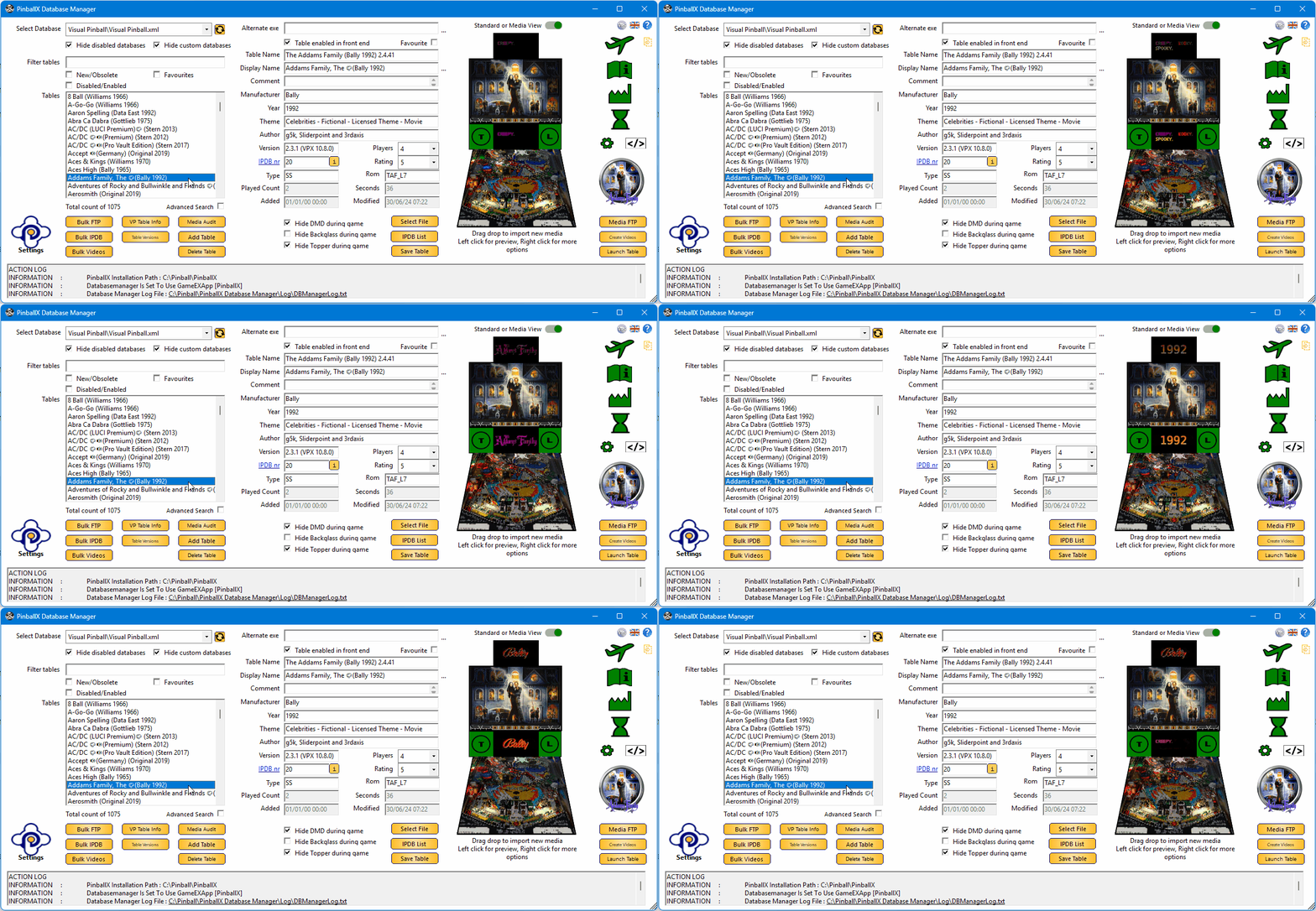
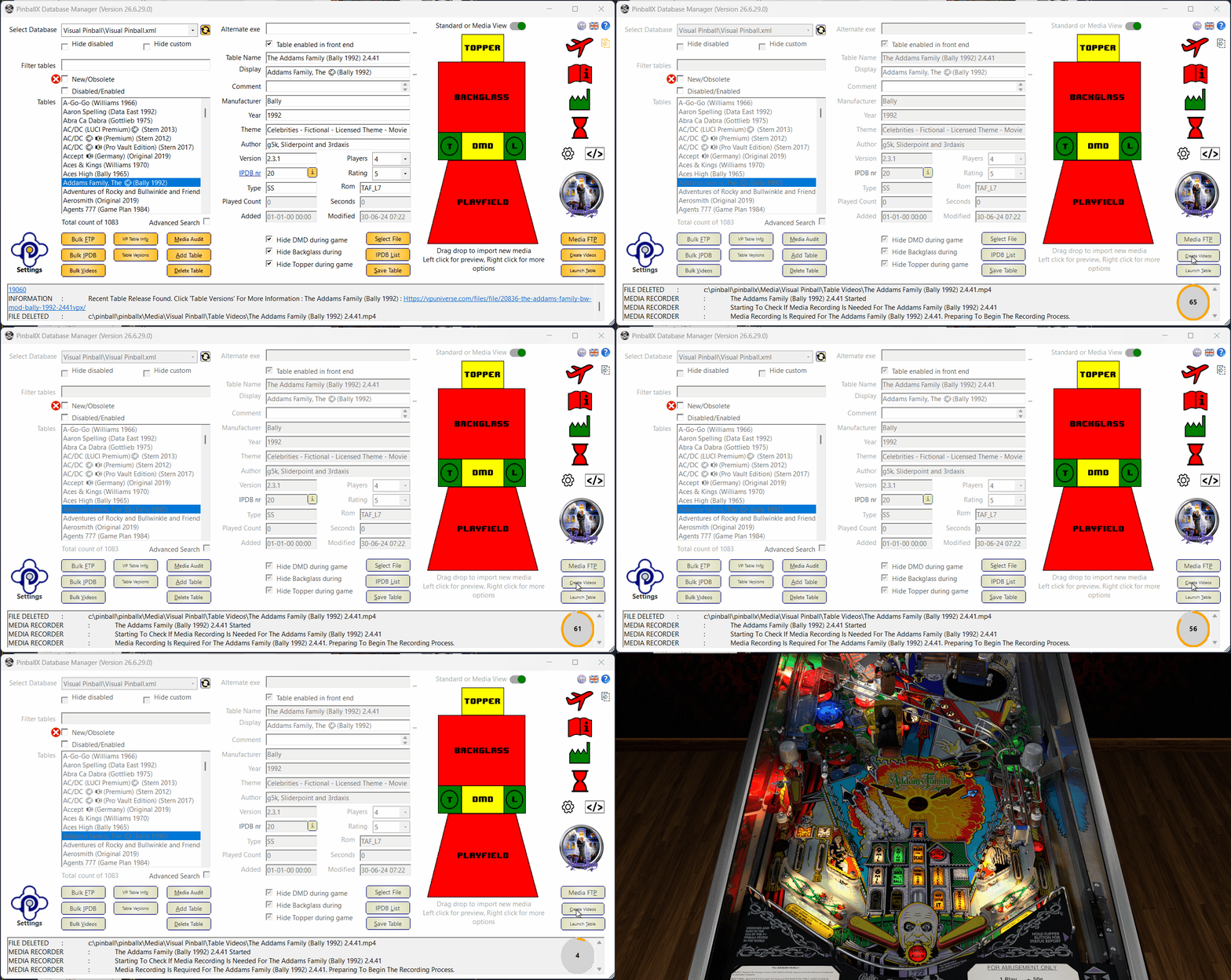
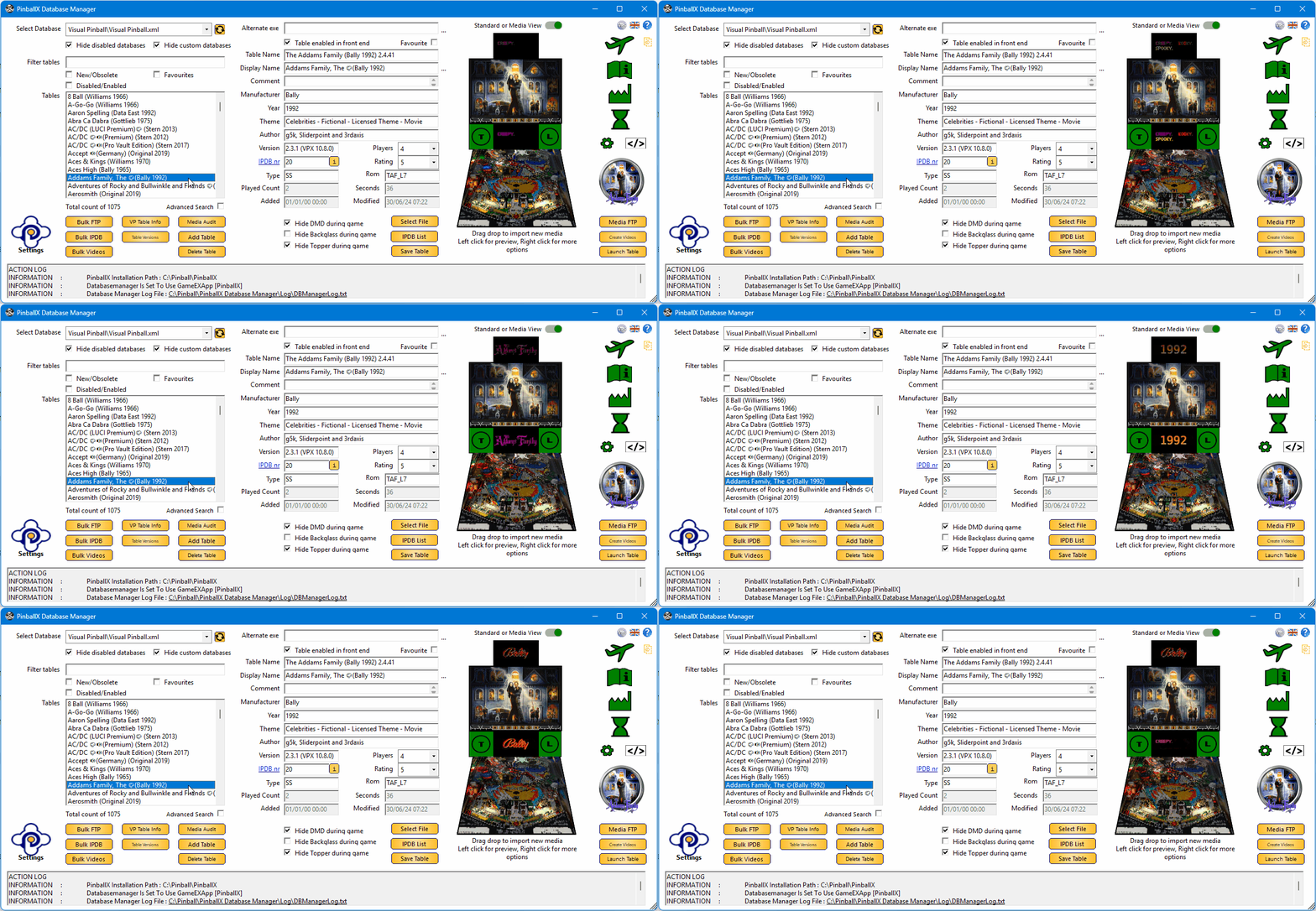
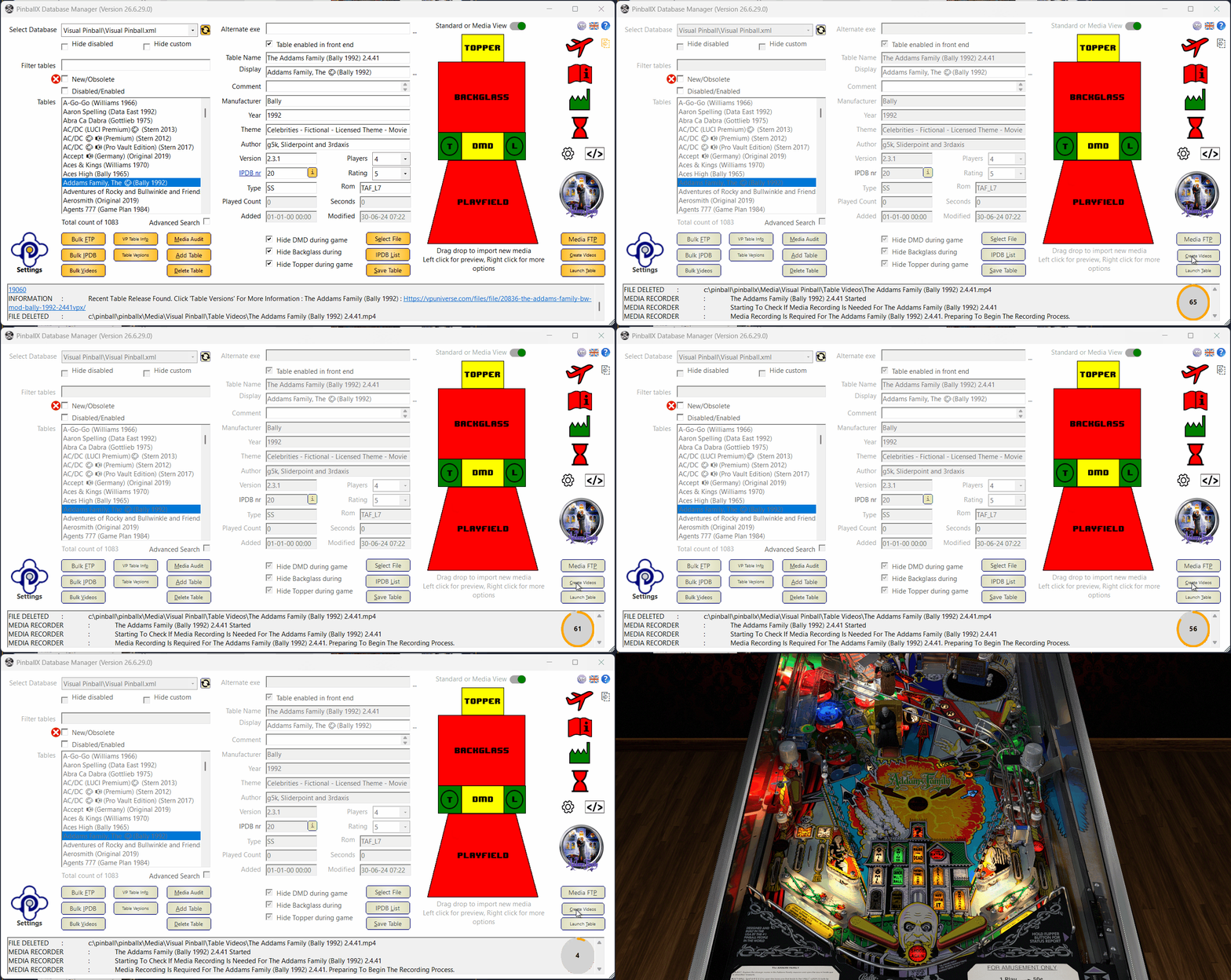
Version 26.06.xx is just released! The “Lights, Camera, Preview!” Release Grab your animated screenshots, dim the lights, and get ready, want DBM to *feel* more alive? Well… this release doesn’t just feel alive, it moves, plays, and reacts right in front of you. No more static thumbnails. No more relying solely on Explorer. DBM now offers live video playback directly inside the application, enabled once and staying active, so previews appear automatically without extra clicks. Your familiar workflow remains unchanged: left‑click shows the media in DBM, while right‑click still provides the full context menu, including the option to open the file using its associated application. Media Preview is the star of the show. Smooth playback, instant loading, and a cabinet‑style perspective that makes your playfield look like it’s actually sitting in a virtual machine. Perfect for checking recordings, verifying media, or just admiring your tables. You can switch between Standard View and Media Preview at any time using the toggle button located above the topper, making it easy to choose the view that fits your workflow. We also added Autodetect Visual Pinball Recording. No more guessing how long VP needs to load. DBM now detects when Visual Pinball is ready and automatically adjusts the recording start time. This results in faster recordings, fewer delays, and eliminates the classic “why is my recording starting on a black screen” moments. To ensure accurate timing, make sure to include a bit of extra time for ROM loading, PuP‑packs, or avoiding NVIDIA overlay screens, anything that finishes close to the actual load moment. This feature must be enabled in the Media Recording settings before it becomes active. Pause and Cancel buttons for recording continue to work exactly as before. Below is a short example: The “Time to allow table to load” is intentionally set very high, but as soon as VP is practically fully loaded, DBM switches the countdown timer to my configured Extra Load Time of 5 seconds and starts recording exactly on time. (Just don’t set it too tight like in the demo.) Although VP 10.8.1 is still in beta, the developers are actively experimenting with a new plugin system for Windows — replacing legacy tools such as B2S Server, dmdext, PuP and others. Early on, @DJO Maverick reported that BGFX with plugins wasn’t functioning correctly, and once Vulkan support was introduced, the situation became even more unstable. Fortunately, there’s no need to worry. BGFX recording is fully operational again, including support for the new plugin architecture. And Vulkan? Yes, with the documented NVIDIA adjustment applied, Vulkan recording works reliably as well. A few gremlins were hiding in the codebase: - CustomExe controls not working correctly (indirectly reported by @tabascoman77) - Label heights breaking in certain languages - Recording making the app unresponsive All fixed. This release wouldn’t exist without the heroes behind the scenes: - @robertms for testing auto‑recording and Media Preview like an absolute machine - @DJO Maverick for discovering the 10.8.1 recording issue - @tabascoman77 for indirectly reporting the CustomExe system bug You three helped prevent at least five future headaches, two refactors, and one existential crisis. This release also marks a small milestone for DBM: it’s the first version where we used AI assistance to help validate and refine one of the internal mathematical calculations. A fun detail, and a sign of how DBM continues to evolve. And as always, a special acknowledgment goes to @scutters. He implemented 99.8% of the live Media Preview, and not just that, countless parts of this release exist in their current form because of his work behind the scenes. DBM simply wouldn’t look, feel, or function the way it does today without his contributions. Thanks my friend ! Enjoy the new build! Cheers, and happy flipping!
- 418 replies
-
- 4
-
-
- mikedaspike
- scutters
- (and 1 more)
-
I know that forbyears ! Not sure what's in the PinballX manual about it, but I will make sure it has a good explanation in it as well (give me some weeks).
-
For all the recorder options, i see that ESC is presses. Not sure If you did it, or that VP send ESC keypresses. Esc will stop the recording process.
-
Ha, I did , and this is the one liner ! powershell -command "$t=(New-Object -ComObject WScript.Shell).CreateShortcut('[TABLEPATH]\[TABLEFILE].lnk').TargetPath;$n=[IO.Path]::GetFileNameWithoutExtension($t);Get-Process $n -ErrorAction SilentlyContinue|%{if($_.MainWindowHandle){$_.CloseMainWindow()}else{Stop-Process $_ -Force}}" Please try this as well
-
What do you think that PBX will do, if you press a key ? Thats not a kill, but a ask to shutdown .... I think I can make a small program, which will read the link file file and try to close the exe it instead of killing it.
-
It's because the ".lnk" file contains the executable. Pinballx closes the executable, but launching it via explirer, it will close explorer, not the program in the link. You know that PinballX is mention to launch pinball emulators, right ? 🤣 One other thing : try to set the exename at the description and not sure if it works but set [DESCRIPTION] in the process to monitor If that still doesn't work, you could look Tom in his blue eyes, make a puppy face, and ask him to create a new system type for .lnk files. He can extract the programname and params from the .lnk, launch it, and monitor that exe.
-
What if you move the section from Parameters entirely into the executable? What would that lead to? If that doesn’t work (possibly to a limitation in how PinballX starts the process), you could try setting Explorer.exe as the executable and then attempt one of the options. explorer.exe %WINDIR%\explorer.exe C:\Windows\explorer.exe and keep your parameters the same as in your screenshot
-
Thanks for checking! We don't have a solution or fix yet. I'm still in "recovering mode" from surgery. But we will focus on this issue after the coming release!
-
Thanks for taking the time to test all this , really appreciate it. To be honest, we haven’t looked into 10.8.1 yet, since it’s still in development. We do want to dive into the bgfx recording side of things, but we just haven’t gotten to that stage.The B2S plugin behaviour you’re seeing is a bit of a mystery to us right now, but I’m sure things will make more sense once we actually start testing 10.8.1 ourselves. Same story for PuP 2.0 ,we simply haven’t touched it yet. We’re currently wrapping up a new release with some functional changes (including one small recorder/VPX tweak), but that update won’t fix the issues you’re running into.After that release, we’ll start looking at 10.8.1 and the whole bgfx/plugin situation. By the way , are the DX and GL builds still behaving normally with 10.8.1 when using DBM recording?
-
[UNRESOLVED] Question regarding Nvidia driver issues
Mike_da_Spike replied to PcTeknic's topic in General
Maybe you could give it a try for creating your videos. We’ve spent a lot of time building this recorder, and it’s one of a kind. It records videos in a different way than all the others (vpx) recorders. Not saying you should switch over, but just give it a try, as Scutters said. -
It is possible that some parameters are incorrect, although it was anticipated that they would function as intended. The table file should be named "sammax" and should translate accurately using the path "[tablepath]\[tablefile].scummvm". Additionally, my vision is currently somewhat impaired, causing things to appear a bit blurry even with my glasses. 🤓 But logfiles and inifiles will help you to make it work!
-
Lol. I am not a genius. I am simply resting on the couch, feeling a bit bored, and attempting to assist you using my mobile phone. 🤣
-
It appears that the executable is being launched twice. Could you please remove the executable from the parameters path? Parameters=C:\vPinball\ScummVM\scummvm.exe -p C:\vPinball\roms\scummvm\samnmax.scummvm samnmax Make it like this Parameters=-p C:\vPinball\roms\scummvm\samnmax.scummvm samnmax Now this system should launch sammax If you replace sammax for [tablefile] you can create a xml with the 2 'tables' Something like this : -p "[tablepath]\[tablefile].scummvm" [tablefile] And call your table sammax
-
Can you post the log file and your settingsfile from this attemption?
-
Not sure what you want, but if you want ScummVM to add to PBX, you need to set up a new system and handle the games as tables. Here's how ScummVM can launch a game from the command line: https://docs.scummvm.org/en/latest/advanced_topics/command_line.html
-
If you need 2 files to run, add them to a batch file (.bat or .cmd) and add that batchfile to your launch before scripts Maybe this will help : https://www.tutorialspoint.com/batch_script/index.htm
-
To investigate this issue, we will require the relevant log and INI files. Please ensure the log file accurately reflects a rapid table launch followed by a subsequent table launch that ultimately times out. I am considering the possibility that this behavior may be influenced by settings within PBX, specifically regarding "Full screen exclusive" mode, and/or VPX's "FS exclusive" or "windowed" configurations. If PBX is unable to detect the VPX table in the foreground, it will continue to wait until the designated timeout period is reached. It is always an option to reduce this timeout duration from the default 20 seconds.
-
Could a list or system of horror tables be made?
Mike_da_Spike replied to DakotaPinball's topic in General
I watched your videos and it looks like some tables load faster than others. My last experience with tables from TerryRed was that they could take about 3 1/2 minutes to load on my machine. It would be helpful to have a video like this along with your log file, so we can see what PBX is doing at that moment. I also don’t see a table that loads fine from the Future Pinball system being loaded from the filter. That would be nice to see in the log file as well. Thanks for sharing the videos on YouTube. -
Could a list or system of horror tables be made?
Mike_da_Spike replied to DakotaPinball's topic in General
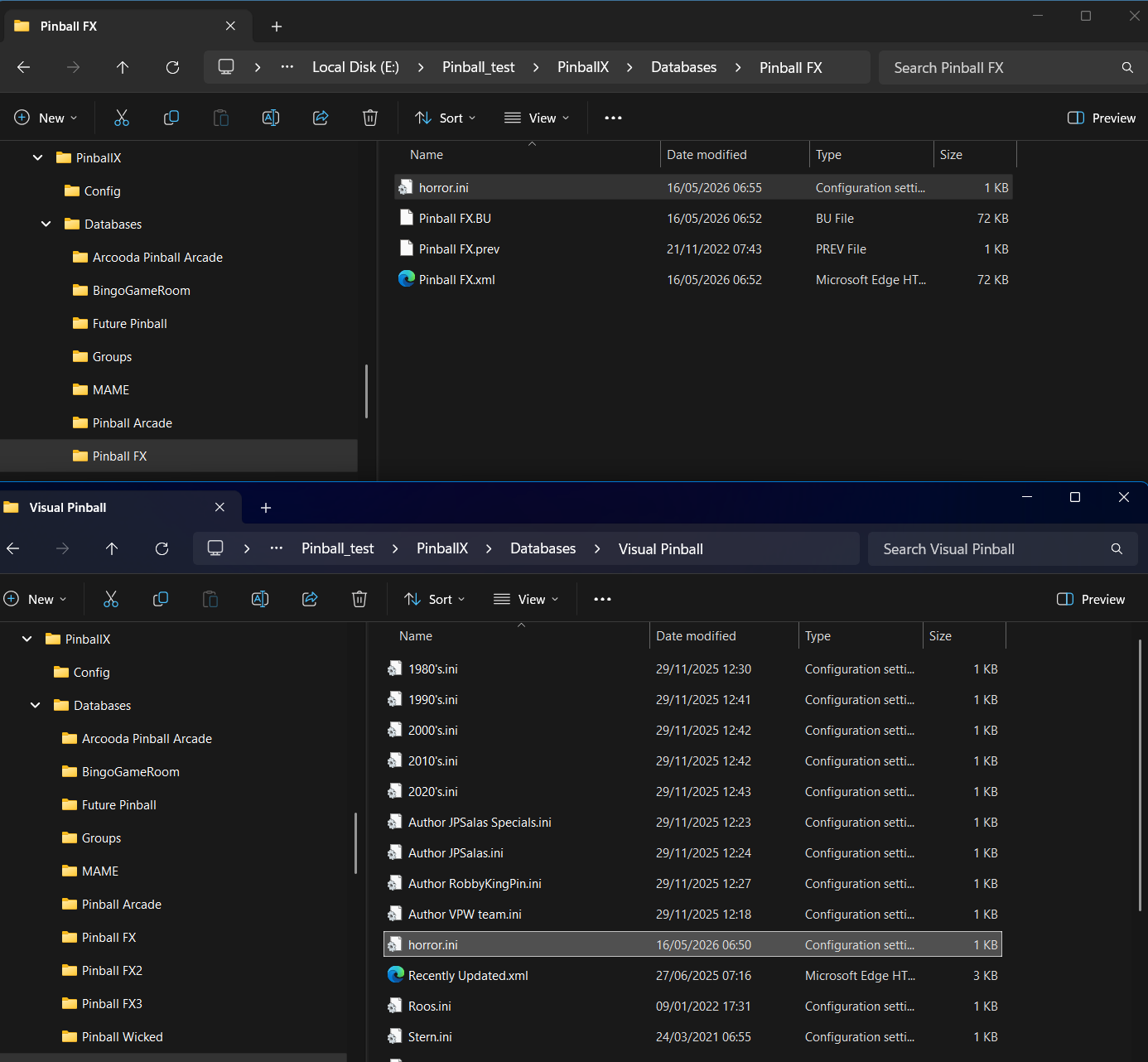
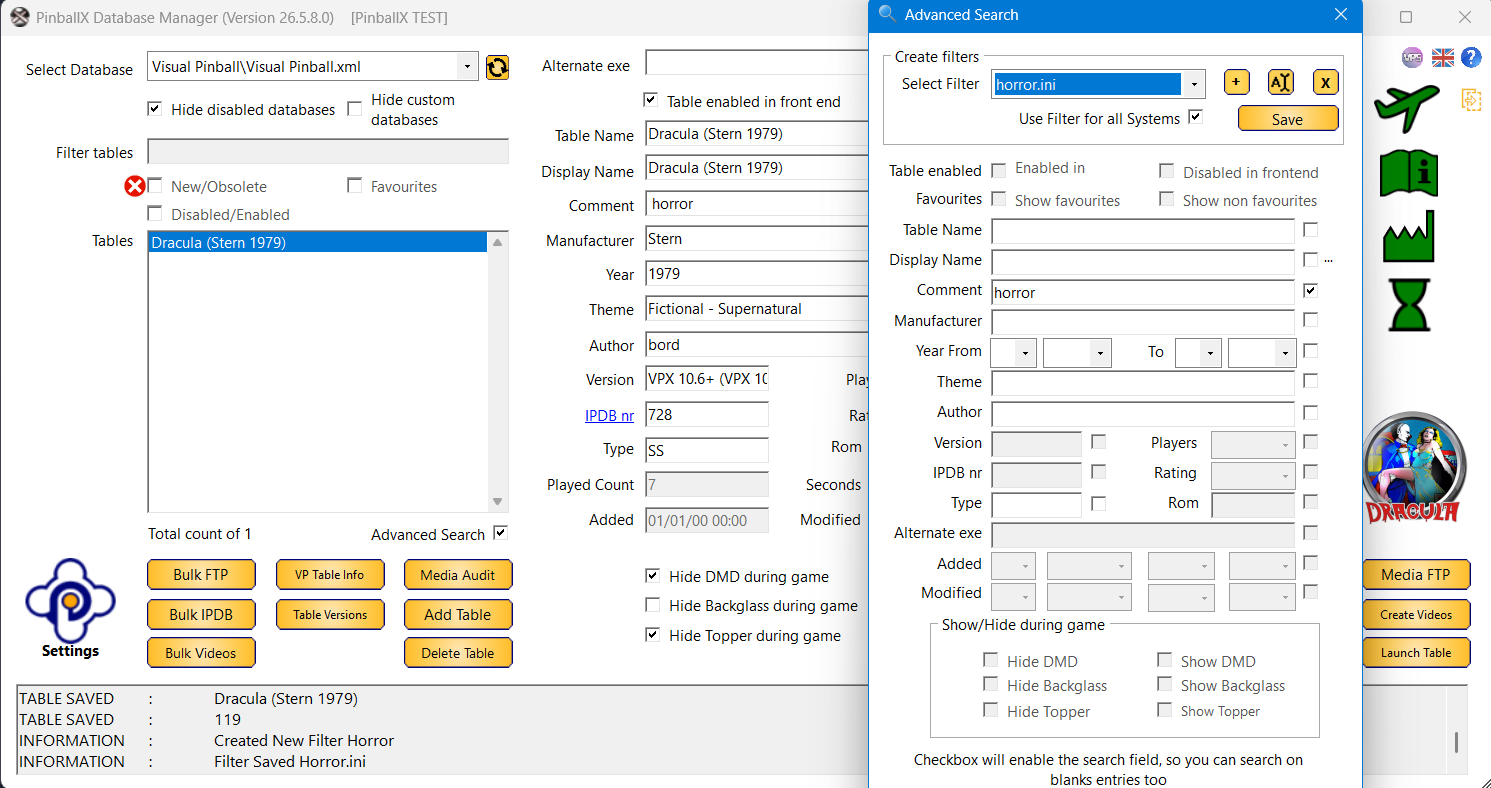
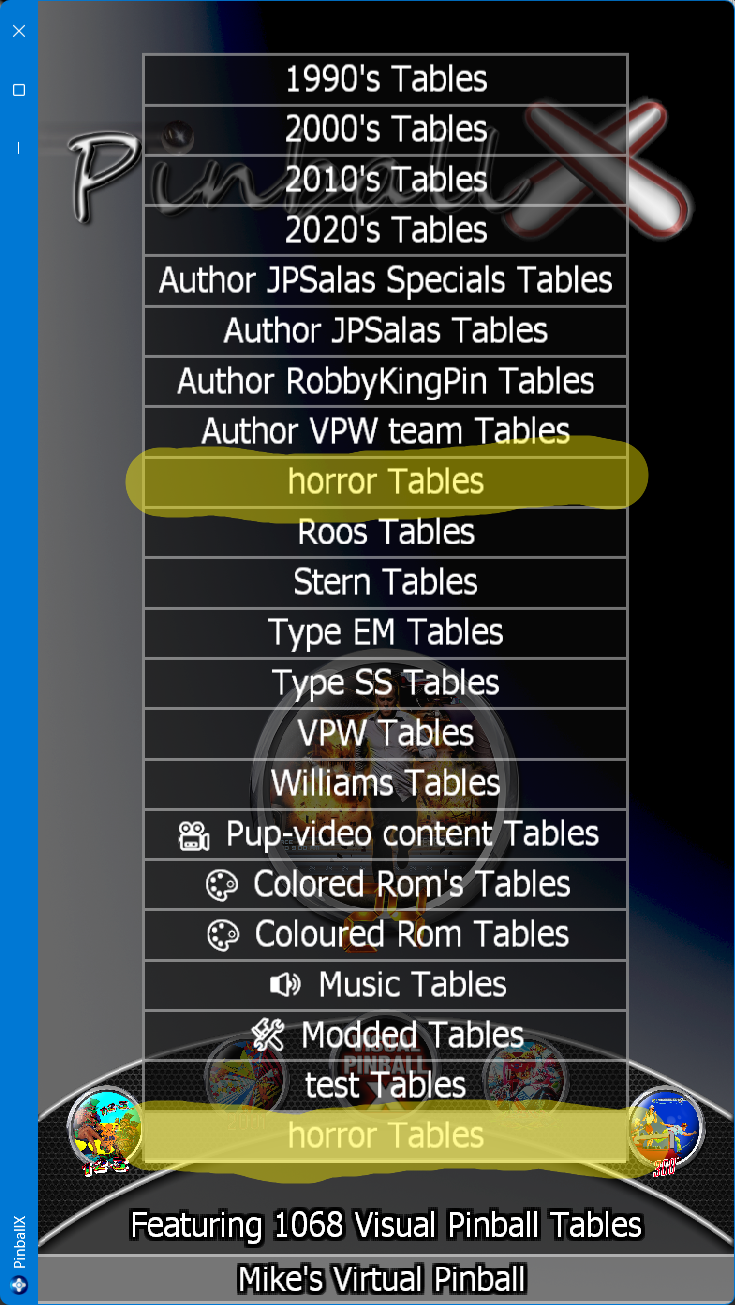
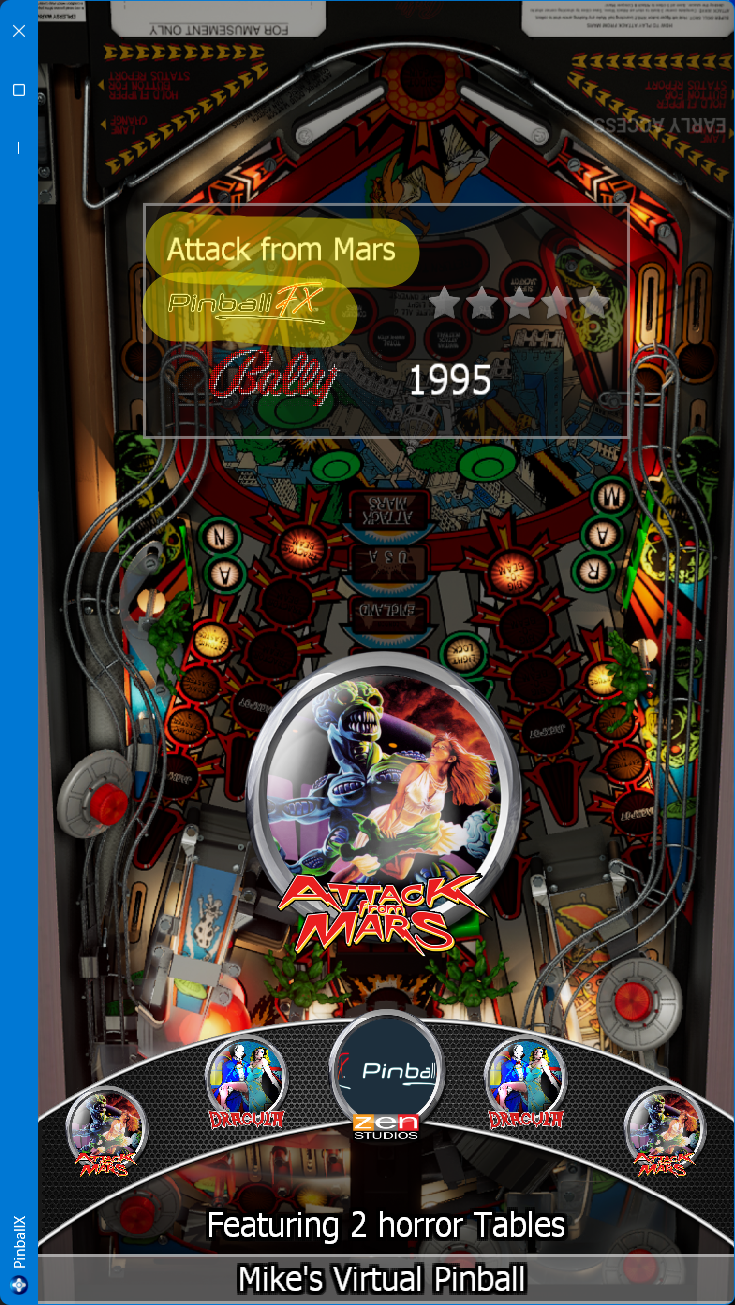
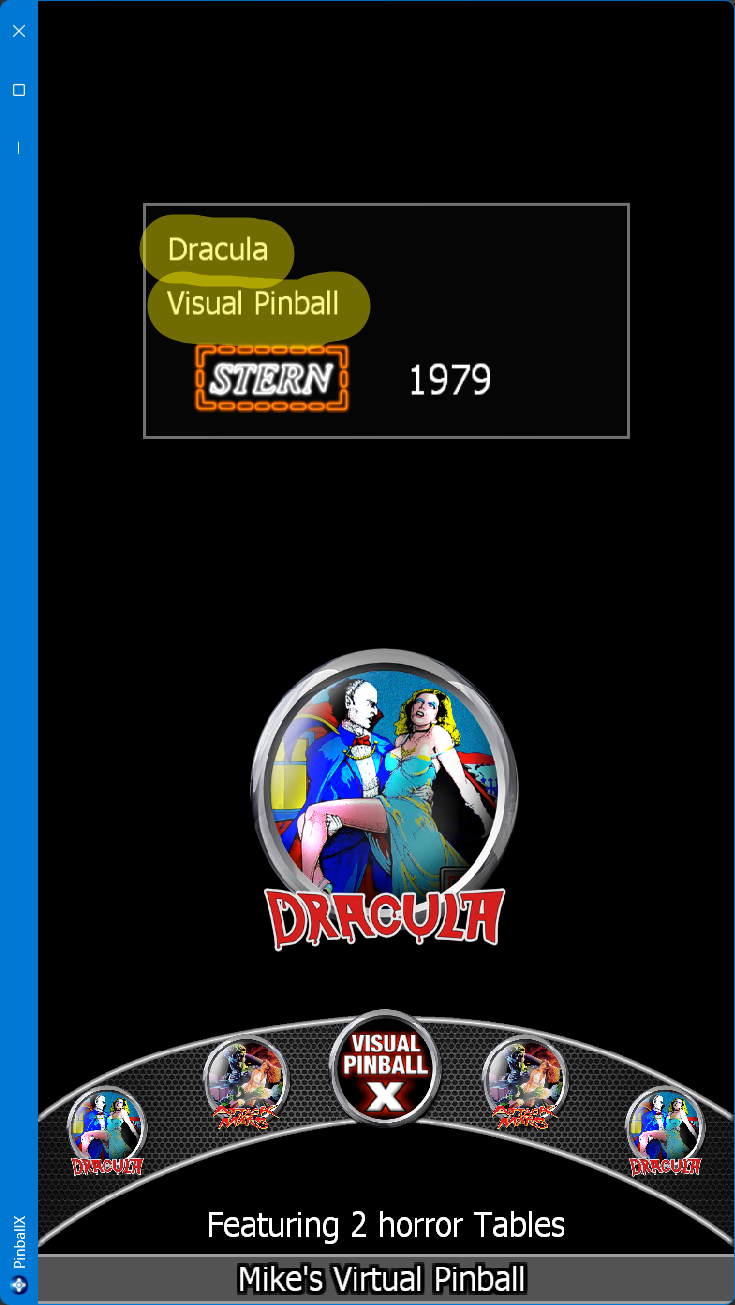
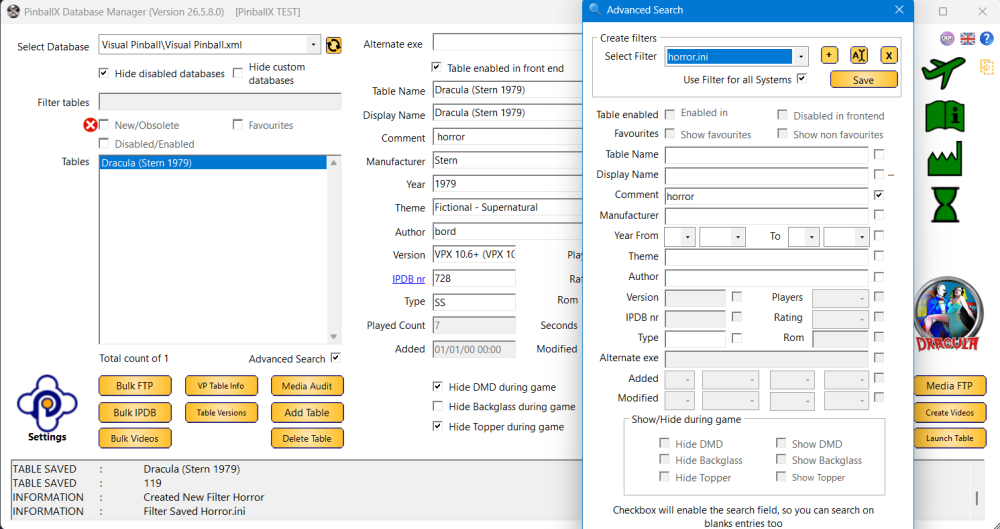
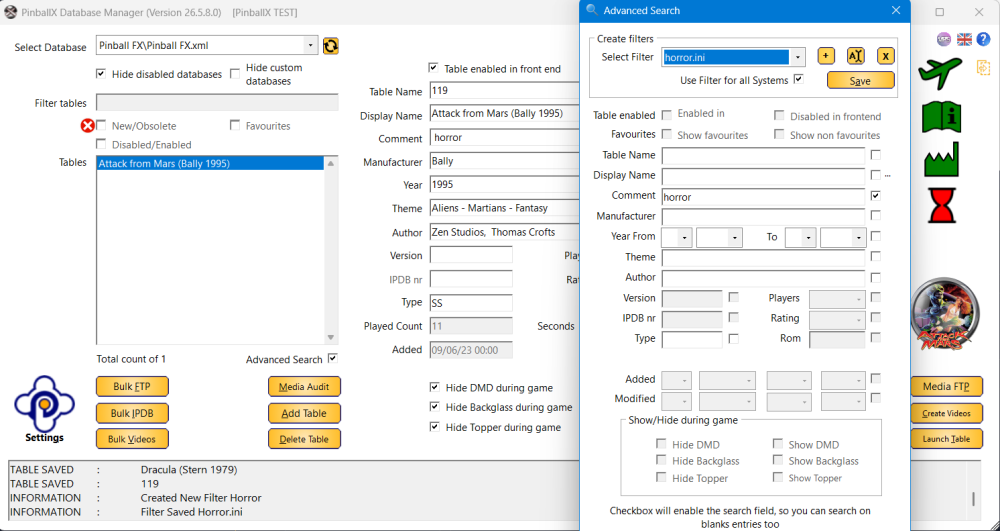
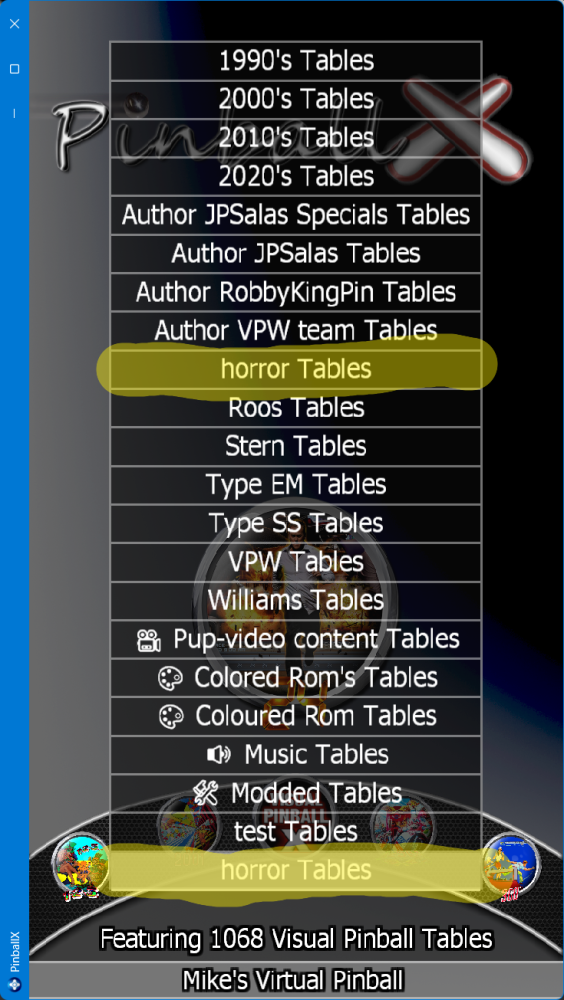
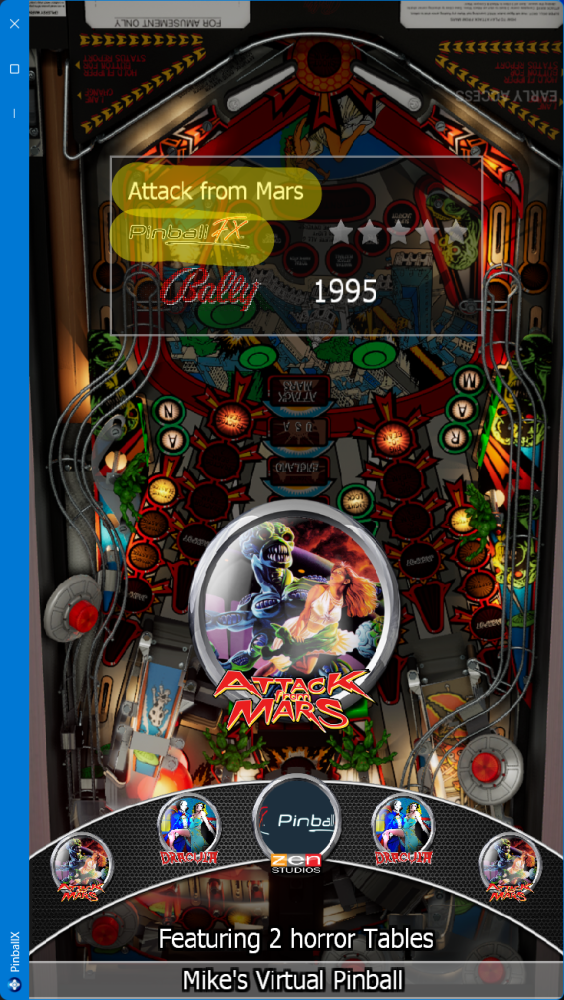
That’s not what I mean. Does Future Pinball work like the normal system? From your system menu, select Future Pinball, and you should see all your Future Pinball tables. Launch one and check what’s going on. That’s not what I mean. Does Future Pinball work like the normal system? From your system menu, select Future Pinball, and you should see all your Future Pinball tables. Launch one and check what’s going on. That’s not what I mean. Does Future Pinball work like the normal system? From your system menu, select Future Pinball, and you should see all your Future Pinball tables. Launch one and check what’s going on. I can’t connect to your drive, so could you upload it to YouTube instead? But first, get the Future Pinball system working. I thought this thread https://forums.gameex.com/forums/topic/31771-resolved-future-pinball-bam-edition-black-screen confirmed that Future Pinball as a system was fixed. If your horror table loads from this system (so within PinballX running as frontend), it should also load the same table from the filter, since the filter just narrows results and combines systems (if you have the checkbox "all systems" selected). Thats what I tried to explain in this post https://forums.gameex.com/forums/topic/31372-could-a-list-or-system-of-horror-tables-be-made/#findComment-227691 If you got any questions, please let us know Edit : Although I don't have Future Pinball installed, I created 2 horror.ini as you had 1 in the visual Pinball directory and 1 in the Pinball FX directory (created via DBM). Attached 1 of the fles (only 1 is needed, but wanted to test) My Visual Pinball Directory Already had a load of filter files for testing Within Visual Pinball, I commented 1 table as horror: I did the same for Pinball FX (just ATFM) PinballX loaded and my list showed 2 horror filters : Both filters shows the same result : ATFM from system PinballFX Dracula from Visual Pinball When I click Dracula it loads Visual Pinball and when I click on ATFM , it launches my ZenPinball FX system See log file : 07:00:57.72 16/05/2026: Started 07:01:01.57 16/05/2026: Launch System 07:01:01.57 16/05/2026: Hide Topper 07:01:01.57 16/05/2026: Not Hide Backglass! 07:01:01.57 16/05/2026: Waiting for threads 07:01:01.65 16/05/2026: Disposing display 07:01:01.75 16/05/2026: Set Plugin data 07:01:02.23 16/05/2026: C:\pinball\Visual Pinball\VPinballX64.exe -play "C:\Pinball\Tables\VPX\Dracula (Stern 1979).vpx" -minimized -ini "C:\pinball\Visual Pinball\Config\vpinballx64.ini" 07:01:08.96 16/05/2026: Visual Pinball Player Foreground 07:01:10.17 16/05/2026: Visual Pinball Player window foreground: 6 07:01:13.36 16/05/2026: Found PinMAME ROM: dracula 07:01:19.19 16/05/2026: Exit System Control Pressed 07:01:19.52 16/05/2026: Found Visual Pinball editor window 07:01:20.29 16/05/2026: Process Closed 07:01:22.21 16/05/2026: Getting high score 07:01:22.30 16/05/2026: Writing high score 07:01:22.46 16/05/2026: Created DirectX BackGlass Window 07:01:22.48 16/05/2026: Created DirectX Topper Window 07:01:36.74 16/05/2026: Launch System 07:01:36.74 16/05/2026: Hide Topper 07:01:36.74 16/05/2026: Hide Backglass 07:01:36.74 16/05/2026: Waiting for threads 07:01:36.74 16/05/2026: Disposing display 07:01:36.99 16/05/2026: Set Plugin data 07:01:37.28 16/05/2026: C:\pinball\Tools\PinballX\Launchers\FXLauncher\PinballFXLauncher.exe -table 119 07:02:00.36 16/05/2026: Exit System Control Pressed 07:02:02.21 16/05/2026: Created DirectX BackGlass Window 07:02:02.23 16/05/2026: Created DirectX Topper Window 07:02:38.31 16/05/2026: Exiting 07:02:38.89 16/05/2026: Disposing Plugins 07:02:38.89 16/05/2026: Saving Settings 07:02:40.01 16/05/2026: Bye If a table is not loaded from your a filter. check the log file and I'm sure your system is not setup correctly attached my log and filter file : log.txt horror.ini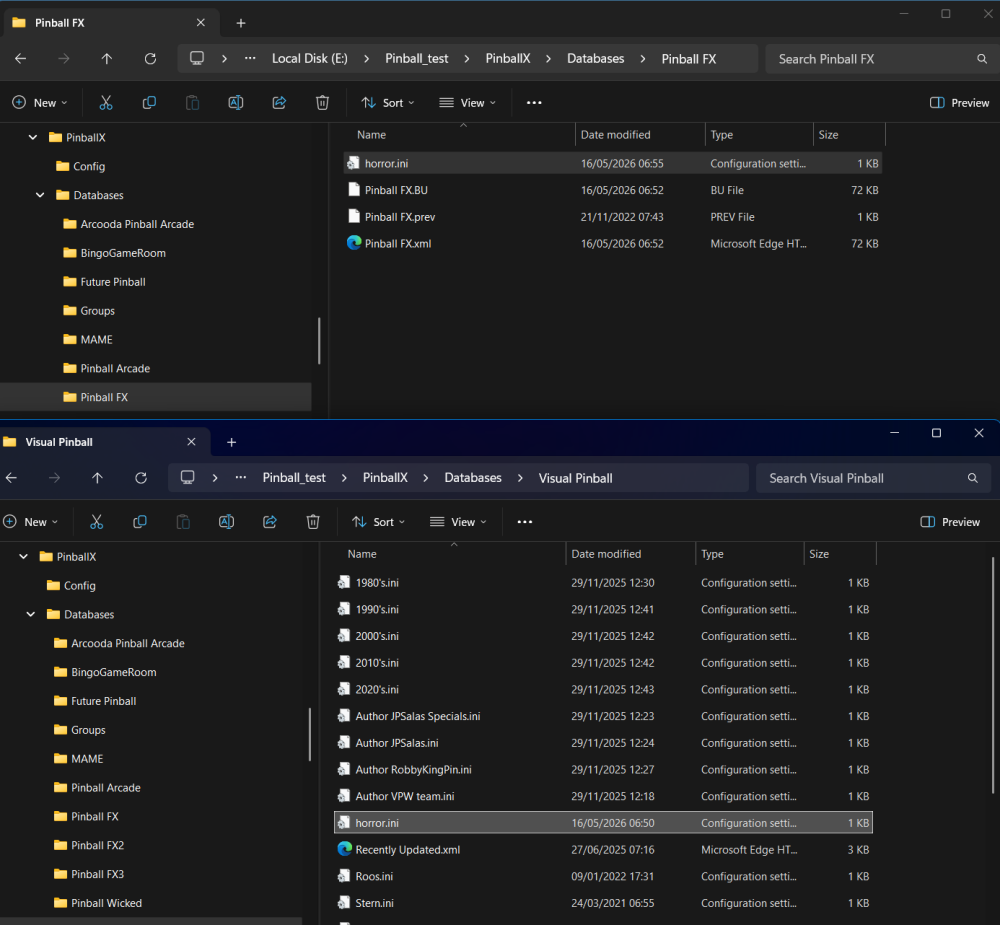

-
Could a list or system of horror tables be made?
Mike_da_Spike replied to DakotaPinball's topic in General
The vpx tables thst needs 32 bit can be done with alternate.exe. but I have 1100+ tables and all working in 64 bit. Only CCC can't run 10.8, so needed to setup a 10.7.4 system, for this table Is table "C:\vPinball\VisualPinball\Tables\ClassicPanicSE" a VPX or FP table? Because it tries to load with vp instead of fp. Is your 'normal' future pinball system working? According to the log, you also have 2 horror filters. You only need one. Set one up in the visual pinball system and select the all systems option. If the filter is finds tables from another system, it will show in the front end as well. But NOT within DBM as it shows only the selected system. Thats something @scuttersand myself must takd care of. Action plzn for you: Delete 1 of the horror filters and just keep 1 Make sure your Future pinball system works from the frond end If FP works from frontend, mark tables in the future pinball as horror, via the discription Also marks your Visual Pinball tables that you like to see as hordor This should show the filter in the frontend with tables from all systems that you marked as "horror" in the description. -
What are you looking for?
-
And ? Any results ?