|



Mike_da_Spike
-
Posts
3793 -
Joined
-
Last visited
-
Days Won
241
Content Type
Profiles
Forums
Events
Downloads
Store
Articles
Everything posted by Mike_da_Spike
-
De parameters kan je vinden in de volgende post : https://forums.gameex.com/forums/topic/26401-guide-zaccaria-finally-has-direct-table-launch/#findComment-203296 Plaatsts aub engelse teksten, want eigen taal is lastig voor iedereen
-

[RESOLVED] PinballX lose focus on ultra dmd tables
Mike_da_Spike replied to zbubar's topic in General
It should just be launched once. If you click on the icon in system tray, it should open the program with the log. As I mentioned, it should not be a solution, but a workaround. (And for most it works, it was created for VR users running another frontend) It must be something with your dmddevice.ini or visual pinball settings that causes this. Is the flexdmd supposed to be on the backglass or on the playfield ?. Can you maybe make a video what you get (try 2 differrent flexdmd tables) and show the alt tab ? Maybe someone sees the culprit of your issue -
[RESOLVED] PinballX lose focus on ultra dmd tables
Mike_da_Spike replied to zbubar's topic in General
Not a solution, but a workaround. Try to use the tool 'bring vpx to front' : https://forums.gameex.com/forums/topic/31545-resolved-after-exit-a-table-pinballx-does-not-close-vpx-reliable/page/2/#findComment-226148 -
Upgrade from v3.57 to latest and retain configuration
Mike_da_Spike replied to ukheliman0's topic in General
Technicly, I should say yes, but for safety you could backup your pinballx.ini and your database files. Your running 300+ releases behind, so not 100% sure. And make sure that you will check all the settings after the installation. This would probably set some new values as well- 1 reply
-
- 1
-

-
Version 25.10.28 is just released @scutters and I are proud to present this new release! Thanks to @Tom Speirs, PinballX now supports streaming GamePlay, Tutorial, and Promo videos directly from an http(s) link. This means you can stream large videos straight to your cabinet via your internet connection—no need to download them first. Many of these videos are already hosted on the GameEx server, and Database Manager makes it easy to add them to your PinballX media collection with just a few clicks. First, if you want to use streaming GamePlay, Tutorial, and Promo videos, you must enable the feature in the settings screen After enabling the setting, DBM will automatically create a .URL file for you when using FTP or drag-and-drop with streamed media types. Another feature is that you can drag and drop a file directly from a website, as long as it uses an http(s) link. You can access the GameEx website without logging in, using this link: https://ftpbrowse.gameex.com/-PinballX-/ Just launch PinballX and enjoy your streamed videos, no downloads needed! A huge thank you to @Tom Speirs for making streamed video support possible in PinballX, this feature opens up a whole new world of media integration for your cabinet. And of course, endless appreciation to @scutters, who helped bring this release to life with his usual mix of wizardry, patience, and late-night troubleshooting. Without him, this update might still be stuck in the multiverse of half-working builds 😉 cheers and enjoy !


- 418 replies
-
- 2
-
-
- mikedaspike
- scutters
- (and 1 more)
-
I think I started last yeR, but all needed to be renamed etc. But my docker container with pinchflat still runs and monitor all the above YT channels. I will try to upload them all
-
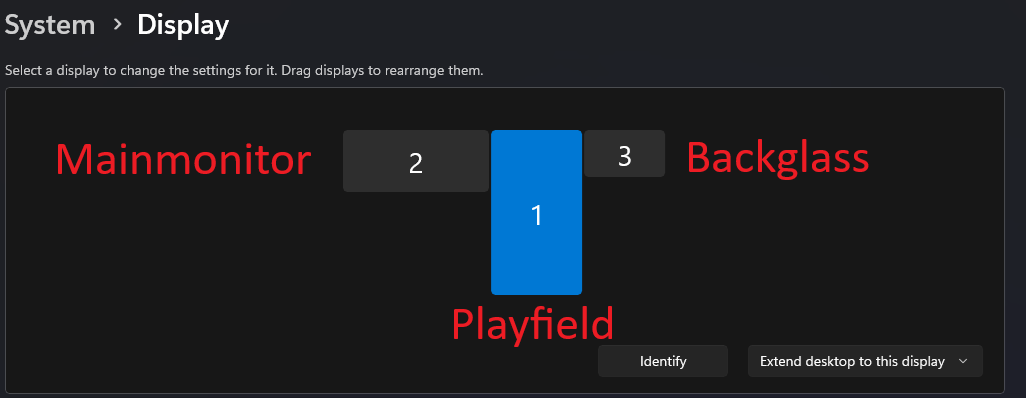
It's not rocket sciense. And no AHK needed I just use downloaded from that website multimonitortool : https://www.nirsoft.net/utils/multi_monitor_tool.html I use it when I launch PBX This is my setup when power on the cab : i have a mainmonitor which I use for desktop stuff and when using VR The monitor count in Windows isn't correct as my PF is 3 and my primary is 1 Before I launch PBX i use command : MultiMonitorTool.exe /SetPrimary 3 This set the primary monitor to my PF all apps that are launch, will launch there. When I quit PBX, a after script launch with MultiMonitorTool.exe /SetPrimary 1 which set my primary monitor to the display I use for desktop activities

-
I already have a lot of videos on my NAS,w hat will be the best way store them on the FTP ?
-
And how about stream it from FTP ?
-
Sounds like the following post : https://forums.gameex.com/forums/topic/31414-daphne-on-a-second-monitor/#findComment-226134 😜
-
Indeed, typically the magna buttons are utilized to transition to tables associated with the subsequent or preceding letter.
-
The topper should disappear as well, unless you have the checkbox for staying during the game or a name with something familiar.
-
I have platinum as well, but always searching which tables below to tat pack. So devils riders is added to that pack, Primal Carnage isn't discounted, and they charge the full price for it. So, it's best to wait for a sale (hey, I'm still Dutch) . Thanks for the info! The XML file in post 1 has been modified and now includes all games.

-
Suggestions for monitor for PinballX tables, I have questions
Mike_da_Spike replied to DakotaPinball's topic in General
Not sure if that can run full HD at 100fps with vpx 10.8. -
I will update the xml when I'm at a pc again.thanks for notifying. Need to wait for the black friday sale to get these with discount . 5 euro for 1 table and 10 euro for the other 4 tables. Didn't they got enough money of us? 😀
- 18 replies
-
- 1
-
-
- mikedaspike
- xml
- (and 2 more)
-
Suggestions for monitor for PinballX tables, I have questions
Mike_da_Spike replied to DakotaPinball's topic in General
Not sure what you exactly mean with this. I don't have experience with that monitor , but if it can run 100hz with full HD, it will be sufficient to run tables smoothly (if your video card is able to produce this). -
Version 25.10.15 is just released This started as a quick fix after @scutters spotted a bug in the New Tables. The root cause turned out to be a simple typo (yes, one of the devs… and no, it wasn't scutters). The fix was straightforward, but we felt like adding a little extra polish. That led to a small idea we quickly built and implemented: Whenever a popup disables its parent window, we now apply a subtle gradient overlay to the underlying form, giving a clear visual cue that it's inactive. It fades in and out smoothly, adding just the right touch of clarity and style. There was an issue with how statistics.ini was written by PinballX, specifically when table names contained a dash (-). As discussed in this resolved thread, @Tom Speirs fixed PinballX and shared the cleanup logic he is using within PinballX. We've now adopted that approach in this release to ensure compatibility. We also fixed another minor bug spotted by @scutters, thanks again! Not a huge release, but definitely worth updating your version. As always, a big shoutout to @scutters for his invaluable help with this release

- 418 replies
-
- 3
-
-

-
- mikedaspike
- scutters
- (and 1 more)
-
Hi all, I’ve put together a cleaned and updated XML file for Zaccaria Pinball, based on the naming structure originally compiled by @joyrider3774. His excellent work laid the foundation (he really need to explain how he get all the correct table names ) I’ve simply tried to ensure consistency across all 168 tables, including the POSTAL packs and newer Magic Pixel releases. Each pinball table in the XML includes a type field, which traditionally reflects the hardware generation of the original machine. In most cases, this is either: EM – Electro-mechanical: Tables from the 1970s with mechanical scoring reels, bells, and relays. SS – Solid-state: Later Zaccaria machines from the 1980s with digital displays and electronic sound boards. However, since Magic Pixel has introduced multiple digital reinterpretations and original creations, we’ve expanded the type field to better reflect the style or version of each table. This helps distinguish between physical recreations, stylized variants, and fantasy-themed originals. Here’s the full breakdown: type Meaning Description EM Electro-mechanical Original 1970s Zaccaria tables with mechanical scoring and chimes. SS Solid-state 1980s Zaccaria tables with electronic scoring and sound. RM Remake Faithful digital recreations of original Zaccaria tables. RT Retro Stylized retro versions with simplified visuals or gameplay. DX Deluxe Enhanced editions with modern graphics, lighting, and effects. AW Adventure/Wizard Original Magic Pixel fantasy tables, not based on real machines. The goal is to provide a reliable base for anyone integrating Zaccaria tables into their own frontend, launcher, or tooling. Original thread by @AndyMcDandy: guide zaccaria finally has direct table launch Steam guide reference by @joyrider3774: Steam Zaccaria Guide Feel free to use, adapt, or suggest improvements. I’ll keep it updated as needed. Download file : Zaccaria Pinball.xml
- 18 replies
-
- 3
-
-
- mikedaspike
- xml
- (and 2 more)
-
Thanks ! I bought all my renaming tables in the sale last week. I found out how to launch VR from command line, so I will make 2 extra systems. Thanks for everything! Do you have by change a new xml, with description na es as well ?
-
[RESOLVED] After exit a table, PinballX does not close VPX reliable
Mike_da_Spike replied to FRAQATTAQ's topic in General
Glad it is solved. Yeah program works for multiple users. And not just for PinballX. Also other frontend and even for users without a front end. PinballX is doing a good job as well, but this tool is bringing the vplayer for 30 seconds to foregrounf -
[RESOLVED] After exit a table, PinballX does not close VPX reliable
Mike_da_Spike replied to FRAQATTAQ's topic in General
Yes, ! your log is now showing that you press the key which will let PinballX close VP instead of closing VP by yourself I see that Exit emulator and quit PinballX is now the same key . Maybe that fixed the issue. About VR not focussing. Thats a common issue with VR. For the discord VR team, I wrote a small program 2 years ago : it's a lightweight app. Just run it once and it will go to your system tray You can leave it there and when you launch Visual Pinball, it will set focus to the VP player . If you click on the icon, it will bring the program to front and you see the logging. Clicking on the X will close the program and minimize it, will hide it to system tray icon. I hope you can now enjoy VR with PinballX BringVPtoFront.zip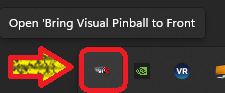
-
[RESOLVED] After exit a table, PinballX does not close VPX reliable
Mike_da_Spike replied to FRAQATTAQ's topic in General
Odd. I still see on both pinballx.ini that the quit and exit emulator keys are set on different keys. If I have some time tomorrow, I will use your settings file on my cabinet to see how things will go on my system. -
[RESOLVED] After exit a table, PinballX does not close VPX reliable
Mike_da_Spike replied to FRAQATTAQ's topic in General
How is future Pinball closing ? I see you have that system setup as well And maybe as extra test, can you setup "Quite" and "exit emulator" to the same key (R or J) ? And make a log from that. And in the same log do an exit in FP and also VP. Btw. I see that Pi ballX is "Running as Administrator". Is your vpx also set to that. There is no technical need for running PBX or VP/FP as administrator. To be safe, set UAC to default level and remove any run as admin. When setting UAC to default, it will still show you which app still run as admin.. -
[RESOLVED] After exit a table, PinballX does not close VPX reliable
Mike_da_Spike replied to FRAQATTAQ's topic in General
I don't see any table launches in the log. -
[RESOLVED] After exit a table, PinballX does not close VPX reliable
Mike_da_Spike replied to FRAQATTAQ's topic in General
Can you post that logfile. And also when pressing J .