|



Mike_da_Spike
-
Posts
3789 -
Joined
-
Last visited
-
Days Won
241
Content Type
Profiles
Forums
Events
Downloads
Store
Articles
Everything posted by Mike_da_Spike
-
Thanks buddy. I always created documentation and procedures for my team at work. I think it was so good that my entire team's work was outsourced to a third party, and we were all sacked. You are doing an excellent job as well OG Mike ! (And don't forget Tom as well)
-
We spend so much time documenting everything, and no one reads it. I think that when we implement new features in the future, we will not document anything. 🤣
-
Not just my program. It's a collaboration between @scutters and myself. So a lot of credits for him as well
-
It's normal. We posted it in the manual as well : I regret to hear that your DMD videos are not functioning as expected. Could you please provide your DBManagerLog.txt, your PinballXDatabaseManager.ini, and perhaps an example video or a screenshot showing how the DMD appears?

-
Funny part is, that we use the screens that are defined in pinballx. Only with our magic we do the recording.. glad you like it!
-

Spinning Ball Animated Wheel Images
Mike_da_Spike replied to scutters's topic in PinballX Media Projects
Thanks mate ! It's too complex for me, but I'm sure you can make this ! -
Spinning Ball Animated Wheel Images
Mike_da_Spike replied to scutters's topic in PinballX Media Projects
This one ? :
-
[RESOLVED] Exiting Does Not Close PUP Packs
Mike_da_Spike replied to DJO Maverick's topic in General
I fixed that issue yesterday. It was a user error. -shame- The problem occurred because the Topper screen was enabled, but no size was specified in the INI file. After resolving this, the errors related to Full Screen disappeared as well. I am unable to test your files you post as I won't be at my cab for the next few days, but I hope to test it soon (thursday or friday). Even a few seconds off might make a significant difference. Thank you, Tom! -
Oh no, it's not your Engloish, it's my reading. To my opinion that's not OK. you should not swap directories The playfields are rotated during recording. However, if your playfields are recorded as backgrounds and vice versa, the videos are created incorrectly. Database Manager includes a test button under Settings -> MediaRecorder that demonstrates how videos are recorded. It will use the display settings from PinballX However, I believe that if you try it, it may not display correctly. So can you try it ? No, these are all built-in, as PinbalLX should capture the correct screens from the settings and will do the correct rotations.
-
Sorry for my late response. I'm a bit lost as to your exact issue. I first thought you had issues where BG and PF were switched in PinballX. Then you said all is fine in PinballX and VP; only the PF videos are rotated 180° when recording. But I think that's your issue, you had from the beginning, right ?(sorry my fault) Checking your pinballx.ini, I see that your 'rotate=270'. Is this correct if you have screen1 set as landscape? My screen is in portrait mode and needs to be set to 270. Should yours be set to 0 or 90? Or am I mistaken?
-
Here is the Zaccaria Pinball database for May 2025
Mike_da_Spike replied to DakotaPinball's topic in General
I am currently away from my computer and expect to be for the next couple of days. Following your post, I checked my Zaccaria system and I have configured 116 (or 118) tables. I tested a few tables for one and two players in both arcade and classic modes, and they all functioned correctly. I can't remember how I setup my zaccaria system, but it was configured as 'other system'. I will gladly send you my files via private message once I have access to my computer again. -
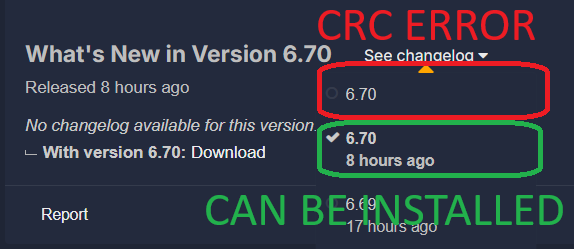
 Click on the change history and select the previous version. It has the same version number, but no CRC error.
 -
[RESOLVED] Exiting Does Not Close PUP Packs
Mike_da_Spike replied to DJO Maverick's topic in General
I played a couple of Batman '66 games and some regular ones, and all completed in decent times. The "killing processes" no longer appear in the log, and there are no open processes from Pinup Player anymore. Nice job @Tom Speirs ! I hope this is working for @DJO Maverick as well, as it is his thread log.txt -
[RESOLVED] Exiting Does Not Close PUP Packs
Mike_da_Spike replied to DJO Maverick's topic in General
6.70 give an CRC error during unpacking : I tried to download it multiple times, but all the versions gives this on my PC and cabinet edit : I noticed there was another version of 6.70, so I downloaded that one and that one didn't have the CRC error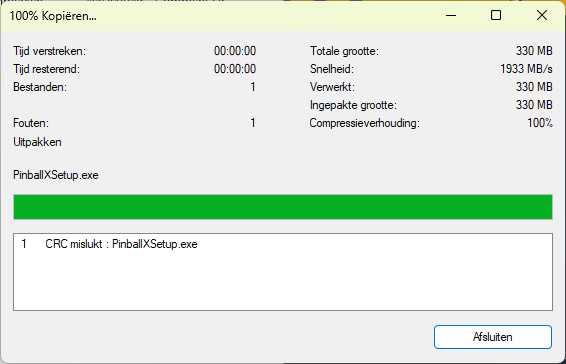
-
Here is the Zaccaria Pinball database for May 2025
Mike_da_Spike replied to DakotaPinball's topic in General
You don't need LaunchZaccatria.ahk as this was used for sending keystrokes, which isn't needed anymore Just have the fx3launcher needed from JoyRider with your modified ini (you can rename the launcher to another name). The INI should not contain PATH=P:\SteamLibrary\steamapps\common\Zaccaria Pinball\ZaccariaPinball.exe as the launcher is always launch steam with the parameter path I use the following start parameter : STARTPARAMS=-applaunch 444930 -rotate right -skipmenu PinballX should be pointed to the FX3launcher.exe (or the renamed exe file). if yo uhave the parameters correct in the INI file , you can use it like I have : btw, I like your images your shared. I also used your Pinball Wicked images. Do you have them for other systems as well ? maybe you can make a 'pack' for all the systems you have and put them in the download section
-
Did you create your own videos? Or downloaded?
-
If bg is monitor 2 and pf monitor 1, you should switch those numbers. It's using windows numbering, so number-1 You can change this in settings.exe as well
-
Not sure if you make this picture yourself or if it is from windows, but you got a gab between 1 your screen's. I thought it was normally a best practice to set pf monitor in portrait mode as well. Your ini file is set to 270degrees. Make a screenshot from windows so we are able to check what your correct settings are
-
Here is the Zaccaria Pinball database for May 2025
Mike_da_Spike replied to DakotaPinball's topic in General
Check this : It has the link to steam, to add all the missing tables as well -
[RESOLVED] Exiting Does Not Close PUP Packs
Mike_da_Spike replied to DJO Maverick's topic in General
6.69 is most of the time 'slow' Even when the game was just launched (which would close quickly with 6.68). I do not see the processes in suspend mode anymore . However, as before, PinupDisplay and PinupPlayer closed almost immediately when exit is pressed, while VPPlayer and the editor remained active until the timeout. log.txt -
Spinning Ball Animated Wheel Images
Mike_da_Spike replied to scutters's topic in PinballX Media Projects
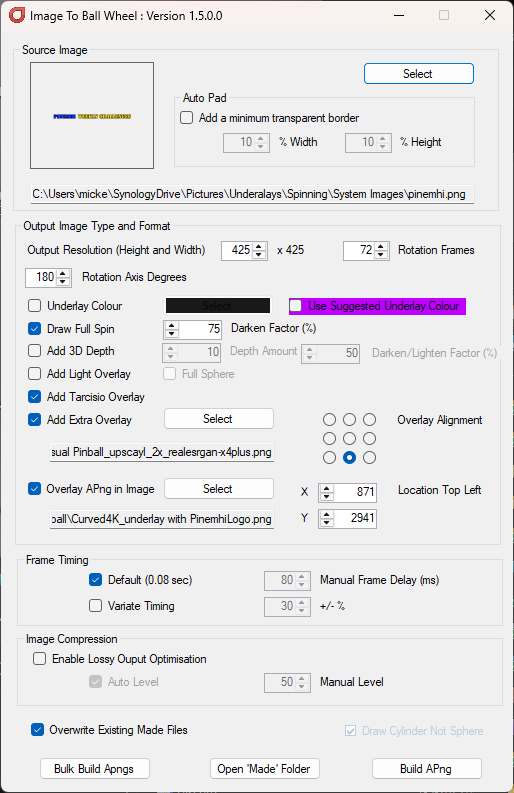
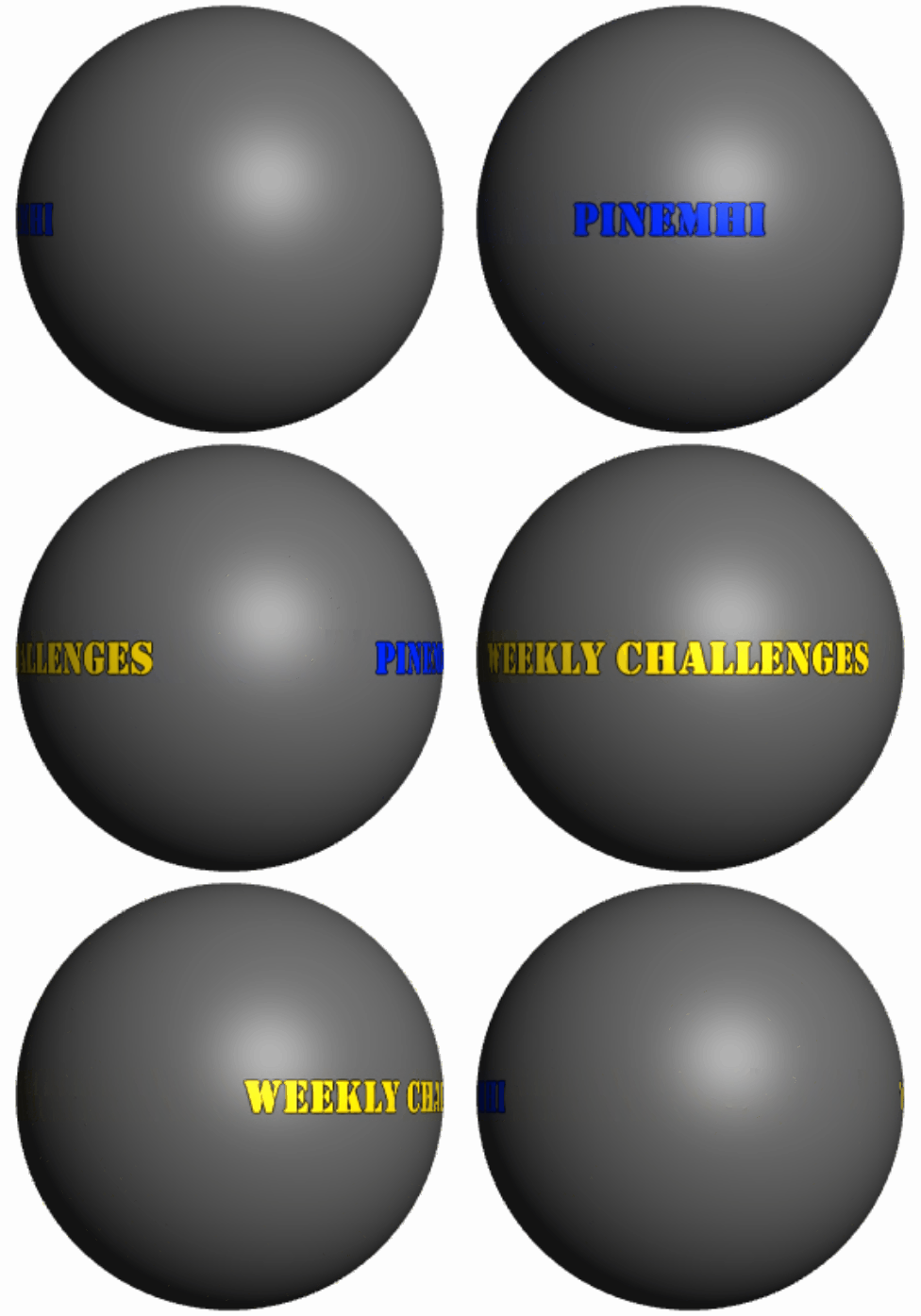
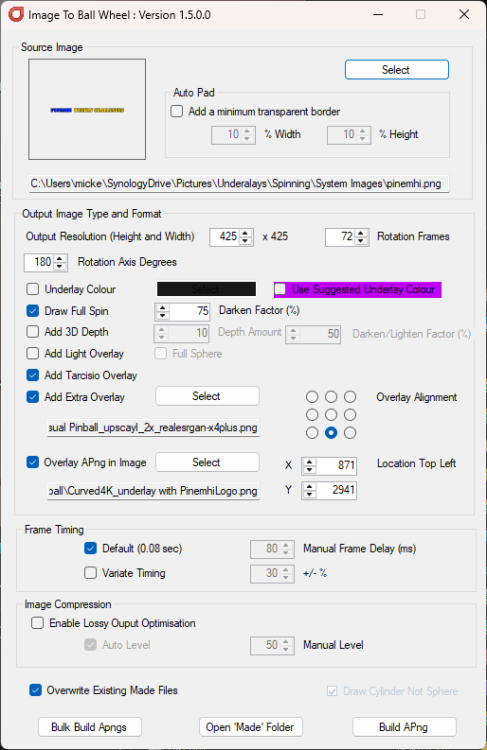
Stupid user question: I am using the following source image. Since it is transparent, I have made the background gray for illustration. And with the following settings : this results in this (endresult in PinballX as underlay) You can't see it correctly, but I used the ''Draw full spin" But what I see is that it is making the image like this : Would it be possible to support a 2:1 ratio image as well, so the entire texture wraps around the ball without repeating? so an image like this : So when PINEMHI is at front, the WEEKLY CHALLANGES should mirrored and with shadow effect and when PINEMHI is rotated away, it starts with WEEKLY CHALLANGES and PIINEMHI is mirrored and with shadow effect (or even without the 'Draw FullSpin' option selected that it supports a 2:10) So it would something like this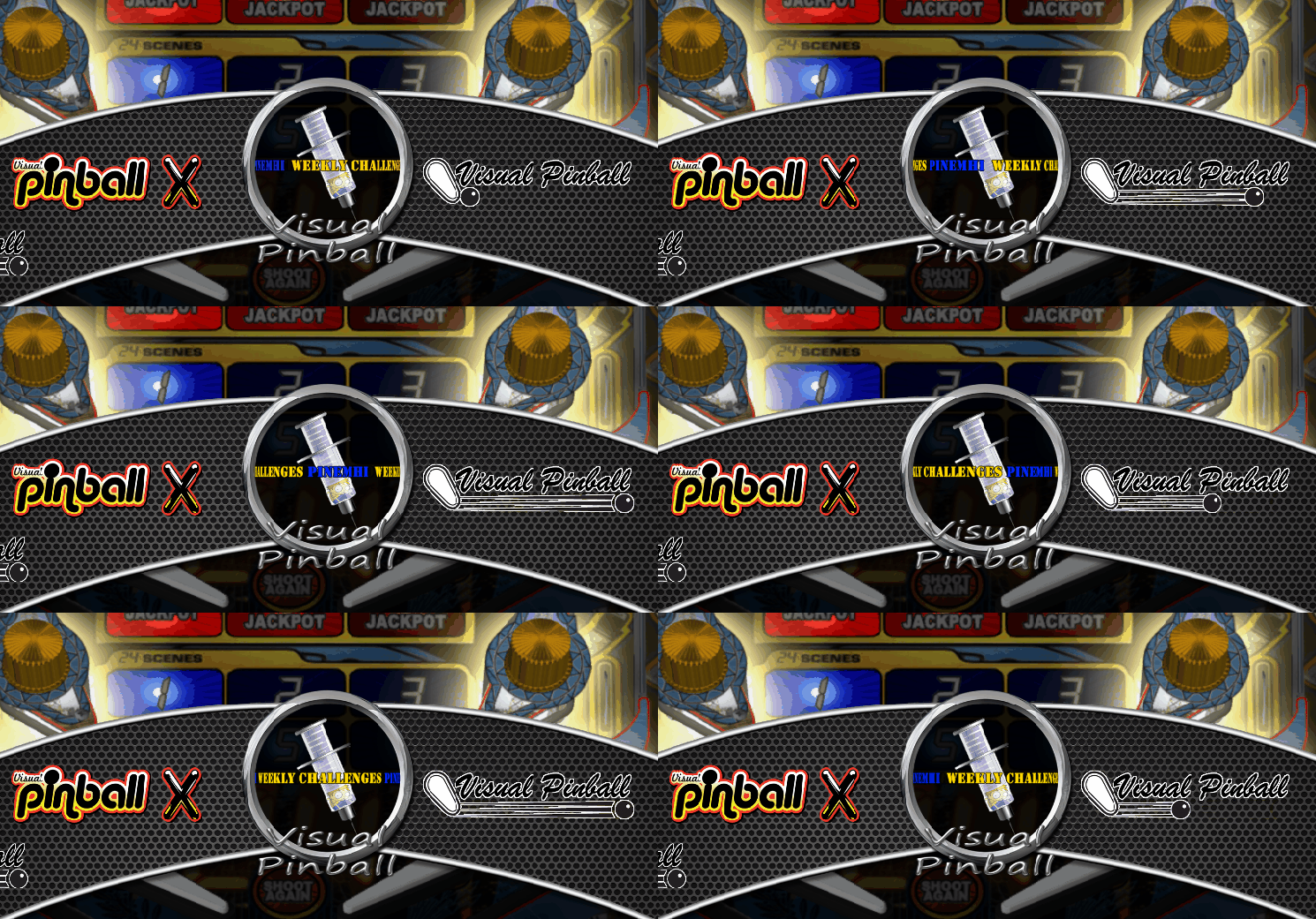



-
[RESOLVED] Exiting Does Not Close PUP Packs
Mike_da_Spike replied to DJO Maverick's topic in General
I am experiencing unusual behavior, Tom. When I launch Batman 66 from PinballX and either play the game or wait for a few minutes, the closure is not executed gracefully, and the process is terminated after a timeout. However, if I simply launch the game, wait for a few seconds, and then exit, it closes promptly. My observation was that when pressing the exit button, PinupDisplay and PinupPlayer closed almost instantly, while VPPlayer and the editor remained active until the timeout. The VPPlayer stayed in the suspended status, even though the editor was no longer suspended after pressing exit. the following screenshot is just taken before I press the exit button: If I launch the same table without the front end, the 2 processes doesn't come in the suspend state. Not sure if that is causing any issue attached is the log (I also had a PinballX crash after exiting my last table) log.txt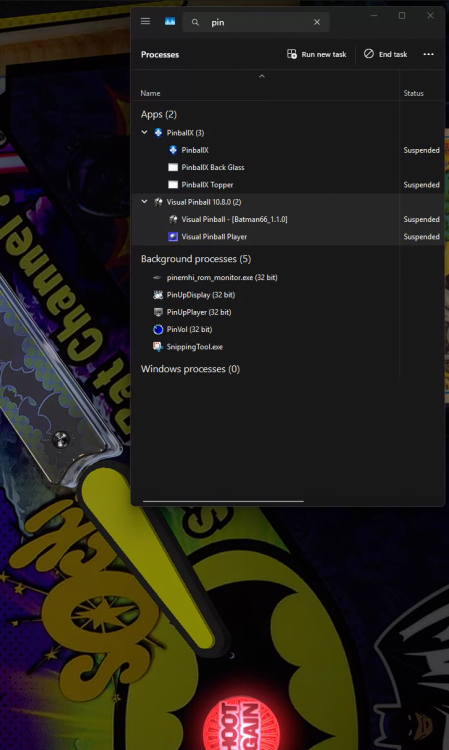
-
[RESOLVED] Exiting Does Not Close PUP Packs
Mike_da_Spike replied to DJO Maverick's topic in General
thanks for testing. No change indeed. -
[RESOLVED] Exiting Does Not Close PUP Packs
Mike_da_Spike replied to DJO Maverick's topic in General
Okay. Try disabling the plugin in PBX, and if that doesn't work, try disabling the DOF plugin in your B2B server. This is just for testing to see if it is working -
[PLUGIN] PinballX Pinemhi Challenge Table Launcher
Mike_da_Spike replied to scutters's topic in User Projects
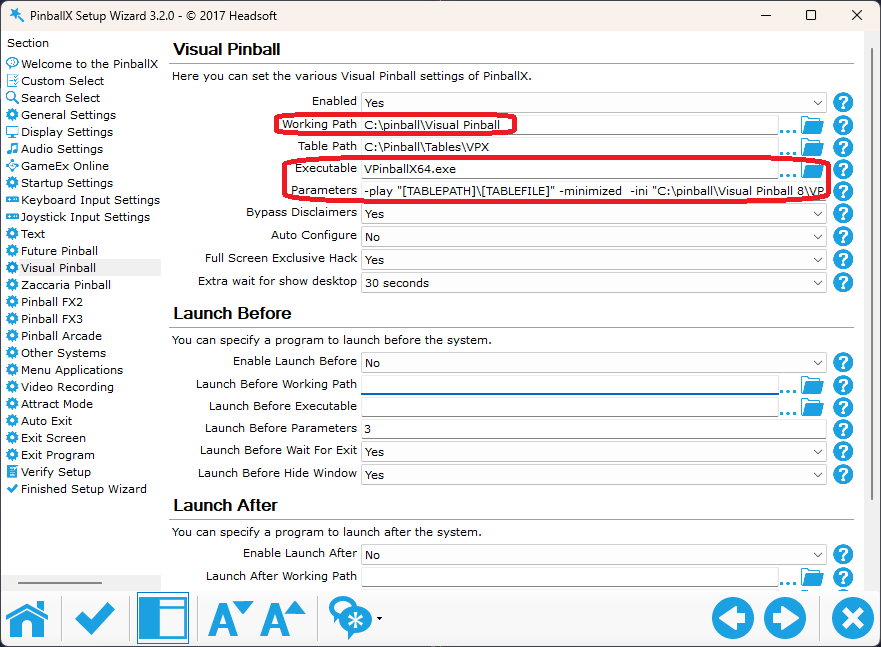
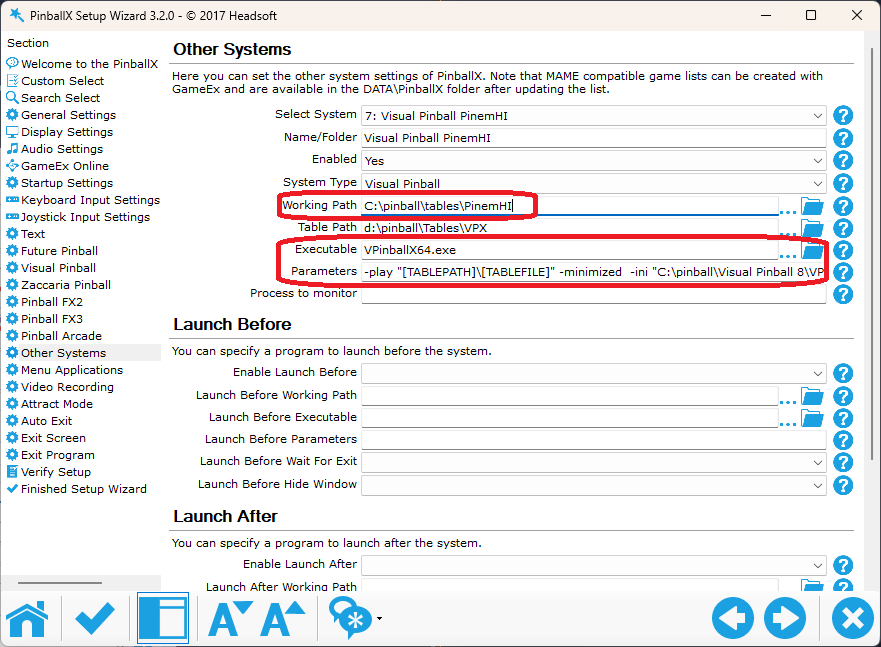
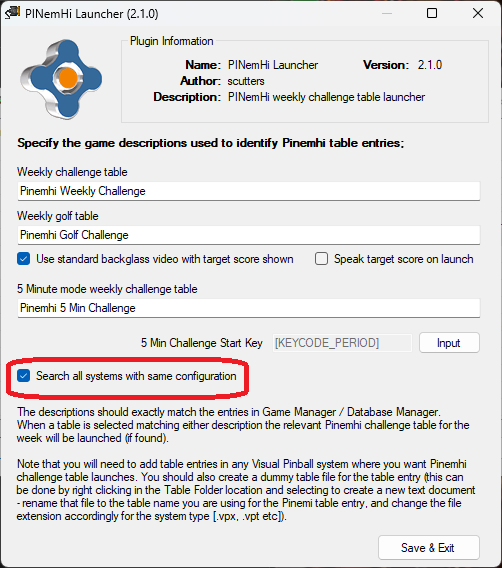
Background for the 2.1.0 Release On my cab, I had the usual pinball systems: VP9, VPX, TPA, FP, FX3, etc. My VPX system alone contained over 1,100 tables, making it frustratingly difficult to search for a specific one. Since I mostly play tables from certain creators or groups, I wanted to reorganize my Pinball cabinet for easier navigation. My inspiration came from Robby King Pin, who structured his PinballX systems by different groups. From what I understand, he had over 50+ systems set up for VPX alone! While I wasn’t planning to go quite that far, I still wanted a better organization method. So, I started categorizing by author, with my first dedicated systems being Vpin Workshop and JP Salas. To achieve this, I used PinballX settings.exe to create identical systems for these two authors, with the only difference being the table path. Using DBM, I easily generated XML files, moved media to the newly created systems, and even transferred statistics seamlessly. Additionally, I moved all relevant files, including tables, B2S files, and any available INI/POV/VBS files to their new locations. Everything seemed perfect... until I tried launching a Pinemhi game. Unfortunately, Pinemhi couldn’t detect the correct game, since I had moved them into different systems. I realized I could set up Pinemhi individually for each system, but that would require dedicated systems just for launching Pinemhi games, an inefficient solution The Fix The best approach was to make Pinemhi aware that we have multiple systems configured similarly so that it can correctly identify and launch games without manual workarounds Setup: First make sure you have Plugin pinemhi launcher 2.1.0 : click on configure and make sure checkbox 'Search all systems with same configuration' is checked Thats it ! The only thing you need to take care of, is that you make systems, where the Working path, executable and Parameters are the same You can do it with the build in Visual Pinball system, or make them all in Other systems. In my setup, I even created a PinemHi system, added the 3 tables in it and now I can select it in PinballX from the main system view Here's an example how it looks on my cab: system.mp4