|



DakotaPinball
-
Posts
66 -
Joined
-
Last visited
-
Days Won
3
DakotaPinball's Achievements

Super Member! (3/5)
12
Reputation
-
Could a list or system of horror tables be made?
DakotaPinball replied to DakotaPinball's topic in General
I hope I do it right. Here's a YouTube link where I uploaded my "terrible" system, which uses VPX and FP BAM tables. https://youtu.be/TgAuOA6p4yU It's made with .bat files because PinballX doesn't allow you to have two systems in one with tables. I've attached the .bat file for what I set up for Future Pinball, the VPX .bat file, and the .ahk file to close the process. If it can be improved, which I'm sure it can, let me know so I can polish it even more. Cerrar_horror.ahk Class of 1812 (Gottlieb 1991) v3.0.21.bat ClassicPanicSE.bat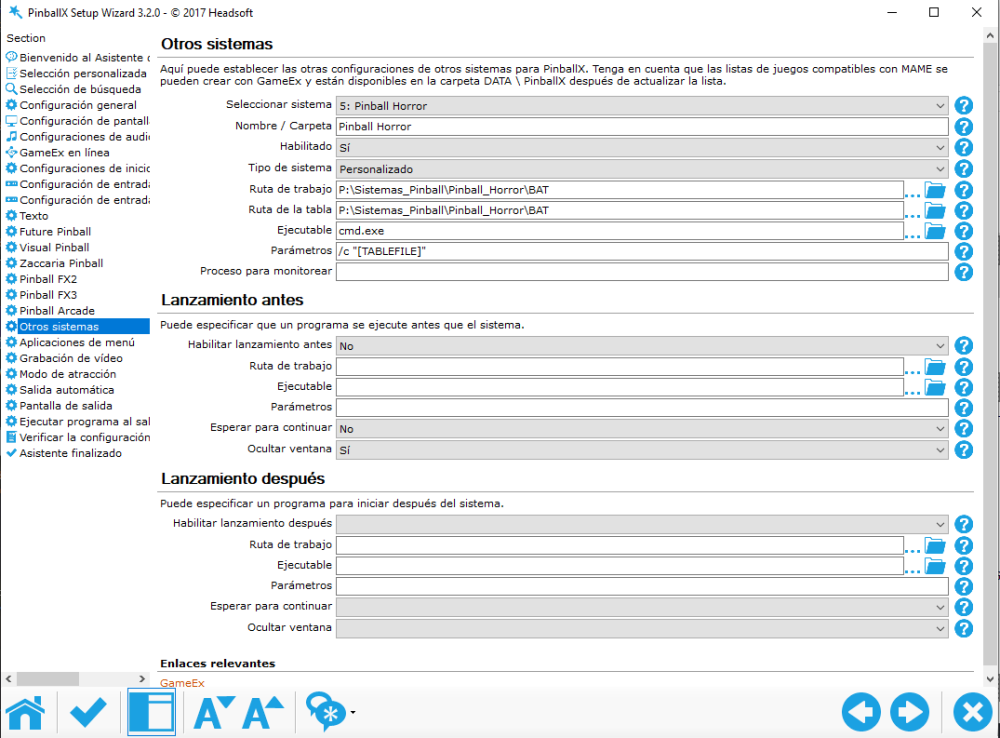
-
Could a list or system of horror tables be made?
DakotaPinball replied to DakotaPinball's topic in General
I have good news! I know I'm a bit slow to reply, but between work and other commitments, I haven't been able to do much. To get to the point, I've managed to create a new system that opens Visual Pinball X and Future Pinball tables from Pinball X. It's somewhat complex, but having all the tables from both systems together is fantastic. Give me a few days, and I'll post a step-by-step guide and a file showing how I'm doing it. Thanks to @Mike_da_Spike and @Draco1962 for your help. It all seemed impossible, but I didn't want to give up, and so far, the tests with two tables from each system have gone well. -
Could a list or system of horror tables be made?
DakotaPinball replied to DakotaPinball's topic in General
Yes, I did everything. And modify what I didn't have -
Could a list or system of horror tables be made?
DakotaPinball replied to DakotaPinball's topic in General
The Future Pinball black screen issue IS fixed. The issue of launching FP from PinballX IS fixed, although it takes a long time (video attached) https://youtu.be/Oh2QheAgrUI I was really looking forward to having the Pinball Horror system with the VPX and FP tables, but no matter how much I try, I can't seem to get it working. I know I'm doing something wrong, but I've looked and looked and I can't find the problem. -
Could a list or system of horror tables be made?
DakotaPinball replied to DakotaPinball's topic in General
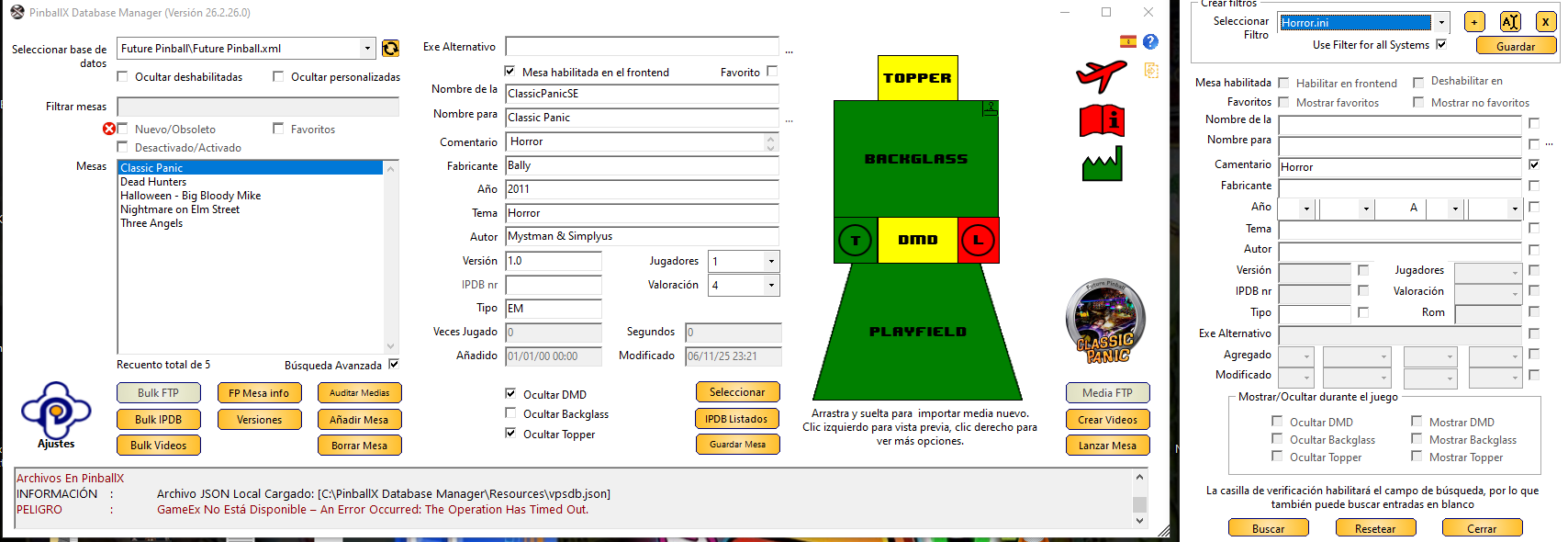
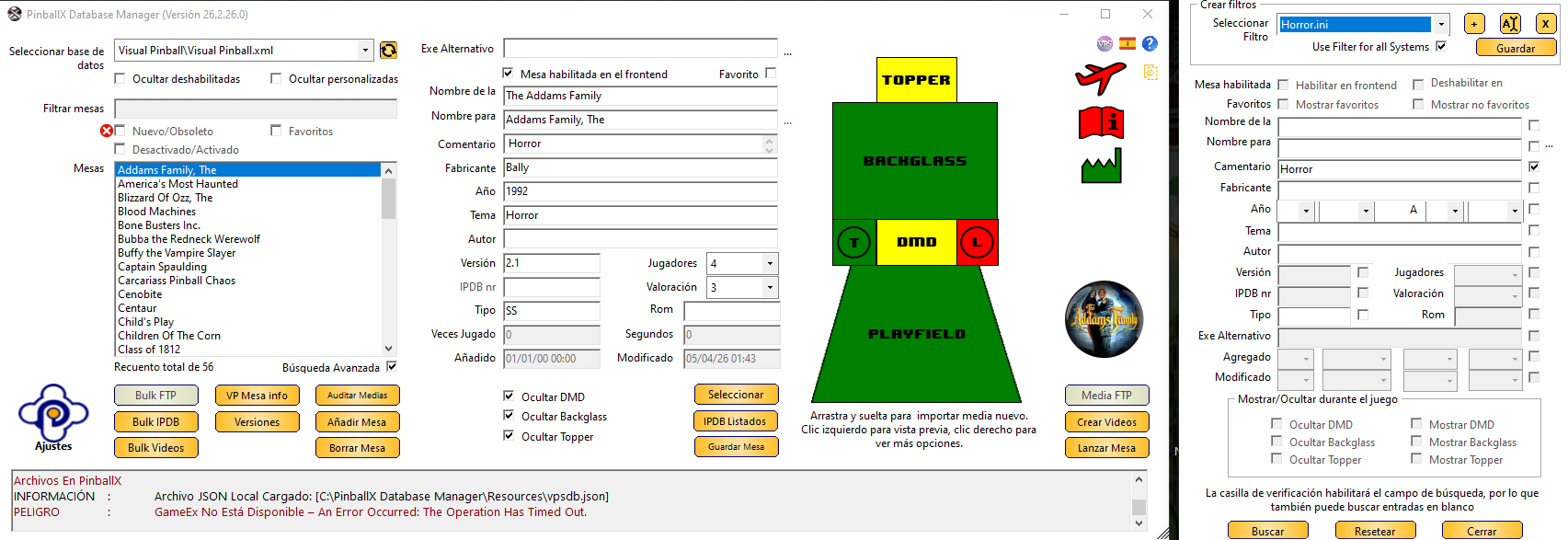
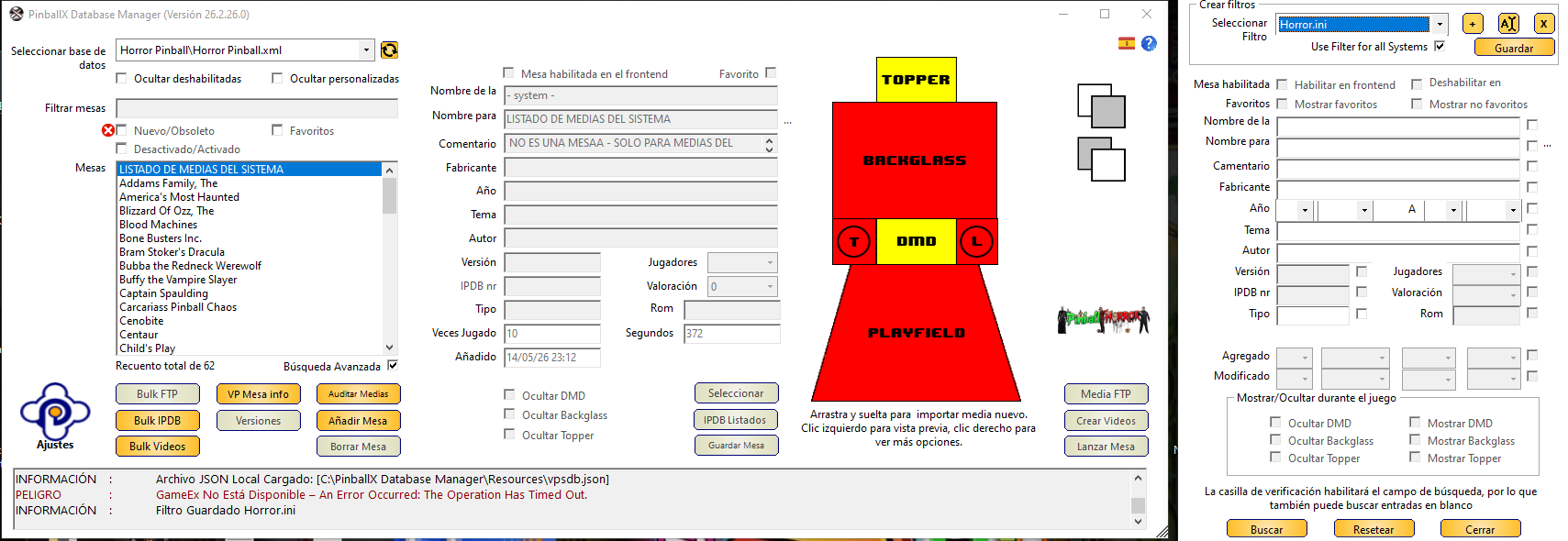
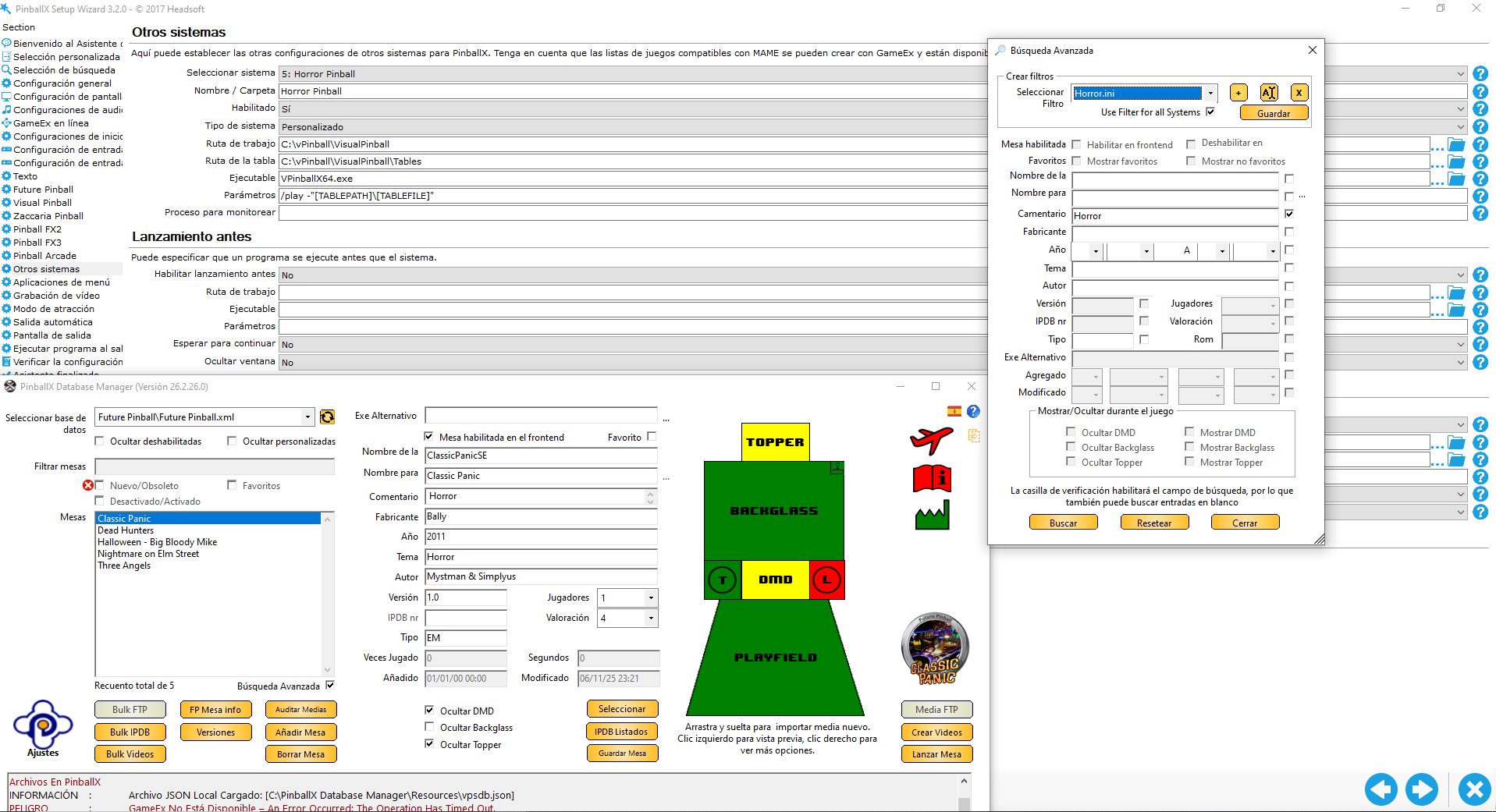
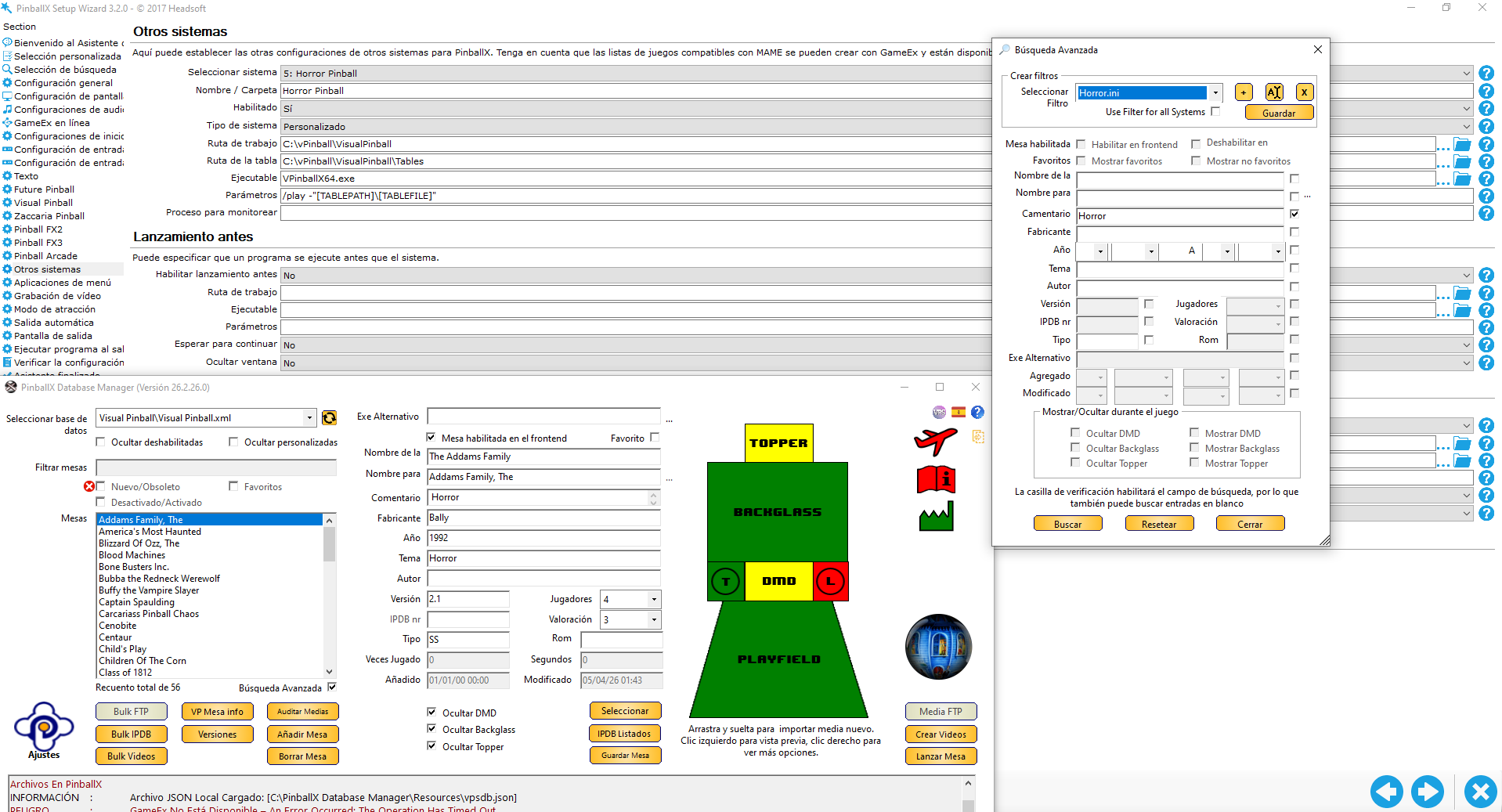
Yes, Future Pinball works outside of PinballX. But I can't put a Horror Pinball horror.ini file in VPX and Future Pinball. Yes, Future Pinball works outside of PinballX. Yes, Future Pinball works outside of PinballX. But I can't add a Horror Pinball horror.ini file to both VPX and Future Pinball. I've included a video that you'll see better than images. It also shows that with the Horror.ini file and Data Manager 26.2.26.0, it says I can't have two horror.ini files. https://drive.google.com/file/d/1Wh5kzJ0BWvJIGwStyWIE0Kbn-uCEuQ9c/view?usp=drive_link -
Could a list or system of horror tables be made?
DakotaPinball replied to DakotaPinball's topic in General
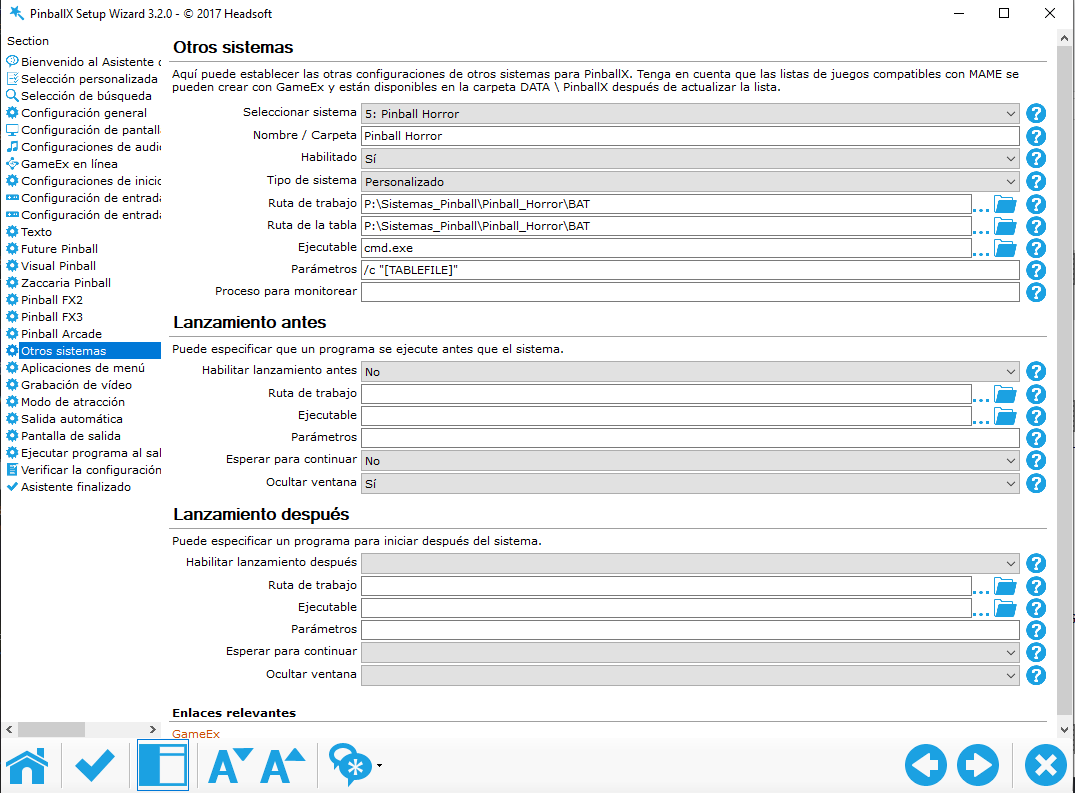
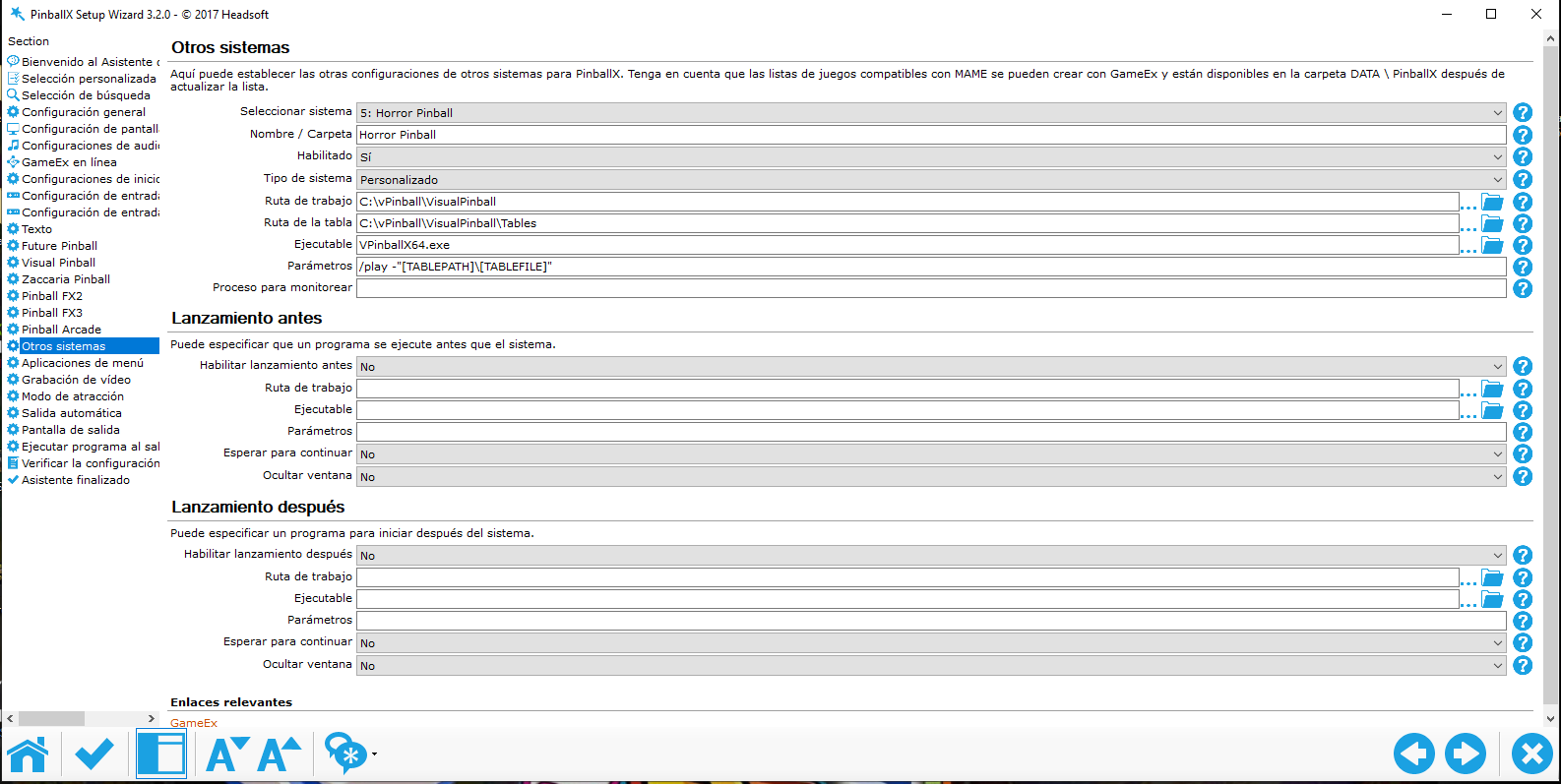
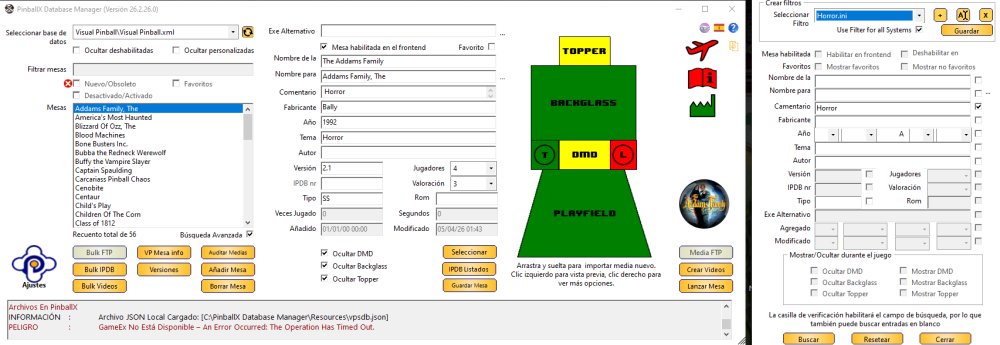
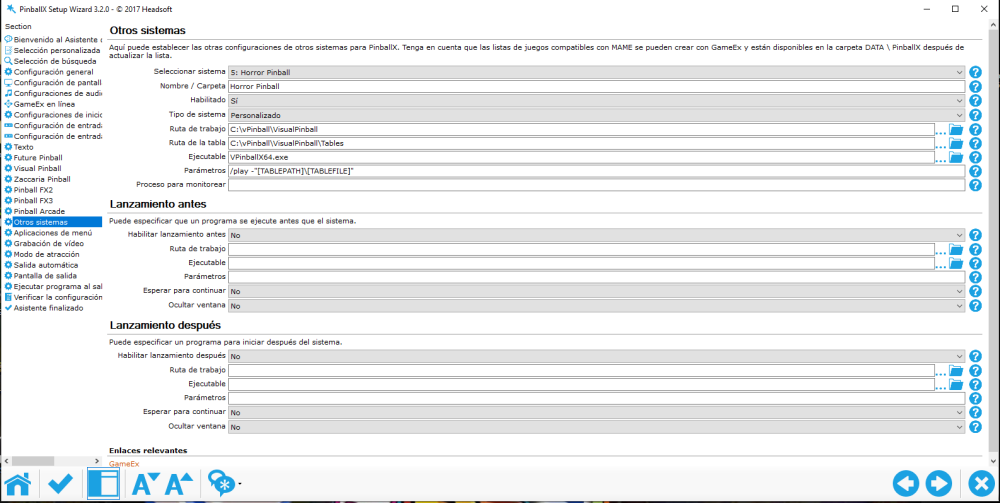
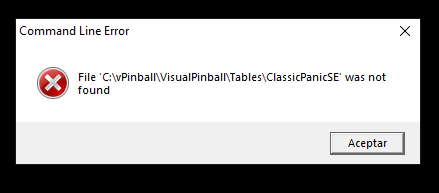
I'll try to explain, I hope I can do it without making it too complicated. I hope I'm explaining myself well; this is difficult for me, to be honest, I'm not that advanced anymore. I've checked everything, and yes, VisualPinball was missing "All systems," which I've already enabled, but it's still not working. All the Visual Pinball tables open; the only ones that don't work are the Futura Pinball tables, which give an error shown in image 5. I honestly don't understand, but I'd say the problem stems from the "horror pinball" system I've set up: System type: custom Working path: C:\vPinball\VisualPinball Table path: C:\vPinball\VisualPinball\Tables (Of course, this includes the VisualPinball tables, but not the Future Pinball ones) Executable: VPinballX64.exe Parameters: /play -"[TABLEPATH]\[TABLEFILE]" So far, so good for VPX, but since I don't know how to configure Future Pinball here, I understand that's where the error is coming from. I followed the steps (images attached). It seems to be working correctly (at least in my opinion). I have 6 Future Pinball tables and about 20 VPX tables already installed in the Horror Pinball system. The VPX tables open fine, except for two that open with VPinballX.exe because the 64-bit version doesn't work properly. But with Future Pinball, when I select the desired table and click, it seems to load, but then it switches back to PinballX in the Horror Pinball system. What am I doing wrong? PinballX.ini log.txt

-
Could a list or system of horror tables be made?
DakotaPinball replied to DakotaPinball's topic in General
I'll try to explain, I hope I can do it without making it too complicated. I followed the steps (images attached). It seems to be working correctly (at least in my opinion). I have 6 Future Pinball tables and about 20 VPX tables already installed in the Horror Pinball system. The VPX tables open fine, except for two that open with VPinballX.exe because the 64-bit version doesn't work properly. But with Future Pinball, when I select the desired table and click, it seems to load, but then it switches back to PinballX in the Horror Pinball system. What am I doing wrong? PinballX.ini PinballX.ini Horror.ini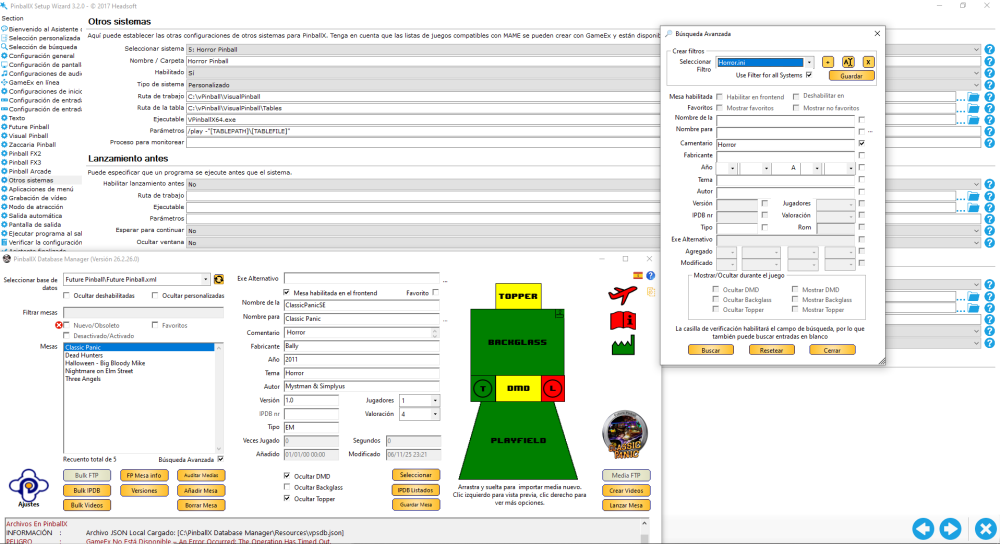
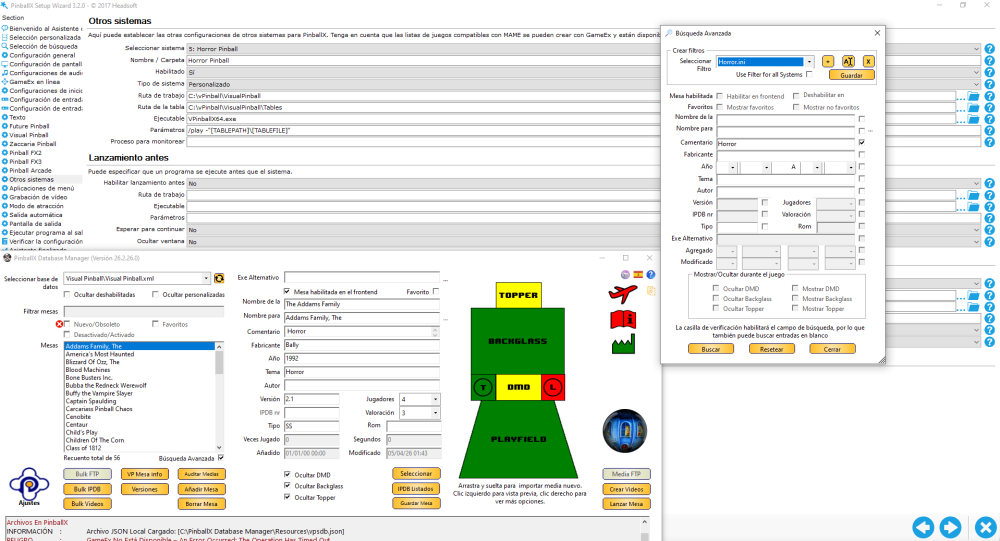
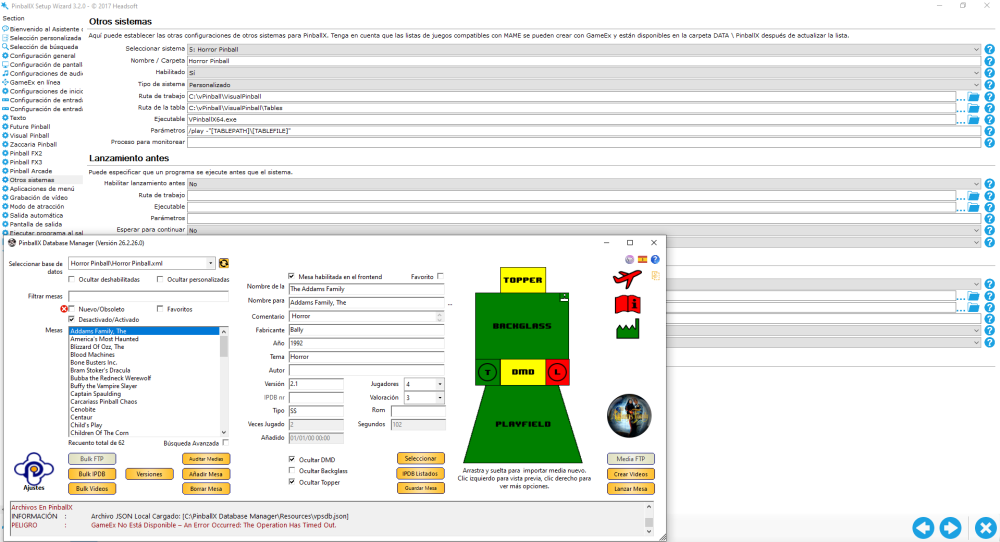
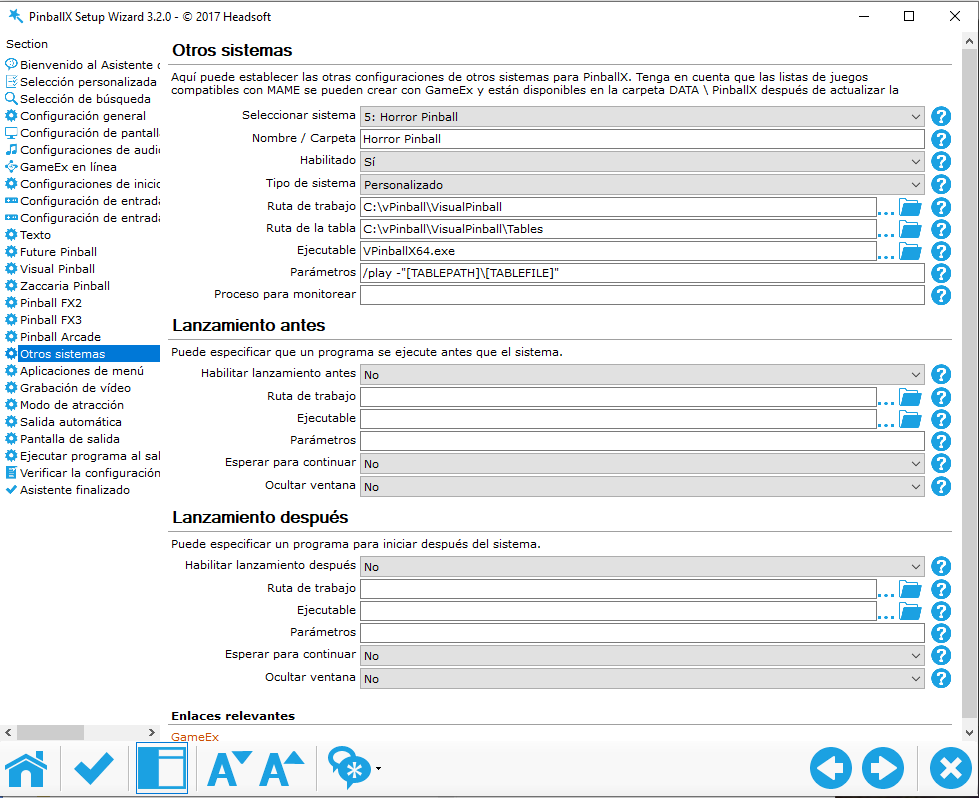
-
Could a list or system of horror tables be made?
DakotaPinball replied to DakotaPinball's topic in General
But how do I install two systems, VPX and Future Pinball? According to the diagram above, the workflow and table are only for one system.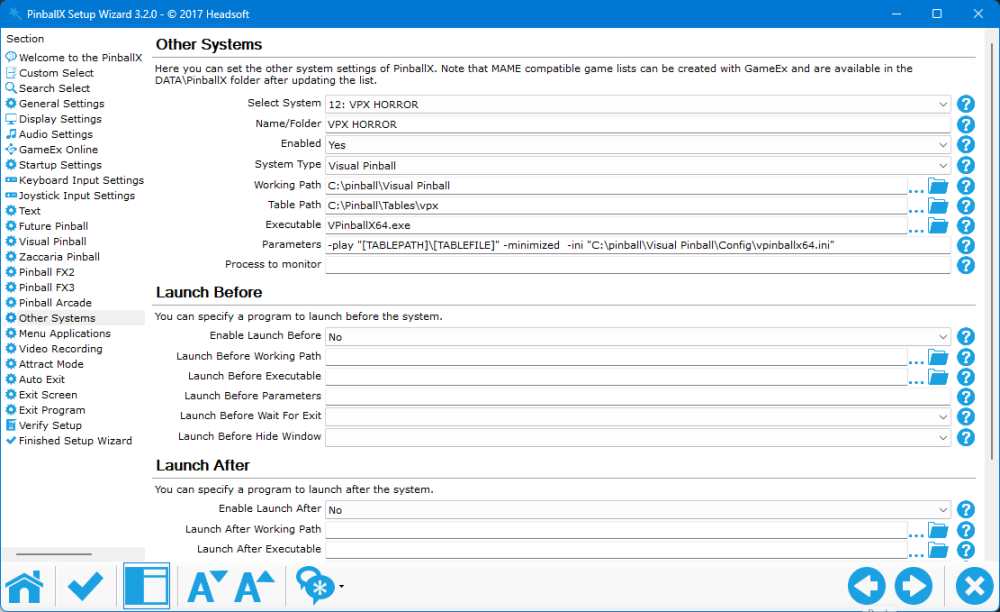
-
[RESOLVED] Future Pinball BAM Edition - Black Screen
DakotaPinball replied to DakotaPinball's topic in General
Now, thank you so much! I had everything set up as you indicated except for this point: 1. PinballX Table Loading Media Mode (Most Likely) PinballX might be waiting to generate or grab a screenshot/video frame before fully handing over control to BAM. Fix: In PinballX Settings, go to General Settings -> Table Loading Media Mode and change it to "Use Loading Folders". This prevents PinballX from grabbing a screenshot during the slow loading phase. And when I changed it, the problem was solved. What I don't know is if it should now create that "loading" folder or if it's already created, even though it loads as quickly as before. Thanks again. Without you, I couldn't continue. -
[RESOLVED] Future Pinball BAM Edition - Black Screen
DakotaPinball replied to DakotaPinball's topic in General
So what can happen? -
[RESOLVED] Future Pinball BAM Edition - Black Screen
DakotaPinball replied to DakotaPinball's topic in General
PinballX.ini log.txt -
[RESOLVED] Future Pinball BAM Edition - Black Screen
DakotaPinball replied to DakotaPinball's topic in General
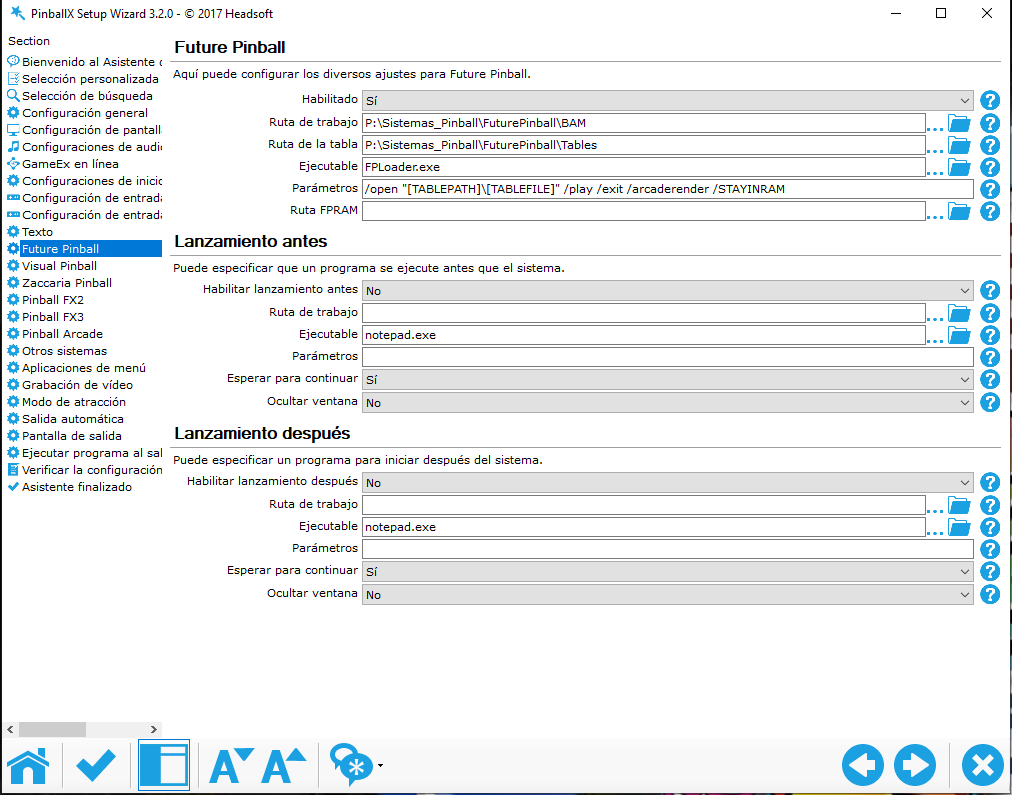
It's working now! It takes a long time to load from PinballX, but thanks to you, I can finally get the tables to load. I've attached a screenshot of my configuration in case I've done something wrong, mainly because of the loading time. From PinballX it takes almost 55 seconds, from FP it takes 8 seconds.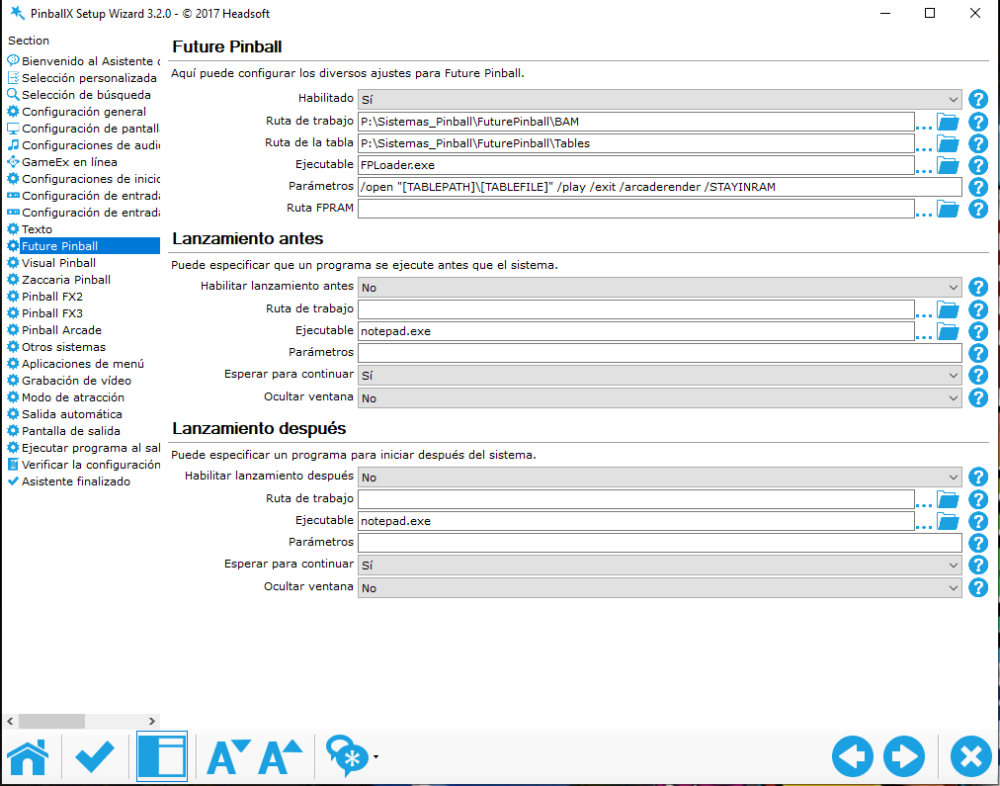
-
[RESOLVED] Future Pinball BAM Edition - Black Screen
DakotaPinball replied to DakotaPinball's topic in General
I have FP IOS version 3.5 and BAM version 1.5-406. It starts from Pinball, but if I press the ESC key, it goes back to PinballX and quickly starts loading the table. Of course, it doesn't load directly like before. I prefer to wait for the new version; from what I see, there are some problems, and if I have to reconfigure all the tables, I'll be devastated. -
[RESOLVED] Future Pinball BAM Edition - Black Screen
DakotaPinball replied to DakotaPinball's topic in General
PinballX.ini -
Future Pinball BAM Edition - Black Screen The latest version of PinballX won't let me load any Future Pinball tables. It shows the tables, but when I select a black screen in the Playfield, I think I have a loading screen, but it gets stuck on the black screen. If I press ESC, it returns to the Future Pinball menu in PinballX and simultaneously starts loading the Future Pinball table. Is anyone else experiencing this? log.txt