|



Mike_da_Spike
-
Posts
3793 -
Joined
-
Last visited
-
Days Won
241
Content Type
Profiles
Forums
Events
Downloads
Store
Articles
Everything posted by Mike_da_Spike
-
I don't think he has an issue, but want to add tables to the system (spend money to get all tables on it ?) As scutters mentioned, all is free. Even support if you have issues
-
Always tries out stuff outside pinballx. If that works implement within pinballx. Saves you a lot of time !
-
Dmdext can have an extra parameter to close itself when host process is stopped No after launch script is needed
-
Yes and No. No need for solenoids, but you need Doflinx to give fx3 backglass files, pup triggers and dof trickers. If you dont use DOF toys or lights, you can still use ot for backglass images and puppacks (oh, and also for SSF)
-
Pupdmd is only for dmd and even think that it is a modified version of freezy's dmd. As I said before, puppacks are triggered from doflinx See https://www.vpforums.org/index.php?showtopic=40634 With freezy's dmdext, you can grab the dmd from memory and shows it on virtual or real dmd. See https://github.com/freezy/dmd-extensions?tab=readme-ov-file#pinball-fx3 Hope this makes sense
-
Puppacks are not handles bybthe frontend, but by the emulator. Vpx uses pinup player. I thought that FXr uses doflinx to trigger the puppacks.
-
No media yet. I was busy to create dmd and playfield videos for FX, but took too much time and I didn't continue. You can grab playfield images or videos yourself and upload them to ftp 😁 PinballX has a buildin recorder for playfields and can be easily used via gamemanager and Databasemanager. Screenshots can be grabbed as well, but still on individual tables(so not automated yet) As pinball M doesn't support direct table launch (yet?), it doesn't make sense to add them to a front end (well at least for me)
-

[RESOLVED] DB2S Backglass Image Wrong With PinballX, Fine with VPX Editor
Mike_da_Spike replied to wrd1972's topic in General
So, just for my understanding (yes I'm a foreigner and doesn't get everything quickly ) Do you have set for the VP exe file the "High DPI scaling override" enabled (as you mention before that de-selecting fixed it)? if you move to version 10.8 (at some moment), you can uncheck this again as 10.8 is high DPI aware See vpinball/txt/Changelog.txt at master · vpinball/vpinball (github.com)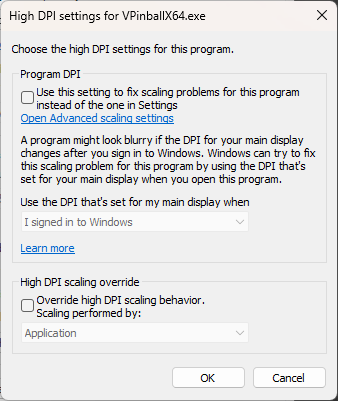
-
[RESOLVED] DB2S Backglass Image Wrong With PinballX, Fine with VPX Editor
Mike_da_Spike replied to wrd1972's topic in General
Didn't see it ... man ... i need new glasses. Thanks @Draco1962 I don't see anything wrong in your settings. Your log doesn't show the launch of the table, but dont think anything is wrong with the settings of PinballX. my guess is thar your exe file is running with strange (windows) settings, or your desktop configuration is not 'standard'. -
[RESOLVED] DB2S Backglass Image Wrong With PinballX, Fine with VPX Editor
Mike_da_Spike replied to wrd1972's topic in General
Can you also post your pinballx.ini and log.txt ? Maybe you do something special with b2s by pinballx ? I never have issues wit b2server launching by pinballx. What are the dpi settings in windows for your screens ? -
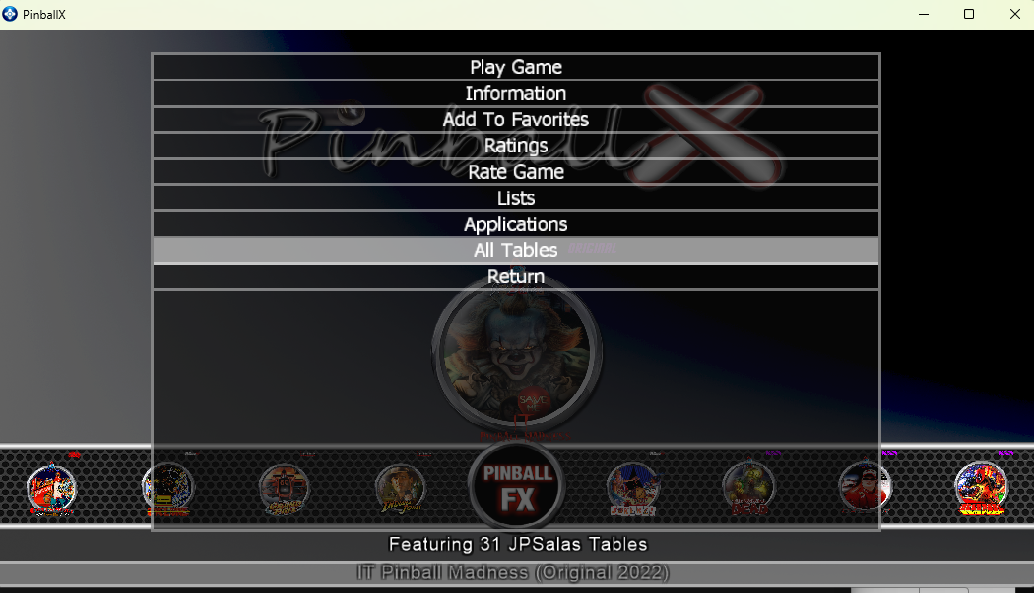
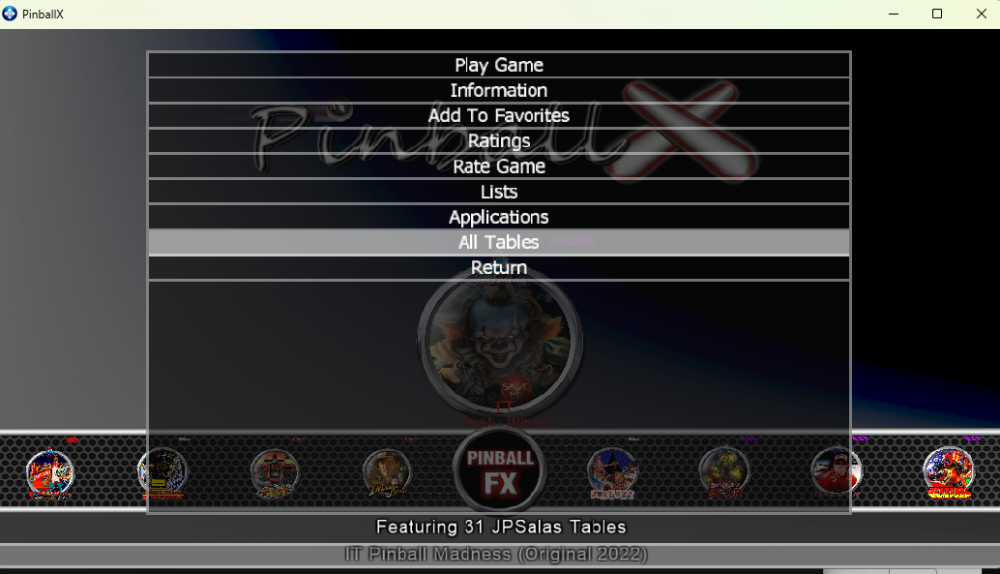
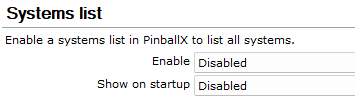
Did you check documnetation ? It's a long time ago for me, that I checked this, but thought in the list there's an 'all tables' entry that will show all tables. If you disable systems, you should see all tables in one list You can also combine differrent systems together with groups. You can follow the documentation that is provided with the PinballX installation, or use DBM. If you click the settings button within DBM, you will be able to create lists and groups Hope this helps Edit : I checked. If you disable Systems, yo have by default all tables. You can created lists and filters. if you filter on it, you can go back by pressing the menu and go to all tables this menu is also available if you enable the system list
-
[POLL]Which Windows operating system do you use on your cabinet?
Mike_da_Spike replied to Mike_da_Spike's topic in General
Why you edit in notepad if I may ask ? (Added choice 'other') -
Do you take the screenshot from PinballX ? can you post a log after you take a screenshot (and also post you rpinballx.ini file) ? Ty
-
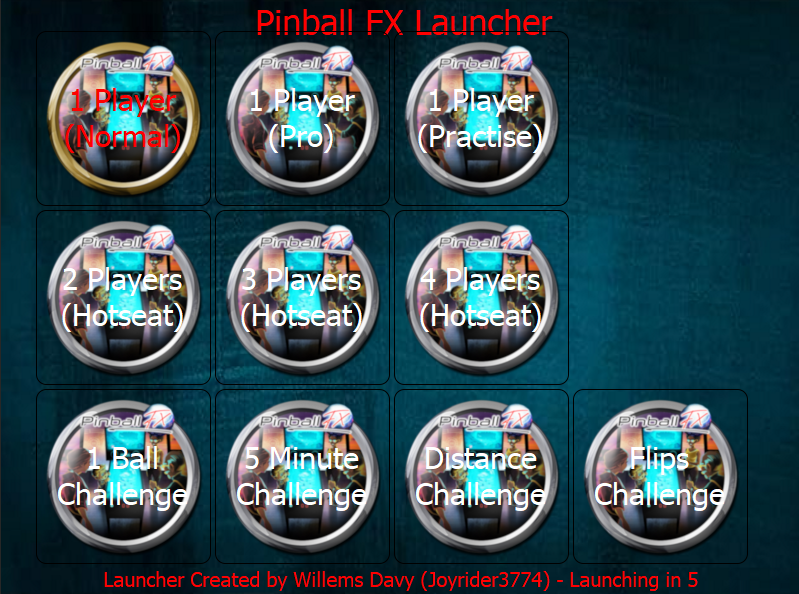
I just tested it as well. Although my assumption is that they used the same engine (code etc) of Pinball FX, I'm not able to use Freezy's dmd as well (no option in the menu) and indeed, direct table launch doesn't work (why do they give tables id's ?) I hope this would be fixed soon. Anyway.I updated the FX launcher with the gameplays as @joyrider3774 mentioned. Big thanks for the params and thanks for your work to the community So it should now look like this :
-
Pinball M Released on steam and it should have cabinet support
Mike_da_Spike replied to joyrider3774's topic in General
Thanks, I saw the release yesterday and wanted to test it this weekend. No direct table launch ??? Hmmm odd -
Awesome. Thanks @joyrider3774. I didn't checked yet, but are the same working for Pinball M ?
-
[RESOLVED] Crash on table launch using vpinballx starter app
Mike_da_Spike replied to scutters's topic in General
Just a question. If your program will be closed (by terminating the program for example), will it also close the vp player and vp editor ? To avoid any open vp processes ? -
[RESOLVED] Crash on table launch using vpinballx starter app
Mike_da_Spike replied to scutters's topic in General
Properly the launcher process is closing when table is launched ? So you won't know which process to monitor? I think the tool works fine, but need some adjustments . Otherwise not usable for front end EDIT: I tested the program as well. The problem is indeed that he program launches the correct VPinball exe file and closes it self. As the the frontend doesn't have a clue which process it needs to monitor , it will return to the main screen. This needs to be addresses to the developer of the program as well. i thought Jarr3 was on this forum as well, but could not find him to include this. maybe add a post to VPU and address this issue with front end usage(think other front end should have the same issue) -
[RESOLVED] Crash on table launch using vpinballx starter app
Mike_da_Spike replied to scutters's topic in General
Strange construction indeed. It's not the answer, but how about set the system type to "other" will that help ? @Tom Speirs is this something you would take a look at it, or you feel confident that 10.8 will be fully backwards compatible and no need for external launcher ? -
PinballX does not return when leaving the table
Mike_da_Spike replied to conceito service's topic in General
It is unrated, but also update to latest pinballx -
PinballX does not return when leaving the table
Mike_da_Spike replied to conceito service's topic in General
Not 100% but think it should work -
PinballX does not return when leaving the table
Mike_da_Spike replied to conceito service's topic in General
Lol. Impossible. Something must have been changed. 😂 First try without joytokey and assign the exit button to your joystick. Make sure if you first disable the startup program without assigning the joykey, make sure your exit joybutton doesn't work,. If confirmed assign a joybutton to exit andexit emulator -
[RESOLVED] Loading videos not following the tables
Mike_da_Spike replied to tligu's topic in General
Any progress on this @tligu? -
PinballX does not return when leaving the table
Mike_da_Spike replied to conceito service's topic in General
Do you have this behavior recently or always have it ? If this worked before, what was changed? I see you use joytokey. Maybe thats causing an issue. PinballX can fully work with joystick and doesnt need an joytokey program. Technicly I don't see anything wrong with your setup. Esc key is assigned to exit emulator and exit pinball. Not sure if joytokey do more key presses. Only I see (but should not be this issue): you use a version of PinballX that is almost 70 releases old -
[PLUGIN] PinballX Pinemhi Challenge Table Launcher
Mike_da_Spike replied to scutters's topic in User Projects
Nice one @scutters I really love it Here's some media as well : (create with the 'Spinning Ball' app from @scutters as well) Realdmd: PinemhiGolfChallenge_Real.mp4.c1e563c58ef6a24aa0fcbdbf608a0e56.mp4 Topper/virtual DMD PinemhiGolfChallenge.mp4.ee132d34cf44e036e73d38fea9cf7e53.mp4 Good job on the plugin mate