|



joyrider3774
-
Posts
811 -
Joined
-
Last visited
-
Days Won
63
Content Type
Profiles
Forums
Events
Downloads
Store
Articles
Everything posted by joyrider3774
-
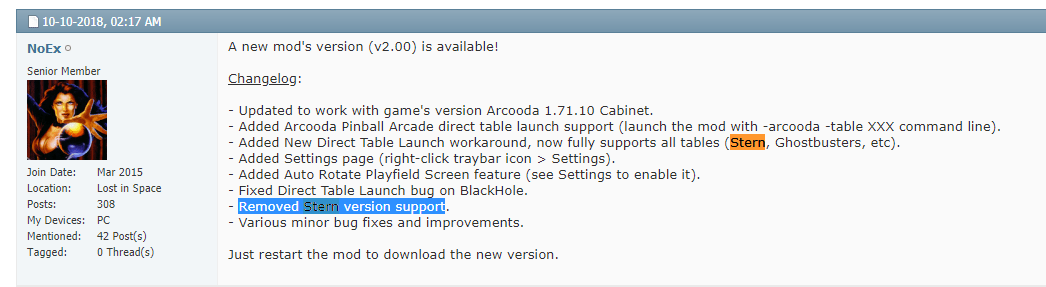
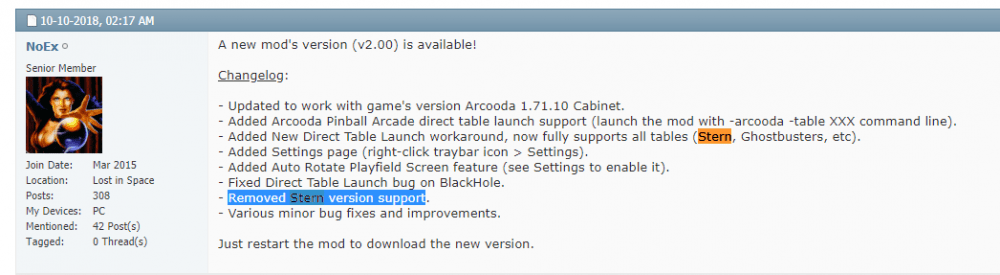
if you want to launch tables directly freecammod supports stern pinball arcade using -stern parameter but i have not tested this as i don't own the tables in pinball aracde. I do use freecammod for the pinball arcade (not stern pinball arcade) and i got it working more or less fine (only sporadically i need to use my mouse to select something) so it is an option if you want to be able to launch tables directly for stern pinball arcade Edit: sorry i'm wrong it seems they have removed stern pinball arcade support Edit2: it seems i do own the tables now, i had bought all tables on pinball arcade and now when logging in using same account my tables got unlocked in stern pinball arcade as well (this did not work a few months ago with me)
-
you need to create a database manually the tables don't auto list themselves in game manager. Also stern pinball arcade does not have any commandline parameters to launch a table they just don't support it. On the other hand if you just want to launch stern pinball arcade add one table in game manager under the stern pinball arcade system (name it stern pinball arcade) and if you select it it will launch stern pinball arcade with how you have it setup currently. But if you want be able to launch tables directly from within pinballx for stern pinball arcade it would require scripts to control stern pinball arcade, like launch the game and select the tables based on parameters. But looking at the setup you did i'm guessing you only want to launch the game from within pinballx with no table selection it's also possible a system does not show up in system menu if it does not have any tables listed, but i did not verify that
-

Quick start for system menu media
joyrider3774 replied to joyrider3774's topic in PinballX Media Projects
uploaded a system video for visual pinball x with only vpx tables, the visual pinball one is still a mix of vp 10 and vp 9 tables but the vp 10 (x) one is only 10 tables. I used to have only one visual pinball system with vpx and vp9 tables mixed but seperated them recently. but at least we now have something different to show for vpx system if you have both vp9 and vpx. I might make one with vp9 tables only in the future we'll see -
Issue with PinballX and PBFX3 after upgrading to Win10
joyrider3774 replied to bduncan's topic in General
I think the blackscreen or a loading image has a purpose, it prevents seeing the desktop while launching a systems applications / table. The reason the backglass is faster visible is probably because of the hide backglass option in game manager and the system boots faster then the time the black screen / loading image is displayed. While i can create a similar situation as described here, for example with other systems like bingo game room and i think pinball arcade using freecammod, i don't mind it and just wait a bit. I think trying to mess with these things could introduce other problems like people seeing the desktop when launching tables or trying to send keys or bringing the systems window to front (if pbx does that) or sending the blackscreen / loading screen to back (again showing the desktop then) too early etc. Although maybe being able to specify lower times for the wait for process might fix it in this case i've got them set to -1 mostly and just wait till i see the playfield. It could also be you never noticed this on another windows version because it loaded slower, i have heared people saying switching to windows 10 decreased load times or perhaps you also upgraded hardware -
Docklets Style Bingo Game Room Wheel Images
joyrider3774 replied to joyrider3774's topic in PinballX Media Projects
5 more done




-
pinballx settings Very cool bingo pinball simulation site
joyrider3774 replied to ttrenkner's topic in General
Did you modify the AHK script and recompile it ? as said in the message, the script assumes default install location of bingo game room being C:\Program Files (x86)\MyBingoPrograms if it's a different install location you can not use the supplied exe but need to modify the AHK script to reflect your install path (this entry MainDir := "C:\Program Files (x86)\MyBingoPrograms") and compile your own version. You also still need bingo gameroom main executable installed so you can update / download tables. DO NOT just copy the folder with the bingo games unless it's the one from the download folder and you let bingo game room install those files then edit: also don't forget about key mappings (left and right shift can not be used and you might need a keyboard anyway if you don't have enough cabinet buttons to change the number board, i have todo that also, also titl sensor from pinball cabinet i have no idea how you can get that working you probably need to be able to convert joystick axises to keyboard keys somehow and i don't know i joy2key can do it if it can it's possible to use that for nudges. I run a keyboard remap ahk script to map magna and flipper keys to nudge left / right / up / down) and setting up multimonitor support / zoom levels etc and apply the globally, you can do that from any game started and if you saved globally is applied to all other games -
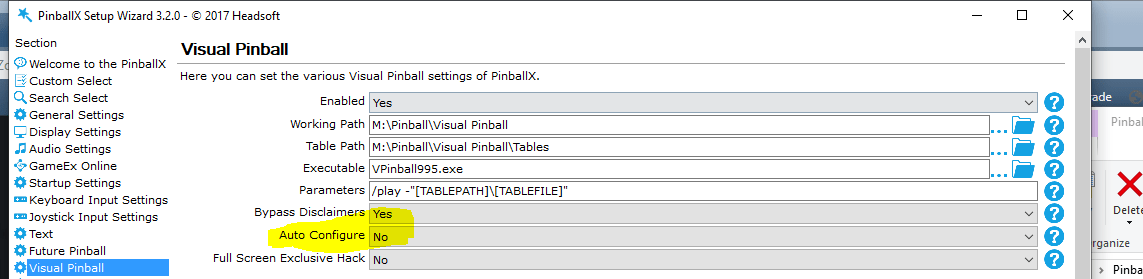
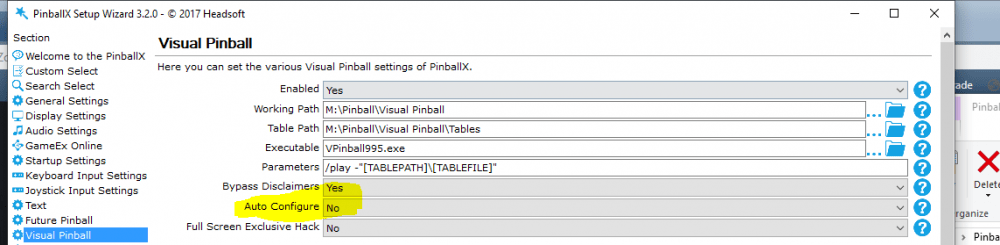
on my pc the log file looks recent. I noticed the following : "05:30:34.1 8/25/2019: Auto configure Visual Pinball" i think you got the autoconfigure setting for visual pinball set. What happens if you redefine your keys in visual pinball and set auto configure setting to false in pinball x visual pinball settings like in screenshot below and launch a table afterwards?
-
Docklets Style Bingo Game Room Wheel Images
joyrider3774 replied to joyrider3774's topic in PinballX Media Projects
4 more done



-
Could it beyou uploaded an old log.txt not when the problem is happening. The log mentions pinball x version 3.28 and log entries are from 06/03/2019
-
Docklets Style Bingo Game Room Wheel Images
joyrider3774 replied to joyrider3774's topic in PinballX Media Projects
5 more done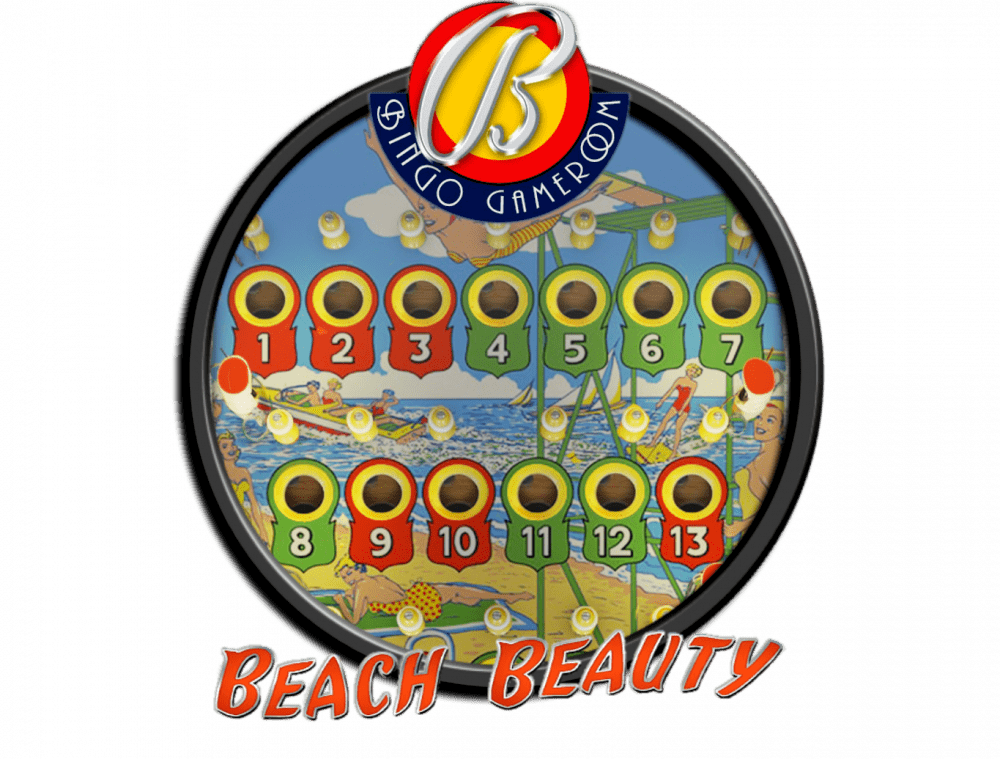



-
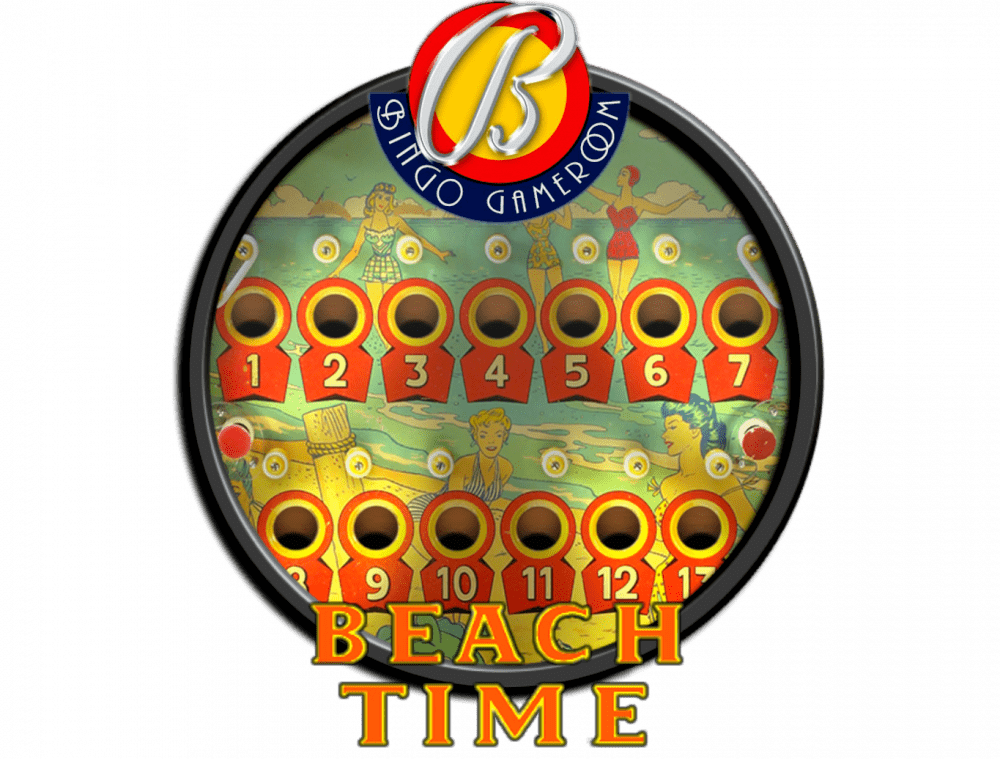
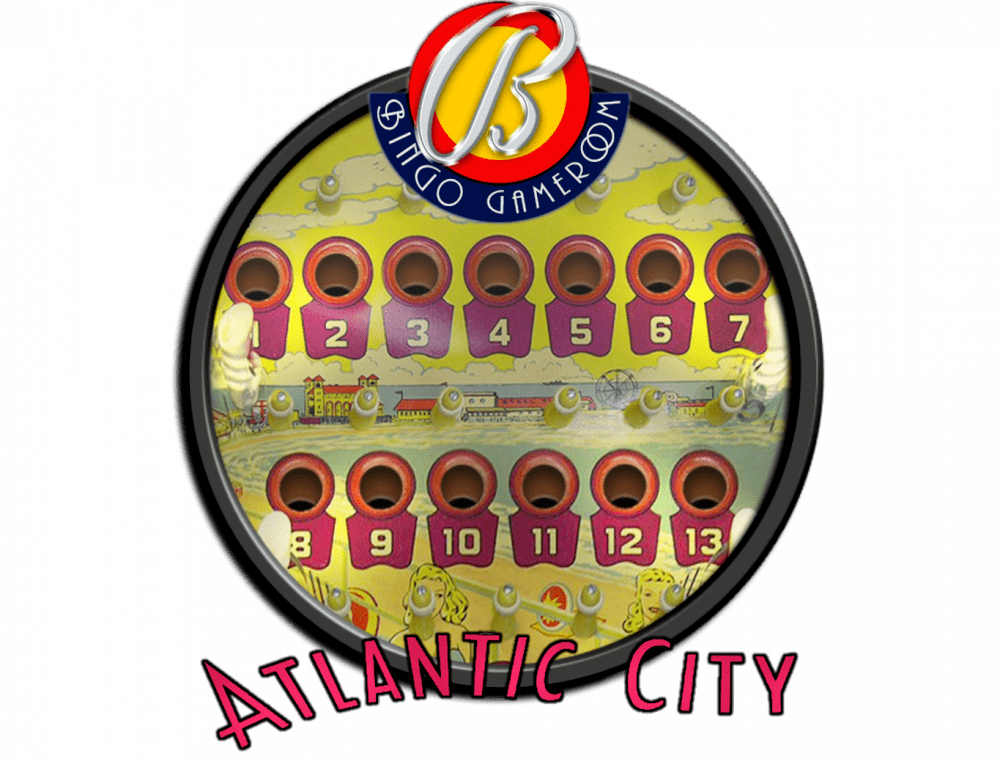
I was bored and started doing bingo game room docklet style wheel images. I try to extract the logo from the backglass as good as i can, added a modified bingo game room logo on top and added images from the playfield where there is some scenery to be seen. I know not many have the bingo game room system defined and it's not as big as say zaccaria pinball but you never know if someone want's them. It's a lot of work especially trying to extract the text logo's and there 67 tables currently so i'm not sure how many i can do and if i can keep up with it all. But here are 4 to start with. I also uploaded them to the ftp here /-PinballX-/Other Uploads/Joyrider3774/BingoGameRoom/Wheel Images As well as the gimp xcf template file.



-
pinballx settings Very cool bingo pinball simulation site
joyrider3774 replied to ttrenkner's topic in General
Guys i was wrong all tables are now version 2 compatible (2 monitor support / rotation etc), but somehow i had to reset it to use 2 screens and the rotation settings as well as the zoom settings globably. And for one table i had to force redownload using the bingogameroom main program to get version 2 so if you still have version 1 interface check for updates and if you see one table with the old interface with no options to rotate force redownload it using the file menu inside bingogameroom itselve. So now all table and backglass screenshots are there for all the tables, i uploaded the final 2 (double up and yacht club) to ftp Also if you are setting this up set up your keys (they apply to all tables) etc then setup the zoom level, 2 monitor use and rotation and choose to save globaly. Also on my system the backglass does not appear on my 2nd monitor if i ran from within bingogameroom itselve but if i did it from within pinballx it worked fine not sure whats causing this but probably something on my system. -
New table Time Machine Remake (2019) https://store.steampowered.com/app/1130690/Zaccaria_Pinball__Time_Machine_2019_Table/ <game name="timemachine2019"> <description>Time Machine Remake</description> <rom></rom> <manufacturer>Magic Pixel</manufacturer> <year>2019</year> <type>RM</type> <hidedmd>True</hidedmd> <hidetopper>True</hidetopper> <hidebackglass>True</hidebackglass> <enabled>True</enabled> <rating>0</rating> </game> I think the game also got patched but launcher is still working fine. I did have problems getting my backglass screenshots in the usual way i had gotten them but managed to create them eventually. Wheel is in another post in the media section, and table video and backglass screenshots also have been uploaded to ftp (as well as my database)
-
Mega Docklets Style Zaccaria Pinball Wheel Images
joyrider3774 replied to Draco1962's topic in PinballX Media Projects
new wheel for time machine remake (2019), game name is timemachine2019
-
UPDATE 24/08/2019 Time Machine Remake 2019 Playfield video + 1600x1200 backglass image + 1920x1080 backglass image uploaded to ftp all named timemachine2019.XXX
-
pinballx settings Very cool bingo pinball simulation site
joyrider3774 replied to ttrenkner's topic in General
I think the author implemented the 7 table limit to conserve bandwidth, depending on where you host the files it can be very expensive. Given one table is about 30 to 40 mb and there 67 of them currently, i can understand the reasoning behind it. Btw if you are not familiar with bingo tables they are made as gambling machines you could get the money you win with payed out from it and nudging without tilting is a critical part of the gameplay. Where i live in the pubs there still exist modern versions of these games -
pinballx settings Very cool bingo pinball simulation site
joyrider3774 replied to ttrenkner's topic in General
no problem, you do need a lot of keys on your cabinet though if you want to make the numbers change using only cabinet buttons. What i did is map the 4 directions for nudge to my flipper and magnasave buttons and the button on my plunger itselve to launch the ball. If want to switch the numbers on the backglass i have to use my keyboard todo so but i have it always attached anyway. Works ok like this Btw you can move the tables to your cabinet from the laptop. Normally it saves those downloaded (uninstalled) tables in your windows downloads folder under BingoDownLoads subfolder. If you install bingogameroom executeable on your cabinet and copy that folder to same location and launch bingogameroom afterwards an install option becomes available for the table instead of download. I would advise against copying the MyBingoPrograms from program files folder although it might work but i would first install the main program anyway. After that you can use it to update the tables once you actually got them all or updat them easily. I also see no point in shareing the tables as it seems they get updated quite reguarly and it would only introduce spreading around out of date files not to mention it's about 30-40 mb per table -
pinballx settings Very cool bingo pinball simulation site
joyrider3774 replied to ttrenkner's topic in General
Guys, today i updated my bingo game room tables. The script still works with all the new tables. I also took screenshots for the new tables and the tables that have been converted from the old style to new style (allowing fullscreen playfield / backglasses). Here is the updated table database with the new tables added (67 total): BingoGameRoom.xml The new screenshots for backglasses and table playfield are available on ftp ( /-PinballX-/Other Uploads/Joyrider3774/BingoGameRoom ) If you don't have access to the ftp you can still create these images your selve easily using pinballx, just launch a table and press S (default button) to take screenshots of backglass and table I think on only 2 or 3 tables still needs conversion from the old version style to the new version style and i also noticed the author started adding in United tables, there is one already but he is requesting hires backglass / table images from other united tables, if someone has such table be sure to help the author if you can -
Pinball FX3 4k playfield backglass not showing
joyrider3774 replied to Conquesosport's topic in General
You mean backglasses dissapear when running pinball FX3 ? Did you place backglasses in the steam folder where pxp files are or are you relying on the backglass from pinball x frontend ? Normally you have to place backglasses inside that steam folder for pinball fx3 and pinball fx3 itselve will display them when running the game. But since you mention it works on full hd resolution i'm guessing you already did that. Can you also post a screenshot of your cabinet setup from pinball fx3 when configured for pinball fx3 and if you have your playfield monitor in landscape or portrait mode (like do you let pinball fx3 rotate your screen ?). Also if you have the problem inside pinball fx3 i would also mention it on the steam discussions as it might not be pinball x frontend related (unless you rely on backglasses shown by pinball x frontend and did not place backglasses in the steam folder) -
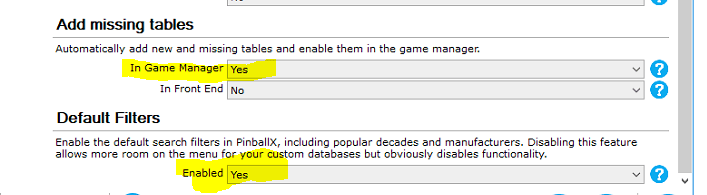
@Tom Speirs I downloaded last version and i don't think the problem with the settings app is fixed. The default list options seems to be linked to the add missing tables value in game manager. Changing either one changes the other (if you restart settings app you'll notice it when changing one of the values). Enable Default list options still does not update pinballx.ini well it seems its possible it updates the wrong value these 2 are linked somehow on my system Or was this not fixed yet ? PinballX.ini Edit: Seems to be fixed in 3.57 wen i just tested
-
Does setting hide backglass in game manager fix it also ? Only a guess i think it hides the backs glass from pinball x frontend then when the table is launched preventing the problem from happening in the first place but it's only a guess. You could verify in game manager if you have those set or not and try changing it once for a table that still has the problem
-
Quick start for system menu media
joyrider3774 replied to joyrider3774's topic in PinballX Media Projects
Hey guys ever since version 3.55 or was it 3.54 system table audio files are supported. Since system names are not spoken when browsing the system menu using the narrator plugin, i recorded them as system table audio files, i use them on my system. They will briefly pause the background music to say the system name and then go on with the music inside pinball x frontend. I like it and maybe someone else has use for them so i uploaded them to my upload place in ftp in system media folder. I case anyone else has other systems and would like to record such narrator audio themselves here's a very quick tutorial on how to do this: audacity is needed create a new text file and rename it to speak.vbs (make sure you can see / edit file extentions in windows so your file does not get named speak.vbs.txt), right click the file and choose edit so notepad will open the file and place the line below in it and save the file CreateObject("SAPI.SpVoice").Speak "Visual Pinball X" when you double click speak.vbs it should now say "Visuall Pinball X" using the setup narrator voice, even when narrator is disabled in ease of acces run audocity and specify to use windows wasapi and select as recording channel and output channel your speakers (names will differ on your system) make sure no other audio is playing Press record button, audiocity will now wait for audio input goto the location of where you saved speak.vbs and double click it, you will hear the narrartor speak and audacity should have recorded it press stop in audacity remove any possible excess of silence in the waveform choose file -> export -> mp3 and name the file "- system -.mp3" move the file to your specified system in the table audio folder run pinball x frontend browse to your system and hear the system name being mentioned when browsing systems. repeat for other systems each time change the text in speak.vbs to your system name That's basically how i created these files. Have fun if you want to change the narrator voice to something else check this topic but be warned changing it also changes it for the narrator pluging inside pinball x frontend Here are a few sample files: - system -.mp3 (visual pinball) - system -.mp3 (pinball fx3) - system -.mp3 (future pinball) rest is available on ftp
-
Thanks, just tested and working fine. I'll upload my mp3 files for the system menu tommorow in case anyone wants them. Or create a simple vbs script like mentioned in first post and record them using audacity. Thats basically what i did
-
thanks
-
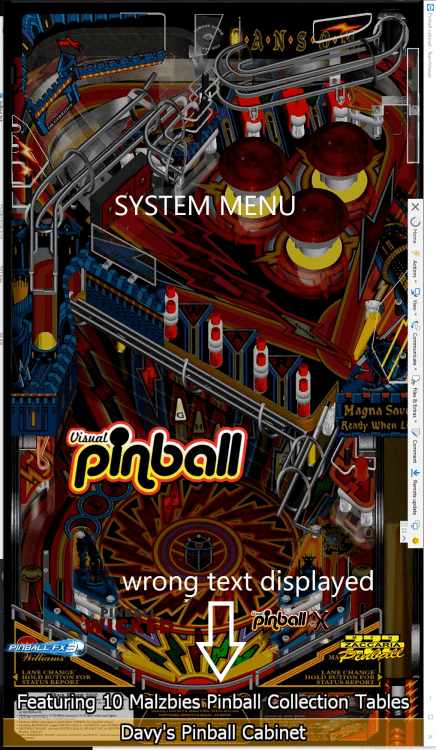
Hi, I think i found another small bug with the systems menu. If you select a system for example pinball fx3 it will say at the bottom "Featuring XX pinball fx3" tables, if you press the quit key (esc in my case) to exit pinball x while sitting on the table selection menu of pinball fx3 (or any other system) and choose exit and then restart pinball x the next time, it will not say "Featuring XX systems" on the system menu but say "Feating XX pinball fx3 tables" where XX will equal the nr of systems. basically it shows "Featuring <Nr of systems> <last Systemname from table section before exit> tables". Below is a screenshot to show what i mean. I selected mallzbies pinball collection system, exited pinball x on the table selection menu of that system (so not in the system menu) and when i restart pinball X frontend i get to see this on the table selection menu. only solution to fix this is to select system menu from the menu's when selecting a table and then exiting pinball x it seems to be some caching issue of last selected system when exiting / restarting pinball x This is on Pinball X version 3.52 (i have 10 systems). I can make a video if needed to show it in more detail / how it's happening if needed