|



Mike_da_Spike
-
Posts
3789 -
Joined
-
Last visited
-
Days Won
241
Content Type
Profiles
Forums
Events
Downloads
Store
Articles
Everything posted by Mike_da_Spike
-

Pinball x launces in Lite mode but not in normal mode
Mike_da_Spike replied to keefer99's topic in General
You version is 200 updates behind. Probably your gpu isnt powerful enough to run the full version. -
 Change logs can be found here: https://forums.gameex.com/forums/forum/35-pinballx-news-and-updates/ New features can be requested here: https://forums.gameex.com/forums/forum/35-pinballx-news-and-updates/
 -
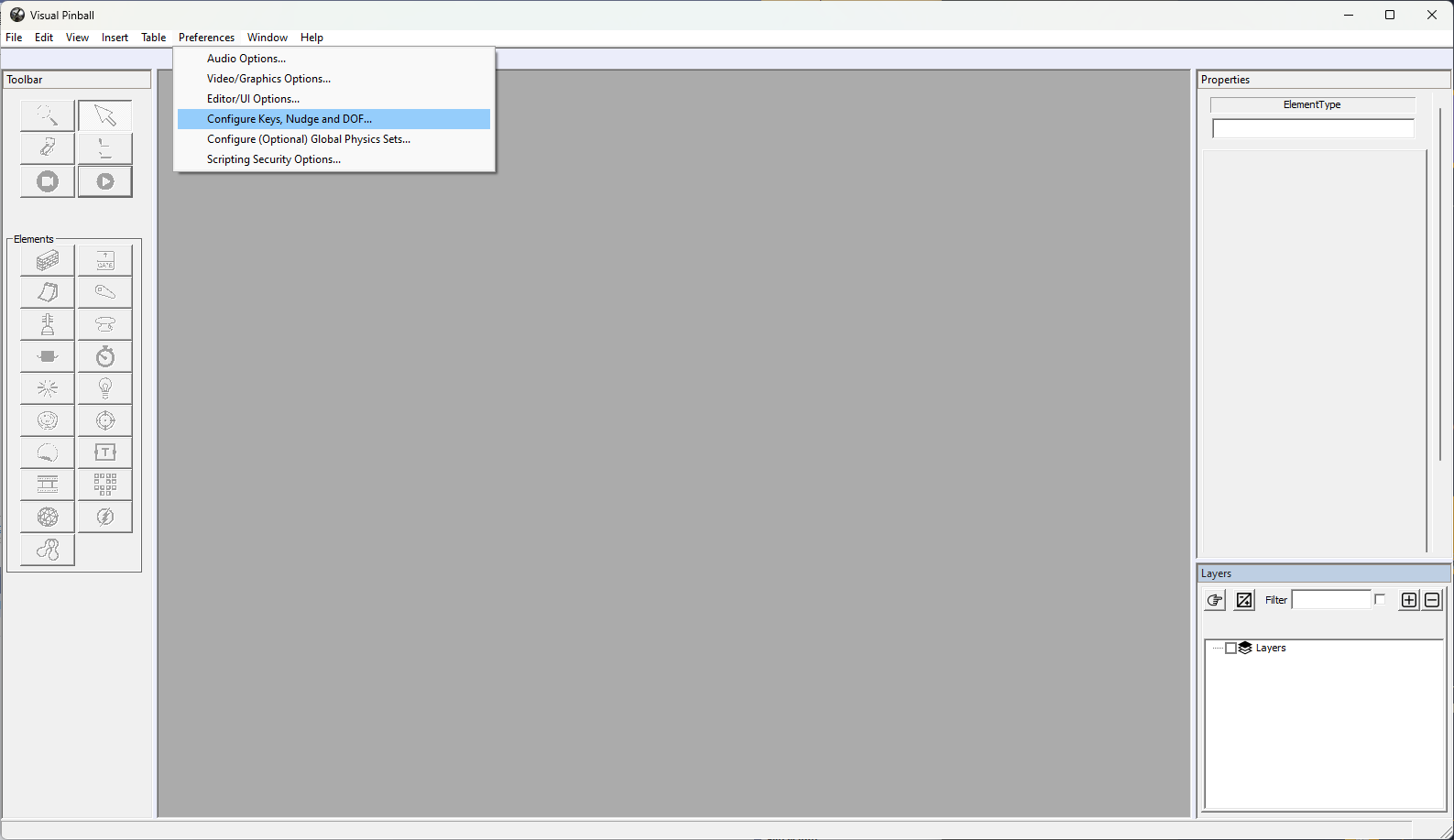
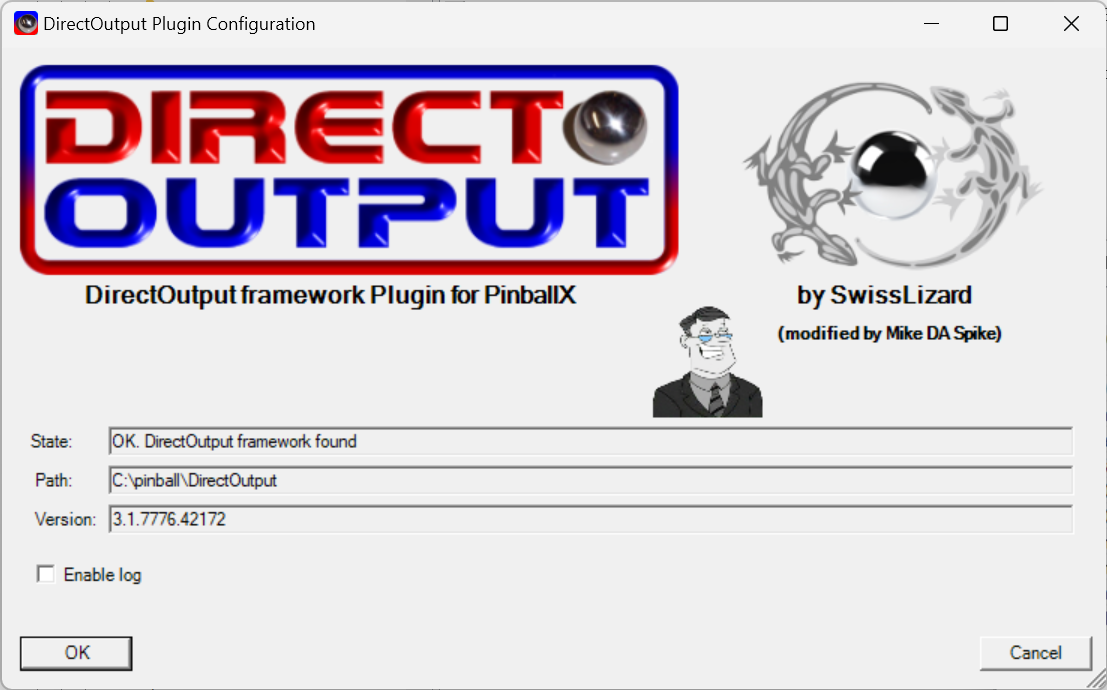
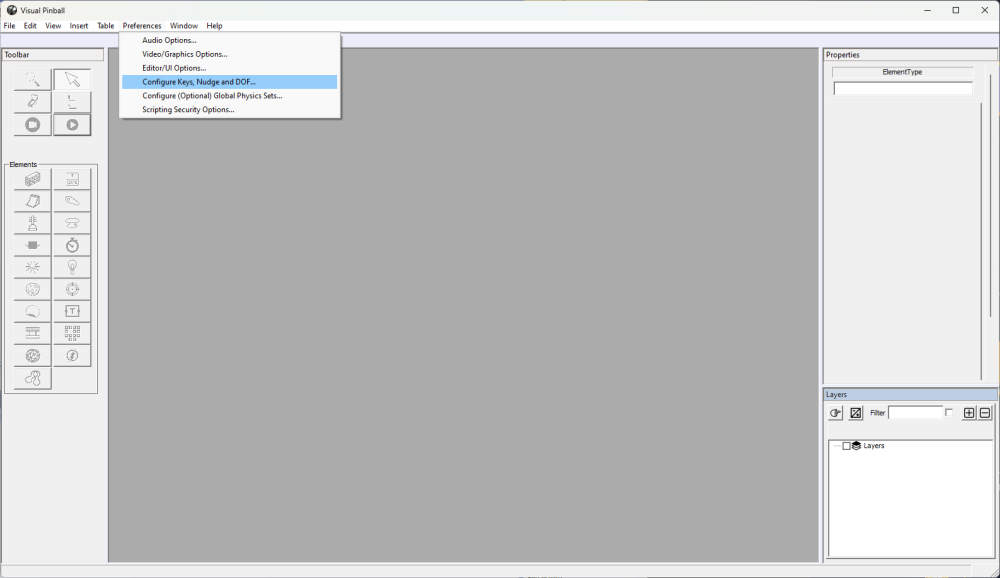
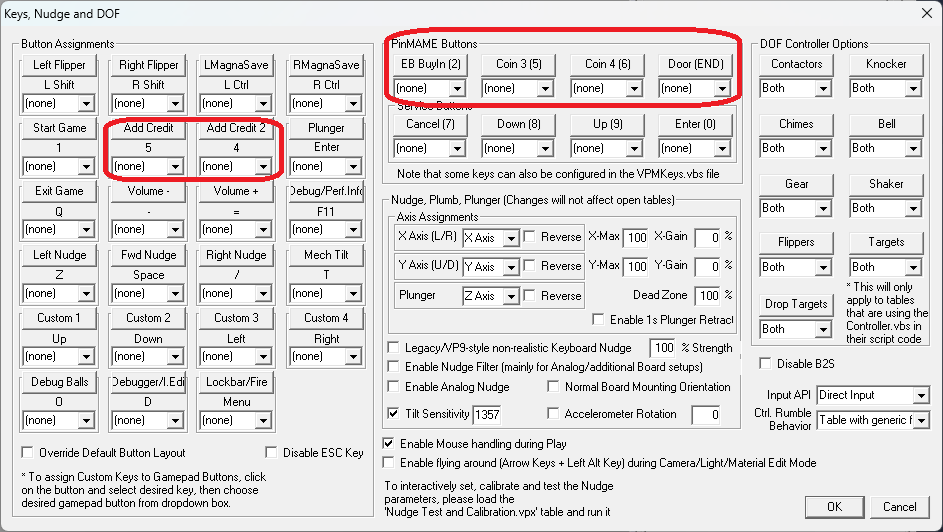
As you didn't provide any settings or log file (and yiu still have an old bersion) it is hard to. Say. My assumption is that you use visual pinball as you want to add credits. Check the visual pinball keymappings and assign your credits button in there. Depend on the table (rom or not rom based : If you are afraid to update, make a backup of your harddrive (or make a backup/copy of your complete pinballx folder) before upgrading it. You can check the PinbalLX documentation as wel. Upgrade is described (and also to fall back to a previous version):
- 1 reply
-
- 1
-

-
Hello! I updated the DOF and lost the lights functionality in PINBALLX
Mike_da_Spike replied to VPA35BKSOR's topic in General
I apologize, but I cannot think of anything at the moment. The plugin utilizes the COM object, and the PinballX plugin manager is employing the plugin which is currently using the COM object. However, starting it through PinballX is failing for some unknown reason. There seems to be a persistent issue with the 64-bit and 32-bit versions of DOF on your system. Yet, a search of the registry reveals no references, which is peculiar. I would like to assist you, but I am unable to do so right now. I am not certain if starting from scratch will be beneficial. -
Hello! I updated the DOF and lost the lights functionality in PINBALLX
Mike_da_Spike replied to VPA35BKSOR's topic in General
Yes. Thanks. Pinballx log shows that it cannot initilaize. And the pluging log showsit cannot find the comobject. This is odd as you register the 32 bit and the p,ugin shows a version. But still looks like the 32 bit isnt reregistered -
Hello! I updated the DOF and lost the lights functionality in PINBALLX
Mike_da_Spike replied to VPA35BKSOR's topic in General
Can you post the log.txt from the log folder and from the plugin folder the "PinballX DirectOutput Plugin.log " ? -
Hello! I updated the DOF and lost the lights functionality in PINBALLX
Mike_da_Spike replied to VPA35BKSOR's topic in General
If it doesn't work, we start all over with posting the new leggings. So the pinballx log.txt and the plugin log from the plugin folder. This is the point we wanted to start woth (did yiu reboot as well ?) -
Hello there! The statistics plugin gathers data from PinballX and Database Manager. If you wish to view this data outside of PinballX, you will need to combine the sources. I'm not entirely sure where or how you would like to see this data, but it may be necessary to create a new program for this purpose. Alternatively, most of the information is displayed in Database Manager, with the exception of a few values. If you are using Database Manager and would like to see the missing values, please let us know and we maybe add them.
-
Hello! I updated the DOF and lost the lights functionality in PINBALLX
Mike_da_Spike replied to VPA35BKSOR's topic in General
If you now run the 32 bit installer as admin, will it say successfully? And what will the registry keys shows? -
Joyrider created a script yhat activates the cabinet mode each time and jump to table https://github.com/joyrider3774/PinballFXLauncher But highly preferable to use the steam
-
Hello! I updated the DOF and lost the lights functionality in PINBALLX
Mike_da_Spike replied to VPA35BKSOR's topic in General
Áre the keys you send after the registartion of the 32bit application ? and are these only found ? Because this looks like only the object is there only not associated with any DLL (so ready to go for 32 bit) -
The -applaunch parameter is the parameters of Steam not of EPIC. As Stated in the pinballx documentation, pinballx will not magicly fix an issue or launch a table. You need to have it working on the command prompt (as I mentioned in previous post) I searched on the Zen site, and the parameters for -table and -gamemode should work, bit the parameter for epic you need to find from epic See https://www.pinballfx.com/?page_id=7754 I think you are with pic 1 on the correct way, but need replace -applaunch (and number) for something that epic will do. I thought that the shortcut on the desktop that is created by epic contains the correct parameters to launch the game from the epiclauncher
-
@nicofab18 Are you playing games with me? You altered the image again (the colon is removed and you put more behind), but it still appears to be photoshopped. Instead of modifying the image, could you please answer my question? @joyrider3774 yiu have epic pinball fx. Is the direct launch working and same parameters as for steam ? I can't believe that the parameters like -appid is the same as steam
-
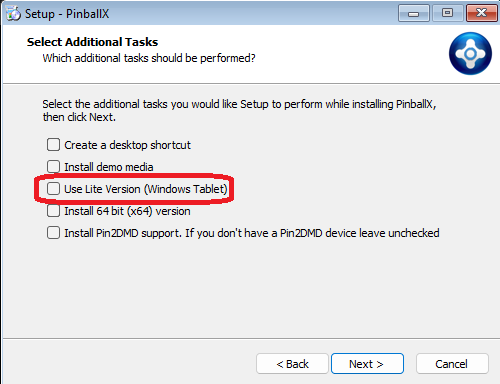
This forum is focused off the front-end programs of GameEx (GameEx/PinballX & Touch-Play) , not gaming tables. The front end doesn't demand extensive CPU/GPU resources, but it won't run on very outdated hardware. If the front-end performance is lagging, you might consider using the Lite versions. When installing on Windows XP or Vista, you will encounter an option to select the Lite version. Tables : The frontend supports a variety of systems, depending on the hardware capabilities. Zen Pinball FX2 and FX3 may be playable with reduced settings. However, Zen Pinball FX should not be attempted on older hardware as it requires a newer GPU. The Pinball Arcade is also playable, and the resolution can be lowered if the gameplay is not smooth. Visual Pinball 9 is compatible as well. Most tables created for Visual Pinball 10 (up to version 10.7.4) should run smoothly. Tables created in version 10.8 or newer generally demand a more powerful CPU and GPU. I hope this helps (and that you can translate it)
-
It appears that the previous images may have been altered, as certain fonts seem to be different. In the path, there is a colon (:) before "epic games". That's definitely not correct As stated in the documentation, please open a command prompt, paste the '<path>\<executable> <parameters>', and if that launches successfully, then everything is in order. If it does not work, kindly provide your log.txt and pinballx.ini files (after reproducing the issue). You mentioned that the issue occurred after the update. This is unusual, as the update should not have affected the launch process from PinballX or altered the start parameters.
-
I do not use the Epic version of the software, but use the Steam version. Could you please provide more details about the issue you are encountering? The description "encounter problems" is too vague to provide any meaningful assistance. Was Epic able to launch the table directly, or are you still using the launcher ? Please provide the pinballx log.txt file that is created when the issue occurs, as well as your settings file. This information would be greatly appreciated in order to better understand and resolve the problem.
-
@Benoit33 did you ever figured out why your ZeDMD issue ? if so, it would be nice to add the solution jere
-
Hello! I updated the DOF and lost the lights functionality in PINBALLX
Mike_da_Spike replied to VPA35BKSOR's topic in General
Indeed, I have a folder named "c:\pinball" which serves as a junction point to my "d:\" partition. All software related to pinball, including Steam, is stored within this folder. I regularly perform a system state backup of my "c:\" partition and a separate file backup of my "d:\" drive. From a DOF perspective, the location of the folder should not impact its functionality. -
Hello! I updated the DOF and lost the lights functionality in PINBALLX
Mike_da_Spike replied to VPA35BKSOR's topic in General
Strange part is, You have 2 versions in your registry pointing to C:\DirectOutput\ 3.1.7776.42174 and 3.1.8440.34790 My 64 bit is 3.1.8440.34790 and 32 bit is 3.1.7776.42174 Anyway, lets try this. 1) Run the following reg file (and confirm to install) VPA35BKSOR_fix.reg 2) Go to your 32bit directory (C:\\DirectOutput) and run RegisterDirectOutputComObject.exe DO NOT RUN THE 64BIT INSTALLER ! 3) Check your plugin, if it got a version number and pointing to the correct 32 bit path Still not correct ? 1) Run the regfile again 2) open registry editor 3) Search for : {A23BFDBC-9A8A-46C0-8672-60F23D54FFB6} The value should only be twice in the following keys : HKEY_CLASSES_ROOT\DirectOutput.ComObject\CLSID HKEY_LOCAL_MACHINE\SOFTWARE\Classes\DirectOutput.ComObject\CLSID 4) If found in any other key, please export the key, and serach furhter until you reach end of the file. Please report all the Reg Files that you found I hope we will get closer to your working DOF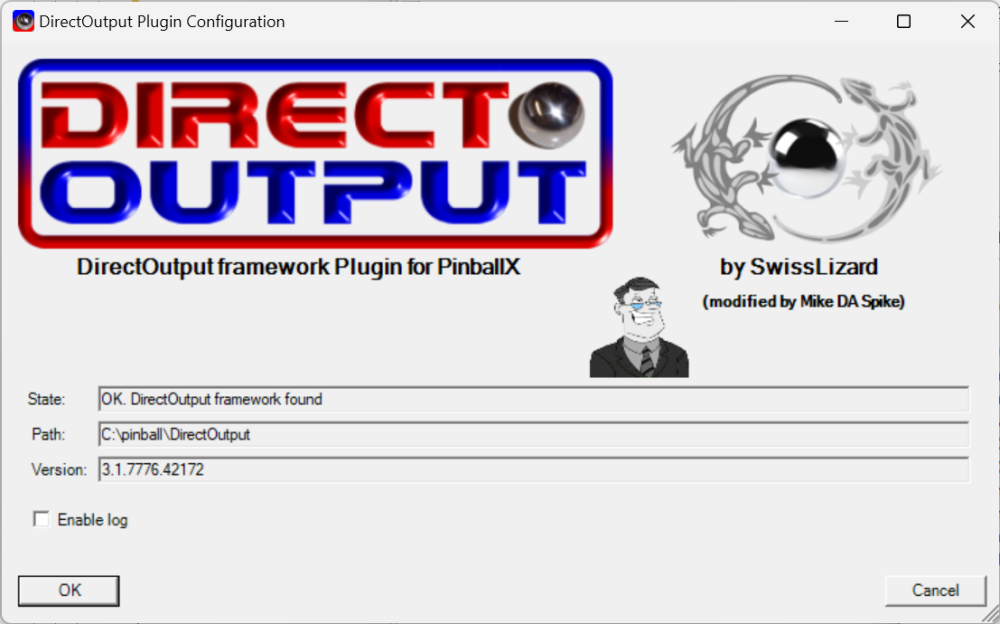
-
Hello! I updated the DOF and lost the lights functionality in PINBALLX
Mike_da_Spike replied to VPA35BKSOR's topic in General
Please export the 2 following keys as a reg file (2 reg files is fine as well) HKEY_CLASSES_ROOT\WOW6432Node\CLSID\{A23BFDBC-9A8A-46C0-8672-60F23D54FFB6} HKEY_CURRENT_USER\SOFTWARE\Classes\WOW6432Node\CLSID\{A23BFDBC-9A8A-46C0-8672-60F23D54FFB6}\ I will check tomorrow and hope to give you a file that will fix it -
Hello! I updated the DOF and lost the lights functionality in PINBALLX
Mike_da_Spike replied to VPA35BKSOR's topic in General
Can you export the correct registry keys. You provided the user one, instead of the machine (you gave from hkcu instead of hkcr). If I can see the error, I will provide you a file with the fix -
pinballx and pup packs wont shutdown when i exit a table
Mike_da_Spike replied to loonytu's topic in General
I don't see any table launch in your log, but it will properly not show anything. Did you check/setup the kill commands from the following post ? -
Hello! I updated the DOF and lost the lights functionality in PINBALLX
Mike_da_Spike replied to VPA35BKSOR's topic in General
The registry is from current user, but in mypost I 'clean' classes root . Can you make an export of the classes root as well (or delete) -
Hello! I updated the DOF and lost the lights functionality in PINBALLX
Mike_da_Spike replied to VPA35BKSOR's topic in General
Did you check the registry part ? Can you send screenshots of it? Or create an export (including sub keys) of the registry I meantioned I can send the the config files, but won't help. Its the registration of the dll that is wrong. -
Hello! I updated the DOF and lost the lights functionality in PINBALLX
Mike_da_Spike replied to VPA35BKSOR's topic in General
Didn't you follow my instruction ? That will set the plugin to 32 bit. my assumption is that PinballX plugins are running under 32 bit (so it will be compatible with legacy version) DOF64 won't work for PinballX. if yo need our cabinet.xml, copy it from your 32 bit DOF installation.