|



Mike_da_Spike
-
Posts
3796 -
Joined
-
Last visited
-
Days Won
242
Content Type
Profiles
Forums
Events
Downloads
Store
Articles
Everything posted by Mike_da_Spike
-
 maybe a stupid question @Tom Speirs. How did you do it ? I tried to save them with paint.net on 32 bit png, and also tried Gimp. But I was not able to make any color show on my real DMD. But your blue font is working.
 -
nice one Tom, thats working ! I will try to make the others as well. Another User issue
-
Happy Christmas everyone ! Due to malfunction of my controller, I'm not able to play pinball the next few days. So I put some time to change my frontend settings (part of creating PinballX install documentation that I'm working on for the last 2 months) I wanted to change the color of the pinemhi scores that are showed during attract mode. My assumption was it uses the 'dmdrealfont.png' from the media\images das a font. changing the colors of this font, to any other color and replacing this file, Doesn't show anything on my display. Am I doing something wrong ? dmdrealfont_blue.zip log.txt
-
[PINCAB] My Virtual Pinball Cabinet build
Mike_da_Spike replied to Mike_da_Spike's topic in Gamer Rigs
I contacted Virtuapin retailer here (virtuapin.eu aka pinballshop.nl aka highflow.nl, those are my local shops), but they say it will not be instock till april 2022. Shipping , tax and importing from the us site will cost too much for me, so ordered the ibcs kit. Will properly delivered monday ... No pinball for me this christmas (the grandkids will be disappointed) ... -
[PINCAB] My Virtual Pinball Cabinet build
Mike_da_Spike replied to Mike_da_Spike's topic in Gamer Rigs
Today (well actually yesterday), is the day that a 2nd part in my cabinet stopped working. After my power supply 2 years ago, my VirtualPin controller stopped working. This was properly my own fault. the LED of the start button didn't work anymore (controlled via the LEDwizard board) I replace the led and wanted to assemble the led with switch back in the cabinet. This was close to my 2 left flippers buttons. I get a power shock when i accidently touched the flipper connectors (and properly had the LED wires touched as well). the led is still working, but the Virtuapin controller isn't working since than. Tried a lot of things, but no luck. Contacted the local Vpinball shop and the Virtuapin is out of stock and need to come from the US. properly delivery time April 2022 I ordered now a 'IBCS Plug and Play Digital Pinball Plunger Assembly with KL25Z, Nudge/Tilt" controller kit. Properly no pinball during Christmas for me I still have an ALIExpress arcade controller. So if it is taken too long, I will use that controller in the meantime, but the effort to rewire all, will take some time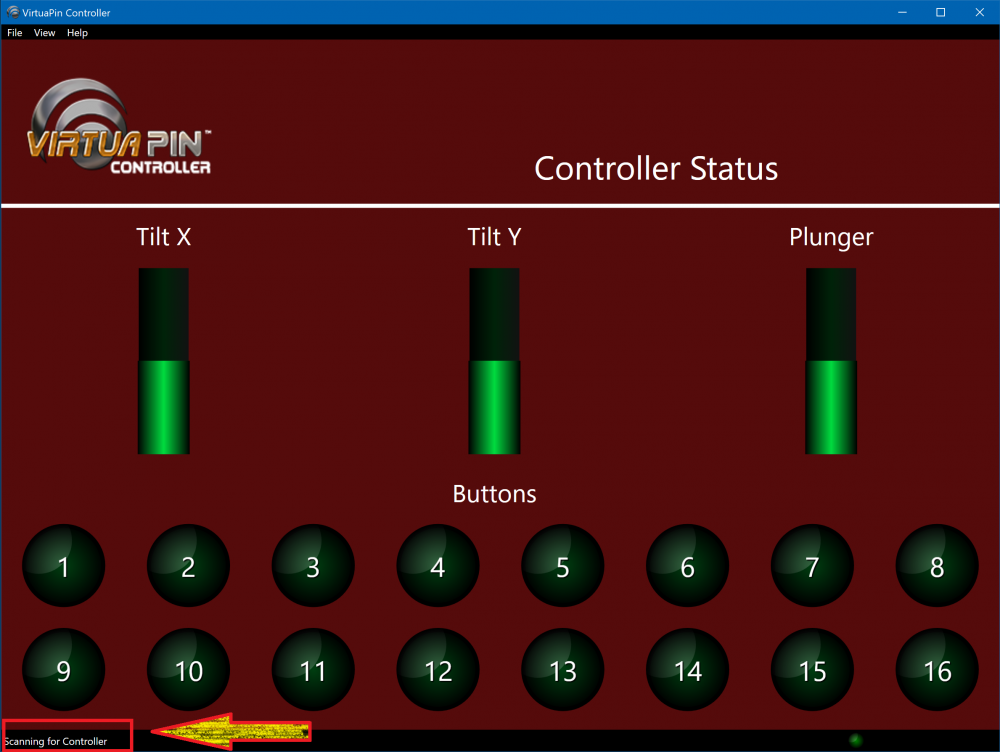
-
-
I cannot make anything of this. Whats the pinballx version you use ? Is it happen suddenly or after upgrading pinballx ? Or adter security update? Maybe as an alternative try Databasemanager.
-
Test version of pinballX .net 6 bug thread
Mike_da_Spike replied to Mike_da_Spike's topic in General
I'm always eating a lot ! But with the restricting in NL, we will put on a nationwide diet ! Didn't play a lot with pinball lately, but the core version is my main version on the cab. if find something, I will mention it, but first take a well deserved holiday Tom and enjoy Christmas with family and/or friends ! -
Test version of pinballX .net 6 bug thread
Mike_da_Spike replied to Mike_da_Spike's topic in General
Looks like the last version is working with startup and closing scripts. I only noticed that my Pinball FX3.xml was replaced by the version from PinballX (a file from 2017) Not sure with what version it happen, but restored it from a backup file and fix it -
I noticed this in your log 14:39:28.85 18/12/2021: Please try deleting flash.ocx in the installation folder and then reininstall PinballX. 14:39:28.85 18/12/2021: You may need to change security properties on the file. 14:39:28.85 18/12/2021: If PinballX does not initialize you should address this issue. Can you try that and try again
-
@Tom Speirs, do you k own what the error crash is caused by ?
-
It looks like it doesnt launch anything, but crashes on something, that it cannot find an object 14:40:05.03 18/12/2021: La référence d'objet n'est pas définie à une instance d'un objet. 14:40:05.03 18/12/2021: à PinballX.FrmMain.o(String A_0) 14:40:05.03 18/12/2021: à PinballX.FrmMain.a(String A_0, String A_1, String A_2, String A_3, Boolean A_4) 14:40:05.03 18/12/2021: à PinballX.FrmMain.a(String A_0, String A_1, String A_2, String A_3) 14:40:05.03 18/12/2021: à PinballX.FrmMain.y() 14:40:05.03 18/12/2021: à PinballX.FrmMain.ab() 14:40:05.10 18/12/2021: Created DirectX BackGlass Window Did you instal the pinballx, or copied it to the directory? If you copy it, try to install it instead, otherwise need to ask Tom what this crash means
-
Can you also define portable version ? Didn't play for a long time tpa, but Normally I just update via Steam to latest version and updat freecammod as well. Not sure if I have ti.e this weekend, but will take a look if it is still working on my cab
-
 Please use the pinballx forum for any issues
 -
I dont use mame on the pincab, but just use it on the arcadecab. Bu look at thi in section 5.5.maybe it wil help
-
Test version of pinballX .net 6 bug thread
Mike_da_Spike replied to Mike_da_Spike's topic in General
You messed up ? never ! (I could blame scutters if I mess it up ) I will give it a try Tom ! EDIT: Same results. Still crashing -
Test version of pinballX .net 6 bug thread
Mike_da_Spike replied to Mike_da_Spike's topic in General
the replacement of the DLL causes that PinballX won't launch at all and give an app crash in the eventlog : Faulting application name: PinballX.exe, version: 1.0.0.0, time stamp: 0x61735063 Faulting module name: KERNELBASE.dll, version: 10.0.19041.1348, time stamp: 0x76fcd692 Exception code: 0xe0434352 Fault offset: 0x0000000000034f69 Faulting process id: 0x1a84 Faulting application start time: 0x01d7efdcd884b79c Faulting application path: C:\Pinball\PinballX .net 6\PinballX.exe Faulting module path: C:\Windows\System32\KERNELBASE.dll Report Id: c487abf2-da05-4ea6-ba32-61309fedfc80 Faulting package full name: Faulting package-relative application ID: No log file is created as well -
Test version of pinballX .net 6 bug thread
Mike_da_Spike replied to Mike_da_Spike's topic in General
When playing my PinemHI tables, I noticed that my startup scripts didn't run as well, although that is is in the log. 06:24:21.87 11/12/2021: C:\Pinball\Scripts\PBX\PinballXstart.cmd (see previous log file as well) Because of the start and log scripts not launching, I need to fall back to the original version. Le me know when it is added, so I can launch the core versions default on my cabinet again -
Small bug fix release for 21.12.10.0 @davy33reported that MEGA URLS didn't work. This was caused by the new format of MEGA links and that we (read me) shorted the timeout of MEGA time out in a previous version. Increasing the timeout to 20 seconds, resolved that MEGA could be working again on large files/folder structures. @scuttersfixed the code, so that new urls (Just copy past from your browser) is working as well. Thanks Davy to report and because this is your 2nd bug report, you will get the 3rd bug fix for free
- 418 replies
-
- 2
-

-

-
- mikedaspike
- scutters
- (and 1 more)
-
did it stopped working at a sudden moment, or did you reinstall the cabinet ?
-
[RESOLVED] Not displaying all tables in VP xml file
Mike_da_Spike replied to Gooseleggs's topic in General
I loaded you Xml and I see the files and from the 12 tables that are in the XML, I see all the 11 that are enabled : Do you have an filter active or something ? maybe provide your stetings.ini, to see what system is activated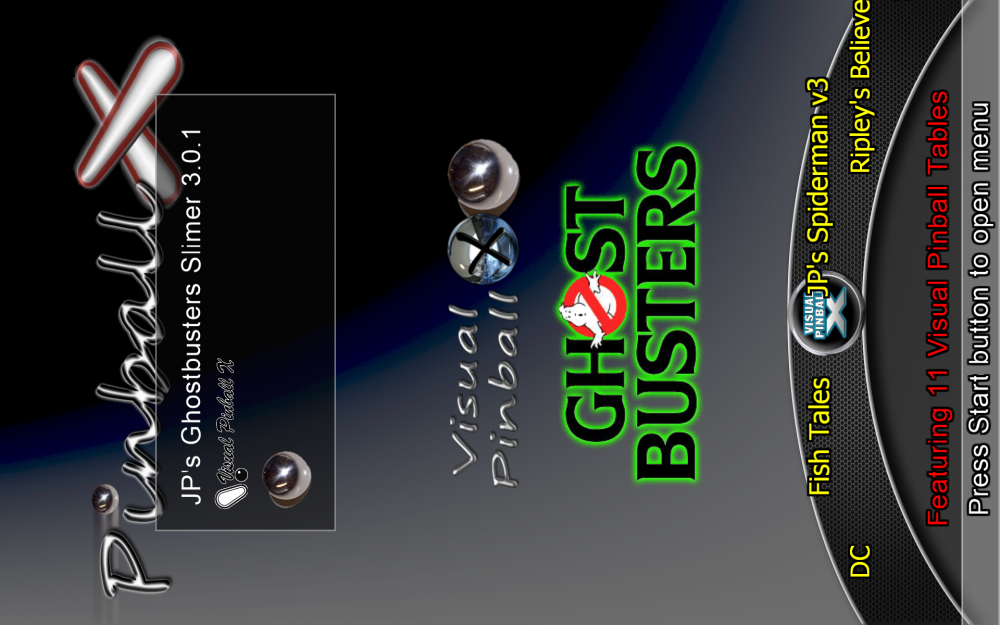
-
Test version of pinballX .net 6 bug thread
Mike_da_Spike replied to Mike_da_Spike's topic in General
When I quit PinbalLX , I run an exit script. According to the log, it looks lit it is executing, but the thing that should happen, won't happen. Same script as I use for the old version. log.txt -
Test version of pinballX .net 6 bug thread
Mike_da_Spike replied to Mike_da_Spike's topic in General
I was too early. Version 5.29 is launching fine on Cab and test PC. OS is good in the log file and DMD is working as wel Thanks @Tom Speirs. I will set my cabinet by default to this version, just to check how it goes. For people who wants to test, but doesn't want double database files and media files: I used juntions points to the media and database dir. Change the paths in the below command file and run it Set PinballXpath=c:\pinball\pinballX Set PinballXCorepath=C:\Pinball\PinballX .net 6 Rename "%PinballXCorepath%\Media" Media.org Rename "%PinballXCorepath%\Databases" Databases.org mklink /j "%PinballXCorepath%\Media" "%PinballXpath%\Media" mklink /j "%PinballXCorepath%\Databases" "%PinballXPath%\Databases" -
Test version of pinballX .net 6 bug thread
Mike_da_Spike replied to Mike_da_Spike's topic in General
On my w11 test system it is showing now the correct windows version, but front end doesn't start. I reinstalled from scratch, but same issues : 06:11:55.10 05/12/2021: PinballX - Version 5.28 x64 06:11:55.35 05/12/2021: Microsoft Windows 11 Pro 64-bit (16GB) 06:11:55.35 05/12/2021: Loading Settings 06:11:55.35 05/12/2021: Initialize Component 06:11:55.38 05/12/2021: Initialize Display 06:11:55.42 05/12/2021: Error. Exiting 06:11:55.42 05/12/2021: 06:11:55.42 05/12/2021: Could not load file or assembly 'System.Management, Version=4.0.0.0, Culture=neutral, PublicKeyToken=b03f5f7f11d50a3a'. The system cannot find the file specified. 06:11:55.43 05/12/2021: at q.c() 06:11:55.43 05/12/2021: at PinballX.FrmMain.a(Boolean A_0, Boolean A_1, Boolean A_2, Boolean A_3, Boolean A_4, Boolean A_5, Boolean A_6) 06:11:55.43 05/12/2021: at PinballX.FrmMain..ctor() 06:11:55.43 05/12/2021: Disposing Plugins 06:11:55.43 05/12/2021: Showing Taskbar 06:11:55.43 05/12/2021: Unhiding Mouse Cursor 06:11:55.43 05/12/2021: Bye EDIT: Same on the cabinet -
[RESOLVED] PinballX.exe missing icon in last version
Mike_da_Spike replied to Mike_da_Spike's topic in General
Thanks Tom, Conformed this is solved