|



jejegameex
-
Posts
72 -
Joined
-
Last visited
-
Days Won
3
jejegameex's Achievements

Super Member! (3/5)
14
Reputation
-
OK I added the feature request here : https://forums.gameex.com/forums/topic/22259-pinballx-enhancementsfeatures-requests/page/35/#findComment-227550
-
PinballX Enhancements/Features Requests
jejegameex replied to Draco1962's topic in FAQs, Guides, & Other Useful Information
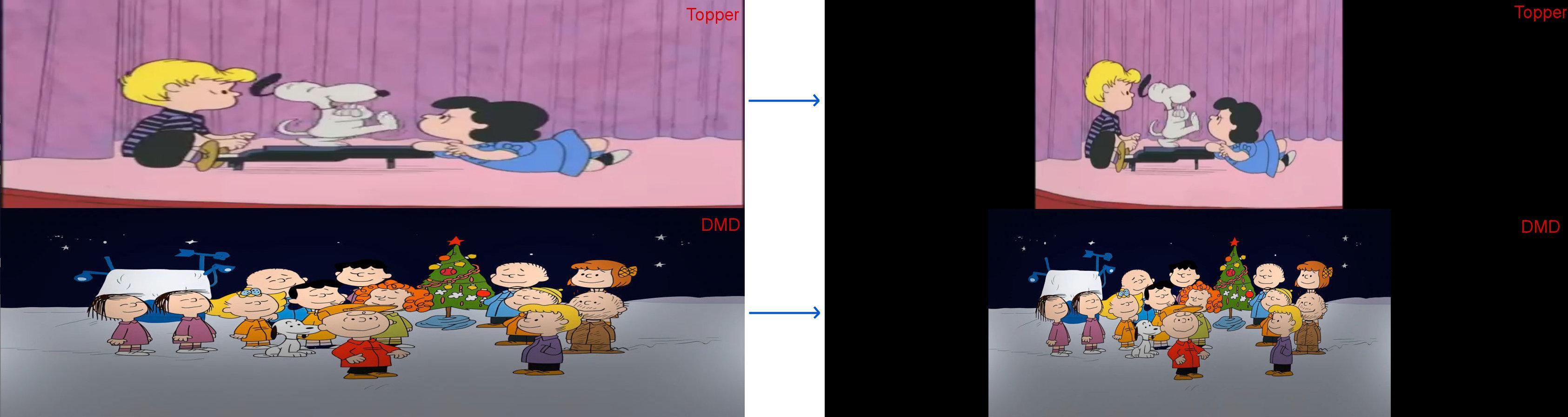
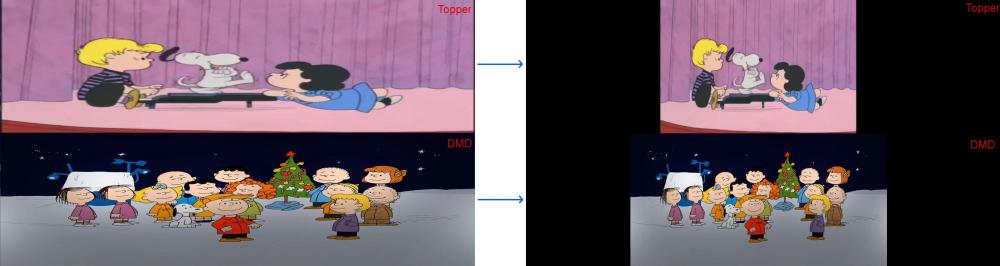
Hi everyone, so here is my feature request for displaying medias in PinballX and keep their aspect ratios. This is the first post : https://forums.gameex.com/forums/topic/31753-aspect-ratio-of-images-and-videos-on-the-screens-dmd-and-topper/ Why keep aspect ratios of medias ? This would eliminate the need to manually resize images and videos to fit our screens. It's much more pleasant to view an image or video in the correct aspect ratio, rather than a stretched, too-wide, or too-tall version. In the future, if we change our screen configuration (e.g., switching from a 4:3 to a 16:9 screen), media files won't need to be manually resized again. This is also better for file sharing. This is an example of my request : at left we can see my third screen now, it's divided in half to display the DMD and the Topper. For the moment PinballX expands the media to the resolution of the screens: the proportions of the media are therefore not preserved. What I would like is an option to allow PinballX to maintain the aspect ratios of the medias (see the result at right). Many softwares allow us to choose how medias will be displayed: enlarged on the screen, centered... Thank you. I think this is a useful and essential function for everyone in a front-end.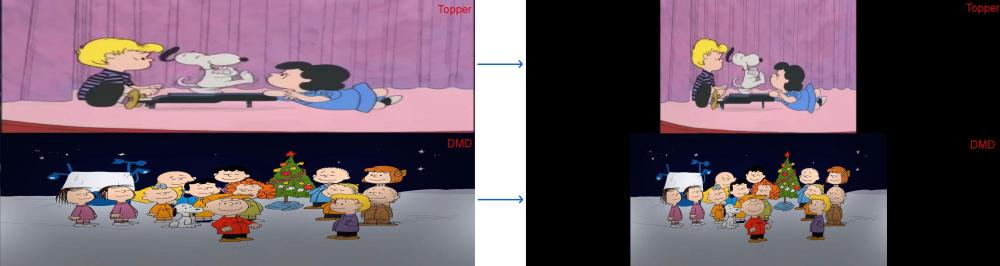
-
Yes I setup the screen to 1600x450 and it's ok. My first question was whether there was a way to preserve the aspect ratio of the medias. But that doesn't seem to be the case. So yes, it's a feature request. All users have the same problem, regardless of their screen size : if you have a 4:3 video and a 16:9 screen, the video aspect ratio will not be preserved. Currently, I'm trimming my videos. But if I ever get a Full DMD, all my videos will be useless. We shouldn't have to resize media, media should be compatible with all configurations. If Tom feels up to improving the software... Thank you.
-
I'm not sure if my problem has been understood correctly, but it seems simple: I've configured the Topper screen in PinballX on my third monitor (1600x900). It's set to display at the top of the screen at 1600x450. My problem is that for each pinball game/table, I have to resize the image or video to 1600x450 for it to display correctly. If my original image is 1000x450, it would be ideal if PinballX displayed it in the center of the screen. Instead, PinballX stretches the image to 1600x450, which ruins the aspect ratio. MyPinballXConfig.zip
-
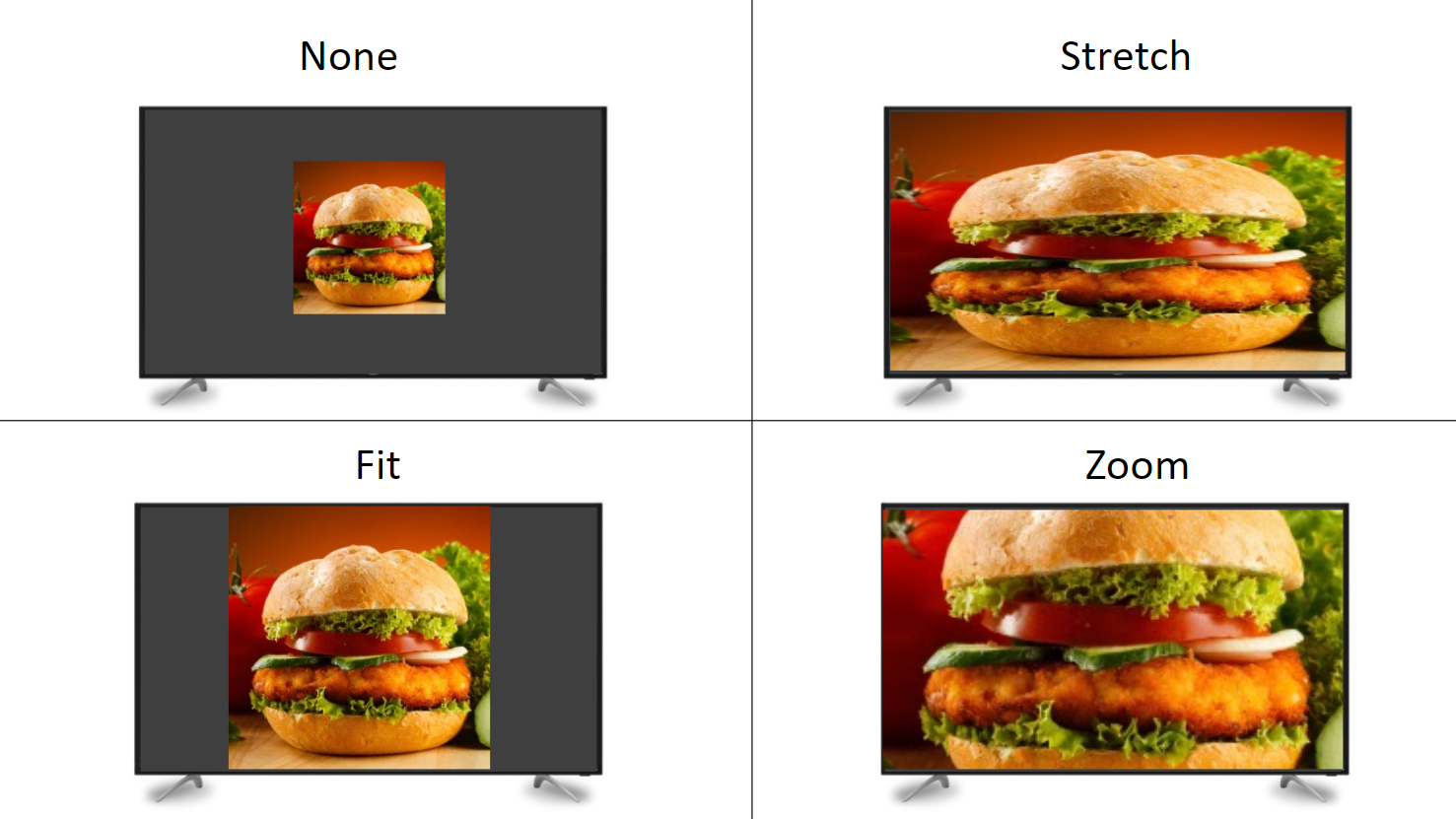
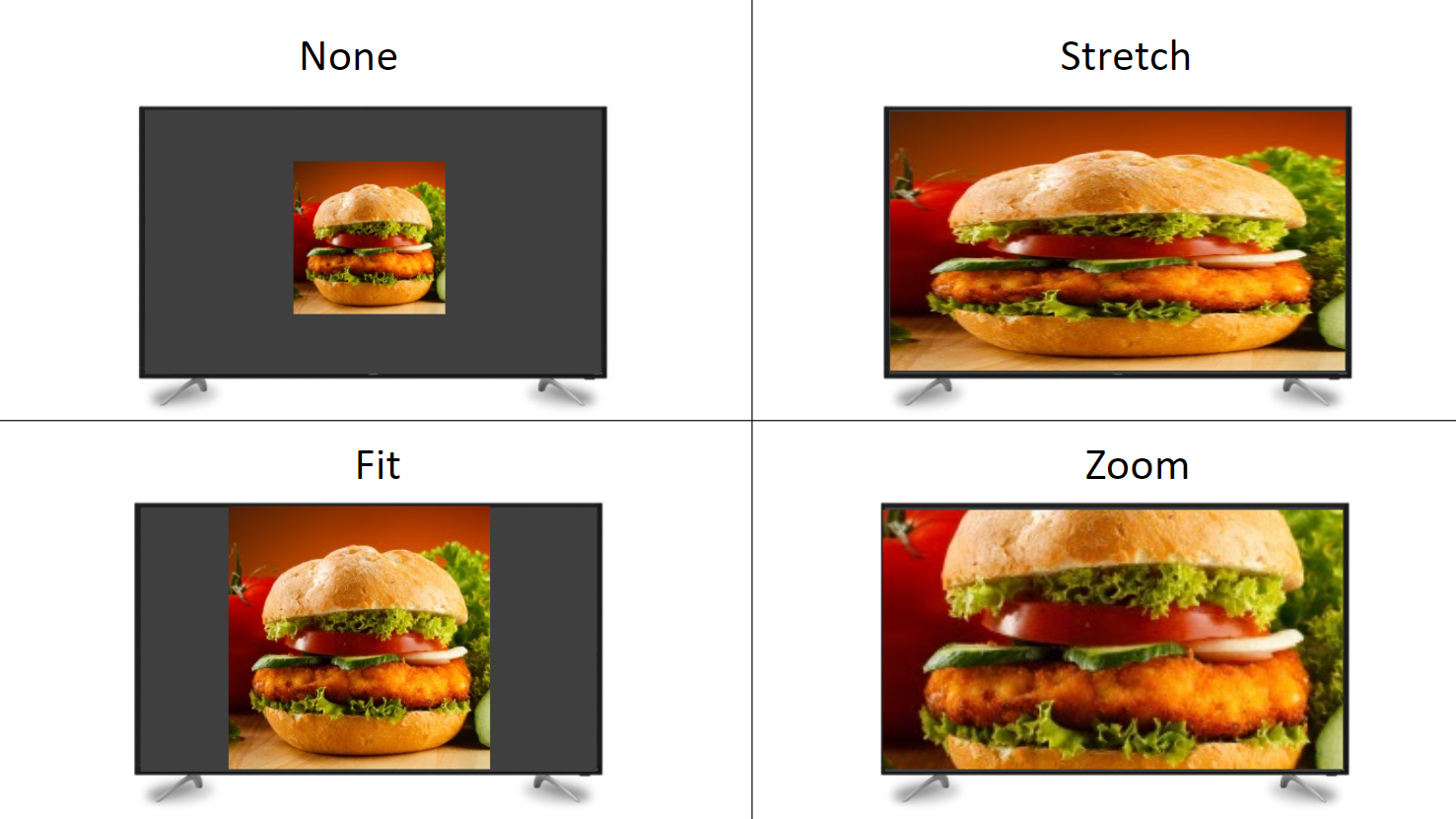
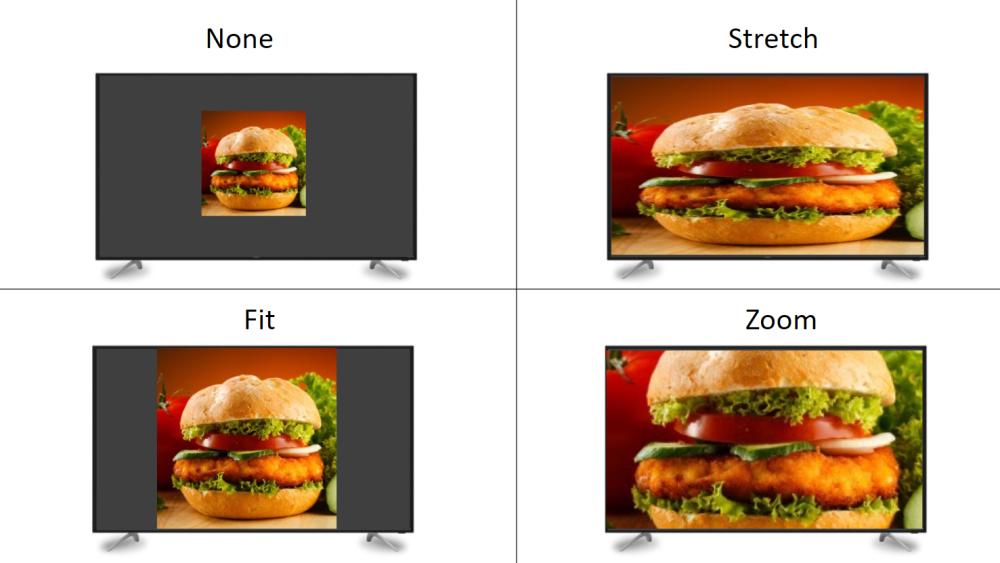
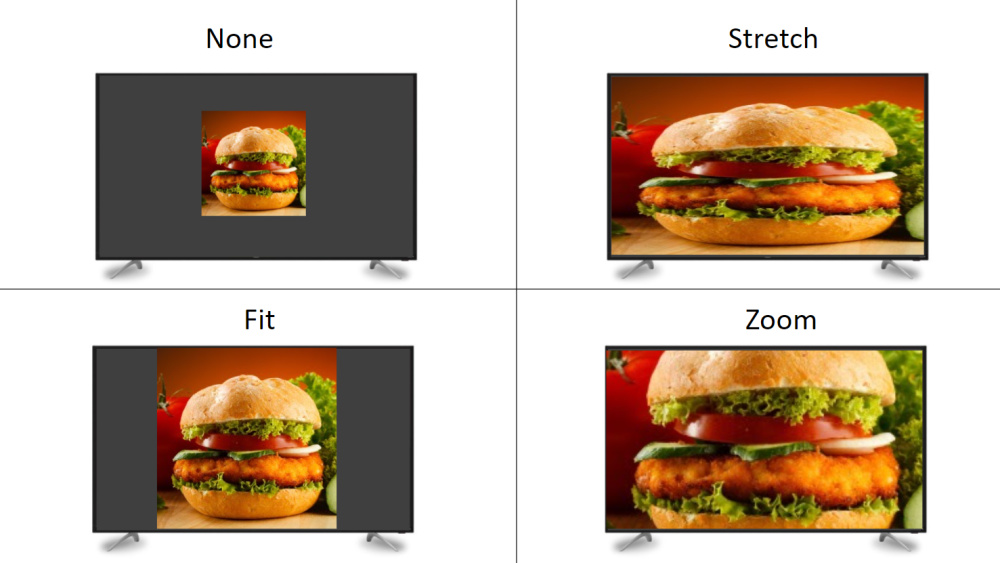
Example of display options :
-
Yes. That's been my setup for a long time. But the problem is that PinballX doesn't maintain the aspect ratio of images and videos. It would be nice not to have to resize all the media every time. Especially since if my setup changes in the future, my images and videos won't be the same anymore. Many software programs allow you to choose how medias will be displayed: enlarged on the screen, centered... See my first post.
-
I tried DisplayFusion, but it doesn't work: you can indeed split a screen to get several taskbars, but it doesn't create "virtual screens" that PinballX can recognize as unique screens.
-
I'm going to test DisplayFusion. But will it change anything? Will my videos keep their aspect ratio? If so, thank you for this solution ! FYI : I use Actual Multiple Monitors for my PC, this does not create multiple virtual screens. We can have multi task-bars. It can launch a program on the second screen, which will remain on the second screen (it's why I use this software).
-
Sometimes I take the time to resize my videos, but I think that should be handled by the front-end software. Because the day my screen setup changes, all my videos will be unusable.
-
Is there already a way to conserv the aspect ratio of images and videos on the screens DMD and Topper ? For example, you can see on the screenshot my setup to the left : I have a monitor divided by two for the DMD and the topper. But when images and videos are viewed, they do not retain their aspect ratio; they expand to the size of the screen. What I would like is visible on the right.
-
the .ini file inside the installation folder of PinballX Recorder is created by the application for save the configuration steps (ex : the second parameter is the path of PinballX installation). The .ini file contains, but not information about screens and their sizes. The application read config files of PinballX for get the path of the Visual Pinball tables, and get screenres.txt. Before, we installed B2SServer inside the tables path. Now we can install outside, but PinballX Recorder don't manage that. Maybe in the future release, we can indicates the path where is the screenres.txt.
-
NOTE: PBX Recorder uses the DirectB2S screenres.txt to figure out how to record the Playfield, Backglass and DMD. (If the DMD portion of screenres.txt is not filled in correctly, you will have trouble with DMD video or screenshot capture. Try ScreenResCheck utility, to see exactly what PBX Recorder will record). Where is your screenres.txt ? The program search TABLEPATH (where all VPX tables are) from PinballX config file. The program uses by default the screenres.txt in this TABLEPATH.
-
OK. Glad I could help.
-
It works with the version 6.18 ! Thank you. When you say maybe I have a 'bad video', what do you mean ? Can I change something for a better compatibility in the future ?
-
Thank you, but the result is the same with 6.17 : no DMD, no backglass.