|

Leaderboard



Popular Content
Showing content with the highest reputation since 07/21/25 in all areas
-
I spent about 40 hours trying to implement another video playback solution without lots of work because NVidia recently broke VMR 9 support. I thought I found another solution via ChatGPT which was the first time I tried it. It looked amazing but it gave me absolute horseshit over and over. How AI is replacing coders seems hard to believe. It seemed hopeless when experienced people need help. I tried Direct9Ex with DXVA2 and media foundation which it completely lied about. I also tried the same but not hardware accelerated which was valid but It did not work because the current Microsoft codecs don’t support RGB output. Although also legacy DirectX9Ex with FlipEx seemed like a good move on its own and I have it working well, then had problems recreating the device which is a big issue for a front end. I have this code done if I find a solution. Maybe waiting for DWM to be ready or somehow resetting it could be a solution. FFMpeg may be a way to go for video playback and should perform well, and I may try that Of note both AMD and Intel previously removed or broke VMR 9 support but then put it back. Which is why there was already a fallback in place PinballX and GameEx do have the option to switch to a more legacy video solution and normally this is automatically detected. However, Nvidia neglected to tell the operating system they removed VMR 9 support so the automatic fallback was not working. Maybe they are using AI coding too! Also of note when questioning the Brave search AI if there were issues with the solutions ChatGPT it gave the correct response. I can recommend the Brave AI. With these two new versions of GameEx and PinballX I check for Nvidia driver versions, so it is now again automatic as it was with intel and AMD. This release also correctly identifies physical CPU cores. I assume I fixed it and not Nvidia or Microsoft but full screen exclusive mode is fixed and working in GameEx so this may resolve issues in PinballX.6 points
-
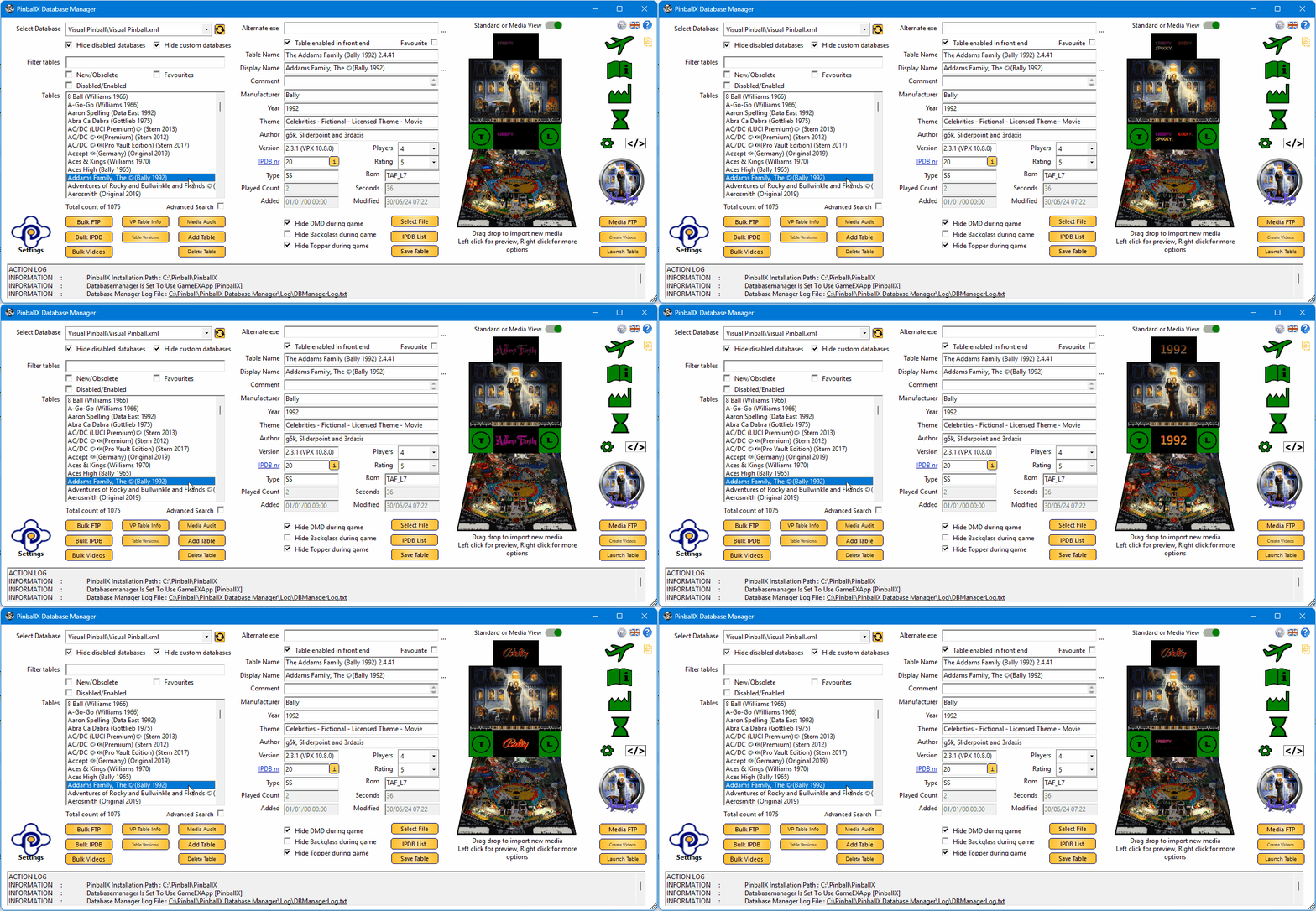
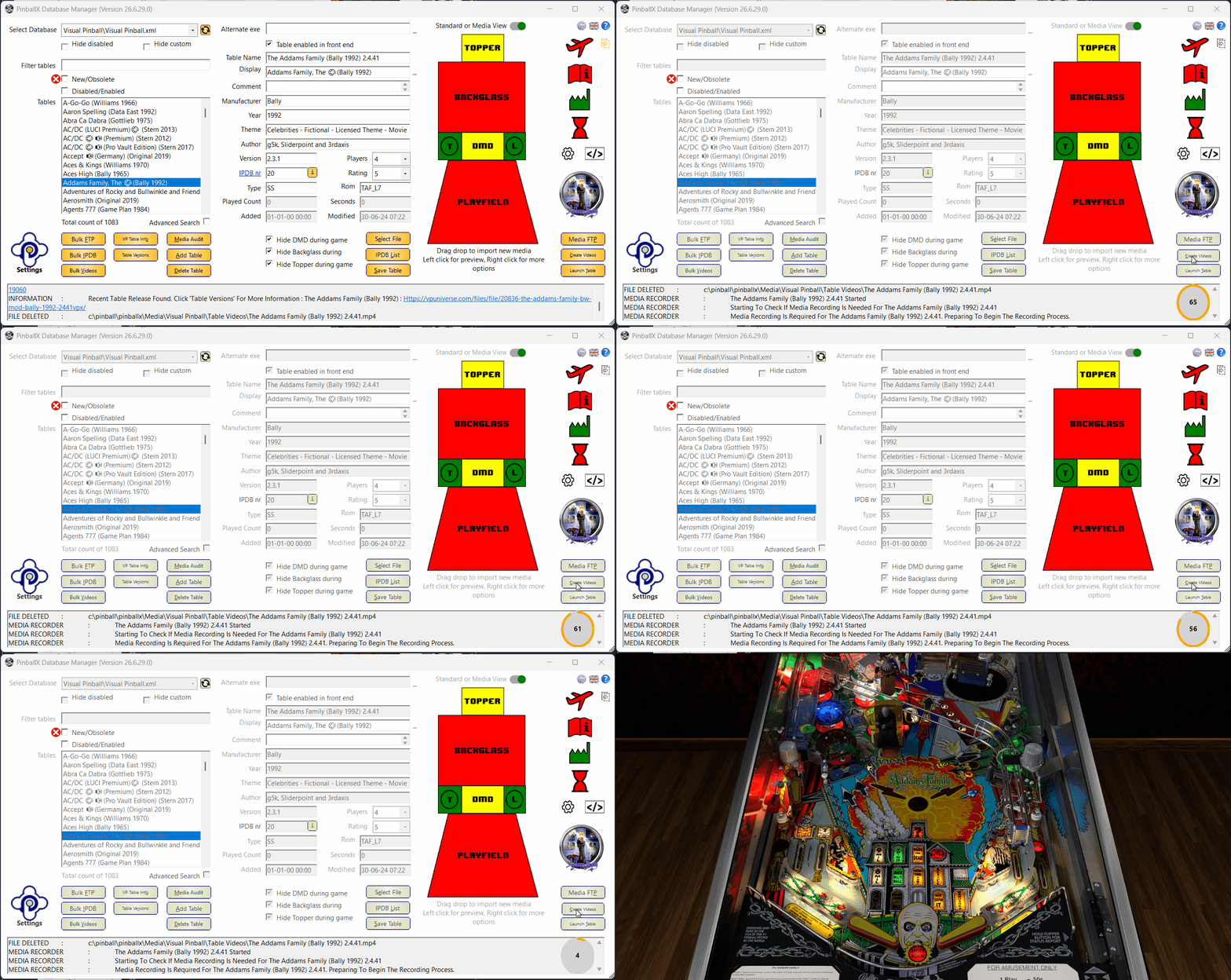
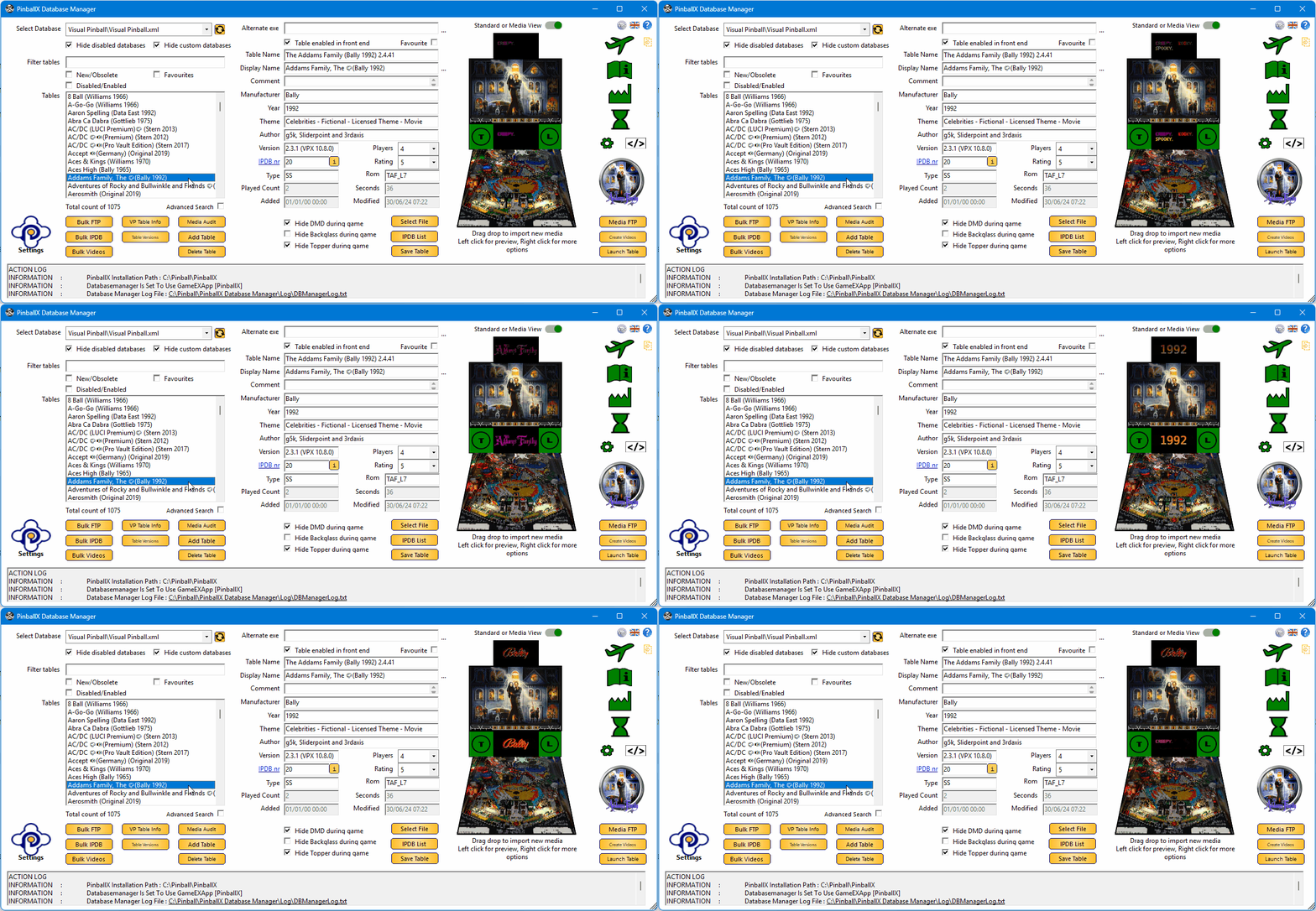
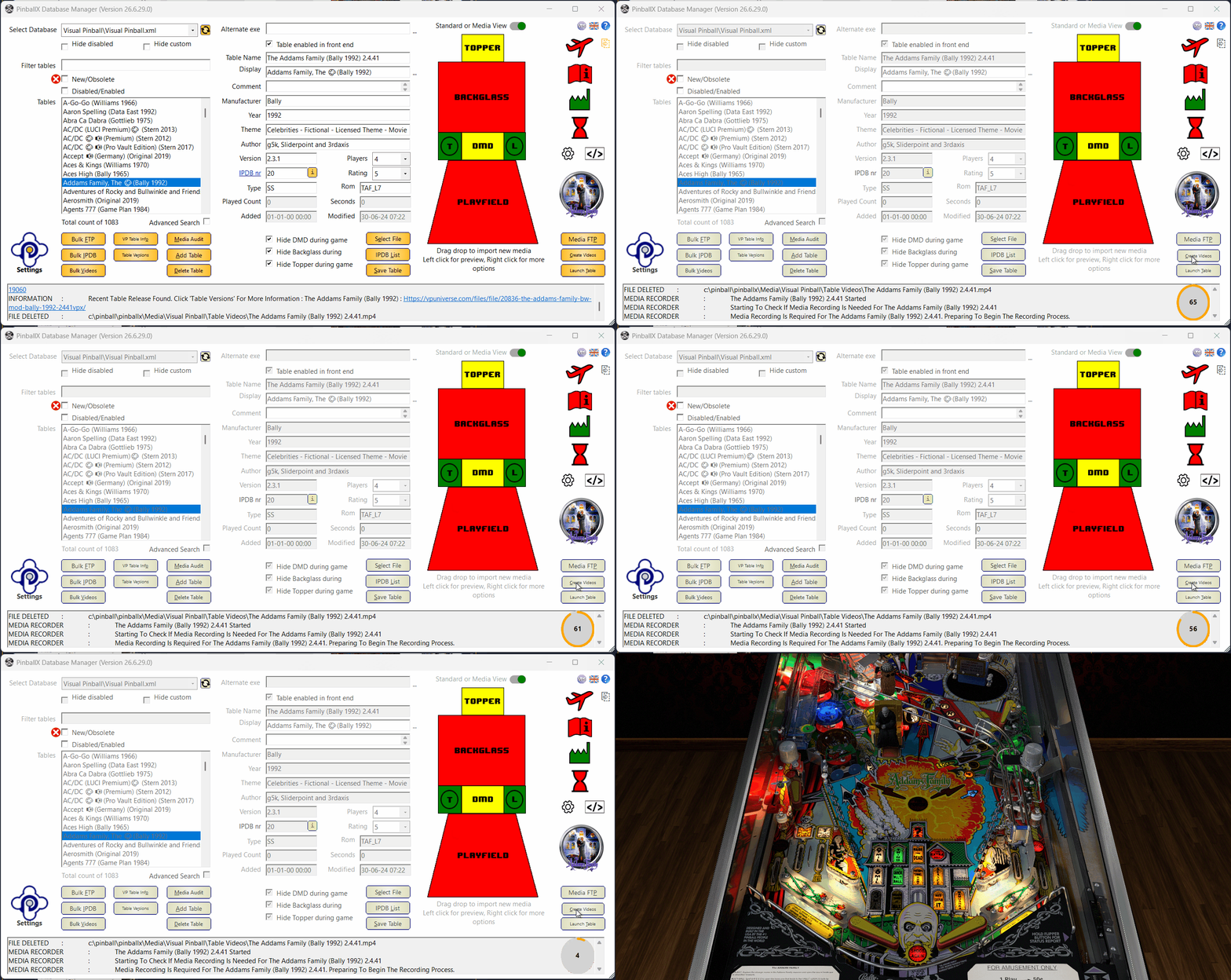
Version 26.06.xx is just released! The “Lights, Camera, Preview!” Release Grab your animated screenshots, dim the lights, and get ready, want DBM to *feel* more alive? Well… this release doesn’t just feel alive, it moves, plays, and reacts right in front of you. No more static thumbnails. No more relying solely on Explorer. DBM now offers live video playback directly inside the application, enabled once and staying active, so previews appear automatically without extra clicks. Your familiar workflow remains unchanged: left‑click shows the media in DBM, while right‑click still provides the full context menu, including the option to open the file using its associated application. Media Preview is the star of the show. Smooth playback, instant loading, and a cabinet‑style perspective that makes your playfield look like it’s actually sitting in a virtual machine. Perfect for checking recordings, verifying media, or just admiring your tables. You can switch between Standard View and Media Preview at any time using the toggle button located above the topper, making it easy to choose the view that fits your workflow. We also added Autodetect Visual Pinball Recording. No more guessing how long VP needs to load. DBM now detects when Visual Pinball is ready and automatically adjusts the recording start time. This results in faster recordings, fewer delays, and eliminates the classic “why is my recording starting on a black screen” moments. To ensure accurate timing, make sure to include a bit of extra time for ROM loading, PuP‑packs, or avoiding NVIDIA overlay screens, anything that finishes close to the actual load moment. This feature must be enabled in the Media Recording settings before it becomes active. Pause and Cancel buttons for recording continue to work exactly as before. Below is a short example: The “Time to allow table to load” is intentionally set very high, but as soon as VP is practically fully loaded, DBM switches the countdown timer to my configured Extra Load Time of 5 seconds and starts recording exactly on time. (Just don’t set it too tight like in the demo.) Although VP 10.8.1 is still in beta, the developers are actively experimenting with a new plugin system for Windows — replacing legacy tools such as B2S Server, dmdext, PuP and others. Early on, @DJO Maverick reported that BGFX with plugins wasn’t functioning correctly, and once Vulkan support was introduced, the situation became even more unstable. Fortunately, there’s no need to worry. BGFX recording is fully operational again, including support for the new plugin architecture. And Vulkan? Yes, with the documented NVIDIA adjustment applied, Vulkan recording works reliably as well. A few gremlins were hiding in the codebase: - CustomExe controls not working correctly (indirectly reported by @tabascoman77) - Label heights breaking in certain languages - Recording making the app unresponsive All fixed. This release wouldn’t exist without the heroes behind the scenes: - @robertms for testing auto‑recording and Media Preview like an absolute machine - @DJO Maverick for discovering the 10.8.1 recording issue - @tabascoman77 for indirectly reporting the CustomExe system bug You three helped prevent at least five future headaches, two refactors, and one existential crisis. This release also marks a small milestone for DBM: it’s the first version where we used AI assistance to help validate and refine one of the internal mathematical calculations. A fun detail, and a sign of how DBM continues to evolve. And as always, a special acknowledgment goes to @scutters. He implemented 99.8% of the live Media Preview, and not just that, countless parts of this release exist in their current form because of his work behind the scenes. DBM simply wouldn’t look, feel, or function the way it does today without his contributions. Thanks my friend ! Enjoy the new build! Cheers, and happy flipping!
 5 points
 -

Version 7.23
110667 downloads
The PinballX frontend. Latest version. Full install. Note: You will need to create an account to download this file if you are not already a member.5 points -
In my opinion and by my standards an application like PinballX should be able to stay up and running for months. Even when running as 32 bit. After a month of soak testing on my cab I tied down a memory leak to bass.dll. I rolled back to an earlier version and hopefully this is now resolved. It is in my soak testing, Also included latest .net 8 runtime in installer. .net 10 LTS coming next year by the look of it. I would expect this to be Windows 11 only but I still plan to keep support back to XP for you remaining crazy diamonds, using the appropriate frameworks and libraries.5 points
-
In the rush, I forgot to mention 2 other small features. DBM recording can now quickly search for any missing media. Visual Pinball ROM will be checked after a DBM record, and the ROM name in the main form will be changed. A notification in the action log will be shown, and you must save the table to confirm the change. Thanks to @Dna Disturberfor helping me to identify a rom4 points
-
May you get what you want and need! May your loved ones be present and their travels safe! May your heart be filled with joy and love! Merry Christmas and Happy New Year!
 4 points
 -
I will try and look at it buddy.4 points
-
Hi all, I’ve put together a cleaned and updated XML file for Zaccaria Pinball, based on the naming structure originally compiled by @joyrider3774. His excellent work laid the foundation (he really need to explain how he get all the correct table names ) I’ve simply tried to ensure consistency across all 168 tables, including the POSTAL packs and newer Magic Pixel releases. Each pinball table in the XML includes a type field, which traditionally reflects the hardware generation of the original machine. In most cases, this is either: EM – Electro-mechanical: Tables from the 1970s with mechanical scoring reels, bells, and relays. SS – Solid-state: Later Zaccaria machines from the 1980s with digital displays and electronic sound boards. However, since Magic Pixel has introduced multiple digital reinterpretations and original creations, we’ve expanded the type field to better reflect the style or version of each table. This helps distinguish between physical recreations, stylized variants, and fantasy-themed originals. Here’s the full breakdown: type Meaning Description EM Electro-mechanical Original 1970s Zaccaria tables with mechanical scoring and chimes. SS Solid-state 1980s Zaccaria tables with electronic scoring and sound. RM Remake Faithful digital recreations of original Zaccaria tables. RT Retro Stylized retro versions with simplified visuals or gameplay. DX Deluxe Enhanced editions with modern graphics, lighting, and effects. AW Adventure/Wizard Original Magic Pixel fantasy tables, not based on real machines. The goal is to provide a reliable base for anyone integrating Zaccaria tables into their own frontend, launcher, or tooling. Original thread by @AndyMcDandy: guide zaccaria finally has direct table launch Steam guide reference by @joyrider3774: Steam Zaccaria Guide Feel free to use, adapt, or suggest improvements. I’ll keep it updated as needed. Download file : Zaccaria Pinball.xml3 points
-
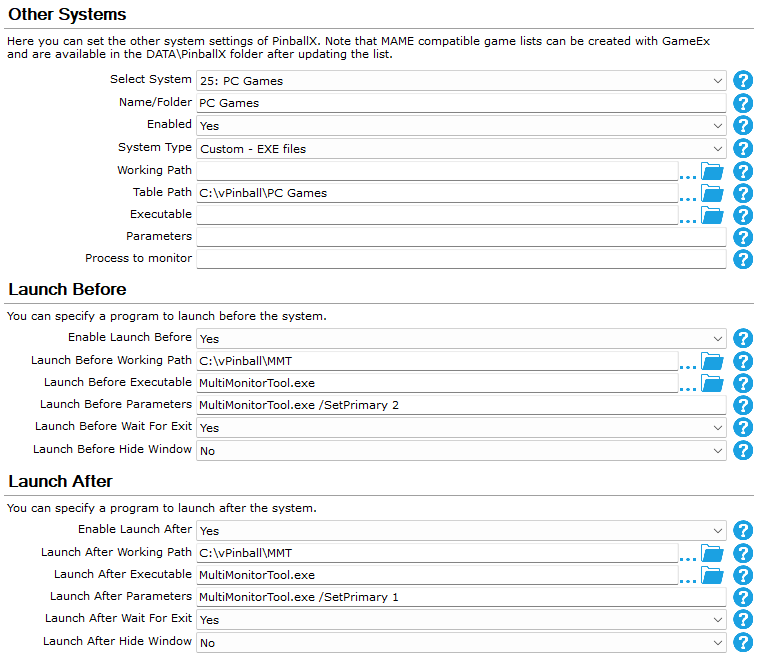
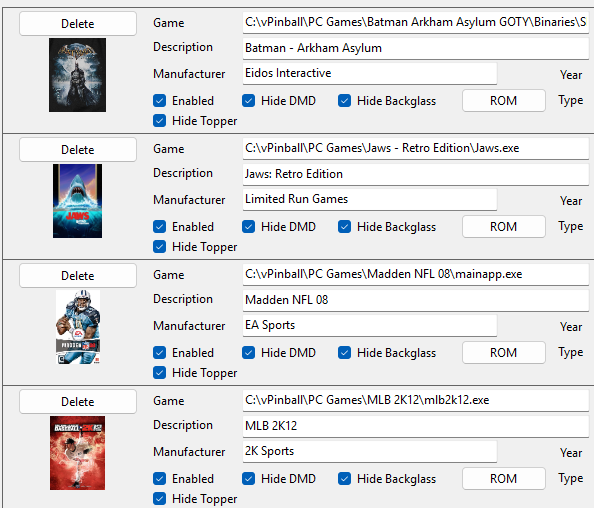
(A HUGE thank you to @scutters for this. Scutters is the person behind this insanely easy configuration. After you configure this yourself and get it to work, go to scutters and thank them profusely.) Do you have a pincab that isn't exclusive to pinball? Do you emulate console games with it, too? Ever wondered how to put PC games on there as well? Now you can. (QUICK NOTE: This is for a 2-screen virtual pinball cabinet setup and above. You can still use this guide if you have three or four screens but you just have to make sure that your backglass and playfield screens are monitors 1 and 2 for this to work. If you run PBX on a single screen, this isn't you're guide. I will do a guide for that later. Also, I know this is a lot and seems convoluted but it works.) Ready? Then... 1) Since you're gonna want the games on your backglass monitor (most, if not all, PC games start on the main playfield monitor by default) you're gonna need the MultiMonitorTool. You can get it here. Place that where ever you'd like on your drive. 2) Install your PC games where ever you'd like -- but make sure they're under a single parent folder. (eg: C:\Program Files\PC Games\Game Folders Here 3) After you're done installing everything you want to install, open up your PBX Setup Wizard and enter the following config: After doing this, MAKE SURE YOU CHANGE THE TABLE PATH, LAUNCH BEFORE PATH, AND LAUNCH AFTER PATH TO MATCH YOUR SYSTEM. For the rest of it, enter it as you see it above. When you're done, quit the Wizard. (NOTE: In my setup, my Playfield is Monitor 1 and my Backglass is Monitor 2. All you need to do is make sure that your "SetPrimary" number matches your backglass monitor number in the "Launch Before Parameters" and the Playfield monitor number in the "Launch After Parameters". If you don't know which is which -- and there are some out there who don't -- go to your Display Settings on Windows and hit "Identity" to see which is which.) 4) Go into Game Manager and hit your pull-down menu...you should now have "PC Games" (or whatever you decided to name it) in there. Select it and this is where you're gonna add your games...BUT... DO NOT USE THE "GAME SELECT" BUTTON. Instead, enter the pathway to each EXE...here's mine: After you're done, quit Game Manager. Lastly, go into PBX and make sure it's all working. If you did everything correctly, the game should launch on your backglass and should exit completely when you hit "escape". Your monitors should be normal when you quit PBX back to the desktop as well. That should do it. Enjoy, and happy gaming! (I'd like to thank @Draco1962, @Mike_da_Spike, and @scutters for their help in getting this working and all their suggestions. Thanks, guys!)

 3 points
 -
My former employer's accounting department got approval and implemented an accounting software suite that had to be run from our servers, but had NO SERVICES that could be scheduled for certain updates. To top it off, once the application ran as a background process. This meant that we could not leverage Task Scheduler to launch and kill the process that needed to be run every morning before 6AM to import the files that were needed by our policy & claims check printing team. Additionally, they did not want the Accounting BAs to have access to the server to manually run them. This meant MY TEAM had to login to the server every morning before 6AM to kick it off. Long story short, I created and compiled an AHK script that would be seen as an active process by Windows Server and, thus, scheduled, automating the process. Since the app was being run by an approved service account, there was no additional access required. They didn't know what AHK was, our security team squashed it quickly out of total ignorance, and they spent 6 months with our "Automation Team" trying to create an AI bot that could handle the process, which was also squashed by our IT security team because it had to leverage the service account as a user with security credentials. I identified the issue, tested a hypothesis, and came up with a secure solution - All within 2 weeks. NOPE! 😡 They spent 6+ months and came up with nothing. 🤬3 points
-
The new MAME title videos are complete. They are located on the FTP here: /-GameEx-/- Emulator Artwork & Videos -/MAME/video_title 95% of them are a decent attract mode capture. The upscaled videos on the FTP are however the best quality. In the next release of GameEx there will be an option to chose between the three types to automatically download. Audio can be a slight issue on the title videos because they are all fixed to 60hz. The title videos are up to date as of MAME 0.287 and include all working or imperfect non clones unless the name of the clone game is different. View the full article3 points
-
I have good news! I know I'm a bit slow to reply, but between work and other commitments, I haven't been able to do much. To get to the point, I've managed to create a new system that opens Visual Pinball X and Future Pinball tables from Pinball X. It's somewhat complex, but having all the tables from both systems together is fantastic. Give me a few days, and I'll post a step-by-step guide and a file showing how I'm doing it. Thanks to @Mike_da_Spike and @Draco1962 for your help. It all seemed impossible, but I didn't want to give up, and so far, the tests with two tables from each system have gone well.3 points
-
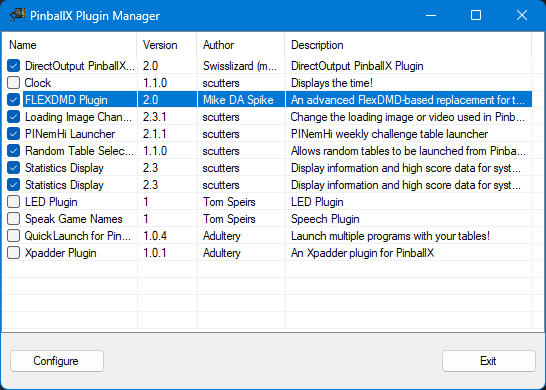
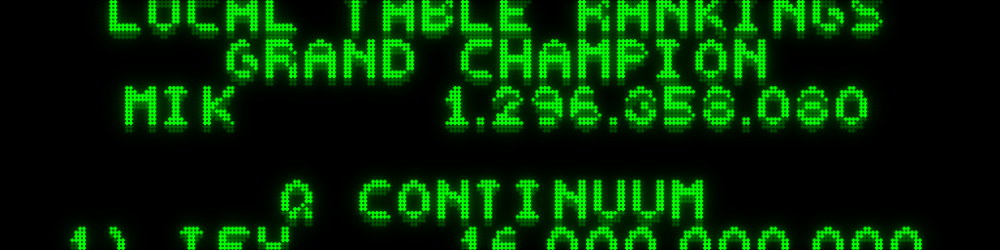
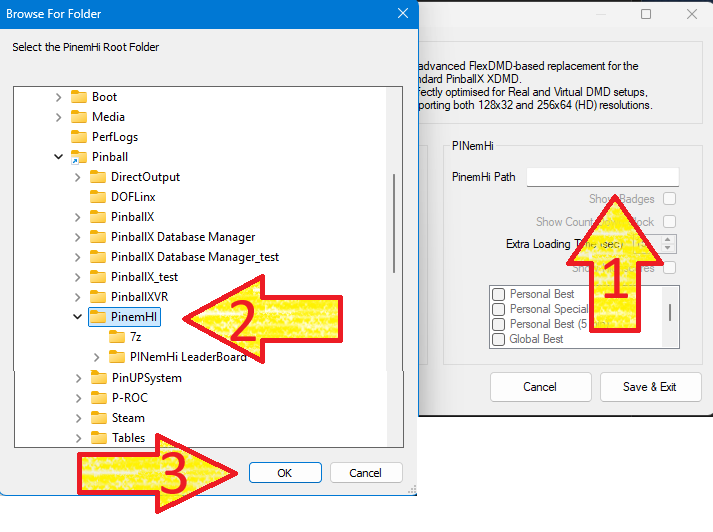
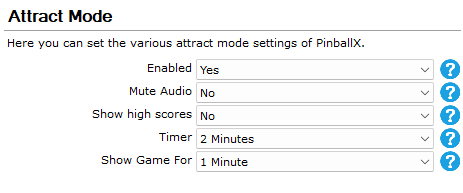
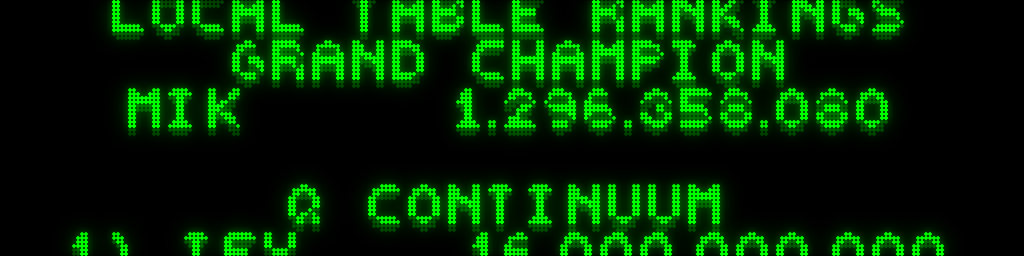
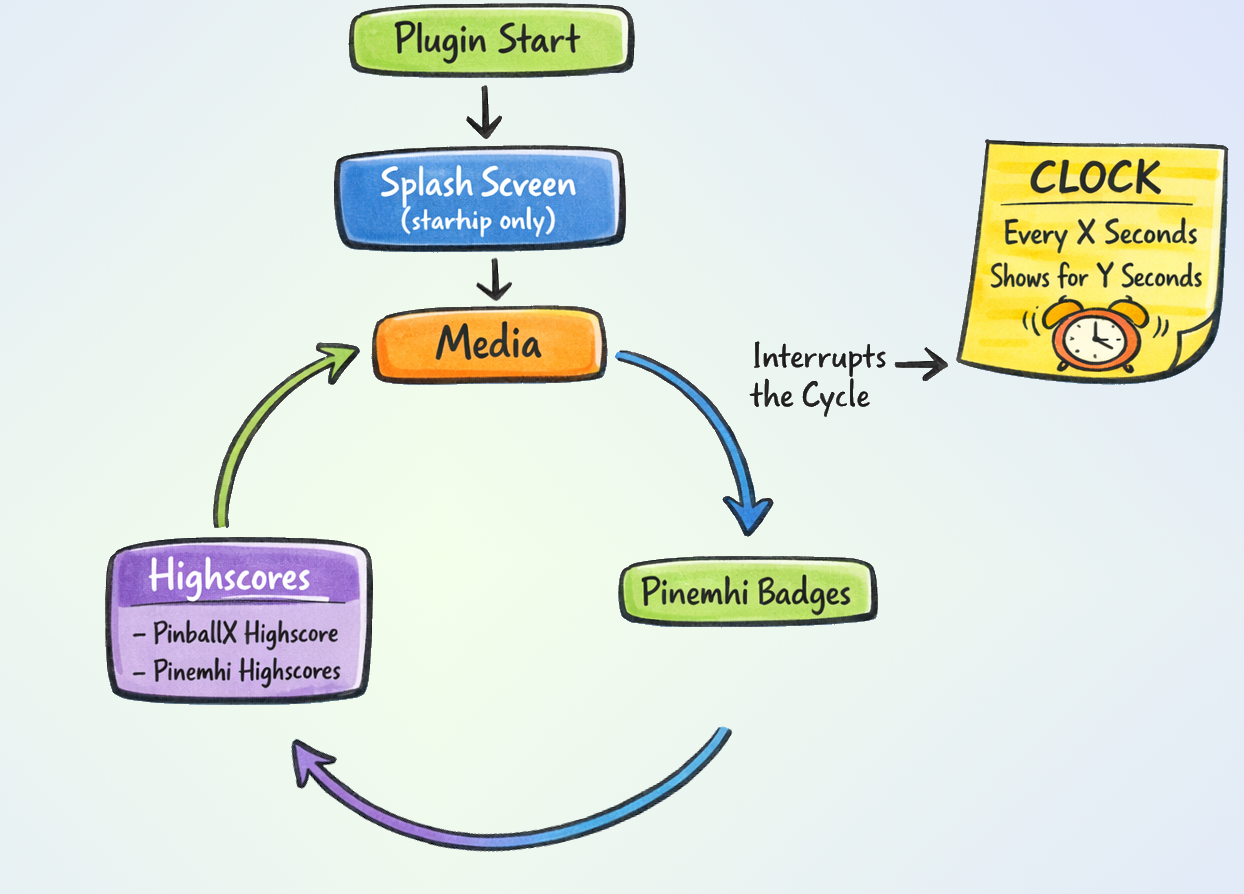
This project originally started to help users who were experiencing issues with the standard XDMD implementation. However, I wanted to push the boundaries of what could be displayed on a real DMD. That vision led to the creation of FlexDMD V2.0, a highly optimized plugin designed for both Virtual and Real DMD setups. Why upgrade from the built-in DMD player? FlexDMD V2.0 gives you complete control over your DMD attract mode. To see exactly what makes this plugin special, let's take a look at the configuration options. Installation Download the attached .zip file. Extract and place the DLL into your PinballX\Plugins folder. Open PluginManager.exe. You should now see FlexDMD V2.0 in your list. Highlight the plugin and click Configure. Core Features & Media Control When you open the configuration, you'll see a range of new options. By default, the plugin behaves similarly to the standard PinballX DMD player: it plays media from your Real DMD Color Videos, Real DMD Videos, or DMD Videos /Images folders, followed by the table's highest score. However, FlexDMD V2.0 adds powerful customization: Loop Control: Choose exactly how many times a video loops. If you are using static pictures, you can define exactly how long they stay on screen. Custom Text Colors: Don't want the default orange? Use the built-in color picker to match your cabinet's theme. HD Panel Support & Custom Clock As of version 1.3, the plugin fully supports 256x64 HD resolutions. This is incredibly useful for Virtual DMD users and those running ZeDMD HD panels. You can also turn your DMD into a customizable clock : Check Show Clock to enable it. Interval: Set the minimum time before the clock appears. (Note: The plugin will always finish its current media or high score animation before cutting to the clock). Duration: Choose how long the clock stays on screen. Format: Toggle between 12-hour and 24-hour formats. Left :128x32 DMD with 24hour format, Right : 256x64 (useHd is checked) with 12 hours format Advanced PINemHi Integration If you are a PINemHi user, this plugin unlocks a whole new layer of features. Simply point the plugin to your PINemHi folder using the PinemHi Path text box to enable these options. Show Badges: Proud of your achievements? This option cycles through the badges you've earned for the current table. It looks especially stunning on a 256x64 HD panel. (Please note: Badge images are exclusive to HD panels and will not be displayed on standard 128x32 screens). Show High Scores: Enable this to pull and display detailed PINemHi scores. You can use the checklist below to select exactly which score categories you want to see. Weekly Challenge Countdown For the competitive players, there is a dedicated Show Count Down feature designed to work seamlessly with @scutters PinballX Pinemhi Challenge Table Launcher plugin. When you launch the weekly 5-minute challenge table, this feature triggers a live 5-minute countdown on your DMD. Because VPX takes a moment to load, you can add "Extra Seconds" in the configuration to ensure the 5-minute timer aligns perfectly with the actual start of the game. It acts as a perfect visual helper so you know exactly when PINemHi will terminate the VPX session. (Note for Real USB/COM DMD users: The plugin locks the display during the countdown, so standard VPinMAME information will not be shown until the challenge table ends). How the Carousel Works (And a Quick Warning) FlexDMD V2.0 displays all your selected features in a smooth, continuous loop (a carousel). Here is the order of operations: Splash Screen: Briefly shows whether you are running the Standard or HD rendering mode. Media Display: Your DMD videos or images. PINemHi Badges (If enabled). PBX High Scores. PINemHi High Scores (If enabled). The Clock will interrupt this sequence based on your interval settings. Here's a visual overview : Important Tip: Be mindful of how many PINemHi high score categories you enable. If your PinballX "Attract Mode" interval is set too short, PinballX will move on to the next table before the DMD has enough time to display all the information you've selected! Below is the dll and the code will be available on github as well https://github.com/MikedaSpike/PinballX-Plugin-FLEXDMD PBXFlexDMD.zip







 3 points
 -
I am not able to test much but this release fixes the desktop showing for a brief moment when launching visual pinball.3 points
-
I can try and replicate the issue if it is pinballx but its just with the controller yes? i have not tested with a gamepad for a while but i know there were issues in GameEx where i had to check xinput as well as directinput. maybe something changed in vpinballx in recent version? Which version are you using? it could be the combination of xbox controller. i will test when /i can but please confirm. I suspect i need to add xinput support for the exit button which wont take a lot as the code is already in GameEx. ill hopefully provide something for you to test shortly.3 points
-
Version 26.02.26 is just released! The Media Makeover Release Grab your popcorn, because this update is packed with more rewrites, refactors, and rescued features than a full season of Extreme Makeover: Code Edition. After weeks of digging through old logic, trimming spaghetti, and giving dusty functions a fresh coat of paint, we’re excited to present a release that’s all about speed, stability, and a much smoother workflow. What’s New? A Faster, Smarter Media Audit The Media Audit system has undergone a complete transformation. We didn’t just tweak it, we rebuilt it from the ground up. It now loads in a fraction of a second. Data is displayed correctly and consistently. Actions execute instantly and reliably. You can export results to CSV, copy selected rows, or even copy a single value to the clipboard. Bulk operations? Absolutely. Delete unused media, re‑record multiple playfields, clean up leftovers, all with ease. Basically, Media Audit went from “takes a coffee break” to “blink and it’s done”. Here’s a video of the old version: And here's a video from the same system with the new version : There are several other improvements and fixes in this release, but compared to the Media Audit overhaul… they’re tiny in comparison! A massive shoutout to @scutters, my partner‑in‑code and the Luigi to my Mario. As always, a release without him wouldn’t be a release, more like a half‑working prototype lost in the multiverse. And huge thanks to @robertms, who performed the final testing and caught several sneaky bugs hiding in the new code. Thanks to him, we avoided a catastrophic “oops‑everything‑is‑broken” release. Enjoy the new build, and as always… cheers and happy flipping!

 3 points
 -
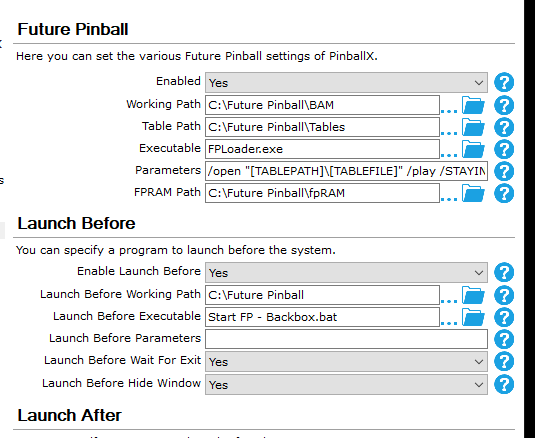
This is what I added to my PBX using the batch file created by Terry Red and removing the start FPLoader.exe command. It worked well for my regular FP tables... Now I will set up a new "Other" emulator called 'Future PinEvent' and make the required changes to remove the backglass and Arcade mode.
 3 points
 -
I wrote this on Facebook tonight and their AI removed it citing cyber security concerns. I thought it seemed good so wanted to share. More an example of how clever AI is getting. May seem funny now, but trust me, from an expert, it is no joke. 2026 (maybe 2027) will be a significant year in human history. However, it is mostly smoke and mirrors right now. It is just computer programming and software, but they call it AI. There is nothing intelligent or artificial about it. Dismissing bad actors for now it is the lack of people in power's intelligence and their apathy (and laziness and to save money) as the biggest issue we face. It is how some will trust it without question and blame it for their actions. That has happened already. Unlike technology of the past one of the primary goals is for it to seem as real as possible. It lies to you rather than say it does not know. They call it AI delusions but it is an intentional part of the programming. VPN and ad/tracker blocker is now a necessity not a nice to have and that will be good for only so long. Buy it now before you are asked for your papers to do so and don't complain about it as they put it under the umbrella of protecting children who by the way will be tracked and monitored for the rest of their lives (we will welcome it into our homes). You would think it's science fiction and paranoia but it is very real unfortunately. Take solace that it is already too late and not much anyone can do. Our generation will also be dead before too long and immigrants are the least of your problems! If anyone cares or even understands, Muhlvad or Proton for VPN. (Nord and a few others are the McDonalds of VPN's and free one's are 'dangerous'.) The AI and privacy concerns are separate issues and also spilt between commercial and political interests, but they are intertwined and linked to advancements in technology and that will become more apparent soon. If there is a conspiracy theory or valid reason behind what governments and tycoons around the world are doing, who knows, these are just the facts and these people do not value freedom. "You may feel free in the future but it is an illusion and they may not want you to feel free." Proudly not written by AI. Tom Speirs. 2025 Ps: Shortly after writing this, Facebook removed it and restricted my account. AI at work for you but pretty ironic.3 points
-
No fancy animations or paging but secondary list menu now supports unlimited items and scrolls.3 points
-
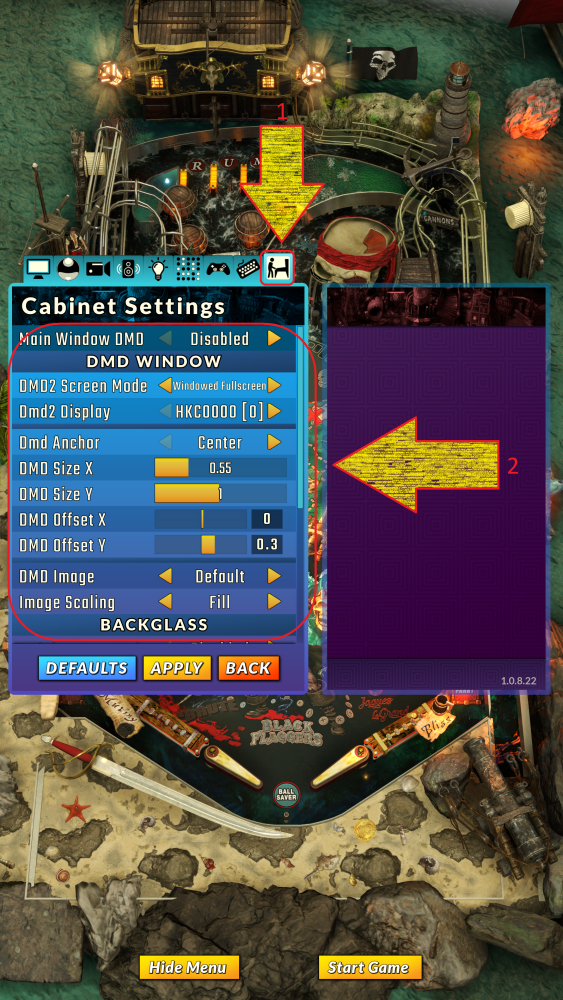
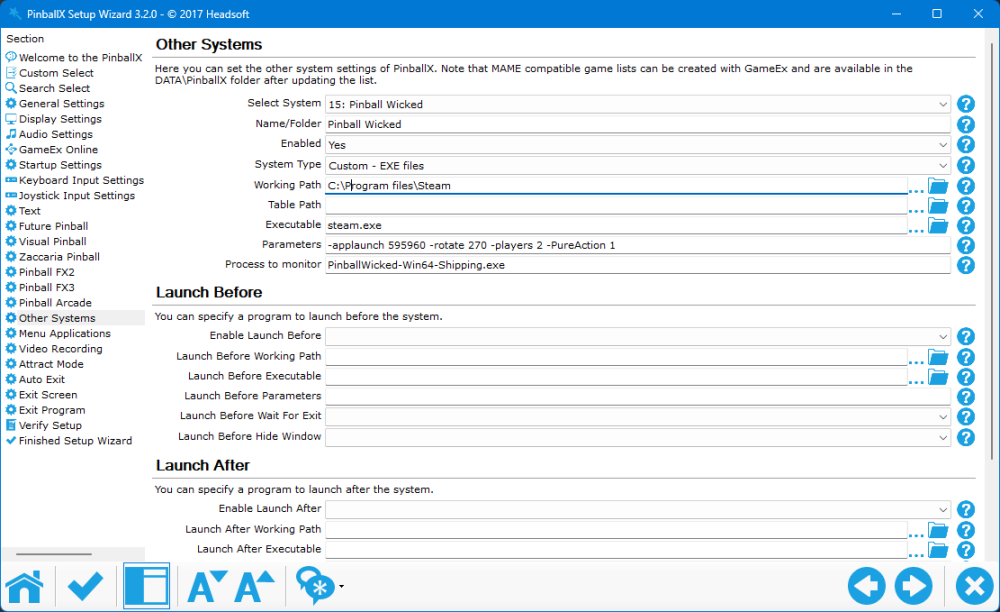
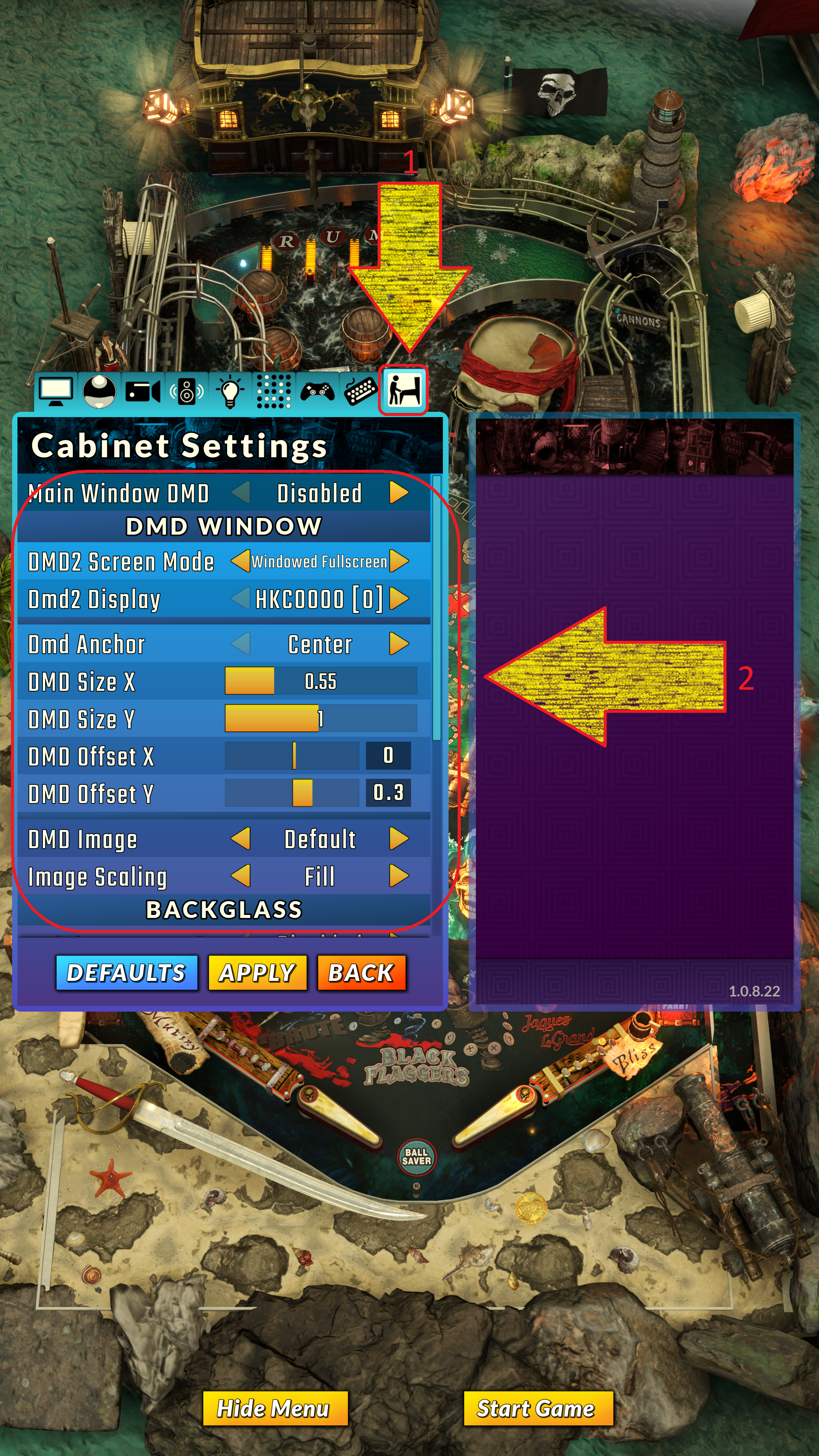
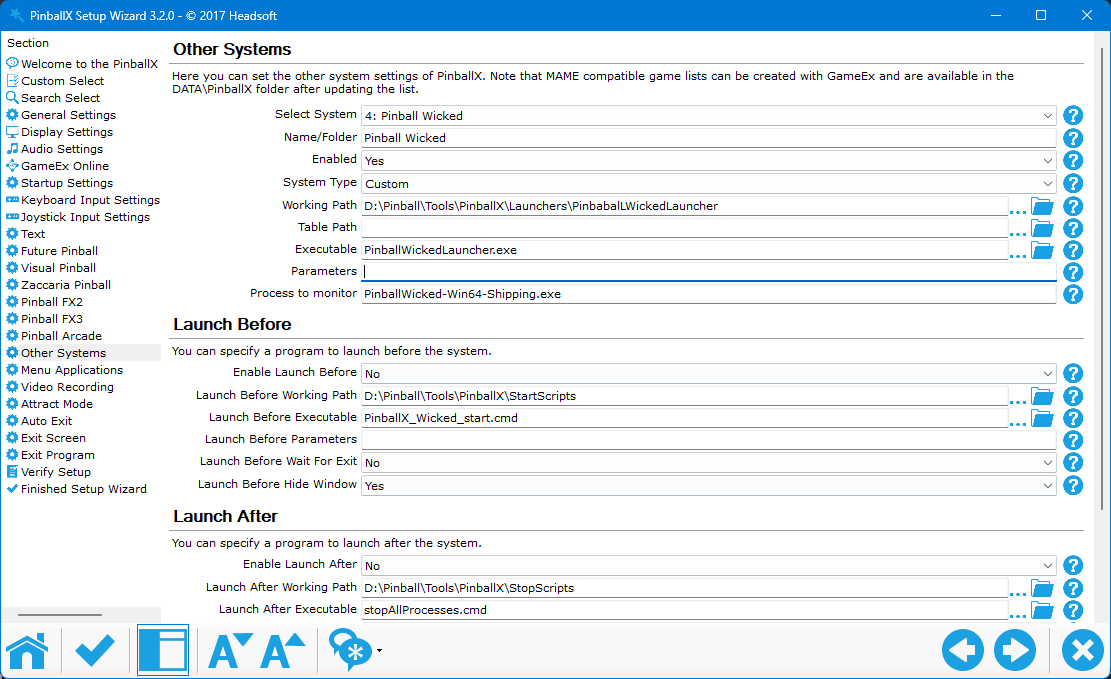
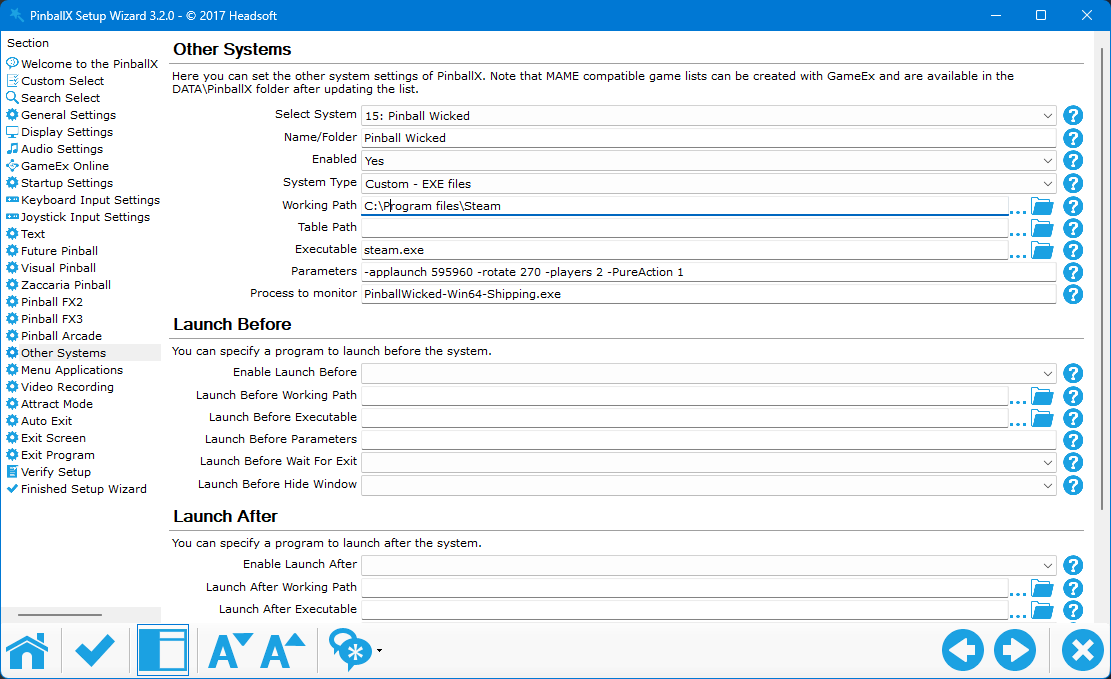
I've just become aware that Pinball Wicked has officially launched, and I'm pleased to note that it includes cabinet support, eliminating the need for AHK. The next information was sourced directly from the Steam platform. Cabinet / Multi-Display / Launch Options FAQ Screen Rotation and Multi Display Support The rotation is available via the normal windows display settings - display orientation. Or via command line (see ingame help - command line options). In the steam client game menu - General - Launch options - advanced, e.g. -rotate90 The portrait game main display can get irritated when the Backglass window or DMD window overlap the game main display, and the game main display shouldn't be the same as Backglass or DMD display. In short every screen/window needs its own physical display. The Screen Mode "Fullscreen" is only supported with DirectX 12 when in portrait orientation. Windowed Fullscreen always works fine. The (rotated) game main display must be the windows main display. Cabinet Command Line / Launch Options Open your Steam Library Right click the game's title and select Properties. On the General tab you'll find Launch Options section. Enter the launch options you wish to apply (be sure to separate each code with a space). Close the game's Properties window and launch the game. If you are using an external launcher please start the game via the steam.exe like this: "C:\Program Files\Steam\steam.exe" -applaunch 595960 -rotate 90 -players 2 Screen Rotation Rotate the main display by 90° / to portrait: -rotate 90 Rotate display with index 1 by 270° / to portrait (flipped): -rotate1 270 Rotate display with index 0 by 90° / to portrait: -rotate0 270 Zero based index, does not necessarily match the windows display settings order. Players Players 1-4, e.g.: -Players 3 Style - Pure Action Pure (Popups): -PureAction 0 Action (Characters): -PureAction 1 Clear Window Settings This option will disable all but the main window: -nowindows If your rig doesn't meet the current minimum system requirements If the default settings are too demanding you can activate the Performance+ overall quality with the command line: -OverallQuality=1 Overall Quality Levels Performance+ - for IGPU Performance Medium - better IGPU and budget GPU High Wicked - mid range GPU Ultra Wicked Launch Options The default option (topmost) will start the game with DirectX 12 and fallback to 11 if it is not supported. The default option does not change any previously saved setting. The other launch options provide overrides to start the game in a specific setting, which is useful if the game won't start otherwise or only with extremely low fps. DirectX 11 / 12 The game launches now with DirectX 12 per default. The command line option -dx11 allows to explicitly start with DirectX 11 ------------------------------------------------------------------------------ It now also have a cabinet setup in game, which can move the DMD finally to another screen : And his has a Backglass as well : Within PinballX, you can use @joyrider3774 his 'FX 3' launcher You must make sure you have path and startparams set to Steam : [SETTINGS] PATH=C:\Program Files\steam\steam.exe STARTPARAMS=-applaunch 595960 And the buttons like this : [BUTTON_ONE] TEXT=1 Player (Pure) ENABLED=1 PARAM=-Players 1 -PureAction 0 [BUTTON_TWO] TEXT=2 Players (Pure) ENABLED=1 PARAM=-Players 2 -PureAction 0 [BUTTON_THREE] TEXT=3 Players (Pure) ENABLED=1 PARAM=-Players 3 -PureAction 0 [BUTTON_FOUR] TEXT=4 Players (Pure) ENABLED=1 PARAM=-Players 4 -PureAction 0 [BUTTON_FIVE] TEXT=1 Player (Action) ENABLED=1 PARAM=-Players 1 -PureAction 1 [BUTTON_SIX] TEXT=2 Players (Action) ENABLED=1 PARAM=-Players 2 -PureAction 1 [BUTTON_SEVEN] TEXT=3 Players (Action) ENABLED=1 PARAM=-Players 3 -PureAction 1 [BUTTON_EIGHT] TEXT=4 Players (Action) ENABLED=1 PARAM=-Players 4 -PureAction 1 And within PinballX you can settup to this launcher, like this : Please note that I renamed the launcher .exe file and placed it in a different path, using the 64-bit version. I’m not sure if the 32-bit version requires a separate process to monitor. You can also have a direct launch (without the launcher) from Pinball X: So for example if you always want to launch a 2 player action game : For those with a realDMD, the best approach is to set the Pinball Wicked DMD off-screen and use Freezy’s DMDext to mirror the content via a startup batch file. Be sure to set the position as X-start, Y-start, X-size, and Y-size. In my case, I moved the DMD to a non-playfield area (a working desktop, not part of the cabinet). With all of this, Pinball Wicked will launch with the correct user and game type settings. Once in the menu, just press start to begin the game. I hope it all makes sense. dmdext.exe mirror --source=screen --position=5 3 459 118 --no-virtual -d pindmdv3

 3 points
 -
IT WORKS!!! IT WORKS!!! IT WOOOOOOOOOOOOOORKS!!!!!!!! @Mike_da_Spike, you are THE MAN. MMT assigns it perfectly to the backglass monitor and then reassigns the primary monitor afterward and I cannot thank you enough. What a cool little tool! And to think I could have saved time with MAME and just used this tool instead to assign monitors. Sorry it took me so long. I had a ton of stuff on my plate and didn't get to drag my pop-up pincab for about two or three weeks. But it works! I am SO happy! Thank you for helping me solve this!3 points
-
- Updated documentation thanks to Mike_Da_Spike. - Promo, tutorial and gameplay videos support streaming via .url shortcut files. - Fixes some executables running under .net 6 instead of .net 8. - Fixes checking for new version. - Crushed PNG images, saving a few MB.3 points
-
Just a little fix that mainly broke browsing for media files. Updated .net 8 runtrime. Some good news. It looks like intel fixed their processer GPU drivers on 12th gen and above at some point and VMR 9 video playback is working again. This is accelerated. I always recommend those 12th gen mini PC's and this was a problem. Fixed on screen display of video playback. View the full article3 points
-
Version 25.10.15 is just released This started as a quick fix after @scutters spotted a bug in the New Tables. The root cause turned out to be a simple typo (yes, one of the devs… and no, it wasn't scutters). The fix was straightforward, but we felt like adding a little extra polish. That led to a small idea we quickly built and implemented: Whenever a popup disables its parent window, we now apply a subtle gradient overlay to the underlying form, giving a clear visual cue that it's inactive. It fades in and out smoothly, adding just the right touch of clarity and style. There was an issue with how statistics.ini was written by PinballX, specifically when table names contained a dash (-). As discussed in this resolved thread, @Tom Speirs fixed PinballX and shared the cleanup logic he is using within PinballX. We've now adopted that approach in this release to ensure compatibility. We also fixed another minor bug spotted by @scutters, thanks again! Not a huge release, but definitely worth updating your version. As always, a big shoutout to @scutters for his invaluable help with this release
 3 points
 -
@scutters can confirm that now like in the older versions an entry is created/updated without "-". Thanks @Tom Speirs for fixing!3 points
-
Significantly reduced the size of the executable. This should result in faster startup time and performance.3 points
-
What the hell guys. You finished the next version already ? That is unexpected for sure. You joked about a new release. Told me you had the next version almost done and whenI came around, just asking if it was ok to bother you about a request. Very seldom have I experienced - if ever, that a feature like that was implemented within 2 days, and with such a nice dialog between us. I was actually just now - starting the dbm up, and noticed it was blinking. Never seen that before. What the hell, had a feeling it meant it was an update available. Ini file should be prepped already. So here I go. I had planned to use your tool and do it the "harder way". But, now I get to test if my request works. I'm very sure it will though, because when I explained what and why. You guys clearly understood why and how my setup was done the way it is. I hope I meet you guys IRL some day, beers on me.3 points
-
 Why only 5 stars ? I just tested this last weekend after knowing of it for years. It is fast, easy to understand how to use. And best of all. Don't touch your data without asking you politely first It will be used a lot as a companion to my custom scripts. Thanks a lot guys. You are awesome !3 points
 -
Thanks for letting me know. i was semi aware of this. I will take a look.3 points
-
Took a bit for me to work up the nerve, but I did ride it on Saturday. Top Thrill 2 The World’s Tallest & Fastest Triple-Launch Strata Coaster Have a need for speed? Get revvved up and buckle in on Top Thrill 2, the world’s TALLEST and FASTEST triple-launch strata coaster. This record-breaking, next generation motorsport machine races a course unlike any other on the planet. Sleek, aerodynamic vehicles launch you not once, not twice, but THREE TIMES as you drive the sky in an epic competition to reach the finish line. Experience true weightlessness as you immerse yourself in three “free-fall” moments, including the coveted, fan-favorite “rollback” after you’re first launched forward. Then, launch backward and rise into the sky on a cloud-piercing vertical tower, giving you dramatic views of America’s Roller Coast®. A third launch rockets you forward at 120 mph, sending you on a race to the stratosphere before reaching the finish line.3 points
-
I made some for William Vol 9. Also uploaded to FTP. Used some AI gen for the PIN BOT body to replace the scoring stuff. I think it turned out pretty good.


 3 points
 -
Thanks for that tableID, here you are Pinball FX.xml3 points
-
Good evening all together from Germany. I was not at Home work the hole Week in other City. Now iam back and i try few thinks ou today. First of all i will say a big thank you to all who will helping me in my Situation. Many many thanks to all you out there. I find a Solution who working. I change the DMD and the Backglas to the 6670 GPU and the Playfield works with the 1080 GPU. Playfield and Backglass is now setting to Display 1 and the DMD is setting to Display 3 Next i setting the Backglas Position X to 1920 and after this the Backglas is in the Right Position in Backglas. Jaba daba do iam so happy that you all is working again. I wouldn,t have been able to do it without you and your Great Information. Its crazy because in Windows the Monitor numbers Identify Screens" like Playfield 1, Backglas 2 and the DMD are 3. But this Screen Numbers didn't work in PinballX. If i change the Numbers Backglas and Playfield to 1 and move the Bachglas with the x Option all works great. Crazy Without your Tips i will never finsihed this Settings I hope my Englisch is okay that you understand all what iam try to explane to you. Iam really happy and will say one more Time big big thank you to you all who helping me3 points
-
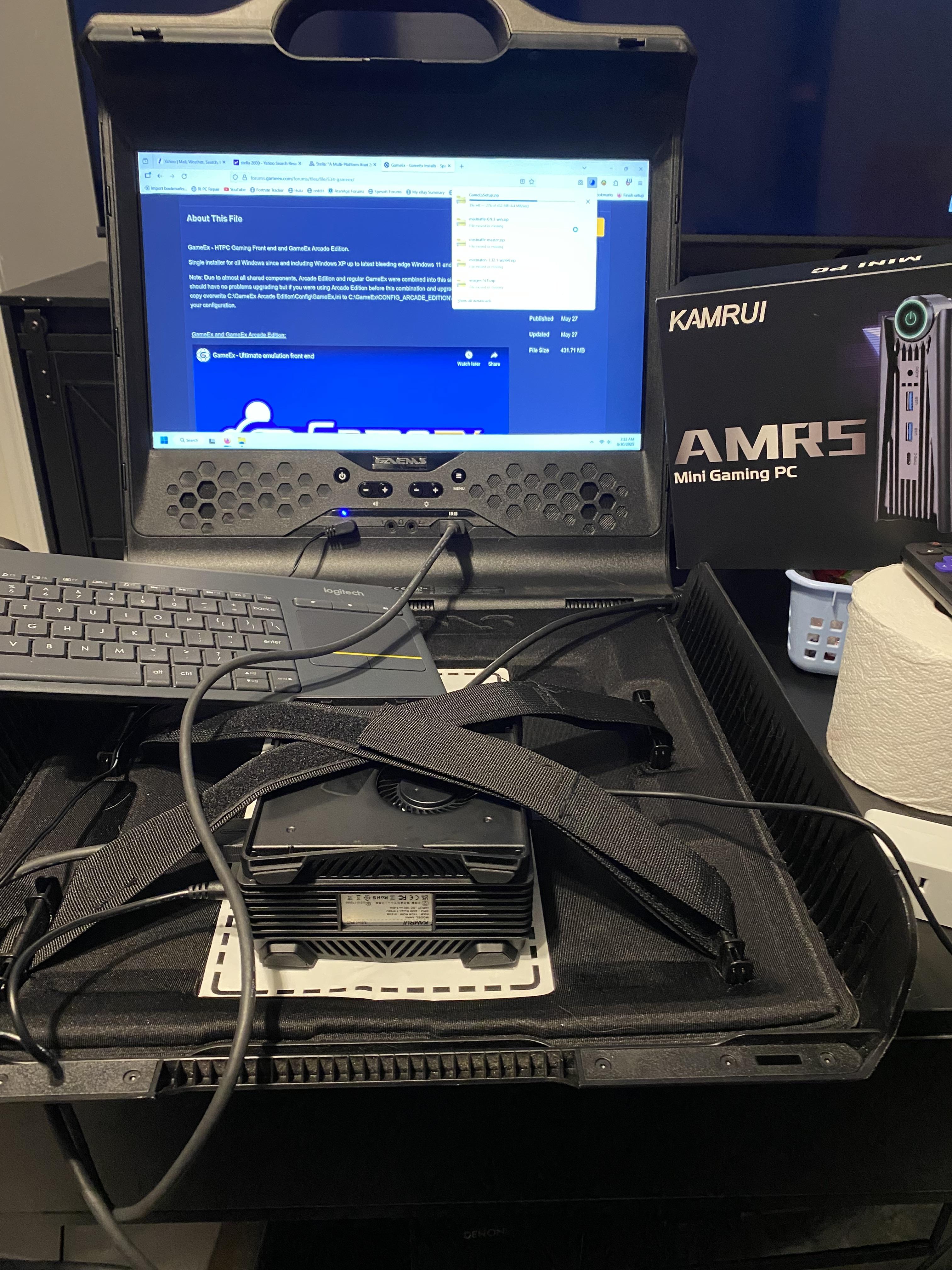
I’ve wanted to do this for a long time. 😁 I managed to get my hands on a cheap GAEMS Sentinel Pro Xp 1080P Portable Gaming Monitor because it was untested. They stated that the input did not work. I figured I would take a chance. For some reason, they didn’t try a different HDMI cable than the one supplied and that’s all it turned out to be. I connected my steam deck to it, and it immediately popped on. Complete. Includes the remote. The 17” 1080p screen is gorgeous. All the latches work. $97 I bought a used AMR5 mini “gaming” PC that I’ve stripped the side panels off of so the cover will close and there’s no contact with the screen. It is running an AMD Ryzen 7 5700 U, 16GB RAM and 2 M.2 slots loaded with 1.5 TB of space. $205 eBay I have on order a Pac-Man Xbox One controller because I need a gaming controller! Damn it! 🤣🤣 $48 eBay This will run PS2/Gamecube/Dreamcast with ease. And it’s a full on pc. This will take some time but when finished this is going to be amazing (to me). Especially for trips to family functions and vacations.
 2 points
 -
Thanks @scuttersfor this extra feature. 3 versions of updates in 1 1/2 week ! And pretty good ones ! My plan is to update my cab this winter and completly setup VP and other systems from scratch on my new computer. And your new features would be used as well to create my overlay, and tarcisio wheels. Thanks for all your (hard) work on this !2 points
-
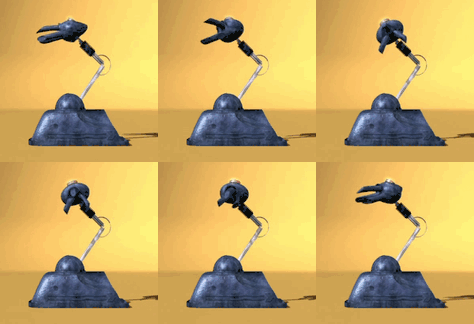
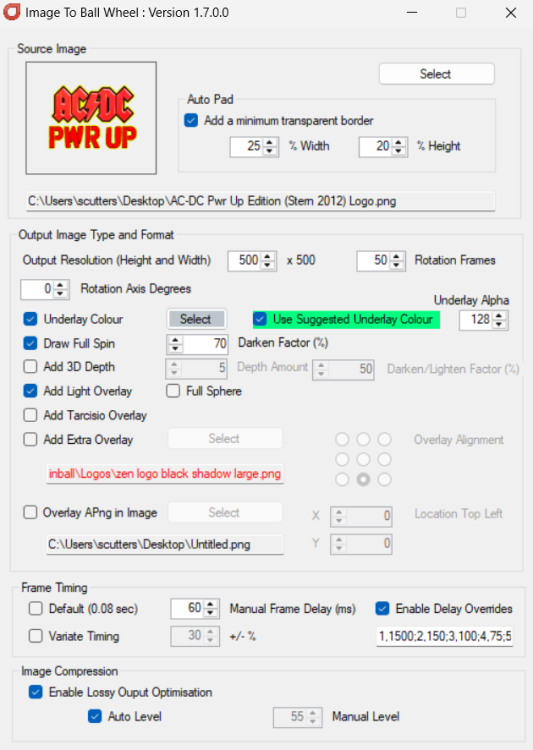
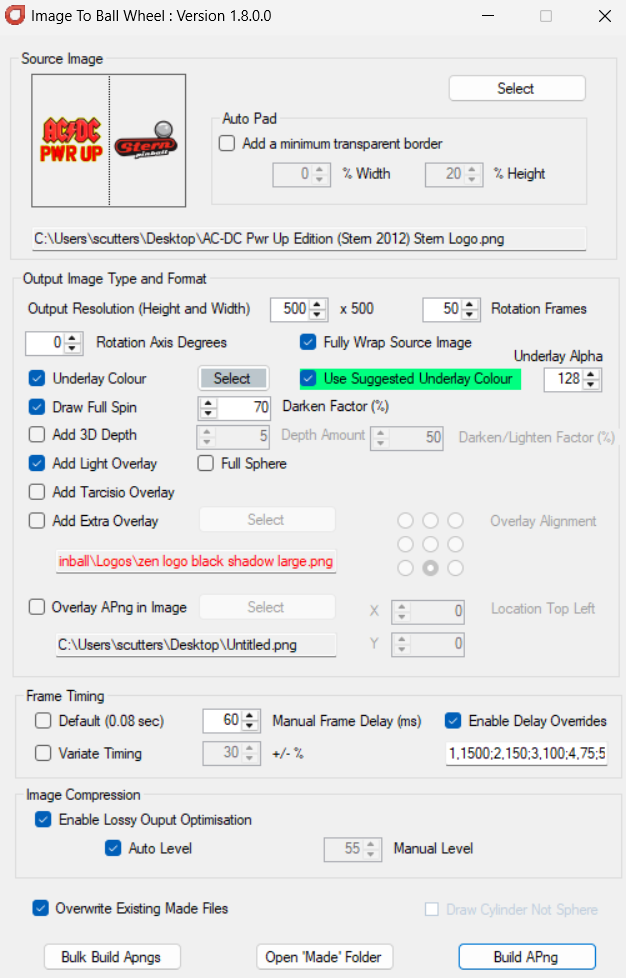
@Mike_da_Spike really wanted an option to have different graphics on the front and the reverse of the sphere... so he added it!!! V1.8 now posted with a 'Fully Wrap Source Image' option. So adding a Stern logo to the side of the previously used AC/DC logo above; And using these settings; Will now produce; Note - As can be seen, when using the Fully Wrap Source Image option the animation doesn't repeat so will appear to spin faster as twice the number of distinct frames are used to show a full rotation. Either increase the number of frames used or frame timing to adjust for this if required.


 2 points
 -
Came in and it is so, so nice. Moving right along!2 points
-
I hopped on the forums to see if updating my gameEX would fix the issue, but I see that others are having it also. I can't be specific about when it started happening but we are frequent users of steam launched through gameEX and have been experiencing the issue fairly recently as described by @mistermorcusverbatim. I did a google search and it does seem that steam may have made a recent update to their overlay as their is buzz about it on youtube about a month ago.
 2 points
 -
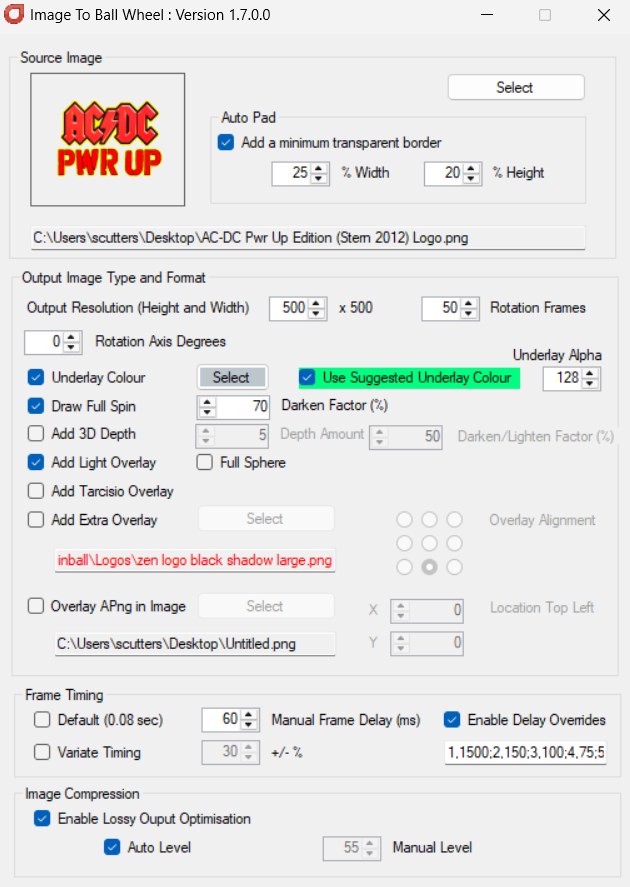
Version 1.7 posted. Small change to allow an underlay colour to have an alpha value set (for semi transparency - allowing the use of colour in the sphere but still allowing the playfield media to be visible behind it when used in PinballX). E.g. With these settings #(the only change from example above being to use an Underlay Colour and with an Underlay Alpha set at 128) To produce
 2 points
 -
I don't have a full XML for you, but the tableID's are listed here : https://steamcommunity.com/sharedfiles/filedetails/?id=3024571947 maybe with this list, you can add them and post them to the community2 points
-
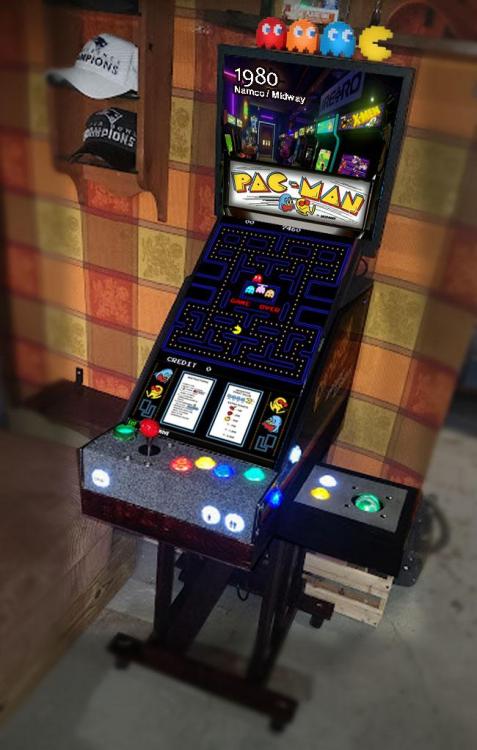
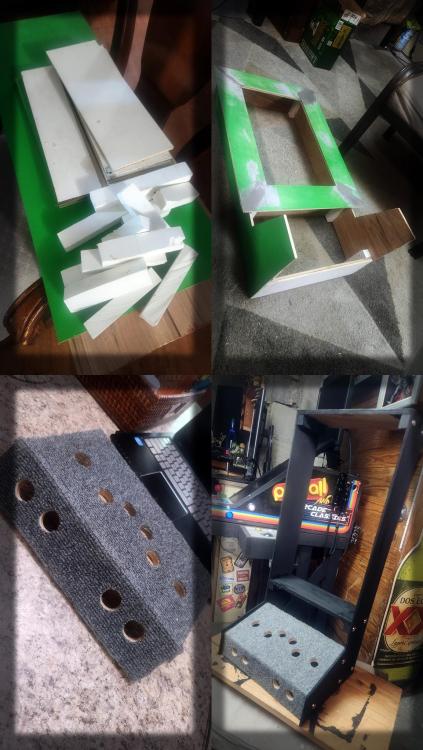
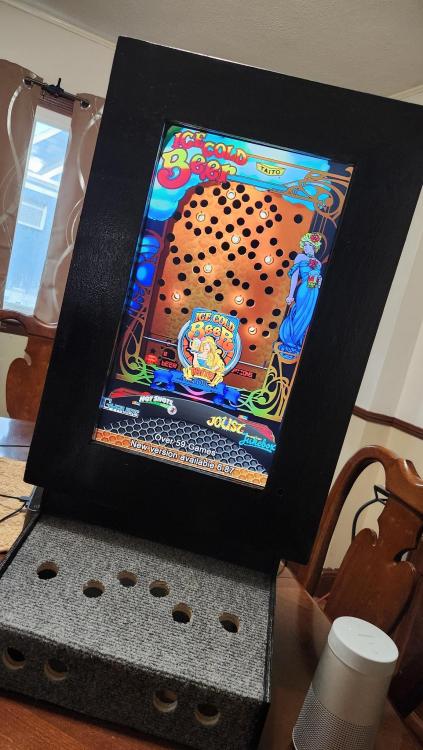
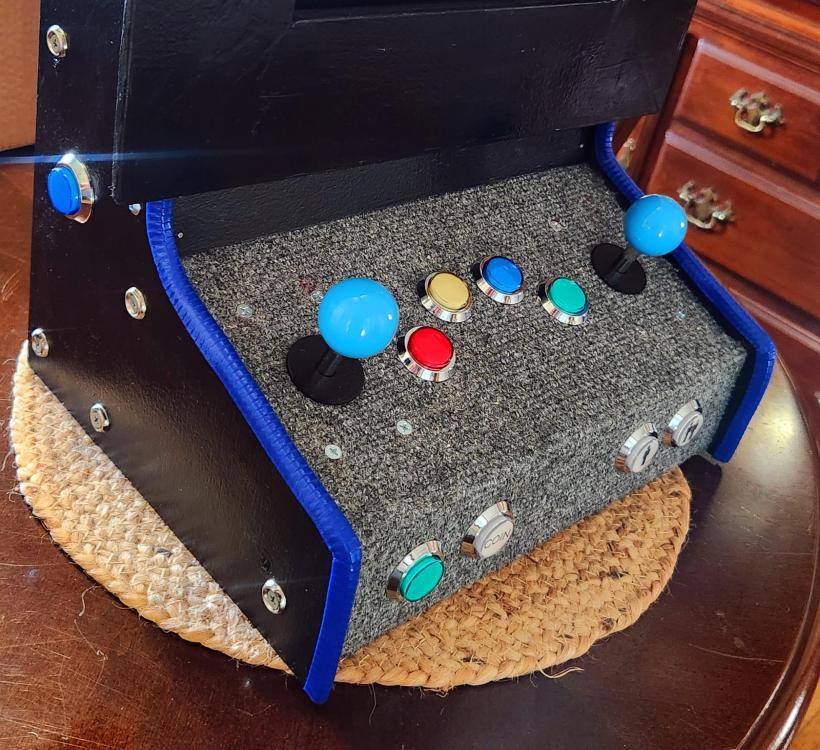
Forgot about this post. Added a base since then and built another spare parts wall / bar cab.
 2 points
 -
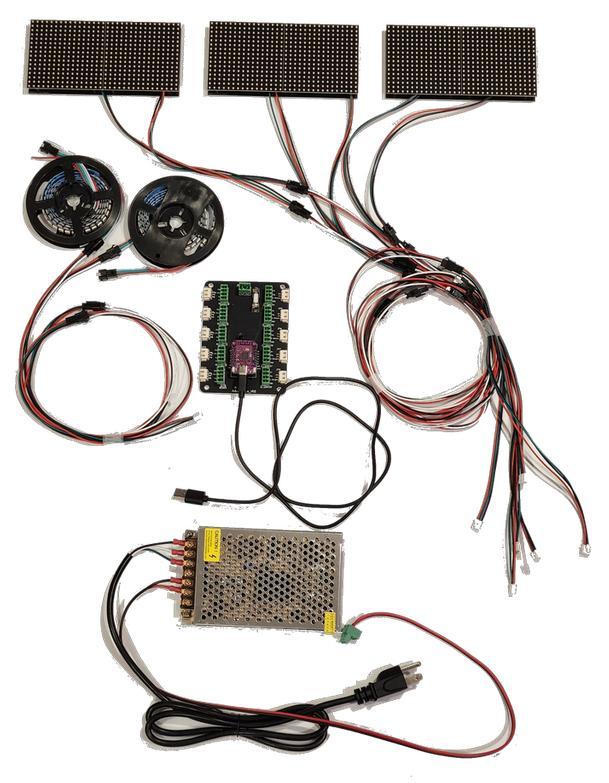
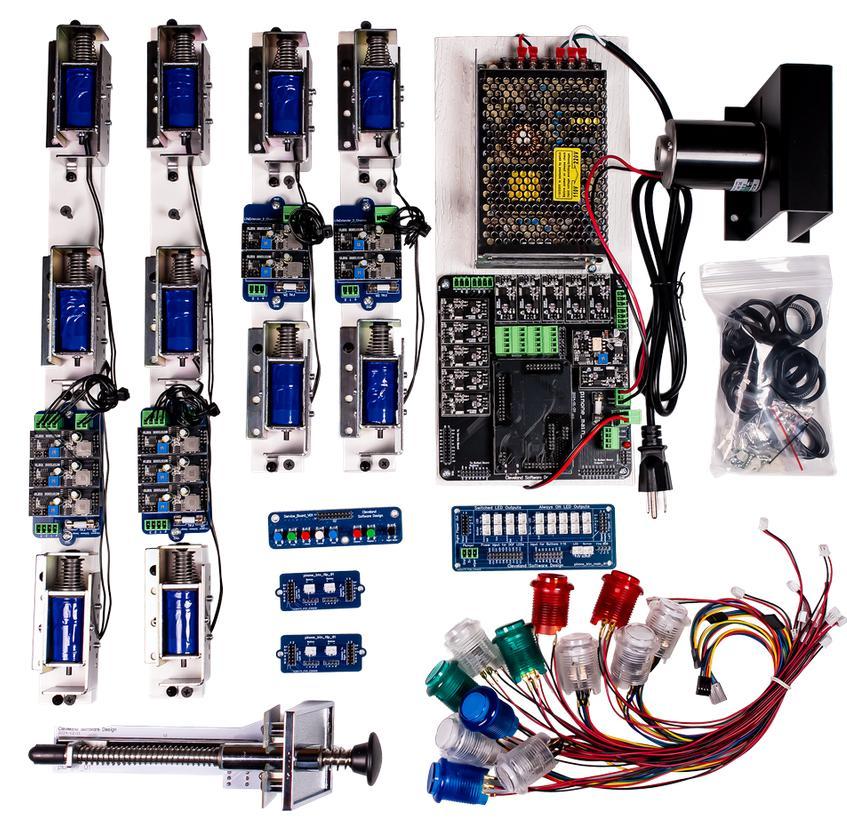
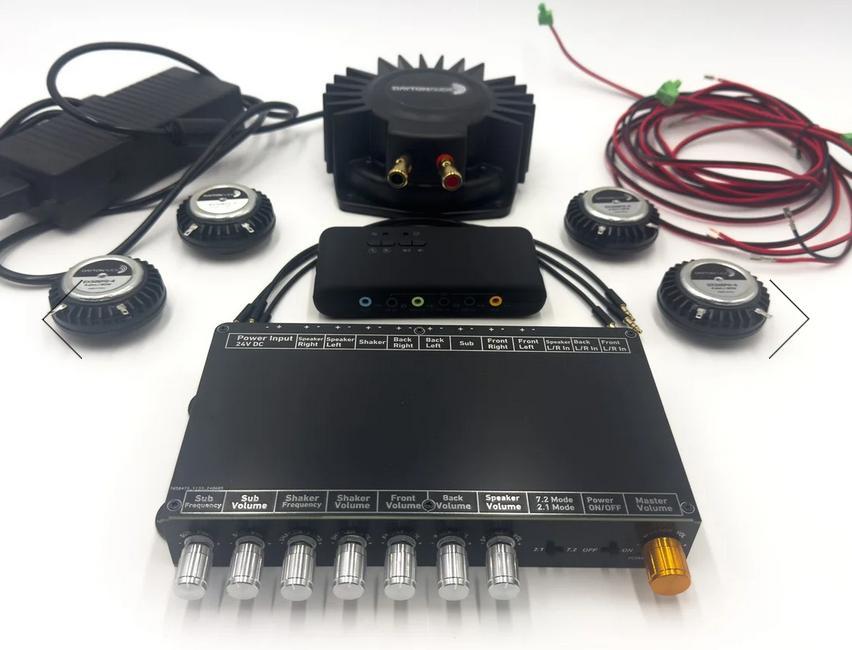
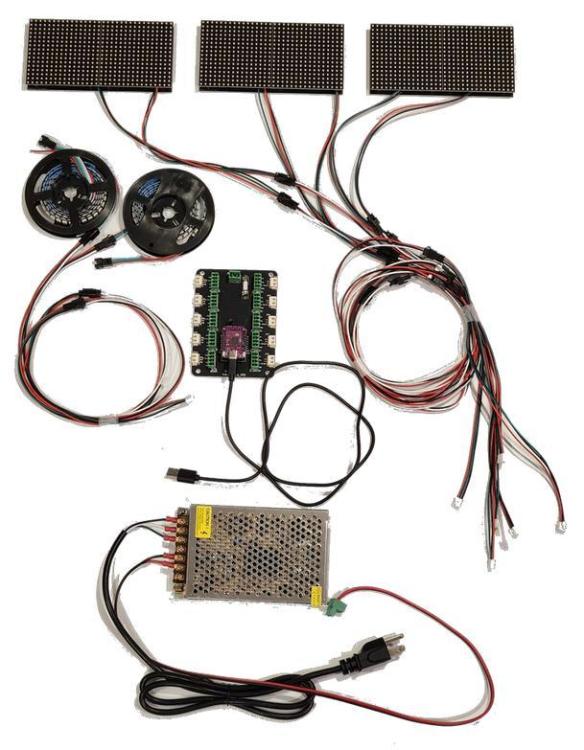
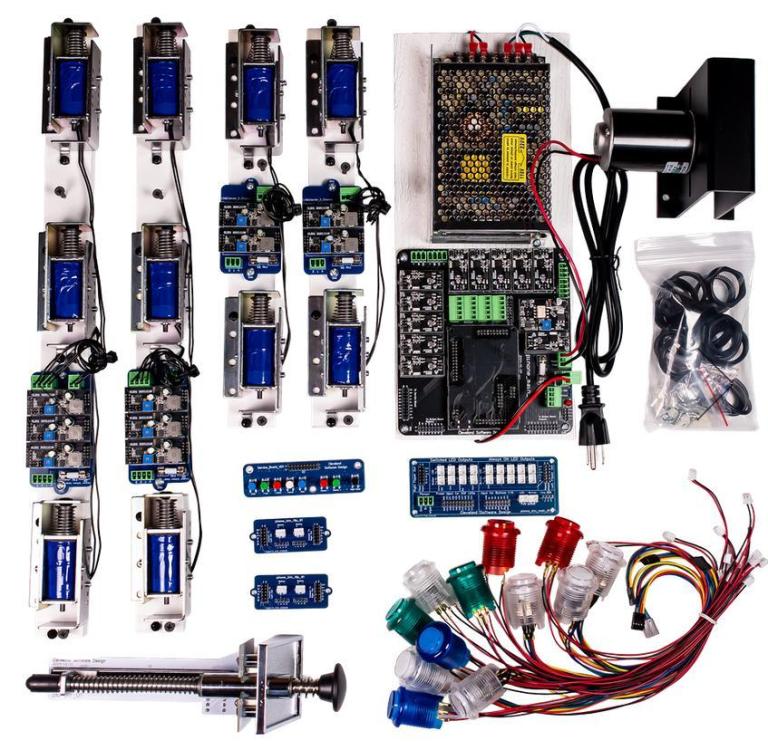
Ordered a lot of quality stuff from Cleveland Software Design so the build can continue progressing. Coming up are the following stuff: Addressable LED Plug and Play Kit with 6 matrix panels Virtual Pinball Builders Kit (Medium to Large Cabinet) SSF and solenoids Control board: PinOne Plunger color: black
 2 points
 -
Well! Now you caught me there, it certainly shouldn't feel too far fatched to look for the documentation on your own hard drive within the installation 😅 Anyway, thanks for pointing it out, I'm now all caught up on the program, just re-recorded all media for 850+ tables and the front end now looks exactly as I wished, happy user here 😊2 points
-
it's better than my DEnglish ! (Dutch-English)😋. Even if I speak Dutch , people won't understand me 🤔2 points
-
2 points
-
2 points
-
Hi Mike, success! After deleting the media by right-clicking and selecting delete I was able to record with DBM and the videos are now stored in the correct folder and correct orientation. Didn't think of deleting the media in the box since recording via PBX it would simply overwrite any media present. So while the recording process is ongoing with DBM I can now also see that the playfield is turned upside down while recording (which I assume is expected behaviour). Thanks so much for helping me out!2 points
-
Amazing!2 points
-
I found the solution. The backglass and dmd was set to monitor=0 in the .ini file. I changed that and now I am no longer getting the popup.2 points
-
2 points















.thumb.jpg.354675bcae9ceddb2bf1c50c9d5a0442.jpg)