|

Leaderboard




Popular Content
Showing content with the highest reputation since 12/10/11 in all areas
-

Version 7.23
110455 downloads
The PinballX frontend. Latest version. Full install. Note: You will need to create an account to download this file if you are not already a member.141 points -
The pandemic, losing my mother during it and dwindling interest from others along with a different situation personally has prompted me to make some significant changes and me wanting to make things purely a hobby again, albeit funded by me. Everything is now free, including all variations of GameEx, the FTP, artwork download and GameEx Online. I want to do things purely for the glory, hobby and community, once again. Hopefully it will bring some renewed interest and a better purpose for me, while not having to worry about taxes, EU red tape and not much income to show for it. I want to enjoy my work and not compete on a commercial level with free products and a commercial product that spends large amounts of money on marketing and employees. I also want to give something back. We are all riding off the back of other peoples work and efforts and I want to have more admirable intentions going forward. I was primarily inspired by MAME and that has always been free. I can afford the cost and hopefully I will get some new support and renewed interest because of my good intentions and I can continue to be motivated, if not more so. Thank you to everyone who ever purchased something from me and all the support over the years. There has been many high points such as products being shown on Shark Tank twice, Pinball hall of fame and being featured in numerous books, publications and cover disks (if you are old enough to know what they are!) I have two new free GameEx products in the pipeline and I am in no way slowing things down. Its just time to mix it up again.. Hopefully you will support me in going free for all but if you just purchased and are unhappy feel free to contact me for a refund. Its all about the hobby and always should be. Thank you. Tom Speirs.26 points
-
Welcom the the Pinball Sound Archive your sound archive taken from virtual pinball tables for you to enjoy in your pinball front-end or just listening to as is. Recorded in WavePad Sound Editor ME and has been normalized to -1.5dB with a fade out in the end with a lenght around 35 sec. The files is uploaded on the FTP - Other Uploads > gStAv > Table Audio <<< NOW ALL TABLE AUDIO FREE FOR EVERYONE >>> copy all files to your ...\PinballX\Media\Visual Pinball\Table Audio\ folder !!! BE SURE TO RENAME THE FILES TO MATCH YOUR DATABASE !!! Latest update, 2019-01-14, 1 TABLE If you hear any crackling sound or other error, please report this to me, and I will try to replace the audio for that table. Updated tables is named tablename_v2.mp3 in FTP as I can't replace files. Feel free to reqest the sound to any virtual table not listed below and I see what I can do!21 points
-

Version 1.13
24630 downloads
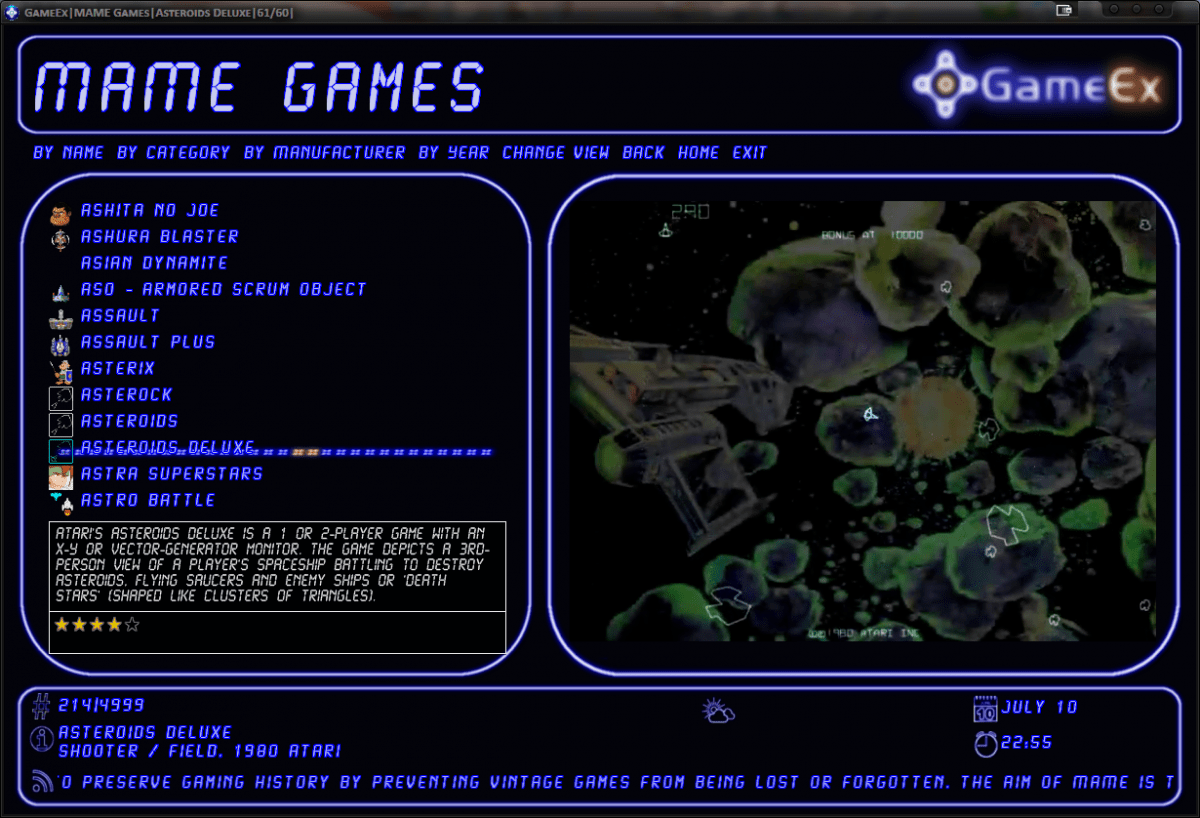
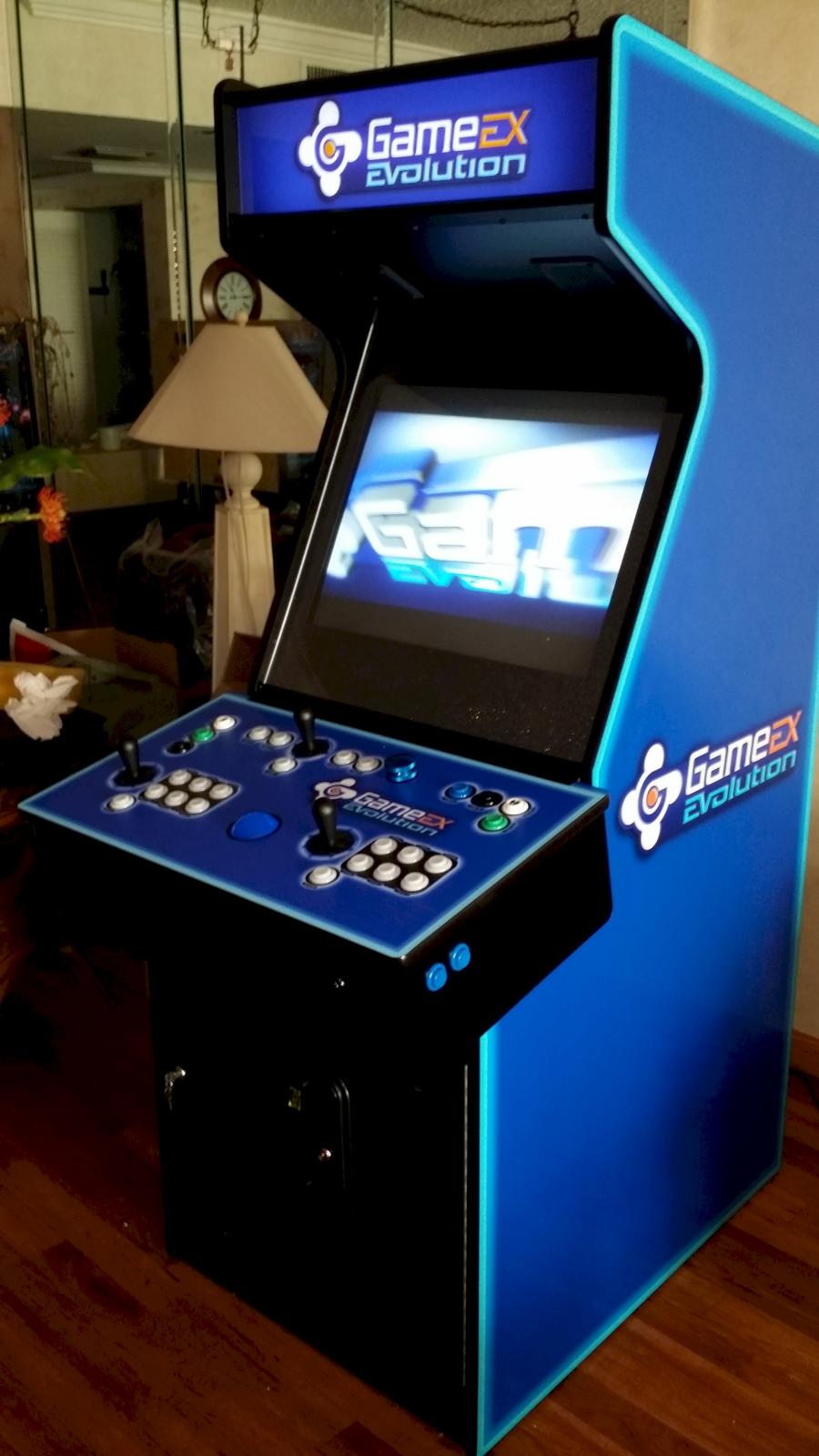
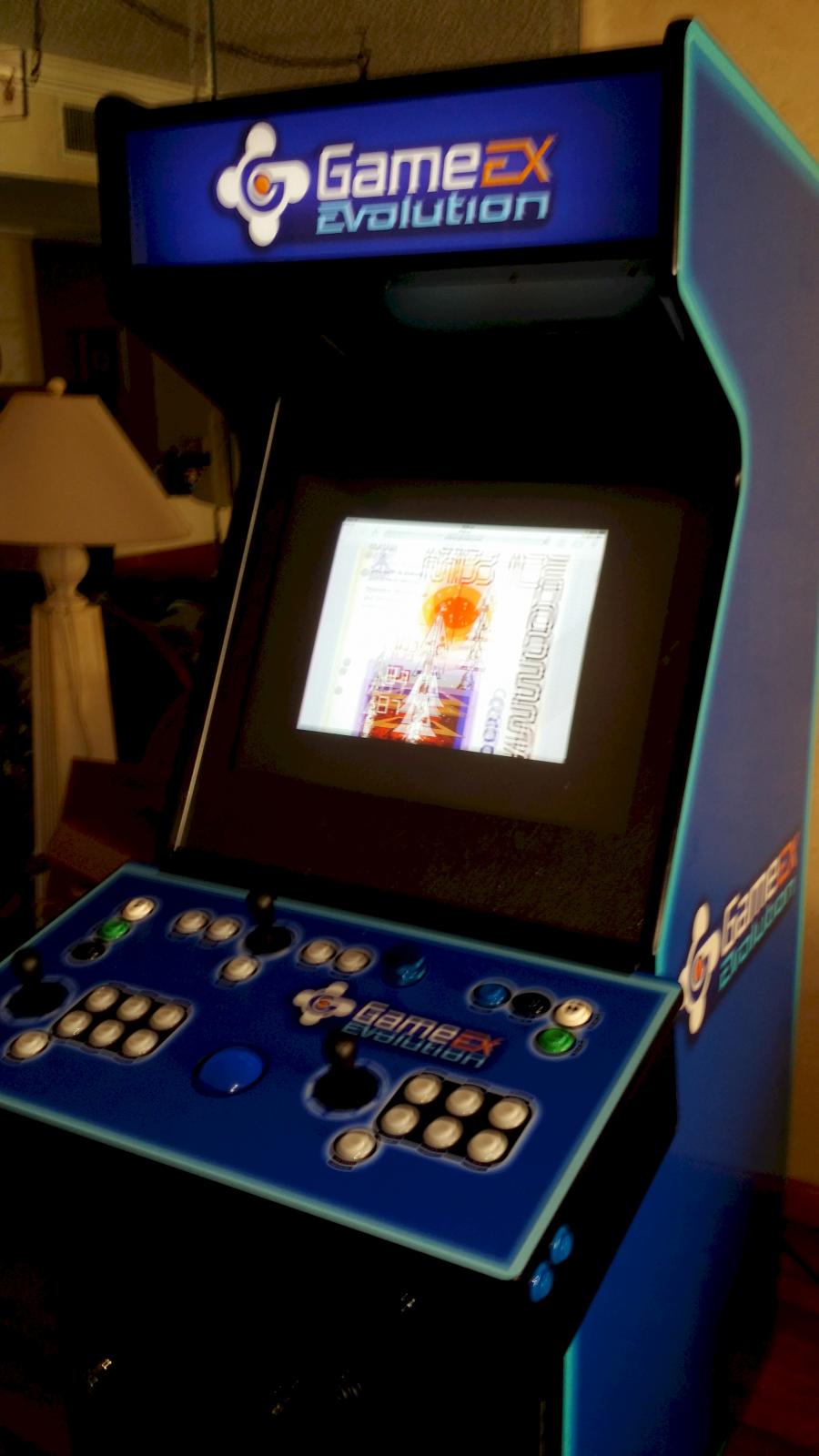
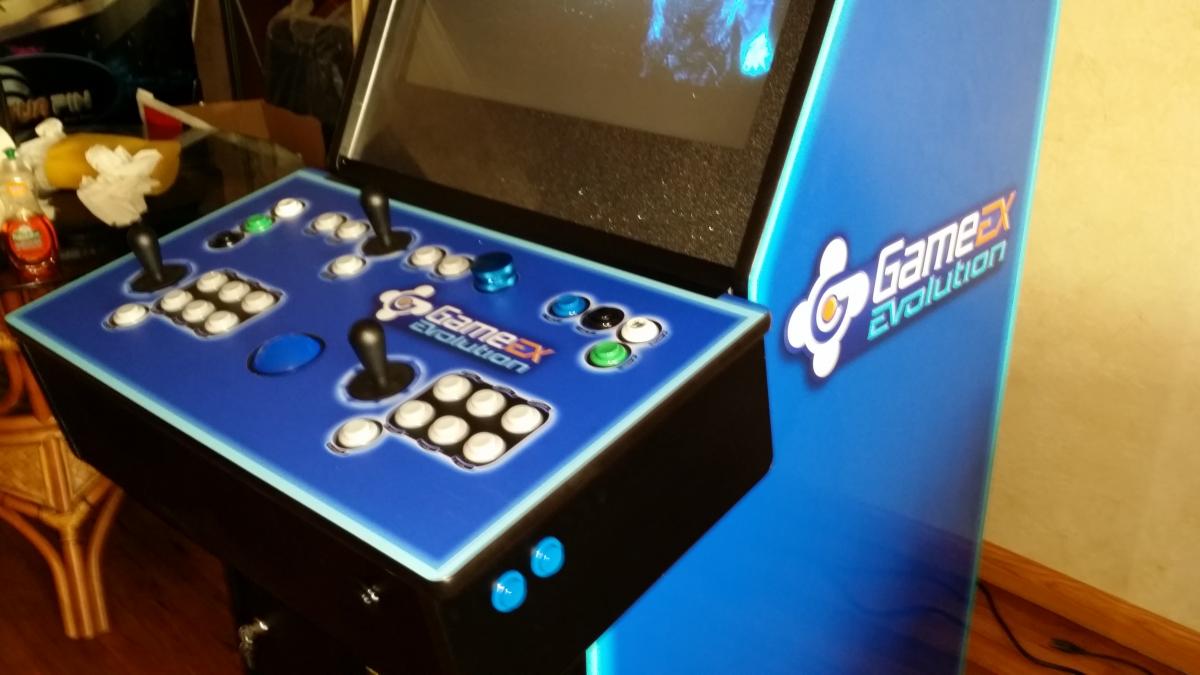
The GameEx Evolution frontend. The next generation of front ends. Note: The product is currently in Beta and there may still be a few bugs.19 points -

Version 2025
11376 downloads
MegaBalls Wheel Images for all ZEN Pinball Games. Download the new ZIP file (last download). Template and system wheels are included. Updated to 25/02/202518 points -

Version 26.05.08.0
8659 downloads
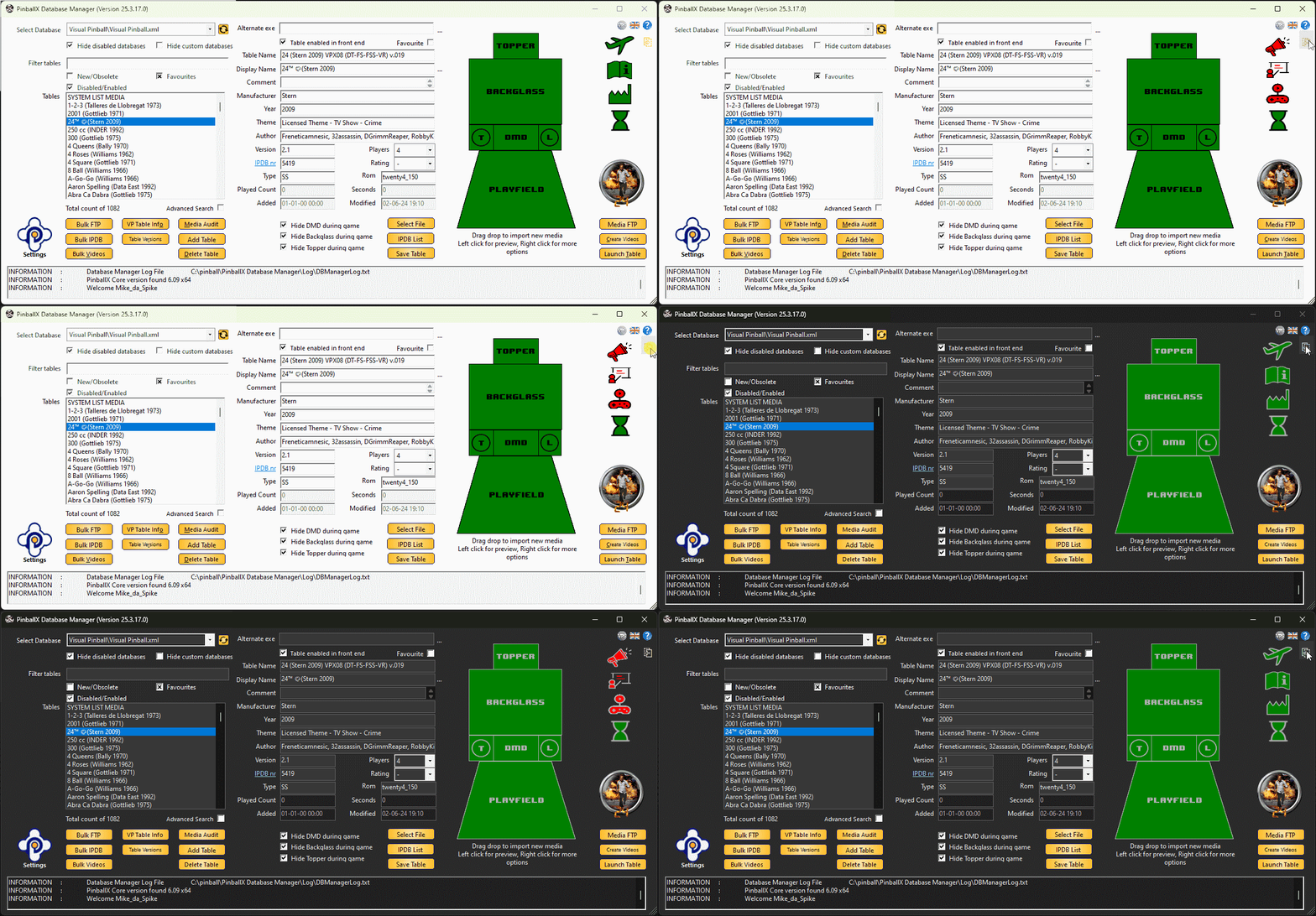
Please write a review and rate 1-5 stars on the bottom of this page! Also check the support topic for any help or comments. Scutters and Mike Da Spike are proud to present "Database manager for PBX" We built this program to make it easier for ourselves to update/add tables in PBX. Beforehand, please make a copy of your database directory (and maybe your media folder too)! We are not responsible that anything goes wrong. (but it is proofed that we don't wreck any database files or media files ) What is DBM ? Are you ready to take your PinballX experience to the next level? Look no further than DBM—the ultimate Swiss Army knife for PinballX enthusiasts! Whether you’re a seasoned player or a newbie, DBM has got your back. From customization options to essential features, it’s all packed into this handy tool. So, what are you waiting for? Dive in and discover the magic of DBM! Features: - Resizable multilanguage interface - Easy filtering of tables and systems - Easy to use drag and drop for updating media - Media preview on right mouse click - Delete media with one click - Media Audit to check for missing or unused media - Loading media support if de-randomiser plugin is used (2*) - Uses updated IPDB data and adds Original tables (source sheet by Dux Retro) - Adds custom fields for extra information (1*) - Online media import from GameEx or Mega link - Bulk functions to download GameEx media, update IPDB entries and for video creation. - Populate data from Visual Pinball tables (Author, Version and Rom) - Auto delete old playfield videos when creating bulk videos (Visual Pinball only) - POV & VBS import (Visual Pinball only) - Drag and drop for new/modified VP/FP Table files - Zen Pinball FX3 auto populate tables when using Steam (all tables) - Compatible with some other GameEx applications as well - Embedded recording that can capture Visual Pinball GL, Future Pinball, and every pinball game we tested. - Record media in PNG and MP4, including parallel recording and audio recording. (1*) If you use custom fields and you use Gamemanager, the XML will be overwrite by Gamemanger and you will lose the custom entries ! (2*) See : Prerequisite: Installation of PinballX/PInballX Legacy Editon/Touch Play FFMPEG.exe in Installation folder for Creating videos Windows Media player for showing media Microsoft .NET 8. (download is available at the download button as well) The following NUGet are used to build Databasemanger - Mega API Client for downloading on Mega (https://github.com/gpailler/MegaApiClient) - JSON framework for .NET (https://www.newtonsoft.com/json) - Costura add in for Fody (https://github.com/Fody/Costura) - Fluent FTP (https://github.com/robinrodricks/FluentFTP) - Resource.Embedder (https://www.nuget.org/packages/Resource.Embedder.Core) - Mediarecorderlib (https://github.com/sskodje/ScreenRecorderLib) External Source : - Visual Pinball Spreadsheet by Dux Retro and Fraesh , see https://virtualpinballspreadsheet.github.io/ Please use the following thread for questions/remarks/issues Note : The installer and program are not signed, this can give a popup in windows like this : Click on Yes to install the program if you see the following screen click on more info and select "Run Away"15 points -
Thanks to each and every one of you for your kind gestures, condolences, thoughts, prayers, and positive energy. My mom had been battling an unusual form of inoperable lung cancer (BAC) for 6 years through chemo therapy, vitamin regimens, and various other means. She would have wanted me to point out that she was a non-smoker (or at least for many, many years). At any rate, it was a tough go of it and she put up one hell of a fight. In many ways, I would not be here on these forums if not for my mom (… beyond the obvious reasons). On Christmas morning of 1987 I received a shiny new NES console from my mom. It couldn’t have been easy on a single mom’s salary, but she managed it. I had been exposed to computer games in the homes of others, and had spent some time playing console games at friends houses (notably an old Atari 2600 at my best friend’s house), but it was this console that would open a virtual world to me. Along with the pack in titles of Super Mario Bros. and Duck Hunt (separate carts no less!), I also received ExciteBike and The Legend of Zelda that year. My mom and I found a common bond over the Legend of Zelda over the course of the winter. I would play in the evenings after finishing home work, and she would play later into the night after I went to bed. The next day we would compare notes on our in-game discoveries. She even went so far as having the pack-in overworld map laminated through her work so that we could use a dry erase marker to make notes. It’s funny how games become tied to memories like that, and through them that we share common experiences. Thanks once again to all my friends here on these forums, you guys really are like an extended family to me. An extended family of gaming that all started for me with my mom, and branched outward over the years in strange and wonderful ways. Thanks mom.14 points
-
This is my first theme for GameEx (or for anything else for that matter). When I first started making the theme, I did not expect it to be anything special, but at some point I really thought it started looking pretty good. After all the positive feedback and great suggestions from everyone who took the time to take a look at my work, I am ready to release it. The idea of the Sidebar theme is to give the GameEx user the feeling of looking at the box or jewel case that games might come in. It is fairly simple and minimalistic, but when combined with title/snap shots or videos, it looks nice. Hopefully someone else out there there in GameEx-land will enjoy it as well. Most assets have been altered or changed including: - 45+ Backgrounds (including optional alternate backgrounds) - 90+ Logos to match the backgrounds or game consoles - Update and Loading screen assets - Sound assets Here are some snaps of the theme in action: RELEASE: http://www.gameex.info/forums/files/file/529-sidebar-1920x1080/ ...and a big thanks to everyone who took part in this thread over the last few weeks. === 7-20-2016 === - Added Wii logo and background


 13 points
 -
As you may have noticed a new link entitled Wiki recently appeared in the forum navigation header. Well today we are pleased to announce the official grand opening of the Spesoft-GameEx Wiki! http://www.gameex.info/wiki/ We feel like this wiki has the potential to become an incredible source of knowledge and documentation for GameEx, PinballX, and for Emulation in general. You, yes you are vital to that endeavor! This is your wiki! Our community has an amazingly deep body of knowledge in regards to all things emulation! If you have special emulation knowledge you would like to share this is your chance to become a pillar of the community. Your friends will be so impressed! Feel free to create pages, add helpful knowledge to existing articles, and evolve this wiki into something amazing! Your wiki is freely available for anyone to browse, and for any registered user to edit as they see fit. The Wiki login is linked to your forum login, so every time you are logged into the forum you are also logged into the wiki. If you change the password on your forum account that will be reflected in your Wiki account, etc. Are you pumped yet!? Great! Here’s some links to help you get started: Community Portal: General Information to help you get startedOur Help Pages: Help Pages specific to our wikiMediaWiki Help Contents: Dive deep and become a wiki Jedi!We are targeting a few general guidelines for the wiki. In addition of following some general guidelines of wiki etiquette we would ask that we keep the wiki dedicated to emulation guides and documentation. Specifically we would ask that the wiki is not used for general file storage and whatnot since we have various other outlets that are more appropriate for those endeavors. That’s it! The biggest guideline is have fun and be bold! For those interested in the technical details the Wiki is built on the MediaWiki framework, which is the same engine that powers Wikipedia. Special thanks go to Tom Speirs for making the whole thing possible, and for being incredibly understanding of requests for additional wiki extensions, namespaces, and whatever other shiny wiki baubles captured our attention along the way. Tom you rock!13 points
-
I have been tinkering with a Mega Docklets media project on the GameEx side of things for a while and decided to give PinballX a little of the same treatment for my desktop PC. Here are a few of the wheel images I have created for Pinball FX2. I will upload the complete set to the usual places for those interested once finished along with the .xcf (GIMP) and .psd (Photoshop) templates for those that desire to carry things beyond Pinball FX2 for their own setups. EDIT: All individual files can be found on the PinballX FTP site, along with the GIMP .xcf and Photoshop .psd files to create your own for this and other wheel projects. You can find them in the /-PinballX-/Media/PinballFX2/Wheel Images/Mega Docklets folder.






 12 points
 -
Custom Menus: The Basics In light of this thread i decided to make a simple tutorial on using the custom menus in gameex. Once you have a grasp on it you will soon realize just how versatile (and simple) custom menus are. And you will be able organize gameex menus anyway you see fit! Sound good? Then read on... PLEASE NOTE: You must have your emulators and apps setup in GameEx before you attempt configuring custom menus - the reason being if you did this before hand you wouldn't have anything to customize! There are two things you need to know the difference between: "Menus" and "Items". It may help to think of a "Menu" as a folder, and "Items" as files. So, you can put a Menu in a Menu (folder inside a folder) you can put an Item inside a Menu (file into folder) but you can't put a Menu inside an Item (folder into a file!). It may seem confusing at first but essentially all you are doing is arranging files (Items) into folders (Menus) An example would be helpful right now i reckon so here we go! I've decided, for the sake of this guide to arrange my main GameEx menu into 4 categories: Arcade, Console, PC and Handheld - with the relevant emulators in each category. Let's see how we achieve this: Open the Custom Menu app (Start>Programs>GameEx>Configuration>Custom Menus). Check the box "Enable Custom Menus": NOTE: For this guide i deleted all existing entries but you may, and probably will have entries already here when you first launch the app. You may use the "Delete Item/Menu" button to remove all entries if you wish - and don't worry about messing up, just uncheck "Enable Custom Menus" to revert GameEx back to default Menus On to creating our first Menu (which is basically a folder, right? ) First highlight "Start" in the lefthand tree-list, this is our top-level or "Main" menu. Then click the "New Menu" button: Now we have a new basic Menu or folder which needs some editing. The "Item/Menu Name" entry, which is how your menu will appear in the list and "Item/Menu Properties> Title" which is what will be displayed as the Title text, the big text at the top of most themes. So we change these: And repeat for the other 3 categories: So now we have 4 empty Menus to organize our emulators (Items) into. The obvious one to put under the "ARCADE" Menu would be MAME! So we highlight the "ARCADE" Menu in the lefthand tree-list and this time click on "New Item". MAME has it's own entry in the "Item Type" dropdown list so that's what we select, also editing the Name and Title as we did with the menus, only now you may want to choose a logo from the dropdown list, in this case "mame": Now, for the rest of the items we do the same but instead of "MAME" we choose "Emulator" in the "Item Type" dropdown and then the desired emu from the Properties section, in this case Neo-Geo: Rinse and repeat, editing Menu Name's and selecting logo's as you go: That is essentially it! Just create Menus (folders) and put Items into them. You really can organize GameEx in any way you want using custom menus and i'll bet you'll get great satisfaction in using them! I hope that was easy enough to understand and will help some of you on the road to "pimpin yo GameEx". Have fun and here's a vid of the example Custom Menu in action: http://youtu.be/zfgMgMj7u7s12 points
-
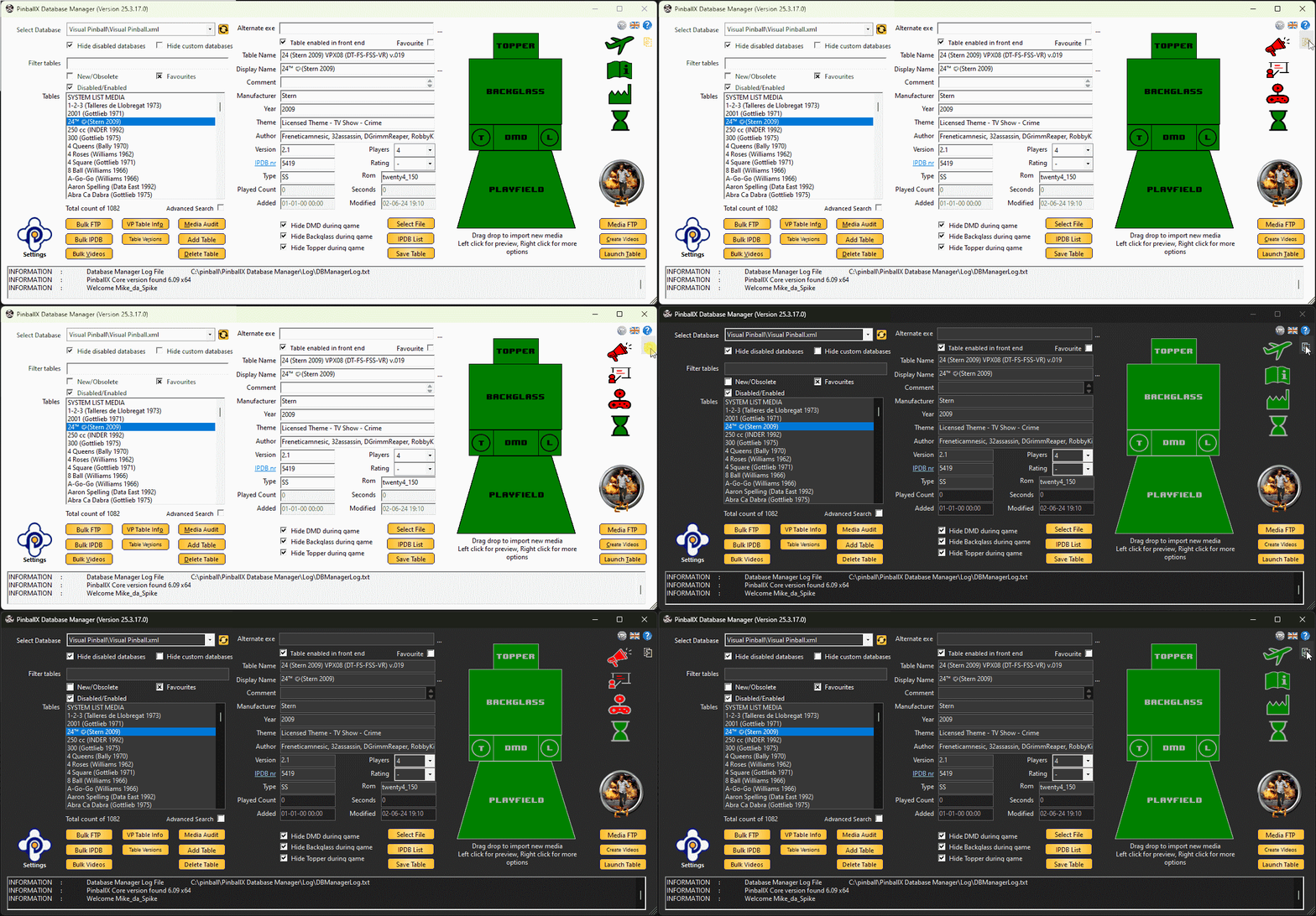
If you download the program and you like it, please leave a review with 5 stars rate at the download page ! After 2 1/2 months of programming, @scutters and I are proud to present to you PinballX Database Manger We created a program to manage your PinballX database files and your media files on a easy way. The download can be found in the download section : There is a manual attached in the setup as well. Thanks for the testers @simbamame, @BrandonLaw, @greynurse and @joyrider3774 GreyNurse give us the idea, to get information populate data from Visual Pinball tables (Author,Version and Rom) Very special thanks to Joyrider3774 who did a great job to find all kind of bugs during Beta testing. Thanks @Tom Speirs for letting us use PinballX logo's and for his approval to use FTP support. And off course for the great program PinballX he created with still a lot of support on it. Also that Tom added our custom fields to be filters in PinbalLX (PBX version 4.54 or higher) Thanks to Dux Retro who created a Google sheet with info for us that is used since version 1.9 ! Thanks to our translators @PcTeknic (Spanish), IJsblokje (German) and Rute O.(Portuguese) for helping translate 600+ words/sentences And a big thank to @scutters. Don't forget to mention him Without him, this program wasn't what it is now. Enjoy !
 11 points
 -
Version 2.04
6734 downloads
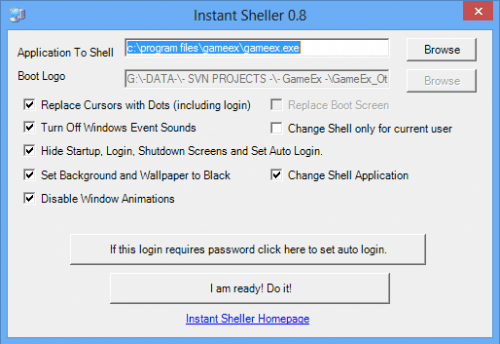
Instant Sheller: It allows you to one click shell GameEx or any other front end. Its for Windows XP Service pack 2 and above, Vista, Windows 7 and the latest versions of Windows 10/11. It also requires the .net framework 2 service pack 1 or above. It features a one click ‘Undo’. Updated May 2018 for support for the latest versions of Windows 10 Pro and Windows 10 Enterprise. For Windows 10 and 11 Enterprise it can completely hide everything. It can change the uefi boot logo on windows 10 and 11 too. To use this feature ensure secureboot and bitlocker is disabled. There is an option to set the windows resolution. This is intended for a portable PC where it may be connected to different TVs and upon connection to a new display the resolution may be reset. For those that need to be told and don't understand what this is, this software is use at your own risk. Otherwise ensure that you install to or put the portable version in a folder that has read/write access without needing admin access. It is a good idea to not disable the quick sheller option. This ensures the shell is digitally signed in Windows and allows you to undo by tapping "u" when windows starts up.11 points -
For: Displaying Marquees or other single image stuff on displays additional to your main display. Install: Download. Unzip. Put MarqueeMasher.dll in your GameEx/Plugins folder. Configure it and boom. Use: Searches for image in folders 1-4 (1 being prioritised) for both primary and secondary displays. Searches for image matching Gamename or Romname in jpg or png format. Options: Area: constrain image to a specified specified area on the display. Area Offset: Use image at specified co-ordinates relative to 0,0 of the display. Download:11 points
-

Version 10.8
2194 downloads
This is the Visual Pinball installer downloaded as part of the PinballX setup. It is based on the official installer at http://www.vpforums.org by Toxie. It is mainly included here for consistency but at time of writing offers the following enhancements: - Avoids potential Bing toolbar install - Includes .net framework 4 and 4.5 for if required by Windows. (Required by B2S). - Checks for .net framework 2/3.5 and downloads and installs. (Required by XDMD). - Creates start menu items for the other versions of Visual Pinball and also Visual PinMAME. - By default does not install to program files which fixes PinMAME write access. - Signed by the usual Spesoft code certificate.11 points -
Hello everybody, because I was asked, if I may do a small step-by-step guide on "how to Setup Pinball FX2" (STEAM VERSION), I did it. This is about: - how to start table directly via parameter - how to move the DMD of Pinball FX2 to another screen - how to remove the ugly border and - how to use Images and Videos for PFX2 in PinballX It´s just a simple guide, but maybe helpful for somebody. First I did this just in German, but later on I was asked if I may translate it as soon as possible to English. So, I was a little bit in a hurry - please don´t mind if it isn´t translated perfectly... This is just a first DRAFT-Version... maybe there will be corrections and minor changes in future. Kind regards, Jannek42 PFX2 in PBX_Ver0.9_ENG.zip PFX2 in PBX_Ver0.9_GER.zip11 points
-
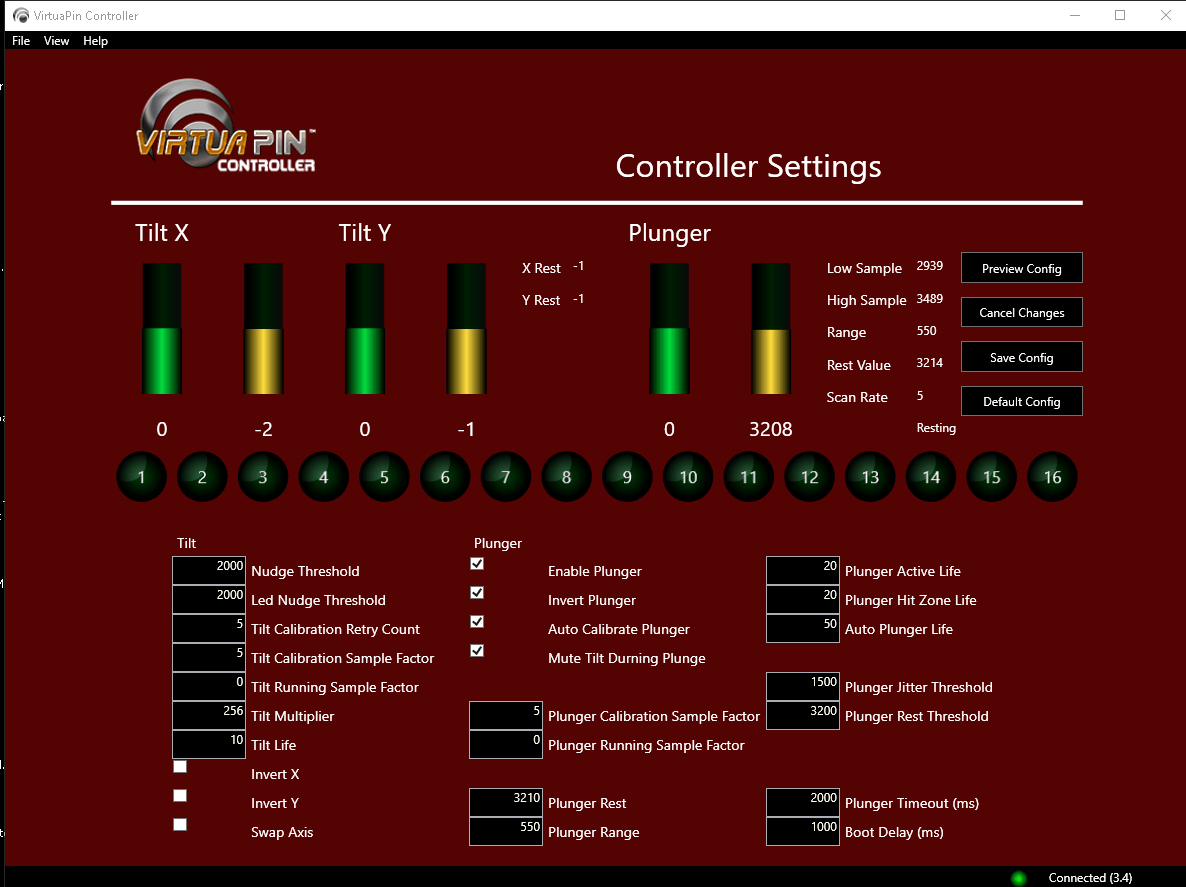
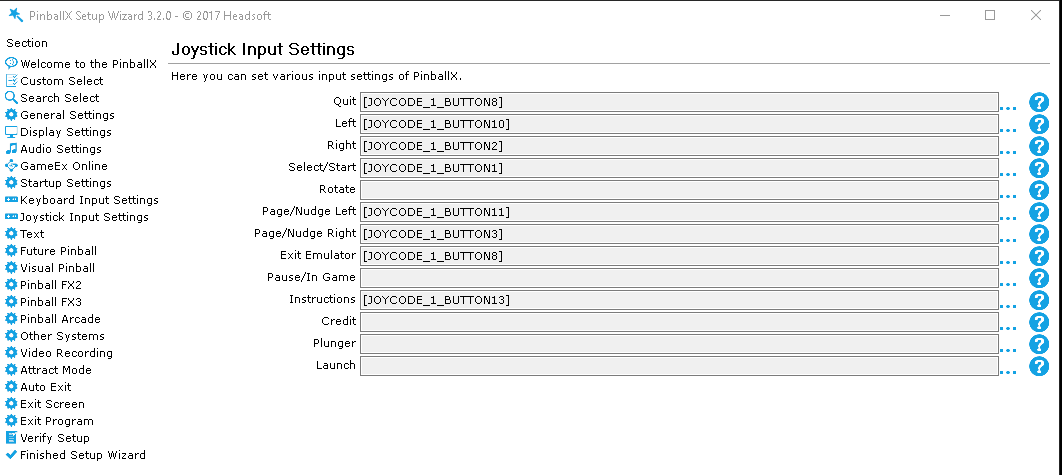
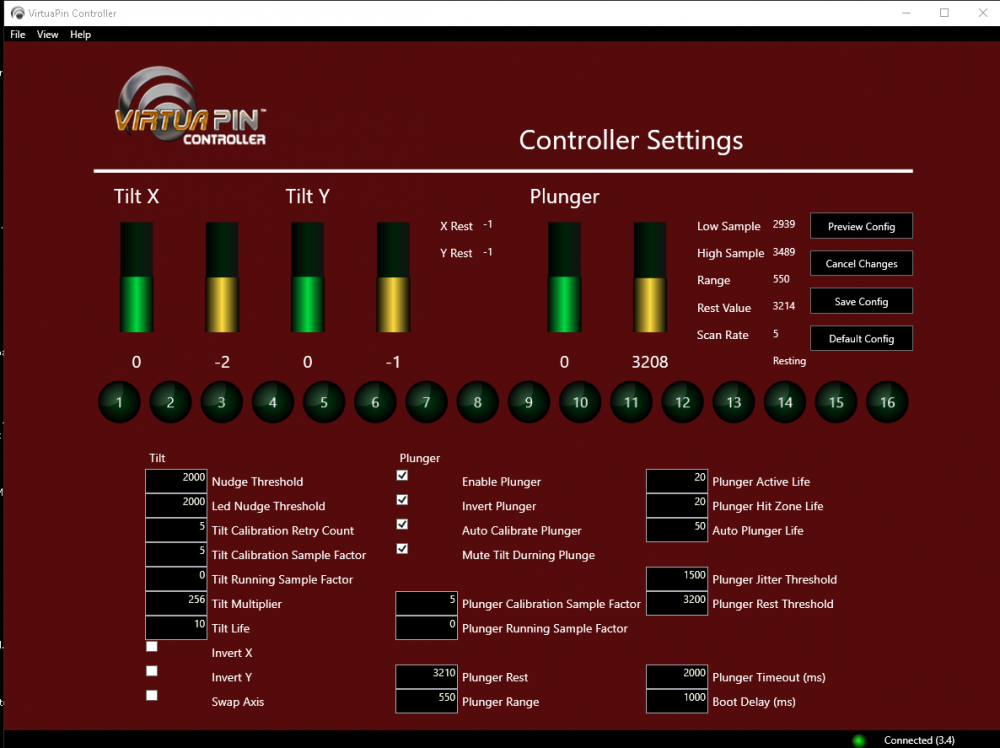
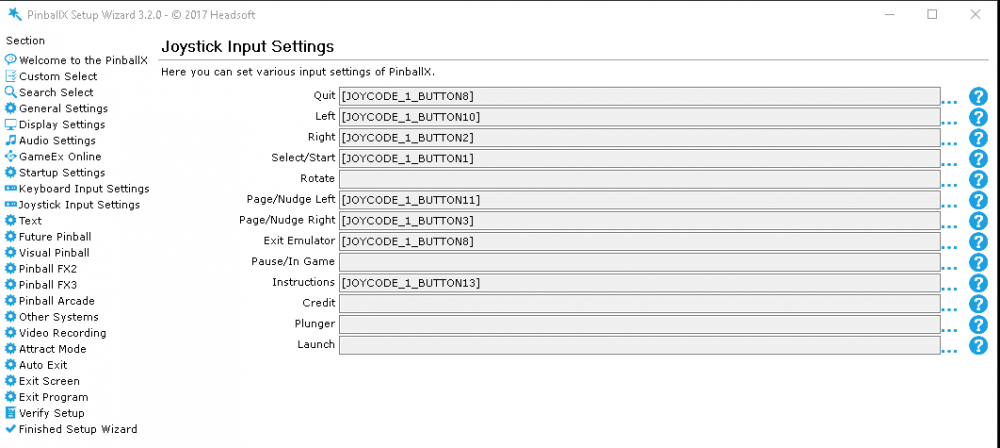
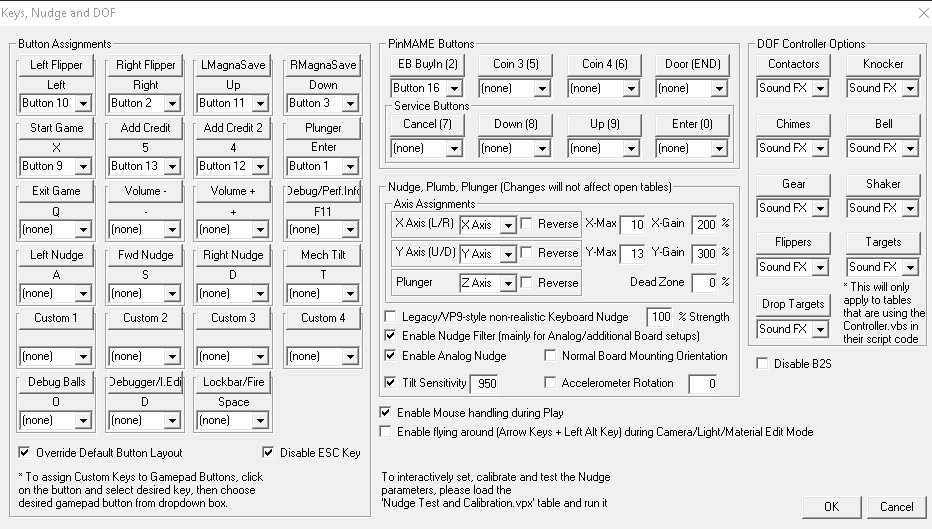
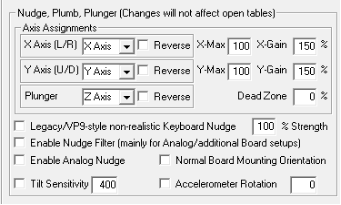
So I received a virtuapin digital plunger kit V3 as a gift, time to move away from using magna save buttons for nudging!. Here's a quick reference of how i configured the software for nudges & tilts with visual pinball 10 (VPX), as i struggled to find information on a lot of this. I don't cover the installation or much to do with the plunger setup as the document you receive with the kit pretty much covers that off. The goal for me was to get nudging working without having to bash the table and to tilt easily if it was hit hard. Note, in my setup i have 4 exciters fitted to the cabinet but no sub woofer and i also tend to play SS rather than EM tables, different setups may need drastically different final settings (especially if you're using DOF). There's probably other ways to do the setup, but this way worked for me. Step 1 Install & Plunger Install the virtuapin digital plunger kit V3 and controller software (https://www.virtuapincontroller.com/), and configure following instructions detailed in pdf https://virtuapin.net/docs/Manuals/Plunger Kit Guide v3.1.pdf Note a couple of things in the pdf; ⦁ Screenshot is VP9 not VPX for button setup, so nudge gains are set higher. ⦁ Screenshot has incorrect Right Magna save button mapped, shown as 5 when it should be 3 ⦁ Document doesn't tell you that if you push the plunger it can as act as a button (16) so can also be used to launch a ball on tables which use a launch button (so you don't need to have a dedicated launch button as well as the plunger). Also note that you may need to edit individual VPX table plunger settings as recommended in the pdf. Step 2 LED Nudge Threshold Open VirtuaPin controller sofware , change to the Controller Settings View and lower the LED Nudge Threshold to 0. Open a table in visual pinball editor (AC/DC is a good one for this test). Select Table -> Sound Manager, scroll down to the flipper sounds and click play whilst viewing the controller board, the LED will probably be lit or will light when you click play. Raise the LED Nudge Threshold value until the LED does not light when the flipper sound is played. If the table you selected has 'loud' bumpers try the bumper sounds too, probably raising the LED NudgeThreshold further. For bumpers i raised the value until i got an occasional blink of the LED when the sound was played repeatedly, whilst flipper sounds did not light the LED, which i think is about right. I could still tap the table fairly lightly after the adjustment to simulate a 'soft' nudge and have it registered by the LED. If you cannot see the boards LED indicator then you can alternatively monitor the Tilt X and Tilt Y values in the controller software to give an idea of the numbers to use. Step 3 Nudge Threshold When happy with the LED Threshold set the Nudge Threshold to match the LED Threshold in the controller software. This will stop a lot of noise being sent from the accelerometer on the board to Visual Pinball as false nudges. Step 4 Visual Pinball Visual Nudge To avoid a visible 'shake' on the screen when using anolgue nudging go into Visual Pinball -> Preferences -> Video / Graphic Options and set Visual Nudge Strength to 0. This is optional, if you decide to leave this on then it may assist with some of the steps that follow and you can always disable it later. Step 5 Visual Pinball Core.vbs I dabbled for some time trying to get the same settings to work across different tables but some seemed really hard to tilt. The reason for that is in the table scripts with vpmNudge.Sensitivity explicitly being set, others using a default value of 5 (can be 0-10 with 10 most senstive). Rather than test and update individual table scripts i wanted to set a global value (to an easy tilt setting) which luckily can be done in Visual Pinball\Scripts\Core.vbs... Open core.vbs in notepad and look for this line; Public Property Let Sensitivity(aSens) : mSensitivity = (10-aSens)+1 : End property Comment that line and replace like; 'Public Property Let Sensitivity(aSens) : mSensitivity = (10-aSens)+1 : End property Public Property Let Sensitivity(aSens) : mSensitivity = 1 : End property Note - I use mSensitivity = 1 which is the most sensitive value in this script (unlike in the table script where 1 would be insensitive), this change will force all tables to use the same sensitive tilt setting. Also note if you change core.vbs you'll need to remember to update this again if it's updated as part of future visual pinball releases. Step 6 Visual Pinball Nudge Settings So now all tables should have the same scripted sensitivity and virtuapin should be filtering out background vibrations. Go to Visual Pinball key preferences, default values are; First thing to do here if not done already is check Enable Nudge Filter, Enable Analog Nudge & Tilit Sensitivity Then start a Visual Pinball table, trap the ball on a flipper and try nudging the table. You should see an effect. Raise the X-Gain and Y-Gain values to increase the sensitivity of the nudge as required. I.e how hard you want to tap the cabinet for the table to register a nudge. Note - close and re-open visual pinball after making changes to any of the nudge settings in order for them to take effect, otherwise you'll still be testing the old settings. A side effect of increasing the Gain values does mean that although nudging is easier, that the affect on the ball is also greater - nudging the ball further. When happy with the impact required to register a nudge you then adjust the X & Y Max values, reducing them to limit the maximum affect on a ball nudging will have. Dead Zone - leave this seting at 0. Changing it would only duplicate the controllers nudge threshold settings we've already done, but without having an LED to assist us in tuning the setting. Nudging should now be setup Step 7 Visual Pinball Tilt Settings The final step is Tilting. As we have set a global sensitivity for all tables in core.vbs all we have to do now is set the Tilt Sensitivity in Visual Pinball Key Prefs, start with a value around 900 and run a table, can you tilt it with a few nudges? -if not raise the value to increase sensitivity, if the table bumpers set off a tilt warning then you probably want to lower this value to decrease sensitivity. Note - if you want to nudge more for less tilts then try an increased hardcoded value for mSensitivity in core.vbs like = 6 instead of 1 (up to 11). But this'll likely require you to revisit the Tilt Sensitity Setting in Visual Pinball Key Prefs My Final settings (for ref only, as stated previously settings required will vary as for different builds) Controller Visual Pinball Note - i used the plunger pushed = button 16 as a buyin button for pinmame as i already had a launch button (1). Which in my setup then map to PinballX as; And that's it... i now have a consistent nudge & tilt across VPX tables that don't need me to whack the table to get an effect. The plunger kit is working great and has added a lot to the virtual pinball experience, more than i thought it would in fact, would recommend! One final note for DOF users, if you're struggling with solenoid vibrations causing false nudges have a look at wrd1972's info here - https://www.vpforums.org/index.php?showtopic=38357
 10 points
 -
WHAT IS THIS? PinballX now allows you to have custom sounds playing for tables when launched since version 2.13 and later (thanks again Tom for this awesome feature!) You can download all the files that have been made up to date from the GameEX FTP: /-PinballX-/Other Uploads/gStAv/Launch Audio/ ...or via my dropbox link here so now everyone can try them out. HOW TO CHOOSE THE RIGHT SAMPLE... It is way harder to select a sound – just one – to go with a table than just recording its main music tune. I usually go and record ALL samples with potential from the ROM. Then I run them together with the table music to see if it works. You want it to blend well, be heard properly and to have the right lenght. It is a pain in the neck sometimes to select just “the one” out of 10+ samples (and sometimes over 100+ looking in STERN’s newest titles!) I guess it’s a combination of what goes good with the music and personal likings. Please drop a comment if you have found a more suiting sample for a table and I put that in to consideration. TIME FLIES FAST... It is quite a tedious process to produce a file and normally one sample takes about 10+ minutes to nail down. This is why I took on the tables listed in my cabinet first and then work my way futher out . Not all tables have samples and will better use the default launch sample in PinballX. HOW TO BROWSE AND HELP OUT... There is many ways to browse a ROM file. The most complete but tedious way is covered HERE by using a modified vPinMAME dll. (Thanx TheMcD) Newer STERN tables can preferably use Pinball Browser 404 (which does not cut off the last bit of the samples played), while some titles could be browsed with M1/ Bridge M1 if supported. I use the same technique when recording as with my table music using WavePad Sound Editor ME but with a normalization to 100% in order to punch the sample a bit over the music when launched. If you find samples for a not yet listed table or a sample to replace a previous one I be more than happy for a request. Please state the following info in the request and I addd it to the archive. Table name ROM name Method used Memory position Sample sentence WHERE TO INSTALL? Just place your files in the folder ‘Launch Audio’ for the respective system. ...\PinballX\Media\[system]\Launch Audio\ Remember to have the same name so it matches the table as usual. That’s it. Happy launching!10 points
-
GameEx version 14 GameEx Online, part of GameEx Evolution.For those eligible to a free upgrade to GameEx Evolution.Access at http://online.gameex.com from any device anywhere with no configuration required.Browse all your games by genre, company, decade and more.Launch and exit your games in GameEx from and device.View your favourites, the same game on other systems or have GameEx Online recommend new games for you that are popular with other users.Shutdown and control volume and exit and start GameEx.. Full online Setup Wizard â completely configure GameEx and apply and restart.Game cards and social media posting.List management and database and rating editing coming soon.Remotely stream all your videos, music and ebooks to any device at any location with no router configuration required.Request remote assistance and send invitations to others to help and gain access.This is a complete server solution. No router or firewall configuration required.Access from Hong Kong, New York, or Timbuktu.The future and will be in active development. Expect more features soon.New GameEx Databases thanks to Flash:Total rebuild of ScummVM database, now complete as of V1.7, to support the new ScummVMDC tool.New ScummVM config creator included with install.Rebuild of NES database, though needs a lot of manual editing.Rebuild of VCS database.Massive work on SNES database.All other databases have had large updates and changes.Additional databases added for many other previously un-listed systems.New www.gameex.com completely redesigned. View the full article10 points
-
I generally try to keep my rants to a minimum and address issues as they occur while trying to maintain a sense of decorum. One of my pet peeves is thread "bumping" when someone doesn't get an immediate response to an issue they are having. Likewise, I have seen some snarky/disrepectful responses to app authors and content contributors when they get an answer they don't agree with or a suggestion they disagree with. While there isn't a forum rule or guideline against it, I am going to be a little more heavy-handed in dealing with some of these issues going forward. The admins, moderators, and authors for GameEx, PinballX, and the various plugins, applications, and content do so out of love of the hobby and a desire to share with others of like mind. This isn't our full-time job and nobody is owed anything. It may take several days to a week before we are able to respond. In general, the responsiveness within these forums is better than most any that I have experienced, be it in the timliness of the responses and fixes, or other users that have experienced similar issues jumping in to help. If you don't agree with a suggestion, keep a civil tongue. If you are asked for additional information (log or configuration files, error codes, etc.), provide it. If you posted a request for assistance and you have not received a response in a 3-4 days then be patient! While you are waiting, hone up on your search skills for the issue and do some of your own leg work. If you find a resolution to your issue, kindly update your thread in return. Show some integrity and gratitude for the efforts of those that are seeking to make these products and community great! It's not too much to ask nor expect. </rant mode OFF>10 points
-
Here's a theme I have been working on, it's complete and ready for download. Carbon Metallic HD (1920x1080) (143MB) It includes: - A complete core and system logo pack, over 250 logos. - Custom SFX. - And More. Feel free to comment or report anything. Get It Here10 points
-
A significant update to the popular Pinball Front End. Real PinMAME DMD support when in front end.New feature for custom systems to emulate and work like Future or Visual Pinball.eg. Multiple VP Exes.New feature to mute audio when in the screensaver.So your cab is not annoying if you leave it on.New feature "One Click Launch" to skip the game detail menu and immediately launch the table when selected.PinballX Download Service.Automatically import media in the gamelist manager from the FTP.Auto Frame Skipping.Shows System Logo in desktop mode.Per system custom underlay and overlay images.Performance enhancements.Faster media matching, faster startup, faster game list manager.Adds keyboard volume controls.Faster startup and fixes losing focus when starting with windows.Ability to enable/disable the default filter searches by popular decades and manufactures.Now skips startup video on key/joy press.Confirm exit game with countdown feature.Smoother animations.Maximum amount of other systems increased by 10 to 20.Fixes in game list manager when game descriptions contain invalid file characters.Fixes Game List Manager truncating large lists.Special thanks to FreeMason and DVDBoom for the PinMAME idea and code.View the full article10 points
-

Version 19.86
67474 downloads
GameEx - HTPC Gaming Front end and GameEx Arcade Edition. Single installer for all Windows since and including Windows XP up to latest bleeding edge Windows 11 and both 32 and 64 bit. Note: Due to almost all shared components, Arcade Edition and regular GameEx were combined into this single installer. You should have no problems upgrading but if you were using Arcade Edition before this combination and upgrading you will need to copy overwrite C:\GameEx Arcade Edition\Config\GameEx,ini to C:\GameEx\CONFIG_ARCADE_EDITION\GameEx.ini to keep your configuration. GameEx and GameEx Arcade Edition:9 points -
Success! - I have Zaccaria tables launching from PinballX. I have tested about 20 different tables and things are working great for me. I will probably do some more cleanup and improvements down the road but for now I am content. My sample shows how to launch a table from each Zaccaria pinball table type. They have EM, SS, Retro, Remake and Award and Deluxe I still need to go through and confirm all the table names for each and every table but I wanted to get this script out there for others to test so please as you add to PBX lets keep a running list of all the table names with the "group" they are under. The key to using the script is in game manager make sure to put the correct table name in and most importantly the Type. My scripts looks for EM,SS,RT,RM and AW. The script will exit if you do not put the type in Game manager correctly. ( I am converting the case to upper so EM, em, Em, eM are all valid) EM=Electro Mag, SS=Solid State, RT=Retro, RM=Remake, AW=Award,DX=Deluxe Update: 11/21/19 - Modified script to handle new Deluxe table types. Ust DX as Type in game manager to use. Update: 12/20/18 - Added latest PinballX Zaccaria Database file Update: 12/1/18 - There is a optional change you can make to your script if you normally leave your playfield in landscape mode and then rotate to portrait when playing Zacarria. If your playfield is already in portrait then you will not need to modify this. There is a parameter to Zaccaria to automatically rotate the screen. (Stopping the need to rotate it via a launch before/after script) Original line: Run, "%SteamDirPath%\Steam.exe" -applaunch 444930 Change to: Run, "%SteamDirPath%\Steam.exe" -applaunch 444930 -rotate right (Or -rotate left depending on your configuration) Note: There will be one thing that needs to be changed in the LaunchZaccaria.ahk script. On Line 17 you will need to update the directory/filename of your Zaccaria PBX database file. Make sure to save your changes and compile again. Line to edit: FileRead, xmldata, C:\Pinball\PinballX\Databases\Zaccaria\Zaccaria.xml ;change to your zaccaria PBX database PBX config for Zaccaria: A single table from each "group" configured. LaunchZaccaria.ahk Zaccaria.xml9 points
-
I know, there are already excellent BG videos out there by bloodydrake and Namsan, but I wanted something more "classical pinball"-like Means, looking like a real static backglass with real single lamps (no fancy digital tricks) behind and some typical lighting choreography, so I made some. Now, I want to share those I have done so far, maybe somebody finds them useful for his own cab. My guidelines were: 1. make something, that really looks like a classic backglass 2. use as much as possible from official Pinball FX2 sources to keep it as close as possible to ZEN's original idea 3. design it like the table was designed, not the movie, that might exist: not all tables are related to the latest movies. E.g.Spiderman is definitely related to the classic comics (see the goblin costume). Same for X-Men, Thor and some more 4. use original movie sources, if the table clearly refers to the movie (e.g. Alien tables). Good fanart is of course ok, too. 5. strictly avoid any film-like digital video tricks 6. name the file so that PinballX can use it! (something, that sometimes annoys me, when I download stuff from the web. Please correct me, if my files don't match this guideline. edit: 6b. strictly maintain the aspect ratio of originals (aim is for 4:3 and 19:6) . A circle has to look like a circle and not like an egg. 7. give a s**t about guidline 2-4, if you have a MUCH better idea There are always 2 versions: - no grill: 2133x1200 (16:9) for commonly used screen aspect ratios in 3 display cabs - with grill: 2133x1600 (4:3) which is for me the perfect aspect ratio for 2 display setups Don't mind the strange resolution numbers (due to my monitor), they work perfectly for e.g. 1920x1080 You can also find all of them on the gamex ftp server under /-PinballX-/Media/vogliadicane/PBFX2 BG videos Have fun!9 points
-
I have started creating some new backglasses for some of the tables on my cabinet (3 monitor) that go far beyond twinkling lights. Most of these are created/animated from the original artists offerings whose talents and work I highly respect and hope they would like my animated interpretations of their still graphic work. Some will be completely new creations while most will be re-creations from the original artwork. Purists might not approve or like what I am doing, and that's ok, I feel ya. Just know what I do with their art is a huge message that what they created was awesome and I will try to do my enhancements to hold true to the original concept... just in motion. Please note that these are all work-in-progress with some far more along than others. These are all 1920x1080, no audio, and when finished, will be :30sec long and loop seamlessly. I will also create a new static image from the finished animations to use as a static backglass for those softwares that cannot use video assets "in-game" like Pinball FX3. For those setups, these animations are still very useable in the front end and work awesome as "attract mode visuals" while on the front end selector. Always welcome feedback either way and cool ideas/suggestions. Here's an example for a KISS backglass I'm tinkering with as well for when I can finally find and install a 2015 Stern KISS table for my cabinet. cough cough help cough cough... This one is what really started my craze for animating my cabs backglasses. This piece I created from scratch from a single pic of the band and was used for marketing their 2019 show here in K.C. What's seen here now is a quick cut up to remove the other elements (dates, times, location) for the purpose of what it will look like. (the "explosion to the screen" will be gone for sure.) - Timing of all the other elements will be altered. - More pyros bursts... and always... more cowbell. Loads more to do here. - Both UFO's will be animated. The UFO that is animated now will change as the light pattern for both will look like the lights are rotating instead of flashing as they are now. - Aliens will have full limb articulation and motion. - Current explosions are place keepers for now. - More motion to come for the surrounding city/scene including a passing elevated train. This is just a working concept at the moment. - When completed, this will look like the Dino is "walking" with the logo rattling with each step and the camera view floating with each step as well. - More lava and debris to come. - This scene actually might change to be used for Jurassic Park Pinball Mayhem while I create a version more true to the night scene view from the mouth as the original artwork depicted. - Maybe some circling Teradac... flying lizards. BTTF is pretty much final. That could change in 2055 though. Here's a sneak peek of a work-in-progress for my Champion Pub animated backglass. - This is one of my favs! Both the game itself and the fun time animating everything. - Almost done. Lots goin on in there for sure Kid! - Final version... oooooouch - Very early work-in-progress, maybe 20% complete. - All fireelementsare just place holders at the moment. - Allcharacter movements are just testing purposes only... as is just about everything at this point! - Lots of work yet to be done on the castle and characters in the scene. -King, and Dragon will have full body/appendage articulation. (which is fun just playing around with the appendage controls!!) - Enjoy the sneak peek!s a fun one!9 points
-
Coming soon... Mega Docklets Style Pinball Arcade Wheel Images. These will not be released by seasons but as I am able to source the logos and artwork, or just as I decide to for any reason that strikes my fancy. Stay tuned! EDIT: OK, here is a teaser.





 9 points
 -
Introducing GameEx Arcade Edition. View at YouTube. GameEx Arcade Edition is a derivative version of GameEx that is optimized for arcade controls and machines. It is lighter, has cosmetic improvements and supports the new EmuMovies video themes. It supports MAME and arcade systems and has the following feature differences over the normal GameEx version. Supports video themes. Less code. Lighter. Less options. Optimized cosmetics for TV and arcade displays. Good support for low resolutions (640 x 480) out of the box. Does not look like windows. Does look a little like HyperSpin. The video themes and all the content is available at EmuMovies and an automatic downloader is included with the front end. Download here View the full article9 points
-
Happy to give a few folks some promotions on the forum here today. These guys have done much here and elsewhere in the emulation/pinball community and deserve a pat on the back. @TerryRed and @Kustom Kid are now members of our Elite and @stigzler has kindly stepped up to be a GameEx moderator. Thank you so much guys for all you do. If you ever need anything please let me know.9 points
-
Still new to the community and how everything works but I wanted to show my theme. I am notorious for not completing projects and wanted that understood immediately. My system has approximately 100 systems attached to GameEx with this theme and alternate backgrounds for a few. The standard is 1920x1080 backgrounds with system logos as well. The background originate from Crylen, Gibbawho (HyperSpin), and any other HD realm I could find. In the video, it glitched up on me pretty bad in windowed mode but I was still able to show my theme a little. I would still need many many pictures to represent it fully. I hadn't really thought of a name for a theme so I'll just call it "Hitchhiker". Here's the demo and hopefully something more can "evolve" from this. *Sorry about my music btw...yes, my Steam collection is bigger than that. I'm still under construction.9 points
-
Here is a sneak peak at a theme I am working on. The background and foreground images are very simple in comparison to previous works released. It will be a Hi-Def theme and the colors for the text, etc work really well at the "10 Ft Interface" for HTPC.
 9 points
 -
Hopefully I can make this a regular thing but if you use GameEx you will know its packed with features and settings so I thought I woud try and post a few little tips from time to time that will help you have a better experience with the frontend. Todays tip is about Emumovies video snaps. Now emumovies is unique and a great asset but the game snap videos are not really designed with the Gameex interface in mind and have a fade in effect and delay when you normally want them to display instantly in GameEx. If your video snaps are stored on a local hard disk you can fix this problem with the "Seek Video Previews" setting in the "Tweaks and performance" section of the desktop or online setup wizard. Simply turn on this setting and on modern systems you will see the game previews start instantly without the fade. View the full article9 points
-
Wow, I finally finished my cabinet!! The cabinet name is 'Metacarpal Madness.' Which was because I broke the 4th metacarpal in my right hand trying to drill out starter holes for the coin door. My wife came up with it. I think mostly out of mocking me, but it stuck! haha I think it turned out pretty good. I have a main power button on the control panel and also a bottle opener on the side. That was a must! The control panel can be removed for ease of moving through doorways. I can post more on it if people like it. I uploaded a few photos of the end result. I am now looking into some finishing touches. Are these things really ever done!?! They are a nice hobby though, that's for sure. I have always wanted to get a spinner and a couple of aimtrac guns from ultimarc. But, with my daughter in daycare our funds are a little tight. I already have a wii and 4 rechargeable wiimotes, which i actually use to play mame on my ipad at times. I am wondering if anyone can direct me to a site of reference where I can get a step by step guide on setting up the use of wiimotes in mame, as well as using them in the Nestopia emulator among others. In the end I think I will have a spinner on the control panel and purchase the wheel attachment at ultimarc. That way I can at least play a little pole position or APB without too much trouble. I put 2 USB ports on the outside of both sides of the control panel, in anticipation of the aimtrac guns and other USB items (ipod, etc) Max9 points
-
Fixes Steam support for latest clientUpdated plugins by Ben BakerUpdated MAME mapping utility by TempestUpdated Plugins by AdulteryFixes GameEx In Game/Pause settings wrong in Seup Wizard.Finally some news on the big picture and GameEx Evolution. You may be aware that one of the new features of GameEx Evolution is GameEx Online. GameEx online provides access to your games library online through any web browser and also allows remote access to your front end. Online and social features are a core part of GameEx Evolution. GameEx online is already in use for PinballX and work has been taking place on the GameEx version of this. I am pleased to say we have a special treat for all GameEx VIPS and Elites and with this release and going forward you get to use the new GameEx Online for GameEx in Beta up until the Evolution release. Please feel free to provide any feedback on the forums. Enjoy! View the full article9 points
-
.thumb.png.448ac9a629f88e5a16e005f320bc4f2a.png)
Version 1.0.0
12804 downloads
More than 450 MegaBalls for Visual Pinball, Future Pinball or Pinball Arcade. First delivery with the tables that I use in Visual Pinball. Will be added tables that I do not use, exclusive tables of Future Pinball, tables that have left recently in TPA, etc. --------------------------------------------- Más de 450 MegaBalls para Visual Pinball, Future Pinball o Pinball Arcade. Primera entrega con las mesas que yo uso en Visual Pinball. Se añadirán mesas que yo no uso, mesas exlusivas de Future Pinball, mesas que han salido hace poco en TPA, etc. MegaBall.psd8 points -
I would like to take a moment to show my thanks and respect to @Mike_da_Spike and @scutters for their numerous contributions to both the PinballX product and community over the last several years. On behalf of us all, thank you! This release contains updated default DMD videos and the all new updated start to finish PinballX documentation by @Mike_da_Spike. Thank you, and enjoy..8 points
-
CPWizBiz is a multi-system game info and controls generator. Use it to display the controls for any game on any system. It also creates dynamic layouts, leveraging media such as images, video, flash, youtube, gifs and scrollers. More Details and Download Here: https://magoarcade.org/wp/cpwizbiz/ https://archive.codeplex.com/?p=cpwizbiz8 points
-
PinballX 3.30 New instruction card Apron display support. Loading GIF animations fixed. The frontend now supports full screen exclusive display mode again. Improved display number handling. If you have issues check your display settings. Performance improvements and fixes. Specifically fixes issues on systems with only 2 CPU cores. Fixes not restoring all artwork when returning from in game mode. PinballX will detect if its launched on startup of windows and wait before obtaining and initializing displays.8 points
-
GameEx Evolution v1.01 Beta Proudly presented to you by Spesoft in partnership with Headsoft and FlashBang Studio. Some of the features you'll see in v1.01: *** Features *** Pre-configured system profiles for 200+ emulators 3 default themes (Default, Blue and Black) Supports multiple orientations and aspect ratios (4:3, 16:9, horizontal & vertical) Multiple list display modes (List, Grid, Page, Carousel, Wheel and CoverFlow) Multiple game lists (All, Completed, Favourites, NextToPlay, Played and RecentlyPlayed) Databases for every system Auto emulator app and asset download Full system auditing and game list editor MAME Software List support Advanced MAME filtering system (Genre, Category, Manufacturer, Year, Orientation, Rotation, Controls, Players, Buttons, Alternating, Mirrored, Service, Tilt and Cocktail) Advanced System filtering (Publisher, Developer, Year, Category and Players) Other Filter Flags (File, Video, Region, Language and Media) Advanced emulator launch and logging system Steam game import Stats (LastTimePlayed, HasPlayed, HasRecentlyPlayed, HasNeverPlayed, TotalTimePlayed, TimesPlayed, HasCompleted, IsFavorite, IsNextToPlay) 2D & 3D object support 32 and 64-bit support Frame-based animation Theme skinning system Bitmap font support with editor Extensions (including scripts and plugins) Advanced variable system (all accessible via your custom Extensions) Write your own Extensions in C# or VB.NET, Have access to Evo libraries directly! Free extensions including hardware support for UltraStik, ServoStik, LEDWiz, PacDrive, U-HID, Blue-HID, Nano-LED, PacLED64, I-Pac Ultimate I/O, BetaBrite etc. All open source! Command.dat support (Fighting game move lists) Built-in manual and asset viewer Auto image mounting Much, much more! *** Q & A *** Q: Why did it take so long? A: This has been a long time coming and that's because we've spent extra time adding the features you wanted into the next evolution of gaming front ends! Q: Who created it? A: This is the most advanced FE ever written by the best in the scene. In development for over 5 years by coders with over 25 years in FE and arcade app development combined! Q: Why did you create it? A: This is a creation born out of love and passion for the retro arcade and emulation community. The cost was great but it's our gift to you and this is only the beginning! Q: Where is feature X your promo video promised? A: We have included every feature we promised except for the Theme Editor. It's still in production. Let us know if you're interested! Q: What about native HyperSpin theme rendering? A: It's in there we just don't think it's that important. We're not trying to be HyperSpin but we're fans of the project - hi Bill! Q: What about RocketLauncher? A: While we think it's a pretty cool project we think if you're paying for a FE like ours it should all be integrated. That's why our Setup Wizard does everything! No 3rd party tools required! Q: What's the future of GameEx Evolution? A: Very bright! But we need your support and for us to succeed we need your help to get the word out. So don't just sit there, tell everyone the good news! Q: I need help or have a question! A: Great! Please visit our GameEx Evolution Forums *** GameEx Evolution is: *** Developed by Headsoft (headsoft.com.au) Ben Baker (Headkaze) [Code, Design and Artwork] Published by Spesoft (spesoft.com) Tom Speirs [Sales, Code, Testing and Support] With Help from FlashBang Studio (flashbangstudio.uk) Michael Ware (Greatflash) [Database, Code, Artwork, Testing and Support] And Hanka Design (hanka-design.com) Markus Hanka [Logo, Early UI Design Prototypes] Full Credits: gameex/com/evo-credits *** Thanks *** Also thanks to our staff for all their amazing and continued work on our forums over the years: Adultery, Carny_Priest, DazzleHP, Draco, freezy, GimmeClassics, hansolo77, nullPointer, rablack97, RedDog, stigzler, Tempest, tthurman and zeenon Download GameEx Evolution here View the full article8 points
-
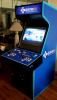
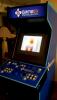
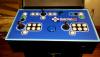
Just to prove I am not f***ing around when I say it is coming.... Specs: Cabinet: Supplied by DreamAuthentics 2 x Player 7 button 8 way. Illuminated Trackball Spinner with 2 buttons 4 - Way joystick 5 additional buttons by 4-way mapped out for asteroids. Escape button. 2 x 2 Pinball buttons IPAC Ultimate RGB Leds on player buttons. 29" WeiYa Tri Sync Arcade Monitor. [Although wrong one supplied right now.] PC: Corsair Obsidlan 250D Mini ITX case Asus Maximus VII Impact motherboard I7 4790S (Low power model) 16GB 1600mhz Corsair Vengeance Samsung 850 EVO 1TB ArcadeVGA 5000 Corsair CS 650 power supply Software: Windows 8.1 Pro 64 Bit and your favourite front end


 8 points
 -
Switched to PinballX a while back I like the fact that you keep this Frontend updated and fresh best Frontend hands down! Keep up the great work!!!8 points
-
This is a gentle reminder that the winter Holidays (Christmas, Hanukkah, New Years, etc.) are upon us. Besides time off to spend with our families, shopping, and the usual, many of the Admins, Moderators, and Authors work in trades, especially IT, that require us to put in extra hours to meet end of the year deadlines. Please be courteous and understanding if we do not reply to your requests for assistance in our usual timely manner. Keep in mind that, besides the forum staff, there are other knowledgeable members that will gladly try to assist as they are able. So please keep posting and from all of us at the GameEx and PinballX forums, have a Merry Christmas and a safe, fun Holiday season!8 points
-
This includes the latest versions of Xpadder, QuickLaunch, and Virtual Drive Loader. I will update the release threads soon with what was updated. This also brings Game Tagger out of beta, which is a very customizable game tag for all users with GameEx Online access. I will be adding a release thread and page in the downloads section for this new plugin soon. There is more information on the Game Tagger site here: http://tags.hfc-essentials.com Also included for the first time is the newly revamped Function Logger plugin, which is a tool that identifies what information is available through the plugin system as well as what's in your emulator settings. Sorry for not having updated the release threads yet, I have been pretty busy at work and spent my weekend drinking matgaritas in the 60° weather.8 points
-
.................The Monster Mash 2014 Competition will run from October 1st until October 31st, 2014................. Overall High Score LeaderboardPOSITIONUSER NAMETOTAL SCORE1TodayIsForgotten14402ExedExes13703GimmeClassics9904Mame Offender9805jedah7206GeorgeT4407Adultery2008Yung-Jedi1509wolfman2450Last Updated: 11-02-2014 * All 15 Mame games can be played during the entire month of October ! * Play your game and submit a screenshot of your hi-score screen as a reply to this thread * All submissions must be received no later than 11:59PM on October 31st || Countdown link * You're allowed to submit as many hi-scores as you want. Your personal best score on each game will be shown in the individual Hi-Score Tables (scroll down below). You can check - at any moment - your leaderboard total by simply adding up the individual points of your current hi-score game positions (10th place = 10 points followed by increments of 10 points // 1st place = 100 points) * For game settings please scroll down below or have a look at each individual game post * Be honorable and play with no cheats or hacks !! Click on the individual game links for the (dip-switch) settings you have to use when you sumbit your hi-score or scroll down below for more information... Black Widow (link) Chiller (link) Demon's World (link) Dungeon & Dragons - Shadow over Mystara (link) Ghosts 'n Goblins (link) Haunted Castle (link) Monster Bash (link) Monster Farm Jump (link) Monsters World (link) Nightmare in the Dark (link) Rampage (link) Satan's Hollow (link) Sinistar (link) Wizard of Wor (link) Wonder Boy in Monster Land (link) ------------- * Thank you Draco for creating the Monster Mash Banner. I've tweaked the artwork a bit. I hope you don't mind And thank your Darren, Aaron, Adultery and Han for your input and help creating this contest !8 points
-
Detail on registration for GameEx Evolution is now available: As previously mentioned llifetime licenses registered from September 2013 get a free upgrade to Evolution.1 year licenses will also get a free upgrade to Evolution and get updates if and while they are active and validThe recent integration of registration with the forum now allows upgrade pricing to members not eligiible for a free upgrade.A 25% discount will be available to lifetime legacy GameEx holders who registered from 2011.Users licensed prior to 2011 will require new registrrations.Forum members promoted to Contributor or Elite status wiill receive a compilmentary lifetime license.View the full article8 points
-
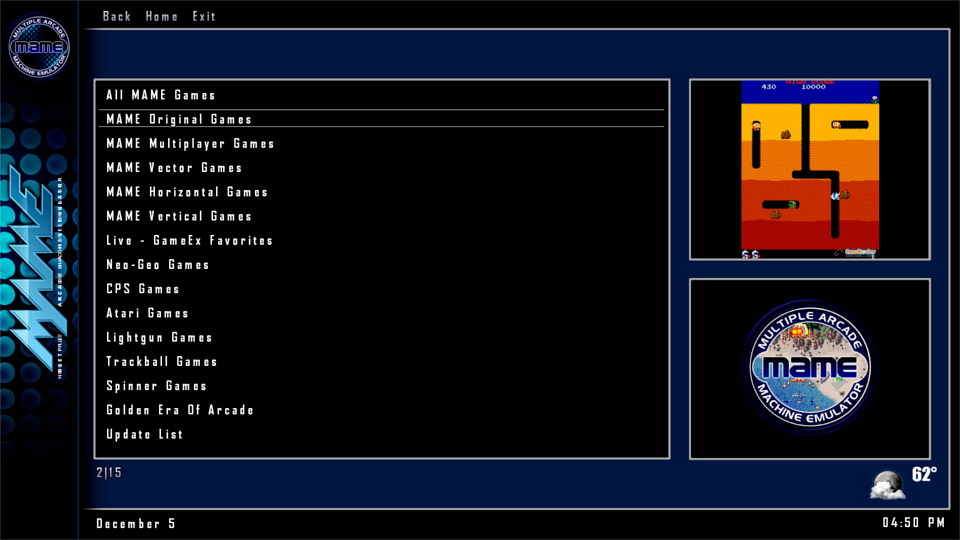
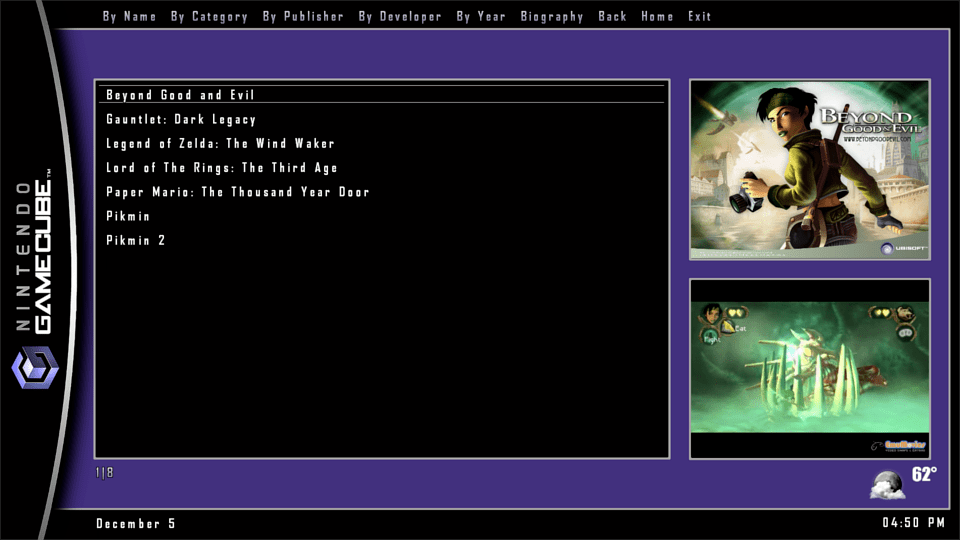
Hope this is the right section to post this in. I decided to do my own GameEx branded startup video for my HTPC and arcade cab. It's kind of "epic" in terms of length. Features a rockin' score from DKC: Tropical Freeze. It has kind of an "Evolution" vibe to it! I'll post it to the EmuMovies FTP if anyone wants the High Quality version. Enjoy! https://www.youtube.com/watch?v=HeVnY1LFo6Q&feature=youtu.be8 points

















.thumb.gif.704e8e80bff8d8baa365115adc2ca31b.gif)