|



Adultery
-
Posts
10152 -
Joined
-
Last visited
-
Days Won
159
Content Type
Profiles
Forums
Events
Downloads
Store
Articles
Everything posted by Adultery
-
You can add a bat file that executes on launch. Launch On Startup (Don't Wait) under tweaks/performance. My bat file simply sends the command line to kill xpadder: xpadder.exe /C It should work (although I use the exact opposite config... I use this to launch Xpadder).
-
Can you post your log please?
-
For #2: You have the control pngs named the same as the game file names, or are you using one static image for them all?
-
I knew I shoulda waited... LOL! I found out Dolphin 3.0 supports WADs so I've been adding some WiiWare games to my rig:
-
+1. If anything, uploads seem faster than usual.
-
You can leave it unresolved until we figure out your streaming radio issue. Refresh our memory as to what happens when you try to play a station, and please post your log after you try one.
-
You guys are too much! That's why I like it here. Thanks for the kind words everyone, and I hope you enjoy my "labor of love" as much as I enjoyed making it. I customized every element I could think of, but I really kinda rushed it out at the end without doing the proper testing. So my apologies in advance if I need to put out an update. I've added some more snaps to the initial post as well, because the few I put up really didn't scratch the surface (especially with the emulator baks). Thanks again everyone!
-
No worries my friend. Its been crazy around here lately and I may be a little bit off lately. I do see what you mean for sure. I can see how my own projects would benefit from scaling the way you guys suggest. That and more customizable media controls are on top of my wish list.
-
Cough cough rechargeable Xbox 360 controllers cough cough
-
Thanks you guys. It sux but she had it rough near the end. I should have dedicated this to her. I forgot to give props to Draco for his awesome icon packs and his friendship and constant motivation. Without you upping the bar all the time I wouldn't have to try so damn hard to stay relevant! Lol!
-

User Submitted Themes & Media (Uploads)
Adultery replied to Tom Speirs's topic in GameEx Media Projects
I just released my new MegaMAME theme... You can read about it here. Feel free to leave me some feedback in the release thread. Enjoy everyone! -
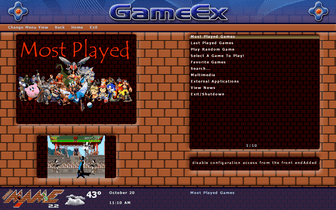
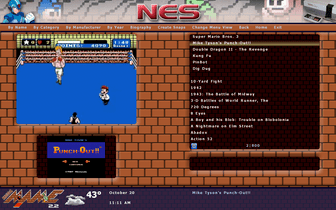
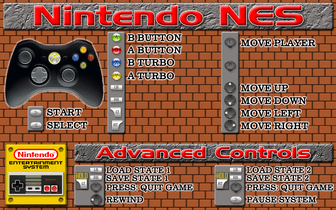
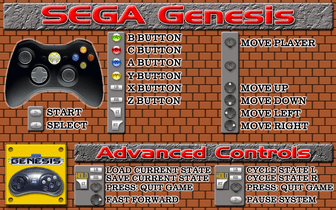
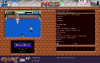
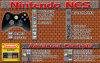
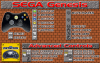
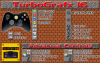
It's done (for now). My grandmother just passed away two days ago, and my life is going to be nuts for the next couple weeks, so I wanted to finish this out and get it uploaded. I may release an update pack with new sounds, but I haven't decided yet... I kinda like the ones I use now so I didn't change them. I did have a thought about using some sounds from DK (thanks Drac!), but my mind isn't made up. If I do add or change anything, I'll release an update pack that you can unzip right to the theme's folder. I'm sure my cab will have new emus added to it, and I promise to put out the emubaks if and when that happens. You know me, I like giving back. As always, the emulator template PSD is in there for you to make your own, as is the PSD for creating your own controller layout for both Xbox and Xbox 360 pads (of course, you can always customize them to your liking. These are just the two default layouts I included). I didn't put my finished ones in, but if anyone wants them just say the word and I'll upload them. I haven't been able to see the AutoUpdate1.png in action since GameEx hasn't updated since I did it, but assuming that the progress bar overlays the middle it should be fine. I better give Tom a shout out for adding this customization. It really made my day! Now for the theme specs... It's hard coded at 1680x1050. You'll have to make adjustments to the theme.ini (and possibly some image scaling for a few elements) if you prefer a different resolution. All the images are nice and crisp AFAIK. If you find one that needs trimming, I'd be happy to fix it in an update. I also put some time in on the media bar, but if new tweaks come out I've got some optimization ideas for that too. This theme uses weather and the RSS Feed scroll, but I turned popup descriptions off. Again, you'll have to adjust the theme.ini if you want to use that feature. I think that covers it. My brain is all over the place lately. I have some sample snaps below, and I may decide to upload a YouTube video if I can figure out why FRAPS is killing GameEx. I tried not to make it too personal to my cab... I hope I succeeded! Questions or comments? Feel free to leave 'em. Enjoy! UPDATED PAGES: 12.29.12 12.07.13 THEME DOWNLOAD Download it from here! (94.5 MB) You can also download it directly from GameEx by clicking here. CONTROLLER IMAGES You can download the controller images I already made to go with this theme from here. (25.5 MB) There are 17 so far, and I am in the process of filling out the collection (I'm really only missing a handful). I'll post an update when I get them all done, or if I add more systems. PS: I want to thank Drac, Tom, HK, and Freq for all their help in making this theme (and my rig) come together. Glad you guys got the eye out for us! UPDATED 10/20/11: Added WiiWare EmubakFixed theme bug where weather, date/time, and about lines 1 & 2 not showingFixed the PSDs accordinglyIncluded the background image to use for your own custom emubaksAdjusted the AutoUpdate1.png to better accommodate the GameEx progress barFixed the popup description box not showing properly when enabled (note: this is still disabled by default in the theme.ini)UPDATED 10/24/11: Added controller images
-
Shouldn't it? Is this a PITA to impliment? I can see much cleaner selector bars using this method at the very least. I worry about stretched images though, not that it's relevant (maybe it is)...
-
Well should you need anything... Anything at all... Don't hesitate to ask!
-
The best resolved topics are the ones you resolve yourself. welcome to the forums friend!
-
So... What's my excuse then? Lol! I'll spare you the trouble. I'm lazy!
-
Swappable Control Panels & Interal CP Viewer vs CP Wizard?
Adultery replied to Necromancyr's topic in General
It works natively with GameEx so that's the easy part. It's one setting and it's working. Figuring out how to do it with HK's program is the hard part. -
I saw his post too and frankly I had no idea what he was asking either, and trust me man. I'm not new around here. Some things need to be addressed by the dev. If the question is indeed does it do a smart stretch, then the answer is no. It stretches the entire image, not just the middle. Keep in mind this is just a hobby for us too, we may be good at skinning but we're not always experts in programming.
-
Ahh maybe I should have read it first. Lol!
-
Tried setting this up as an emu and/or app yet?
-
Can you use the GameExtender features if you're already using it on a secondary monitor? I admittedly never thought of this but its a good thing to have a remote for GameEx right in my pocket! Cool news about GamesDBase too!
-
Default.cfg is the default configuration for mame. Just delete it and rename the xarcade.cfg to default.cfg if you're not comfortable doing it via the command line.
-
You can use tab.
-
So add in the predefined cfg to your command line for it like freq suggested.
-
It's an underused feature for sure. I usually just request netplay on a game and wait awhile. Sometimes you get lucky and sometimes not. Make sure you configure your controls before you start playing!