|



Adultery
-
Posts
10152 -
Joined
-
Last visited
-
Days Won
159
Content Type
Profiles
Forums
Events
Downloads
Store
Articles
Everything posted by Adultery
-

Delete artwork files associated with certain roms?
Adultery replied to nullPointer's topic in Social Club
I have a few ideas for sure. Gotta finish my current project first though (which is close). -
Delete artwork files associated with certain roms?
Adultery replied to nullPointer's topic in Social Club
How bout this: Proggy deletes roms and assets. Plugin finds and removes assets based on GameEx's filter list at startup. Neither dependant on the other. Or maybe the proggy can accept command line arguments and the plugin passes them and forces a list update. -
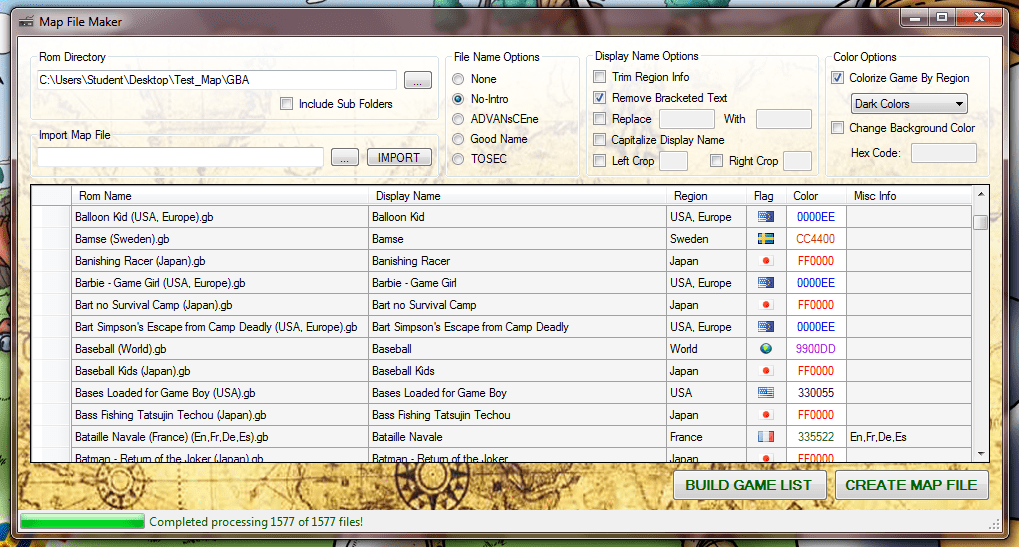
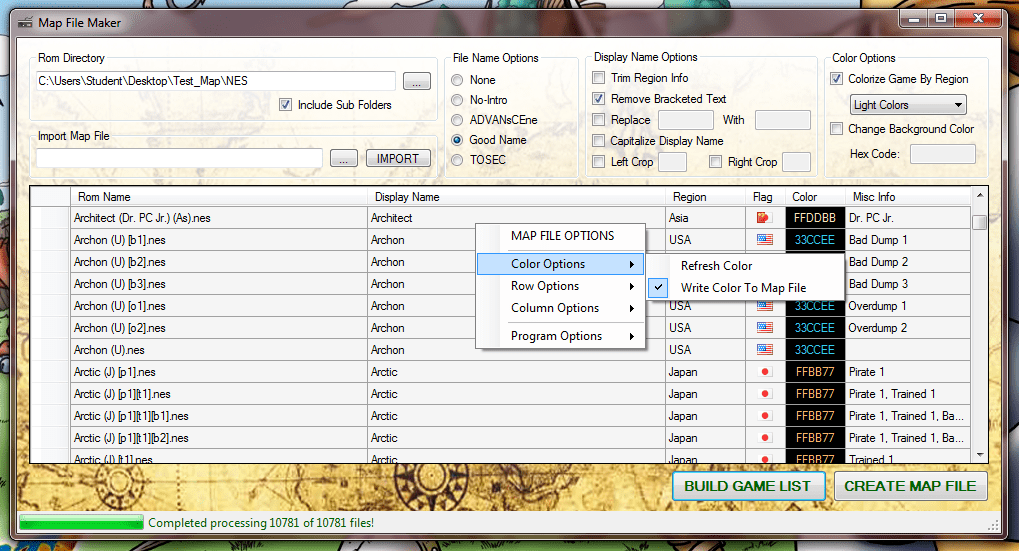
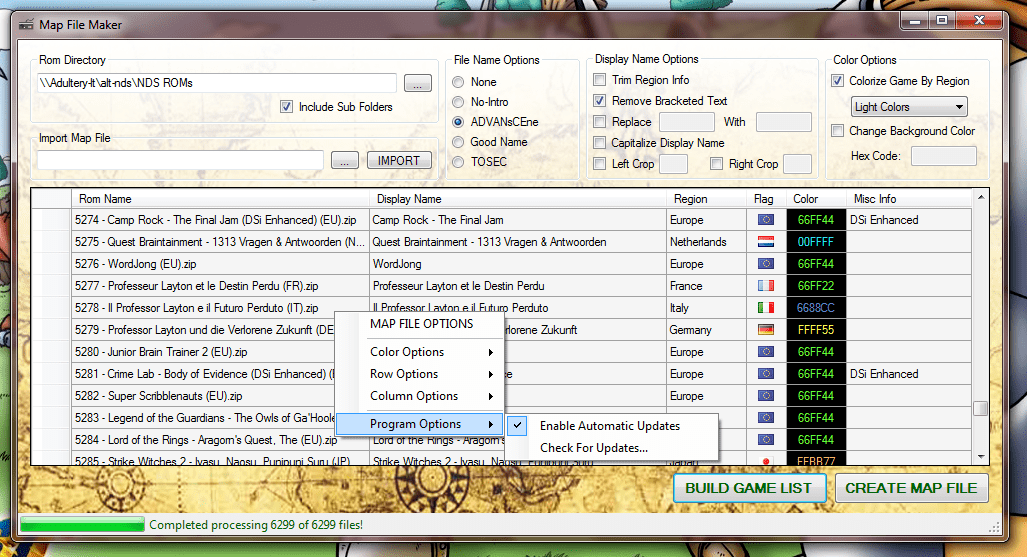
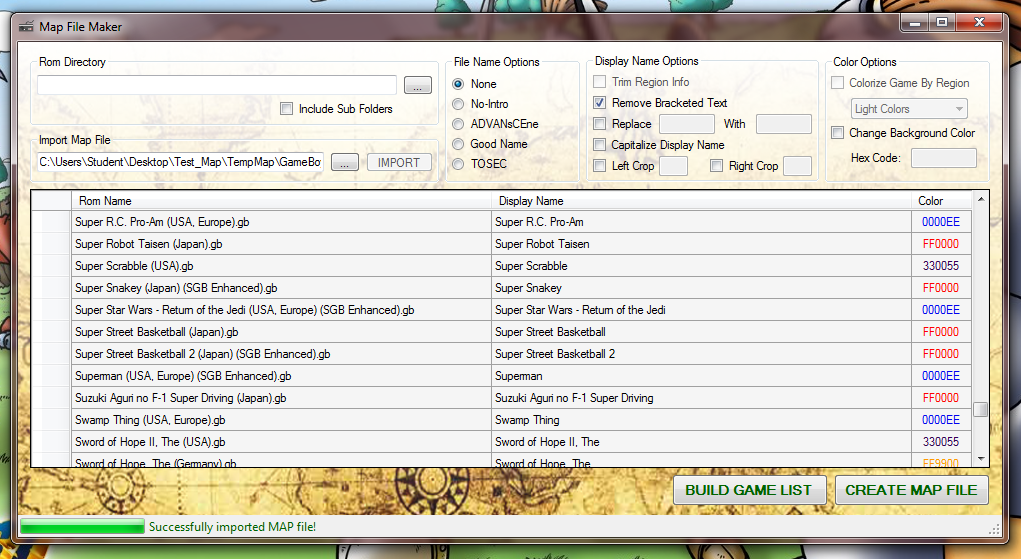
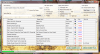
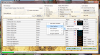
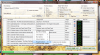
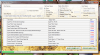
Current version: 1.0.8 As the name says, it's a program for creating and editing MAP files. Some of the features include: Quickly and easily grab your files and make working (and attractive) MAP lists for your games.Parses lots of files really quickly!Options to remove bracketed text, replace patterns, left and right crop, capitalize titles.File naming options for the most frequently used DAT naming conventions! Naming conventions include:No-IntroADVANsCEneGood NameTOSECIntegrates GameEx's List Coloring options.Enable colorization in the right-click menu (This feature is disabled by default)Import your own region colorization themesEasily create your own colorization schemes in Notepad using an included XML as a template!Share your themes for others to download and add to their own setups!Map File Maker uses the Software Updater Framework to search for program updates!Stay ahead with the latest program version!Enable or disable automatic update checking in the right click menu (This feature is disabled by default)Includes an option to check now for updates for users who would rather not use automatic updating.Comprehensive editing tools to make your MAP creation experience moar awesome!Easily add and remove rows to your MAP file.Hide and show columns that you want to see. Your selection is saved for next time too!Clear columns with a single click!New MAP File Builder option!Build clean ROM sets based off your MAP file.Fast and easy file parsing/movingGenerates MISS and HAVE lists after process completesMAP/DAT importing options!Import existing MAP files with just a click!Integrated support for clrMAMEpro DAT files! Any questions or comments? Feel free to ask 'em. I also like feature requests. Download it here: draclabs.hfc-essentials.com :REQUIREMENTS: Windows XP or greater.NET Framework 4.0:THANKS/SHOUTS: Major props to Tempest for his Map File Magician, which was the inspiration for this simple program. If you're looking for something that's thick with great features, I highly recommend it. Tom @ GameEx for a great front end. If you're reading any of this, how bout some flag code blocks? The code's already in there waiting! Circo @ EmuMovies for hosting all my apps and having the best collection of artwork anywhere. The awesomeness of EmuMovies can't be over-stated! :CHANGELOG:
-
Thanks a lot X-Arcade! That's really pimpin! And, as always, thanks for an awesomesauce FE Tom!
-
Delete artwork files associated with certain roms?
Adultery replied to nullPointer's topic in Social Club
So... Two strippers and a priest walk into a bar. We really should have moved the dev talk to social. Ill open up a new topic and move the posts when I get home. PS: I can't see your thanks thingy (its a red X) but the link still works for me. -
Delete artwork files associated with certain roms?
Adultery replied to nullPointer's topic in Social Club
What if the user was able to maintain his or her own "dat file" that you could maintain and just run through and remove all the games you already removed, then you make updates on it for the next set? Another benefit to that would be, say, Drac has a dat that only has lightgun games. I have just built a lightgun cabinet. I can just run the dat I downloaded and it pruned my entire collection or me, I just had to tell it where to look for the artwork and/or roms. Or if it were a GameEx plugin, it would base itself on your GameEx paths and remove all the games without any input from you (other than pressing the "go" button). Like it adds auto-detect kinda. Question is though... Would it be an issue keeping a full set *and* your pruned set, or are you going to totally delete everything you don't want from your set *and* your hard drive? I worry about mistakes unless it "builds" it to a universal structure, like so: Full set -> program runs a check -> searches for roms and artwork you want to use -> copes these files to the predefined structure -> point your FE at predefined folders. Roms/ Titles/ Snaps/ Videos/ Cabinets/ Marquees/ Right? -
Delete artwork files associated with certain roms?
Adultery replied to nullPointer's topic in Social Club
Seems to me they would do that so people can backup their roms and then do the delete, instead of just moving them to a different folder. If I was using it to remove, say, horizontal games... I would select that in the catver.ini, which pulls up a list of games I have with a check under each column for each type of artwork it's scanning for. Like a table: zip name, game name, title, marquee, snap, video, cabinet. Each column has a check in it if the scan finds your search query in a folder. Right there you know too what artwork you're missing for those who want to fill the list (or help submit some snaps). You can also opt not to keep that artwork if you wanted to remove a game from your lineup, (or even a full category like mahjong). Then press a button and the program builds output folders and, based on your query, removes the games you select from that list. Then you change the category, and it pulls up a list of that category. Instead now it scanned the set you have without mahjong games in it. Then you remove, say, all the Neo Geo games and assets based on your query. You're basically just fine-tuning your list based on what you have. Correct? But what if a new mame set comes along, now i have to redo the whole process again on a full set to be accurate. That kinda suxorz, no? Though I think I got a sense of what we're talking about, I'm trying to think about the logic behind it so I know what you're asking it to do. Maybe I'm just over-thinking it? It wouldn't be the first time, but it should be simple and straight-forward (approachable) in what it does. Or I just wanna make sure I'm on the same plane here. @Null: The plugin then would just remove the stuff you filter manually in GameEx? Or would be something that does all that but also takes advantage of GameEx's stuff (automagically finding art paths comes to mind), even crosses that with removing games you remove from the list in your filters? I cans see that being handy as well. -
Delete artwork files associated with certain roms?
Adultery replied to nullPointer's topic in Social Club
Just for the record... I can get that info from the MAME.EXE via XML, no need to hook a DB for that. That's easy enough to do with a plugin (I parse GameEx.ini for lots of stuff already). Not to speak "of the devil" as such, but as Drac said, what about the MAME community as a whole? I love doing GameEx plugins, and as always my first priority would be my fellow GameEx users. However I can see this being something others might like to consider using too, and I may want to use .NET Framework 4.0 instead of 2.0 for a change (GameEx is 2.0 dependant). It can, and it is indeed hooked into the API to force a rebuild. Wait a sec... We were talking about videos? I was thinking that the app could keep two directories from a master set: Keep roms and removed roms. No delete needed unless the user opts to do it themselves and the master library is unaffected in that case. I think using catver to manually seperate ROMs is a great idea, and I may be able to further enhance this using a plugin. I have a few ideas bugging around, and I can't really proceed on iMagic until I can finish "Attract Mode" (everything else is done already except the RT API calls), so I might be shopping for a new project to work on... After I finish up this quick NDS MAP File Generator I'm working on that is (I always have a side project or two going). -
Delete artwork files associated with certain roms?
Adultery replied to nullPointer's topic in Social Club
What if instead of deleting these roms it adds them to the Filter list in GameEx? I personally wouldn't want to go deleting ROMs per se... -
Delete artwork files associated with certain roms?
Adultery replied to nullPointer's topic in Social Club
I'm not sure I follow ya. Give me a nuts and bolts explaination of what ya need and I'll bounce some ideas off you guys. -
Sometimes just being there is enough... *insert sappy hollywood type music here*
-
Well color me befuddled. It works fine on my dev machine way faster at that), so I can mark this as resolved now... Although I still wonder why my cab wouldn't compile it. Good to be back at being current though! Thanks for the assist Drac & HK.
-
In many cases no, but most programs run on 64-bit machines regardless. I'm pretty sure DT Lite can run on both, as HK said the installer decides for you I'm pretty sure.
-
0.145 with hi-score patch yeah. But I was gonna try it on another machine (my dev machine is W7 64-bit with 8 GB of RAM). Just haven't had time to try it yet and too lazy to learn how to compile it myself.
-
There could be a couple things going on here. You probably have to either ISO that disc and use the DT Lite command, or set it up as an emulator and have GameEx check for the CD. Also, does it pop up a window on ya before the game starts? I'm not familiar with this game at all, so I'm flying blind here.
-
It doesn't auto-renew. After it runs out it goes back to basic mode and you have to get a new key to get the paid features back (you should notice the nag screen right away after the key expires). Do you know when it willl cease to function? Perhaps you can "post order" a new key? You'd have to ask Tom about it.
-
Well that suxorz for me! :*( S'pose I need to roll back my set. No worries.
-
I was having issues on this machine before (HK had to fix the NONE selection for Optimize For so it would work for me). I use an x86 OS, so would I still want to select 64-bit?
-
Aww man! I've compiled every major release since you put this out. I'll try compiling it on a different machine and see if it helps any. Thanks HK!
-
Why is this happening? I tried downloading the source twice in each distro. Any and all help is appreciated.
-
I'll +1 that! Hahaha!
-
The original one I hope! My wife got the complete series on DVD last year. Fine program!
-
You did indeed leave the door open Draco! Lol!