|



Adultery
-
Posts
10152 -
Joined
-
Last visited
-
Days Won
159
Content Type
Profiles
Forums
Events
Downloads
Store
Articles
Everything posted by Adultery
-
Screw backwards compatibility IMHO. I never play old games on new consoles anyways. Hell I still have my Cube hooked up and play Mario Kart Double Dash all the time. The RFID/used game debate has been around for a while now (see EA's Online Pass). Locking games out kills two industries: GameStop (and places like it) and GameFly (or rental places in general). It will just not happen anytime soon unless they just stop caring about the consumer altogether. Which can happen nowadays I suppose. Still not sold on the PS4 but the Steam and Nvidia boxes do look promising.
-
I'm perfectly happy with my Wii U to be honest. PS3 has been collecting dust for months (aside from NetFlix and Bly-Ray movies) so I might just say eff it and get it in a couple years.
-
You could use Xpadder... There's a plugin for it too!
-
Updated to 1.0.3: Added a pause before the emulator executes (fixes issue with Sega Saturn/SSF loading before mounting was completed)More debug logging added should there be future problems
-
Updated to 1.0.2: Changed plugin name to Virtual Drive LoaderAdded support for Elaborate Bytes Virtual Clone Drive in headless modeUse the command [CLONEDRIVE] to specify a VCD Virtual DriveNo need to set up the loader path in the Configuration Settings if you have VCD installed in the default locationPlugin now supports the variables "[ROMPATH]" and "[ROMFILE]" separately via the configuration menu
-
Oh wow! That's a HUGE deal! Thanks Tom!!!!!!!! I could KISS you! Matter of fact...
-
Is this recent? It only hits on the first game you run I swear! It doesn't change/fire when the game changes. I can post a Function Logger log if you like. Unless if course you changed something?
-
Since when? Last I checked the Game_Exit function fires but the Game_Run event only fires if the game isn't a MAME game (if it even fires then). If it does fire now it only started recently. Guess I should check again? I've been watching this event for a while though... would be a great gift.
-
Updated to 1.0.1: Headless Mode will now attempt to find the Daemon Tools EXE on its ownNo need to set up the loader path in the Configuration Settings if you have Daemon Tools installed in the default locationIf you chose another location to install the EXE, specify it in the Configuration Settings and the plugin will check thereAdded support for Alcohol 52% and Alcohol 120% Virtual Drives in Headless ModeNo need to set up the loader path in the Configuration Settings if you have Alcohol 52% or 120% installed in the default locationIf you chose another location to install the EXE, specify it in the Configuration Settings and the plugin will check thereUse the command [ALCOHOL] to specify an Alcohol Virtual DriveAdded support system for future Virtual Drives (just make a request for yours and I'll add in the code)You can get it from the first post.
-
You can save the URL too. Its always the same. I'll have another look but I just copied the link in the right cluck menu and pasted it here... idk.
-
Its not like it was a massive effort. Just seemed like a quick easy project to knock out an afternoon by. Idk... why go through all that surgery when you can just throw on a bandaid?
-
Works for me... Here's a direct link. http://draclabs.hfc-essentials.com/downloads/software/gameexlaunch/GameExLaunch.rar Might need to refresh the page.
- 44 replies
-
- 1
-

-
- gameexlaunch
- addon
- (and 1 more)
-
Bingo. That's precisely it.
-
I just made the plugin look in a specific spot for the exe and launch the command you specify. Tom's support isn't detecting DT properly all the time I hear, especially with SCSI. I'm probably not right about this, but I think Tom is using the manufacturer name of the drive and hooking it in somehow. Headless support only works if you tell config where the EXE is. The plugin is just more for universal image mounting I suppose (minus headless mode).
-
I fixed the links now. Enjoy. http://gameexlaunch.hfc-essentials.com
-
Anytime!
-
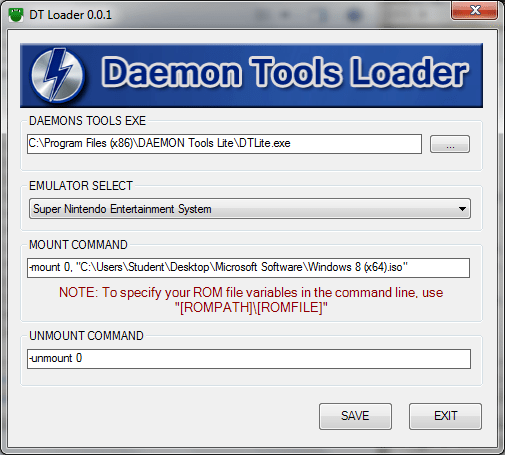
Virtual Drive Loader 1.2.8 Simply put, it's a plugin for virtual drive loaders. It currently supports Daemon Tools, Alcohol, and Virtual Clone Drive natively. The plugin also supports GameEx's Roms In 7-zip and Roms In Subfolders options, making it your only native choice for these features if you use them. Some other features for the plugin include: Emulator Specific Setup Select the emulator you wish to use the loader on from the drop down menu Set up your mount and unmount commands If you don't have this set up the fields will populate based on found mounting software Headless Mode Add switches to the GameEx emulator command-line to bypass the emulator configuration Using [DTLOADER] or [DTOOLS] in the emulator's CL will mount using the default drive Using [DTLOADER-SCSI] or [DTOOLS-SCSI] in the emulator's CL will mount using the default SCSI drive Using [DTLOADER-IDE] or [DTOOLS-IDE] in the emulator's CL will mount using the default IDE drive Using [ALCOHOL] in the emulator's CL will mount using the default Alcohol drive (both 52% and 120% are supported) Using [CLONEDRIVE] in the emulator's CL will mount using the default Virtual Clone Drive drive Using [MAGICISO] or [MAGICDISC] in the emulator's CL will mount using the default MagicISO/MagicDisc drive NOTE: If you installed these programs using the default options, no setup is needed for Headless Mode to work Any questions or comments? Feel free to ask 'em. I also like feature requests and very much appreciate bug reports (these are especially helpful if you also attach a copy of your log file in the GAMEEX>PLUGINS>DT LOADER folder). DOWNLOAD LOCATIONS: This plugin can now be downloaded using GameEx's Repository Manager or via the plugin administration menu in the Setup Wizard. Download @ GameEx Community Download Portal
-
I would consider this BETA right now... Pretty self explanatory really. It's working on my machine (but I can't test the scsi command without a restart). As a matter of fact, you should be able to use it this way for any kind of Virtual Drive software that supports command line input. Let me know if it hits the spot. http://www.gameex.info/forums/topic/12415-plugin-dt-loader
-
Well to be honest, I'm gonna approach this from the ground up so I can tightly control the code. Instead of trying to "inject" things, I think the best approach would be to make my own class to launch DT as the emulator launches. Then the user will specify the EXE themselves (although I'll run a script to try and locate it programatically) and bundle in some pre-fabricated command lines, while leaving the option to change it to suit your needs. I'll parse the GameEx INI for the emulator list so it'll be a dropdown menu. Probably include a check box for SCSI and just pass the appropriate command out of the box without having to involve the user much. Also gonna use the same triggers GameEx uses (like "[ROMPath]/[ROMFile]" for example). Honestly it shouldn't be a huge undertaking, but knowing me it will be pretty at least. I don't think I'm biting off too much here, we shall see what becomes of this.
-
Actually I fixed up PlugInLaunch to do the extra command line just to fix DT support (I've never had any success using LaunchBefore) so it definitely works that way. Kudos to Tom for adding support for DT, but it looks like a dedicated plugin will be the way to go here. I'll get working on that. Then we can use a switch Luke GameEx already does (say something like [VIRTUALDRIVE-SCSI] maybe) or better yet, a configuration screen that sends a specific CL for a specific emu based on some minor user input. Should be easy to knock it out. Let me see if I can work up a beta today. Again I don't wanna step on Tom's toes but if it doesn't work, it doesn't work (although it should be noted that it works for me). Any quick suggestions before I get started?
-
Why are you not using native DT support? [VIRTUALDRIVE] Maybe I need to re-read this thread?
-
Along with the launch of the Map File Maker website over at DracLabs, I recently updated Map File Maker to 1.0.7! Starting with this version, there's a new Map File Builder option in the GUI. Basically you are entertaind by a nice spinning wheel as you wait for the operation to complete, and the program opens the destination directory after it is done. Here's what it does: Build a ROM set based off of an existing MAP fileKeep your sets seperated to conserve HDD space on your gaming machineMFM generates Miss and Have lists based on the build results so you can get the perfect set every timeYou can use the Automatic Updating feature to obtain the latest version, or simply visit DracLabs and download it. Thanks for using this, and I hope you like it!
-
Hello everyone! I just want to let you all know that there have been some pretty hefty updates in my plugin as of late. In addition to the updated Game Info website, I have added a theme section, a comprehensive overview of all the features available, a nice write-up for theme creation with a sample XML, and I added a link to my Last.FM patch so you can download it directly as opposed to PMing me. And here is the changelog info with a pretty fair feature list. Here's a list of the new features in 1.1.6: New Control Panel ViewerPressing SHIFT+SPACE in game brings up a Control Panel viewer, which is set up in the plugin's configuration.You can specify a backdrop for the image to overlay onSet a default control panel image for any emulatorSpecify a set of controls on a per game basis by naming the image the same as your ROM fileNew menu dialog forms for browsing in GameExEach menu you select now displays a dialog form (IE Netflix has a Netflix dialog, Emulated Games has one, Last Played has one, etc)The image displayed is the same image as the one in your theme's logos folder (Default - Default is used if the image cannot be located)All the dialog text is localized based on your GameEx language setting (including the Custom option), although I don't think the Japanese text will work since the font set doesn't contain a Japanese character setIn the future I plan on adding customized text for all the label fields as well (Playing, Artist, Album, Genre, Dev, Bio, etc), making this my first multi-lingual applicationFixed a bug where the plugin was crashing when the network was connected but the Internet wasn't availableUsing the MegaMAME Extreme Game Info theme has a hard coded direct link to the artwork in the MegaMAME GameEx Theme regardless of what theme you use in GameExMoved all network based initialization settings to a thread to drastically improve GameEx's loading speed when the plugin is enabledFixed a bug where Random Game was not initializing the Game Info after the game was launchedFixed a bug where the plugin could not find info in the settings when launched from Most Played or Last PlayedThe next thing I'm gonna add is an FAQ Text Reader, which is a simple text reader that may be useful for reading walkthroughs. I might also add a map viewer option to take advantage of EmuMovies Maps (could be used to display an overworld map for Final Fantasy for example). Thanks again to everyone who supports my developments, and kudos to all of you that use my software.
-
Haha your link connects to this thread! #facepalm