



|



Adultery
-
Posts
10152 -
Joined
-
Last visited
-
Days Won
159
Content Type
Profiles
Forums
Events
Downloads
Store
Articles
Everything posted by Adultery
-
Happy birthday amigo! Make sure you stay off the streets, it's garbage day and being as old as you are, you might be mistaken for an old water heater or something.
-
It's AutoIT I think... Which I personally know nothing about, sorry.
-

Game Info Add-on For High Score Competition
Adultery replied to Adultery's topic in GameEx Hi-Score Competition
Well this turned out pretty OK... You can view the current XML here: http://gameinfo.hfc-essentials.com/hiscore/HiScore.xml This will look for and download an updated version automagically if one is found on the server, so as long as the XML is updated, the scores will be too. The background is customizable with every other theme element. I'll be rolling out a release soon. Thanks for your help/advice everyone. -
Game Info Add-on For High Score Competition
Adultery replied to Adultery's topic in GameEx Hi-Score Competition
The footer will only work on a single screen when GameEx is in Windowed Mode. It's not what the plugin was designed for, but I added this functionality when I was testing on my dev machine which is a laptop and therefore only has one screen. Although it works this way as Drac pointed out, it's more of a side effect than a feature.. -
Game Info Add-on For High Score Competition
Adultery replied to Adultery's topic in GameEx Hi-Score Competition
The backend is done already, and I'd be more than happy to share my hiscore VB.NET class with Tom if he wanted it ( it dumps all the data in the XML to a DataSet), so it's nice and easy to integrate. Most of the rest is cosmetic. I finished (sans testing on my cabinet) the integration and the display already. I'll snap some pics and share them soon. -
Game Info Add-on For High Score Competition
Adultery replied to Adultery's topic in GameEx Hi-Score Competition
The short answer is... I can't do that. What you're asking is out of the scope of the plugin system It's a good idea, but the plugin system is completely independent of GameEx itself (it's really more of an add-on than a GameEx native app). I wish I could help out more on this. -
The next version will tie in the GameEx High Score Competition to the plugin via a centralized XML. I'm hoping to make a popup that displays the top 10 high scores, the rules and notes, and the dip switch settings, which will pop up via a key combo both in GameEx and the actual game itself. I think it's a really positive thing you guys are doing, and I want to support that effort in the only format I know. Stay tuned for updates!

-
I added a feature to Game Info to show a message if the game you select is on the list of games to compete for. What do you think? I want to add in the top scores for each game and the settings required, and release the XML to you guys. We can keep an official copy on the server and I can have Game Info download updates automatically, if someone would be willing to maintain the XML. Here's the POC: I want to add a specific key press to bring up a form with all this data, accessible from GameEx's menu as well as in the game... It would be nice to be able to look at that info while playing. This is the dialog form that pops up when you actually select the game, I'll probably remove the URL to the forum and add [PRESS SHIFT+9 FOR MORE INFO] instead. Can I get that header logo from the score table (or can someone make me one) in a PNG with transparency for the info screen header? Here's the XML as it stands so far. Pretty self explanatory really. Just need someone to maintain it and keep the structure intact. gx_hiscore.txt PS: Sorry if this is in the wrong place, I know it's a locked topic. You can move it if you so choose.
-
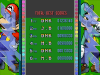
Although it was an obvious rip-off of another shmup too obvious to mention, it was smashing TV game show fun. INITIALS> DNK SCORE> 1,236,140 MAME> 0.148 Compiled I'm gonna have another go at it later though.
-
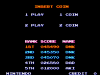
So... HI> 45,490 INITIALS> DNK MAME> 0.147 compiled Settings as requested. Let's do Tapper too!!!
-
This should be enough to get me on the board, no? HI> 16,800 Initials> DNK MAME> 0.147 compiled

-
Here's a quick and dirty demo I whipped up with ezvid.
-
Not to be a bother Tom, but you missed the Xpadder Plugin update, which enables Xpadder to continue running after GameEx exits. Thanks everyone!
-
1.1.7 Is Out!! Here's a list of changes: Added new SQLite parsing featureNow fully integrated with GameEx's favorites, times played, etcIf you add a game, the DB3 file is not updated until you restart GameExDB features will still work for legacy MDB files if no DB3 file is foundNew features for Attract Mode Info screenThe info screen now shows the title snap and marquee if a MAME game and the title screen and snap if notYou can specify a default marquee in your theme XMLNew icon to display the status of the game running:The icon is a gold star if you have the current game in your favoritesThe icon is a coin if you have played the current gameThe icon is a red X if you have not yet played the current gameNew "Smart Display" pulses the image to avoid damage to your screen if you leave your cab on all the time, which can be disabled in the configurationNow calculates accordingly and closes the info form fully 5 seconds before GameEx changes to a new game. "Short Display" option will override the calculation and close the Attract Mode Info after 60 secondsNew options to customize the labels displayedChange the header labels to reflect your personal tastesLabels are locked at 8 chars to keep formatting properly, and the colon is added automagicallyDisabling custom text will revert back to program settingsProbably a bunch of other stuff I forgot about, and a big increase in stability for "long hauls"Here's a picture of the new Attract Mode Info screen on an unplayed game: Make sure you extract the whole PLUGINS folder to your GameEx directory, as there's new InterOp files for SQLite. Grab it from the first post.

-
Thanks everyone! I have a Game Info update coming soon too, so watch out for that bugger. You guys are always with me even if I'm not here per se.
-
Your wish is my command! Version 1.0.9 Is Out!! Added option to leave Xpadder running when GameEx closes
-
[LOADING SCREENS] Emulator Specific (1920x1080)
Adultery replied to KRC's topic in GameEx Media Projects
No there's a setting in each emulator's advanced config. What I do is point the Artwork folder at EmuMovies backgrounds and set the not found image to these. -
/me shrugs The thing is moo one can fix it if no one can reproduce it. Sorry.
-
Not exactly, but many of the features I made in iMagic got revised and built into Game Info. At some point I decided to work with GameExtender instead of against it. iMagic was cool but it was unstable unfortunately. Plus MM already does a more than adequate job of this.
-
Nope I killed that project. Sorry.
-
UPDATED TO 1.0.4 Fixed an issue where commands weren't stripped properlyAdded support for emulators that use GameEx's "Files In Zip/7-Zip/RAR" option Special thanks to discomike for his assistance in fixing GameEx 7-zip support! You can pick up the latest version in the first post.
-
OK, so here we go. I set up a Sega CD emulator to use 7-zip and set the filter to *.iso. Then I launched a game through it. GameEx extracts it and I pick up your 7z setting from your GameEx.ini and act accordingly. So far, so good. I opened the runitgame.bat, and the dtloader.log and assured the commands are looking good. Still good! The GameEx command has the switch removed, the image mounted, all is well. After a little research I discovered that GameEx now uses the Windows temp folder to extract the files to (which is awesome by the way), so I am sending the Virtual Drive Loader there when 7-zip is turned on. I'm still loading an ISO direct from the emulator, I only confirm that this does indeed mount from the right place now and DTLite is working. Try it and it should also work for you... And let me know how you get on.
-
EPSXE should never know that it was in the command line in the first place (it gets removed before GameEx runs it, or should...). The command is actually [DTLOADER-SCSI] by the way (in case that wasn't a typo). Sorry it didn't work for you, it seems it's still not picking up the unzip folder from your GameEx.ini - I will still fix this though. If you would be so kind, please try this instead. I added a little more logging and fixed the folder that Tom unzips to (it was Unzipped7-Zip as opposed to Unzipped7Zip as I initially thought). I appreciate your help.
-
Congrats Dazzle!



