|



Draco1962
-
Posts
19238 -
Joined
-
Last visited
-
Days Won
663
Content Type
Profiles
Forums
Events
Downloads
Store
Articles
Everything posted by Draco1962
-
@fReq and Tom - same issue reported here at the same location in the log file by ebifri : 20:06:36.9 2011/05/06: Initialising Bass Audio Library 20:06:36.9 2011/05/06: Creating instance of global keyboard hook 08:40:59.1 5/7/2011: Initialising Bass Audio Library 08:40:59.1 5/7/2011: Creating instance of global keyboard hook The ebifri had updated from a previous version (original version unknown at this point). @drunkenpirateking - Did you update from a previous version or is this from the direct download?
-
I'm a "leet!" w00+!
-
Well, just days away from new logo pack(s) time. For size consideration, I will likely split the pack into two - the first will be the core pack with just the system logos and other logo files, and the second will be system logos with consoles only.
-
Kian - I took a look at the .ini file. Looks like all is fine to me there. Please take the following steps, in order, and report back. 1. Exit GameEx if it is running. 2. Delete ALL files containing the word cache in the filename or extension under the \gameex\data path. You will need to manually select the files as a wildcard *.*cache will not eliminate all cached files. 3. Start Snes9x and ensure that the ROM path setup there matches what you have in GameEx. Change it if not, save the change, then exit Snes9x. 4. Restart GameEx. Let us know how this works for you.
-
It would have to be programmed in and quite daunting to make it invoke MAME-like since MESS supports quite a few systems to varying degrees. GameEx is ordered by the system being emulated, with the emulator being invoked accordingly. It may be possible to setup something under Emulator Groups through the advanced configuration app, but likely this would be a meets half-way measure. The only other option that comes to mind would require the use of Custom Menus as opposed to the stock menu system that GameEx provides. This would be a totally manual process but you could set up a MESS Menu with sub-menus setup buy emulated system. You would still have to setup each system to be emulated separately pointing to MESS as the emulator selected, with the paths set for each system's ROMs accordingly. There would be no interaction with MESSUI.ini as noted.
-
@Mesk - I hate you.
-
That's MISTER NERD to you!! LOL!
-
ebifri - Do you have the latest video drivers installed? If so, you may wish to reinstall them. Also, please go into your \GameEx\DATA path and delete all files with the word cache in the filename or extension. If you are still getting an error after, try downloading the latest GameEx version (11.71) and install from the download file instead of performing an update.
-
I'm not a god, but I do play one on TV...
-
You will have to open the gameex.ini file as a text file (open it in Notepad and save it this way with a .txt extension). Also, make sure that you have the latest Direct X installed and most recent up-to-date graphics adapter drivers. Thanks! Mike
-
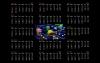
A little 2011 Calendar Desktop Wallpaper treat!
-
Is this the entire log file? If not, please resubmit complete log. Also provide a copy of your gameex.ini file (saved as a text or txt file). Thank you
-
That is pretty much my point of using RDP. Ibelieve that VPN does give one the option,. however, of logon to the client PC without it being attended by someone to accept a connection request and be in the logged in session. RDP does allow for copy/paste as you say. If running a server, you can centrally store any updates and map top the source which is what I do in my current environment. Since the only PCs I have running GameEx are right beside me (My desktop and a laptop) along with my headless server) RDP is perfect. If my wife needs my assistance with her PC, she sits across the room!
-
I have experienced similar delays with the mapped drive. Utilizing the UNC may be a little faster normally. One thing to keep in mind are the settings on the machine to which you are mapping regardless. If the power settings are set to where the drives "spin down" after a set time, you will add delay in accessing files on them while the drive is spinning up to speed. Also, do you have indexing enabled? This can also cause some latency in Vista/7 systems.
-
I think he may need to schedule some time for a direct connect to his desktop by one of the Gameex gurus.
-
You say that you can run games in mame. How are you accessing it? Can you provide a screen shot? What is the executable file name?
-
Have you had any luck with Virtual Colecovision, Colem, BlueMSX or MEKA?
-
Looks like the core clock speed on your machine is below the recommended. Not much you can do even if you were able to overclock the CPU (which I DO NOT recommend you attempt as it can, at best, make your overall experience unstable and, at worst and more likely, brick your system if you haven't any idea about what you are doing!). If you were using an earlier version of the program with good results, I would continue to use it as these requirements are pretty steep.
-
MAME comes in several flavors - Command line (think DOS) and GUI. You have GUI most likely. Set it up as you desire, however, it is easier to help you to troubleshoot if there is a consistency with recommended path conventions. Trust me, it will save you some headaches down the road.
-
My wife always tells me that "He who dies with the most toys does not win, he just dies with a bunch of junk the widow has to yard sale." I point out the shoes and clothes which she promptly reminds me that they are to be worn. You can't wear an arcade machine or an Xbox or a laptop to work. I guess she is right, but I think that for most of us males (and some females) that Pokemon had it right - you gotta have'em all!
-
Best to put them where they are properly pathed within MAME.
-
Then you will need to create one. You will need to go into your MAME options and map the icon path. Once you have created the icons folder and mapped MAME to it, you can download the icon packs from one of the sites Adultery and I mentioned and extract them to it.
-
A good place to start is Mamu's Mame Icons . I have found his sets to be pretty full and reliable but, as with almost any collection, you may not fill every empty space. Google is probabl;y the best resource you can use to search for most of what you will need, just takes time. As for the missing ROMs, try turning off all filters (Adult, etc.) and have GameEx generate the list again to see if all 34 ROMs show. If they do, then it is one of the filters that is screening some out.
-
It was a good read - I tend to devour books that are well-written and of a topic of interest fairly quickly. Will probably buy the real book to get the CD. I am also interested in either a Xoom or one of the other tabs when I get my cash flow going again.
-
You may need to tweak your settings using the advanced configuration app that comes with GameEx. Just to be certain, whenever you need assistance troubleshooting, please provide a copy of yoru gameex.ini ( see my previous post regarding) so that we can "at a glance" advise you on where to make changes. One you provide that we can go from there.. thanks!