|



Mike_da_Spike
-
Posts
3796 -
Joined
-
Last visited
-
Days Won
242
Content Type
Profiles
Forums
Events
Downloads
Store
Articles
Everything posted by Mike_da_Spike
-
See #3 of Joyriders post and with the link of dmext. That should help you positioning your dmd
-
Don't you use dmdext to mirror the onscreen DMD to your dmd screen ?
-
I tested it on my test system again (no time to test it on my cabinet yet), but the tables I bought on steam all launches fine. it is launching Zaccaria, I see that the table I selected is highlighted and it starts the table till I have the ball in front of me. Only question @Tom Speirs, do you overwrite the Zaccaria system logo ? Edit : never mind. My fault. New system is called Zaccaria and my previous was Zaccaria Pinball . Still there ! I used Scutters tool to create this animated:

-
Can't you use dmdext.exe with parameter --resize- to resize the mirrored output screen ? See https://github.com/freezy/dmd-extensions/blob/master/README.md Im using a real dmd, so default to 128x32
-
Hey guys, Just keep al friendly. There is already a lot of trouble in the world. Not taking any side of one of you, but I just opened this thread to show how easy it was for setup and to ask for future updates
-
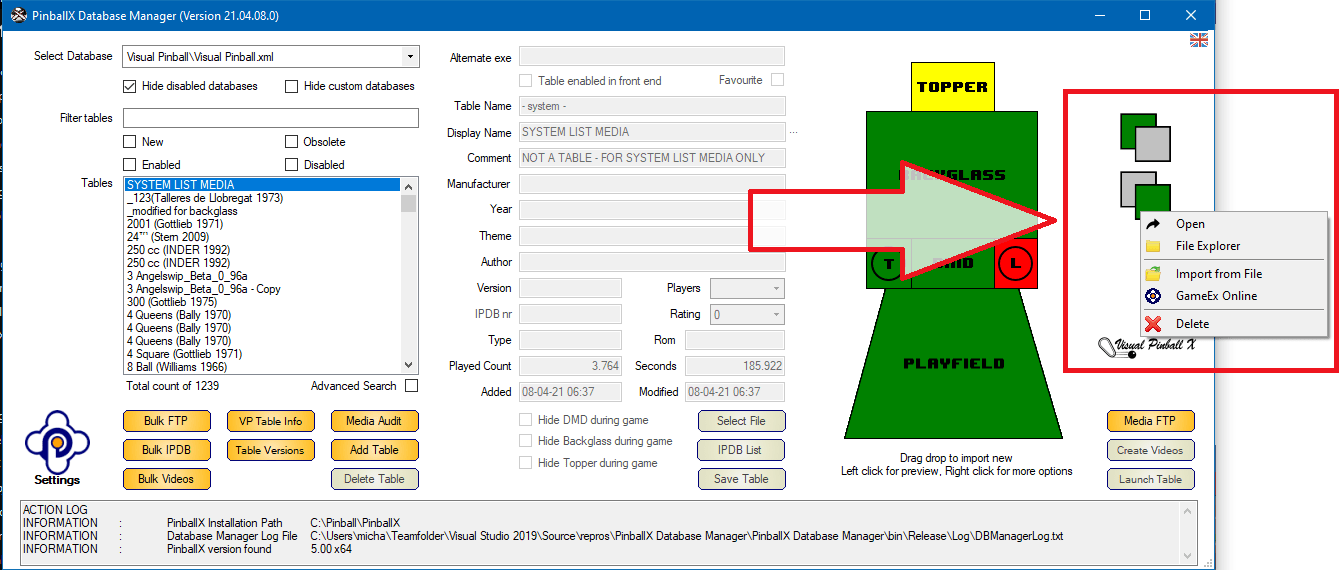
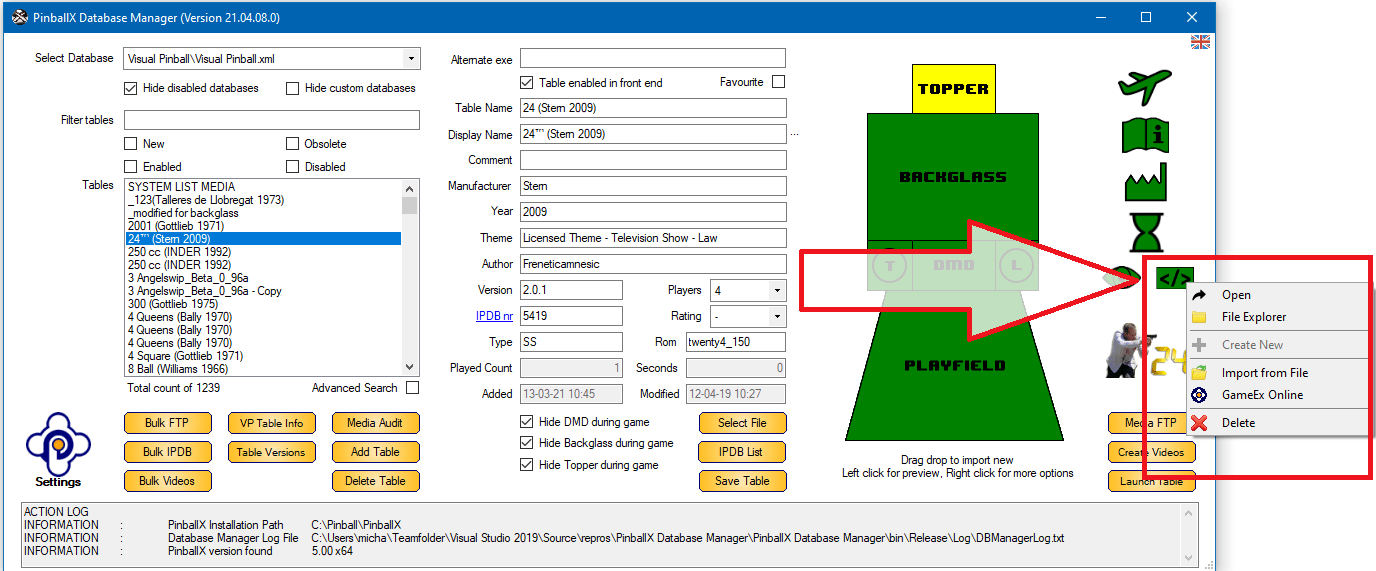
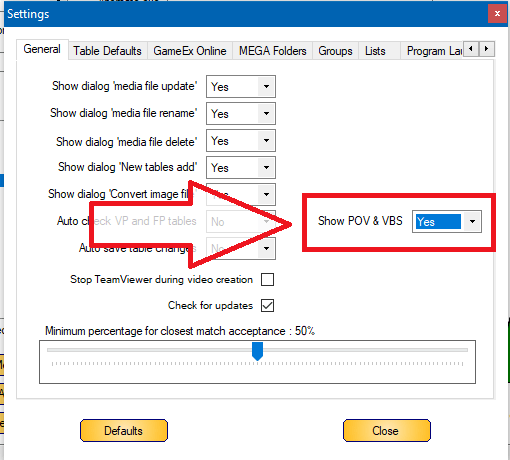
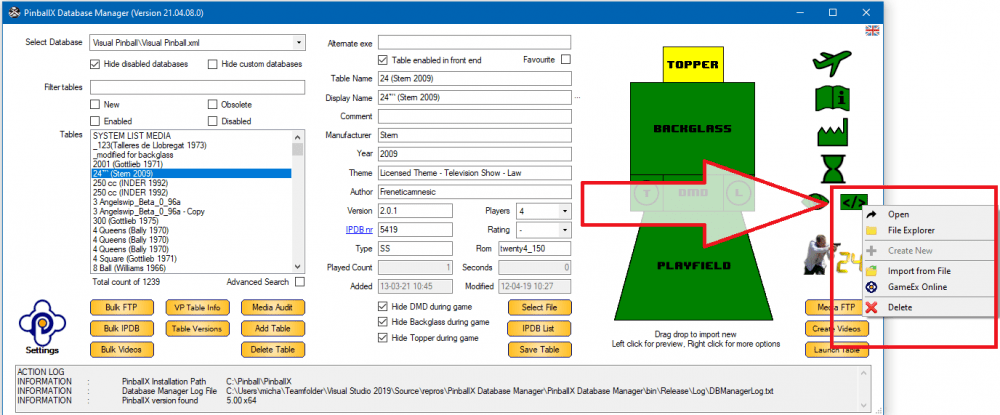
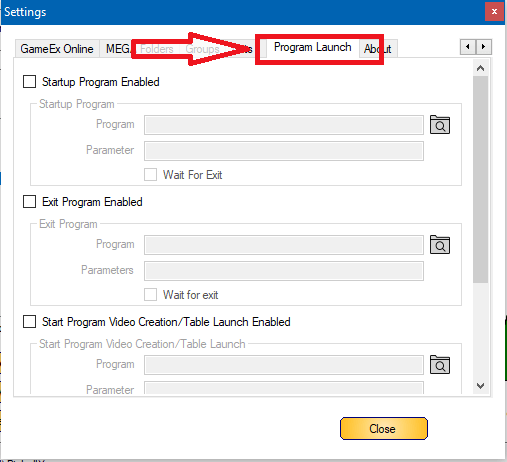
 A new release with new features in it. Thanks to my good friend @scutters who did most of the code of this release (again). Now easy to show and manage your underlays/overlays. drag and drop, get from Gamex FTp, or add a Megalink in settings to manage it For cabinet users I upload some underlays from @PcTeknicto the FTP, so you can already use them Another nice option is the management of VBS files for Visual Pinball tables. If you don't see them, enable it in the settings: and that will give you an extra option icon on the table screen : If you don't have the vbs yet, you can select "Create new" this will extract the VBS code from Visual pinball as a text file and with "open" you can edit it and save it, without changing the table file. If you screw it up, select "Delete" and click "Create new" again for extracting the original code from the Visual Pinball table. If you find any megalink link with VBS code, you can add it in the settings menu as well (no VBS files on FTP available yet) Another option that is added, is to launch files/programs before database manager is started, or when database manager is exiting. this could be handy if you have a script to rotate your screen (or in my case: rotate screen, open the correct directories on my screen to add tables) When closing databasemanager you can also launch a program. For example PinballX to see how al looks like, or in my case to run a program that will generate DMD videos based on wheel image, year and company logo's You can find it in the Settings menu under "Program Launch" There is also a "start/exit program Video creation/table launch" These are separate programs that can be launched when databasemanager launches PinballX (for video creations or launch tables) . Maybe you want to run a program as well All is optional ! These are the major visual updates we added. Check the download page and release notes for the full list. @scutters, thanks again for making this release. This one is yours ! EDIT : Completely forgot to mention it. We will add in the next release an FTP upload as requested by @MetallicaVPin Tom gave approval, and I have some ideas to not screw up the complete FTP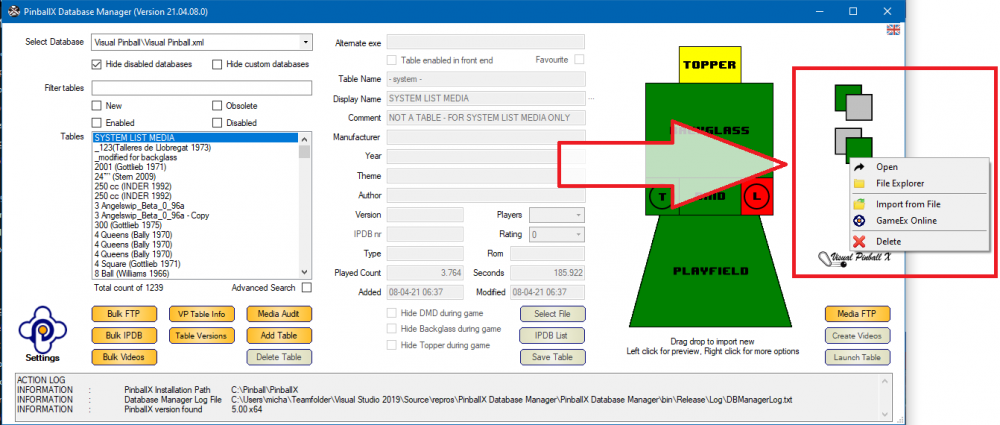
- 418 replies
-
- 2
-

-

-
- mikedaspike
- scutters
- (and 1 more)
-
This should help you
-
Can you post your log file and your config file ? So all media looks good in gamemanger/Databasemanager? Are media file named to filename or to description ? Did you actually add any media to your other tables ?
-
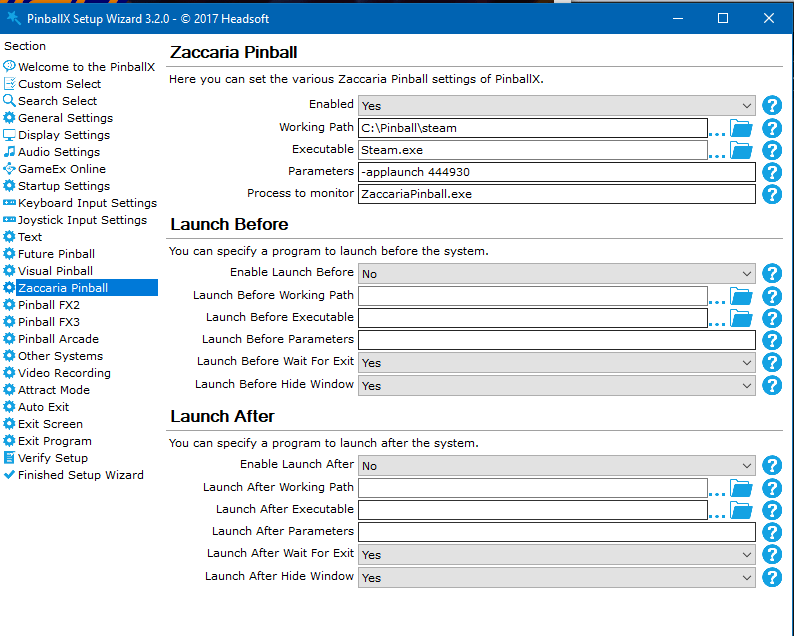
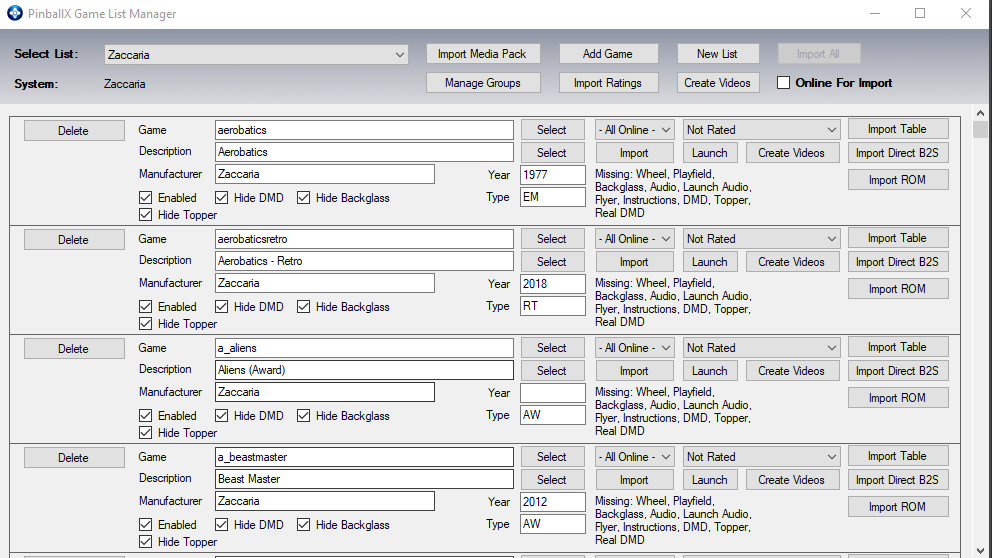
No issue found so far for the new Zacxaria ! Good job Tom, but just wondering. Will the XML file be automatically updated if Steam update / add tables, or is the XML static and we should add manually the tables ? Setup was pretty easy for me : I have Steam installed in my C:\ pinball directory (Everything under c:\pinball is automatically backuped And all was visible in game manager : Thanks @Tom Speirs for this easy install of Zaccaria !
-
I had the same with my vpincontroller. My switch of my 2 euro coin chute was "pressed" (it was stuck and the button was constantly pressed) I didn't noticed anything, but PBX behaved steange when I wanted to go to the next table. Every menu item selected multiple entries. Checking my joy buttons in windows, I noticed 1 was pressed. Fixing that dipswitch, al was working fine for me
-
Thank you very much for your kind words. And awesome we have a person who use our program. And yes. Scutters and I discussed the feature to upload file to ftp. Normally I upload manually missing table wheels, flyers or instruction cards that are not on FTP. But I have a backlog of all tables since 20th of november. Anyways, about my discussion about uploading missing media. I was against it, because people could easily add media and even overwrite media. But if people really wants this, we can add a function that will always add a file and never overwrite or delete it. Need to ask @Tom Speirs if it is a good idea, as Tom is the owner of the ftp. Btw. It is 'Mike da Spike' (not Mike the Spike ) Cheers Michael
- 418 replies
-
- 1
-
-
- mikedaspike
- scutters
- (and 1 more)
-
Maybe create a blank video/image and assign it to all your EM tables I thought (not sure) that if you overwrite the default image, it will be replaced when PBX is updated I'm creating per table a mp4 that shows the wheel image, year of table and vendor. 7 seconds in total.
-
Maybe a stupid question: why was your cabinet up for a month ? Was it for a test, or you played a lot ? I'm using PBX for a long time as well, and mostly a crash or freezes are it not caused by pbx ( if any issue occurs). But logs and settingsfile would help to do any investigation
-
This is something that people ask us frequently. As Draco said : ask the seller how he managed it, or (and thats the best option): buy an extra harddrive (ssd), install latest Windowz on it and start from scratch. So you are in charge of your directoey sctructure, know how all works and you can frequently update it and add customization (like pbx addons) It's a learning curve, but think you definitely like it
-
I don't think it is a pain in the ass to do all, but people wants all to be easy. Served on a silver plate (and want to pay for it) But the beauty of this hobby, is that you start from scratch. Build your own cab, investigate how all is working, make the cab yours. And totally agree that other people earn a lot of money, instead of the people who creates the software. Not only the software of the front end, but also the software the emulators uses like FP and VP. And pinmame, dof and don't forget the authors that create the tables in their free time and share it for free to the community. I have deep respect for all the people who made my cabinet as it is now. And I can understand their feelings when their program or table is sold to someone that wants to have an easy setup on their cab (or bought a complete cab). Maybe create for pinballx some kind of activation per computer, so that unauthorized pc's are not able to run it (if the geo blocker doesn't work fine) As for me, you are still one of my heroes Tom . And ondeed, life is too short. It can end any day, so just make fun out of it. (Although I'm Dutch, I hope that people understand what I try to say)
-
Ha ! Good one ! Free advertisement for yourself I know one too. For adding/modifying tables, download Databasemanager from the download section.
-
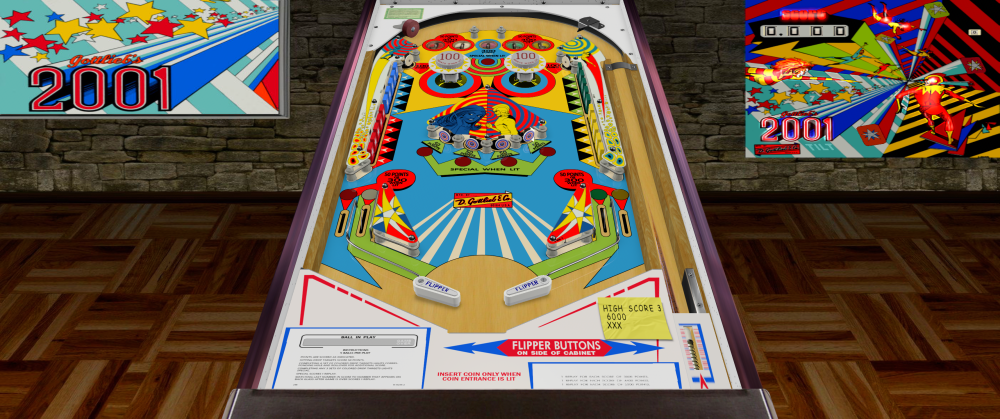
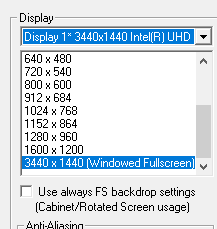
I never tried it, but I thiught that most tables in desktop mode showes a "splitted" backglass on your screen. EDIT : Did a quick test on my test machine with 1 monitor. I unchecked the "Use always FS backdrop setting" Started some random tables that where created between 2016 and 2018 : So maybe you need some adjustments for the virtual DMD, but most are looking good (these are just copied over from my cab)



-
1) Yes (and a lot can be updated) 2) google is your best friend. Not sure what you have, but PinballX is a frontend that give you an easy interface to all kind of emulators that you need to config. For exame, I bought all the Zen Stuidio fx3 tables (around 100 tables), zaccaria, and pinball arcade. But also free tables for visual pinball (those are the best), and future pinball. But you need to understand how all is working. For example visual pinball, uses pinmame (like mame, but adjusted for pinball roms), a backglass file and a table file. You can add DOF to it and some other cool stuff. With this is mind, let your imagination go on google and check tutorials etc. Hope this helps Edit : for someone that is member for 14 minutes and posted his first question, you won the quickest thread of the month award !
-
Issues running PinballX with VPX in Fullscreen Exclusive
Mike_da_Spike replied to Knievel's topic in General
As far as I know, pbx stores just a few settings in the registry (uid and pw for ftp), but most settings is in your .ini file. See HKEY_CURRENT_USER\SOFTWARE\PinballX for user related settings -
I thnk it is indeed possible. First setup all your vpx tables to run in desktop mode. This will show you all on 1 screen. For pbx, set in desktop mode as well, dont use directb2s, and no pinmame and creates new videos or static images
-
Lol. I thought you automated all and are in control. Don't put too much effort in it. I thought you could easily click on a button to fix it
-
I searched on my harddisk and could not find it (anymore?). It is fine if you reset my gamecard (if that is possible) the "use default" button doesn't reset it for me
-
Animated system logo with animated company logo, only company appears
Mike_da_Spike replied to Wiesshund's topic in General
Maybe a stupid question, but why are you using the lite version ? Although the pc is not midend, it looks like it has enough 'power' to run full pbx. Maybe Tom disabled this on purpose to lower the resources in PBX Lite -
Pinballx will not show Future Pinball tables in wheel list
Mike_da_Spike replied to Mike Iacaruso's topic in General
You properly miss something, but as @scutterssaid, without tbe ini and log file it is just guessing. Btw , Did you know that Databasemanager has a filter, so that not enabled systems, will be hidden ? With this option, you can easily check if you setup a system correctly and that it will be showed in PBX -
Btw ... to have a good XML file that contains all valid FX3 tables, check this thread :