|



Mike_da_Spike
-
Posts
3794 -
Joined
-
Last visited
-
Days Won
242
Content Type
Profiles
Forums
Events
Downloads
Store
Articles
Everything posted by Mike_da_Spike
-
OMG ! Wow. Thats really nice from you Tom. With this info I may consider an extra donation. Need to check after my holiday how much money I have left (holiday starts 9th of sep)
-
You mean this screen scutter ? I had it when adding a new table too. think it is a debug entry

-

Ver. 3.47 seems to be wiping out Visual Pinball key mapping
Mike_da_Spike replied to misfit's topic in General
Never seen the issue. I'm using the last version of pbx. 1 advice: make backups. For pbx settings.ini is important. If something screw up, you can always restore. If you have the issue, post your logfiles and settings file -
*off topic* Spend arround 500 dollar for licence and all tables for arcooda (but every table pack before they stopped). Already had all packs on ps3 and ps4. But dont use it on the cab. Focus on visuall pinball. That looks much better. And support for toys (dof framework) But thats just my advice
-
[RESOLVED]RealDMD showing first 0.5 sec when Systems is selected
Mike_da_Spike replied to Mike_da_Spike's topic in General
All is working now Thanks Tom for all you hard work to this community. Really appriciate it. -
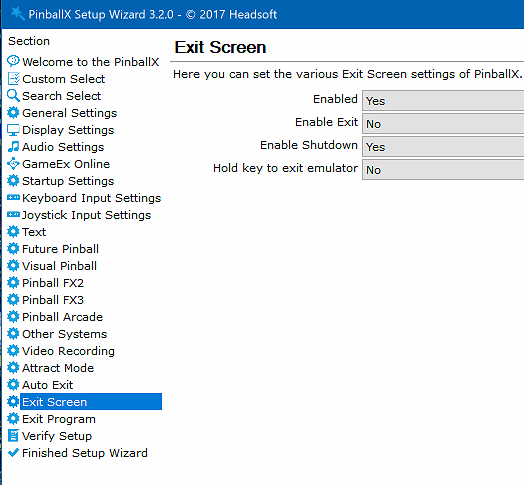
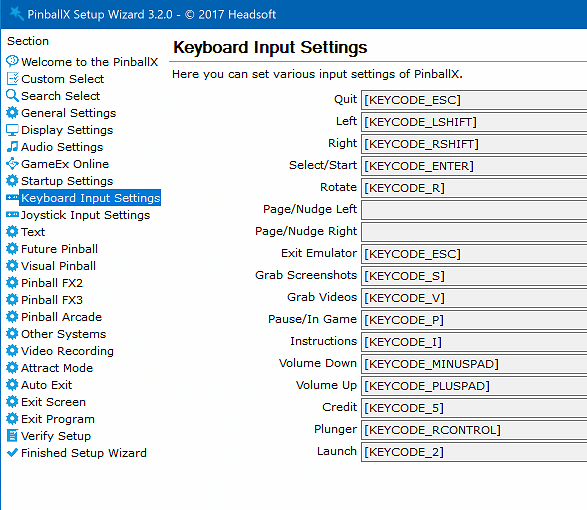
This is my setup : I've set the "Hold key to exit emulator " to NO | This forces (I guess). because it is working for me ) to quit the emulator with the quit key (that is set to one of my Joy buttons, but also working on keyboard)
-
[RESOLVED]RealDMD showing first 0.5 sec when Systems is selected
Mike_da_Spike replied to Mike_da_Spike's topic in General
Am I just the only one with this issue ? (Or am I the only realDMD user ?) I just checked and think it is a PBX bug. I copied over from the videos directory the No Real DMD Color.avi file to my FX3 media folder and renamed it to - system -.avi. I got the same behavior as with my own video's See below video. Started with Pinball Wicked with no - system -. file (showing orignal No Real DMD Color.avi file) , move to FX3 with the copied -system-.avi file media.io_20190820_060144-1.mp4 -
Just tested it and you are right. The exit emulator key doesn't respond. Not on keyboard and not on joystick code. But to be honest, I don't use this option. If I want to quit, I click on the exit button (and not holding it for 6 seconds. Is the following setting working for you : set the "Hold key to exit emulator" to no, starts an table and after 20 seconds click the exit I think @Tom Speirs need to look at the code of this button why it is not working
-
Ah ok. Thought you said pfx3 was working, but that was for launching and not for closing. I've setup the exit key without delay, so 1 time click is exting. If I'm at my cab, i will try your setting
-
I only see in your logfile the quit of pinball fx3 and that works(according to the log) Don't see any other launching or quitting
-
[RESOLVED]RealDMD showing first 0.5 sec when Systems is selected
Mike_da_Spike replied to Mike_da_Spike's topic in General
Here are my logfiles and settings file [SETTINGS].loglog.txtpinDMD_log.txtPinballX.ini -
This is banging me for multiple days now, but just found out the following: I've created a lot of realDMD videos and playing fine when are attached to a table. I wanted to create realDMD video's for the systems and could not get it to work properly. It only shows me the first 0.5 seconds of a video (also the video's I found on internet) The only video that is playing fine is the PBX logo (good work Tom ) For example : I copied the v12.mp4 from FX2 and named it - system -.mp4 (I know that V12 is working) See the video below. it starts with the VisualPinballX i copied from Terry. It is only showing the first 0.5 seconds and in a loop. After that I go to FX3 where I have the V12 video. It is just Yellow with the blocks that should fade in from the sides, but just 'banging'. Going to the table with the same video it is showing fine 20190818_175936 (convert-video-online.com)-1.mp4 I hope that this can be fixed
-
Sorry Tom, but since your new feature I have some requests (I hope you can implement them) : When returning from a System list (if you in a system list), it will always go the the same (3rd) system list. Can it be changed so the system where you return from is the selected/highlighted ? Can the "quit" button be used to first go back to the system (when enabled) and in the system menu when pressing on quit, shows the menu to quit the system ? Can the "Favorites" also be in the systems menu ? Combining systems in the systems menu
-
I don't have any issues running it. Closes normally outside pbx too. I assume you run the latest vpx beta ?
-
I like this feature Tom. Thanks for it. it is a bit faster than opening the menu and scroll down. And if all the correct media is there, it looks awesome too (but need to have all the correct media for it ) Thanks for all the effort you put in this (free) program that helps us all a lot. I really appreciate your work !
-
Thanks @Tom Speirs Was afraid of that, but no problem. I will rename my XML files so it shows up correctly
-
I tried the same multiple times, but for that part is working fine. Don't get the previous tables in the ingo box, but the correct one.
-
Quick start for system menu media
Mike_da_Spike replied to joyrider3774's topic in PinballX Media Projects
Thank Joyrider. I've only found some nais videos of vpx and fx3 I could use. Will check ftp what you created. Hope that other people get inspired to too create nice videos(and hope someone can create realdmd video's) Maybe @ImagineVP can also make some nice videos. Love his work -
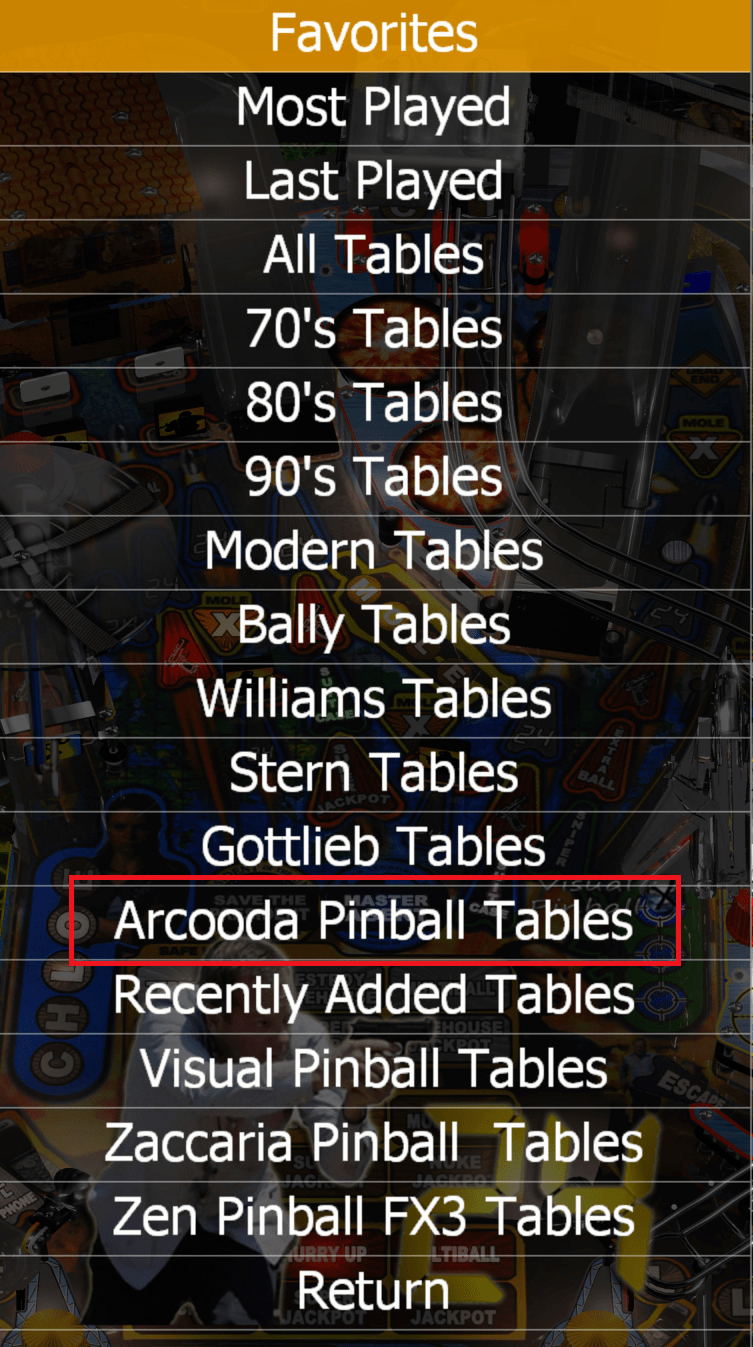
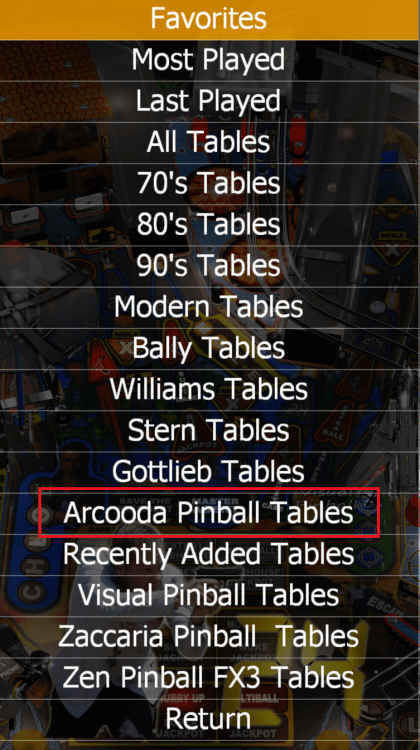
New feature for showing systems, doesn't show any tables if I have 2 XML's ( 1 empty taht has the name of teh system and 1 for adding it to the list, so I can select them. ) BEcause of this new Feature, should I remove the tables from the "list" ? Or should this feature be not used any more (to have multiple XMl's ?) Example : I have system "Arcooda Pinball Arcade"and have an empty XML and a Arcooda Pinball.xml with all tables Arcooda Pinball Arcade.xmlArcooda Pinball.xml This also causes an OUt of bound error and exits PBX log.txt PinballX.ini
-
[APP] Recently Added/Update tables creator
Mike_da_Spike replied to Mike_da_Spike's topic in User Projects
Version 1.3 updated changelog : Skip removing media files with name "- system -" New feature in PBX 3.49 to have system wheel and media files -
Setting it up right now. Thanks @Tom Speirs Why didn't you remove the double entry in the setup wizard for the default filters, if you added the system list ? I will change my cleanup script so that the "- system -"files will not be deleted in the media folders Nice feature ! EDIT : Question : Can systems be combined ? I have for example 2 Visual Pinball X systems (1 with P-proc that enables a 3rd screen and mirrors my DMD), but want to see this in the same list as Visual Pinball X And is it possible to assign a button (Quit) to get easily back from the selected system to the main menu ? Or should this be a feature request ?

-
[RESOLVED] PinballX 3.47 download permissions?
Mike_da_Spike replied to strayxray's topic in General
Just curious. Are you able to download again ? -
[RESOLVED] PinballX 3.47 download permissions?
Mike_da_Spike replied to strayxray's topic in General
Not sure if this helps: -
Btw. Read this post for how I make the difference between vp9 and vpx
-
Please post your log and settings.ini