|



Mike_da_Spike
-
Posts
3794 -
Joined
-
Last visited
-
Days Won
242
Content Type
Profiles
Forums
Events
Downloads
Store
Articles
Everything posted by Mike_da_Spike
-

[RESOLVED] PBX 3.66 64bit hanging on DOF plugin and crashes
Mike_da_Spike replied to Mike_da_Spike's topic in General
too bad. Direct after reboot when I just hit 1 button , it is crashing with the following errors in the log: 13:36:47.3 9/7/2019: Exception has been thrown by the target of an invocation. 13:36:47.3 9/7/2019: at System.RuntimeMethodHandle.InvokeMethod(Object target, Object[] arguments, Signature sig, Boolean constructor) 13:36:47.3 9/7/2019: at System.Reflection.RuntimeMethodInfo.UnsafeInvokeInternal(Object obj, Object[] parameters, Object[] arguments) 13:36:47.3 9/7/2019: at System.Reflection.RuntimeMethodInfo.Invoke(Object obj, BindingFlags invokeAttr, Binder binder, Object[] parameters, CultureInfo culture) 13:36:47.3 9/7/2019: at System.RuntimeType.InvokeMember(String name, BindingFlags bindingFlags, Binder binder, Object target, Object[] providedArgs, ParameterModifier[] modifiers, CultureInfo culture, String[] namedParams) 13:36:47.3 9/7/2019: at PinballX.PlugIns.InvokeMethod(Object obj, String sProperty, Object oValue) 13:36:47.3 9/7/2019: at PinballX.PlugIns.Event_GameSelect(PlugInInfo_1 gi) 13:36:47.4 9/7/2019: PlugIn: "DirectOutput PinballX Plugin" caused an exception and is being disabled. 13:36:47.9 9/7/2019: Starting Real DMD Thread 13:36:47.1 9/7/2019: Exception has been thrown by the target of an invocation. 13:36:47.1 9/7/2019: at System.RuntimeMethodHandle.InvokeMethod(Object target, Object[] arguments, Signature sig, Boolean constructor) 13:36:47.1 9/7/2019: at System.Reflection.RuntimeMethodInfo.UnsafeInvokeInternal(Object obj, Object[] parameters, Object[] arguments) 13:36:47.1 9/7/2019: at System.Reflection.RuntimeMethodInfo.Invoke(Object obj, BindingFlags invokeAttr, Binder binder, Object[] parameters, CultureInfo culture) 13:36:47.1 9/7/2019: at System.RuntimeType.InvokeMember(String name, BindingFlags bindingFlags, Binder binder, Object target, Object[] providedArgs, ParameterModifier[] modifiers, CultureInfo culture, String[] namedParams) 13:36:47.1 9/7/2019: at PinballX.PlugIns.InvokeMethod(Object obj, String sProperty, Object oValue, Object oValue2, Object oValue3) 13:36:47.1 9/7/2019: at PinballX.PlugIns.Event_Input(Boolean[] Keys, Boolean[] Buttons, Int32 Status) 13:36:47.1 9/7/2019: PlugIn: "DirectOutput PinballX Plugin" caused an exception and is being disabled. log.txt -
[RESOLVED] FX3 switching Video results that Start script is showed
Mike_da_Spike replied to Mike_da_Spike's topic in General
sorry, must be my Denglish (just kidding). This is what happening with launching Fx3 tables that has a (system) video. Don't have it with a loading png. Starting a table (And most have this behavior some not), loads the system video I created. Instead of switching to FX3 before the splash screen, it waits for 10-15 seconds. So Fx3 is completely loaded and already shows the table. Then PBX remove the video and I can see the table. That is not an issue, but on top of it, I see the DMDext exe file that was set to hidden. Some tables just shows shortly the system video a directly switch to Fx3. exe when the splash screen appears. At that moment , the DMDext.exe is hidden behind FX3.exe Using PNG's instead of MP4's results that I don't have this issue. Let me try to create a video and squeeze it below 8MB to post it here For me it isn't an issue that I don't see FX3 splash screen, but the point that the "launch before" command is on screen, I don't like Edit : Video is heavily compressed to get it on the website. 1) I start Medieval Madness. You see that the video is loading. When Video is playing, you see that the realDMD and backglass is already loading. When Video is removed, I see the DMDext on main screen 2) Start Paranormal. This load the default loading PNG. The loading PNG is only showing for couple of secons, and Splash screen is shown of Fx4 and all started normally (No dmdext on screen) 3) I start Party_zone (with system video) and same result as Medieval Madness So looks like that when using video's PBX doesn't find the process in time (or something) fx3tableloading.mp4 -
Wow. Nice animation!
-
Learning everyday new things ! Edit : Now I know again (I am at my cab now). Not sure if pinDMD.dll comes with PBX, but I needed to have that dll including pinDMD.ini. Because I have a pinDMD3 and a Teensy 3.2 controller(both usb device uses almost the same driver) I needed the pinDMD.ini to point PBX to the correct port of my pinDMD3 (port 5 ). My Teensy is at port 3 and didn't work and otherwise it didn't work [communication] debug=1 comport=COM5 [pinmame] log_frames=0
-
@Tom Speirs. Aren't the dll's not needed when having a pindmd3? Wasn't aware of that. Will check my cab too today
-
Try to copy the dmddevice.dll/dmddevice64.dll from your vpx directory to pbx dir. Or download freezy's files and put them in the pbx dir. Maybe you need als de config or ini file from dmddevice.
-
Nais. This is what I had in mind too
-
Nais ! Will start tommorow(no rdp to my cab where I am now )
-
I will try to make something tomorrow. Or if 1 of you want to do it, it is fine too. But I have almost all the functions, only need to arrange and sort them
-
Awesome. Need to check it, but what a long string ! I use a pretty recent version of ffmpeg, but the Syntax is always magic for me. But with this I can create a script that will generate loading tables for 6 seconds from the playfield folder. Today not at my cab, but have some time tommorow. Thanks both of you guys !
-
[RESOLVED] FX3 switching Video results that Start script is showed
Mike_da_Spike replied to Mike_da_Spike's topic in General
Changing the loading video to a static loading png works as a charm -
thanks guys ! that would be a hell of a vacation for me (only creating video's )
-
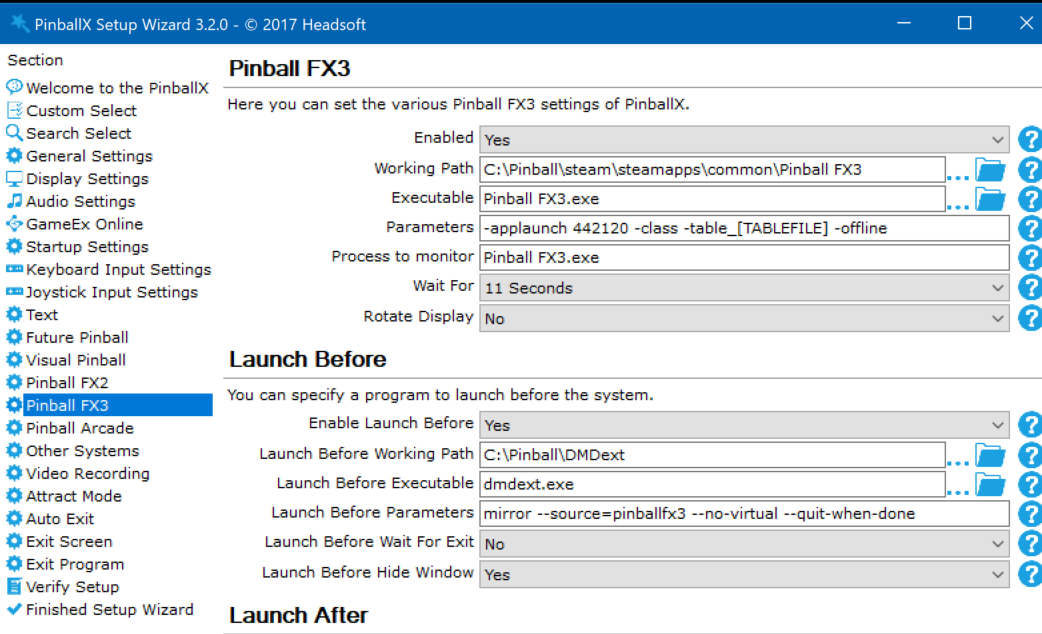
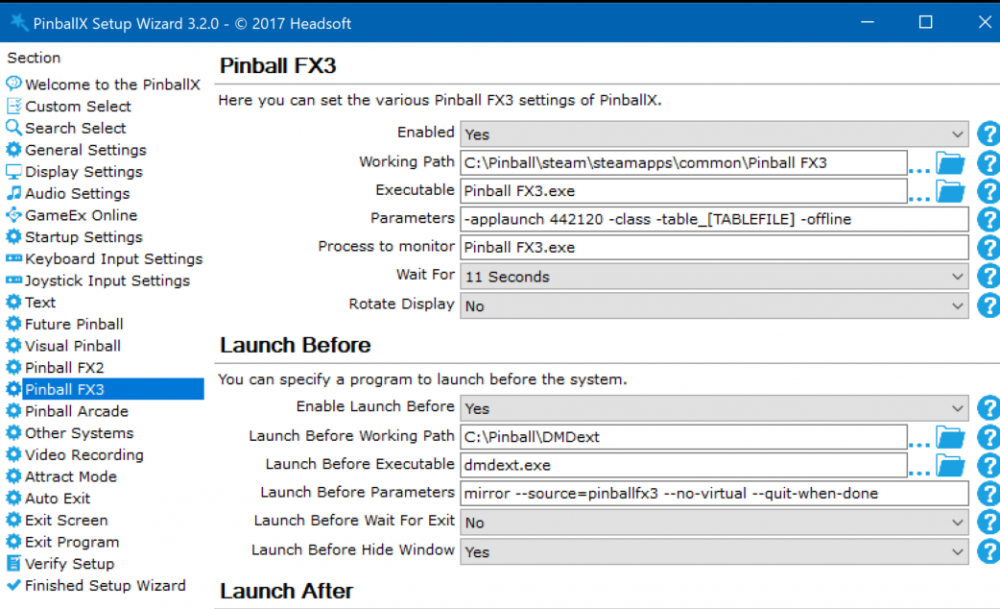
Since I use Video's now, my FX3 launch is acting weird. Sme table that I launch , show for a short period the video, and video disappears quickly and I see the Fx3 splash screen and table is loaded. But a lot other tables in Fx3, Tte video will be played for about 10 seconds, in the meantime I see that DMDext is loaded and backglass. The video dissapears and the table is there. Only DMDext (that is launched as hidden startup screen) is on my screen This is my Log file : For example WMS_Roadshow is loaded everytime fine, but WMS_Medieval_Madness and Portal is having the issue (in the logfile) log.txtPinballX.ini Not sure if this is caused by the mp4 I use, but never had this in the past with just png files
-
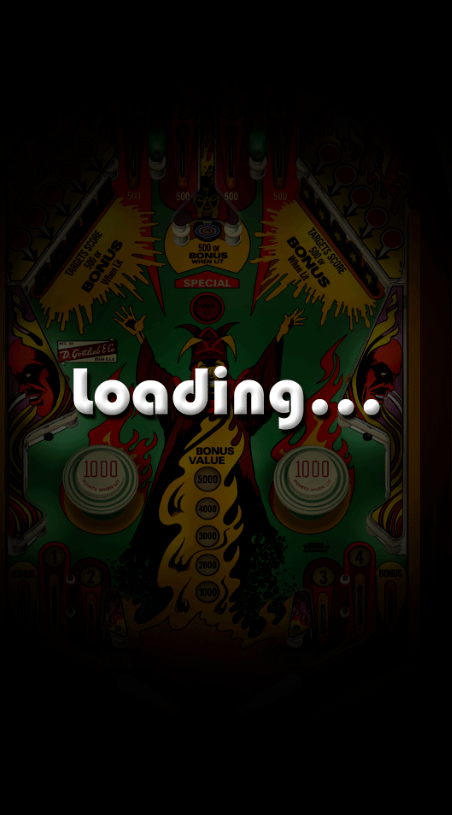
nais. Thansk Scutters I played a bit arround to get a nice System loading for FX3 it's the default FX3 video I had ans put Joyriders loading with chroma key on top of it Pinball_FX3.MP4
-
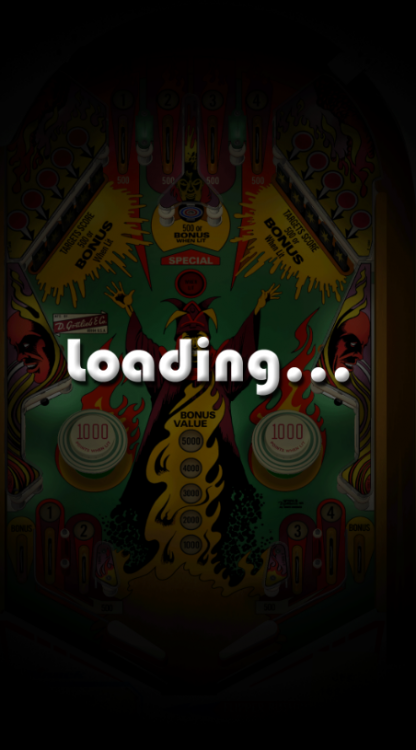
Hey guys, I'm terrible in visual stuff ... But also played arround (And make some programs witg FFMpeg) Not sure if it is possible, but I want to know if we can create the following : Take Video from table folder - This can be done Make an overlay that makes something like this (only the black part) - Can be done, but I don't know how And with make another overlay with the loading video of @joyrider3774. - I hope this can be done Select only 5-10 seconds (that do-able) - This can be done If this can be done, I can write a nice program that will do this for missing tables
-
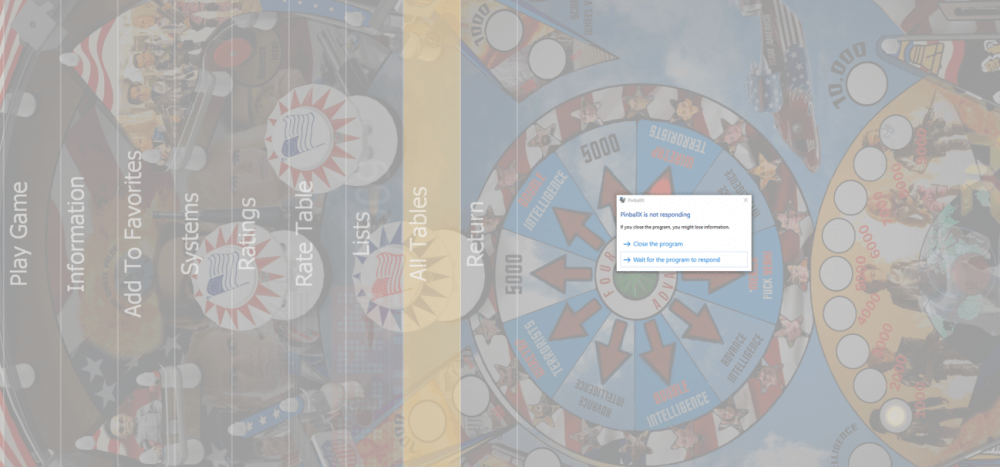
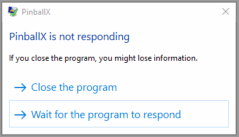
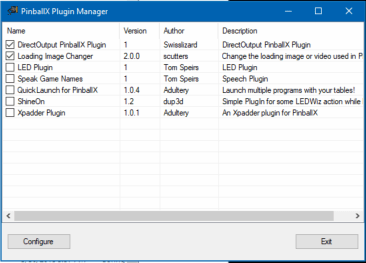
Started a new topic for this When browsing through the tables and systems, my DOF plugin stops working (all the Lights are in the last status) and at a sudden moment I get the following popup : In the log file I see that the plugin is causing an error and PBX wants to disable it (properly with no luck) Exception has been thrown by the target of an invocation. 07:01:00.7 9/6/2019: at System.RuntimeMethodHandle.InvokeMethod(Object target, Object[] arguments, Signature sig, Boolean constructor) 07:01:00.7 9/6/2019: at System.Reflection.RuntimeMethodInfo.UnsafeInvokeInternal(Object obj, Object[] parameters, Object[] arguments) 07:01:00.7 9/6/2019: at System.Reflection.RuntimeMethodInfo.Invoke(Object obj, BindingFlags invokeAttr, Binder binder, Object[] parameters, CultureInfo culture) 07:01:00.7 9/6/2019: at System.RuntimeType.InvokeMember(String name, BindingFlags bindingFlags, Binder binder, Object target, Object[] providedArgs, ParameterModifier[] modifiers, CultureInfo culture, String[] namedParams) 07:01:00.7 9/6/2019: at PinballX.PlugIns.InvokeMethod(Object obj, String sProperty, Object oValue) 07:01:00.7 9/6/2019: at PinballX.PlugIns.Event_GameSelect(PlugInInfo_1 gi) 07:01:00.7 9/6/2019: PlugIn caused an exception and is being disabled. These are mu logs : [SETTINGS].logPinballX DirectOutput Plugin.logXDMDlog.txtlog.txt This is my INI file : PinballX.ini Eventlog : The program PinballX.exe version 1.0.0.0 stopped interacting with Windows and was closed. To see if more information about the problem is available, check the problem history in the Security and Maintenance control panel. Process ID: 1fcc Start Time: 01d5646fe224e1bf Termination Time: 5 Application Path: C:\Pinball\PinballX\PinballX.exe Report Id: 73c1f3b0-af29-4f67-8a52-a739069d0cf1 Faulting package full name: Faulting package-relative application ID: Hang type: Unknown There are no crash dumps created. If I disable the "DirectOutput PinballX Plugin ", PBX is stable. Moving to 32bit also looks stable Something with the conversion of the 32bit plugin to the 64bit version of PBX ?
-
[RESOLVED] Error when Exit PBX 3.62 with Alt-F4
Mike_da_Spike replied to Mike_da_Spike's topic in General
Will do. Something completely different, but my passion wiil be pinball. Must have the key somewhere in my email -
We still call it the DLL hell. Every windows version promised it would be better. With .net it should get better .... but still Hell ! Only way to do it, is run every application in own sandbox/container. But little hard when pbx is isolated and cannot get to example vpx or fx3..... Are the 2 dll's registered in the registry, or just working as a libary ? Otherwise check your complete registry, find the guids of the dll and do a manual clean ...
-
[RESOLVED] Error when Exit PBX 3.62 with Alt-F4
Mike_da_Spike replied to Mike_da_Spike's topic in General
Lol. Next week i will start my adventure withGameEx.... Hope that it is even as easy as pbx -
I don't have the issue with 3.65
-
[RESOLVED] Error when Exit PBX 3.62 with Alt-F4
Mike_da_Spike replied to Mike_da_Spike's topic in General
I don't see plugins getting disabled. I have 2 plugins enabled (DOF and Scutters PBXLoadingVideo's) and both keep enabled. But only testing for 30 minutes ... -
[RESOLVED] Error when Exit PBX 3.62 with Alt-F4
Mike_da_Spike replied to Mike_da_Spike's topic in General
Thanks ! wow . And first check is that 3.64 is working fine for me. no hunging anymore. Will check further today -
[RESOLVED] Error when Exit PBX 3.62 with Alt-F4
Mike_da_Spike replied to Mike_da_Spike's topic in General
I booted multiple times. I tried all versions from 3.63 to the latest I used . And only 3.59 is working fine for me. Rest is all hunging Will try 3.64 now (Awesome support Tom ! I need such developers at my work !) -
[RESOLVED] Error when Exit PBX 3.62 with Alt-F4
Mike_da_Spike replied to Mike_da_Spike's topic in General
Also stopped with the same error if I go to other menu options. From the systems menu I selected my "Visual Pinball X", it loads and shows the table, but hungs after the wheel was hunging. EDIT: I revert back to 3.62, because hard to select tables for me now Hmmm .. having the same issue on 3.62 too -
[RESOLVED] Error when Exit PBX 3.62 with Alt-F4
Mike_da_Spike replied to Mike_da_Spike's topic in General
It's the DirectOutput PinballX Plugin.dll that is using it. I got another error with PBX 3.63 (Sorry tom). Not sure if I need to open a new post for it When I Go to list All TAbles, PBX is hunging and crashing It looks like the resolution is changes (in the font of the system list getting smaller) this is in the logfile as last entry 09:58:22.2 9/5/2019: PlugIn caused an exception and is being disabled. [SETTINGS].logXDMDlog.txtlog.txt here's my INI file PinballX.ini Also have the Dof log (must post it as ZIP, only have 7.8 MB max to post ): PinballX DirectOutput Plugin.zip