|



Mike_da_Spike
-
Posts
3794 -
Joined
-
Last visited
-
Days Won
242
Content Type
Profiles
Forums
Events
Downloads
Store
Articles
Everything posted by Mike_da_Spike
-

Backglass recording with the new integrated recorder
Mike_da_Spike replied to vogliadicane's topic in General
Can you post your pinballx log.txt after creating a video and your pinballx.ini ? -
Awesome ! Glad it is solved
-
[OBSOLETE]Loading Videos Creation PACK 1
Mike_da_Spike replied to Mike_da_Spike's topic in User Projects
Not sure, but think because you are a basic member- 4 replies
-
- 1
-

-
- media
- loading videos
- (and 3 more)
-
Are vpx tables work correctly outside pinballx ? Is the backglass showing fine ?
-
I added complete packs for people who had issues setting up the ini file. Pack 1 : (with 6 differents anitmated texts) Pack 2 : (with 12 different DMD scene's)
-
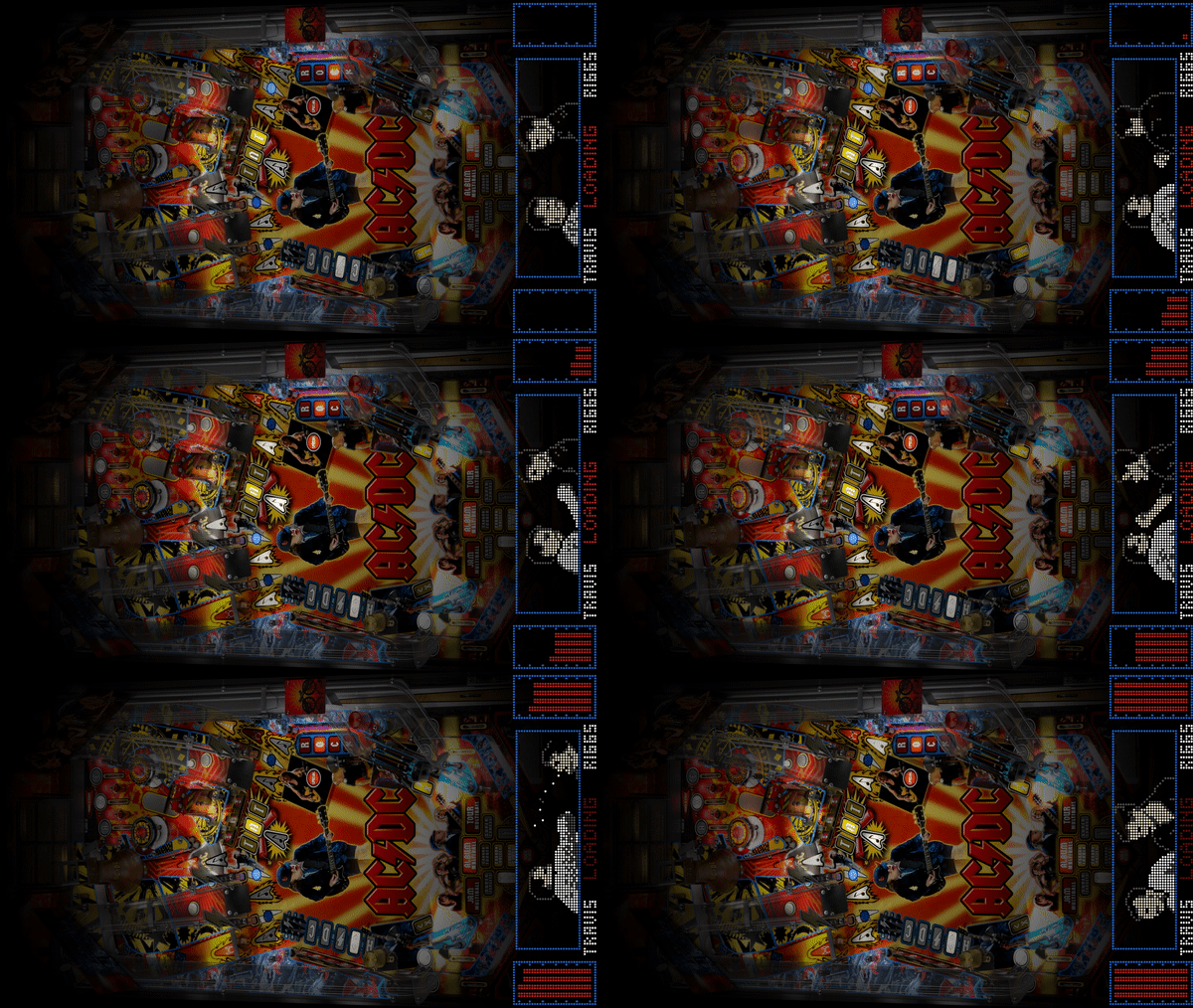
[OBSOLETE] ]Loading Videos Creation PACK 2 (DMD) View File A complete pack to create your own loading videos With the plugin of @scuttersyou can launch seamless your table This pack contains overlay images that you must put somewhere on your harddrive. Extract the files CreateLaunchVideos.exe, CreateLaunchVideos.ini and Settings_CreateLoadingVideos.exe too. Launch Settings_CreateLoadingVideos.exe to setup your overlay path (the directory from the ZIP file) and select the systems you want to uses for creating the loading videos Save and exit the Settings file. Just run from the command line CreateLaunchVideos.exe and it will create all missing loading video's. Every time you add new tables to your system, run the program CreateLaunchVideos.exe to create missing videos This pack contains 12 different loading videos. And the program will select a random overlay to create the video The Overlays where created by @scutters and @Mike_da_Spike But combined together to make all easier Here are the 12 different overlays (all created with AC/DC table) Submitter Mike_da_Spike Submitted 04/14/20 Category PinballX











-
![More information about "[OBSOLETE] ]Loading Videos Creation PACK 2 (DMD)"](https://forums.gameex.com/forums/screenshots/monthly_2020_04/CreateLaunchVideoSettings.thumb.png.977026ba2d6350050e950bb7fff93438.png)
Version 1.0.0
62 downloads
This version is obsolete Use : A complete pack to create your own loading videos With the plugin of @scuttersyou can launch seamless your table This pack contains overlay images that you must put somewhere on your harddrive. Extract the files CreateLaunchVideos.exe, CreateLaunchVideos.ini and Settings_CreateLoadingVideos.exe too. Launch Settings_CreateLoadingVideos.exe to setup your overlay path (the directory from the ZIP file) and select the systems you want to uses for creating the loading videos Save and exit the Settings file. Just run from the command line CreateLaunchVideos.exe and it will create all missing loading video's. Every time you add new tables to your system, run the program CreateLaunchVideos.exe to create missing videos This pack contains 12 different loading videos. And the program will select a random overlay to create the video The Overlays where created by @scutters and @Mike_da_Spike But combined together to make all easier Here are the 12 different overlays (all created with AC/DC table)-
- 3
-
-
- media
- loading videos
- (and 2 more)
-
[OBSOLETE]Loading Videos Creation PACK 1 View File A complete pack to create your own loading videos With the plugin of @scutters you can launch seamless your table This pack contains overlay images that you must put somewhere on your harddrive. Extract the files CreateLaunchVideos.exe, CreateLaunchVideos.ini and Settings_CreateLoadingVideos.exe too. Launch Settings_CreateLoadingVideos.exe to setup your overlay path (the directory from the ZIP file) and select the systems you want to uses for creating the loading videos Save and exit the Settings file. Just run from the command line CreateLaunchVideos.exe and it will create all missing loading video's. Every time you add new tables to your system, run the program CreateLaunchVideos.exe to create missing videos This pack contains 6 different loading videos. And the program will select a random overlay to create the video Original video's where created by @TriTuho on another form. Here are the 6 different overlays (all created with AC/DC table) Submitter Mike_da_Spike Submitted 04/14/20 Category PinballX
.gif.5c50a5ad76440897a732d5aa1a0bd0ab.gif)
.gif.de0c5e1fc8f1c7488ca791db42828768.gif)
.gif.e228447b0628c1cabfdf76d4e57727a1.gif)
.gif.bc5eec12daa97933cac43dfe0fbaf7cf.gif)
.gif.9c7f7a5301056303eb44d5749a77aa06.gif)

-
![More information about "[OBSOLETE]Loading Videos Creation PACK 1"](https://forums.gameex.com/forums/screenshots/monthly_2020_04/CreateLaunchVideoSettings.thumb.png.7f25d7ae87289c176a08b0506b7e398e.png)
Version 1.0.0
75 downloads
This version is obsolete Use : A complete pack to create your own loading videos With the plugin of @scutters you can launch seamless your table This pack contains overlay images that you must put somewhere on your harddrive. Extract the files CreateLaunchVideos.exe, CreateLaunchVideos.ini and Settings_CreateLoadingVideos.exe too. Launch Settings_CreateLoadingVideos.exe to setup your overlay path (the directory from the ZIP file) and select the systems you want to uses for creating the loading videos Save and exit the Settings file. Just run from the command line CreateLaunchVideos.exe and it will create all missing loading video's. Every time you add new tables to your system, run the program CreateLaunchVideos.exe to create missing videos This pack contains 6 different loading videos. And the program will select a random overlay to create the video Original video's where created by @TriTuho on another form. Here are the 6 different overlays (all created with AC/DC table)-
- 3
-
-

-
- media
- loading videos
- (and 2 more)
-
Post your log.txt and pinballx.ini. reproduce first the issue before posting your logfile
-
You need to setup the screenres.txt to setup the backglass position once. Yiu need to have a vpx, sirectb2s and corresponding rom file for the table. If this is working fine, you can use gamemanager or database manager to add to the frontend
-
[RESOLVED] Wheel images not showing up. R-Type & R-Type2
Mike_da_Spike replied to Vladdo's topic in General
Nice ! Very creative to use a drawer with monitor. Are the led strips dof controlled, or just flashing ? My pinball and arcade cabinet, takes a lot of more space ! -
If you use Database manager, it can show you what files are obsolete (checking on filenames that are not exists in your directory anymore). Not to get you away from gamemanager, but a handy feature that @scutters and I build in ... See downloads section
-
Anyone Willing To Configure and Setup My Computer??
Mike_da_Spike replied to MikeInVegas's topic in General
Sorry, not local of Vegas. How is your setup look like ? How many monitors, hatdware, toys, joystick controllers etc ? This makes it easier for a local. Not sure what you want to setup exactly. I don't have a lot freetime, but maybe with Teamviewer I can help (for free) -
Is it working outside pinballx correctly ? Please post the pinballx log.txt where you try to launch the table and your pinballx.ini
-
Good suggestion @halen, It is on our wish list. The difficult part is : How do you know if the table name is correct ? Missing or wrong information i snot a big deal.
-
[RESOLVED] Wheel images not showing up. R-Type & R-Type2
Mike_da_Spike replied to Vladdo's topic in General
I really doesn't understand what you mean. Can you post your pinballx log.txt and pinballx.ini file ? -
Version 1.3 just uploaded. Enjoy and happy easter
-
Now that @Tom Speirs did a great job to allow animated GIF's as system files and wheels, there should be a topic to start with animated GIFs. I started with an animated Fx3 logo. Who will follow ? (just put this file in the 'Media\system logos' folder)


-
[RESOLVED] System/Wheel Animated gifs in 4.15 (not animated ?)
Mike_da_Spike replied to Mike_da_Spike's topic in General
Working like a charm. Don't see any delay or something on my cab or on my test device (PC not a laptop) Thanks Tom !
-
[RESOLVED] System/Wheel Animated gifs in 4.15 (not animated ?)
Mike_da_Spike replied to Mike_da_Spike's topic in General
Wow. You worked all night on this. Just woke up. Need to create breakfast for mrs mike da spike. I will check after. Thanks Tom! I appreciate all your work -
Exit Program for PinballX Exit and another one for Windows Shutdown
Mike_da_Spike replied to Kaleo's topic in General
Can't you use the exit command line with a batch file to fulfill your needs ? I thought that has an option to wait for exit. Put all in a bat or cmd (or exe) file and pbx will shutdown after. I have al kind of scripts running to during startup and shutdown -
Think this is more a request than an issue .
-
I don't have any experience with FP (not using it)< but if you post your log file (in the log directory, the log.txt file) as attachemnt. Make sure you simulate your issue and closing PBX and post that log file. For Visual pinball, do you run PBX as admin ? please do FP and VPX run and post that log
-
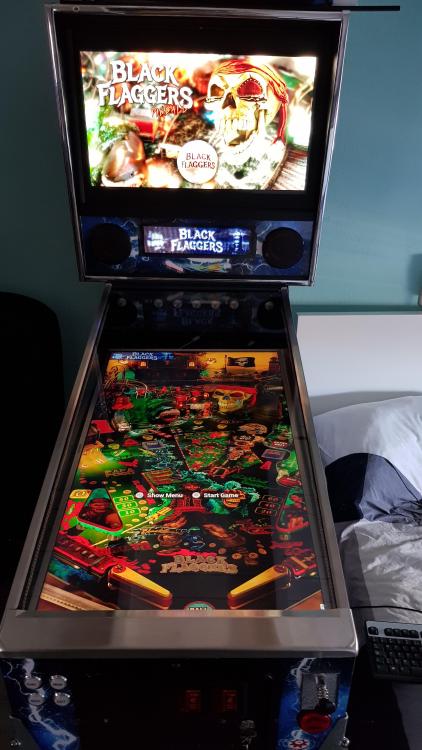
Yes. I didn't launch Pinball wicked for a long time .... So, for me it looks like this (note that the virtual DMD is on my left top corner on the playfield) :