|



thechadisgr8_69
-
Posts
9 -
Joined
-
Last visited
Recent Profile Visitors
470 profile views


thechadisgr8_69's Achievements

Member (1/5)
0
Reputation
-
So I've gotten pinballx set to launch to systems list so games and tables aren't grouped together, I think my Achilles heal is going to be xml files, is there any way to automate that process ie generate xml's via rom directory? I've used pretty much every front end out there, starting with gamex 15 years ago, my current go to is launchbox but thatf doesn't handle pinball very well, using pinup popper for pinball but that doesn't handle emulators/pc games as well. Anyway, the reason I stopped using gameex years agao was the xml file thing. No way to just scan a directory and use those files based on file extension?
-
Which do you think would be easier/better to use as a base for this? Gamees or pimballx?
-
Oh and ive gotten vpx running perfectly other than pup tables not closing properly but sorted that with a bat file
-
A bunch of them, ps2, xbox as well a classics like nes, genesis etc and some pc games. InPinballx all of the games would be mixed in the pinball tables right? What i would like is to have a menu for games and a seperate menu for pinball all with one frontend. That's why im thinking I might have to give gamex a try. By thy way I became a lifetime member today to show my appreciation for the help.
-
After pulling my hair out for 3 days now I think I'm giving up on pinballx, what I was TRYING to accomplish was getting pinball to run on all three of my screens and have emulators run on my backglass, I have done this already in pinup popper but it just ends up being sloppy and not super user friendly. Might try shifting to gameex if that will allow for vpx to run on all 3 screens as well as LOOK like pinballx within the vpx table select screen ie full screen playfield videos, backglass videos, dmd videos and wheels. If not, too bad we can't have a hybrid that does both. Has anyone else accomplished what I'm trying to do?
-
Yessir works now, must have been a bug, though I think I'm going to give up on pinballx since I dont think it's capable of doing what I'm looking for
-
Ty for your diligence! I will try when I get back home.
-
Thank you sir!
-
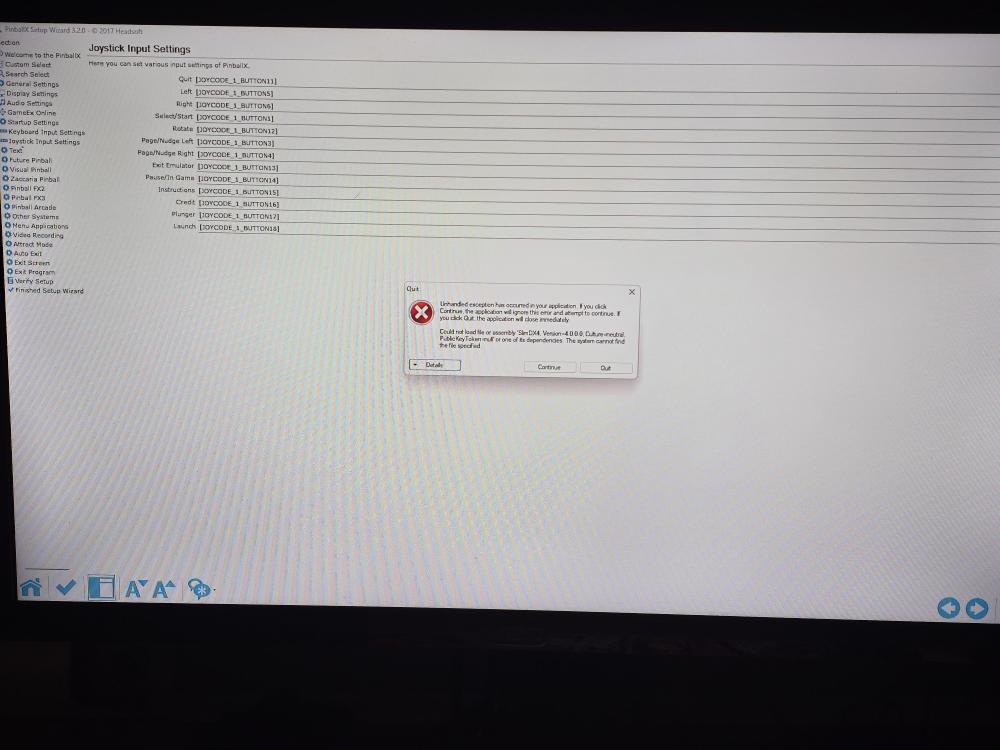
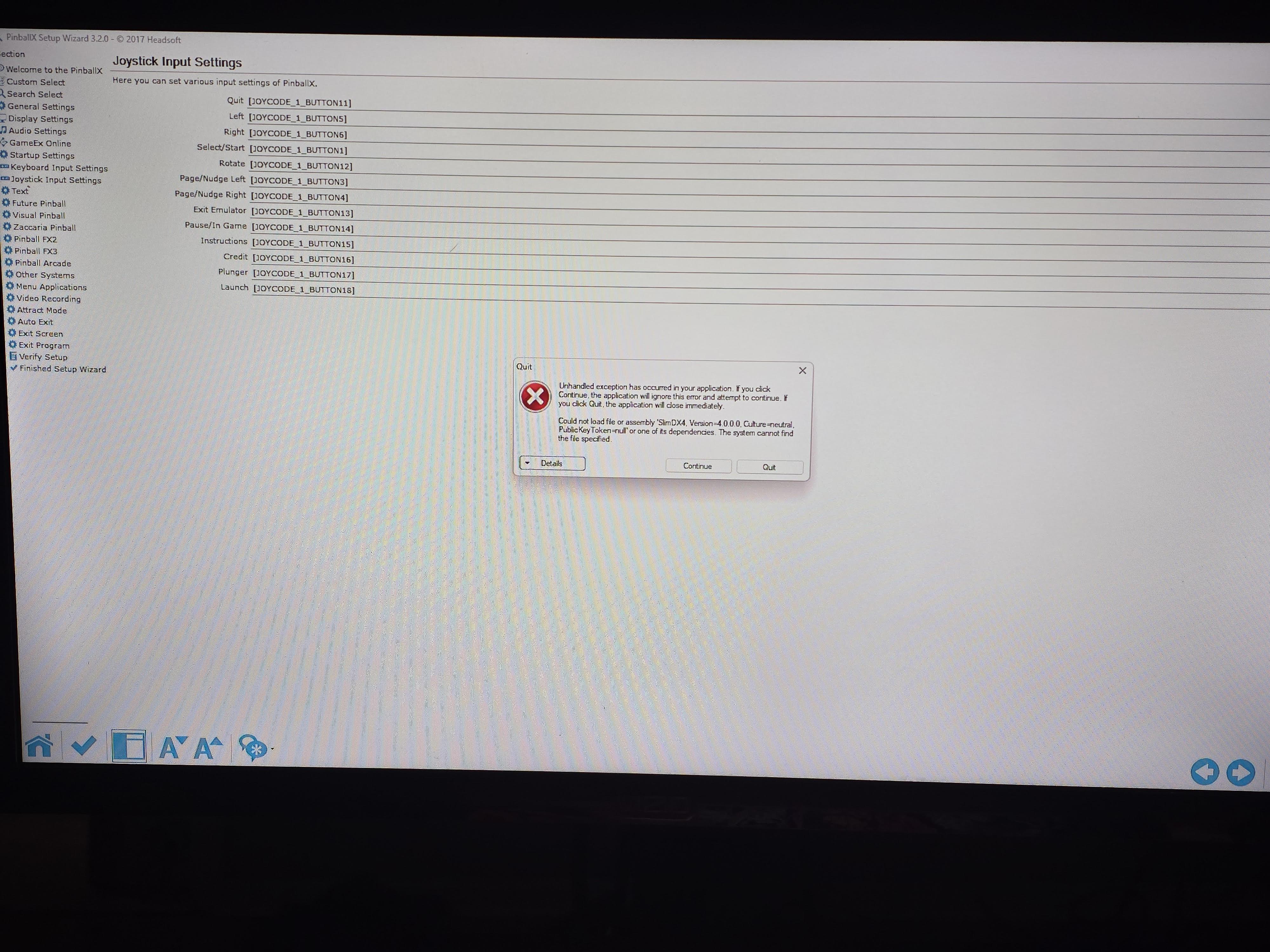
Keep getting this whenever I try and change controller inputs. Any ideas? windows11 everythinbg up to date. log.txt SetupWizard.log XDMDlog.txt See the end of this message for details on invoking just-in-time (JIT) debugging instead of this dialog box. ************** Exception Text ************** System.IO.FileNotFoundException: Could not load file or assembly 'SlimDX4, Version=4.0.0.0, Culture=neutral, PublicKeyToken=null' or one of its dependencies. The system cannot find the file specified. File name: 'SlimDX4, Version=4.0.0.0, Culture=neutral, PublicKeyToken=null' at Headsoft.Tools.DirectInput..ctor(Control control, Object tag) at Headsoft.FrontEnd.frmGetJoy.c(Object A_0, EventArgs A_1) at System.Windows.Forms.Form.OnLoad(EventArgs e) at System.Windows.Forms.Form.OnCreateControl() at System.Windows.Forms.Control.CreateControl(Boolean fIgnoreVisible) at System.Windows.Forms.Control.CreateControl() at System.Windows.Forms.Control.WmShowWindow(Message& m) at System.Windows.Forms.Control.WndProc(Message& m) at System.Windows.Forms.Form.WmShowWindow(Message& m) at System.Windows.Forms.NativeWindow.Callback(IntPtr hWnd, Int32 msg, IntPtr wparam, IntPtr lparam) WRN: Assembly binding logging is turned OFF. To enable assembly bind failure logging, set the registry value [HKLM\Software\Microsoft\Fusion!EnableLog] (DWORD) to 1. Note: There is some performance penalty associated with assembly bind failure logging. To turn this feature off, remove the registry value [HKLM\Software\Microsoft\Fusion!EnableLog]. ************** Loaded Assemblies ************** mscorlib Assembly Version: 4.0.0.0 Win32 Version: 4.8.9325.0 built by: NET481REL1LAST_25H2_C CodeBase: file:///C:/Windows/Microsoft.NET/Framework64/v4.0.30319/mscorlib.dll ---------------------------------------- Settings Assembly Version: 1.0.9618.16700 Win32 Version: 1.0.9618.16700 CodeBase: file:///C:/PinballX/Settings.exe ---------------------------------------- System.Windows.Forms Assembly Version: 4.0.0.0 Win32 Version: 4.8.9325.0 built by: NET481REL1LAST_25H2_C CodeBase: file:///C:/WINDOWS/Microsoft.Net/assembly/GAC_MSIL/System.Windows.Forms/v4.0_4.0.0.0__b77a5c561934e089/System.Windows.Forms.dll ---------------------------------------- System Assembly Version: 4.0.0.0 Win32 Version: 4.8.9333.0 built by: NET481REL1LAST_25H2_B CodeBase: file:///C:/WINDOWS/Microsoft.Net/assembly/GAC_MSIL/System/v4.0_4.0.0.0__b77a5c561934e089/System.dll ---------------------------------------- System.Drawing Assembly Version: 4.0.0.0 Win32 Version: 4.8.9221.0 built by: NET481REL1LAST_25H2 CodeBase: file:///C:/WINDOWS/Microsoft.Net/assembly/GAC_MSIL/System.Drawing/v4.0_4.0.0.0__b03f5f7f11d50a3a/System.Drawing.dll ---------------------------------------- System.Configuration Assembly Version: 4.0.0.0 Win32 Version: 4.8.9221.0 built by: NET481REL1LAST_25H2 CodeBase: file:///C:/WINDOWS/Microsoft.Net/assembly/GAC_MSIL/System.Configuration/v4.0_4.0.0.0__b03f5f7f11d50a3a/System.Configuration.dll ---------------------------------------- System.Core Assembly Version: 4.0.0.0 Win32 Version: 4.8.9319.0 built by: NET481REL1LAST_25H2_B CodeBase: file:///C:/WINDOWS/Microsoft.Net/assembly/GAC_MSIL/System.Core/v4.0_4.0.0.0__b77a5c561934e089/System.Core.dll ---------------------------------------- System.Xml Assembly Version: 4.0.0.0 Win32 Version: 4.8.9221.0 built by: NET481REL1LAST_25H2 CodeBase: file:///C:/WINDOWS/Microsoft.Net/assembly/GAC_MSIL/System.Xml/v4.0_4.0.0.0__b77a5c561934e089/System.Xml.dll ---------------------------------------- System.Management Assembly Version: 4.0.0.0 Win32 Version: 4.8.9221.0 built by: NET481REL1LAST_25H2 CodeBase: file:///C:/WINDOWS/Microsoft.Net/assembly/GAC_MSIL/System.Management/v4.0_4.0.0.0__b03f5f7f11d50a3a/System.Management.dll ---------------------------------------- ************** JIT Debugging ************** To enable just-in-time (JIT) debugging, the .config file for this application or computer (machine.config) must have the jitDebugging value set in the system.windows.forms section. The application must also be compiled with debugging enabled. For example: <configuration> <system.windows.forms jitDebugging="true" /> </configuration> When JIT debugging is enabled, any unhandled exception will be sent to the JIT debugger registered on the computer rather than be handled by this dialog box.