



|



headkaze
-
Posts
5120 -
Joined
-
Last visited
-
Days Won
37
Content Type
Profiles
Forums
Events
Downloads
Store
Articles
Everything posted by headkaze
-
Hi Cupid Attached is some source for reading in controls.ini. It's pretty fast too (faster than the standard API functions for reading ini files). ControlsDat.zip
-
Hi cupid The problem is that the resx (resource) is not being included in the build script. The lines needed are <resources basedir="."> <include name="Configuration.resx"/> </resources> Attached is the Speech plugin source that should compile under Nant. Plugin_Template_2005_C__NAnt.zip
-
Being a dll also, it shouldn't be locked from being used by another process.
-
I've checked the code and I can't see how it isn't working. Are you using ChankEx or the official Chankast_alpha_25.exe?
-
I don't think Mame is supposed to delete the artwork files. For me they remain, and GameEx does not overwrite bezels that already exist.
-
Hi lingpanda, I'll take a look, could be a bug. I like your idea about the global options for capcom hack etc. I'll look at adding those as well. I'm also talking to Trixtar (very nice author of ChankEx) and hopefully we can work together to get the wrapper working with it.
-
When you run a vertical game, GameEx should be copying the GameEx Bezel into Mame's artwork folder. Can you check it's copying the files okay and that they are V2 bezel format.
-
A long shot, but perhaps you can unregister the dll then register it again? Something along the lines of @ECHO OFF regsvr32 /s /u bass.dll regsvr32 /s bass.dll REM Run your program here
-
Yeah that OutputPath error is wierd, the upgrade wizard dosn't do a very good job. I've just sent off a C# 2005 template to Tom to include in the next release of GameEx. But now I find the same problem where the Plugin Manager doesn't recognise the plugin compiled in 2005. I've notified Tom about this and hopefully he'll get back soon. EDIT: Tom's reply EDIT2: At the moment you can only use plugins compiled under .NET 1.1 and VS 2005 C# Express only compiles for .NET 2.0. But you can compile 2005 projects with .NET 1.1 using NAnt. Check out the batch file called build.bat included in archive, make sure it points to the location you have nant.exe and it should compile the plugin for .NET 1.1.
-
Yeah good idea, I'll do that for next release.
-
Have you tried what is suggested in the log?
-
I believe this release also includes the new Model 2 wrapper that should hopefully solve the problems people have had in the past.
-
Hey Tom, this looks like a problem with the Setup Wizard using Interop.DvdCore.dll to get the list of MPEG2 decoders. Does the dll get registered before running the Setup Wizard? Or perhaps this error occurs when you have no codecs on the machine?
-
There is also some software that can do the bootlogo with animated bar, I personally use bootlogo. http://www.gameex.info/forums/index.php?sh...ic=2405&hl=
-
You can turn off StickyKeys by selecting Start->Settings->Control Panel->Accessibility Options Then under the Keyboard tab take away the tick next to "Use StickyKeys".
-
There is also the New User Guide, but the Setup Wizard might be enough to guide you through installation since it has help built into the program for each option.
-
Ahh okay, I may just add those other images in then. As for those script files, I've removed extracting them from the program. I don't think they're used at all. BTW This should work with standard Visual Pinball and Future Pinball packs too
-
Actually pause button is unecessary, here is how I deal with sorting files.. I start command prompt can go to the output directory and make folders and move the files into them. Eg. cd C:\Temp\Output md cfg md nvram md snap md tables md wave move *.cfg cfg move *.nv nvram move *.jpg snap move *.vpt tables move *.wav wave I'm not sure where mp3 files are supposed to go or what they are supposed to be named. Of course the .vbs scripts are in their own archive called "- Vpvbs.zip" and the ttf fonts are in "- Fonts.zip" so you can extract and install the fonts, and the just copy all the .vbs scripts to the tables folder. I suppose I should have PleasureExtractor move everything into their own folders automatically. But I'm so used to using command prompt for that. I might do that if I do another update. As for table and backglass, I might add that, but is that even used in VPinMame? If so what should I rename them to?
-
Thanks for the help with this Adultery. Okay Version 0.6 is now available for download in the first post. It adds support for cfg/nv and script txt files. Can you help test this one?
-
I've just about finished this feature request Adultery. I was just wondering about those script .txt files. Do they need to be copied across also?
-
Np, yeah it's saved me some time (probably a few hours of sorting). I'll look into the cfg file thing. Anything else I should consider for next release. I didn't know about the cfg files, maybe I'm missing some others too. EDIT: What are these cfg files you speak of? For what pack are they for? I can't seem to find them.
-
With the LCD Plugin it should solve your LED's not lighting up. Plus the plugin's attract mode will probably look nicer anyway
-
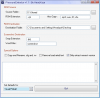
This program is made to extract Visual Pinball, Visual PinMAME and Future Pinball collections from PD. Features - Auto extracts the zipped ROMs and copies them to destination folder - Picks the latest ROM by using alphabetical sorting (assuming version numbers are used) - Will detect a screenshot and rename it to match the ROM (by using keyword such as "screenshot") - Can also copy other files in a zip (Eg. mp3, ttf, wav etc.) New to Version 1.1 - Updated to .NET 2.0 - Now extracts files into their own folders - Allows you to copy all tables instead of only the detected newest version (as it used alphabetical sorting which is not 100% accurate) - Added .vbs for Visual Pinball tables - Saves paths to ini file - Fixed extracting of newer files only PleasureExtractor.zip
-
Thats good news. If other people who have had problems with the wrapper in the past try this one too. I've sent this to Tom to include in the next version of GameEx.
-
Hmm, try this attached version. I've added back in some code that should make sure the window is at the front. Let me know how it goes. m2loader.zip


