



|



headkaze
-
Posts
5120 -
Joined
-
Last visited
-
Days Won
37
Content Type
Profiles
Forums
Events
Downloads
Store
Articles
Everything posted by headkaze
-
You don't replace the exe! You need to patch the original exe with the one you just compiled. This is all done in PatcherFE you don't copy over the exe with anything. Please don't upload the Mame exe here it's too large (and wouldn't look good either), that's the whole point of the patcher. I've created a MamePlus patch for you but I was hoping you could figure it out. If you can't I can post it instead. Remeber in PatcherFE Source File == Original mamep.exe you downloaded from http://mame.emu-zone.org/ (GCC Binary 0.117) Patched File == Your compiled mamep.exe with the changes you made to the source Output File == The zip file it creates (patch)
-
If your not doing any button re-mapping for games you don't have to add a keycode to each control. You can leave it on NOTHING. When you setup each LED, do they light up as you mess with the RGB controls? You should see each button on your CP light up and change color when you set them to the default colors that you want. The colors you set in there are the colors they stay lit as while you go through GameEx to select a game. If you have ColorsIni enabled it should show colors for each game as you scroll through the list. Also leave GameEx running for a while and when it goes to attract mode if you have some attract modes set it should start a nice lightshow. Not sure why your having problems with Save and Exit not showing up. You can drag the window around if there is not enough space to show it on your screen. Are you getting any lights showing up when running GameEx? You mentioned before that the attract mode test worked. Does it still work?
-
Close but not quite You have to insert that whole line of code and thats it. I'll give a larger snippet of code for you to see... int ui_display_startup_screens(int first_time, int show_disclaimer) { #ifdef MESS const int maxstate = 4; #else const int maxstate = 3; #endif int str = options_get_int(mame_options(), OPTION_SECONDS_TO_RUN); int show_gameinfo = !options_get_bool(mame_options(), OPTION_SKIP_GAMEINFO); int show_warnings = TRUE; int state; show_gameinfo = show_warnings = show_disclaimer = FALSE; // <--- this line is added /* disable everything if we are using -str */ if (!first_time || (str > 0 && str < 60*5)) show_gameinfo = show_warnings = show_disclaimer = FALSE; /* initialize the on-screen display system */ slider_init(); ...
-
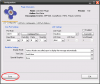
The size of the plugin's form is 632 x 529 so it's off the screen. You will have to put your resolution up to configure it, then you can put it back.
-
You really can't see the Save button?
-
Have you enabled the plugin? Little tick next to PluginLCD in the Plugin Manager? After you set everything up are you clicking save?
-
I think there a few teething problems with the website. Not really sure whats going on, but it should be up again soon enough.
-
That was my only gripe about the new site. I'm not sure if Tom will migrate the user database from here. It's possible the forums will be transferred over and integrate with the website eventually. Right now you will have to create a new account.
-
Nothing is static on the new website so those logos can be added later. I don't think you should retire your website either, see what happens first.
-
I apologise if I missed anyone here, if I did, PM me and forgive me for missing you. Here is our big thankyou list to all the contributors of GameEx. Sorry this dosn't include some people like those older contributers who havn't posted lately or those that have posted translations. Sorry I'm only going off the top of my head here (like the pun?) Thankyou... Acidbrain Adultry Amos_82 bkenobi Brian Hoffman circo emphatic Firebrand_X hansolo77 jthompson katuuuz Lingpanda night Nologic PimpDaddyStu I just wrote this list quickly so if I missed somebody I apologise, PM me and jog my memory. Maybe you should be on this list and I'm just too drunk to remember your name? You all make GameEx and the community what it is. We all thankyou!
-
Sponsored by coffee and Red Bull no doubt. Great stuff mate I think people will like this. Now get some sleep for Christ sake!
-
Sorry Tom will probably kill me for posting this, but I'm busting at the seams. Tom has just re-created the whole GameEx website. It is such a great enhancement to an already great community and website. Kudos to Tom, and I'm sure you will all agree it's a massive improvement. Downloads, tutorials, support. You name it you got it! The GameEx community website expands! Time to realise that GameEx is the best front end and home theatre software on the planet! If you haven't already donated, time to show some appreciation. Even though GameEx is free, his time isn't. He puts alot of work into this program and makes biscuits from it. The donations scheme is all about covering hosting and such, so really it's all about making ends meet. This is is not money making software I can assure you. I donated so why shouldn't you? Viva la GameEx! EDIT: I should say to all those that provide support and media on the GameEx forums and help everyone out, you are very much appreciated by everyone in the scene. People like you donate your time and that is much more than a cash donation, so a big thankyou to all of the GameEx regulars.
-
Okay here are the lines of code you need to modify to remove disclaimer / loading screens. The file you need to edit is the src\emu\ui.c file. 1. Add the following line in "int ui_display_startup_screens(int first_time, int show_disclaimer)" show_gameinfo = show_warnings = show_disclaimer = FALSE; // Add this line /* disable everything if we are using -str */ if (!first_time || (str > 0 && str < 60*5)) show_gameinfo = show_warnings = show_disclaimer = FALSE; 2. in "void ui_update_and_render(void)" comment out the following line (add "//" to the start of the line) //ui_draw_text_box("Updating Artwork...", JUSTIFY_CENTER, 0.5f, 0.5f, messagebox_backcolor); 3. Also comment out the following line: static UINT32 handler_messagebox(UINT32 state) { //ui_draw_text_box(messagebox_text, JUSTIFY_LEFT, 0.5f, 0.5f, messagebox_backcolor); return 0; }
-
Don't know what happened there, but my reply disappeared. I was just saying that how GameEx skips disclaimer may not work in the newer versions of Mame. They have changed the way keyboard input works. It's not a simple matter of showing a blank screen while Mame loads, Windows just doesn't work like that I'm afraid.
-
Sorry but that info about creating an emultoars folder is old news and no longer applies. I've now deleted that information.
-
If someone is willing to compile and host patches I can also give instructions on what source to modify to remove the disclaimer and loading screens.
-
The Maws Hall of Fame is the top Mame games as voted by people on the Maws website. It is dynamic and shows the top Mame games as rated by them. Check out the Hall of Fame @ http://www.mameworld.net/maws/ The Live favourites on the other hand I believe is favourites of GameEx users as generated by GameEx. I'm not 100% sure if I'm right on that, but that's what I assume it is.
-
It's not about doing plenty of GameEx upgrades, it's about running the latest version. Tom has done alot of updates lately so you still might not have the lastest version.
-
Well if you don't know how to compile Mame you can't really help. Let me try to explain what a patch is, and how it works. 1. First I download both the binary executable and source code of a version of Mame I want to patch 2. I then edit the source code so that it skips disclaimer and dosn't show loading screens. I then compile this new version. 3. Now I run my patcher program, pointing the source file to the original binary executable, and the patched file to my custom compiled version. 4. It then spits out a patch file along with the files necessary to apply the patch. 5. I post the patch online, and other people can download the same Mame binary I did in step one and apply my patch to convert that file into the one I compiled in step 2. So although I've made it easy to make patches, you still need someone to create the patch and host it somewhere. I'm sorry guys but I don't want to take up the task of patching and compiling every version of Mame. Hopefully some kind soul who can compile Mame will be willing to take on the task. I dont mind creating patches with the basic command line version of Mame because that's the version I run and I compile it anyway.
-
The patches only work with the exe they are created from. So if you wanted to patch Mame32Plus! or Mame32Fx you would have to create separate patches for those. I've released the tool to make the patches, so maybe others will be willing to compile them and host the patches somewhere.
-
I have written a little program that can create patches for Mame executables. These patches need to be applied to the official Mame releases from mame.net namely either... 1. mame0117b.exe - Windows command line version of MAME 0.117 2. mame0117b_i686.exe - Windows command line version (Pentium Pro optimized) of MAME 0.117. You need to extract the patch into your Mame folder using the appropriate patch for your version of Mame and run APPLYPATCH.BAT. If all goes well it should give no error message. If you are interested in the program I wrote to create the patches, you can read more about it here. I'm not going to be creating patches for other versions of Mame so maybe someone else who can compile Mame might like to provide patches for those. DISCLAIMER: These are only patches, not Mame executables.
-
Someone over at aussiearcade posted this, and I had to share with the folks over here (Sorry for the OT)

-
Yup, your a bit ahead of things running 117u1. It has the new keyboard input system and it probably means you can't use the built in skip disclaimer option in GameEx. Try turning it off for now or go back to 117 until Tom figures it out.
-
The Theme Editor has been updated to fix this. It should be out next release.


