



|



headkaze
-
Posts
5120 -
Joined
-
Last visited
-
Days Won
37
Content Type
Profiles
Forums
Events
Downloads
Store
Articles
Everything posted by headkaze
-

The Black Hole: TV goes blank in middle of game
headkaze replied to Quixote Quest's topic in General
Power supply? -
Just having a look at a database in the GameEx folder, seems you need one table called GameData, with the following fields; GoodName, Name, Category, Date, Developer, NumPlayers & Description.
-
The Black Hole: TV goes blank in middle of game
headkaze replied to Quixote Quest's topic in General
It could be the alt key on the IPAC (or a combination of alt/ctrl and some other key) causing the emu to minimize. Screen going black in the middle of the game is probably just it minimized to the taskbar. -
Currently in the making is a CPViewer app which will finally bring a full featured CP editor/viewer to GameEx hopefully with some really nice features. I don't want to give too much away just yet because it's still a WIP, but I thought I'd be cruel and post some screenshots > Okay it's not all about teasing you guys, there is a reason for this post. First of all I'm looking for hi-res images of console controllers (1024 x 768). I've asked Amos to see if he can help out here but he's had about as much luck as I have finding some. So perhaps you have some old controllers lying around and a digital camera on hand? If you do please reply here. Secondly, I want to hear what you want from your CPViewer program. What features would you like to see? And thirdly I need people with experience in Mame control mapping to help beta test. Does your cab have a Frakenpanel that forced you to learn all the different ways to map controls? Or do you just know alot about Mame input? If so please apply here.
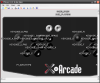
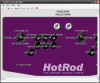
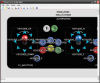
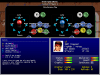
-
Definately not ROMs, but perhaps some of the others could be worked into the Setup Wizard. Not sure if Tom would want to host all those big files though, it would end up being pretty expensive. BTW I like this new forum feature of the first post always being at the top. It makes adding new votes easier
-
It seems to be up now, for me anyway.
-
There is another one you can try also http://www.silverfoxy.f2s.com/MNG2AVI.html
-
Welcome aboard mate
-
Yes the plugin reads the config files from mame\cfg. But you have to associate your controls to the keys your mapping to in order for the plugin to map them correctly. In the LEDWiz tab in the plugin configuration you will see a dropdown list where you can assign a KEYCODE_x to each control. Only after that will the mappings work.
-
I am working towards improving the custom input functionality of the plugin. At the moment it was sort of thrown in, but it does work for me! I have custom key mappings for all my NeoGeo games in cfg\[rom].cfg and it maps them okay. It should also take into account cfg\default.cfg. My plugin does not take into account ctrlr\[name].cfg yet though. I think I may have misunderstood how the mappings work. So I will be working on that soon. Oh BTW if you want to use the custom input mapping feature you also have to select the Key Code in the plugin's LEDWiz config for it to work.
-
Again bkenobi is right on here, that is a problem with way you have your login setup. Go to Start->Settings->Control Panel->User Accounts->Change the way users log on or off then turn off Use the Welcome screen.
-
Thats the problem with bare bone installs, sometimes they're too bare!
-
I've seen this error before and I dont know if there is an obvious solution to this yet. I think downloading GameEx again and re-installing might be worth a try. If you have a search on this forum for oledb error you might find some other posts related to this and a possible solution. Let us know how you go.
-
I've just edited out the name of the torrent site from this thread. I think it's best to not mention it. I could not find this torrent on Google so I don't think it's a huge problem. I'm gonna lock this thread as I think it's best to keep this sort of thing off the forums. If you do find GameEx on a torrent site, please e-mail Tom and let him know about it.
-
The problem is you can't have two apps communicating to the LEDWiz at the same time. It is how the dll was designed by MikeQ, and unfortunately he won't release the source for it. I have made an SDK for it which includes VB6 example source. You can download it from here
-
Why is he using a binary format for the configs? Seems a bit silly to me, I would personally go with xml format.
-
I think it might be because you have two keys mapped to KEYCODE_V. Try changing.. <port type="UI_SELECT"> <newseq type="standard"> KEYCODE_V </newseq> </port> To some other key. Let me know how you go.
-
Can you please post it here so I can take a look at it. And it's default.cfg not default.ini isn't it?
-
That is what the GameEx Most Wanted features list is for too
-
It should work without Mame installed perhaps it's a bug? Need Tom to check that out.
-
This is exactly what I need you for! I need to find my bug in the cfg parser, so I need the cfg file that is causing the button not to light up. This is why I asked you to backup the cfg folder and test it. Now I need to find the cfg file that is causing it to fail. If you can isolate which one is causing the problem and post it as an attachment here please. First thing to try is removing all cfg files from the cfg folder except default.cfg. See if that is the one causing the problem, I have a feeling it is.
-
Man I'm getting alot of problems with the forum lately. I lost my last post which was basically that I will be working on the plugin again soon so I will need testers to help me. I'm not entirely sure what your problem could be, but it could be the cfg code I added to the more recent versions. Can you try moving the files in "<MameFolder>\cfg" to some temp folder and try it again. It could be a cfg file screwing things up as I took a few guesses on how they worked.
-
bkenobi is right the extra C: is not actually a part of the command line used to launch the game, it is just debug info for the log file. GameEx\DATA\runitgame.bat is what is actually launched from GameEx. You can run this batch file outside GameEx.
-
This is the way I have mine setup also. Actually the Setup Wizard does sort of encourage C:\Emulators\[EmuName] and C:\Roms\[system] which is the default for downloading emu's, the default configs etc. This is my personal preferred way also.
-
It's quite okay to color your post a bit, but going overboard starts to sound like your having a rant, bitch and/or moan. Noone comes here wanting to listen to people bitch about how difficult it is to operate a computer. Where here to help people who are considerate enough to ask for help politely. We are after all on the Internet, not New York or Jersey. Thanks for your points on how to improve the Setup Wizard, I'll take them on board. Perhaps I could add an "auto setup" feature to it, and hope the user trusts me enough to assume I know better than them where and how things should be setup. Could be nice for new users, personally I would avoid such a feature as I prefer to be in more control of how things are setup. Anyway your points are taken.


