|



Adultery
-
Posts
10152 -
Joined
-
Last visited
-
Days Won
159
Content Type
Profiles
Forums
Events
Downloads
Store
Articles
Everything posted by Adultery
-
It was. For some reason though that particular emulator doesn't seem to work from a .bat file. *shrugs* It's working great now though. Thanks for the smokin' app Tempest!
-

Cabinets and HTPC Setups Running GameEx
Adultery replied to David R Hilgendorf's topic in Gamer Rigs
Nah it's the other monitor. I use this for the keyboard/mouse since I don't need it that often. If I got more hardcore stuff to do I have a Logitech wireless kbd and a USB port on the front of the cab. Looking forward to the pix GeorgeT! Seeing other people's work makes me think I'm not so crazy! Ahh but what can I say really. It was a childhood dream of mine to own one, but could never have imagined one that does all the cool stuff a GameEx cab does! -
GameEx NetPlay - Client/Server MAME/Mess
Adultery replied to Tom Speirs's topic in FAQs, Guides, & Other Useful Information
For me it's laggy as all hell. -
Cabinets and HTPC Setups Running GameEx
Adultery replied to David R Hilgendorf's topic in Gamer Rigs
XBOX 360 wireless controllers actually. They work awesome. -
Nah I figured it out. For some reason if I run it from a bat file it launches too late or something and covers up the screen. I needed to set it to 16 bit color (which I did), so this is what I finally ended up doing= AlsoLaunch=F:/MarqueeMagician/LaunchMM.exe "Nintendo SNES" LaunchBefore=F:/xpadder/Xpadder.exe SNES1 SNES2 /M LaunchAfter=F:/BatFiles/SNES.bat @echo off F: cd /xpadder/ start "" Xpadder.exe "Default1" "Default2" /M cd ../MarqueeMagician/ LaunchMM.exe "GameEx" Works great now, and in 16-bit color. The problem is somewhere in the need to create a 16-bit color profile for it, because none of my other emus force 16-bit. Thanks for the help!
-
Ahh no good. I tried both ways.
-
Oh d'uh. I set it to 1 to make some changes and forgot to set it back. I can be such a moron sometimes!
-
Cabinets and HTPC Setups Running GameEx
Adultery replied to David R Hilgendorf's topic in Gamer Rigs
The main monitor is 20.1", and the deck one is 15.5 I think? And yes, those are indeed Logitech speakers. They do a good job, and they fit in with the design. -
OK, new problem. When I launch ZSNES, the MM image comes up, but for whatever reason the emu is running behind a black screen. Any ideas? Running out of things to try. PS: It's the only emu that does it too for some reason.
-
I guess for me it's the difference between regular math and "new math". My kids tell me I'm wrong all the time, but no matter the approach the answer is still the same.
-
Cabinets and HTPC Setups Running GameEx
Adultery replied to David R Hilgendorf's topic in Gamer Rigs
Thanks man! Couldn't have done it without ya! -
{OFFTOPIC} I would cry if the Advanced Config Emu was done away with. Us old schoolers still do things the long way.
-
Cabinets and HTPC Setups Running GameEx
Adultery replied to David R Hilgendorf's topic in Gamer Rigs
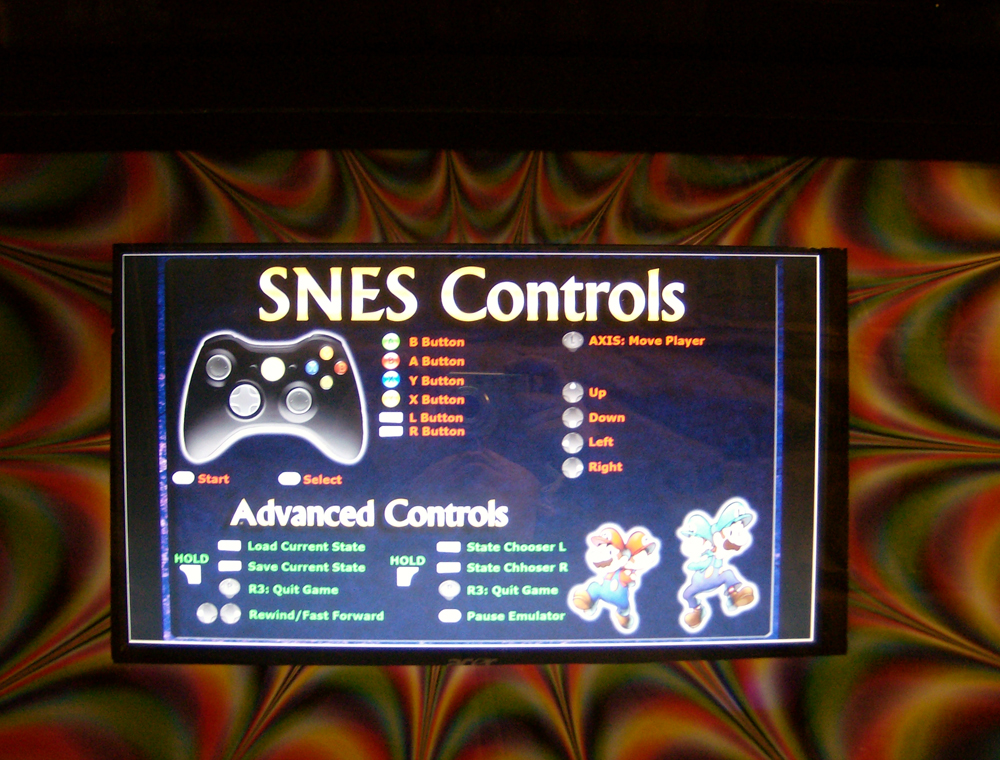
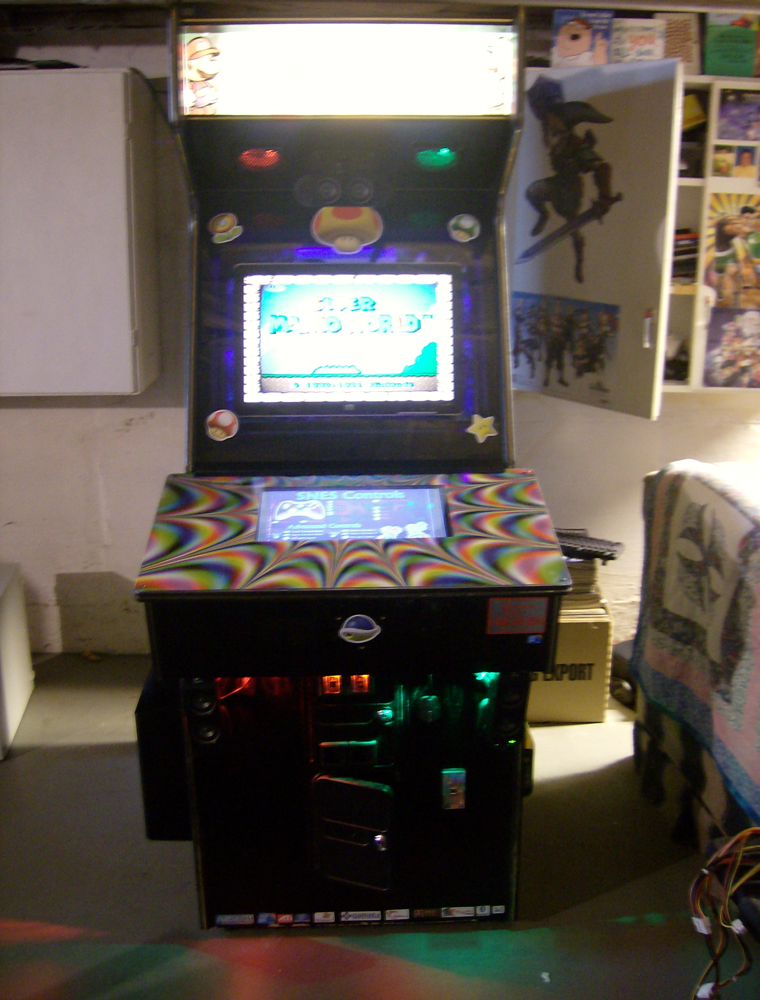
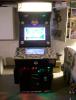
I did some work on my project: The new marquee in place, I finally spray painted the "mailbox" on the side with some Matte finish and Matte clear coat (thanks for the tip Drac!), and she's looking sharp with a new sheet of polycarbonate that my local glass company cut for me. I also replaced the crappy PSU I had in it with a much nicer Antec 650W one. It used to be that after I powered down the cab, I would have to wait an hour to boot it again for some reason. It would act like it was going to turn on, but alas, no POST, no BIOS screen, etc. Turns out it was a POS power supply. Who knew? Here's a closer shot of the second monitor. I miscut the poster I was using for a graphic, so this weekend I'll be off to Spencer's for another one. Besides the minor flaw, I think it looks pretty great (that's of course due to Tempest's Marquee Magician app). It's pretty awesome to have the controls come up right on the cpanel. If I get really ambitious someday, maybe I'll lay one out for every game on the cabinet... Or maybe not. Haha!
-
The reason for this is that many of the EXEs in question are the work of others, and other entire programs. In some cases the source code is not available. In other cases, the EXEs are standalone programs. GameEx does what it does and the user should never need to go into the GameEx folder except on rare occasions. The only EXEs that the user would need to access are linked into the start menu. For example: HiToText is a program written by someone else (over on BYOAC I think), the Config Utility is Headkaze's work, the weather plugin EXE is a plugin and not part of GameEx code. You get the idea.
-
Thanks man! I appreciate the help.
-
Man this app is really great Tempest! I have just one question: When GameEx loads/browses the menus, I would like to display a picture of my loading screen on my second monitor. If I make the GameEx template this image, GameEx hangs and doesn't load at all. Is there a way to do this, or am I just SOL?
-
That's why we're here! It's intimidating at first true, but if you ask questions the community has helped far less technically inclined people get it where they want to be.
-
DAMMIT! For some reason the .bat files I created are working great, until I go to the emulator. Then, not so much. So for NES, I have created a template for Marquee Magician, and I set up my bat file like so: @echo off F: cd xpadder/ start "" xpadder.exe "nes1" "nes2" /M cd ../MarqueeMagician start "" LaunchMM.exe "NES" The control panel screen comes up, and the Marquee Magician displays my template, but GameEx goes back to it's menu. I looked at the log file and it seems to be passing the CMDLine correctly. I'm completely stumped on this one. .:EDIT:. Oh holy hell. I added it to "Also Launch" instead of "Launch Before" and it works like a champ. Go figure.
-
Glad you got it up and running!
-
I really think this problem is theme specific TBH.
-
/offtopic: man I need to set up dosbox.
-
Oh ok. So here's what I did when this happened to me on my machine: I created a blank xpadder profile and named it "default1" and "default2" (I use 2 controllers). I opened up GameEx Advanced Config and went to the "tweaks/performance" menu. In the LaunchOnStartupDontWait field I added xpadder: Xpadder.exe default1 default2 /M Then, in LaunchOnExit I added this: Xpadder.exe /C Now, in your NullDC config: LaunchBefore=xpadder.exe nulldc1 nulldc2 /M (or whatever your profiles are named) LaunchAfter=xpadder.exe default1 default2 /M And viola! Xpadder running great, and ready for action.
-
Macs use windows compatible processors now brah!
-
Yeah. See my edit above too (got ahead of myself again).