



|



Adultery
-
Posts
10152 -
Joined
-
Last visited
-
Days Won
159
Content Type
Profiles
Forums
Events
Downloads
Store
Articles
Everything posted by Adultery
-
Oh man... nice one Tempest. I see I have work to do.
-
I run Dolphin for GC and a few WiiWare games. It took me a while to tweak it just right so it ran well on my cab. Not overly complicated to set up, but I don't use arcade controls on my cab (mine uses 360 pads) so can't help ya there.
-
Indeed.
-
Wireless 360 pads, Xpadder, and a small wireless keyboard. They work beautiful together.
-
Oh wow.... lol!
-

Feature & Enhancement Requests
Adultery replied to Tom Speirs's topic in FAQs, Guides, & Other Useful Information
The way it's tired in to several features, this is probably not going to happen. Just my 2c.. As a future IT, I can't imagine the need to rename or change anything like that when I could just use a shortcut and name that whatever I want. What a nightmare if we allowed such permissions in a server environment. -
I use Magic Engine. It cost me like $10 but runs everything great.
-
I haven't set this up yet. I guess I just assumed it works the same way GameEx does, but it's still in the early stages of development. Perhaps a feature request is in order.
-
There's not a theme folder with themes in it in the PinballX directory?
-
I don't know much about it, but can you specify a font in the theme.ini?
-
QuickLaunch Update! A new port for PinballX has been released! Get more information here: http://www.gameex.info/forums/files/file/43-quicklaunch-pinballx-edition/
-
NEWS: Ported QuickLaunch to PinballX! See the main post for a list of command line variables supported.
-
Version 1.0.3
180 downloads
QuickLaunch Add applications to launch before, after, and with your games using this simple plugin! Specify variables to build your command lines on the fly! Launch as many programs as you want (as long as you give each one a unique name)! It's like GameEx's Launch Commands on steroids! SETUP Select the emulator you wish to add your applications/BAT files to from the drop down menu Click [ADD] to add a new application Click [EDIT] to edit the currently selected application Click [REMOVE] to delete the currently selected application ADD NEW APPS QUICKLY Enter a unique name for the process (If you don't, your previous app info will be overwritten!) Click the [...] button and browse to your EXE or BAT file Enter your command line arguments Select the launch type (Launch Before, Launch After and Also Launch fully supported!) Save it and play! SUPPORTED COMMAND LINE VARIABLES: [system] The internal system name for PinballX, ie VisualPinball [systemName] The display friendly name for PinballX, ie Visual Pinball [iNI] The system's INI file [GameName] The Game Name from the PinballX Database [Description] The Game Bio from the PinballX Database [shortDescription] A shortened Game Bio from the PinballX Database [TableFile] The table's executable [TablePath] The path to the table's executable [Parameters] The table's command line parameters [DisplayWidth] The game's display width [DisplayHeight] The game's display height [DisplayRotation] The game's display rotation [DisplayWindowed] A boolean variable representing the table's windowed mode [DisplayPlayfield] The display showing the table's playfield [DisplayBackglass] The display showing the table's backglass [DisplayDMD] The display showing the table's DMD [DisplayFilter] The display filter [Video-Playfield] The playfield video path [Video-Backglass] The backglass video path [Video-DMD] The DMD video path [Video-Wheel] The Wheel video path Any questions or comments? Feel free to ask 'em. I also like feature requests and very much appreciate bug reports. This app does not yet contain any logging, I will add this in a future release. It seems to be working fine for me. Thanks again for using it! -
Just an assumption that your roms aren't named in a database supported format. Just make a MAP file, there are utilities to make this easier (Map File Maker comes to mind: [RELEASE] Map File Maker).
-
LEADERBOARD Hi-Score Competition
Adultery replied to GimmeClassics's topic in GameEx Hi-Score Competition
I'm glad it was useful. -
It's what I do.
-
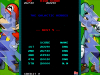
Might as well get on the list anyways... INITIAKS: DNK SCORE: 26890 MAME: 0.148c
-
Version 1.0.1
194 downloads
This is an Xpadder plugin for PinballX. You can seamlessly integrate your pin cab with Xpadder quickly and easily. Just browse to the Xpadder.exe, select your installed machine from the drop down list, and browse to the profile you want to load for it. To remove the settings for a machine, just click the REMOVE PROFILES button and they're gone. No need for Launch Before or Launch After commands with Xpadder, everything happens automatically. If you don't have a profile enabled, Xpadder won't launch (or close if it was running). You can also set profiles for navigating the PinballX interface! Unique to the PinballX version is the profile editing feature. Click the EDIT button next to the profile, and your Xpadder editor will launch allowing you to edit your commands quickly. This is the first plugin for me using the new system. It's working on my machine, but I only have a handful of tables running. I'd be interested to know how it works for others. -
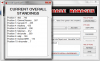
Update to 1.0.6 - You can now build the Global Leaderboard with the click of a button. Keep those scores coming! PS: I corrected the spelling of ehounders name in the rss and the db.
-
Ahh I'm dropping like a rock. I guess I have some work to do it looks like.
-
This really isn't necessary, I'm sure it was an oversight on Tom's part. This should only behave this way on a new install to help demo layout and the table manager to new users and I'm sure he will fix it in an upcoming release. Kudos on the bug report though.
-
You know what's funny about that is I have that chess set! I saw it in a Halloween store last year and I had to have it! :-) Never played a single game of chess with it though (Luigi as queen? Should be the princess!!)
-
Game Info 1.2.0 is out! Probably the last release for a while, as I have other projects I would like to finish. Download it here: http://www.gameex.info/forums/files/file/16-game-info/
-
UPDATED TO 1.2.0 (PLUGIN) Added customization of the Hi-Score header and the Attract Info labels(PLUGIN) Added customization of the Hi-Score logo that sits on top of the leaderboard(CONFIGURATION) Added an "always on" option for the control panel viewer (The control panel viewer will launch and end with the game unless you press the key combo to hide/show it)(THEMES) Added artwork and XML update for the MegaMAME theme to use the custom Hi-Score Competition logoJust one last quick one... I forgot to add in the earlier feature request to leave the Control Panel up in the game instead of requiring a key press. Thanks to stigzler for the suggestion!
-
Wow! Just... wow! What are you doing different than me that makes your rss display properly? Mine doesn't always change, sometimes it stays on the main feed no matter what page I'm on. That looks really nice!!


