|



Mike_da_Spike
-
Posts
3794 -
Joined
-
Last visited
-
Days Won
242
Content Type
Profiles
Forums
Events
Downloads
Store
Articles
Everything posted by Mike_da_Spike
-
 that did "The" trick I tried a lot to get it to work, but not the capital T Thanks mate ! Not sure if you saw my question before :
 -
I can't beat you with pinball, so most do it with replies
-
I have 3 tables that I'm not able to launch from command line, but able to launch via menu : Shooting the Rapids Shooting the Rapids 2016 Shooting the Rapids Retro Should I use another table name ? Anyone else with same issue?
-
Scutters and I know how Databasemanager is working and it will not fuck up your setup. But not sure what you mean that it 'fucked it all up'. If you only have vpx and fx3, it is possible to randomize a table from all systems If you want to randomize only 2 only out of more systems, it will be hard and needs code adjustment
-
LOl, I updated everything with your new XML and launcher settings, but it didn't work. But noticed I didn't update Steam yet Working like a charm @joyrider3774 Can I do a request for you PinballXlauncher program ? If a key is pressed for navigation (So not launching), can the timer be reset ? Maybe it's because of me, but the menu is too big to navigate trough it (I also have it with FX3 ...) Maybe because I'm getting too old and not too quick anymore
-
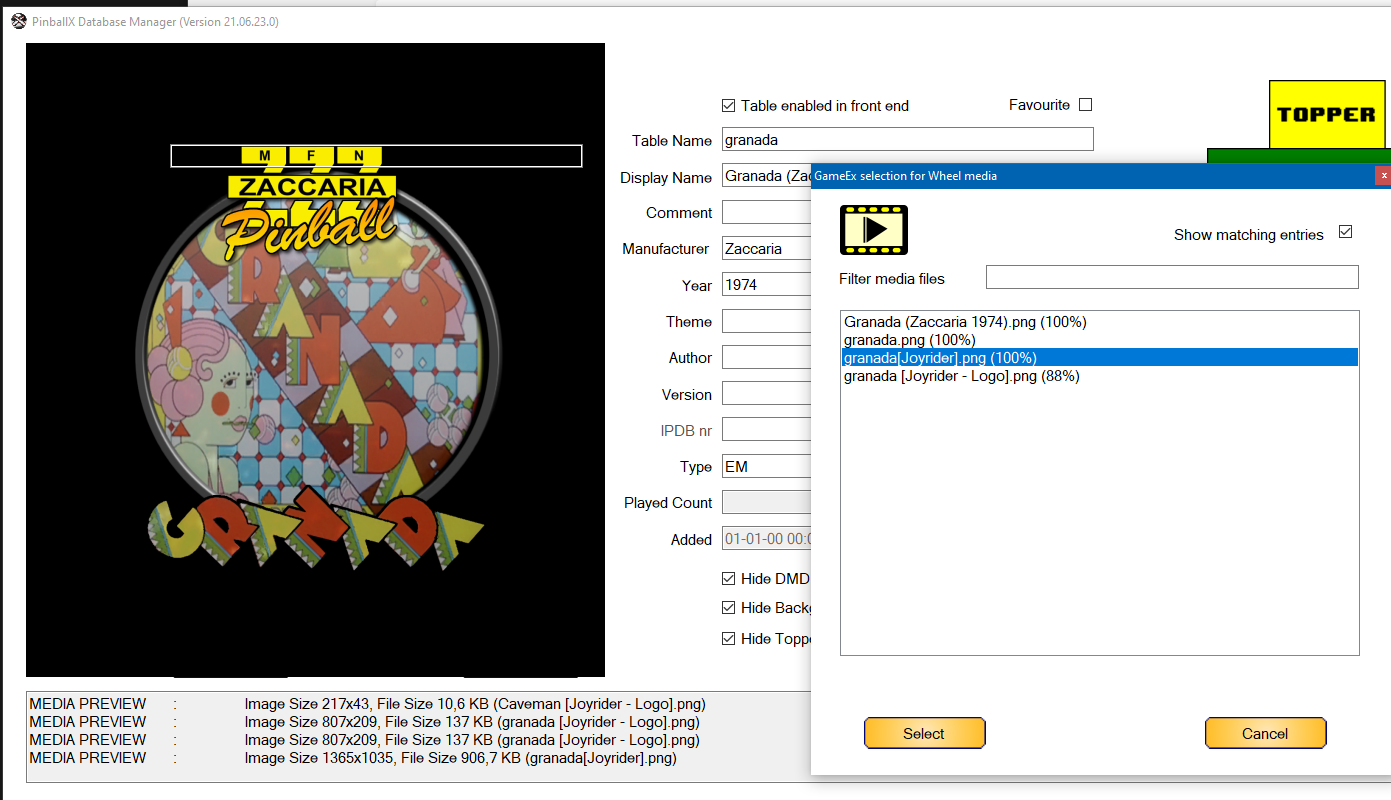
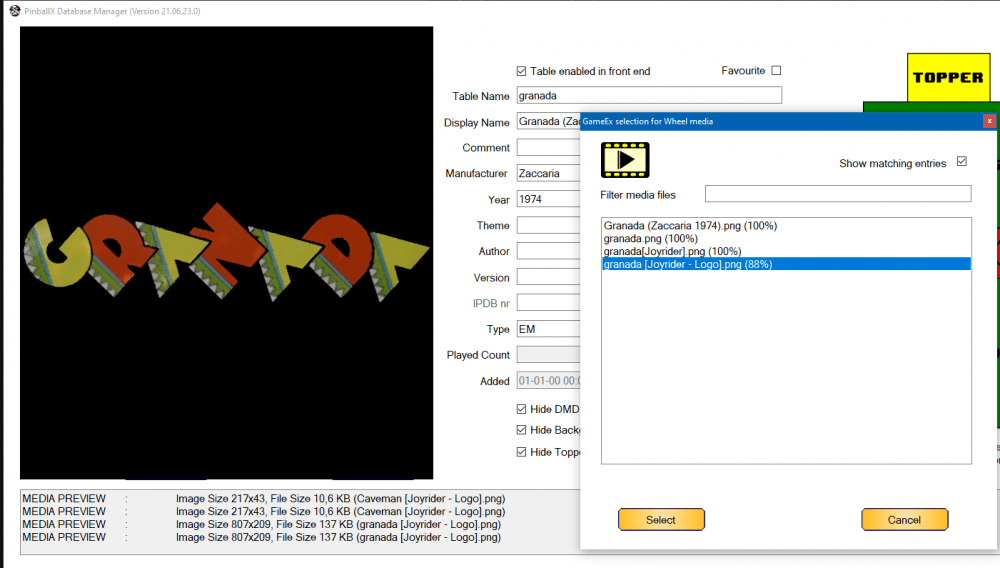
Go to your pinballx directory -> databases and under there the system where you have zaccaria Rename the xml thats in that directory for backup (remove xml as pinballx will still use it) and copy the xml with the same name as your old xml has This is how it looks for me now : @joyrider3774, I uploaded your wheel images as well and adeed your name to it. Now they are easily to access via gamemanager and database manager :
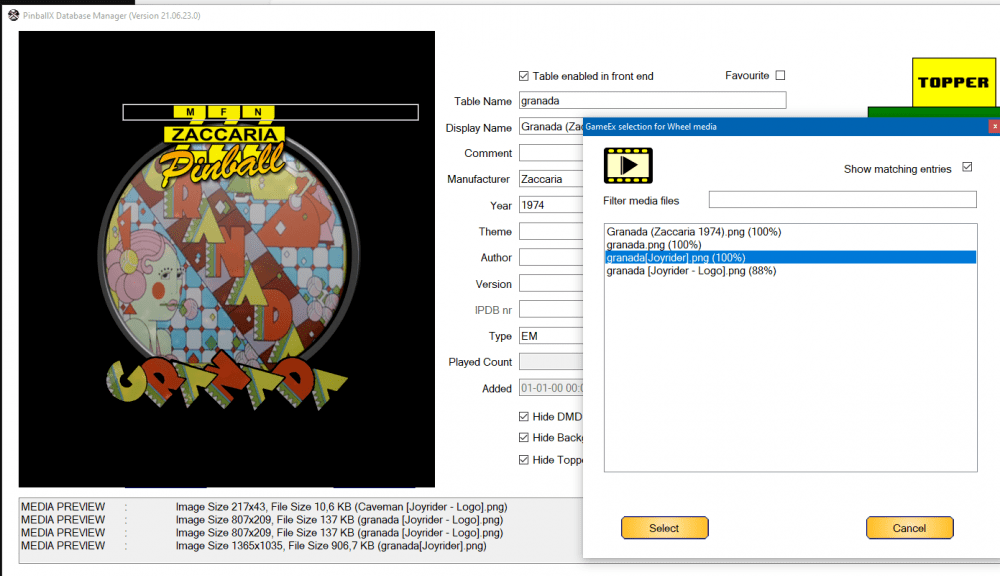

-
Everybody has access for uploading. And 1 off the files needs indeed another name. I f I have some time in the weekend, I will grab your files and upload them
-
Yes, saw your media. I like the plain logos Do you also upload to the media/zaccaria/wheels directory ? So that the favorite game/database managers can download it as well ? Welcome back !
-
MegaBalls Wheel Images for Pinball FX2 / FX3 / FX / M
Mike_da_Spike replied to PcTeknic's topic in PinballX Media Projects
What do you mean ? The download is available via the "view file" button in the first post -
Nais work @joyrider3774! I need to update all and check your ini file as well, as they have a lot of extra launch options. didnt play for a lomg time, but maybe it is fun again good work !
-
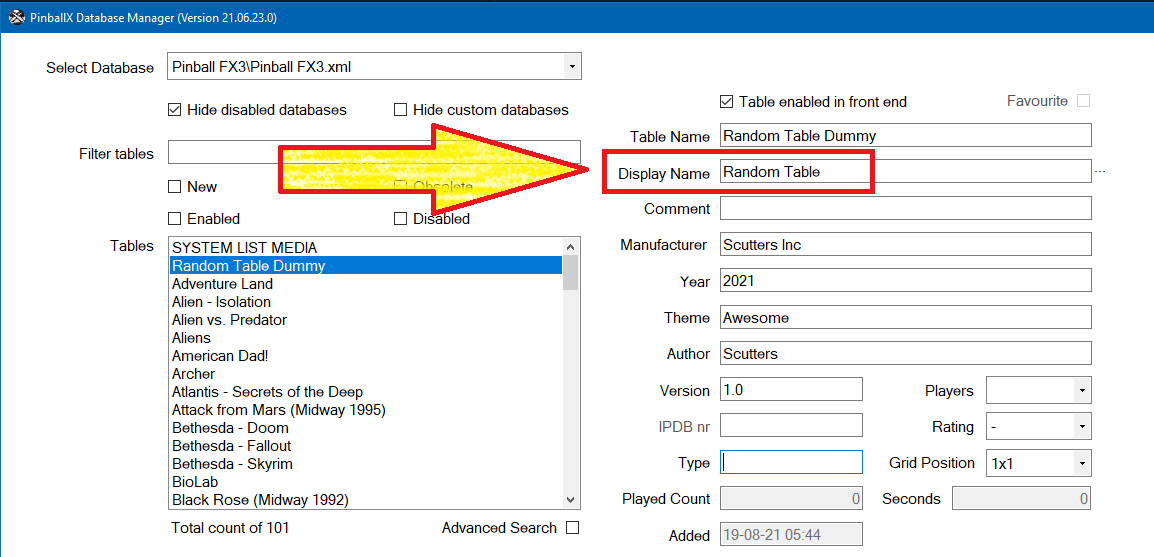
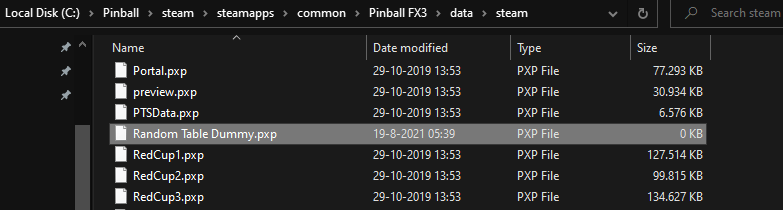
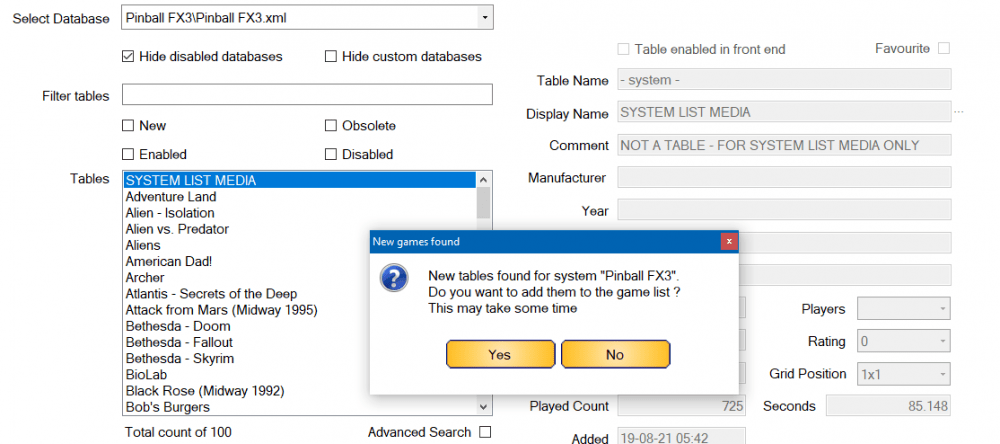
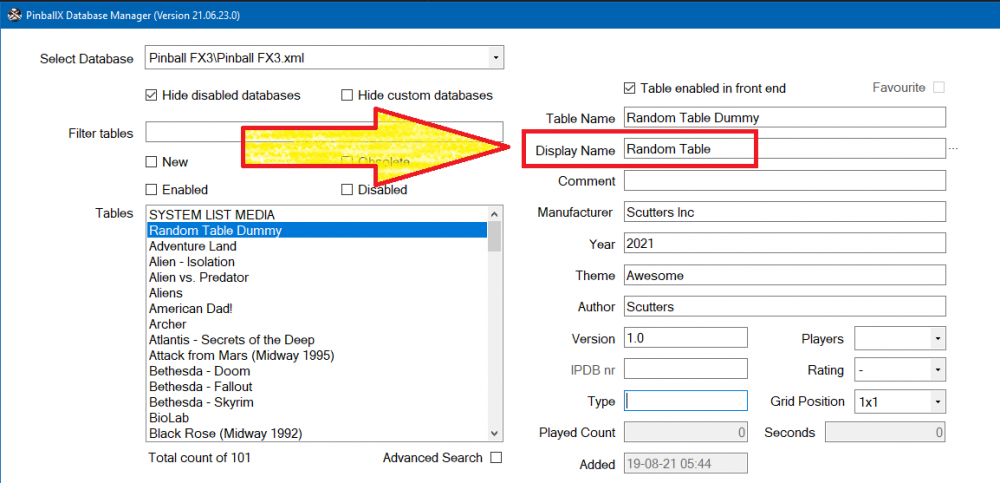
I created the file in the steam directory, because of the next nice feature in databasemanager : Start Databasemanager and if you have FX3 from steam bought, it will directly add the new table (if you set this up in the settings) Just rename it to Random Table and you are good (and set some media of course and according the log : Also see the FX3 post for databasemanager:
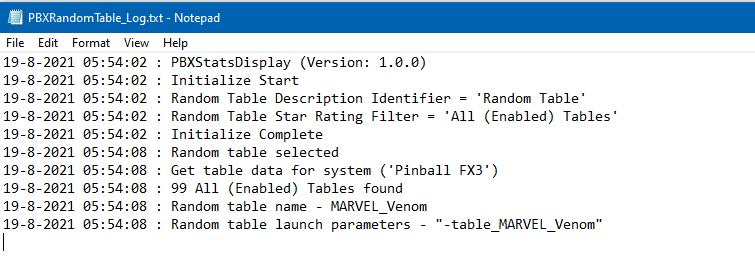
-
Didn't test it yet, and not at the cab,but the idea will be something like this: Fx3 has lso a "table" directory where all the files and tables exitst . In that directory, add the text file as @scuttersmention, but with extension of fx3 tables (is that pxp ?) Add the random table to your xml file with your favorite editor Think that should work Edit: not to steal this post, but I have created an api launcher that can do the same, but instead of having a "table entry", you can have them in your menu option.
-
Cannot change video files in Game Manager for a couple tables
Mike_da_Spike replied to rtkiii's topic in General
I created the bg and pf videos with the build in recorder from pinballx (can also be used in Databasemanager), but I use nvidia capture as well -
Cannot change video files in Game Manager for a couple tables
Mike_da_Spike replied to rtkiii's topic in General
I spend so many hours to create a manual, and nobody is reading it .... I thought you wanted bg videos and not pf. If I recall correctly, @BrandonLaw has some in game videos created on ftp in his folder. Maybe look at that and if you have them, you can use Databasemanager to upload media as well, so fellow users are able to download again. -
Cannot change video files in Game Manager for a couple tables
Mike_da_Spike replied to rtkiii's topic in General
Didn't rread the manual? Setup in settings the ftp part or mega links. Right click on the media part ( in your case the backglass) and select gameex. A list with videos and images are showed. If name is mating the "fuzzy search", it will only show those, but with a checkbox you can show all. Hope it makes sense -
Cannot change video files in Game Manager for a couple tables
Mike_da_Spike replied to rtkiii's topic in General
With Databasemanager you can download easy some nice background videos for fx3 -
Pinball FX3: Williams Pinball Volume 6
Mike_da_Spike replied to Mike_da_Spike's topic in PinballX Media Projects
Volume 6 is alphanumeric and not supported (yet) by freezy, so I wasn't able to grab the dmd and make a movie of it. Think that freezy is busy with vpe instead of dmddevice.dll Colors are not working either in fx3 Yes. Videos and images. With Databasemanager you can easily download them -
Cannot change video files in Game Manager for a couple tables
Mike_da_Spike replied to rtkiii's topic in General
Or (if it is possible), attach the complete media as zip. Btw, didn't @scuttersmentioned that Databasemanager fully supports fx3 tables and even identify new tables (if you bought them from Steam) -
Is there a way to kill the backglass/dmd videos on table load?
Mike_da_Spike replied to Knievel's topic in General
I don't think a solution is there. Maybe a feature request for loading backgglass/dmd can be done, but rhink it was requested already -
PinballX Launcher App Does it work on Pinball FX2?
Mike_da_Spike replied to susoarkangel's topic in General
I only have fx3, but don't think you need that launcher. @joyrider3774launcher, is for launching multiple players and arcade and normal mode. Reading old update notes from FX2, I could only find that it is possible to launch a direct table. So, that can be done from a normal system setting -
Nais ! Good catch ! And we are all amateurs overhere ! Thats why we like this hobby (Well, the real expert is Tom off course)
-
Can you attach your log file and settings file as well ? Looking at screenshots, it looks like you use the directb2s in the front end. Sizing looks fine, but your grill is shown. I prefer videos as backglass (if you record them via databasemanager/gamemanager) the size is fine Edit : thanks to another member of this site, he showed me that the pics are indeed zoomed and not be a hidden grill. Sorry for that.
-
[PLUGIN] PinballX Pinemhi Challenge Table Launcher
Mike_da_Spike replied to scutters's topic in User Projects
The master of PinballX plugins ! Nice work mate ! Edit : This is really cool @scutters. I added your media and looks very good in PinballX. It load the correct tables for the correct challenge (must be very difficult code ) Here's a small demo on my cab : 20210811_061417.mp4 -
Nice article !
-
 Please use the pinballx general forum for anu issue/question https://forums.gameex.com/forums/forum/31-general/