|



MNMax21
-
Posts
515 -
Joined
-
Last visited
-
Days Won
9
Content Type
Profiles
Forums
Events
Downloads
Store
Articles
Everything posted by MNMax21
-
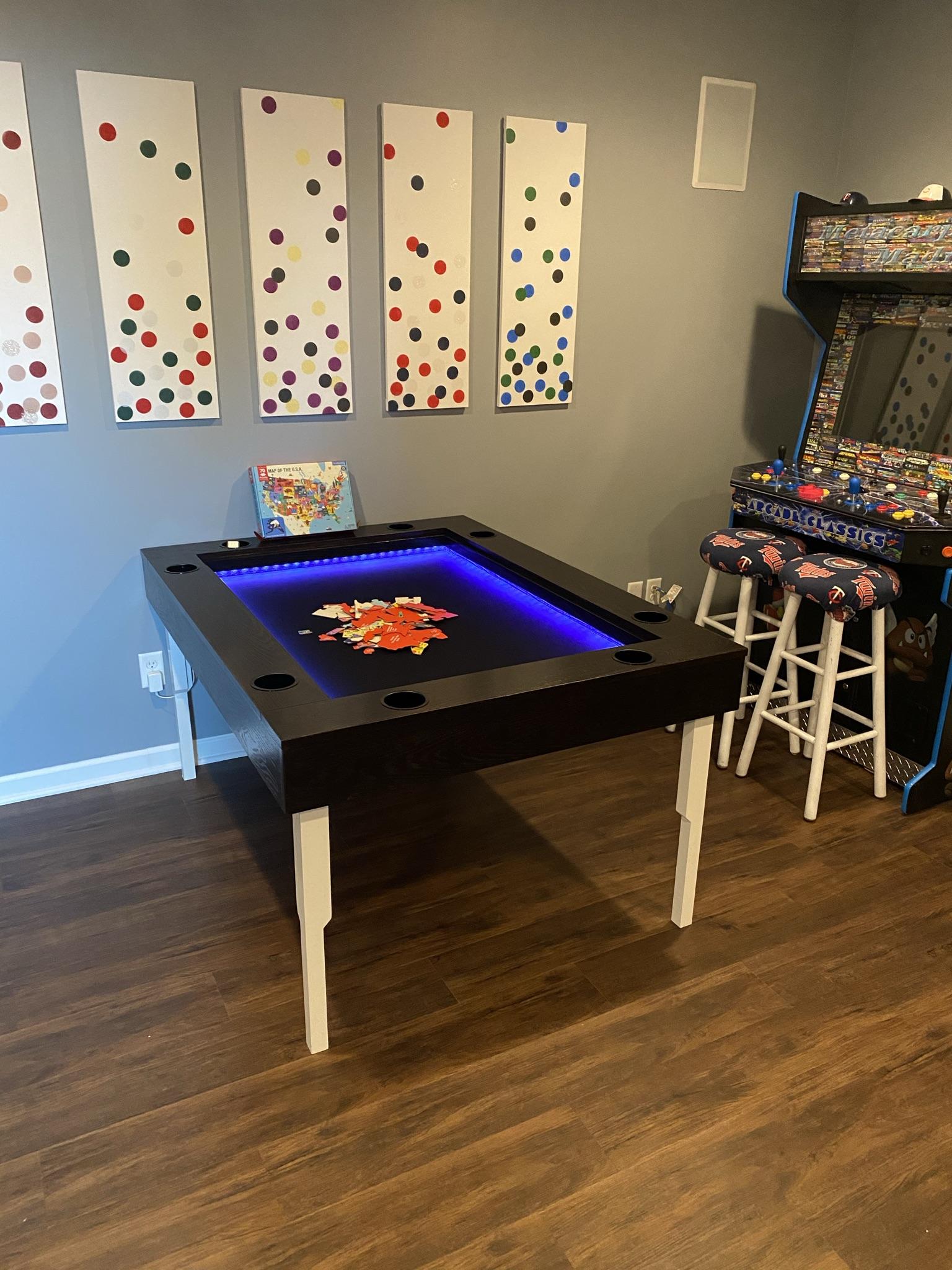
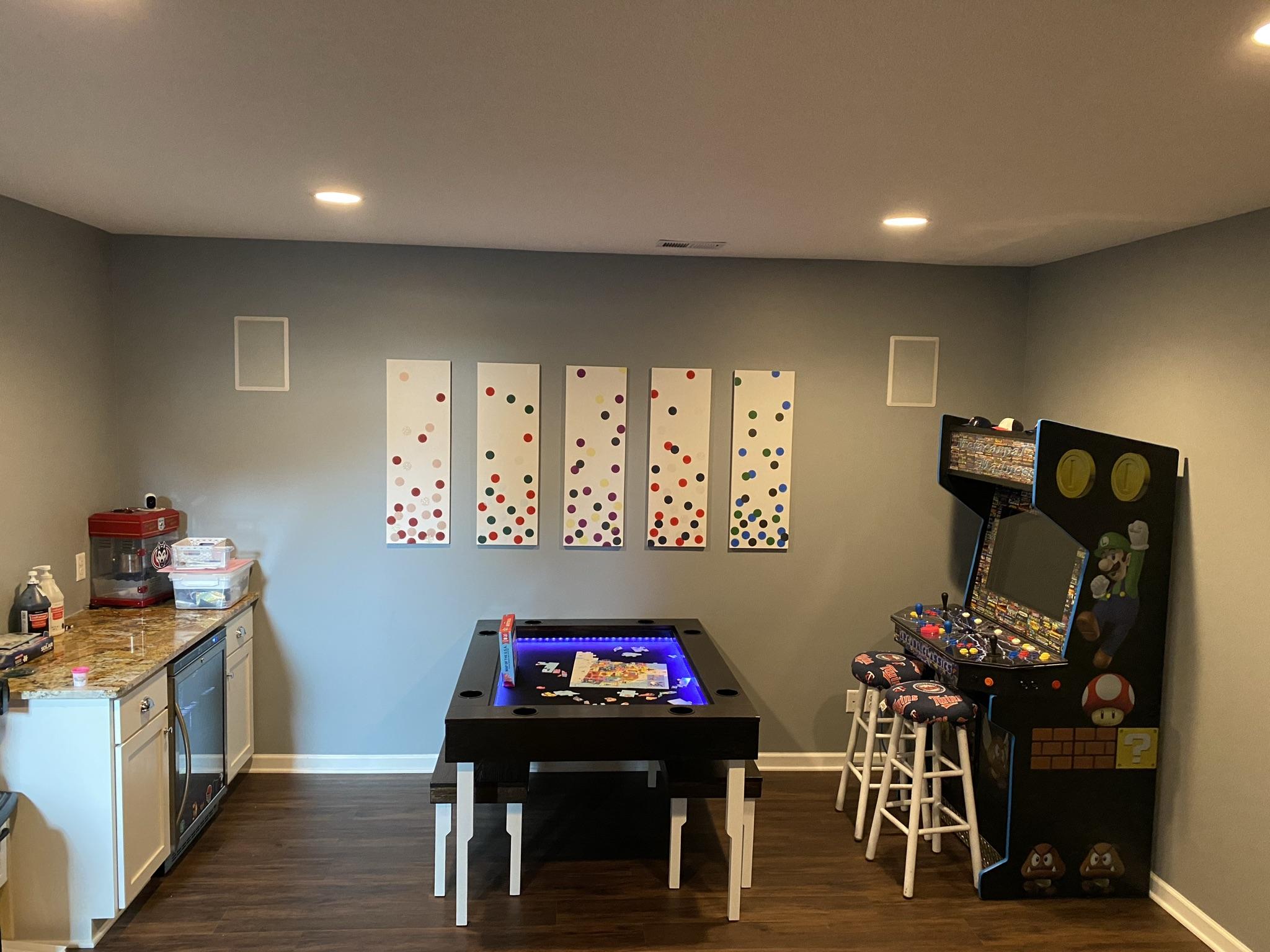
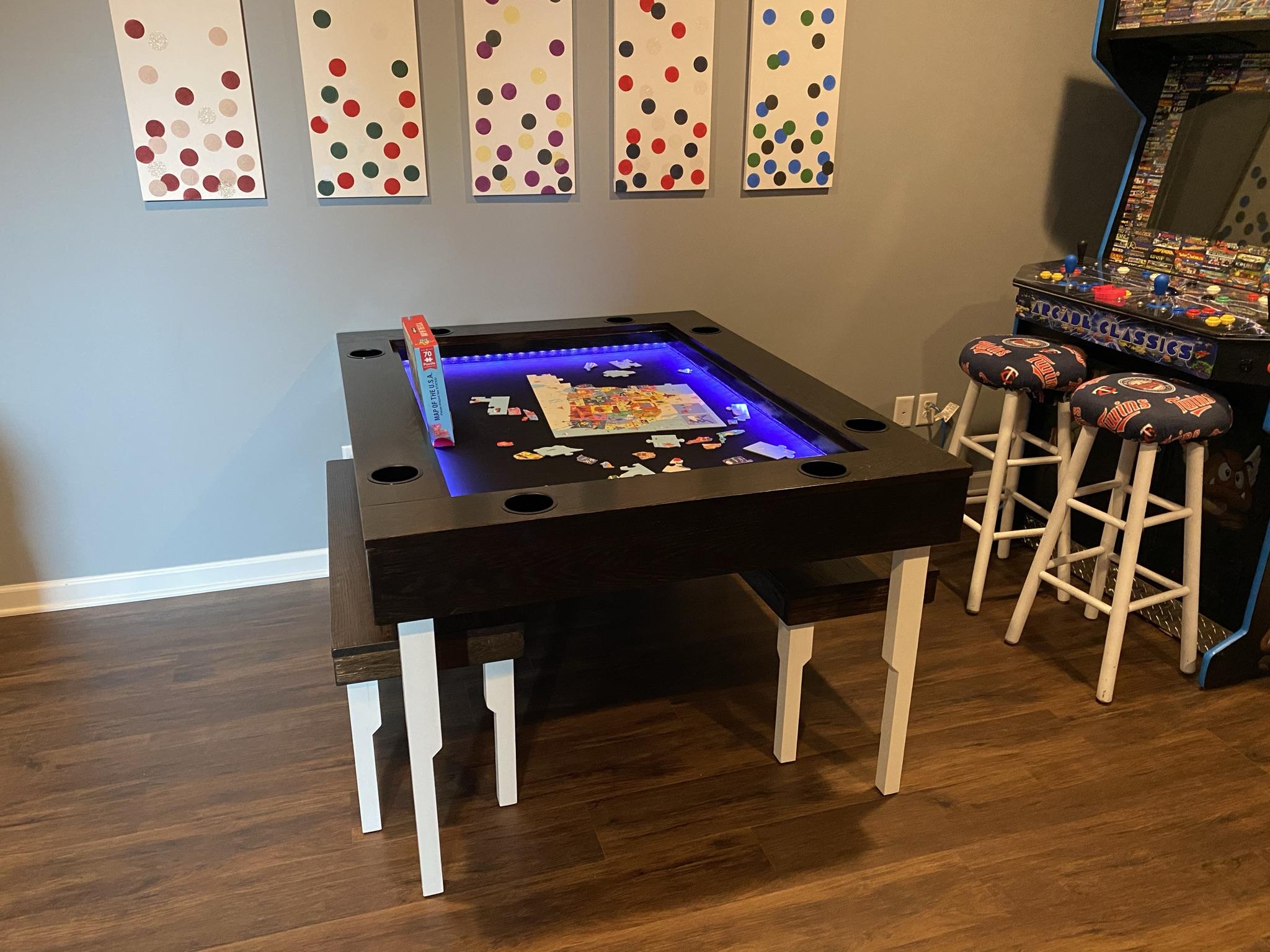
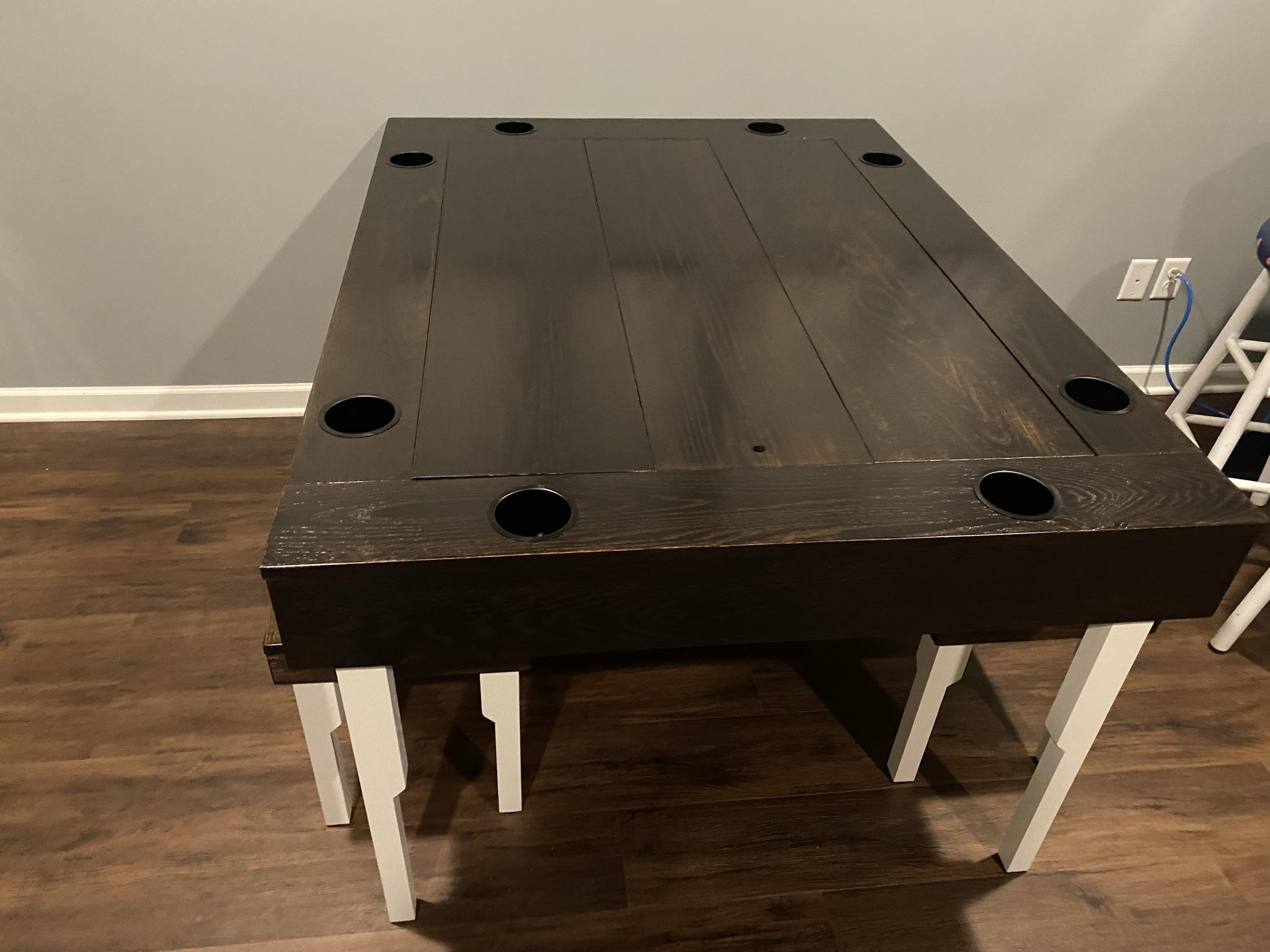
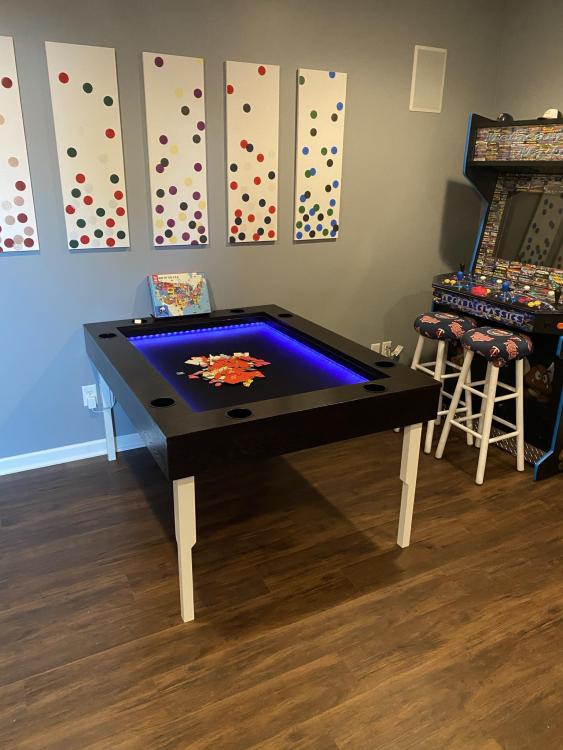
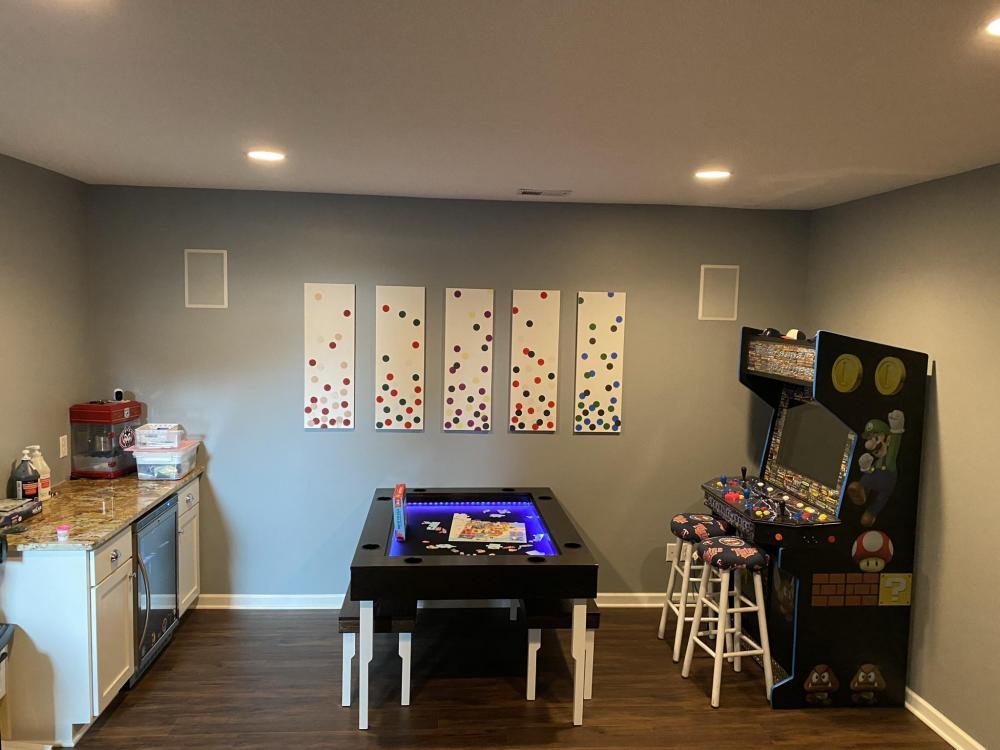
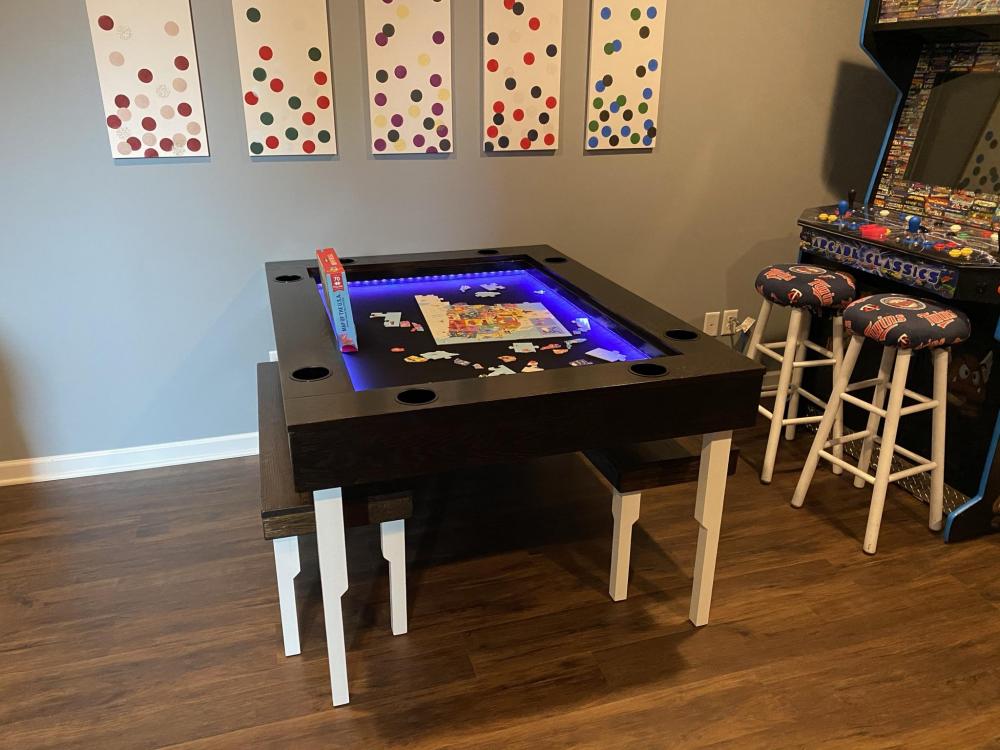
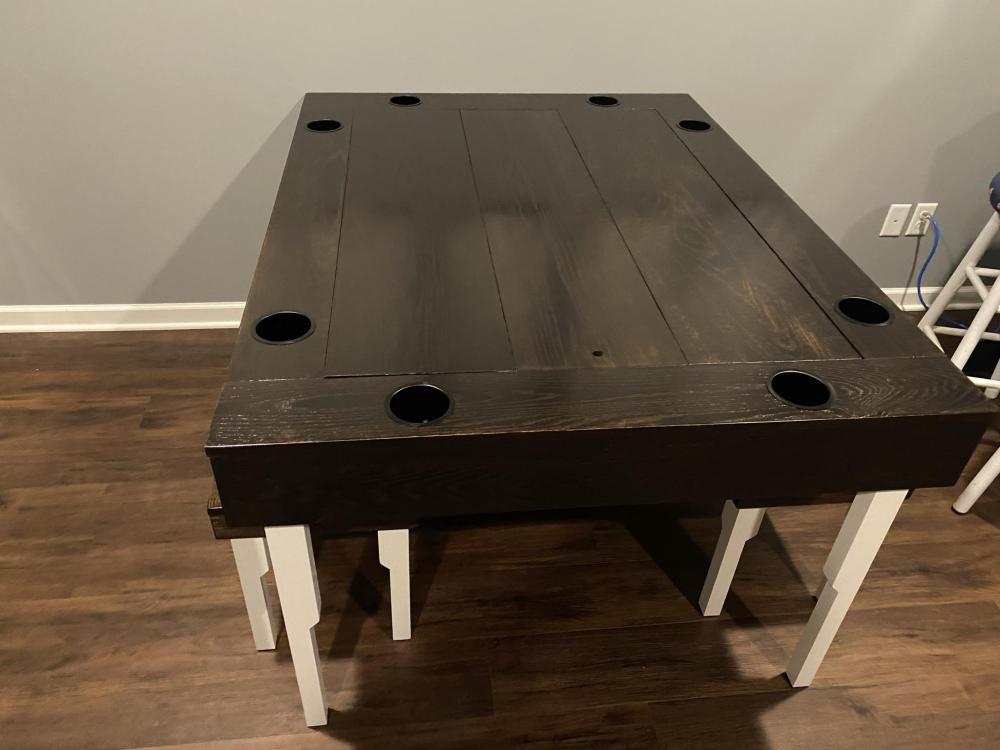
Yes, that's the benefit here too. There is currently a puzzle in there for the kids of the solar system. When not in use for that, the tops can just go on and keep it where you left it. It then allows for the ordinary use of the table. I put in a waterproof(resistant) scuba material on the bottom of the board game area for easy wipe up when the kids inevitably spill.
-
So.. I built a large game table. Mainly wanted it for board games, puzzles, poker, etc. It has a sort of inset, drop-down area where the board games, etc. can be played. It then has inserts on top that make the table flat for use for other things. I also put in lighting that can be a steady color, do a pattern, or even fluctuate to the music beat. I am going to post some pictures. My wife thinks I can make and sell these tables. I am wondering what you all would pay for something like this? Just wondering if it would even turn a profit. Hope you like it. (Arcade is not for sale... haha. I built that too.)
-
I love the new GameEx MAME leader board and I was wondering a few things about it. I took a gander in the forum and could not seem to find the answers, so I thought I'd ask (apologies if I missed it). Does the MAME Leader board automatically take from a saved hiscore.dat file within the MAME folder or does it have to be manually updated somewhere? Or is there a file I need to add to make the option work? Does this work in GameEx, GameEx Evolution and GameEx Arcade? I currently do not have hiscore active in Arcade mode, so just basically looking for guidance I guess on if I need to do anything. Thanks!
-
They need this back in stock already! ugh...
-
Awesome, thanks for the update. I have homebrew and a bunch of old classics on my Wii, so I might keep that stuff there if I get the Switch. Thanks for the advice on the controllers. I think the one solid controller style might be easier for my girls to pick up. They seem lost with the two devices on the Wii at times still. A bit young still is all. Hopefully it'll come back in stock soon. Seeing 4/30 on basically everything. I was debating just waiting for the next Microsoft Xbox console. I used to be a Sony guy, so who knows. However, those both appeared to be delayed by the Coronavirus outbreak now. Thanks again for the advice and tips, stay well.
-
I am debating getting a switch for the family when it comes back in stock. What have your thoughts been so far? Did you buy additional controllers?
-
Cool! Thanks for the advice Draco!
-
I am currently using the bezel artwork for each specific game in MAME and not the GameEx bezel. Many of the games I play have a large bezel that takes away from the actual game. Many of them are fine, but my girls like puzzle bobble for instance. The bezel is a majority of the screen. Is there a way to choose a different bezel if there are multiples or can you change the sizing in some way?
-
Thanks! It was a great day. Spent it with the better half and kids. Good food, laughs and cake. Hope you all are doing well!
-
You can get media from emumovies.com too. If the system pack doesn't work. I'm not sure if the wheel style video themes are in the system pack or not.
-
I've downloaded it twice without issue. It took awhile and I had to make sure my computer didn't go to sleep. It's worked both times. I accidentally deleted after the first time, which resulted in the second DL
-
You could rename the snap folder or move it temporarily. Then download the MAME System Pack that Tom put on the FTP. It has media in it and it's been working excellent for me. Then put the new system pack snap folder where the old one was. Might be worth a shot. Is he running MAME through the main MAME GameEx piece or as an emulator?
-
Can we get Frogger going?
-
@Dansmell @Evilforces I just came across this in another thread and thought I'd post it here. It may or may not be of assistance. I hope you guys get it figured out. The setting below will default to no, but you may want to give it a look. I figured it'd be worth posting at least. Good luck.
-
I just got a new SSD hard drive. I did not do a mirror, because I wanted to start fresh. I finally got everything done and I was running GameEx Arcade Edition. It was working great, but then ended up freezing and closing on me during videos a few times. I quickly realized I had not installed Codecs. I then installed Codecs and it worked great. Have you tried installing the Codecs from the MAME system pack? I am not sure where that version of Codecs is on the internet. I just know that the one in the MAME system pack install worked fantastic for me. The MAME system pack is available on the FTP I know you had said earlier that you installed Codecs I believe. Not sure if there are different versions out there or not.
-
It depends on leaving everything where it is in the system pack. I at first moved files around from the pack to places where I already had media on my main Drive. I then received the same error. I then decided to just leave everything where it was in the MAME system pack folder and placed that on my main C:/ and that worked after I put my GameEx path and ran it. I really like my media files for MAME to be right in my MAME dir file, so I ended up just taking the media files and placing them in the MAME folder. I then used the setup wizard to direct everything to the right paths. Basically, I used the system pack download for the media and MAME emulator. I then placed everything into one MAME folder and set the paths up through the GameEx setup wizard.
-
Emumovies has a FTP too. I snagged video themes over there. The key for me with the MAME system pack was to start it and not have my computer go to sleep. I had a few issues at first, but I realized my computer was going to sleep and stopping the connection.
-
Will Rocketlauncer use different bezel than what MAME does on its own through the zipped artwork files? I've always just used the bezel zipped artwork files from emumovies and placed them in the artwork file with the scan lines stuff. It seems to work great with MAME if you just make sure to map the artwork file correctly in MAME.ini. It defaults to artwork in the MAME directory file. I also like that I can turn off the keep aspect ratio piece and it fills my entire LCD TV in my arcade with the game play screen and bezel. I just wish I would've known it did that prior to my cabinet build. I would've gone with a bigger tv and just used the bezels for each game.... that was a bummer.
-
Sounds like a return and purchase of a Nvidia GEForce to me....
-
@Dansmell sorry to hear you are still having issues. @DazzleHP is accurate on the fact that it takes a good PC to run the videos. It looks like you have a 3.99 ghz 8 core AMD, so that should be fine. Are you running a stock video card off the motherboard? If so, you may want to invest in a Nvidia GeForce or the like. That may assist in this. The videos working outside of GameEx is a good thing. However, the issue may be your transitioning from video to video and that speed. Last ditch effort. Maybe try downloading the Microsoft Visual Studio 2015. That will most likely download a bunch of .NET framework and C++ items that may need to be on your device. This was a recommendation to download from @SIMPLY_AUSTIN for Hyperspin on his YouTube.com tutorial for that product. I would mention that I believe Hyperspin is even MORE dependent on video transitions and things like that. The wheel feature is very intense on video with the video themes.
-
I am not completely sure. I will take a look at my log when I get home. Maybe check your windows update and make sure you have the most up to date direct x versions, etc.
-
This has stopped occurring. I will send along my log and .ini if it occurs again. Not sure what was going on.
-
Maybe another thing, but I could be wrong. You currently have "ShowVideos=False" in your .ini, maybe try changing that to "ShowVideos=True"
-
Also, when I have issues like this I try to use a different theme to see if the issue continues. I would suggest trying a stock theme and seeing if the issue continues. I think GameEx Animated plays video snaps. Not positive on that though, you may have to trial and error a few. Occasionally I edit something in the theme that throws everything off. The system also seems to be struggling with your emulators. I'd verify your file directory locations and that you're pointing to the right emulator. If everything else is working except the videos, I wouldn't worry about that too much though.
-
One thing I notice in the log is that you are using the GameEx lite .exe. I think the purpose of that is to run GameEx at a rate that is better on older Pc's. As a way to not make people have to go out and buy a new computer due to upgrades etc. You may want to try the regular GameEx.exe launcher. That may help. . Edit: I'll clarify... that lite.exe may not allow for video playback to make it run more efficiently on lower powered computers. Tom or someone with more of the programming know how may need to clarify that one though.