|



Adultery
-
Posts
10152 -
Joined
-
Last visited
-
Days Won
159
Content Type
Profiles
Forums
Events
Downloads
Store
Articles
Everything posted by Adultery
-

[THEME] >>> Retro Arcade HD RELEASED!!! <<<
Adultery replied to Krakerman's topic in GameEx Media Projects
And the student surpasses the teachers. Lol! -
I know, I meant the art as opposed to the list. As in the list may overlap the best parts of the picture depending on the theme's layout.
-
I see. In place of the theme's background? Like full screen? I guess I'm worried about list positioning (not sure how that comes into play without trying it out first).
-
Well you ought to wait until I put out 1.1.0. It's soooooo much more accurate. I added a new button for looking up the similar stuff in the main search window, and I also added a new module for fonts as resource files (this one took me a while to figure out, but I'm quite proud of it). Hopefully I'll have a stable release by the weekend's end.
-
Can I get some more details on the "background" thing you mentioned? Thanks for the update Tom!
-
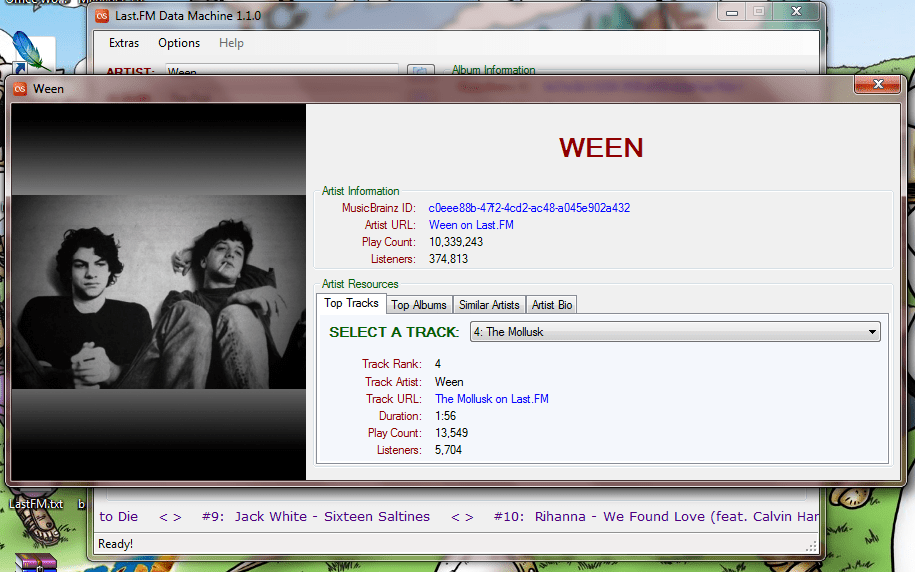
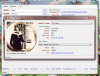
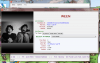
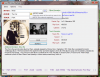
I have way to much time on my hands I guess! I added a scrolling Shout Box to the main search window with several options. On load it shows the top 50 songs on Last.FM and there's several options for data in this box to choose from, including artist/track/album shouts and trending artists/tracks. I was also playing with 2D arrays and tweaked the album track list page. If you select a track on the album, a list pops up with a bunch of tracks and a match percentage for each one: I also added top tracks and top albums to the artist page: There's also a new Auto-Correct option for your queries so you don't have to be so perfect when you look for stuff. There's so much going on I probably forgot some things, but that's already a lot in my opinion.
-
Nope Draco is correct. What you're asking is a feature request.
-
These are a couple reasons why the skinning system is slated for an overhaul.
-
[THEME] >>> Retro Arcade HD RELEASED!!! <<<
Adultery replied to Krakerman's topic in GameEx Media Projects
Don't rush it. You got time in the clock still. -
Long story short: You can't do what you're trying to do. 1 involves determining which image is shown where which isn't currently possible. 2 involves changing the image centering which isn't currently possible. 3 involves a whole new image (image 3) which isn't available and you can't determine what goes where anyhow. Sorry to bear bad tidings friend nut you'll have to see what future updates hold.
-
Yeah its possible, but I'd have to investigate further. You have a big dat I can look at? Like Snes or nes? Ill have a look at it.
-
GameEx saves it's files to the install directory (I think its in the media folder).
-
By the way... 1.0.1 is out which fixes a few minor bugs. If you allow it to auto-update at launch it fixes a bug to manual update checking as well. The updater software has a full changelog. I forgot to post the offline installer here so if you don't want to use the updater you'll have to wait until I post it or grab the updated version from Emumovies.
-
I think what I want is more of a feature request, but I should probably report the bug also.
-
A sneak peek at the new design, self-contained web links, and one of the Extras (this one is the album's track list): Coming soon!

-
That sounds like a GameEx bug. Like it's taking the top MAP line's color codes and then doing its own sorting regardless of the order of the MAP file, where it should take the color tag with it when it sorts the list. Too bad, I figured the MAP file would determine the order and the GameEx alpha sorting wouldn't be happening. I can see why it is this way but I thought it would be cool to let the MAP author determine the order.
-
Simple really. If you have a color in mind for all the games you want to keep, all you need to do is double click that game's color column and type the 5-letter hex code in the color column. There's a right click option to update the color cell also. What I would do is color the ones you want to keep (the list is smaller right?) and then do a column sort so you can go through and add the 2nd color to the remaining roms.
-
Funny you should ask... Can we get a code in for flags the way color is done now? I'm not sure how you could go about it, but I thought it would be cool if, say [R]USA[/R] was USA. or [R]U[/R], (I suppose it doesn't really matter how it works). You could link to the flags you already have in the theme folder somehow... If you decide to add it in then let me know! However you decide to do it it'll only take a few minutes to add in the code (it'd be pretty much the same as the color writing function I already use). I still have to test the color on my rig but I based the code on your instruction to Starbuck in an earlier thread. There may be a problem when GameEx returns to the list after playing a game but no one's said anything to me about it yet.
-
Email Scott and I'm sure he'll give you an estimate if you have artwork already in mind.
-
I believe he's suggesting you don't use iTunes if the minimizing is a deal breaker for you.
-
Try GameOnGrafx! Great company, they do great work also. I actually did some PC repair for a local sign shop and in exchange they did my cab artwork (marquee, bezel, side art, etc). Had I not had that opportunity I wold have gone with GameOnGraphx without even thinking about it.
-
[THEME] >>> Retro Arcade HD RELEASED!!! <<<
Adultery replied to Krakerman's topic in GameEx Media Projects
Or I will. It'll get there either way. -
Thanks djour!
-
[THEME] >>> Retro Arcade HD RELEASED!!! <<<
Adultery replied to Krakerman's topic in GameEx Media Projects
It was temporarily retracted. It will make the comp though, right Krak?