|



Draco1962
-
Posts
19253 -
Joined
-
Last visited
-
Days Won
664
Content Type
Profiles
Forums
Events
Downloads
Store
Articles
Everything posted by Draco1962
-
Alpha - you are correct. If the same settings exist within the gameex.ini and the theme.ini, then the theme.ini settings will take precedence.
-
I don't believe there is a setting for it. Have you just tried adding more to see if there is any effect?
-
If I understand what I saw in the video, it is as if it is getting stuck on loading the emulator databases and not returning to show a list of games for the emulated system selected? If that is a correct interpretation, I see that frequently myself. It is as if all the emu dbs have to load instead of just the one for the selection. I know that has been reported before and it seems to go away and come back. It isn't necessarily occurring with everyone so far as I am aware.
-
The intro and Start Page Zoom animation are two different settings.
-
@Starbuck - If youhave made any recent revisions, you may want to delete your cache files to see if this resolves the problem.
-
I have completed my test and it is taking about anything I can throw at it ATM. Thanks again! If we can get it to load dynamically and a few other extras thrown in, I think we can hope to leverage against the power of Window x64 builds. Maybe even get Tom to program to utilizing some GPU computational power as an option for those modern systems that have the power and support for it!
-
Great port of the Confluence theme, Chazz! I agree if we had more control over the text (colors, sizes, and fonts for each text element) as well as the types of menu displays (The "ribbon" view is nice, but would prefer to see more of a "Cover View" style that can be ordered anywhere on the screen horizontaly or vertically) we could see a wider variety of themes in play and more towards the HTPC side of the spectrum.
-
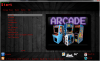
A sneak peek at my latest endeavor. Nothing too flashy or involved. Just a simple HTPC theme.




-
Going ahead and marking this as resolved. Will test for certain tonight, but I have faith! Thanks!
-
I just read what I suggested.. d'Oh! I am such a goober!
-
First, let's not be too hasty to do a total wipe and fresh install. If you save your Gameex.ini file, your settings (including favorites) will be retained should it come to a fresh install. Also, are you making changes through the Setup Wizard or the old legacy "blue and white" Configuration utility? If using the latter of the two, it is no longer supported and you should make all changes through Setup Wizard.
-
Holy Sweetness! Will give it a go tonight! Will it still include the error loging feature? Thanks!
-
I moved about half of my logo files and Theme Editor loaded. The only files that I feel Theme Editor should be looking at are those in the media folder.
-
That is updated in the Registry so you should be fine. I would try to locate the email you received with the key, however.
-
To be honest, 8GB should be enough RAM to handle it. I am not sure why it has to load every logo file in addition to the actual theme screens. Seems counter-intuitive to me to do so.
-
Ben - Thanks for the updated file. In return, I give you the log.txt file complete with errors for your reading enjoyment!
-
Might get better response leaving a PM for him on EmuMovies? Just a suggestion.
-
There are Selected.png and Selected 1-15.png files. All will need to be present and edited, regardless of whehter or not slector bar animation is selected. Please correct for this as well and please attach a copy of your theme.ini file for review if it does not resolve the issue. If you are able to resolve, please update this thread with the solution. Thanks!
-
I would recommend downloading from the main GameEx site the latest version and run the install. You can copy your existing GameEx folder to another location or .zip it as a backup. Your existing .ini files with your favorites, etc. will not be overwritten, however. I am also going to defer to other members of the forum and mod staff for assistance as well.
-
Yes they are in the DATA folder. They will rebuild the next time you start GameEx.
-
Always a good thing when dealing with an OS Beta version to assume that a program written with known compatibility to the previous OS is the cause of the error. C'mon folks! Exercise a little troubleshooting muscle. I know it hurts sometimes, but learning to effectively troubleshoot before posting saves a lot of time and effort for everyone!
-
You need to Click Start, then right Click Computer and select Manage. From there, locate the Event Viewer and check the log files. If you are getting a Windows error, it is possible that your problem is not with Instant Sheller but something else. No way to know for sure until you can identify the app or service that is causing the Windows error. You may need to compare events showing there to the times in the log.txt file. Also, since you noted this is going to be in a cab, try disabling Aero as it is a waste of video resources ( and may help to alleviate other graphics related errors).
-
Definitely worth considering - thanks null!