|



ehuonder
-
Posts
250 -
Joined
-
Last visited
-
Days Won
4
Content Type
Profiles
Forums
Events
Downloads
Store
Articles
Everything posted by ehuonder
-
Already uploaded... WarGames_v2_FULL.7z I didn't know what to expect upon completion... It went back to the Upload screen, so I guessed that it was complete.
-
Nothing like a deadline to motivate!
-
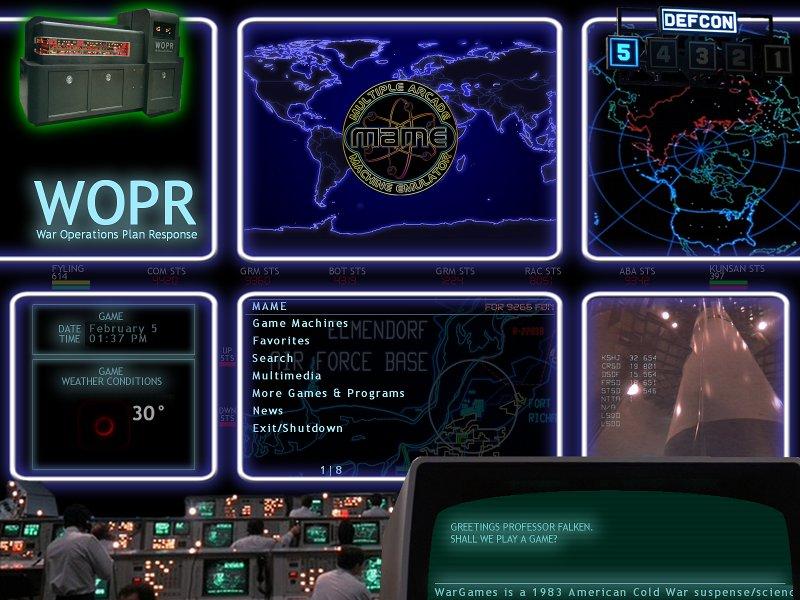
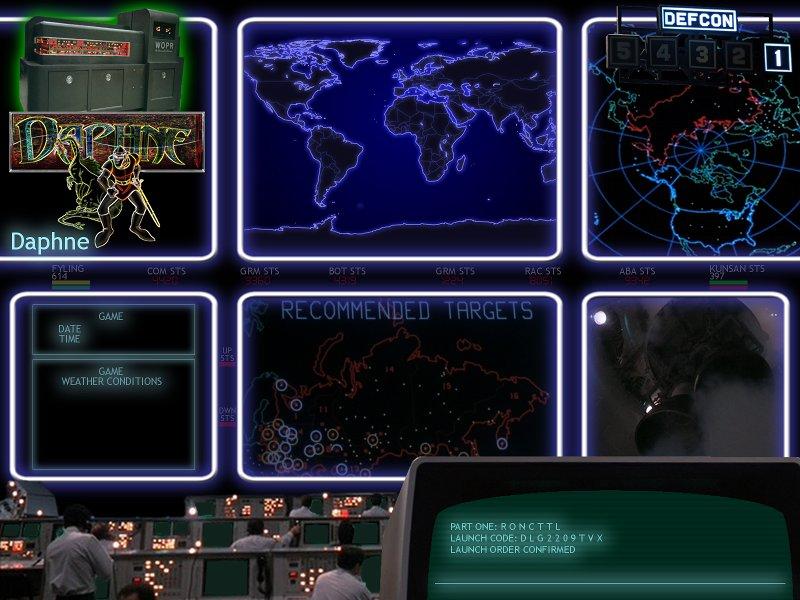
Theme Title: WarGames Theme Type: Cabinet Theme Version: V4 Theme Resolution: 1600 x 1200 Theme Description: This theme is based on the 1983 movie WarGames. It is based on the multi-monitor control room (6 screens + 1 terminal). Theme Features: I created/modified a huge logo set to create closer to vector-like images (they are not line art, and used solarize filters to maintain/create some color). I like how they turned out. It also includes a large set of system foreground/background images. It is based on my arcade cabinet, which uses an old 21" tube monitor, so it's 1600x1200. Date Submitted: 12/30/2012 Download URL: http://www.gameex.com/themes/WarGames.zip Download Size: 200 MB Additional Notes: Thanks to Tom Spiers for all things GameEx! and thanks to many of the forum members for all of their help and inspiration. A special thanks to Draco for all of his logos and allowing me to use them as a starting point for my logos.



-
Thanks Tom and Adultery! Keep GameEx great!
-
That's an awesome set up! I love the display on the control panel.
-
I'm a little behind on updating, but thanks for all of the continued improvements!
-
Thanks for the update Tom. Now I get to mess with my XBMC machine!
-
Keep 'em coming! Thanks!
-
That is amazing!!! I love it. I already want to put it on my cabinet!
-

[THEME] >>> Gameroom Theme Released!!!<<<
ehuonder replied to Krakerman's topic in GameEx Media Projects
Krakerman - Love the creativity! although if you have many games, you will be VERY busy, and it will take up a lot of disk space! I will be interested to see your resulting theme! -
8 years already! Even front ends grow up fast!
-
As always, thanks for the continued great work!
-
Looking good! I used to have a motherboard, with green overlay tinting and a lot of glow that I used to use (and still love). Your theme is bringing back fond images. I look forward to your completion!
-
Tron Legacy was pretty cool. The music was great, and I used it to set up my Pandora radio station. You need to see it. Tron was good in it's day, but definitely dated now. I liked the Matrix movies, but the first one was the best. As for Hackers... don't bother. But you need to see the SW movies...
-
Sorry to hear this KRC. I been there a couple of times before, and agree that the invasion of your space is terrible. Good luck!
-
Nice work!
-
I believe you're looking for the Menu Object->Options, Enable Popup Descriptions check box. Once checked, you should be able to place a object titled "Description" around within the workspace.
-
30 to 40 completed logos/hour!!! You 'da man!
-
Congratulations! That's awesome to complete and publish a game!
-
I'd have to say that nullPointer is more experienced with Inkscape, and did a great job describing the differences. I much prefer GIMP to touch up the raster images that form the bulk of the work supported by GameEx. Although, I don't use the path tool to clean up images... There are multiple ways to accomplish it. I prefer to use the basic drawing tools with the Quick Mask enabled to create selections, and then delete or copy/paste the selection depending on my goal. I love vector image creation, but most of my experience there comes from an old version of Corel Draw I bought forever ago... It's so old that I've started using Inkscape. I have only used Inkscape to generate new content.
-
Thanks Tom and Circo!
-
Thanks for all the updates!
-
Based on your newest images post, I'm wondering... can we change the size/shape of the animation for the loading/updating screen? or does your animated star just shrink to fit the normal bar area?
-
[LOGOS] Banner Logos (NEW SET IN PROGRESS) (DISCONTINUED)
ehuonder replied to KRC's topic in GameEx Media Projects
These are pretty nice! I might have to modify my theme to use these! -
Thanks for all of the continued work and support!