



|



8trek
-
Posts
241 -
Joined
-
Last visited
-
Days Won
1
8trek's Achievements

Ultimate GameEx Guru! (4/5)
6
Reputation
-
i would make these cases as resolved but i don't see that i have the option... sorry.
-
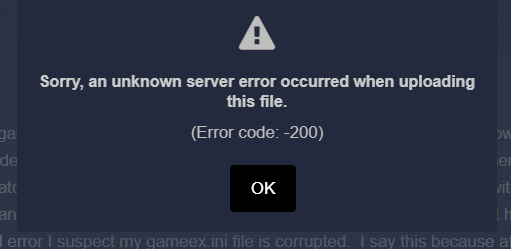
cannot upload .ini file
-
Never mind, figure out the subtle nuisances of working with added emulators... needed to use the "rom filter include" option for games (in this case emulators) to match and find the png and jpg files. In one case had add an empty text file that matched what the rest of the images used.... didn't realize that option had nothing to do with what is actually used to "run" the game.
-
Also forgot to mention, i don't see the problems in the log file now so don't think this is worth looking into any further.
-
I need to take better notes so years from now when i do this again i'll know what to do. Although my problems are not solved yet, per the title topic, this issue is resolved. Just need to set custom menu.ini to false at the top which gives me the ability to add games and in my case add to favorites, then set back to true. I'm going to open a new topic that better describes my current unresolved issues. Thanks.
-
download plugin section of the wizard, won't allow me to download plugins due to account problem, although could before
-
GameEx.ini GameEx.ini
-
more problems after starting from scratch with new .ini and fresh install after complete uninstall. when attempting to download plugins says invalid username or pword... even did a reset.
-
LOG.zip
-
should have mentioned, i deleted the main .ini file then reran which then updated the program, once updated i still did not have the option to update list... so uploading the .ini file would not help. Do you want the current log file in this case?
-
just mame, daphne, and a couple teknorparrot games
-
unfortunately i'm now in a limbo state with configuration all a mess since upgrading... made a copy of the gameex folder in previous version. Not sure what my next move is or how to roll back to previous version with files in tact. Unfortunately i didn't take a hard drive snapshot before doing so but at least have the files.
-
previous post from 2018
-
I posted on this topic back in '18 and was able to solve the problem by wiping all files out, upgrading, then going through all options one by one. I've upgraded to the latest and greatest but because this is something i only do once every several years for the life of me have no idea how to avoid going through the process of redoing everything. I'm using a custom theme i created many years ago and don't want to lose it nor do i have any idea how I did it much less edit the thing. I've recently added a couple games to my library but the menu pick for updating list is not there. Is there a backdoor method for updating the list of games you want to appear without having the gui pick? Thanks. Edit: I don't think the problem is the custom theme, it's the custom menu i'm using in conjuction with the custom theme.... Still trying to figure this out.
-
It's a bit more complex than that, but realize i didn't do a very good job of explaining. It appears to be cutting off the image and shifting it. It's not the end of the world, just thought i'd ask... sounds like you're pretty far removed from this old project and i get it. I've tried a bunch of things but nothing is working other than found settings for the actual games that allow me to change the primary rez of the game itself to match the default 1920x1080 which comes with its own set of issues. For just a few games I'm thinking i may try to come up with my own script to display the image and maybe force the resolution on the 2nd monitor to change back (if that's what is happening).