|



Mike_da_Spike
-
Posts
3794 -
Joined
-
Last visited
-
Days Won
242
Content Type
Profiles
Forums
Events
Downloads
Store
Articles
Everything posted by Mike_da_Spike
-
I think you already found it, but for others : subscription can. Ben get at : https://www.gameex.info/forums/store/category/4-gameex-pinballx-and-spesoft-products/ Your now ablte to use FTP and download from it https://www.gameex.info/forums/ftp/ Setup in settings your userid and password and you can use gameex features in PinballX and in gamemanager to download automaticly content. Or use @scutters and @Mike_da_Spikealternative toll PinballX Database Manager to download content from the gamexonline servers
-
If you check settings.exe, is the Gamex online correctly filled in ? If you try PinballX Database Manager and you go to settings-> GameEx online Tab and fill in your userID and passwors, hit the test button. Is that working ?
-
 Hey @Tom Speirs. I noticed since a couple of months that when I record a video through PinballX that the Teamviewer logo is on it. When launching PBX itself I don't see it. is it possible for you to put the emulator (Visual Pinball preferred) on top, so I don't have to close Team viewer ? On a 4k it is jus a small icon, but really annoying in videos . Hope you can help me with it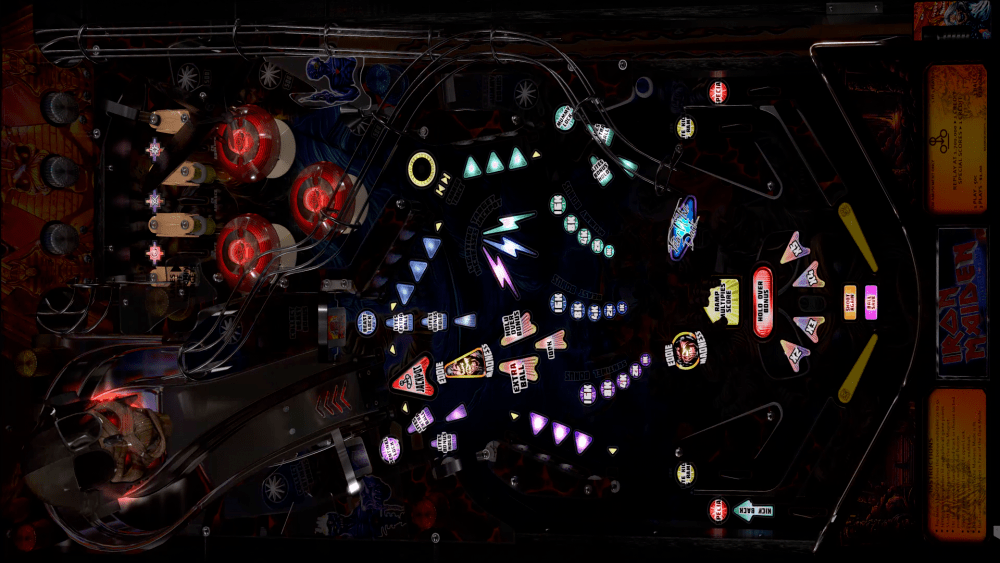
-
In your screenshot , you have a space in the directory name. Also use double quotes for exe in command line. Like this "D:\Visual Pinball\VPinball995.exe"
-
If you launch from the command line : D:\Visual Pinball\VPinball995.exe /play -"D:\Visual Pinball\Tables\SKRILLEX.vpt" is your table launcholaunching? if not, make sure you make it work from the commandline. i prefer to seperate the visual pinball 9 and 10 tables. (I also prefer visual 10 instead of visual pinball 9) the error you get looks like from visual pinball
-
The demo entries, doesn't do anything. You need to configure visual pinball and the table directory. If you still got problems, reproduce your issue and post the log file. Log file will overwrite when pinballx is launching
-
Although we tested version 1.1 a lot , made a lot of fixes, we discovered some bugs that gave unexpected behavior after the release. Mostly had to do with filtering tables. But. @scutters and I worked all night to update a stable version and put it in the download section. Version 1.2 is released
- 418 replies
-
- 3
-

-

-
- mikedaspike
- scutters
- (and 1 more)
-
According to your log file you didn't select any game. Only starting PinballX and closing it. Are the tables working outside PinballX ? Or did yo install the example files from PinballX ?
-
Hey all @scutters and I updated the program with a feature that you will like : Media download ! With the approval of @Tom Speirs to use the GameEx FTP server as source we added a 'GameEx online' media file download. But that's not all.... Also you can add your favorite MEGA upload website in the config and use this to download as a source for your media download. Big thanks go out for @scutters who did a hell of a job for this release (thanks mate !) and @joyrider3774 for testing the new features (and reporting back) The manual is updated and added to the download file. Note : The left and right mouse click function are swapped to make it more similar as it is used in windows. So left mouse click on media is now media preview and right click .. wel you need to download to see it ! Have fun with it
- 418 replies
-
- 3
-
-
- mikedaspike
- scutters
- (and 1 more)
-
Properly you downloaded launch and table sound. With game manager you can see if you downloaded them. With Databasemanager you can visual see them. There is a button explorer. Go to the table audio or lsunch audio folder and delete the files
-
Thanks buddy
-
20200317_062202.mp4 Ok. So you want to skip the "connecting, checking Tables" be removed ? It doesn't bother me (loading all in a couple of seconds), but maybe you can ask in the next thread that a delay can be build in per system after the process is found.
-
The question I have, is what do you see ? I have fx3 and I have a start video that shows the Fx3 logo. When that dissapears, it shows the fx3 startup video. After that it launches the table.
-
Statistics not have DateAdded/no recently Added list
Mike_da_Spike replied to Mike_da_Spike's topic in General
@Tom Speirs. You able to fix this ? -
Thanks @GAH1068 . I like that option too. Makes it so easy to update existing tables. And don't forget @scuttersto thank too. Without him , I was not able to make this program. Updated version is at our beta testers. It has some bug fixses and supports online media download
-
Statistics not have DateAdded/no recently Added list
Mike_da_Spike replied to Mike_da_Spike's topic in General
Anybody still got the recently added list in pinballx 4.13 ? -
I have a 40" 4k screen and mostly use the wheels that gamemanager is downloading. But looks pretty sharp to me. Btw. Databasemanager can also be used in stead of gamemanager. And media download will be added soon
-
[RESOLVED] Pinball fx2 and Joytokey problem through Pinballx
Mike_da_Spike replied to producerdc's topic in General
Sorry. Don't have experience with joytokey. I use x360ce for games that supports controllers, like zen pinball, Arcooda etc https://www.x360ce.com Works like a charm ! -
Awesome ! And you use still gamemanager ? Try to use this. I heard there will be a new release soon for downloading media.
-
Iron maiden uses the laser war rom. I played v1 0 last weekend without issues. Didnt updated to 1.0.1 yet. Shall test today. Can you check eventlig if you see crash information ?
-
Looks like you didn't set the correct key in PBX to exit the emulator(you use key 27 to exit) , or try to run PinballX as admin please attach your logfile
-
No problem mate. I made it myself Moved over an old clsLog function I created early 2000 and converted last month to vb.net edit : All working again
-
According to the logfile (the PPBI INI file check) I don't see BingoGameRoom and Malzbies Pinball Collection found in your pbx INI, but it is there. I dind't touched that piece of code, but looks like it only takes the standard tables now. Need to check it for you 7/03/2020 10:38:37 INFO RefreshDataSetIniFile Found : in [Visual Pinball] file [Visual Pinball Orbital.xml] With CustomType : [True] 7/03/2020 10:38:37 INFO RefreshDataSetIniFile Found : in [Visual Pinball] file [Visual Pinball.xml] With CustomType : [False] 7/03/2020 10:38:37 INFO RefreshDataSetIniFile Found : in [Pinball FX2] file [Pinball FX2.xml] With CustomType : [False] 7/03/2020 10:38:37 INFO RefreshDataSetIniFile Found : in [Pinball FX3] file [Pinball FX3.xml] With CustomType : [False] 7/03/2020 10:38:37 INFO RefreshDataSetIniFile Found : in [Pinball Arcade] file [Pinball Arcade.xml] With CustomType : [False] 7/03/2020 10:38:37 INFO RefreshDataSetIniFile Found : in [Future Pinball] file [Future Pinbal BAMl.xml] With CustomType : [True] 7/03/2020 10:38:37 INFO RefreshDataSetIniFile Found : in [Future Pinball] file [Future Pinball.xml] With CustomType : [False] 7/03/2020 10:38:37 INFO RefreshDataSetIniFile Found : in [MAME] file [MAME.xml] With CustomType : [False]
-
You used Nightmare loggin ! OMG ....
-
Can you post your complete log (please use verbose mode for logging) and your INI file ? And also your pinballx.ini