|



Rochabian
-
Posts
288 -
Joined
-
Last visited
-
Days Won
2
Content Type
Profiles
Forums
Events
Downloads
Store
Articles
Everything posted by Rochabian
-
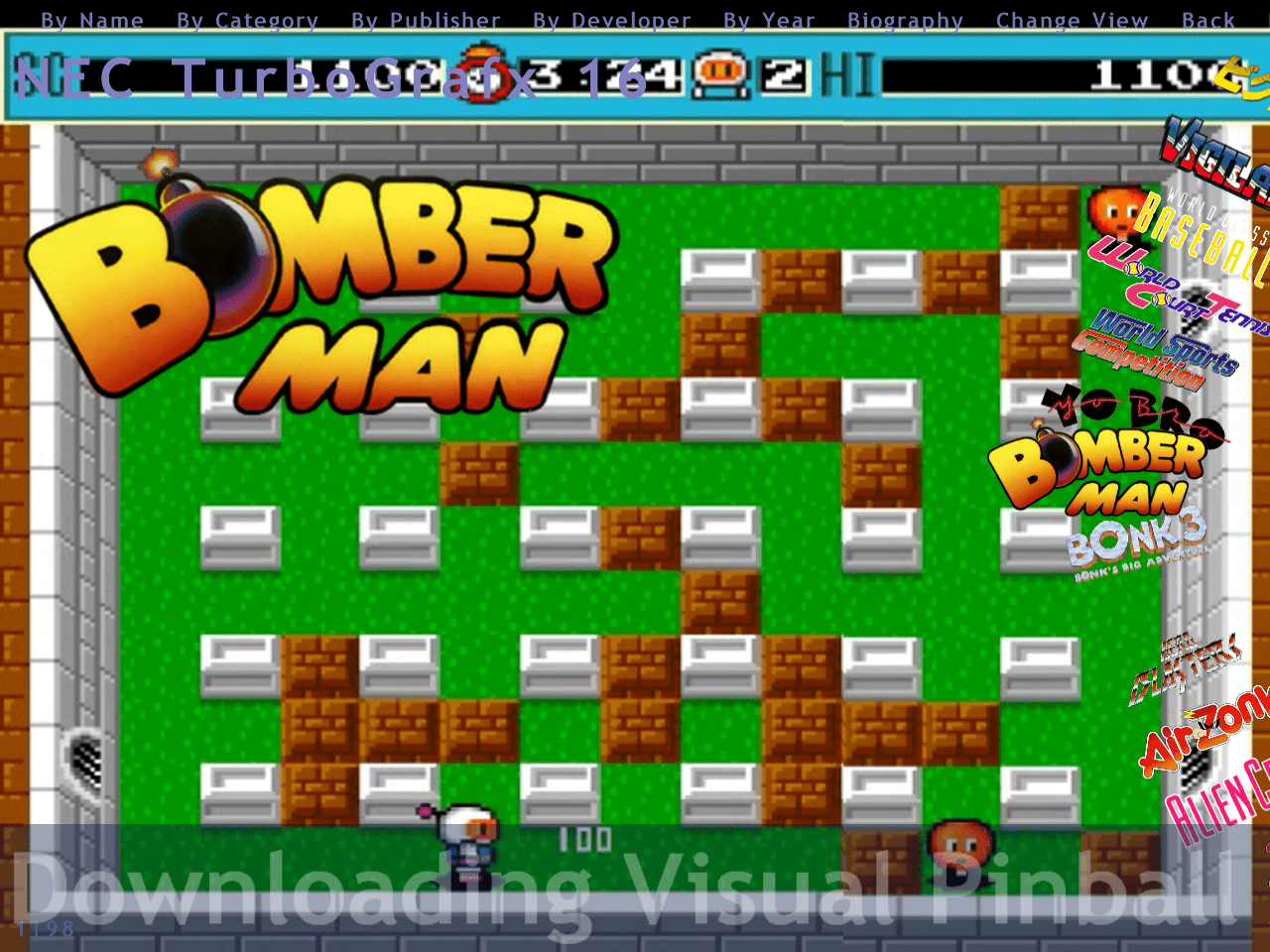
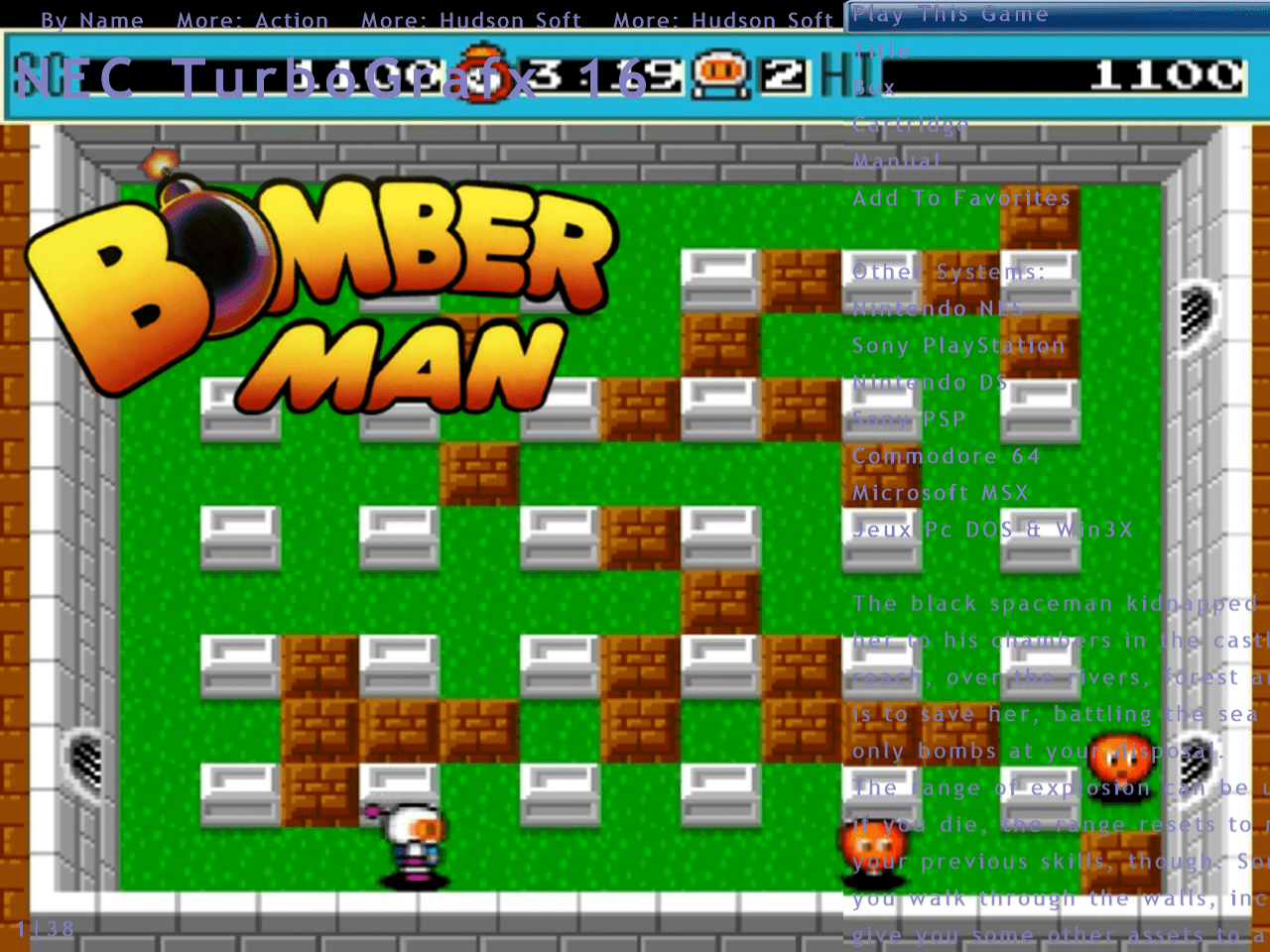
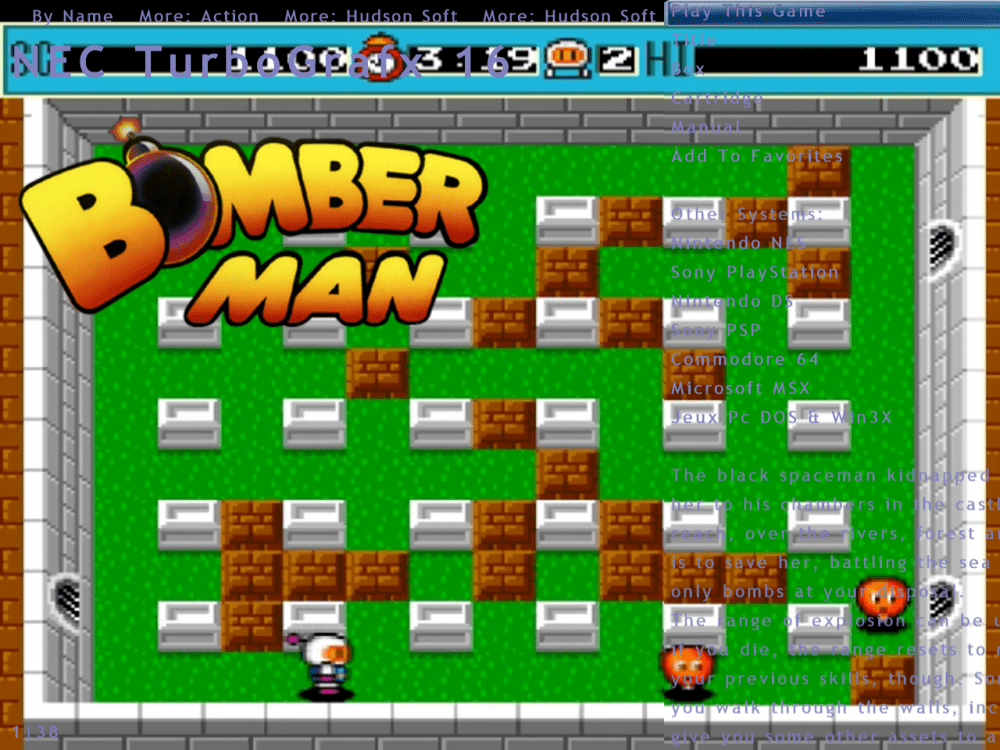
Yes, you're right RedDog, I already have a layout for each emulator and i know how it works globally. There is a .ini for each module that you want to customize. As you said, it's about the "practicaly every screen" that i was talking about. For a specific emulator, you can have a layout called "yoursystem".ini , in my case it's called "Nec TurboGrafX 16.ini" . The problem is that this layout is used for 2 pages : the game list page (with the wheel) and the game info page (where you have "play game", the game description etc) . My question is : can we make a layout for the game list and another for the game info , for the same module (in my case the Nec Turbografx 16 emulator ) ? In the theme editor, there is no subdivision for these 2 pages, they are ruled by the same layout I've dug into several Gameex Themes to see if this stuff has been used but no one have this feature so i don't know if it is possible or not.
-
I use a desktop resolution of 1280X960 on a CRT for Gameex I use the wheel view as you can see in my screens. To have a good looking wheel, the list take the entire height and has an horizontal offset ( the list exceeds the screen width so a part is non visible) . I do this because otherwise the wheel takes half of the screen width For me it's really looking nice, but when i enter in the game page, the list take the entire height too and i can't see the entire lines of the game info, as a part is truncated because of the offset. So my question is : Can we make two different layouts for game list and for game menu with the same emulator page ? I just see one .ini wich is "NEC TurboGrafx 16.ini" Perhaps can we do a "_gameinfo.ini " ? Thanks
-
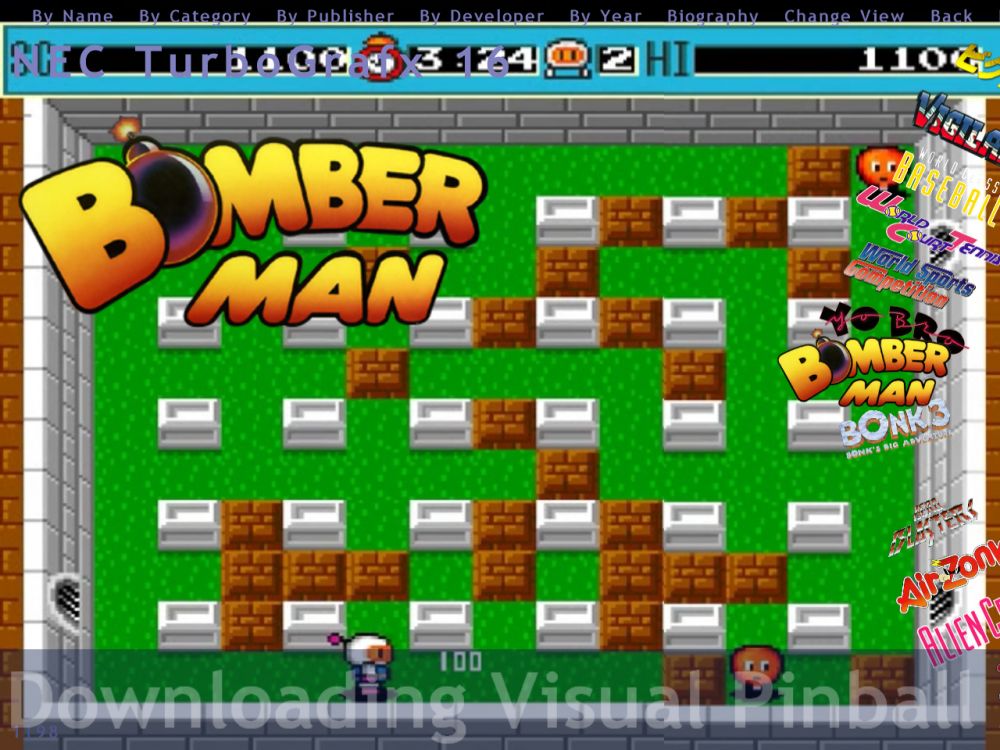
@RedDog All your suggestions put glitter in my eyes . I remember that i've already requested some of your suggestions in the appropriate topic about 6 or more months ago, but i don't have seen that GameEx Arcade was updated with sliding wheel. I hope it can be adapted to GameEx. @RedDog @Draco1962 Thanks for this very interesting conversation
-
OK, now we know how it works, i will explain what is this thread about. I've done some themes myself with custom menu in Gameex. I'm a lifetime member of Emumovie, GameEx & Hyperspin so i have more than 250Gb of media for all my emulators setup in Gammex (about 30 systems). I recently discovered HyperPie 2 and i've found it absolutly eye-candy So i have created in Gameex a custom theme with custom menu, that is in my opinion very near HyperPie with the great functions of Gameex in addition, quite perfect. BUT i don't have the wheel that slide off...... I have set background image for each game and i think it will be better if the wheel slide to see the background (whenever it's not a video theme) So i am caught between two stools : With Gameex i can create custom menu but can't have the wheel sliding With Gameex Arcade i can have the sliding wheel but not custom menu As Gameex is normally more complete and has more functions than Gameex Arcade (for me Gameex is more for advanced users) , why can't we set a video theme folder for each emulator and then be able to view this wheel sliding ? Perhaps it's more complicated to code because in Gameex we can change view but it will be a great addition for this quite perfect frontend Thanks
-
I think i've found the problem I've completely setup MAME path and now it works.......for certain games... In fact, if a game has no video set up, the wheel will not slide I've not verified for other Emulators if it the same but i think it is If no video is found, whenever you have snap or boxes, the wheel doesn't slide Can a modification be made to slide the wheel even if there is no video in background ? I've tested MAME games and for some i don't have videos and the whell doesn't slide Thanks for your advice RedDog ! EDIT: It works for other emulators than MAME ONLY IF a game has a Video Theme As there is not many Video Theme for other emulators, i think it should be sliding whenever it has no video or background video
-
Here they are log.txt GameEx.ini
-
@RedDog I've tried with your Gameex.ini and the wheel doesn't slide too, browsing games from " All Games" menu Then i've setup Mame exe and update list but it still doesn't work. I don't know if it could be related but i use a French Windows 10 x64 1709. For some software regional parameters causes trouble, so i've set it to "english" but it was the same.... Could you post your Gameex.exe ? GameEx.ini log.txt
-
In the video (indeed it was broken) i stay idle for 20 seconds. I've tried to stay idle more than 4 minutes and the screensaver has started (was set to 4 minutes) Log and ini attached Thanks GameEx.ini log.txt
-
It's not something generating a keypress because the screensaver is launching after 4 minutes and works well, so Gamex detects inactivity
-
@RedDog Yes i've used the MAME settings to setup MAME . In the video, i'm browsing games from the "all mame games" menu, and it doesn't work . If it doesn't work for other emus for you too, perhaps there is a setting that is broken in the last installer, because i've used default settings, so MAME is configured in the 'MAME settings" and it still doesn't slide. For me it doesn't work for MAME and other Emulators As it is working for you, can you share your Gameex.ini to see if a setting is missing in mine ? Thanks
-
Thanks for your help but it seems something is broken.... The wheel doesn't slid I've tried with standard installation, then with draco's theme in case it is theme related....nope Then GAmeEx Arcade was uninstalled completely and GameEx folder deleted. After reinstall, still not working, using the latest installer I've injected my licence in case it was licence related but no way. It doesn't work on 2 differents PC, so i don't know what to do next... As you can see in the video below, i wait more than 10 sec on a title Wheel_not_sliding.avi
-
I've tested GameEx Arcade, but the wheel doesn't fade out! Does it needs a plugin or can you tell me where to enable this? Thanks
-
No such option in standard GameEx ? I'm using standard version I think it's time to try the Arcade version
-
Hi. I was wondering if it was possible to fade out the lists on the menu to better show artworks and hide the wheel after a certain time of inactivity (2 sec?) I don't have seen any option about this in the theme editor or in the setup wizard Is it implemented? Thanks
-

Feature & Enhancement Requests
Rochabian replied to Tom Speirs's topic in FAQs, Guides, & Other Useful Information
A small request : When i set game item/image in background, if a 16:9 video is displayed in a 4:3 desktop, the video is stretched. An option to keep aspect ratio will be great Thanks ! -
Well, It seems that Emumovie & Gameex Windows Artworks have moved to Steam Database so artworks are downloaded directly from steam As i can't find Logos & Snaps from all FTP around here, i've found a way to grab them myself. I'm actually scrapping more than 12000 Windows Games, so it will take some times, and after that i have to sort them....I think it will take one week.. Anyway, i'll upload all of this stuff on the FTP when it will be ready, including logos, videos, box, banner, snap I'll create another thread in the Media Project section when done Look forward for my good news Thanks EDIT : My collection has been uploaded on Emumovie FTP under the folder Rochabian ( videos are missing for now))
-
@Draco1962 It was a time when you were able to download them with Emumovie Sync.... I'll upload my collection of Windows logos soon on Gameex FTP. As a lifetime member of Gameex, Emumovie, and Hyperspin, i have a quite good collection now. Some extra logos have been scrapped with Launchbox too. Edit : Uploaded my Pc Logo Collection on the FTP in "PC Windows Game Logo" folder
-
It seems it has been merged somehow in the "Microsoft DOS" section on Gameex FTP too, as i can see some batman arkham artworks in there...... Very strange because there is less files than before....
-
No, but i'll do it You can easily verify this because when you launch EmumovieSync and choose Microsoft Windows Platform, the snap section has disappeared..... EDIT: Thread opened on Emumovies Forum but seems less visited than Gameex, i hope someone knows about this
-
Hi! I don't know when they have disappeared, but there is no more Microsoft Windows Artworks section on Emumovies I've tried to synchronize with EMumovieSync and directly on the FTP but i can't find them Some times ago , i was able to download snaps & logo with Emumoviesync but now all is gone ! No files at all ! Does someone knows where they are ? Thanks
-
Personnaly i use an Xarcade 2 players ans 2 xbox 360 controllers. In MAME, i go to the cfg folder and delete all .cfg files in it, then i play a game (for example SF2CE ) and i go into the input menu (with TAB) and configure the player 1 & player 2 controls (for both Xarcade & xbox360 pad plugged at the same time as mame allow multiple inputs) then i exit MAME. I go in the cfg folder again and search for the sf2ce.cfg that mame as created for the game. I rename it default.cfg and make it read-only Now, whenever my xbox controller are plugged or not, all is working as expected and when i want to reuse them later they are recognized I hope it helps
-
Done! Thanks
-
Feature & Enhancement Requests
Rochabian replied to Tom Speirs's topic in FAQs, Guides, & Other Useful Information
A setting to enable/disable the display of random game videos in emulator selection (to choose between logo or random game video or custom video to be displayed ) Thanks -
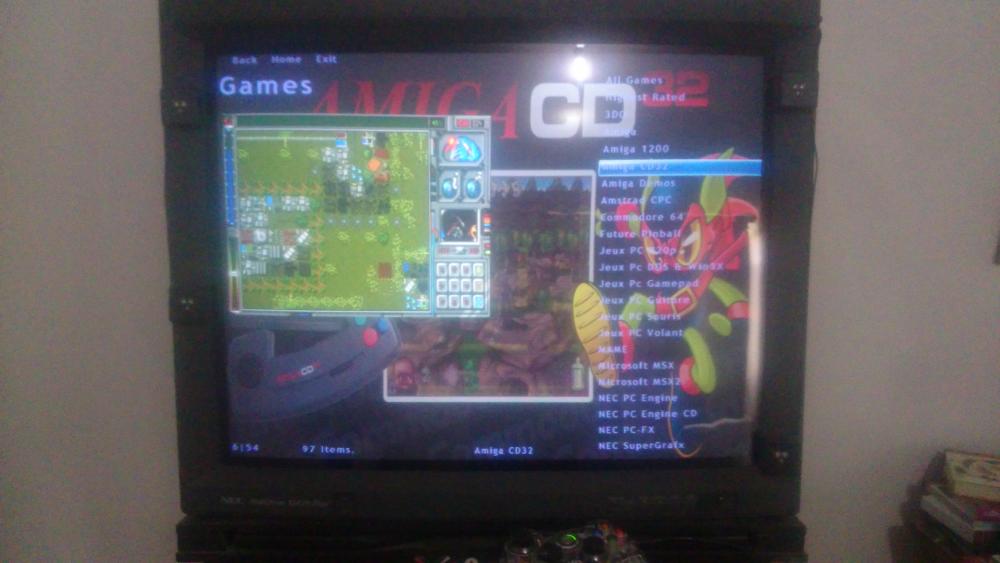
When i'm in the emulator selection screen, it displays random video of games when emulator is highlighted. I prefer to display my own video or logo instead of this random video. I don't have found a setting to enable/disable random emulator video. I've set a personal logo and an associated video for each emulator, but it still display the random video in Image 1 instead of the logo. In the picture attached, the background is a video located in the logo folder (same name as the logo) and on the left is image 1 wich display random video. I want the logo png to be displayed instead of the random videos How can i do that?
-
Yes ,i've tested it this afternoon and i have done a custom overlay for GB. I have a good result with screen resolution 256x240 and integer scale x1, pixels are perfect But scrolling doen't seems smooth (it wasn't with Mednafen too), i have to play with settings to get smooth scrolling and everything will be fine!