|



morgoth32
-
Posts
76 -
Joined
-
Last visited
Recent Profile Visitors
1611 profile views





morgoth32's Achievements

Super Member! (3/5)
10
Reputation
-
Thanks Tom for your answer and Draco for the tip !
-
Hello, I'm currently trying to add new platforms to Game EX and I copy/paste description from mobygames. However some characters like "tm" and .'. dont render correctly within Game EX. I tried multiple themes, multiples fonts but the results are the same. Is there anything I can do to fix this ?
.thumb.png.5b5f6342981bf0532e5d4cf77a819698.png)
-
The Bane of my Existence (Mounting ISO Issues... AGAIN)[FIXED]
morgoth32 replied to uberpubert69's topic in General
That won't fix daemon tools issues but mednafen emulates the PC engine CD an Saturn very well, and with this emulator you don't need to mount your isos. -
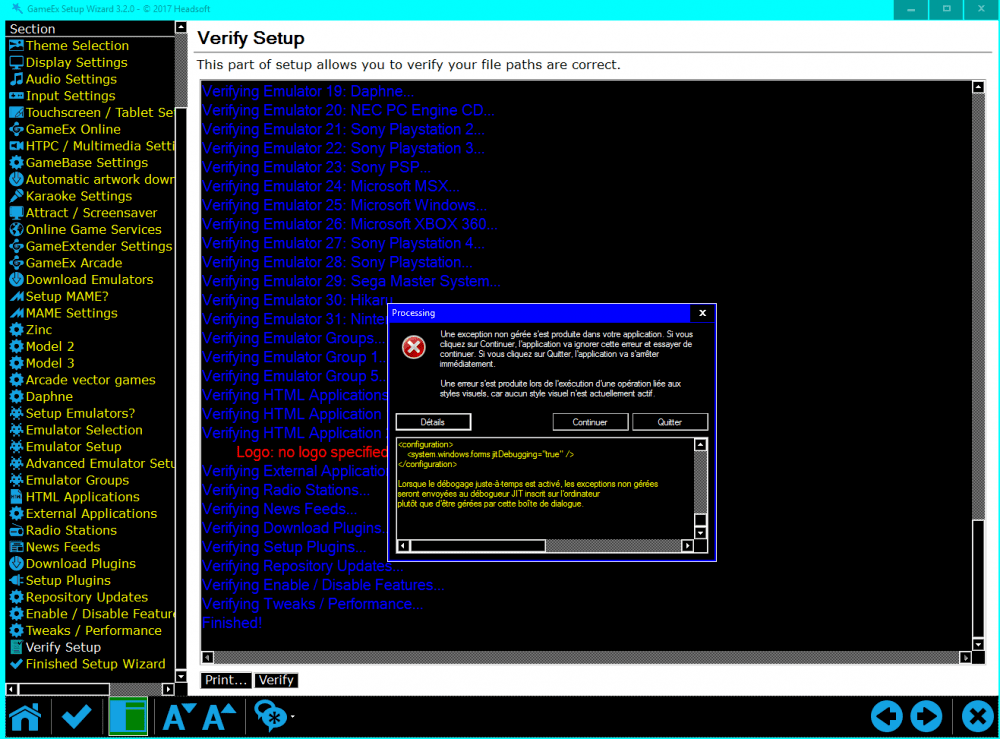
Hi and thanks for the new Game Ex evo beta. Just a report for high contrasts windows 10 themes. The setup wizard don't like them and give It's great to see new GameEx evo betas coming up ! setup wizard error.txt
-
I just removed my gameex.ini and the app started correctly, replaced my old .ini and lost the customs menus but Game EX works correctly. Here is my CustomMenu.ini. And the new gameex.ini CustomMenu.ini GameEx.ini
-
Thanks for the reply, I just downloaded the 15.08 but I still have the startup crash and the setup wizard error. log.txt GameEx.ini
-
Hi, I can't launch Game Ex anymore, the frontend crashes at startup. I tried differents Nvidia drivers, changed Game Ex startup to fullscreen, exclusive fullscreen but nothing changed. Another issue I have is with the setup wizard when I click verify an error message pops up. log.txt setup wizard log error.txt GameEx.ini
-
Yes, no more issues here also. Thanks for the update.
-
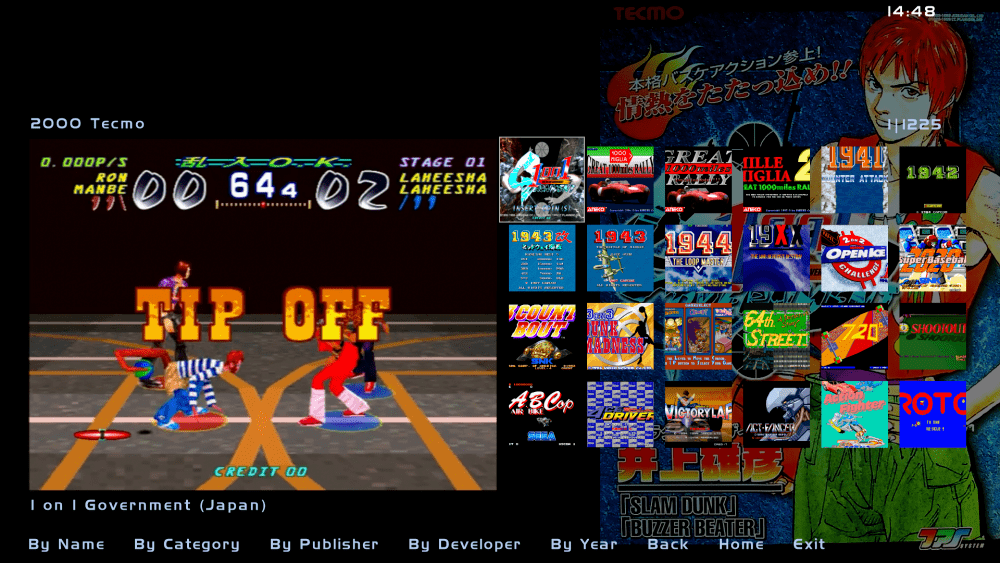
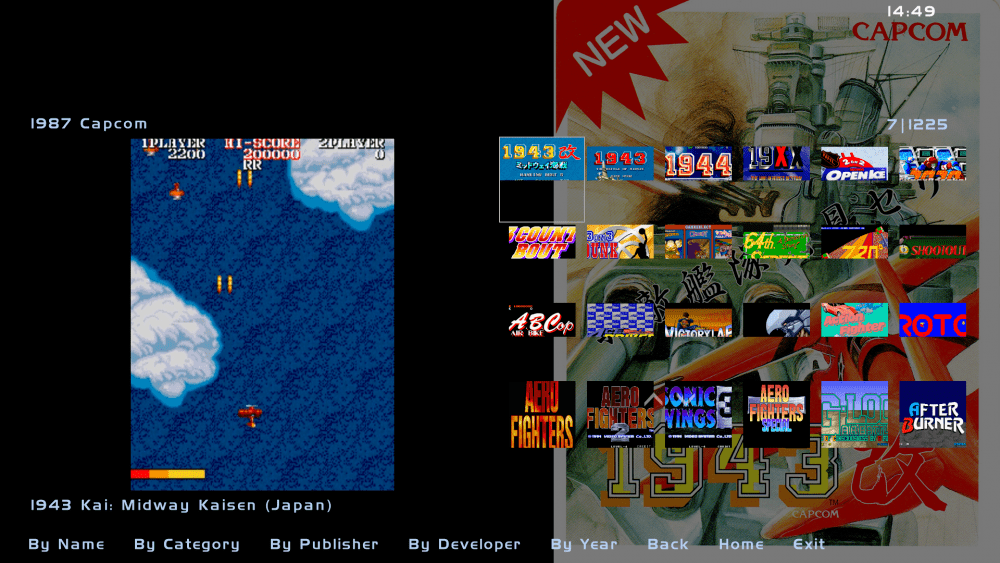
Here are the ini and log. I tried to reinstall GameEX through an old build 22/09/17 and the list is rendered correctly. I use LAV filters and just updated to 0.70.2 and Nvidia drivers 388.13 but the titles are still cropped. GameEx.ini log.txt
-
Hi, I just encountered this issue with the title view. When I scroll down any game list all titles previews are cropped. I use Hitcchiker theme but default theme exhibits the same issue.
-
Thanks for the update. The advanced config editor doesn't work with xbox one controller but I'm still happy to see the frontend evolution.
-
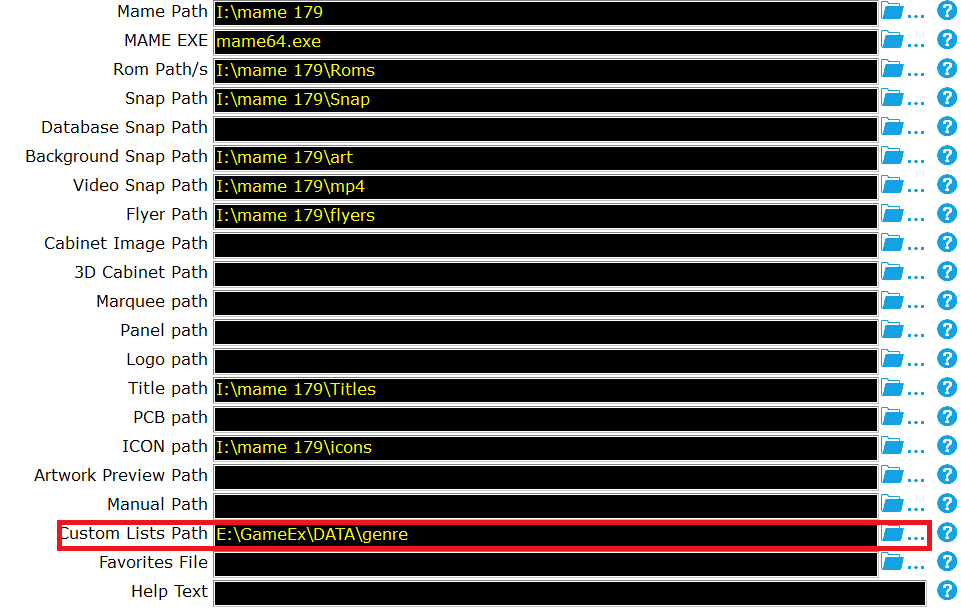
Hi, some months ago I tried to use a custom list, in this case the genre.ini from progetto snaps however It didn't work because I didn't know I had to refresh my roms within GameEX. I can now confirm the genre.ini works with GameEx but caused this roms audit trouble. So I audited my roms without the custom list first to get a correct gamelist.txt and saved it on my desktop. Then I had to do a second audit with the genre.ini and replaced the wrong gamelist.txt. Headache is over.
-
Finally, my roms are correctly audited when I remove this option: genre.ini
-
Thanks @B2K24 for your advices but MAME is only launched once within the frontend with the command line to create the listinfo.dat. The games I have in my ROMS folder launch without issues. I won't launch my roms at 800x600 as I have the widescreen artworks packs, leaving this empty let me run games through my desktop resolution. The MAME option with numprocessor actually help when I launch some 3d games whose actually don't run fullspeed. These settings are optionals preferences and don't interfere with the roms audits. However I agree with you about the dats. There's probably a conflict here.
-
No I download it from MAME official site. The mame64.exe md5 is f1a9bba619eacfa7bb280abac74bd081
.png.726697d4f7d84f91ee58fc4811965f3c.png)