|



Rochabian
-
Posts
288 -
Joined
-
Last visited
-
Days Won
2
Content Type
Profiles
Forums
Events
Downloads
Store
Articles
Everything posted by Rochabian
-
As i am a little stubborn, i've found the problem. The database has a bug and isn't recognized at all So i've rewrote it in . db3 format and it's working well. For those who want to use it just copy it to the Gameex/DATA/EMULATORS folder and delete the old "[PC] Commodore Amiga (WHDLoad).mdb" file Feel free to include it in future release of Gameex or WinUAELoader ! [PC] Commodore Amiga (WHDLoad).db3
-
We are not talking about the same database. I'm talking about this one : [PC] Commodore Amiga (WHDLoad).mdb In fact this database have all the info needed for Gamex to clean the rom names. The "GoodName" column wich exactly match the name of my romset (my amiga whdload set is clean) and the "Name" column, wich is the name that Gameex should display when "Use Database Name" is ticked. So this database should work, is't not about missing info in it. I've already cleared the cache with no effect. I'ts not about a problem for one or two games, it is for all the set. I just want to understand why this one doesn't do the job because others do.
-

Feature & Enhancement Requests
Rochabian replied to Tom Speirs's topic in FAQs, Guides, & Other Useful Information
Another one : Can every menu be "wheelable" when changing view ? Start view menu and emulator selection menu actually can't have wheeled menu Same thing for Multimedia & Jukebox The wheel is really an eye-candy feature -
I use WinUAELoader with WHDLOAD set for Amiga games I use the database from WinUAE Loader 1.78 by headkaze with Gameex I have set the database in the setup wizard and tick "Use Database Name" But the games name doesn't change at all in Gameex, It always display weird Whdload filename ( for example "Jim Power" is displayed "JimPower_v1.1_0068" ) Ticked or not "Use Database Name" doesn't change anything. I've tried to modify the database and i've converted it to .db3 to see if it was the problem but it's the same Is the problem from the weird naming of roms itself (underscore, numbers etc) that can interfere with renaming in Gameex? Using Database Name with many other emulators works great but not for Amiga..... Can someone confirm the problem with Amiga Roms?
-
Nice ! I have to try and integrate it in my Gameex setup. I hope it can produce 1:1 emulation but as it seems that it uses the core of mednafen it should handle it. Thanks stigzler !
-
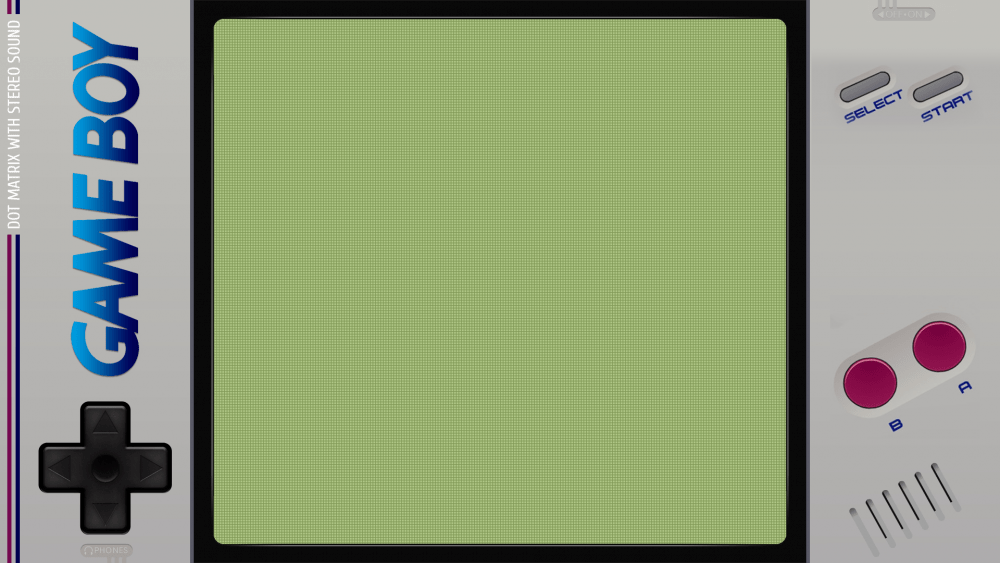
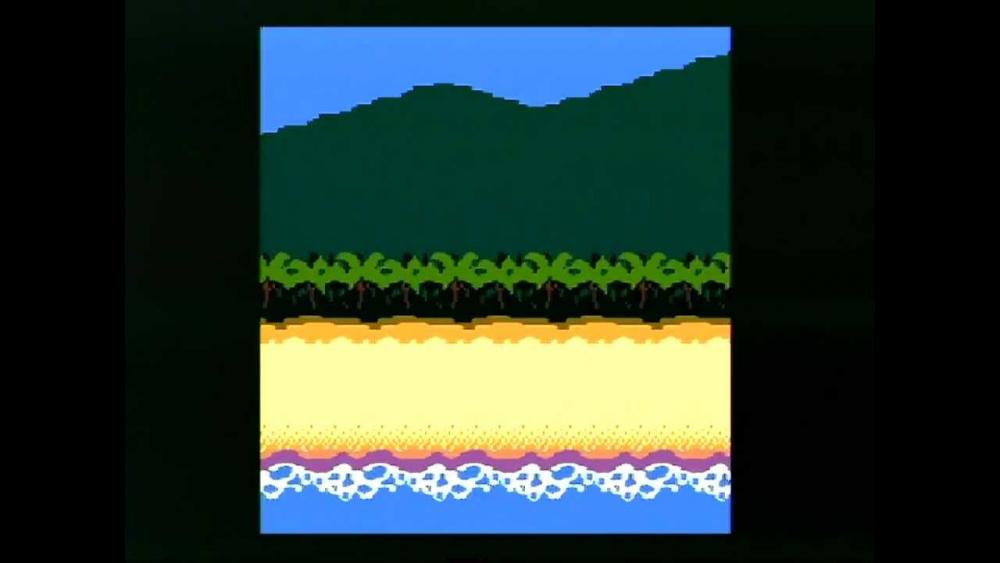
For Gameboy or portable device emulation, i want to add a bezel of the emulated machine around the game screen because i want to emulate resolution in 1:1 and i have black border all around the screen ( see example attached). I use mainly MEDNAFEN for GB,GBC or GBA emulation and i don't have found such option for this emulator I know that Rocket launcher is able to add bezel in overlay of the emulator. Can i do the same thing in Gameex or with Mednafen itself ? Thanks
-
Request Done! Thanks for the test, RedDog
-
Thanks for the tips. I didn't know this software. Can be useful. My setup actually is to download entire set of artworks (when they exists) and use the software "FatMatch" to rename the artworks like my roms Quite good results for me. I'll check GameSetMatch for sure. Thanks
-
There are no logo section on the Emumovies FTP, not in uploads too. I've searched a bit and they are present on........the GameEx FTP!!!!!! In the Emulator artwork & Videos section Don't know why i haven't searched here before.... Just to say, it's not about ALL my roms but only a few of them that can't be found with syncing Searching the file needed from the FTP can resolve my problem, i think As logos are the same file as Hyperspin Wheel, perhaps i have to dig into HS FTP to complete my set Thanks guys!
-
Hi I've a lot of emulators set up with medias, but some roms of my sets doesn't have conventionnal naming ( for example psx isos or scummvm game, and french games ) If i use Emumovies Sync, some artworks are not found because of my special rom naming Where can i download full games logos packs ? I'm a Emumovie lifetime members and there is no Logos pack on the FTP for Gameex So from where Emumovie sync download them? And how to download them without "syncing" Thanks !
-
Feature & Enhancement Requests
Rochabian replied to Tom Speirs's topic in FAQs, Guides, & Other Useful Information
Hi! I would use videos themes with regular gameex and be able to set two or more videos directories, like in Gameex arcade So if no video theme is found in directory 1,, then gameex check the directory 2 for video snap. Thanks! -
Thanks for your advice, Draco !
-
It seems that it's already working like this for artwork display, i mean : 1 -> Check if "snap" exist, if it exists, then display it in image1 2 -> If "snap" doesn't exist, check if "box" exists, if it exists, then display in image 1 3 -> If "box" doesn't exists, check etc....etc... I just want to be able to use the same routine with videos and 2 or more videos directories Perhaps in EVO ?
-
I don't refer to Gameex Arcade. I'm using normal Gameex. I just want to display game video theme if it exists from a directory, and if it doesn't exist, then display game video snap instead from another directory ( i don't want to merge video snaps & theme in the same directory)
-
Hi! I'm happy that videos themes are present in Gamex and i like them. But as they are not "full set" for now and there is a lot of missing video themes, i want to display video theme if they exist, and if not, display video snap instead How can i achieve that ? I can see only a directory to set up for video snaps, and no option about what to display first Is it actually doable in Gameex ? Thanks !
-
Feature & Enhancement Requests
Rochabian replied to Tom Speirs's topic in FAQs, Guides, & Other Useful Information
Another Suggestion : Can the PC Windows Game Database be crossed with the Steam Database. So for example if i have HItman non-steam set up, it searches for Hitman in the steam database to downwload screens / artwork ? Because there are a few PC Game Artwork In Emumovies.... Thanks -
As the crash seems related to the file "mscorwks.dll ", wich is a part of .NET Framework 2.0, i suggest you reinstall/repair the .Net frameworks wich are available on Microsoft Website or google it. I don't think the sfc command scan .Net Framework Integrity so it could be worth a try
-
Glad you've resolved your problem ! And yes, the CD32 was a great system. I don't know if you've searched about games for this system, but the CD32 community is still active. Many Amiga games are unofficially ported to CD32, Just search for " Unofficial CD32 port" in google and you'll find some gems.... Back in 2005, i've made a compilation of Games & Demos for CD32. Search for " Rochabian Games & Demos" in google if you're interested. There are some others compilations with 350 or 400 Amiga Games on it that are worth to try!
-
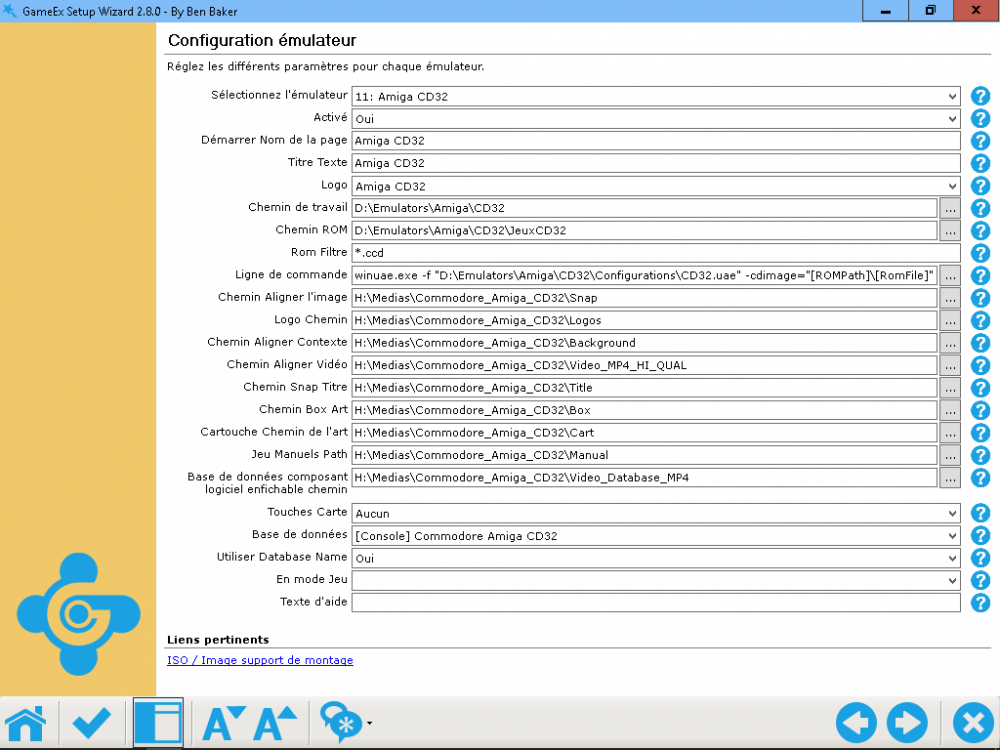
I use Winuae for CD32,works quite well Attached is a capture of my config, perhaps it can help you to understand how it works The key is to make a config file for the CD32 hardware to emulate with WinUAE, mine is called CD32.UAE as you can see. Hope it helps
-
Just put the LNK files to a folder In the emulator setup, point the "working path" and "rom path" to the folder with your LNK files In the command line section put "[rompath]\[romfile]", and it should work You can put in the "rom filter" line : *.LNK if you want
-
It still works here. No problem for me with Lnk shorcuts What is the problem exactly Steve ?
-
Ok thanks for your reply Tom
-
Ok thanks tom. And what about the sound allowed in image 2 if image 1 is a picture ? Is it possible ? Because when you use system background (a picture) and when gameex picks up random game video for that system, there is no sound. Or is it a bug from the random video pick up? ( In my video, when i browse the systems, videos shown on the right (wich are randomly chosen by gameex) doesn't have sound, but when i'm in the gamelist they have sound)
-
Yes i use custom background as you can see in the video. Is it possible to display this custom background when no game arts are found to display on background instead of a black screen ? In fact , the custom background can be displayed as a "no snap" image EDIT : I've found a workaround : if i change the view to display snap/video in background instead of "background art", then when no snap is found, it displays the "no snap" image, wich is set like my custom background. But with this method i can't see the background arts....
-
Ok so can a test be implemented in Gameex ? For example IF Image 1 is a picture (no sound ) THEN Image 2 is sound enabled or IF Image 1 is a movie (with sound) THEN Image 2 has sound disabled I'm not a programmer so i can't say if it's hard or not to add this In Gameex Perhaps just a setting to enable/disable Image 2 sound in the setup Wizard can be easier.