|



u-man
-
Posts
664 -
Joined
-
Last visited
-
Days Won
9
Content Type
Profiles
Forums
Events
Downloads
Store
Articles
Everything posted by u-man
-
I will start with some points . ## 2. : **V4 Themes** This strip position and font size are hardcoded and cannot be repositioned or resized via the editor. This is not true, the only thing you cant change is, that it is a horizontal menu, but you can position it at least horizontal (X pos.). You can change font size and you have some control in that way, that you can decide what options it is showing by using the GameEx setup wizard. Also you can resize the menu "box/field", but the borders could "cutoff" the menu text that is displayed, if you are using too small width values. Moreover even if you cutoff the text, the options will still be there, just not visible, which can be irritating for a user. ## 6. Backgrounds and Foregrounds I think it would be good here to add some points: The .png format is the best and recommended format for pictures. Lossless compression including a full working Alpha channel (for transparencies). You can also use other formats like .bmp or .jpg for example. AFAIK you can use "animated" foregrounds too, but in most cases, it will not make sense to do so. For example if you use a "animated" foreground that has the same size like the theme, then it would cover every element on screen, making them invisible for the user. The biggest problem here is, that .avi codecs that provide a Alpha channel for transparencies are taxing the cpu so hard, that GameEx cant work without a huge slo-mo effect and becoming barely usable. The solution here, would be a option where we can setup and specify a seperate Alpha channel (i.e. a grayscaled .png file) just for the foreground layer, but this is something, that only Tom Speirs can answer. - Image files in the `media` and `logos` folders do **not** need to be resized to match theme resolution — GameEx scales them automatically. This is true, but i would not recommend doing this at all. Anything where (up)scaling is involved, decreases the image quality of the (scaled) object. Always try to use original width and height values. Downscaling is ok, but can produce a too sharp/crisp image. ## 8. Selector Bar - The bar is built from a sequence of **PNG frames** (at least 15 frames are standard; some themes use 20). Frames can also be BMP format. The sequence is hardcoded to 15 frames, if there are themes that have 20 frames, then only the first 15 will be used. Again recommendation is to use .png, because BMP has no compression and will tax the cpu more. - The frames animate by cycling through the sequence. The frames are not cycling, they go forth and back to create a loop. Cycling would mean, if frame 15 is reached, it starts with frame 1 again. This is not the case for the selector bar. ## 12. Transparency / Color Key While this whole section might be true, i would not recommend to use it at all. The quality of the color key is very bad. Images with color key will have jaggy edges. This is really obsolete and legacy. Sadly the theme editor itself, does not preview transparencies (alpha channel from a .png file) correctly, they will look jaggy too, but only in the theme editor and not in the final theme. ## 13. Changing Theme Resolution I would add a note here: You should try to avoid this, as it involves a lot of work to achieve the same quality level as before doing this and the amount of time spending on updating object coordinates is HUGE. Not to mention that font sizes needs to be changed too. Always plan the theme resolution beforehand, in fact it should be the very first thing you do, before even start working on a theme. If you plan to use the theme with different resolutions, then work with the highest resolution you plan to use. So you can use these image files to create the other (lower) resolutions. ## 15. Weather Display - Per-page weather control (e.g., show on Start page but not MAME page) is not supported. I cant proof this currently, but i am pretty sure you can just use coordinates for the weather element, that are outside of the theme resolution, for the pages where you dont want to show the weather. ## 17. Popup Descriptions I would add a note here: The description element is the foremost layer in the entire theme editor. It is on top of the foreground layer, which in my eyes is clearly a bug. Moreover it has a very thin outline, that can cause jittering on interlaced resolutions and the rating system (set in the setup wizard) for games is tied to this element too and appears on top of that element. AFAIK the description element is only used for MAME in combination with a history.dat file and is empty for other emulators (needs proof). ## 18. "Change View" Feature I cant proof this currently, but i am pretty sure you can turn off this feature to not appear in the menu. While this feature provides MANY different views for a theme, it can easily destroy the "look and feel" of the whole theme and then you need to find the "one" view you started with, before using/clicking this option. My advice is to carefully observe the different views and how they work, choose one, stick with it and turn the option off in the setup wizard and never come back here. The only thing i can imagine, that would justify this option, is to create a good looking theme for every view, which would be a tremendous work with a small to little benefit in the end result. Not worth IMHO. Usecase is also very questionable. Thats all from my side now.
-
From what i have read, this is a really nice start up. Some stuff is a bit wrong or not actual, but i would say 70-75% of the document is pretty usable. If we go together through this document point by point and eliminate errors or wrong statements, it will be a very good starter. It will need some pictures/screenshots for some points, but i guess this will be no problem. My thumbs are up for this.
-
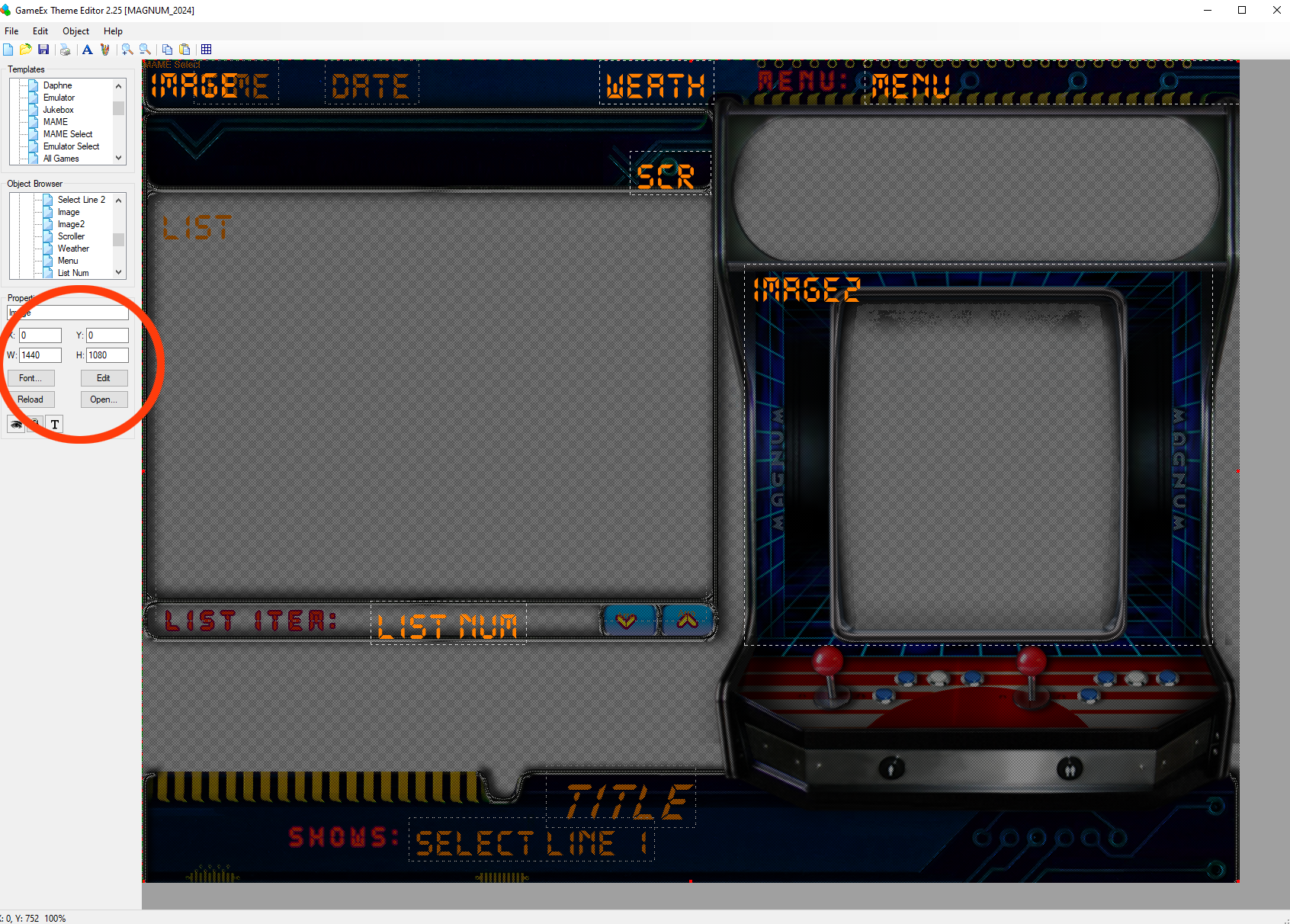
I would like to help, but there are too many (imprecise) questions. What do you want achieve? A more arcade cab related theme or a more HDTV oriented theme? Do you want something simple but individual or do you really plan to do some artist(ic) stuff etc. etc. I will try to answer some of your questions and will start with the layering of things in the theme editor: There is a background layer (the bottom of the bottom) and a foreground layer (on top of all layers) and anything else, is in between this "sandwich" . The foreground layer is mostly used as a mask layer to mask out objects (i.e. rounded windows etc). Ideally the image(s) used for back & foreground are in the size of your theme (i.e. 640x480, 1920x1080 etc). Why i write this? We will come back to this later. The "templates" box contains all (default) pages that your theme can use and each of these pages can use a different back & foreground layer, that is set in the "object" box. Which pages are really used in the theme, are setup in the GameEx setup wizard. Clicking on pages of the "templates" box can be used, to see a preview of how that page will look in the theme. Each page in the template box, has a equivalent in the "object" box and contains the elements that will be showed, if you are on that page in the theme (once running). These elements are mostly text based stuff and will only use fonts and their according options. Exceptions are Image, Image 2 and weather. Sadly we have no full control what Image 1&2 is showing. It depends on what page you are in the once running theme, what images you have in the media folder of your theme and how you have setup certain pages (i.e. MAME settings) in your GameEx setup wizard. Hardcoded elements: AFAIK, there are only 5% hardcoded elements, maybe less. You may come to this conclusion, because there are hardcoded dependencies (especially the "naming" of certain buttons and elements) to certain elements, but how these elements look like, is really up to you. As you see in the preview picture for the theme editor question thread of Draco1962 answer, there is a vertical menue in a theme, but the point is, it is likely made with a different theme version of the theme editor (the option where you been asked what version you want to create, if you want to start a complete new theme.) Many text based things are dependent on how you configure GameEx (setup wizard) in the first place and some of your questions, are answered exactly there. You can only benefit from catver category, if GameEx itself, finds a catver.ini file. It must be setup (and updated) before this stuff can work. Same goes for the menue, what kind of text and options show up, must be setup before and the setup wizard has these options. Buttons and coordinates: Some of the buttons in the "object" box, should ideally use the same properties and size of the object/picture it represents. Simply changing the width and height in the fields, will just scale the used graphic to these values and will degrade/squeeze the quality of the object/picture in the final output. My advice is first to fully understand the GameEx setup wizard. The setup wizard has a small description for EVERY option you set there. It is the core element of how your theme will work and what options you will have. Start with a very simple theme, set it up properly and to your like. Once you are done with this, you can start to use the theme editor. Setup only MAME and use other emulators later, since we have the most options for MAME. Turn off any further options i.e. Jukebox, Daphne, Karaoke etc. and add them later to your theme. This way it is easier to understand the theme editor and you can better focus on what is happening, if you change this or that. My advice to Draco1962 and Tom Speirs: add a wiki for a theme editor tutorial / manual. So that users can gradually fill up the manual. It is simply to much work to write a complete manual for it (at least for me). Please Tom, make the "template" and "object" boxes SIZEABLE , this is crucial. The amount of time spending scrolling through these boxes is INSANE and very, very painful. If this is something that can be achieved easily, then please please please do it. I personally hate these boxes so much, that there is not much more passion to create a theme. I hope i could help at least someone.
-
Ok, but all my displays use a square pixels resolution, even the CRT. 1440x1080 is a 4:3 square pixels resolution. If you can not try the movies, it will help Tom for sure . I dont know what is too difficult to test here. Just choose the provided movies as a background and observe what happens. Nothing special here and there are plenty of 1920p themes or 4:3 themes out there to test it with. And like i said, it only happens with this option. Even if my display would be different, then it would apply to every option and not just only this one. Apologies, if i have misunderstood something.
-
The issue is this option: I have attached two movies, so you can test for yourself. One is 1920p, the other 1440p. Just for the case, that 1920p would magically work, i doubt it. If you can still see the orange border, then I am wrong. If not, i am right . Easy as that. All movies use square pixels. Yes, 1440p is 4:3, but thats what my theme (first) will be anyway. It is intended for CRT-cab users. The resolution is to high, but it will be scaled down and keep some of the quality. Plus, i have a modeline for CRT users, that can use 800x600 interlaced, which will give way better results then ordinary low-res resolutions like 320x240p. Border Test_1920p.mp4 Border Test_1440p.mp4
-
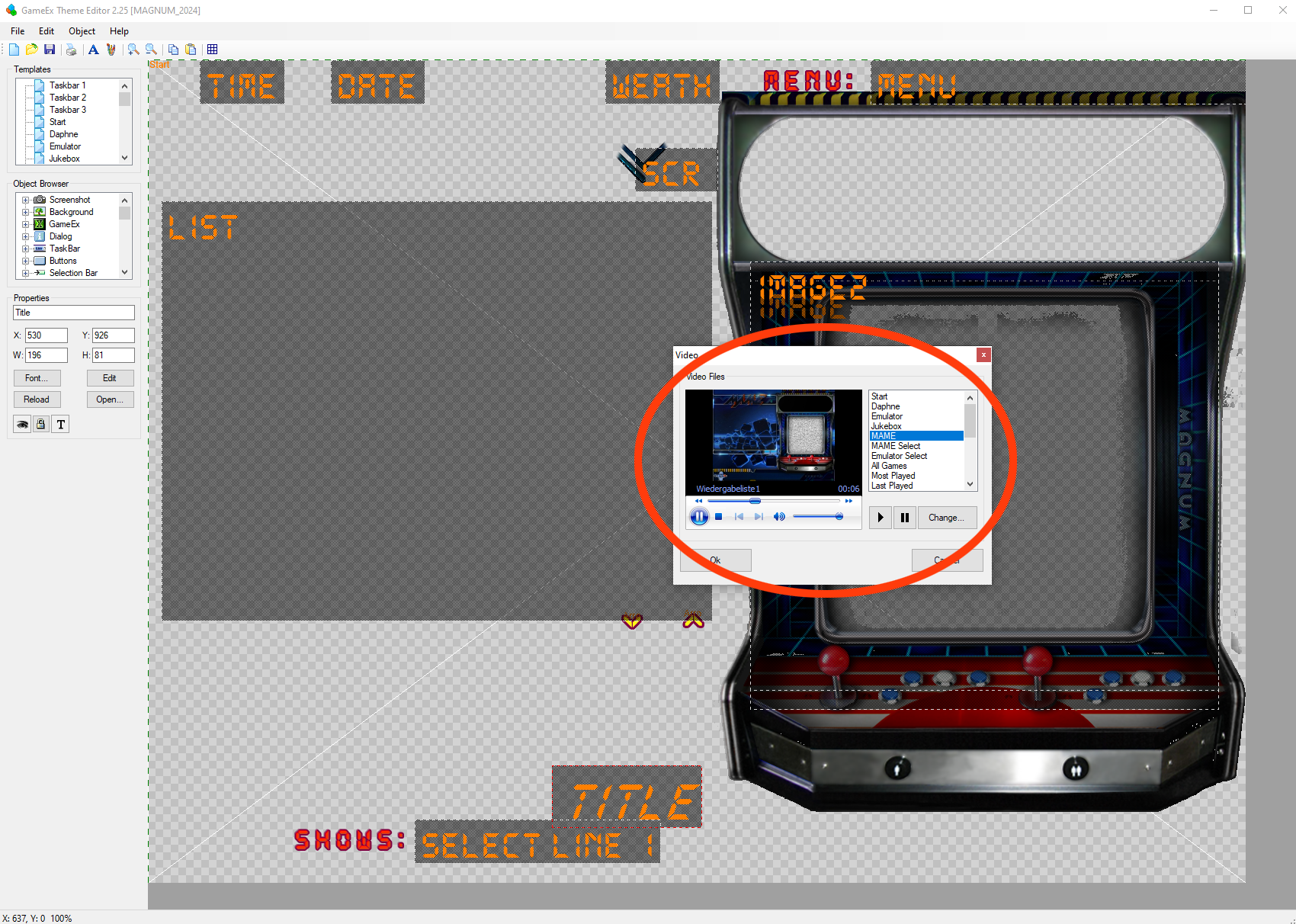
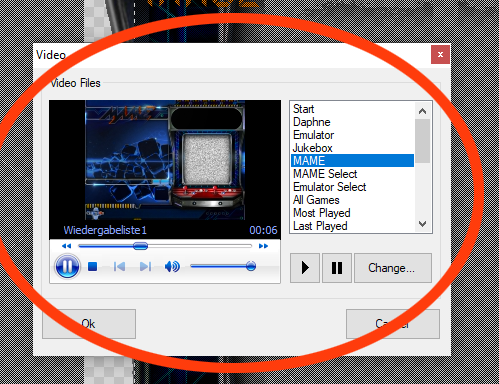
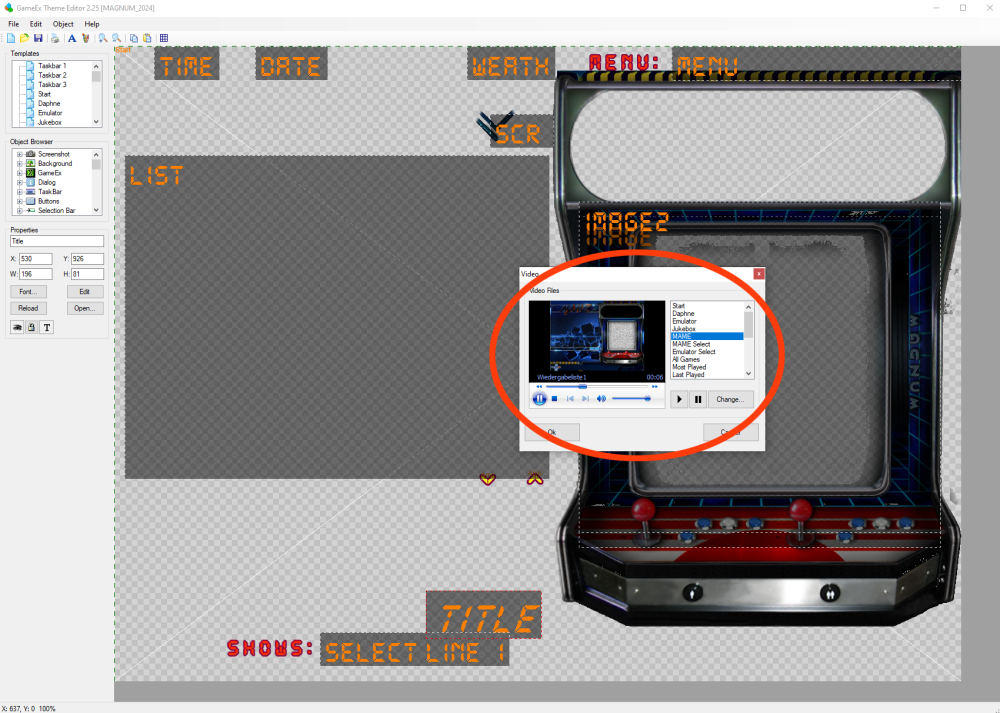
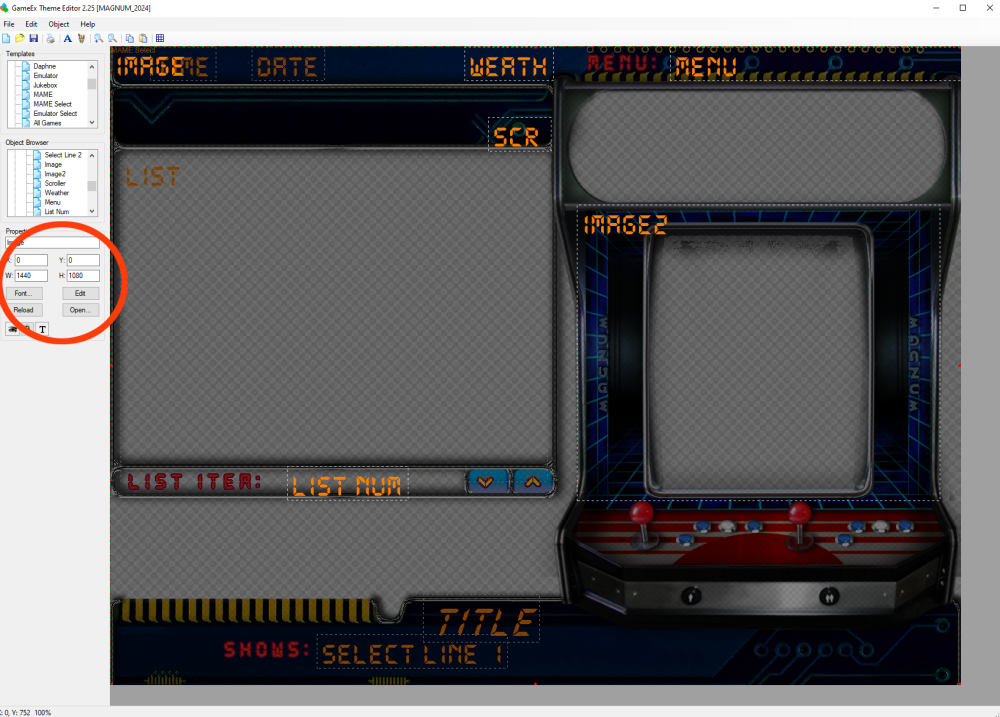
Hello Draco and Tom, yes, this is still a issue. I will make it short. The following option/function doesn NOT scale properly: Whatever movie you choose here as a background, will not be properly displayed. It will be slightly larger and blurred due to scaling. The same movie background choosen with the "Image" option, will be displayed correctly: I am sorry that i did not upload anything yet, but i had no free time to continue with the theme, maybe tommorow i can upload something. Hope the pictures help.
-
So I looked at the FTP here at GameEx and i really found "platform" videos, but in case of MAME and Arcade games, there is just only one video here: http://ftpbrowse.gameex.com/-GameEx-/- Emulator Artwork & Videos -/MAME/platform_video/ I dont know, if it is working inside of GameEx, but that would be a example of what I am looking for. This kind of videosnap, but just for the MAME categories like Lightgun, Vector, Trackball, 4 player etc. Also I still dont know, if this is possible to do and moreover how the "naming convention" of those videosnaps would be. I mean for that to work, GameEx would need to search for these videos first and if not found, showing a random videosnap that fits the selected subgenre (this is already the normal case). A proper answer here, would help me a lot .
-
Feature & Enhancement Requests
u-man replied to Tom Speirs's topic in FAQs, Guides, & Other Useful Information
FEATURE REQUEST: Support of icons based on game type. The icons that exist for MAME games are pretty much useless IMHO. Most of the time, they dont reflect the character or genre of the game and there are ten-thousands of them. Because they are "bound" to the game list, they will look extremely bad on low-res themes and even with hi-res themes, they barely represent something, because they are just to small, if they are "bound" to the game list / font. PLEASE seperate icons from the game list / font and add a extra icon field in the theme-editor for them. So that theme-creators can choose a icon-size (16x16, 32x32 etc.) and where to place them. GameEx can read category lists and therefore it would be way more useful, to show icons that are category based. This way, you would only use a handful of icons, based on game type / genre. It would be also a huge benefit for low-res themes. It would be a lot easier for a user to "read" the game list. Basically Tom did that already for the MAME (genre) selection menue (Lightgun, Trackball, Spinner etc.). Here we have the option to use logos that will do that. However, we dont have that in the game-list. It would be great, if we could see a racing car or wheel icon for a driving game or see a gun / crosshair for lighting gun games etc. That would be a great addition to icons that would make a lot more sense. -
Feature & Enhancement Requests
u-man replied to Tom Speirs's topic in FAQs, Guides, & Other Useful Information
FEATURE REQUEST: Support of (Multi) coloured Fonts. Examples: https://www.fontspace.com/search?q=color font https://www.myfonts.com/de/search?query=chromatic&page=1&toggle[has_free]=true Browsers, Photoshop, Font-Editors... they all do support colored fonts (sometimes called chromatic fonts). If GameEx would support them too, theme-creators could use different colors for different things like menue bar, titles etc. This would also solve all this problems and would eliminate extra coding to achieve that: -
Yes, i did setup the image field properly. All videos use the same size (1440x1080 4:3 aspect) and GameEx is running at this resolution (see video). Mind you, that the error/bug comes from the background video, where i have no options at all, except telling GameEx, use this video as background for the choosen section. It is the background video, that is oversized and has then bad quality. If i use the same video for the image-field, it looks better and is properly scaled.
-
Yeah, lets wait and see what Tom will say. I think he will understand the video and if not, i will share the theme, no problem. The bug is not related to my theme. You can repeat the same with any theme, you just need to setup one videofile that is used as background and has the same size/resolution as your theme and use the same video in image-field 1, which is also setup the same size (x=0, y=0, width and height= theme resolution). So basically you have 2 video-layers. Image-field 1 has higher priority and overlays the background, but whenever Image-field 1 is "filled" with a new video and GameEx needs to load the new video, you will see the background video until the new video is loaded, which then overlays the background again. So in the above posted video, whenever you read "update" in the marquee (but without the update icon), you are actually witnessing the background video for the MAME genre menue. Anything else shown in the marquee, are Image-field 1 videos that are loaded. Depending where you are scrolling in the list, a different video is loaded into Image-field 1. In my example, this are fullsized videos for "update game list" and "MAME all games". Thats why i have switched between the two categories all the time. I hope its easier to understand now.
-
Hello GameEx Staff , The following video will show you the bug. Please pay attention to the corners and the big update title in the marquee. GameEx_Arcade_All Arcade Games_60_60_ 2024-11-06 15-19-59.mp4 I am sorry for the big video, but it is needed to better visually see the bug. So what is happening here: We are in the MAME-Categories-submenu. A video was picked (via Theme-editor and the video-option menu) as background for the MAME-Categories-submenu shown here. The picked video contains all theme elements (arcade cab, menue, bars etc. BUT on a black background). If you now choose a category, then a video is shown that is related to this genre. This video uses image-field 1 from the theme editor and is set to full screen resolution. This video also contains all theme elements, but this time it has a genre related background included. So if you scroll through the list, the entire screen will change and adapt to the choosen genre. So far so good, but if you switch from one genre to another, then there is a time gap, that is filled with the video that we have chosen as the background for the MAME-Categories-submenu and here you will see that this background-video is slightly overscaled, probably just by only 1%, but it is noticeable. It is bigger then the image-field 1 video, which should not be the case. This is also bad for the image-quality of the video, as it is not shown in its native resolution. This results in a slightly blurred video, losing its sharpness and including artefacts. You can notice the degrading in carefully observing the area around the joysticks in the video. Summarize: There is something wrong in the theme-editor video-option menu and it has to do with scaling. Any video you choose here, will be displayed as a full size background, slightly overscaled and not in his native resolution. Any video that you set for the image-field in the theme editor, is properly displayed. If you set the image-field 1 properties to the native resolution of the video, then it is shown as this. Any questions? Feel free to ask . GameEx ini and log files attached. log.txt GameEx.ini
-
I am sorry for the bad description. The only reason why I mentioned the logos and marquee is because someone could mention those to solve the problem, but I want to know if we have control over the (in my example the game screen of the arcade cab) image field that GameEx uses to show a random videosnap of the selected MAME genre.
-
Hi Draco 🙂, I am currently not on my setup, but you can watch the 2nd video from my last post: https://forums.gameex.com/forums/topic/30223-resolved-two-possible-bugs-found-with-gameex-1875/?do=findComment&comment=218914 Just imagine that instead of the game names in the list on the left side, the MAME subcategories would be there. Every subcategory has a own logo-file that would appear in the marquee of the arcade cab. And for every subcategory, GameEx picks randomly a videosnap that fits into this category and is shown as the gamescreen on the arcade cab. The question is now, if we can create a videosnap for these subcategories. For example if lightgun is selected, showing a video containing only lightgun games.
-
Hello guys 🙂, Tom is right, I am looking for Category/Submenu. If it is possible to have videosnaps for the sub-categories, then how would I need to name them, so that GameEx can identify them? Keep in mind, that I already use all Logo-media provided for the sub-categories. I want to use the „image“ field that GameEx uses to show the random videosnaps. This way I could create my own videos for subcategories, assuming I know the naming for the videos.
-
At default GameEx randomly picks videos from existing videosnaps that fits into the MAME categories like Lightgun, Multiplayer, Trackball etc. I am curious if any category videos exists 😁 Any help appreciated 🙂
-
Both bugs seems to be gone with GameEx 18.81. Now i can only ask kindly, if you can make the sorting of the menue different. In that way that after name/title, the year appears. 1. Name / Title 2. Year 3. Category / Genre 4. Publisher 5. Developer Since Publisher and Developer give the same result, i would leave one of them blank, but this results also in cutting off the "year" option. It would be really nice if the sorting would be as shown above 😇☺️
-
Thank you very much for the fix .
-
Hi Tom, as far as i can tell, at least one of the two bugs here are gone with the latest 18.80 GameEx version. So the scrolling game info bug is resolved, thank you Tom 👍💖.
-
Hello gentlemen After updating GameEx yesterday, I am not able to set a specific resolution with the setup wizard in the display settings. GameEx starts, switch to the resolution for a second and then switches back to desktop default resolution and does not start like it should. It runs in the task manager, but beside this, nothing happens. I need to kill the process and tell GameEx with the setup wizard, to not change resolution. After this GameEx will start normally, but will use the native desktop resolution. I did not change anything resolution wise before the update, only working on my 4:3 low-res CRT theme (800x600). If I now want to see, how it will look, i need to manually set the desktop to a 4:3 resolution (800x600, 1440x1080 etc.) prior starting GameEx. I attached log and .ini files, from a "switch" situation. Hope it helps.log.txt GameEx.ini
-
Hello Draco, Updated to v18.77 and attached all new .ini and log files. Nothing has changed, my previous post still valid GameEx.ini log.txt
-
Hello Gentlemen , I am sorry for the late reply. I recorded the bugs, so you can have a look for yourself. My Theme.ini is telling me that the theme is a v4 theme. Sadly i forgot what the differences are between all these versions and AFAIK from the past, there was a point where GameEx would support only v4 themes, but i could be very wrong here . Now coming to the first bug: If i sound harsh then i am really sorry, it is not my intention (seriously). So Tom is saying this "bug" has always being the case for "trimming" the menue. If that is the case, i would really be happy, if the sorting of the menue would be different in that way, that the "by manufacturer" and "by developer" options would be the last items in the menue. Currently the "by year" option, is the last item in the menue and if you trim "by manufacturer" or "by developer", you will also automatically trim the "by year" option. At this point i also want to mention that in the case of MAME, the "by manufacturer" or "by developer" options lead to the same result. So I dont see a point, why i need to have both sorting options in the menue. Not only that, it also contains a bug where clicking the "by developer" item, is acting like you have pressed the "Home" button. Just observe carefully the end of the bug 1 clip. It will only show up, if the "game info" menue is enabled. IMHO Tom should rework the "game info" menue. It should not contain any sorting menue items, because it is not really needed (you can always go back one step and do the sorting there.) and should focus more on the "game info". Also the sorting menue that shows up with the "game info" screen cannot be trimmed , no matter what you do, it will show up in its full glory.... eh mmh length . The Bug 2 Clip is showing the "scrolling through game info" bug. The only way to scroll through it, is to enable the loop function (see first post) and do a reverse scroll (from end to start), by pressing the "arrow up" key on the keyboard. Thats all so far GameEx_Bug1_ 2024-09-18.mp4 GameEx_Bug2_ 2024-09-18.mp4 Theme.ini
-
Ooops, i did not know this. Guess I will try to record the bugs then and post a video .
-
I dont use Windows 11 for many obvious reasons, including this "feature", but thanks anyway . If you know any else free to use screen capturing software, let me know it. For the second bug, yeah please try it. For this, you only need to be sure that "Show Game Information" is enabled in the setup wizard of the "Enable / Disable Feature" section. Can not imagine, that this is done on purpose to minimize latency.
-
Hello Draco , thanks for looking into this. First I am sure, that I use the latest version of GameEx, as i do the "automatic" updates. I just did not look into the download section to know what the latest version is, instead looked in the forum news section for it . Any good way to know which version is GameEx running on? Second, gameex.ini and log.txt files attached. Third, any good and easy to (de)-install screen capturing software recommended? I did find out the cause of the first bug. Remember that in my last thread I wanted to remove the "Sort by Developer" option? The solution was to leave the developer line in the English.ini blank . In the current version of GameEx, doing this has a downside, because it removes everything that comes after the "Sort by Developer" too which includes the "Sort by year" option. If for example you leave the "Sort by Name" line blank, then you would have removed the "Sort by..." menue entirely 🤪. I am almost sure, this behaviour was not the case with my older version of GameEx. The second bug, is still the same. Cheers! GameEx.ini log.txt