|



Adultery
-
Posts
10152 -
Joined
-
Last visited
-
Days Won
159
Content Type
Profiles
Forums
Events
Downloads
Store
Articles
Everything posted by Adultery
-
Why isn't this happening to me? Am I just lucky?
-
That's friggin sweet! Thanks Tom!
-
Wow! That's f'n awesome! Bookmarked!!!
-
is your topmost_foreground image covering the weather up?
-
It's not hard to make one at all. Or you talking about for the .lay file?
-
https://www.google.com/search?q=Vpmkeys.zip
-
I'd like that had I not already done so... LOL!
-
It only takes a minute to do. Check Playstation too, the adverts were in FLV last I was there.
-
The setting for high will be applied but the radio button doesn't remember its position when you reload it. It's a small insignificant bug. You can look at the settings xml and see it's been applied already.
-
For me anyways, the only time my emus are still in the list but greyed out is if they're set in Custom Menus but disabled in the actual emu setup itself.
-
Using custom menus Krak?
-
+1 for Spesoft Video Converter. I just used it the other day for converting FLVs.
-
I'm glad it's actually working! LOL! I'm really doing this more for practice than anything else. It's a happy side effect that it actually functions! Also I'm writing some pretty sweet classes I can just use in other projects... I coded my own log file creator to report every step of the way and make troubleshooting a hell of a lot easier (no sense in just outputting errors if screwy stuff happens and it doesn't crash the plugin) and my own DB connector which I'm sure will come in handy when I make an Emu Commander in the future... I know how to use tabs already, this just got crazy complicated in a hurry when all it was supposed to do was add one string to the MAME command line. Never tried AHK but I can't get my dirty hooks embedded into GameEx's namespace with that. Thanks for the props... I think it's progressing well for my very first app. Glad it could be GameEx related too! The SnapShot proggy is on the back burner for now. Enough rambling. I'm working on the easter egg. /me retreats back into the shadows
-
Crap now I gotta test! Lol!
-
That's awesome and it sucks all at once!! It looks great except for that schmutz on the screen there... Oh wait. That's Sonic!! LOL! All prodding aside, it looks great T-Jay! I'm glad you found the PSD useful! Adapting for your cab is the exact reason I put them in all my themes. Big up!
-
Updated to 1.75
-
Here's your problem! CMD_99=GameExConfig.exe That might need to be changed to: CMD_99=SetupWizard.exe Maybe that's legacy?
-
Can we get a fix for Bin/Cue downloads? If a game has Bin/Cue/MP3 the downlader gets artwork for everything in the folder. Sometimes I end up downloading the same artwork 20+ times for 1 game.
-
Crumbs, I thought I fixed that... I put in at least 4 hours worth of work on OleDB today and I really thought I squished the bugs. That JIT debugger sucks! It haunts me in my sleep!! I was using the log module for my own build but I didn't include it in the final compile... I really ought to keep that in there so I can address bug reports without having to pick through errors. I'm going to add that back in next revision. Thanks again for the assistance HK, you've been a huge help.
-
Nice touch Circo! I've been using Tom's utility to convert FLV files to MP4, this is a cool touch. Hopefully more improvements await!
-
Loving the progress on the new plugin! http://www.gameex.info/forums/index.php?showtopic=10693&view=findpost&p=82150
-
Updated to 1.65
-
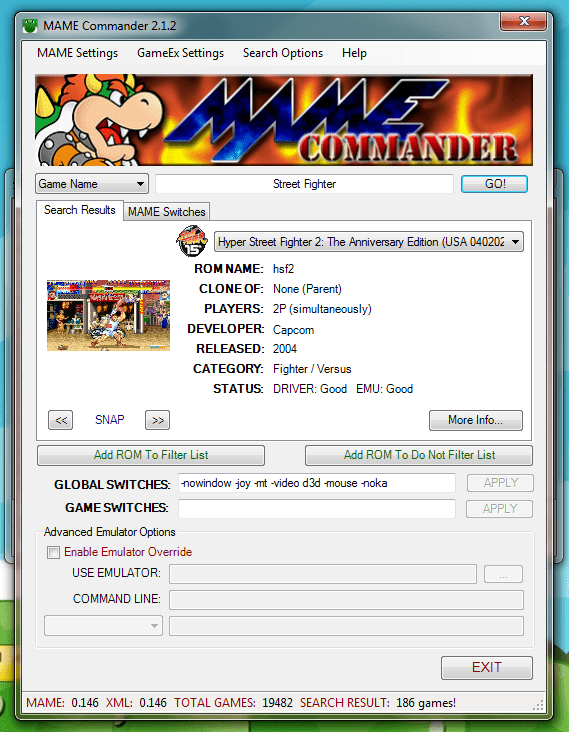
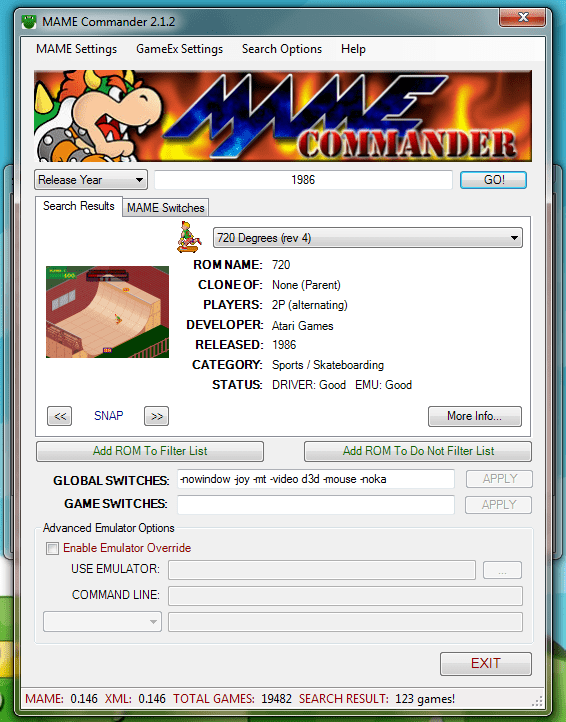
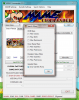
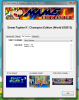
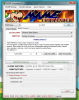
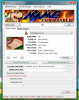
MAME Commander 2 2.1.6 Take complete control of your MAME games with this plugin. Version 2.1.0 is a complete, from the ground up re-write of the earlier 2.0.8 Mame Commander. This change brings a ton of new features, as well as the best of the old version. You can control nearly every aspect of your MAME launching. Here's the rundown: MAME Integration Search all of everything using MAME.Select from the following criteria:ROM NameGame NameManufacturerCategoryRelease Year# Of Players# Of ButtonsDriverCheck your XML based off the current version of MAMESet a MAME path or just use GameEx's MAME.EXE locationSet your support file paths or use GameEx's specified filesCommand Settings Add or remove the game from GameEx's Filter ListAdd or remove the game from GameEx's Do Not Filter ListSet a custom global command line for that game Note: This overrides your global command line for GameEx but does not replace it!Set game specific commands to be sent when the game is runOverride Settings Check the box to enable/disable Emulator overridesBrowse for the emulator you wish to useSet up the commands to be sent to the emulator Note: This supports all GameEx command line switches also (ie "[RomPath]\[RomFile]", etc)Launch Before/After/Also Launch Integration Setting a command for Launch Before will launch the command before the game runsSetting a command for Launch Also will launch the command the same time that game runsSetting a command for Launch After will launch the command after the game exitsA command might look something like this: C:\Xpadder\Xpadder.exe "C:\Xpadder\Emulator Profiles\NES-1.xpadderprofile" "C:\Xpadder\Emulator Profiles\NES-2.xpadderprofile"Search Filtering Set ROM, Driver, and Emulation Status filters to apply when searching for gamesCheck the box to only search the ROMs you have added to GameExExtra Game Information View your art for the selected gameGet all the MAME info on the game, like status, savestate support, etcView the game's History and MameInfo informationSee all the dip switches for a game and what their values areSee all the ROMs required and some info about themMame Switch Importer Browse a list of switches split up by categoryView a brief description of the switch's purpose when appliedShows an example of the MAME switchAdd To Global adds the command-line switch (and value if needed) to the global command for that gameAdd To Game adds the command-line switch (and value if needed) to the game switches Any questions or comments? Feel free to ask 'em. I also like feature requests. Download it here: NOTE: MAME Commander 2 is not packed in with GameEx! The lighter weight MC Lite is, however, and is suitable for most users... Most of the advanced features have been removed from the Lite version and the search does not rely on the MAME xml. If you need something more, or need greater control of your MAME build, this plugin is for you. It should be noted that the MAME all games XML is a big file, and if you use an older system you may have issues using this version. Download @ DracLabs, or use the DracLabs Plugin Downloader software Beta Version [Current - 2.1.6u1]: NOTE: this is a beta version, you can try out all the new features of the plugin before they're released. If you choose to use this beta version and you encounter an error, please enable "Debug Mode" in the configuration and provide your full log so I can address it. Download @ DracLabs, or use the DracLabs Plugin Downloader software CHANGELOG
-
That's not gonna work since you can only assign one image or path for game extender, sorry.
-
Got ya! I would make a custom art path for this and point GameExtender at it. Make sure you name your image the same as your rom, and be advised that roms without matching artwork won't show anything at all.