|



Mike_da_Spike
-
Posts
3795 -
Joined
-
Last visited
-
Days Won
242
Content Type
Profiles
Forums
Events
Downloads
Store
Articles
Everything posted by Mike_da_Spike
-
 Since a couple of days, I noticed that in my signature the gamecard is not displayed correctly. The image is gone and it only shows the link to my gameex profile. Checking the gameex online website, I cannot get to the gamecard anymore I think I had this last year as well.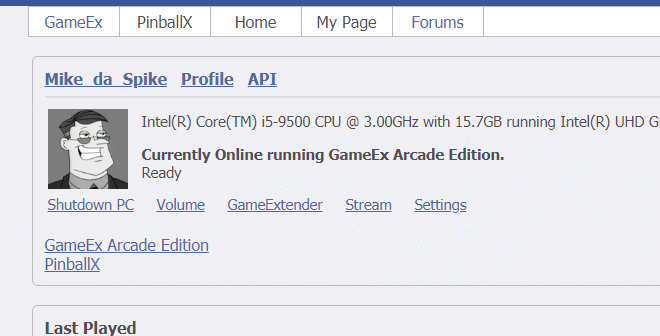
-
Since PinballX 4.63 I can't see my custom Lists
Mike_da_Spike replied to jejegameex's topic in General
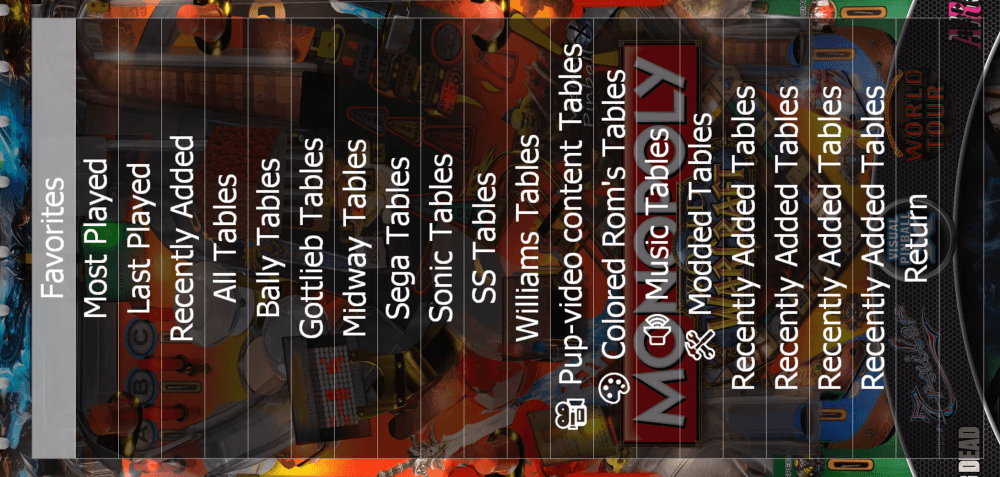
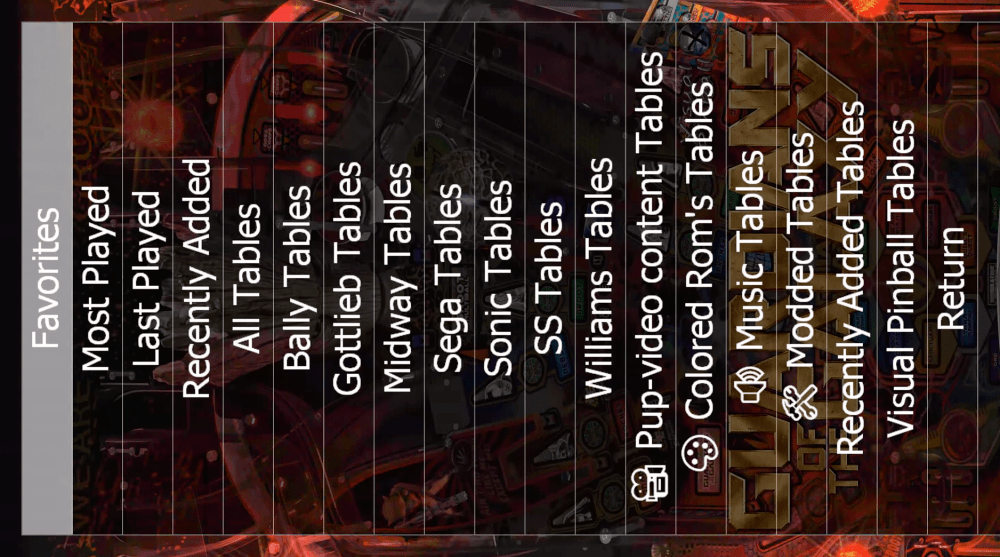
@Tom Speirs I didn't hav time to check earlier, but did it today Is it still in debug mode ? Launching it, it shows for my custom lists a poup with the name : (Yes I also create recently added xml files, but these contains different tables than PinballX has ) When having this popup multiple times, PBX is starting normal. Going to the lists, it normally combines the lists with the same names ( I always used that), but now it shows it multiple times in my list: Can this be fixed as we had in all the previous versions ? EDIT : This only happens when not having a group xml When having a groups XML that combines my Visual pinball tables it shows correctly (maybe it was the same in the previous version) <group name="Visual Pinball"> <database>Visual Pinball 9\Visual Pinball 9.xml</database> <database>Visual Pinball\Visual Pinball.xml</database> <database>Visual Pinball (P-ROC)\Visual Pinball (P-ROC).xml</database> </group> So maybe ignore the last part, but remove the popups that shows the custom database during launch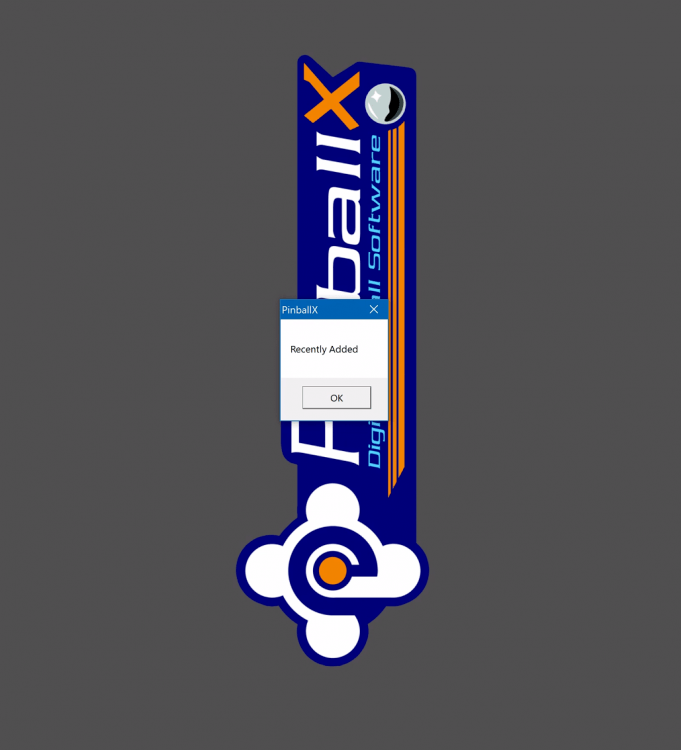
-
Suggestion: Table Specific Launch Before/After
Mike_da_Spike replied to Black Mage's topic in General
Wy not adding an extra system that contains the pinsound tables, so that those tables have the specific pinsound.exe to run ? -
 Should be fixed with latest release. See :
 -
I noticed the same
-
Gotcha. Dotnet 4.8 doesn't have the framework of 3.5. Try to download it from the Microsoft website and install that version
-
Welcome to the world of virtual pinball ! always willing to help other people. Never seen your issue before Is it hanging or you get an error ? Do you see any error in the eventlog ?
-
@simbamame. Did you had a sabbatical that you all forgot it ?
-
Odd. I used it myself. Installation of pbx isnt that hard. You can copy over the complete pinballx directory as well (but do an install to your new drive)
-
You can use symbolic links (junction points). You can put a directory on another drive and create a link to it. Program will see just a path, but because of the junction point it is on another drive https://docs.microsoft.com/en-us/sysinternals/downloads/junction Hope this helps you
-
Since PinballX 4.63 I can't see my custom Lists
Mike_da_Spike replied to jejegameex's topic in General
I wish I was a developer, but I am just an Infrastructure teamlead. But understand enough to get my team to work -
Since PinballX 4.63 I can't see my custom Lists
Mike_da_Spike replied to jejegameex's topic in General
Thanks Tom. In our company the developers doesn't have bugs in there programs, but they call it a"un documented feature" -
Since PinballX 4.63 I can't see my custom Lists
Mike_da_Spike replied to jejegameex's topic in General
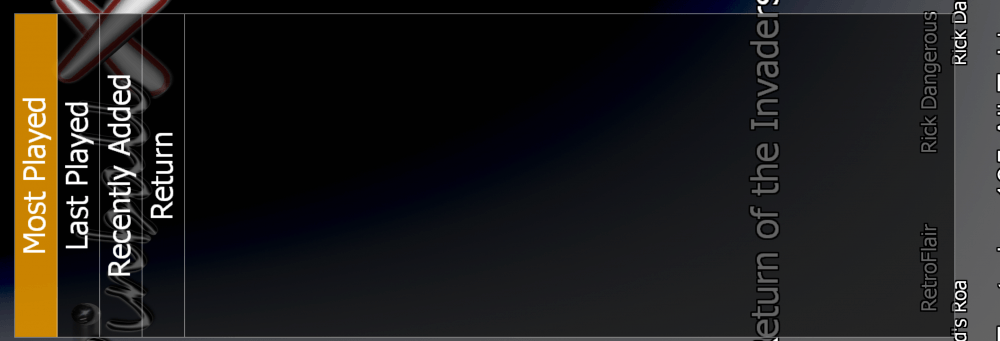
I think you discovered a bug , euh .. feature With your database file and config file, I could reproduce it. It took me a long time to identify it to get it work (with your Ini and database zip file) : In the Databases\Groups folder I created a file called Dummy.xml with the following content : <group name="Dummy"> <database>Visual Pinball\Visual Pinball</database> <database>Visual Pinball X\Visual Pinball X</database> </group> This creates a group list that combines the 2 XML files (It was just for testing that I took those) After adding this, I was able to see your custom files. removing this file results in: @Tom Speirs, Is this a feature that you can solve in codelog_without_Dummy_file.txt ? Attached 2 log files, but both shows the same. @jejegameex A couple of XML files has an error in it Not sure if PinballX can handle it, but Database manager cannot read the following XML's and mention the line and position nr that are incorrect : ERROR: GetDatasetFromXMLFile Database: [C:\Pinball\PinballX\Databases\MAME\MAME Horizontal.xml] contains unreadable characters. Error :The 'type' start tag on line 7 position 4 does not match the end tag of 'genre'. Line 7, position 30. ERROR: GetDatasetFromXMLFile Database: [C:\Pinball\PinballX\Databases\MAME\MAME Vertical.xml] contains unreadable characters. Error :The 'type' start tag on line 7 position 4 does not match the end tag of 'genre'. Line 7, position 31. ERROR: GetDatasetFromXMLFile Database: [C:\Pinball\PinballX\Databases\Visual Pinball 995\Visual Pinball 995.xml] contains unreadable characters. Error :Unexpected end tag. Line 605, position 3. ERROR: GetDatasetFromXMLFile Database: [C:\Pinball\PinballX\Databases\Visual Pinball PhysMod5\Visual Pinball PhysMod5.xml] contains unreadable characters. Error :Unexpected end tag. Line 29, position 3. I would recommend to check this and fix this as well log_with_dummy_file..txt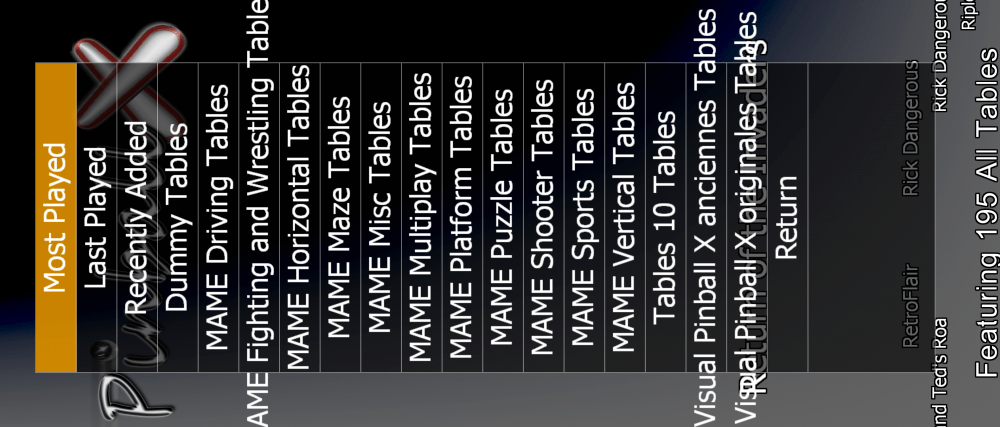
-
Alternateexe is more a system that you want to launch another table. And you are right. This is more to launch exe's without parameters. So you can have 1 system and put the exe's in 1 list. As what I can see, Tom is. A busy man. All his stuff on gameex needs to be updated, website needs maintenance, and he answers a lot of questions. And this all almost for free! The features are mostly self explaining and people like you, me and a lot of others will help each other with questions. And if needed. A tutorial/manual will be created. That's all the good stuff of the community ! When you try the new feature, you will understand the work of it. i think this is more used for the touch version that needs more more standalone programs, but maybe we can use it as well.
-
Since PinballX 4.63 I can't see my custom Lists
Mike_da_Spike replied to jejegameex's topic in General
Can you zip your pinballx\databases directory and attach it ? This is a way to reproduce your issue on other machine -
Good to known thanks ! And no problem if you use google translate. As long as your issue get fixed
-
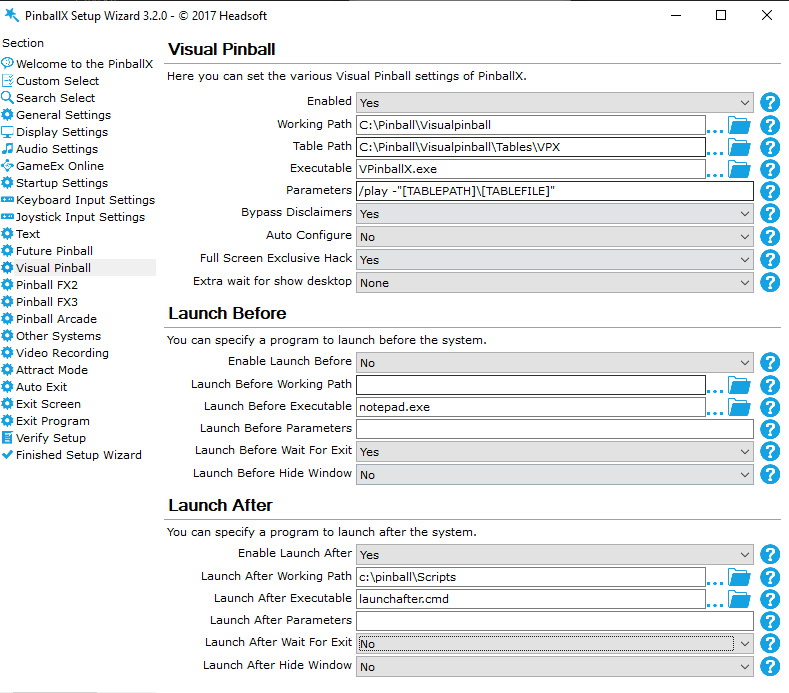
I never knew that @PcTeknic could also write Chinese (See previous quote) The batch file should be in the after script where you define your Visual Pinball system in settings.exe : Something like this (change the path to your location where the batch file is located)
-
Since PinballX 4.63 I can't see my custom Lists
Mike_da_Spike replied to jejegameex's topic in General
The pinemhi.ini (in the Pinballx folder)should contain the following information (don't change anything !) [paths] VP={path to Visual Pinball}\nvram\ FP={path to Future Pinball}\fpram\ If you use Pinemhi Leaderboard, please install it in a different directory ! Can you zip your pinballx\Database directory and attach it ? So I can check it with your files ? I still have my custom lists (I only have 2) -
 Nice tool@scutters! I use it for company/system logo's.
 -
Since PinballX 4.63 I can't see my custom Lists
Mike_da_Spike replied to jejegameex's topic in General
According to the log I see the following custom databases : Loading Custom Database: MAME Driving 18:53:59.24 01/10/2020: Loading Custom Database: MAME Fighting and Wrestling 18:53:59.27 01/10/2020: Loading Custom Database: MAME Horizontal 18:53:59.40 01/10/2020: Loading Custom Database: MAME Maze 18:53:59.42 01/10/2020: Loading Custom Database: MAME Misc 18:53:59.42 01/10/2020: Loading Custom Database: MAME Multiplay 18:53:59.43 01/10/2020: Loading Custom Database: MAME Platform 18:53:59.45 01/10/2020: Loading Custom Database: MAME Puzzle 18:53:59.47 01/10/2020: Loading Custom Database: MAME Shooter 18:53:59.53 01/10/2020: Loading Custom Database: MAME Sports 18:53:59.56 01/10/2020: Loading Custom Database: MAME Vertical 18:53:59.62 01/10/2020: Loading Custom Database: Visual Pinball 995 anciennes 18:53:59.63 01/10/2020: Loading Custom Database: Visual Pinball 995 originales 18:53:59.63 01/10/2020: Loading Custom Database: Visual Pinball X anciennes 18:53:59.66 01/10/2020: Loading Custom Database: Visual Pinball X originales You don't see any of those, or you miss some custom databases? -
Since PinballX 4.63 I can't see my custom Lists
Mike_da_Spike replied to jejegameex's topic in General
I just checked my cabinet. I'm running pbx version 4.65 and I still have my custom lists and my filters Can you post you log.txt and yiur pinballx.ini as attachment? -
What do you mean with a DB clean utility ? Settings for pinballx are in the INI file. The database files for tables are 'just' xml files and cannot do much damage by launching a table.
-
Gotcha ! Make sense. Just wanted to be sure that I didnt make any mistake
-
Exit VP10 game does not go back to PinBallX menu of games
Mike_da_Spike replied to biltcliffe's topic in General
Did you have a button asdigned (or keyboard key) within vpx to exit the emularor ? Please attach log file and settings file -
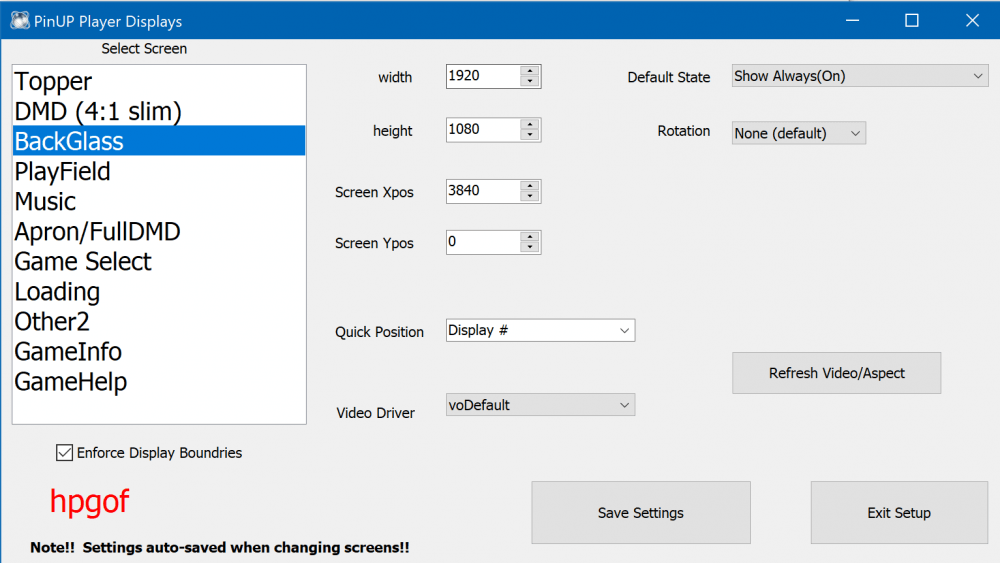
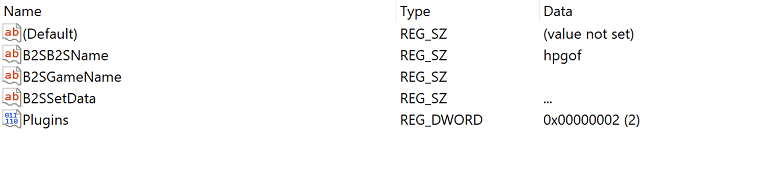
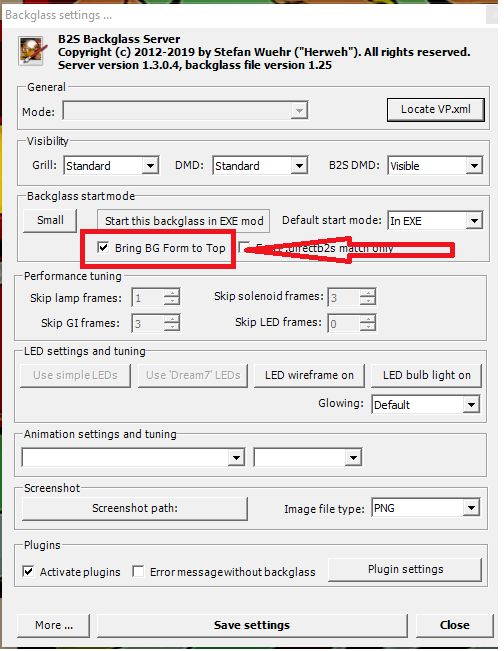
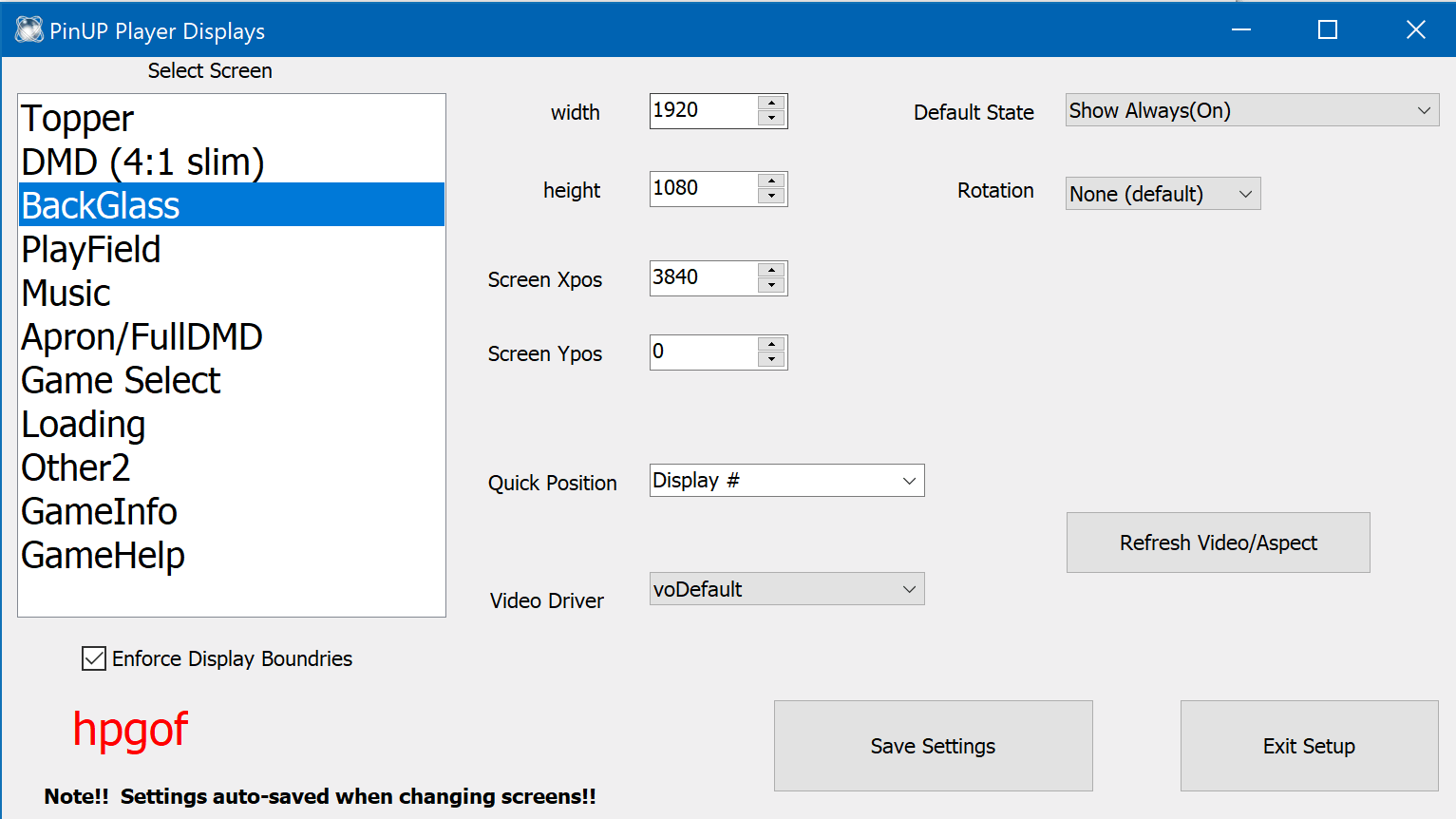
I played HPGOF with PUP pack for you I have a real DMD , but it was not enabled in HPGOF. I didn't get it to work when it was released, but now it is working (So I enabled it) This is my backglass setup in pup player : I cannot find any settings further that should hide your backglass for I see in my registry that B2S server is used too maybe try to launch a 'normal' table with backglass and check if this is set :