|



bkenobi
-
Posts
4581 -
Joined
-
Last visited
-
Days Won
1
Content Type
Profiles
Forums
Events
Downloads
Store
Articles
Everything posted by bkenobi
-
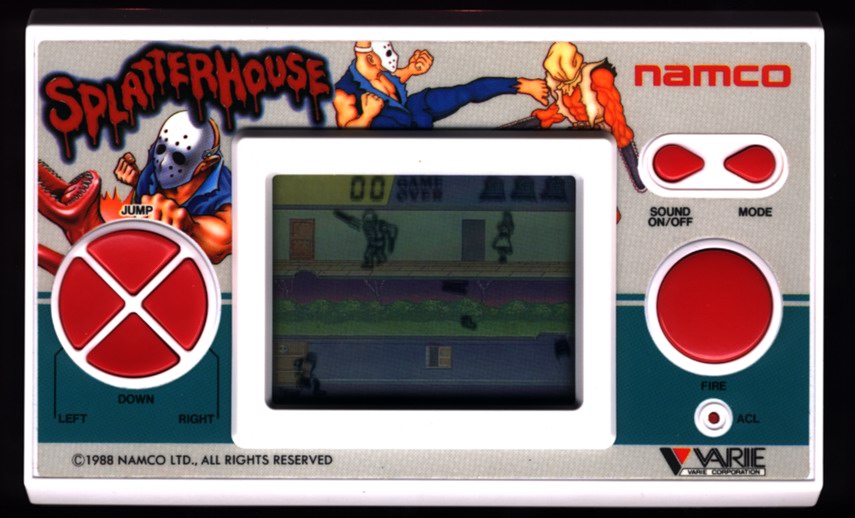
Naw, I'm just thinkin that a handheld like those Nintendo Mario Brother games or one of the other cheapo Gallery style ones displayed at the actual size would be like 5 pixels wide on a standard def TV!
-
It also makes them impossible to see
-
The easiest way might be to use the script to change the background image of your desktop to the image you want used. Then just use the script to change the position of the window to the location that seems appropriate. When you quit, you would just need to change the background image back to whatever you had it set to initially. There may be an easy way to display an image in the background, I just haven't put any time in checking via AHK.
-
1) Download whatever emulators you want to use and set them up so they run correctly 2) Download and install GameEx 3) Run the Setup Wizard from the GameEx start menu folder and set up everything that seems appropriate (it's pretty well explained where it's not intuitively obvious 4) Play around with it to see what needs tweaking for your preferences 5) Once you have set gone through 1-4, come back to the forum and search for your specific questions. Make sure you look in the FAQ as many of the more common setup questions have been answered there already. 6) If you have questions still, post a question including all pertinent info. If GameEx is crashing, include the complete log.txt file. If something else is going wrong, you will probably still want to post the log.txt file. 7) Remember that this is for fun...enjoy it!
-
This is not my area of expertise (assuming I have one), but do you have the dat file to go with your set? AFAIK, in order to run your set through either RC or CMP, you need to have a compatible dat file.
-
GameEx doesn't do anything special with your emulators. All GameEx does is call the appropriate command line to launch the emulator how you want. If the emulator can support different screen locations and sizes, then you can send whatever command is necessary to move it via the command line. If it doesn't support resolution changes via the command line, there is another way. It's possible that you could put together an AHK script that will do what you want.
-
So I did a comparison of mk.cfg and mk3.cfg which have the same basic controls. In this case, there are several differences that make using RomLister basically impossible. DOH! Report.html
-
I don't think you actually need the batch file for xpadder if you don't want. I have xpadder launch from GameEx directly.
-
I'm not worried about other settings, just the customized ones. I haven't verified that the values I bolded are consistent. I don't know what they mean or how they are interpreted by the rom, so I never tried just copying them. When I get in front of my machine next, I will find out. If you can check sooner, post away!
-
I'm not sure what the goal is exactly, but if you are trying to have multiple key presses enter a text letter via joypad button presses, this could be done via AHK. It would require a timer and a set of checks for button presses. If the timer expires or a different key is pressed, it moves on to the next letter. If it hasn't expired, it would increment the previous letter. I don't know how useful this would be compared to either an on screen keyboard (like Brian posted a link to) or the built-in joystick text entry system for search that Tom already included in GameEx. Just wanted to throw the idea out there.
-
I wouldn't delete anything until you get it all worked out. When you setup Zinc, you can tell it what files to use. I think there is a ini file of some kind that contains a reference to controller.znc, but it's been a while, so I would have to search around a bit. I'm not at my cab, so you would probably find it much faster than me. If it were me, I would just create a new Zinc directory and start over from scratch (holding on to the original dir until you are content with your setup). That way, you can always go back to your old config if you can't get it going just right.
-
You could put the command to launch the emulator in the same batch file and use it in the emulator field. If you do that, you would need to put the emulator's process name in an advanced config. There are other threads on Freedo, so you might want to search for one of them to see how to configure this correctly.
-
That's mostly how I do it too. Here's the thing that made me wonder about just copying files like you suggested: I don't know what the mask, index, and defvalues refer to. I suppose the easiest way to figure out if it works is to either compare sf2.cfg to mshvsf.cfg or to just copy one to the other and fire up MAME. I'll have to give it a try this evening if I have time. I was going to do it the hard way again, but it's worth checking anyway!
-
I had considered doing that, but I'm concerned that MAME has some values in the xml file that I don't understand that might be game related. I wasn't sure and didn't have time to play with it, so that may not be the case. My initial thought was to config SF2 the way I want and copy it to all other games that use 6 buttons. Then, config MK and copy to all 5 button games. I never tried it, so I don't know if it would be a problem or not.
-
You could disable the winterblast plugin and use XPadder to remap your joysticks to the appropriate keyboard inputs. This should work, but I haven't tried it.
-
CPWizard is a program written by HeadKaze that allows you to create a representation of your control panel and display the functions for each game on it prior to playing or during game play. It can do TONS more stuff, but that's the core of it IMO. There are other control panel viewers out there, but HK's is really generations ahead of the others. He had help from at least one of the developers of another CP Viewer, so fortunately he didn't have to start from scratch. LED/LCD plugin is a plugin for GameEx written by HeadKaze that allows you to run LED buttons and LCD text screens to display cool stuff (flashing buttons, light only usable buttons, show combos, etc., etc., etc.). If you don't have either LED buttons or an LCD text display, don't worry about it for now. Both of these programs are available here and have their own support threads on the forum.
-
I don't recommend a new user compile their own version of MAME unless they are technically inclined. However, if you are interested in giving it a try, check out this thread.
-
For future reference (in case anyone else reads this thread), you need to supply your config and usually the .cfg file for an example game that exhibits the problem. It's really tough to figure out these problems without enough info.
-
Is it possible that the image isn't getting loaded fast enough and when GameEx calls Freedo, since the image isn't ready, it crashes?
-
I noticed the NeoGeo bezels when they showed up a few MAME releases back. I like the idea of them, but they make most of the NeoGeo games way too small to be playable. The only resolution I came up with was when one of those games came up with it's minuscule display, I would hit tab and go to video options to turn off artwork. This is a per game setting and stored in the ini file for the game. So, once it's done once, it's done. Anyway, that's be best suggestion I can give right now. Perhaps there's a way to list out all NeoGeo games with RomLister and copy the ini file to all other games so it's just done with?
-
That's pretty much the easiest way to do it that I'm aware of. I don't really think it's that complicated though. If you are changing the way your cab boots, you need a keyboard and mouse anyway, so having to pull it out for that doesn't bother me at all.
-
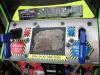
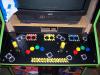
Thanks! It was inspired by the original Area51 CP that was on the cab to begin with. The original had a gray striped background, but it was both too difficult to reproduce and didn't really add anything. I made sure to have my wife involved in approving it so I could bring the machine inside
-
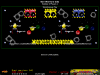
Thanks for the info HK! I looked at things again and found that, even though I specifically set up the controls correctly, they somehow did get messed up. I fixed them for mshvsf and it looks great! I'll have to go back through and make sure all the other 5+ button games are correct, but I think it should be good to go! I checked to see if Ikari Warriors looked any better now, and it does. Obviously the rotary needs a tweak, but the P1 direction keys are correct now! Oh, one other thing. I think Sbaby has been working with you on this, but I haven't followed the thread as closely as I should have, so maybe there's already a fix for this. I have my MAME compiled to have the pause patch in it so CPWizard pops up when I pause in MAME. That works fine, but when I exit CPWizard, it minimizes MAME. At this point, if there's no fix for it, I'll probably recompile MAME to remove the trigger for pause. Since the CP is now built into GameEx, that's probably good enough. I was hoping to get it working with showing the commands.dat data, though. Anyway, thanks for the help!
-
Yup, I missed that post. I went back and noticed the problems you pointed out and had been working on fixing them, but wasn't sure I was going in the right direction. Your fix was where I was aimed, so I guess I kinda know what I'm doing . I'll give this a try today and hopefully get it going!