|



Draco1962
-
Posts
19254 -
Joined
-
Last visited
-
Days Won
664
6 Followers




Recent Profile Visitors
90342 profile views





Draco1962's Achievements

GameEx God (Top Rank) (5/5)
3.2k
Reputation
-

[SERVER] Draco's Server Build Redux, recombobulated, etc.
Draco1962 replied to Draco1962's topic in Gamer Rigs
Where did you end up on this? Interested! -
I honestly do not see this going the distance. Given the current economy, $1297 is a tall ask IMO, much less the estimated full retail of $1700. But, it is fully ready to go and most people are all gonzo for the "console" experience. I'd be interested in a flat pack for something like this - God knows I've got enough kit stashed to build one or two!
-
@DBrown67I saw that you were working on another issue - is this one now resolved with updating to the latest version or some other fix? Let us know what worked for you so the information is available to us and others! Thanks!
-
[GAMING PC] Draco1962's HP Pavilion Bazzite Conversion Build - MK. 2
Draco1962 replied to Draco1962's topic in Gamer Rigs
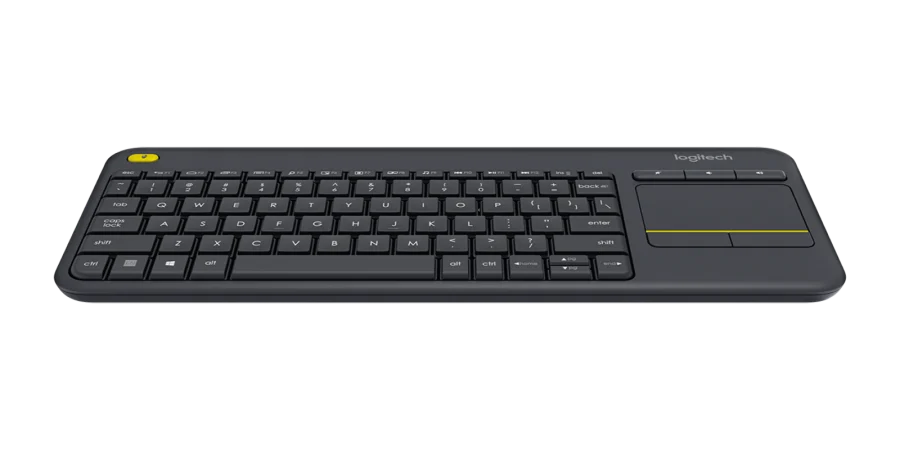
INPUT DEVICES Controller #1: XBOX Wireless Gaming Controller | Robot White | Console, PC, & Cloud Devices | Textured Grip | Wireless, Bluetooth, USB-C Connectivity Controller #2: Steam Controller (2015) Keyboard/Mouse: Logitech K400 Plus Wireless Touch TV Keyboard for Media Control - Black | Easy meadia control, built-in touchpad, HTPC for PC-connected TV, compatible with Windows, Android, Chrome OS, Laptop, Tablet I tested pairing the 2015 Steam Controller after applying the firmware update discussed here: It is actually fairly comfortable and not much unlike the Xbox controller functionally. The haptic right trackpad takes a little getting used to, but responsiveness is not unlike the Xbox controller. After 10 years, it has a home! Of course, I have the Xbox Wireless Gaming Controller which is a given standard and well-supported by Bazzite & Steam. The Logitech K400 has been my workhorse across several builds, pairs well with the build, and gives me great keyboard & mouse control for when I have to drop into Desktop mode for various tweaks and changes.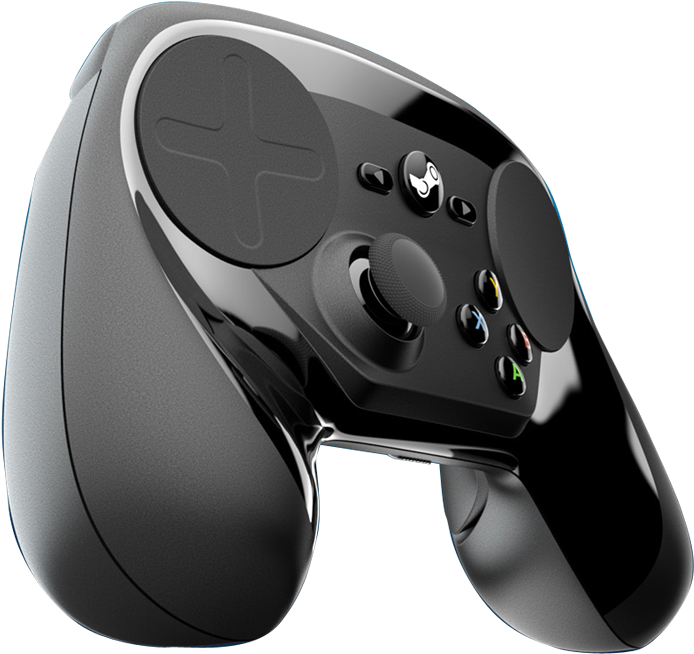

-
Anyone have any luck using Steam Controller (2015) BLE?
Draco1962 replied to Draco1962's topic in Social Club
Now that I have my DIY Steam Machine operational, I guess testing this out is in order! 😛 -
[GAMING PC] Draco1962's HP Pavilion Bazzite Conversion Build - MK. 2
Draco1962 replied to Draco1962's topic in Gamer Rigs
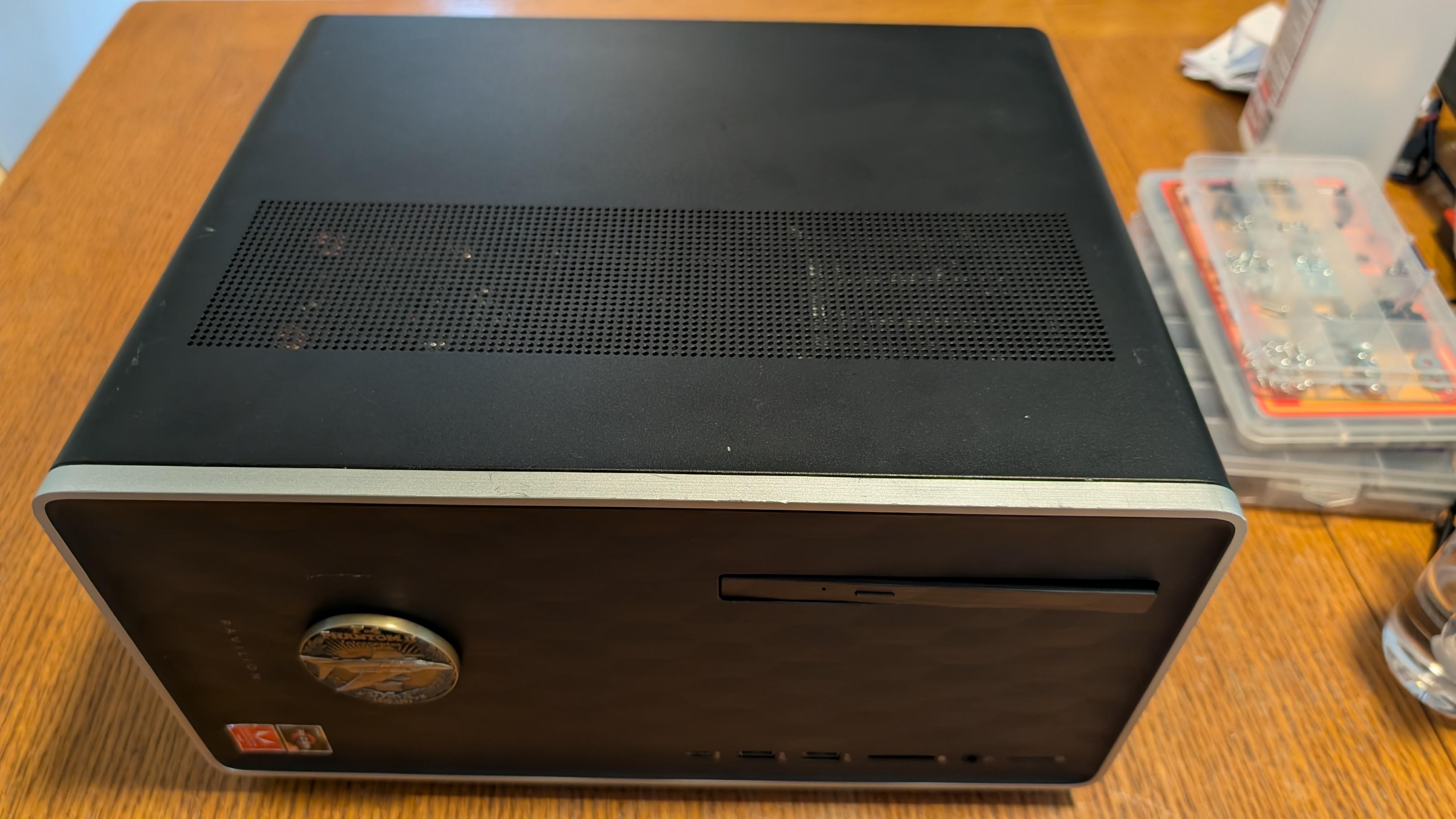
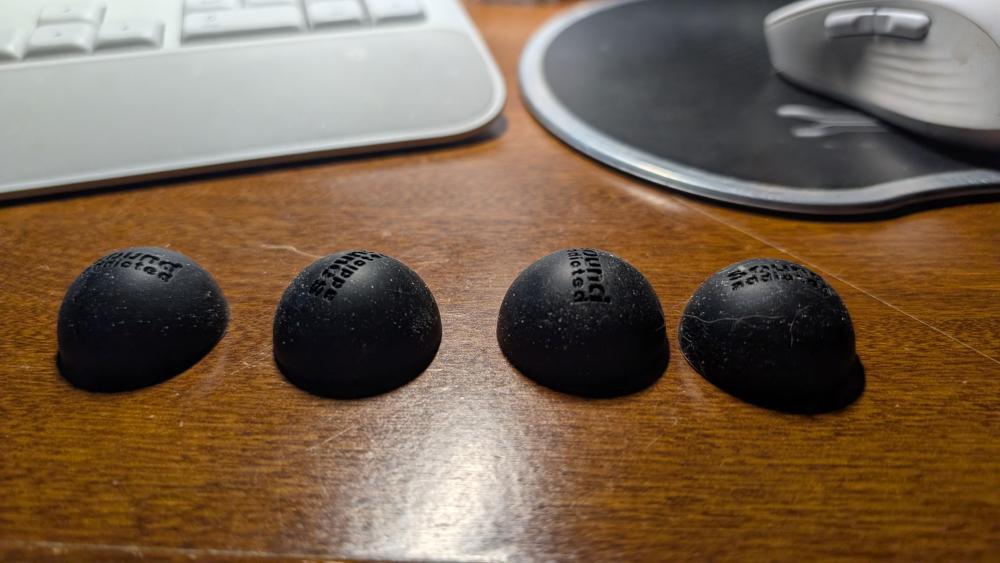
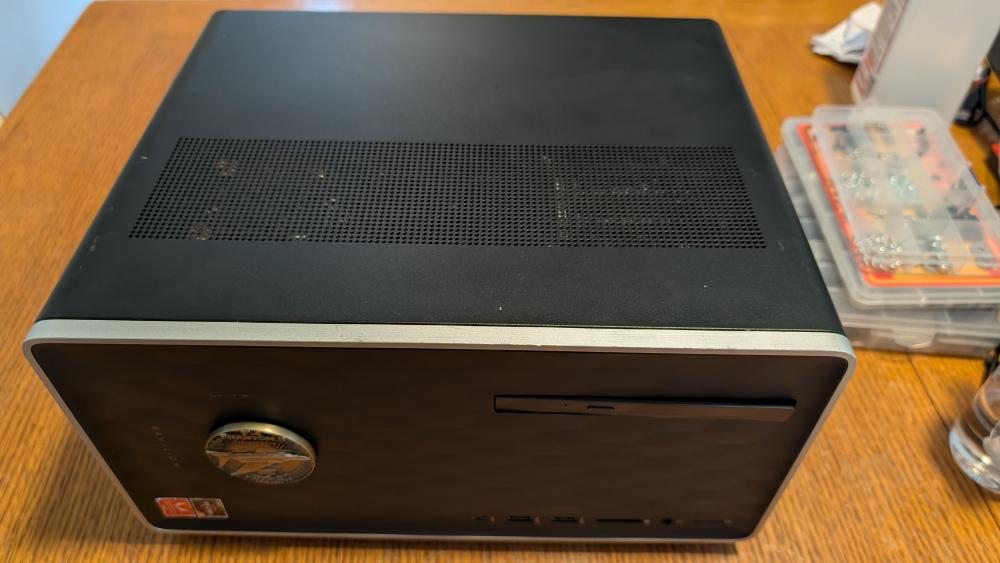
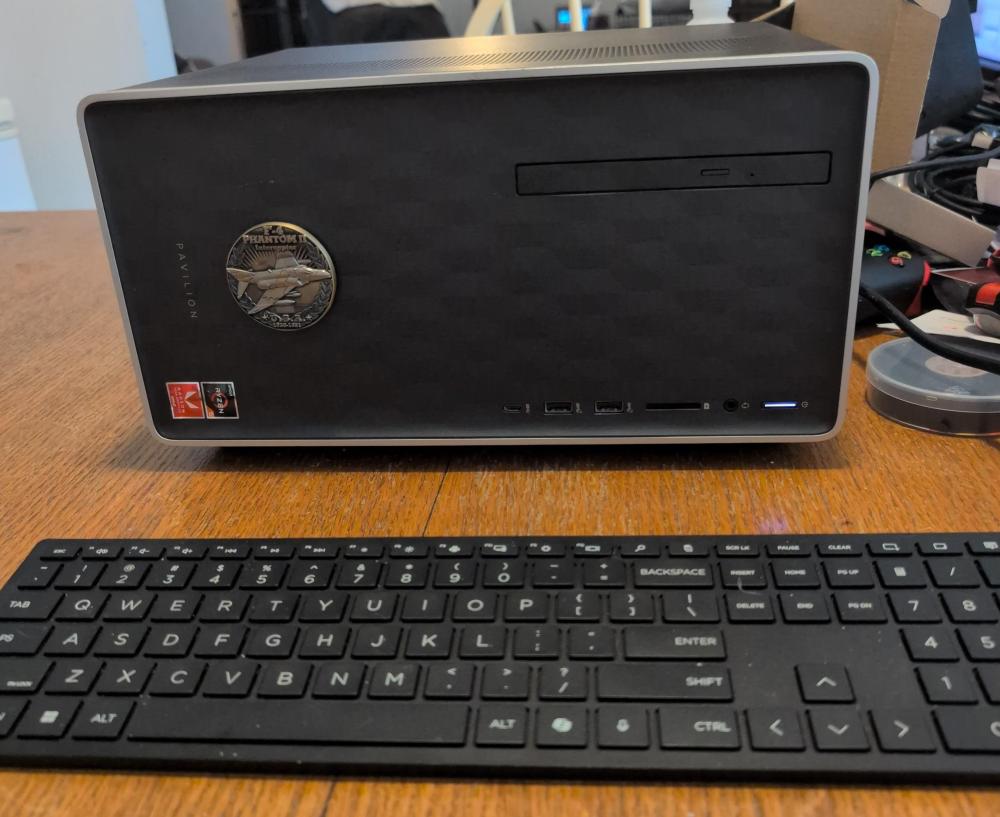
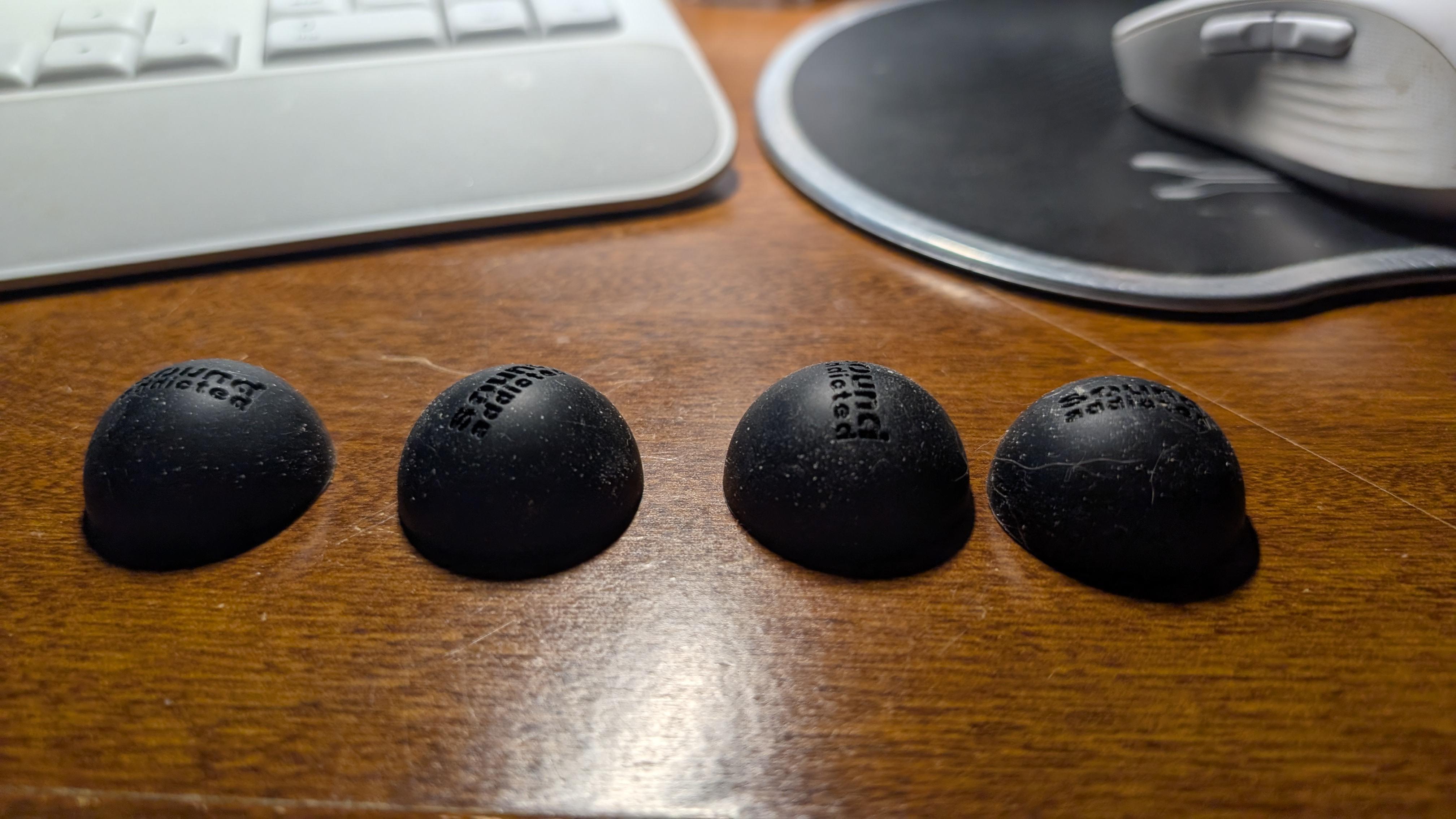
CASE Chassis: HP Pavilion 590-p0024 Mini Tower (Modified Horizontal Console Form Factor) *New Feet Mod: Subble 1.2 '' Isolation Feet Suitable for 3'' - 5'' inch Speakers, Hemisphere Bumpers As this build is going into my living room in a vertically narrow shelf, I decided to give it the "console" treatment. The chassis has molded feet on the bottom, but will not be visible when laid on its side. To aid with thermals and any potential vibration issues, I attached four Subble 1.2 '' Isolation Feet to the new "bottom." Here it is on "console" mode, with the intake vent panel on the new "top." Intake fan under the grill to the left.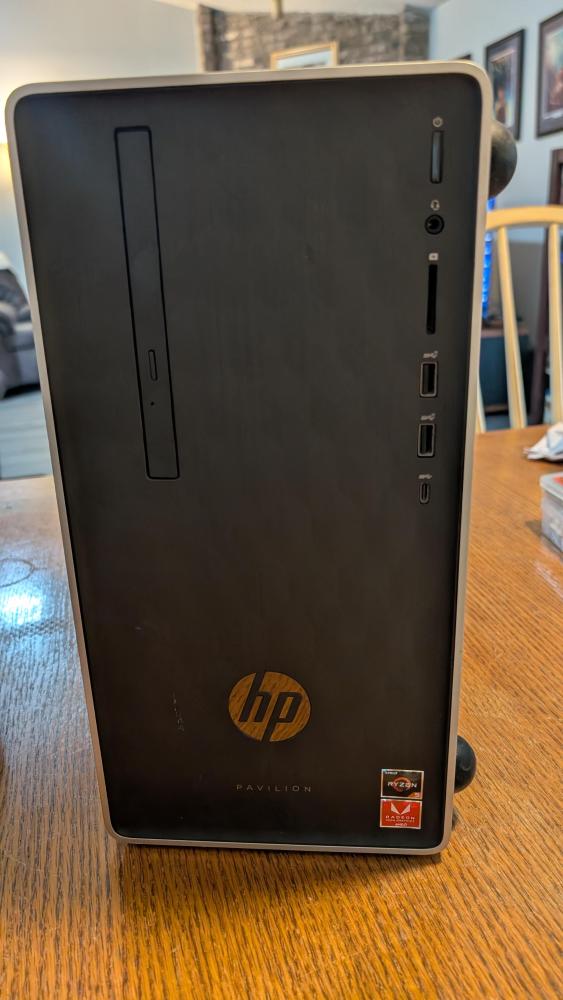
.thumb.jpg.aaa3a79252a2484bf2e599e9be1ca26b.jpg)
-
[GAMING PC] Draco1962's HP Pavilion Bazzite Conversion Build - MK. 2
Draco1962 replied to Draco1962's topic in Gamer Rigs
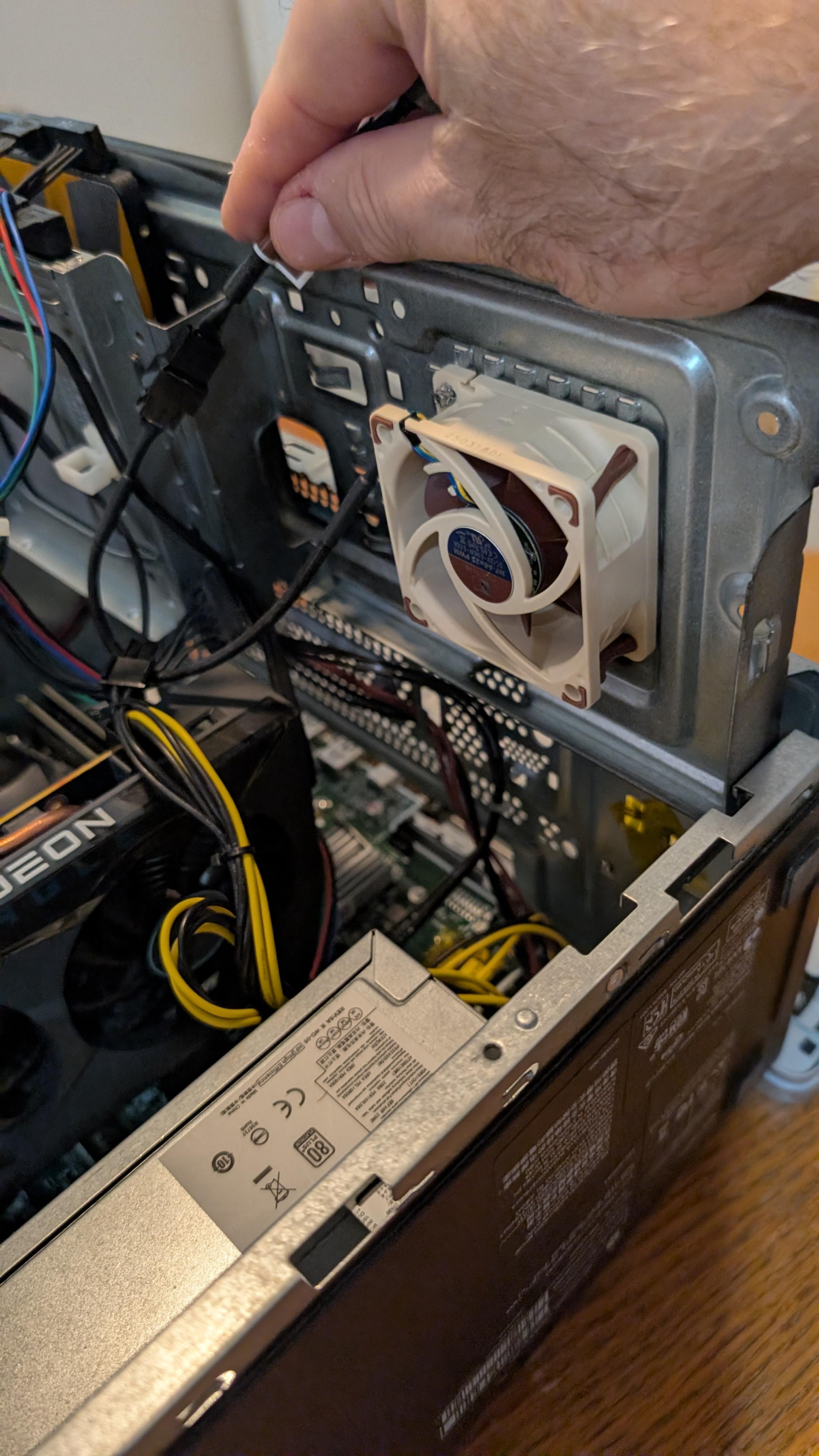
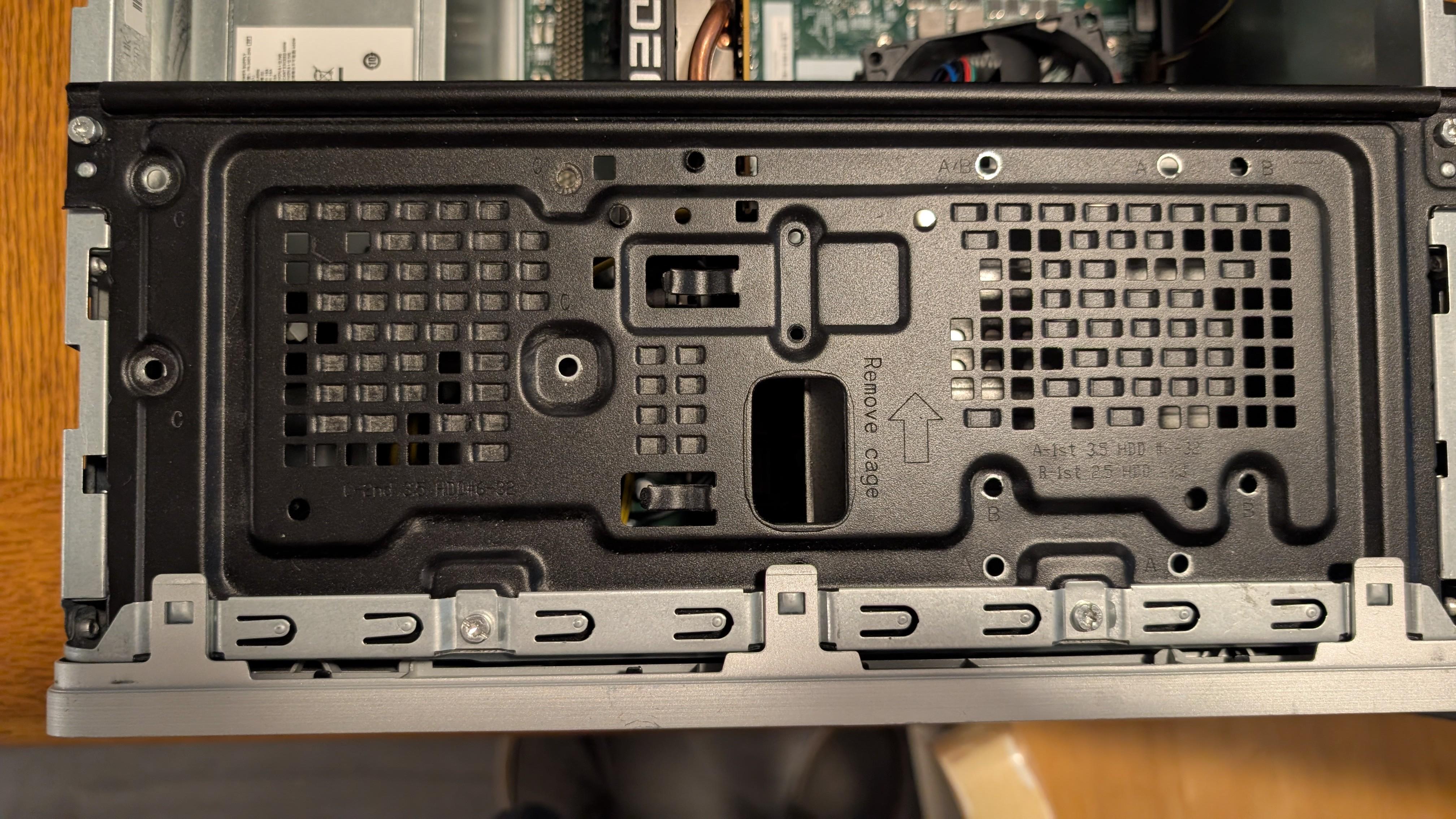
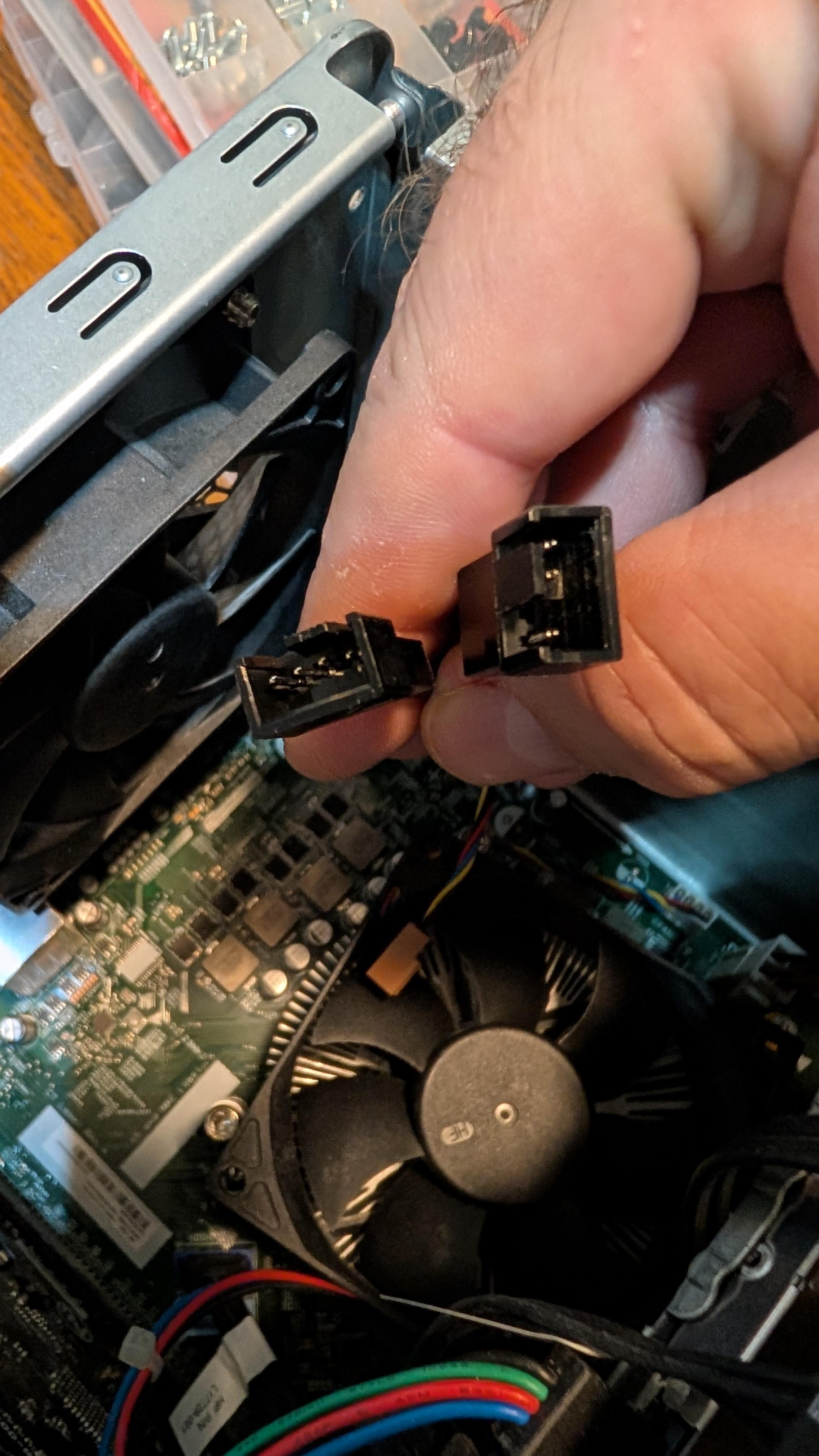
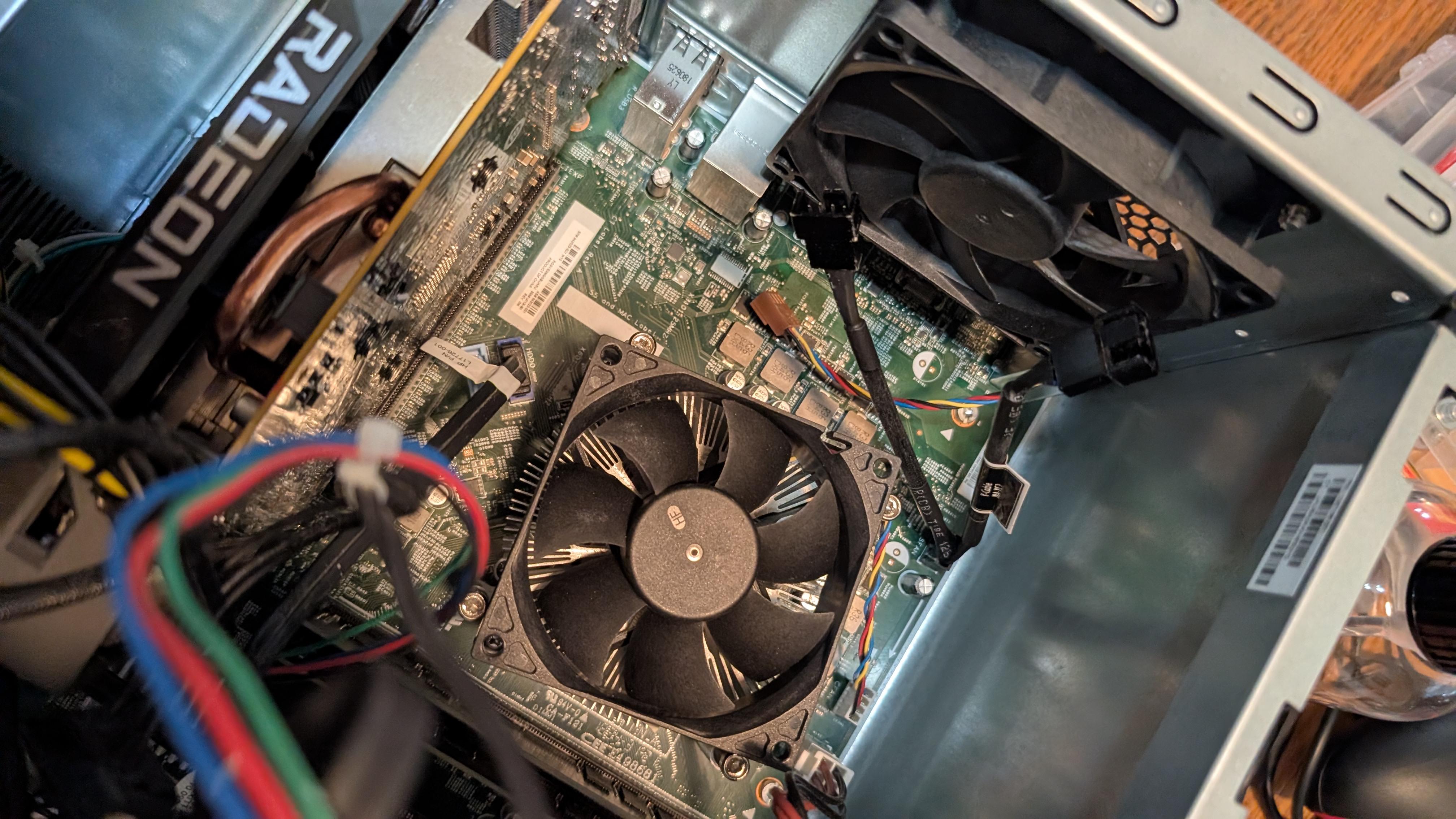
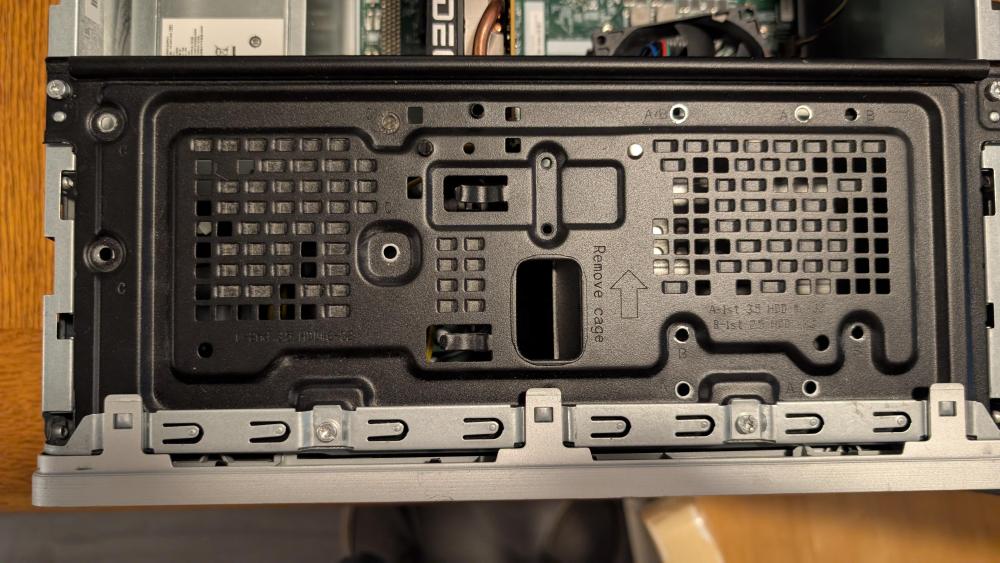
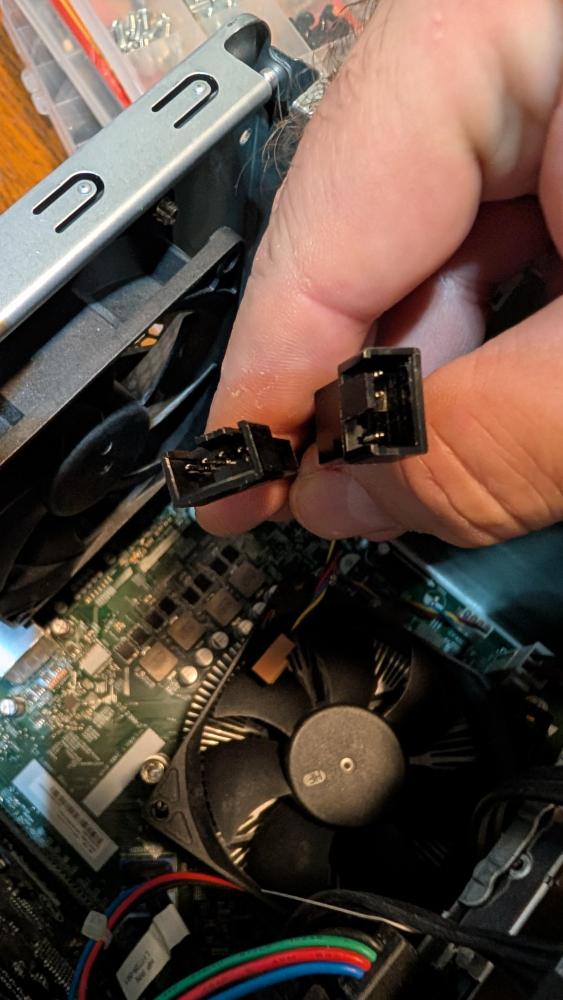
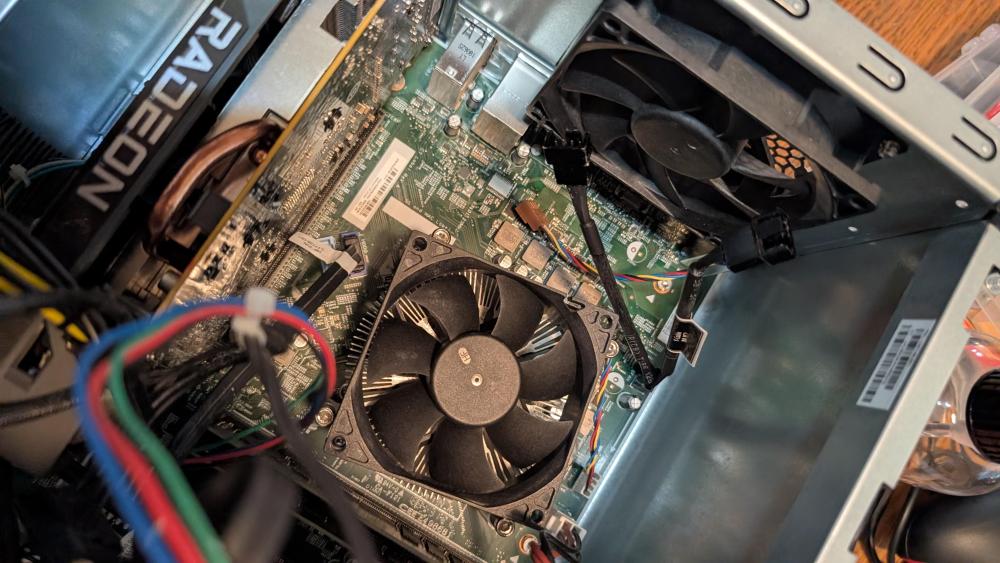
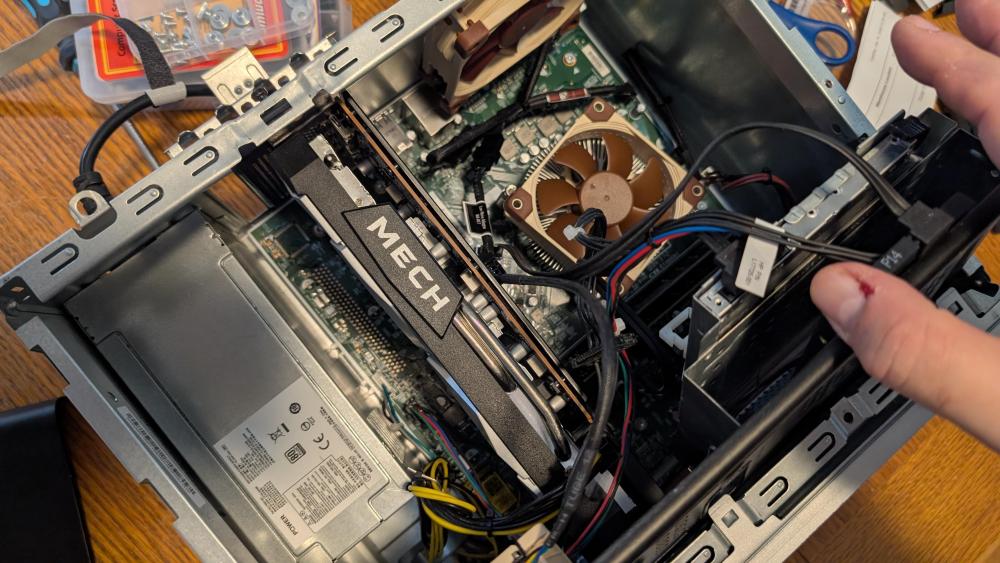
COOLING *CPU Cooler Fan: Noctua NF-A8 PWM, Premium Quiet Fan, 4-Pin (80mm, Brown) mounted to AMD AM4 Heatsink Block *Chassis Exhaust Fan: Noctua NF-A9 PWM Premium Quiet 92mm Fan (Brown) *Side Intake Fan: Noctua NF-A6x25 PWM Premium Quiet 60mm Fan (Brown) First, I replaced the CPU cooler fan. The AMD aluminum block is sufficient for this build, but the stock fan was a little crunchy and could get loud during stress testing. I opted for the Noctua 80mm fan as a replacement. The "back" of the hard drive/DVD cage has direct and angled perforations, with the ones to the left sitting directly under the body vents (which became the "top" of this build), so it was a perfect place to install a Noctua 60mm intake fan to supplement the cooling for the GPU side of the chassis. Due to its size, the GPU, despite having fans, creates a bit of an air dam and insufficient exhaust flow. Noctua 60mm fan installed with extension to 92mm main exhaust fan splitter. Unlike other fan manufacturers, my hat is off to Noctua, providing 2 fan splitters and extensions with each fan purchased! When sharing the same fan controller, one fan connects to the 4-pin connector, while the "slave" fan connects to the 3-pin connector. This allows for PWM signals for fan speed to be triggered by the dominant fan, in this case, the rear exhaust in line with the CPU. Another view below showing both of the CPU andr ear exhaust fans, and the corner of the 60mm intake fan in the GPU/PSU area. Unfortunately, I am unable to exercise any SYS_FAN controls due to the proprietary over-control of the Sunflower motherboard BIOS, so fans do not show up within Windows or Bazzite. So far, thermals have been manageable on their own without intervention.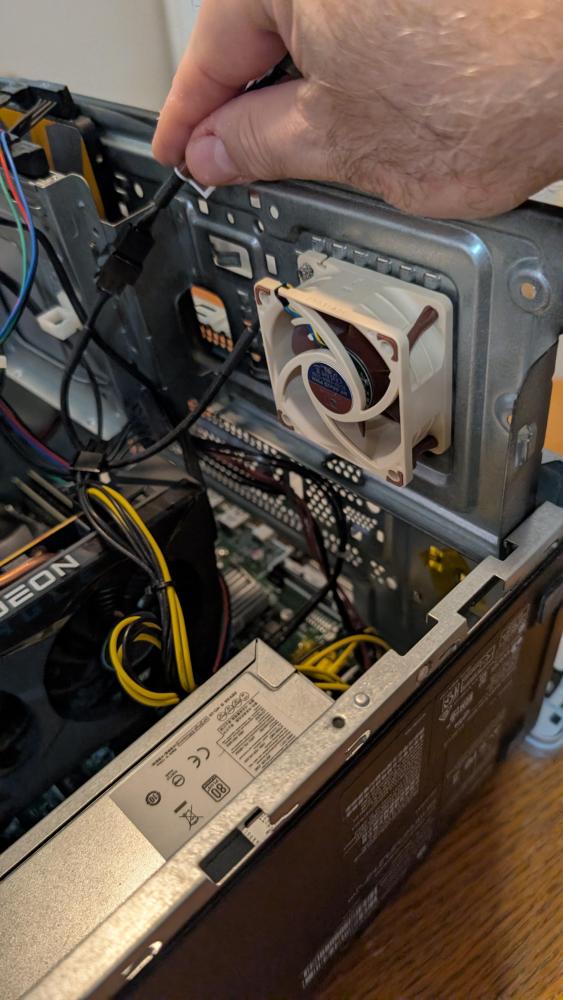
-
Looks like they are taking an existing wall mounted arcade kit, adding a hinge to a cabinet base.
-
I have been upgrading kit to WiFi 6 PCI-E cards and very pleased with the results.
-
I'm not crying - YOU'RE CRYING!
-
[GAMING PC] Draco1962's HP Pavilion Bazzite Conversion Build - MK. 2
Draco1962 replied to Draco1962's topic in Gamer Rigs
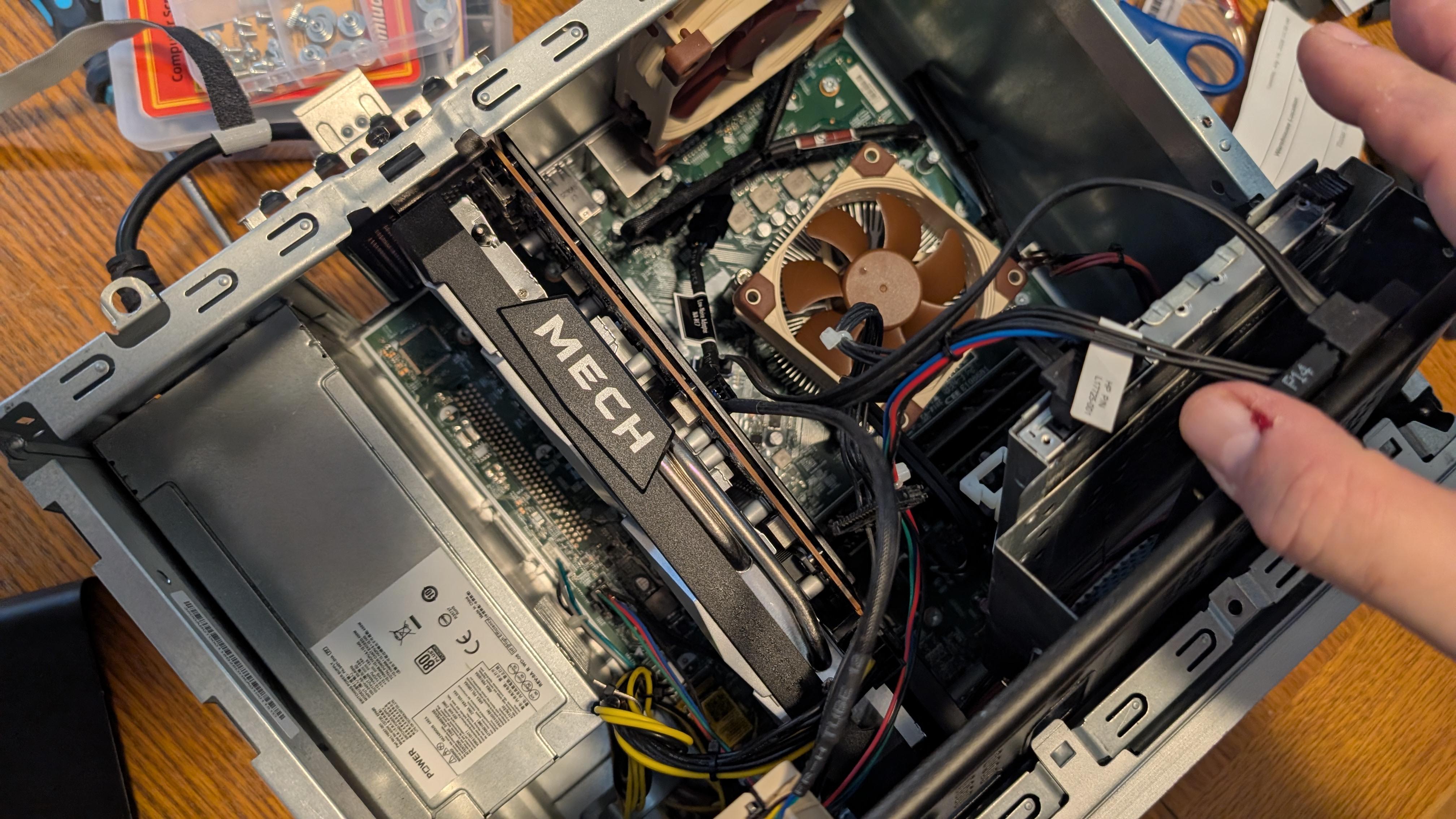
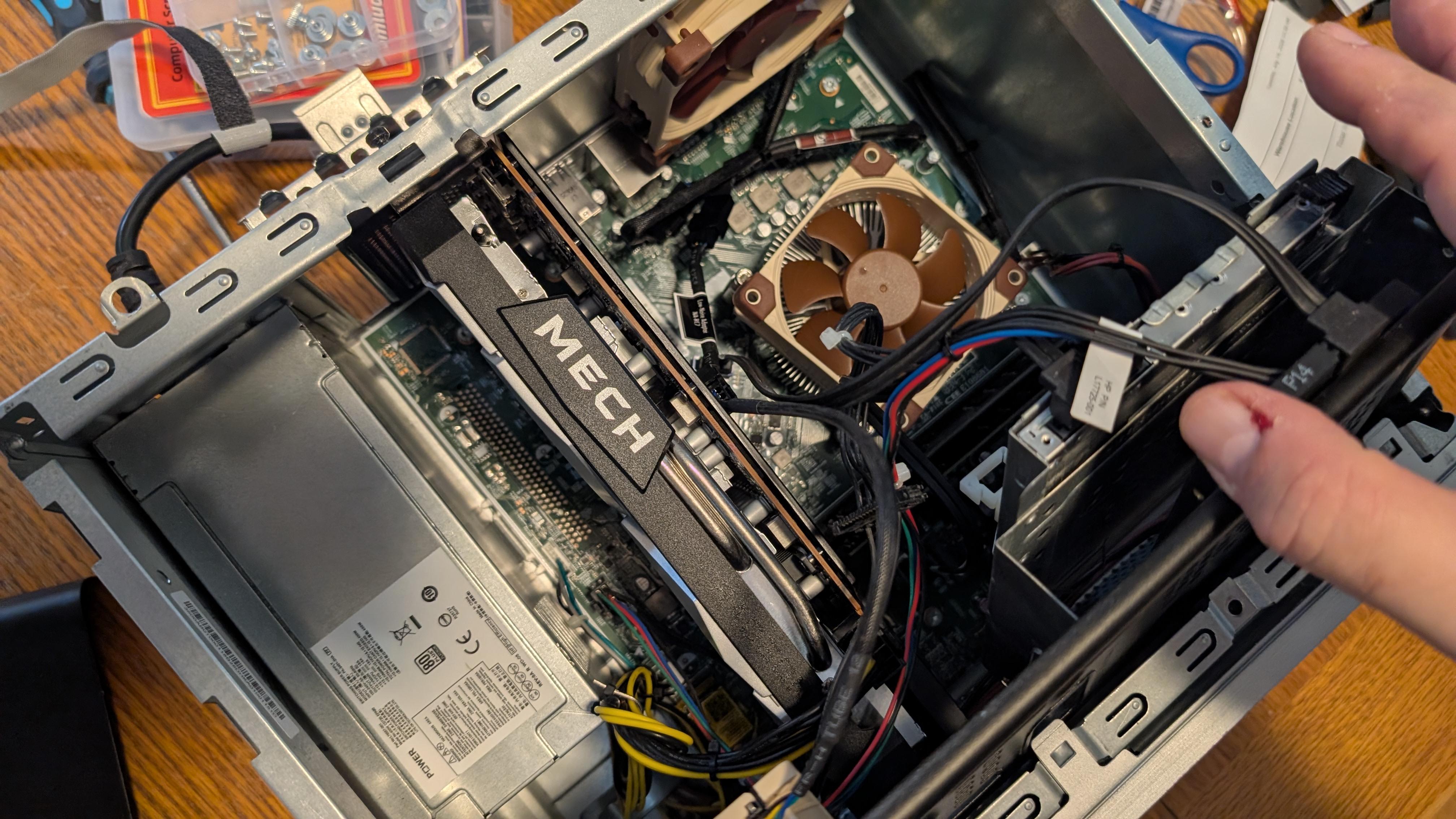
GPU *GPU: MSI AMD Radeon RX 6600 XT MECH 2X 8GB GDDR6 PCIe 4.0 x8 (HDMI 2.1 VRR / DP 1.4) eBay This HP Pavilion was originally sold with an AMD Ryzen 3 2200G CPU with integrated AMD Radeon Vega Graphics. With the upgrade to AMD Ryzen 7 2700 3.2GHz Socket AM4 I was in need of a dedicated GPU. I initially upgraded to a GIGABYTE Radeon RX 6500 XT EAGLE 4GB GDDR6 GPU but, since the decision was made not to try to sell, I decided to throw as much GPU power that this system could comfortably allow, given the limitations of the proprietary 400w PSU with available 6+2 pin GPU power connector. I asked Gemini "Is Adrenalin required?" No, AMD Software: Adrenalin Edition is not needed—and actually cannot be installed—on Bazzite. Adrenalin is a Windows-only software suite. On Linux distributions like Bazzite, AMD graphics drivers are built directly into the Linux kernel (via the amdgpu driver) and the Mesa graphics stack. Here is how all the features you'd normally use Adrenalin for are handled in Bazzite: How Bazzite Handles Adrenalin's Key Features Adrenalin Feature (Windows) How Bazzite Handles It Undervolting & Overclocking LACT (Linux AMD Control Tool) handles voltage offsets, power limits, and clocks. Custom Fan Curves LACT manages GPU fans, while CoolerControl / motherboard BIOS handles system chassis fans. FPS Overlay & Performance Monitoring Steam Game Mode Overlay (MangoHud) gives real-time stats, FPS, temps, and power draw. Radeon Super Resolution (RSR) / Upscaling Gamescope (Steam's built-in compositor) allows you to enable FSR or NIS upscaling system-wide with a slider in the Quick Access Menu. Frame Rate Limiting (Radeon Chill) Integrated directly into Steam's Performance Menu via the Frame Limit slider. Driver Updates Updated automatically in the background whenever you update Bazzite (ujust update or System Settings). Summary Because Bazzite handles driver management through the kernel and gives you Steam Game Mode for performance tweaks alongside LACT for fine-tuning, you already have full control over your card without needing any extra AMD software. I am currently experimenting with LACT to undervolt the GPU a little. This will help keep TDP within PSU wattage ceiling and temps lower within this compact case during higher activity spikes. This GPU "just fits" inside with about 3/4" to spare!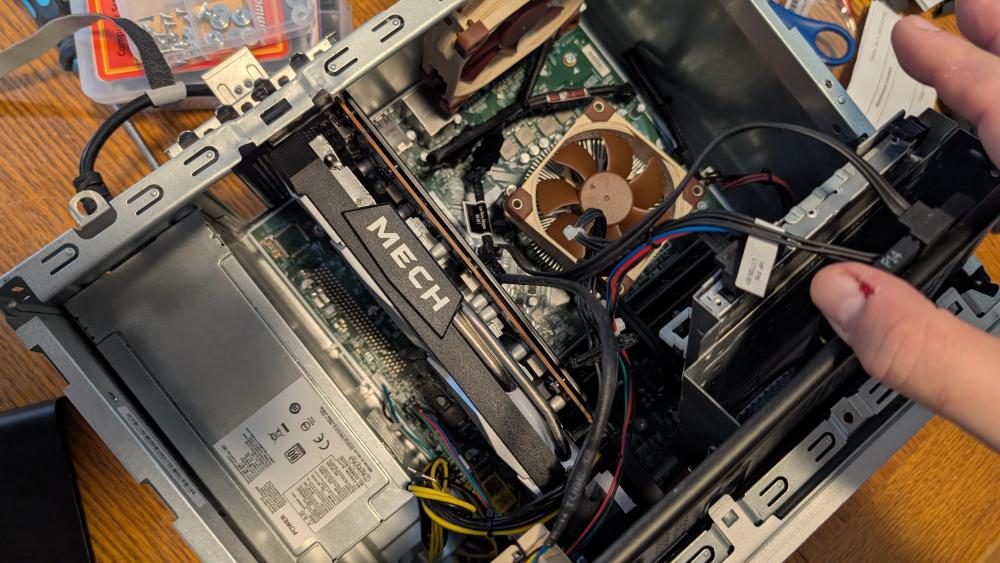
-
[GAMING PC] Draco1962's HP Pavilion Bazzite Conversion Build - MK. 2
Draco1962 replied to Draco1962's topic in Gamer Rigs
For those curious about how this build compares on paper to the 2026 Valve Steam Machine, the following is from a query that I generated with Gemini: Side-by-Side Comparison: HP Pavilion Bazzite Build vs. Valve Steam Machine (2026) Hardware & Specification Comparison Component / Feature HP Pavilion 590 Bazzite Build Valve Steam Machine (June 2026) Operating System Bazzite Linux (SteamOS gaming frontend) SteamOS 3 (Arch-based Linux + Proton) CPU AMD Ryzen 7 2700 (Zen+, 8C / 16T, 3.2 – 4.1 GHz) Semi-Custom AMD Zen 4 (6C / 12T, up to 4.8 GHz, 30W TDP) GPU MSI AMD Radeon RX 6600 XT MECH 2X 8GB GDDR6 (132W TDP) Semi-Custom AMD RDNA 3 (28 CUs, up to 2.45 GHz, 8GB GDDR6 VRAM, 110W TDP) System Memory (RAM) 32GB Timetec DDR4-2666 MHz Dual-Channel 16GB DDR5-5600 Storage (Primary OS/Games) 1TB WD Blue SN5100 PCIe 4.0 NVMe (7,100 MB/s) 512GB or 2TB NVMe SSD Storage (Secondary / Media) 4TB TEAMGROUP T-Force Vulcan Z SATA SSD MicroSD Card expansion slot Power Supply HP 400W Proprietary PSU (L04618-800) 300W Internal PSU Networking & Wireless Gigabit LAN, OKN AX210 Wi-Fi 6E + Bluetooth 5.3 w/ 5dBi High-Gain Antennas Gigabit LAN, Wi-Fi 6E, Bluetooth 5.3 Thermal & Cooling Setup AM4 Stock CPU Cooler + 1x Noctua NF-A8 (80mm) + Noctua NF-A9 (92mm) + 1x Noctua NF-A6x25 (60mm) Custom vapor chamber / blower cooling (~156 x 162 x 152 mm chassis) Controllers & Peripherals Xbox Wireless Controller (Robot White) + OIVO Dual Charging Dock; HP Wireless KB/Mouse Optional New Steam Controller bundle Media / Extra IO HP 8x DVD±RW Optical Drive N/A (Digital only) Price / Value Custom Build / Repurposed (~$400–$500 effective hardware value) $1,049 (512GB) to $1,428 (2TB + Controller) Performance Expectations & Bottleneck Analysis CPU Performance: The Steam Machine’s Zen 4 architecture significantly outpaces the Ryzen 7 2700 (Zen+) in single-threaded IPC and instructions per clock. High-framerate physics or CPU-bound titles will run smoother on the Steam Machine. GPU Performance: The RX 6600 XT in the HP build runs with a higher power envelope (132W) and delivers rasterization performance that slightly edges out or equals the power-constrained RDNA 3 GPU (110W) in the Steam Machine. RAM & Storage Headroom: The HP build heavily leads in storage capacity (5TB total SSD space) and system RAM (32GB DDR4 vs. 16GB DDR5), making it far better suited for massive ROM/game libraries and heavy multitasking. Genre-Based FPS Estimates (1080p & 1440p Target Resolutions) Game Genre / Typical Titles Target Settings HP Pavilion Bazzite Build (RX 6600 XT / Ryzen 2700) Steam Machine 2026 (RDNA3 28CU / Zen 4) Notes & Dynamics Competitive Esports / Shooters (Apex Legends, CS2, Overwatch 2) 1080p High 100 – 140 FPS 150 – 200+ FPS Zen 4 CPU pushes higher max FPS in fast-paced competitive titles. Modern AAA Action/RPG (Cyberpunk 2077, Black Myth: Wukong, Elden Ring) 1080p Medium / FSR Quality 55 – 70 FPS 60 – 75 FPS Similar GPU performance; Zen 4 handles dense crowd/asset streaming slightly better. Indie & 2D / Retro Action (Hades II, Dead Cells, Hollow Knight) 1440p / 4K Native 120+ FPS (4K) 120+ FPS (4K) Both easily max out 60Hz/120Hz displays on lighter titles. Heavy Emulation (PS3 / Switch / Xbox 360) (RPCS3, Ryujinx, Xenia) 1080p / 1440p Upscaled 45 – 60 FPS 60 FPS Solid Zen 4’s AVX-512 support and high single-thread speeds give the Steam Machine the advantage. Arcade / Classic Emulation (MAME, PS2, GameCube) 1080p / 1440p 60 FPS Solid 60 FPS Solid Both handle these retro platforms effortlessly. Final Ratings HP Pavilion Bazzite Build Rating: 8.8 / 10 Verdict: A brilliantly executed console transformation. With 5TB of fast SSD storage, 32GB of RAM, dedicated Noctua thermal management, and an RX 6600 XT, it delivers incredible living-room value that matches or exceeds the 2026 Steam Machine in raw storage/RAM capacity and GPU raster horsepower at a fraction of the cost. Valve Steam Machine (2026) Rating: 7.8 / 10 forced Highly capable, compact, and optimized with modern Zen 4 CPU efficiency, but held back by its steep $1,049+ launch price, 16GB RAM limit, and modest 512GB base storage during the 2026 DRAM market shortage. Factors not included are FPS limitations foreced by the display to which the devices are connected. My living room TV is a 4K Samsung. Given the GPU limitations, I will probably use 1440p with upscaling. -
[GAMING PC] Draco1962's HP Pavilion Bazzite Conversion Build - MK. 2
Draco1962 replied to Draco1962's topic in Gamer Rigs
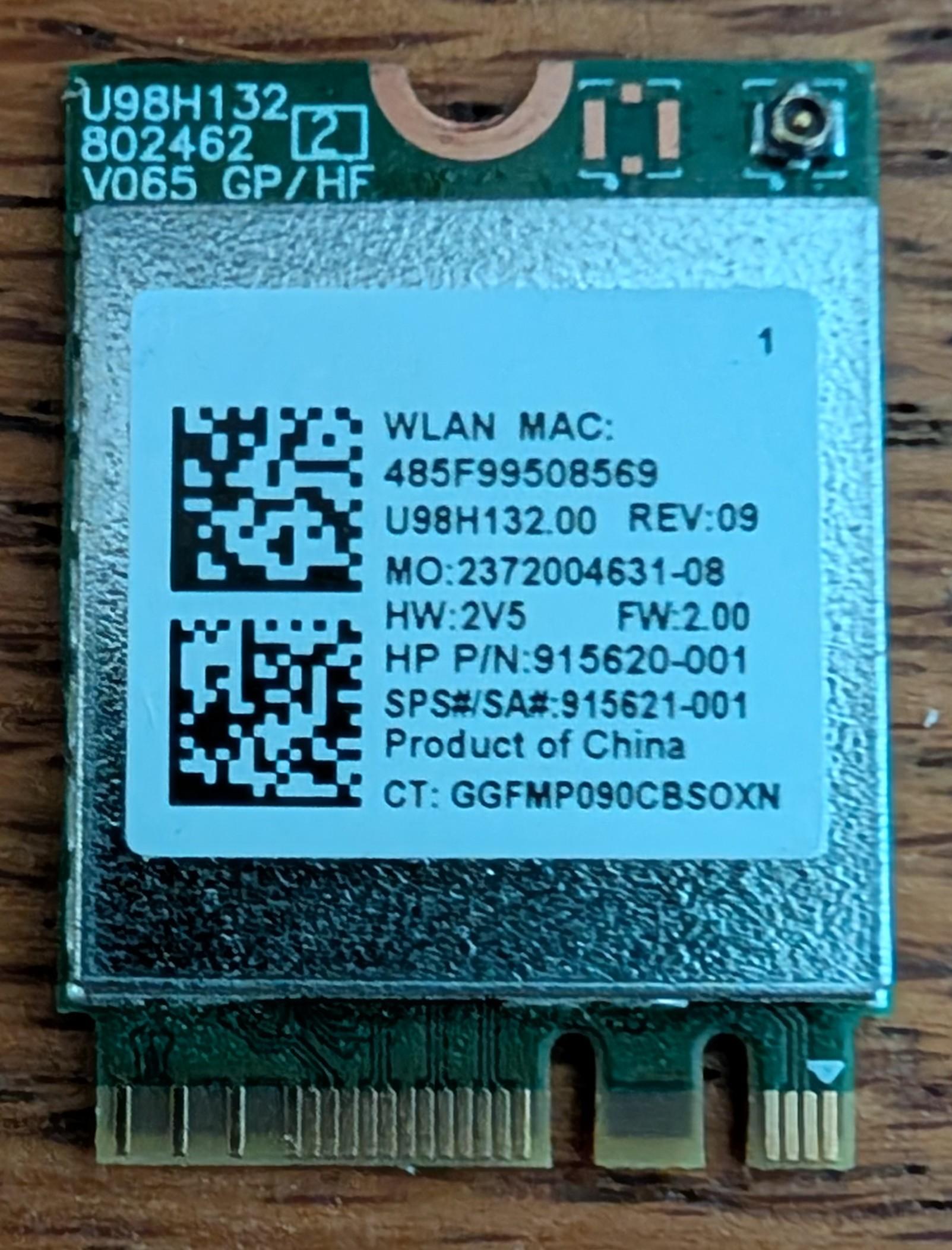
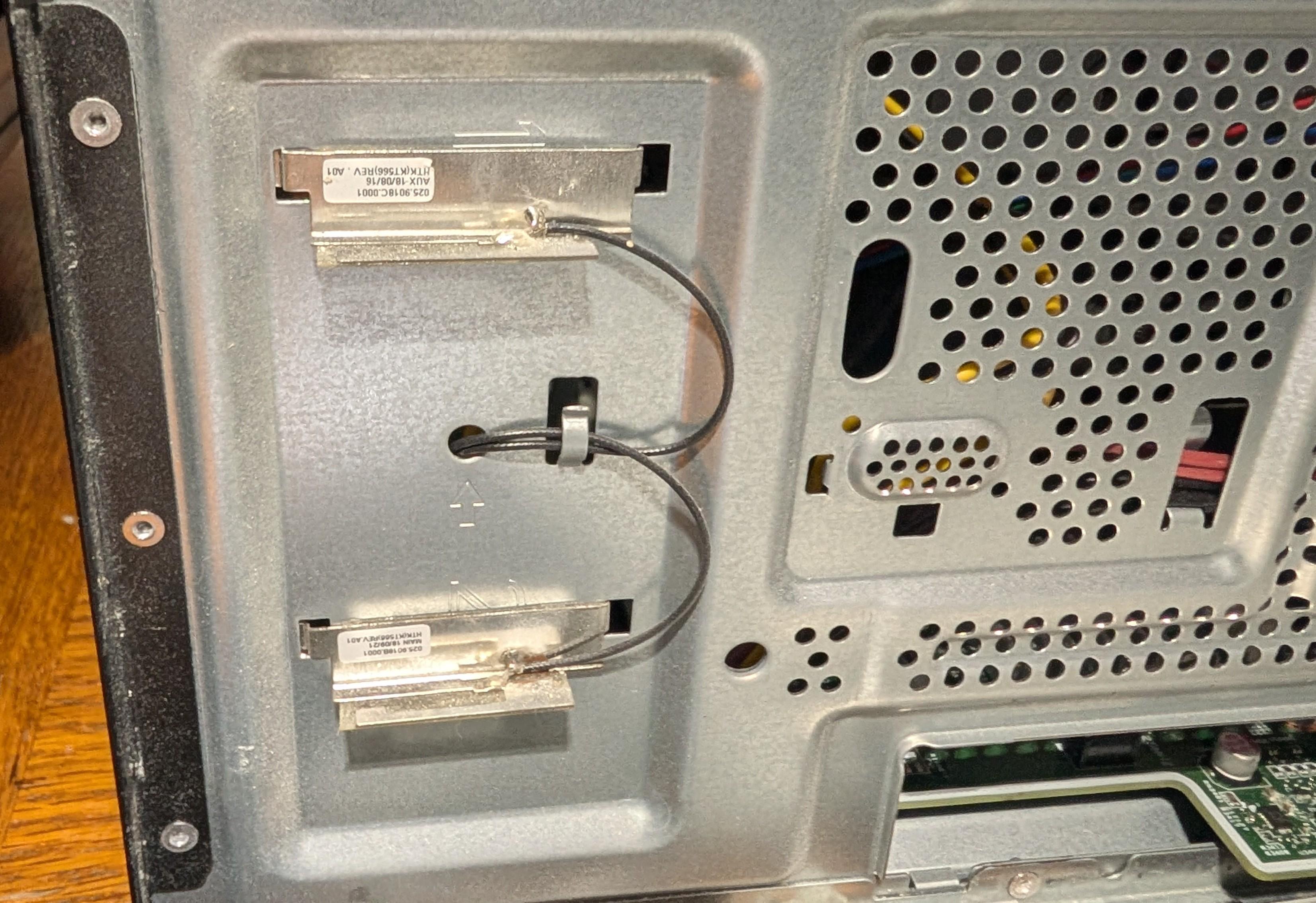
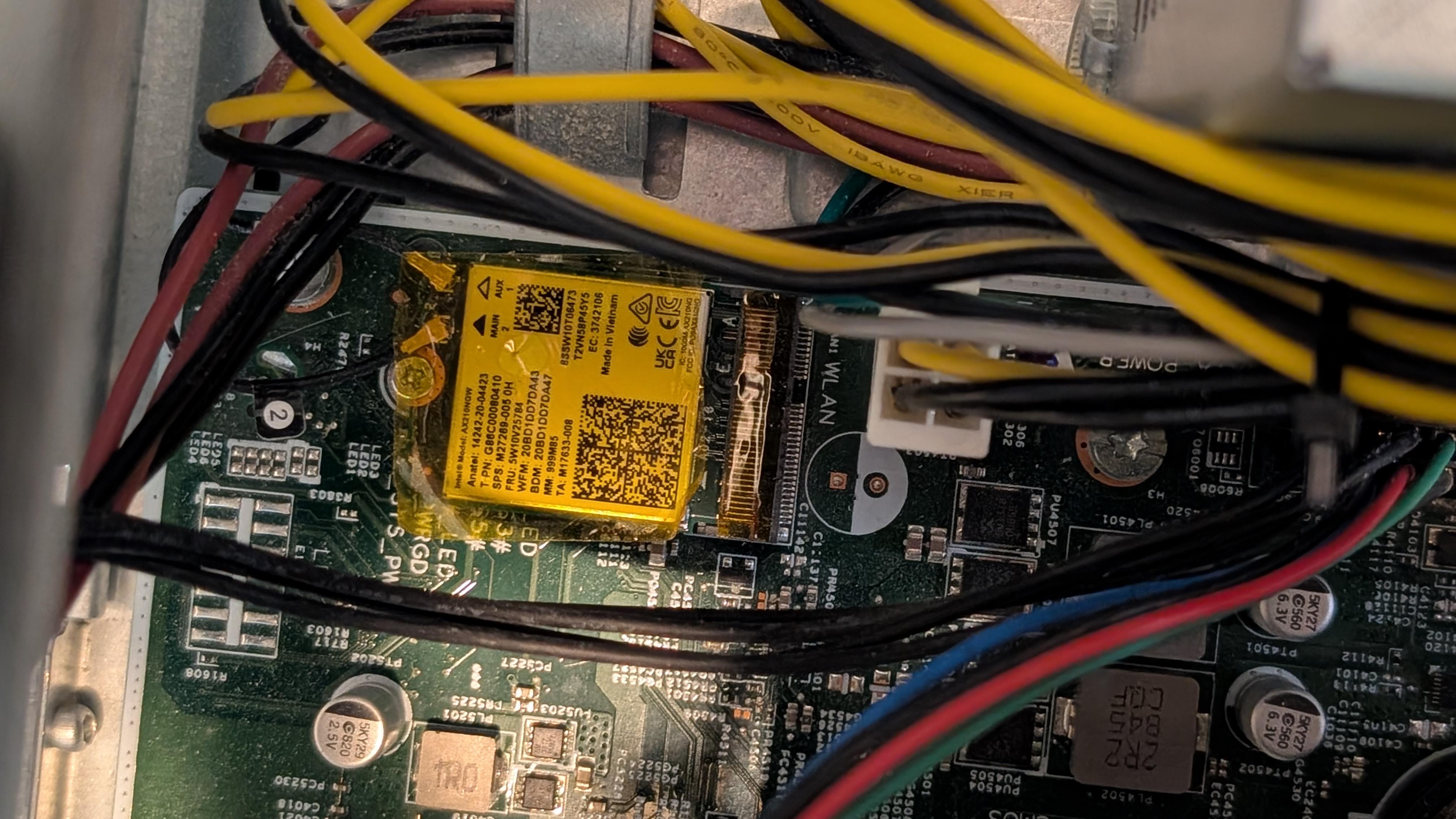
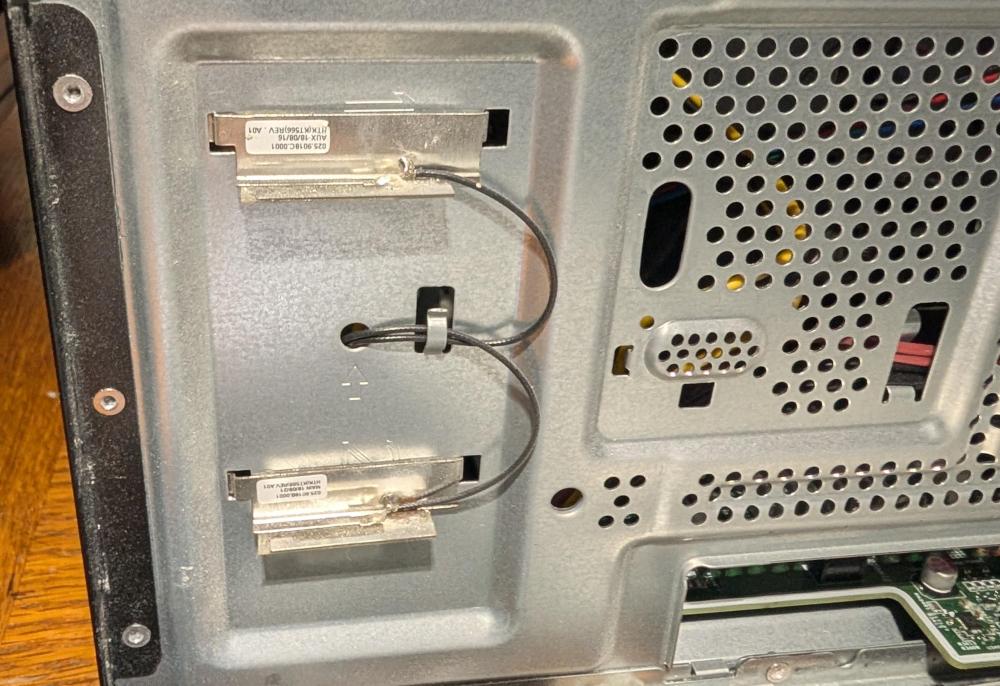
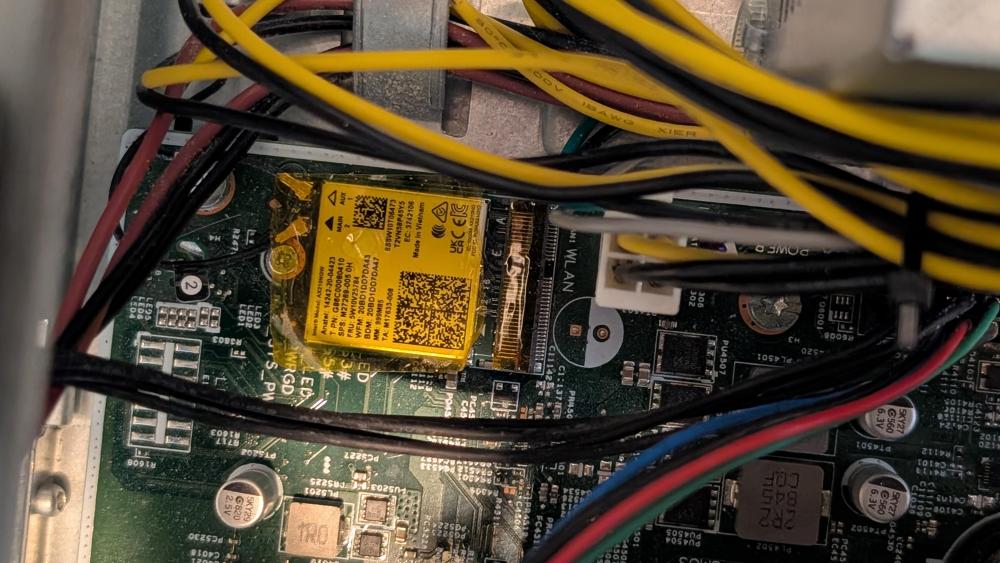
WIRELESS *WiFi/Bluetooth Adapter: OKN AX210NGW DTK WiFi Card WiFi 6E Supports 6GHz, 2230, 2x2 AX+BT 5.3+Tri-Band, Includes RF Cable (11 inch), 5dBi High Gain Antennas This HP model ships with a Realtek RTL8821CE single‑band (2.4 GHz) Wi‑Fi adapter. The factory installs a dual antenna harness, soldered to the exterior cage behind the front bezel. Given the age of the card and relative weakness of both the WiFi (only 2.4GHz) and Bluetooth 4.2, I decided to replace the card with the OKN AX210NGW DTK WiFi Card WiFi 6E Supports 6GHz, 2230, 2x2 AX+BT 5.3+Tri-Band, Includes RF Cable (11 inch), 5dBi High Gain Antennas. It came with antennas, but I decided to chance using the existing antenna harness, which actually works very well! Connectivity is excellent to my 6GHz network several rooms/walls away from the closest source. Initial Bluetooth testing appears to like the much-updated version. In addition to being Windows-compatible, this OKN WiFi/Bluetooth card is Linux ready right out of the box.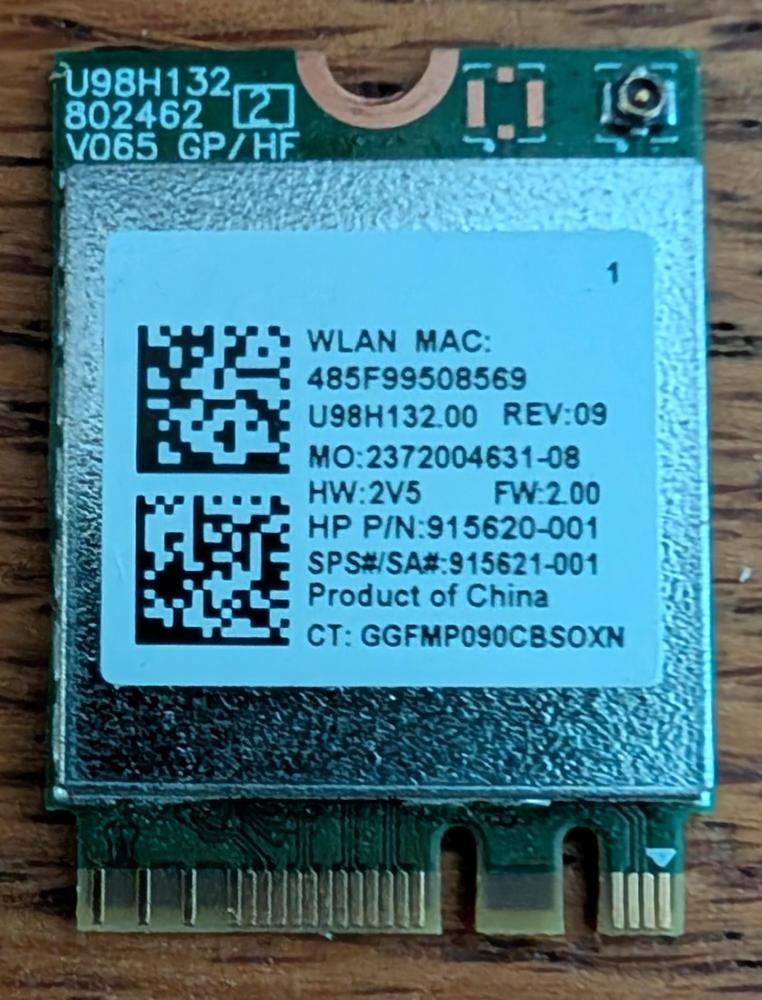
-
Moved this to the PinballX > General subforum to continue on the discussion. @thechadisgr8_69 you may want to review the various non-pinball game/emulator setup threads by @tabascoman77 located here to guide you in setting up within PinballX
-
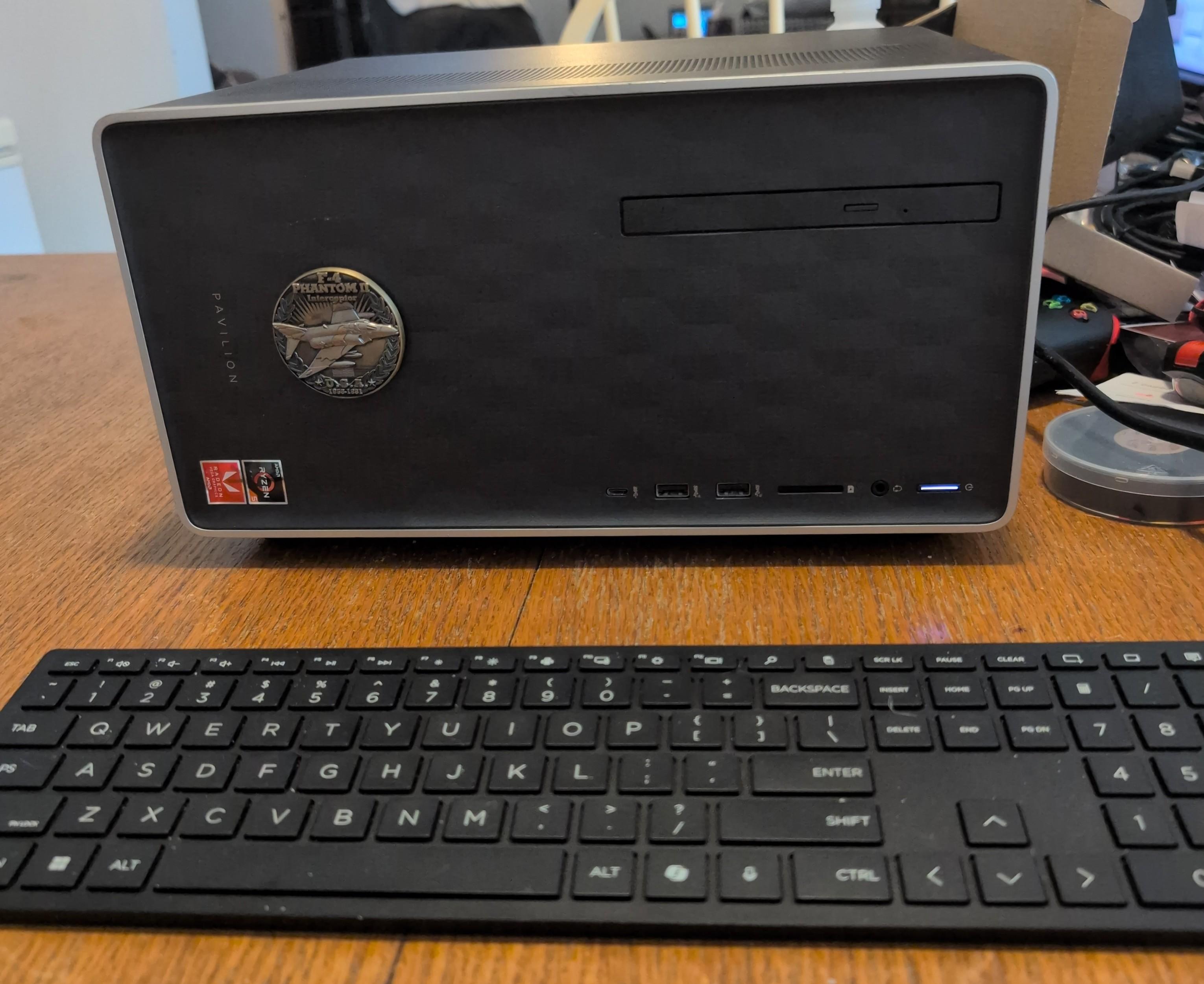
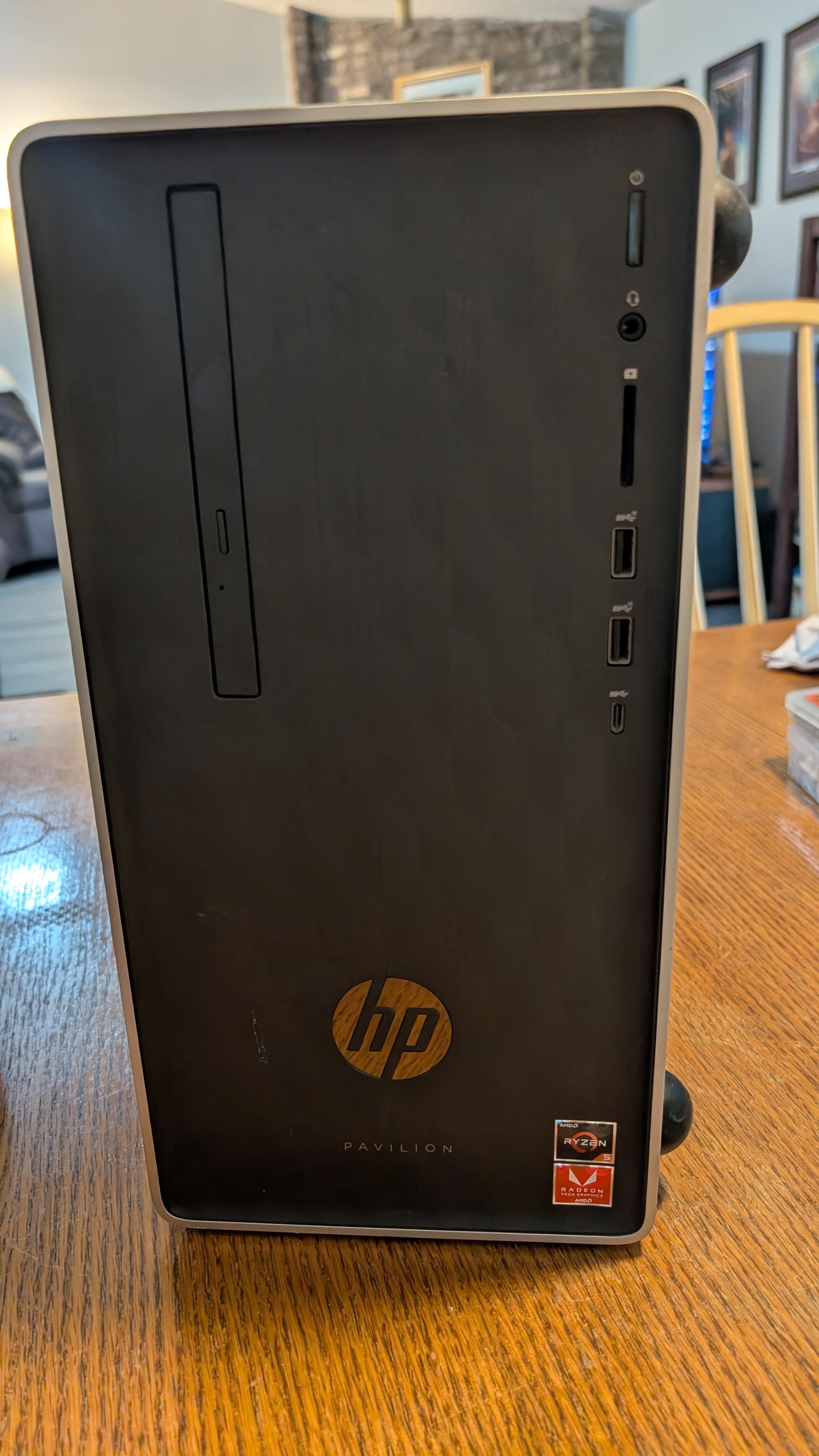
Given that there are some major changes afoot with this build, I decided it deserved a new thread. Link to original build thread here. As noted in the original build, I acquired an HP Pavilion 590-p0024 with the following specs: Processor: AMD Ryzen 3 2200G Memory (RAM): 12GB DDR4 (Shared with integrated graphics, expandable to 32GB) Storage: 1TB SSD Operating System: Windows 10 Home (64-bit) Graphics: Integrated AMD Radeon Vega Graphics (from the CPU) Connectivity: Gigabit Ethernet, Bluetooth, USB A 3.1, USB A 2.0, USB C ports, Realtek RTL8821CE Wi-Fi and Bluetooth M.2 single-band 2.4 GHz, Bluetooth 4.0 SATA ports: 3 Optical Drive: DVD RW Power Supply: 180w Originally, I intended to sell the upgraded build. Upon receiving many lowball offers that barely covered the costs for my original upgrades, and following the successful conversion of my Atari VCS build to Bazzite, I decided to keep it as a living room "console" replacement, with a few more tweaks to the PC making it a considerably more powerful and stable build than the VCS. I also decided to ditch Windows 11 entirely. There are some benefits in sticking with Windows 11 over Linux due to: anti-cheat considerations minor FPS gains in some genres due to overhead created in Bazzite due to Windows-Proton conversion As I will not be playing the games with Windows anti-cheat on this build, nor are the FPS differences all that noticeable, time to move on and play some games! NOTE: * indicates upgrade/addition from stock hardware in the build list below. HP PAVILION BAZZITE CONVERSION BUILD – MK. 2 CORE HARDWARE Motherboard: HP Sunflower Proprietary (M.2 NVMe SSD, 3 SATA, Gigabit Ethernet, Bluetooth, USB-C) *CPU: AMD Ryzen 7 2700 3.2GHz Socket AM4 eBay *RAM: 32GB KIT (2x16GB) Timetec Premium DDR4 2666MHz PC4-21300 Non-ECC Unbuffered 1.2V CL19 UDIMM *Primary Storage: 1TB WD Blue SN5100 NVMe M.2 2280 PCIe Gen 4.0 SSD (Up to 7,100MB/s) *Secondary Storage: 4TB TEAMGROUP T-Force Vulcan Z SLC Cache 3D NAND QLC 2.5" SATA III SSD Optical Drive: HP Pavilion 590/595 Super Multi DVD Writer DVD±RW (8x) *GPU: MSI AMD Radeon RX 6600 XT MECH 2X 8GB GDDR6 PCIe 4.0 x8 (HDMI 2.1 VRR / DP 1.4) eBay *PSU: HP L04618-800 400W Proprietary PSU eBay WIRELESS *WiFi/Bluetooth Adapter: OKN AX210NGW DTK WiFi Card WiFi 6E Supports 6GHz, 2230, 2x2 AX+BT 5.3+Tri-Band, Includes RF Cable (11 inch), 5dBi High Gain Antennas CASE Chassis: HP Pavilion 590-p0024 Mini Tower (Modified Horizontal Console Form Factor) *New Feet Mod: Subble 1.2 '' Isolation Feet Suitable for 3'' - 5'' inch Speakers, Hemisphere Bumpers COOLING *CPU Cooler Fan: Noctua NF-A8 PWM, Premium Quiet Fan, 4-Pin (80mm, Brown) mounted to AMD AM4 Heatsink Block *Chassis Exhaust Fan: Noctua NF-A9 PWM Premium Quiet 92mm Fan (Brown) *Side Intake Fan: Noctua NF-A6x25 PWM Premium Quiet 60mm Fan (Brown) OS *OS: Bazzite Deck INPUT DEVICES Controller #1: XBOX Wireless Gaming Controller | Robot White | Console, PC, & Cloud Devices | Textured Grip | Wireless, Bluetooth, USB-C Connectivity Controller #2: Steam Controller (2015) Keyboard/Mouse: Logitech K400 Plus Wireless Touch TV Keyboard for Media Control - Black | Easy meadia control, built-in touchpad, HTPC for PC-connected TV, compatible with Windows, Android, Chrome OS, Laptop, Tablet
.jpg.0a2636ca451cd5f6a4ed8d6809ea76db.jpg)