|



cnells2000
-
Posts
290 -
Joined
-
Last visited
Content Type
Profiles
Forums
Events
Downloads
Store
Articles
Everything posted by cnells2000
-
damn...still not working... someone please.....with either the shortcut way or the conf way that's the easiest.......man i hope phillips cdi isnt this hard. shortcuts seem so simple......but dosbox just opens, closes then returns right back to gameex
-

how do i get the last played banner at the bottom of the forum user?
cnells2000 replied to cnells2000's topic in General
damn.................... still not doing it right........................crap -
I Went Through All The Steps & Got Confused At: 6) Hit "Next Page" once or twice until you see an unassigned emulator (it will say "Emulator <#>" so "Emulator 13" for example). Select an unassigned emulator slot. Did That................. 7) From here, second option from the top, select "Import Emulator:" and choose the "[browse For File]" option at the very top of the list. Then click the "Import" button and browse for the "Dosbox Import Config.ini" file you extracted in step 4. This Is Where It Gets Confusing....... There Is No "second option from the top to select import emulator and browse for file. That post was in 2009. perhaps its been updated by now? Please Help
-
Setting 1 Layout As the Universal layout For Each Emulator
cnells2000 replied to cnells2000's topic in General
thanks null!! that worked perfectly!!! -
I have been unable to find a link to d-fend v2. Only reloaded.
-
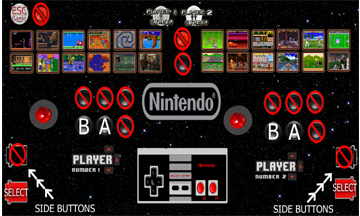
I Know to go to advanced emulator setup to the controls section and set the folder for each emulator. but the help section on the side says: A single image file can also be specified to be used for all games. How would i go about doing that? B/C the controls section just leads me to select a folder, not a file..ive created a few layouts. A different one for each system.. im trying to make the sega layout for sega, nes layout for nes and so on. Attached is one file that i created for the nes. Plz help
-
How do you get .lnk (shortcut) files created in D-Fend Reloaded to work in GameEx? I set it up just like my PC Games shortcuts (which work through the Gameex menu by the way), but when my dos game runs it opens, closes down and exits back to GameEx. However when I click on the D-Fend Reloaded .lnk file in my shortcut folder it runs fine. i know its gotta be like 1 small thing that im doing wrong...maybe the command line? couldnt be bc all the other games are working.would appreciate it if someone would help me... [Emulator] DATABASE= ManualPath= CartPath=C:\Download Service (Assets)\PC Games\Cart BoxPath=C:\Download Service (Assets)\PC Games\Box TitlePath=C:\Download Service (Assets)\PC Games\Title VideoSnapPath=C:\Download Service (Assets)\PC Games\Video BakSnapPath=C:\Download Service (Assets)\PC Games\Background SnapPath=C:\Download Service (Assets)\PC Games\Snap Command="[ROMPATH]\[ROMFILE]" RomPath=C:\Users\CP\Documents\PC Games WorkingPath=C:\Emulators\PC Games StartPageLogo=Microsoft TITLETEXT=Windows Games STARTPAGENAME=PC Games Enabled=True ROMFilter=*.lnk configFile= ExcludedFiles= ControlPanelPath= lastgame= WaitBeforeKeys= SendKeys= CustomBackground=

-
Hi peeps. I know how to use gammex well but now im trying to use pinballx and im having issues..i went to the setup wizard directed my FPB and PFX2 to their locations, verified, but when i start up pinball fx no roms show up but the three that are already with pinballx....help plz
-
I have ssf.exe[virtual-drive] but it wont boot. I have DTlite installed
-
I Just Downloaded the version r150 version and it skips a little less....not much difference tho...does r136 work better or something?......from here what do I need to configure to make this right? Here is the new cfg file on the 150 version
-
My Version says 1.04 built sep 14 2011 in the help section.. here is my config file
-
Hi guys. I know there is someone in here that can help me out with this. I Have A PC With an AMD Athlon II X2 245 (2.91) GHZ & 3 GB RAM. Also I Have I Nvidia 9300 GE Video Card. Im Using Null DC 64 bit 1.41 and im still getting speed issues. Im playing South Park stick of truth PC Flawlessy on this, NBA2K14 PC with Slight Speed Issues (Like at the matchup screen) but it runs sonic adventure, power stone, hydro thunder like s#!t.. can someone plz help me with the correct settings I need to have set in order to play w/o speed issues. I refuse to believe that I have to buy more ram or get another video card just to play some freaking Shenmue.....................much appreciated.
-
Feature & Enhancement Requests
cnells2000 replied to Tom Speirs's topic in FAQs, Guides, & Other Useful Information
I would be interested in seeing achievements if possible intergrated in gameex....i think that would be cool.....i know the retro achievements emulator is out but im talking one on the actual frontend -
i have gameex also.......but that is so cool.........it says last played, how long ago etc. anyone?
-
Sorry for your loss...peace to you and your family
-
Sup fellas. Hoping someone can help me with this one..i have a pavilion g6 that im using for my bartop arcade. Im tired of opening it always to turn it on and im wondering if i can run the power to an arcade microswitch for ease. And how? Not too savy on this subject. Any help would be appreciated.
-
I do have a section for intel onboard graphics options though...
-
Well it only happened in mame as of rt now. Im going to try different emus today. The reason why i didnt post a log file is bc i know its a windows issue too. I know the shortcuts and how to fix it back upright again. But it can get kinda annoying playing street fighter and if i accidentally press ctrl, alt, and any direction. The screen would flip. Then i have to pause, flip t back, and resume. Im going to look in the display settings for shortcut disable in the graphic options. Never seen nuthin like that tho ever..
-
Anyone?
-
i have my ipac 2 hooked up correctly but everytime im pressing keys like ctrl alt and down,up,etc the screen flips sideways upside down and vice versa. is there any way i can disable that button combination so i can play my games w/o it flippng if i press those combinations. of course i know some of the player 1 buttons have ctrl, alt, shift and space,z and x . it didnt use to do this before or maybe i never pressed the combination. i disabled stickey keys bc i thought that might be a problem as well but still no luck .plz help.
-
Nullpointer U are the freaking man!!!!! Thank u so much pimpin!!
-
Hello. Im Running Gameex and everytime my gameex goes into screensaver mode (To play demo videos randomly) i get a crash error. i have my k-lite mega codec pack installed and quicktime. also i have direct x installed and i updated the video drivers. the arcade plays the games just fine but the frontend crashes as soon as the screen saver starts. plz help
-
anyone know how to setup gameshark, action replay etc on psx fin emulator? any help would be appreciated
-
magic engine most definately
-
I have A HP Pavillion G7 laptop With A broken LCD That Im Using For My mini bartop arcade. the Arcade is almost finished but im not tech savy enough to know the inner workings of the wires in my laptop. What im trying to do is take my power button (Which Works Fine Right Now) and run an alternate power switch to an arcade button so i dont have to keep taking the laptop out, opening it and powering it on. Im Going To Run That Wire to the outside of the arcade. Are there Any Genuises in here that could possibly help me out with that ?