



|



cnells2000
-
Posts
290 -
Joined
-
Last visited
Content Type
Profiles
Forums
Events
Downloads
Store
Articles
Everything posted by cnells2000
-

What is the proper command line to boot ssf (sega saturn) in gameex
cnells2000 replied to cnells2000's topic in General
You said to delete the settings file, now my virtual loader mount and unmount boxes are empty saying required field missing..................games still dont work in gameex...damn -
What is the proper command line to boot ssf (sega saturn) in gameex
cnells2000 replied to cnells2000's topic in General
daemon tools popped up and the virtual drive folder popped up just like this...............nothing else -
What is the proper command line to boot ssf (sega saturn) in gameex
cnells2000 replied to cnells2000's topic in General
I DOnt Know CMD Prompt Well........................But i pasted it and this is what it keeps saying........ -
What is the proper command line to boot ssf (sega saturn) in gameex
cnells2000 replied to cnells2000's topic in General
chcp 65001 C: CD "C:\Emulators\SSF" ssf.exe THIS IS ALL THAT WAS IN THAT FILE U SUGGESTED.....THought IT Would Be Longer -
What is the proper command line to boot ssf (sega saturn) in gameex
cnells2000 replied to cnells2000's topic in General
see? -
What is the proper command line to boot ssf (sega saturn) in gameex
cnells2000 replied to cnells2000's topic in General
Its already set to a dt softrom drive 0 (H) and it works bc when i play ssf outside of gameex i load the image to drive 0 in dt lite and the game boots right up -
What is the proper command line to boot ssf (sega saturn) in gameex
cnells2000 replied to cnells2000's topic in General
8/18/2014 4:41:55 AM : Virtual Drive Loader (Version: 1.0.9) 8/18/2014 4:41:55 AM : 13.27 INITIALIZED OK!: GameEx 8/18/2014 4:41:55 AM : LOAD XML: C:\GameEx\PLUGINS\DT Loader\Settings.xml 8/18/2014 4:41:55 AM : XML: XML file was loaded OK! 8/18/2014 4:41:55 AM : RESULT: XML(EXE_PATH) - C:\Program Files (x86)\DAEMON Tools Lite\DTLite.exe 8/18/2014 4:41:55 AM : INIT PLUGIN: Initialization completed! 8/18/2014 4:42:48 AM : CL IN: ssf.exe [dtloader] 8/18/2014 4:42:48 AM : Command switch detected! Launching! 8/18/2014 4:42:48 AM : DT MOUNT (CL): EXE IN: C:\Program Files (x86)\DAEMON Tools Lite\DTLite.exe 8/18/2014 4:42:48 AM : DT MOUNT (CL): ARG IN: -mount 0, "[rompath]\[romfile]" 8/18/2014 4:42:48 AM : DT MOUNT (CL): CL: ssf.exe 8/18/2014 4:42:48 AM : 7-ZIP: Checking for 7-zip... 8/18/2014 4:42:48 AM : 7-ZIP: 7-zip check completed successfully! 8/18/2014 4:42:48 AM : ROMS IN FOLDERS: Checking for ROMs In Folders... 8/18/2014 4:42:48 AM : ROMS IN FOLDERS: Roms In Folders check completed successfully! 8/18/2014 4:42:48 AM : VIRTUAL DRIVE LAUNCHER: Launcher(NEW) - ARG USING: -mount 0, "E:\Roms\Sega Saturn\Virtua Fighter 2 (USA).bin" 8/18/2014 4:42:48 AM : VIRTUAL DRIVE LAUNCHER: Launcher(NEW) - EXE USING: C:\Program Files (x86)\DAEMON Tools Lite\DTLite.exe 8/18/2014 4:42:48 AM : VIRTUAL DRIVE LAUNCHER: Launcher(NEW) - Plugin is sleeping... 8/18/2014 4:42:58 AM : DT MOUNT (CL): Loader was launched successfully! 8/18/2014 4:42:58 AM : CMD OUT: Returning rebuilt Command Line... 8/18/2014 4:43:00 AM : DT UNMOUNT (CL): Unmounting... 8/18/2014 4:43:00 AM : VIRTUAL DRIVE LAUNCHER: Launcher(NEW) - ARG USING: -unmount 0 8/18/2014 4:43:00 AM : VIRTUAL DRIVE LAUNCHER: Launcher(NEW) - EXE USING: C:\Program Files (x86)\DAEMON Tools Lite\DTLite.exe 8/18/2014 4:43:01 AM : DT UNMOUNT (CL): Drive unmounted successfully! 8/18/2014 4:43:06 AM : Exiting GameEx... 8/18/2014 4:43:06 AM : Later! -
how do i get the last played banner at the bottom of the forum user?
cnells2000 replied to cnells2000's topic in General
04:41:55.6 8/18/2014: Opening Configuration File 04:41:55.7 8/18/2014: GameEx: Version 13.27: Starting Log 04:41:55.7 8/18/2014: Operating System Platform: Win32NT 04:41:55.7 8/18/2014: Operating System Name: Windows 8 04:41:55.7 8/18/2014: Operating System Version: 6.2.9200 -
What is the proper command line to boot ssf (sega saturn) in gameex
cnells2000 replied to cnells2000's topic in General
Hope These Are The Files U Are Talking About............. -
What is the proper command line to boot ssf (sega saturn) in gameex
cnells2000 replied to cnells2000's topic in General
Btw, thank you null and draco for putting up with my issues ive been having lately. U guys are great. Im going to search for this stuff now....hold 1.... -
What is the proper command line to boot ssf (sega saturn) in gameex
cnells2000 replied to cnells2000's topic in General
My version is updated i thought....i switched computers almost a yeaf back and i use the same setup and reg. Key that mr. Spiers gave me when i purchased it. It asked me to update it after i installed. It, and i saw it go through the motions..it hasnt asked me since...to update it anymore...thats why i say i thought i was up-to-date...where can i look on the frontend to find out what version im running now? -
What is the proper command line to boot ssf (sega saturn) in gameex
cnells2000 replied to cnells2000's topic in General
changed all of that, i load the game i see dtlite at the bottom left part of the screen mount the image then it immediately un mounts it and returns to the frontend. ssf works outside of gameex no prob though when i mount it to drive 0 in dtlite..........urghhhhh!!!! this ish is hard.......... -
What is the proper command line to boot ssf (sega saturn) in gameex
cnells2000 replied to cnells2000's topic in General
and for v loader... -
What is the proper command line to boot ssf (sega saturn) in gameex
cnells2000 replied to cnells2000's topic in General
see? -
What is the proper command line to boot ssf (sega saturn) in gameex
cnells2000 replied to cnells2000's topic in General
im not using scsi drives as far as i know. so whats the other commands w/o scsi in it? ill input these in the virtual loader boxes for mount and unmount. -
What is the proper command line to boot ssf (sega saturn) in gameex
cnells2000 replied to cnells2000's topic in General
so why am i experiencing whats going on? its got to be 1 or two things thats not right...i feel like its almost there -
What is the proper command line to boot ssf (sega saturn) in gameex
cnells2000 replied to cnells2000's topic in General
Ok. getting closer..i see dt lite mount the image, unmount it real quick then return back to Gameex. In the gameex menu should i keep ssf.exe [dtloader] in the gameex command line? -
What is the proper command line to boot ssf (sega saturn) in gameex
cnells2000 replied to cnells2000's topic in General
i checked it, got to the configure options, but i dont know what command lines im supposed to use to mount the image and unmount commands afterwards. I Used ssf.exe "[ROMPATH]\[ROMFILE]". i Knew that was wrong as two left shoes but i tried it anyway. In The Loader Section do i leave the C:\Program Files (x86)\DAEMON Tools Lite\DTLite.exe? or chg that too? my isos, bins, cues and nrgs are located in E:\Roms\Sega Saturn and show up in gameex. when i click daytona usa for example. the screen goes dark for about 8 seconds looks like its trying to do something in the background, then it returns back to gameex........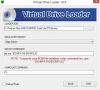
-
how do i get the last played banner at the bottom of the forum user?
cnells2000 replied to cnells2000's topic in General
hey null i dont know if u fixed it, but imay have changed it before i saw the post...the banner is showing up but it shows the same game......never changes. can u fix that? -
What is the proper command line to boot ssf (sega saturn) in gameex
cnells2000 replied to cnells2000's topic in General
how to i enable the plugin as above?. i already chg'd the command line to the above....... -
What is the proper command line to boot ssf (sega saturn) in gameex
cnells2000 replied to cnells2000's topic in General
Is there a simple step by step guide somewhere on the forums? Ive been trying to boot this up in gameex for two weeks now.........help -
What is the proper command line to boot ssf (sega saturn) in gameex
cnells2000 replied to cnells2000's topic in General
anyone? -
What is the proper command line to boot ssf (sega saturn) in gameex
cnells2000 replied to cnells2000's topic in General
Sorry im so late on this post. hope you (or someone) is still around...when i boot the game through Gameex i see dt lite mount the iso, stays there for one sec, then i see it unmount and it returns back to the frontend. But when i mount it in the same dt drive outside of gameex it loads correctly...plz help -
Thx
-
For some reason, when i start gameex up a random video starts before the frontend loads....how do i stop this? Kinda seems cool to wanna do later if i find a nice enough intro video. But for the meantime i wanna stop this random video loading before gamex starts....thx

