|



Draco1962
-
Posts
19238 -
Joined
-
Last visited
-
Days Won
663
Content Type
Profiles
Forums
Events
Downloads
Store
Articles
Everything posted by Draco1962
-
I think it will be money well spent! Welcome to the Forums!
-
Thanks - will give that a try when I get home tonight. I believe the issue with the compilation was an access rights issue. I loaded everything on another hard drive, also had to change from read only for all folders and files under mingw. I love Windows 7 but sometimes the protections drive me nucking-futs!
-
Sounds like a security torx screw. It is used to keep someone from using a standard flat head screw driver or hex bit to remove it. You can probably look at Lowe's to see if this set will work. It is by Skil for about $11.00.
-
OK, I downloaded everything over, finally got a good compile! One question remains - I applied the diffs including high score, however, do not see where the high score is saving when I go back into a game. DO I need to set somethign within MAME itself to register the high scores? Thanks again for the coaching!
-
Unfortunately, it is either displayed or not displayed. As with any theme, you can edit it to make it more your own. For example, you could move it to the bottom if space permits. Things down at the bottom tend to be seen less than those at the top. Removing it entirely may remove options available to you only through the taskbar so I would not recommend that.
-
Why mess with the .ini file when you can accomplish the same thing using the Custom Menus application? I linked to a layout I had started. WIll probably tweak it a few times before I am absolutely happy with it. I had considered groups but it just funks things up too much.
-
Will give that a go again. Thanks!
-
Thanks for the nod, Noddy! To answer #3 - I have created "blank" bak files that can be customized with a different title/heading. For the title lettering I used the Chrominium logo at Flamingtext.com and used the following settings: Text Font - Ethnocentric Font Size - 70 Logo Properties Select Gradient Fill Select Coffee from Gradient Fill Dropdown Deselect Sparkles Background Select Transparent Once you save the logo, you can copy & paste into the title bar. You may need to scale proportional to the space provided. I use GIMP and this is fairly simple. Should you have any questions about the program, let me know and I will try to answer. EDIT: As for #1 - The Menu bar is all or nothing at this point. You can edit it out of a theme using Theme Editor by deleting it in the default view that initially loads when you open a theme. I think that you will find, however, that in doing so you will lose quite a bit of functionality. You may want to make a Feature Request under the Pinned Topics for those elements you would like to see as enabled/disabled through the Advanced Configuration.
-
OK, made it to 29 mins - but still failed: Compiling src/osd/windows/sound.c... Compiling src/osd/windows/video.c... src/osd/windows/video.c:260: error: redefinition of 'void windows_osd_interface::update_hi(bool)' src/osd/windows/video.c:238: error: 'virtual void windows_osd_interface::update_hi(bool)' previously defined here make: *** [obj/winui/mamed/osd/windows/video.o] Error 1 Finished! 0 Hours 29 Minutes and 15 Seconds Elapsed.
-
I am in the process of trying again, this time selected None, and Mameui and debug optimize options - will let ya know how this works out. .:.EDIT 23 mins and counting....
-
Here are my settings Anything that should be changed?
-
Awesome!!! Thanks Tom!
-
Do I need to place a copy of the mameui64.exe file in the source directory for it to be modified? If so, the instructions need to be updated.
-
Yup - saved the winui folder to C:\MinGW\source\MameUI0140u1\src\osd (C:\MinGW\source\MameUI0136u3\src\osd per HK's instructions) .:.EDIT - OK, I found a path discrepency and have corrected it, was able to apply the patches successfully, but now wondering whether or not my mameui executible was even created - attaching compile log file. compile.txt
-
I decided to try B2k24's guide, yet it appears that the links to the mingw files are now dead (IE gives 404 error) and mame source/diff files links are not available as mamedev has stopped downloads due to bandwidth issues and no mirror available. Unless the mingw files are available elsewhere (I need the 64-bit file) I guess I am hosed for now.
-
The diffs are extracted to C:\MinGW\patches and the MameUI.mak file is extracted to C:\MinGW\source\MameUI0140u1 .
-
I am in need of assistance using HKs Mame64 Compiler. I want to compile Mameui64.140u1 with the avalialble diffs When I attempt to apply the patches it appears that the files are not found. I followed the instructions noted on his site and just substituted the path names to reflect C:\MinGW\source\Mame0140u1 instead of the 0139 paths. I have attached copies of the output from the patch application. I did not proceed with the compile and will not until I get this resolved. Any help appreciated! 0140u1diff.txt hi_140u1diff.txt
-
Checked into that and the only menu type options that can be removed are the media controls or the media center-like menu bar (version 2 and older only) .
-
Anytime! And I'm JUST getting started!!
-
Download it from the themes section - kick the tires and take it for a test drive and let me know what ya think!
-
Of course - if there was a Play List feature to create lists across MAME and the other system emus (yes, this is a BUMP of my previous feature request) it would make this far simpler!
-
It used to show in the command bar under MAME and Daphne as an option but no longer and not sure why it is no longer an enable option without having to setup MAME as an emulator.
-

User Submitted Themes & Media (Uploads)
Draco1962 replied to Tom Speirs's topic in GameEx Media Projects
Carbon & Steel 2.0 is now finished and available, so give it a spin and let me know what ya think! This is pretty much an almost complete revision of the original Carbon & Steel theme with new and revised logos, sounds, etc. I have included blank forms for creating your own emu backgrounds. For the title lettering I used the Chrominium logo at Flamingtext.com and used the following settings: Text Font - Ethnocentric Font Size - 70 Logo Properties Select Gradient Fill Select Coffee from Gradient Fill Dropdown Deselect Sparkles Background Select Transparent Once you save the logo, you can copy & paste into the title bar. You may need to scale proportional to the space provided. I use GIMP and this is fairly simple. Should you have any questions about the program, let me know and I will try to answer. EDIT.:. Please find attached theme.txt and rename to theme.ini - not sure why but the file did not get zipped withthe media, etc. I will ask Tom and/or the admins to delete the submission at the site so I can reupload the file with theme.ini intact. theme.txt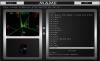
-
Thinking of making a cabinet out of this......what does everyone think?
Draco1962 replied to mesk's topic in Social Club
I would love to get my hands on an original cab . I think that building a system would be even more rewarding than bastardizing a working piece of history. -
Feature & Enhancement Requests
Draco1962 replied to Tom Speirs's topic in FAQs, Guides, & Other Useful Information
When I exit I see Logoff as an option, bu thtis is for Windows Logoff, not to Logout of GameEx. How do you invoke the GameEx Login feature to start GameEx and get that option to appear in GameEx?