



|



Raitsa
-
Posts
120 -
Joined
-
Days Won
5
Content Type
Profiles
Forums
Events
Downloads
Store
Articles
Everything posted by Raitsa
-
Merry GameEx Xmas everyone, especially the hardworking Tom!
-
Excellent update, will be very intresting to try out C64 games in my cabinet after.. whaaaaat... almost 3 decades... Thanks a lot Tom.
-
Thanks for the headsup fRequEnCy
-
Hi guys, i just updated to the latest GameEx 11.23 with autoupdate, everything is working great except MAVS favourites is not working, comes up with an error saying: No games found. Live GameEx favourites comes up ok with 124 games. Anyone else having the same problem?
-
Check out this great 3-part article on building a Mame cabinet, GameEx gets mentioned too: http://www.gamespy.com/articles/110/1103044p1.html
-
Check if this helps you: http://www.gameex.info/forums/index.php?showtopic=8618
-
11.01 fixed the language problem, no more jumping to italian on the autoupdate, thanks Tom!
-
Thanks a lot for a fast fix Tom, excellent customer service again for the GameEX community
-
Thanks a lot Tom. Just downloaded the new version. The manual install went just smoothly, the installer had english chosen and i just clicked on the next and when the installer closed and i started GameEX, it was nicely in english. But i am looking forward to next version of GameEX and using autoupdate and seeing what happens then, i hope the issue got fixed.
-
All good here, thank you for the great update Tom. The autoupdate installer jumped into italian language again for me but after the update installed ok, i changed the GameEx language back to english from the text/language configuration menu.
-
Feature & Enhancement Requests
Raitsa replied to Tom Speirs's topic in FAQs, Guides, & Other Useful Information
I know this is a no no, but i would love to remove the "press ok or move joystick lef, then right"-nag screen from my cabinet easily. -
By checking 'disable desktop composition' fixed my cabinet with Tiny7 rev01 booting to GameEx perfectly, thanks twotone8!
-
You noticed http://www.google.com Pacman today?
-
Hi again with the same subject: i autoupdated GameEx today from 10.36 to 10.80 and again the language defaulted from english to italian. Strange. I am using Tiny7 rev01 as my operating systems, manybe this happens cos the OS has been stripped quite heavily. But everything working smooothly after manually changing the language back to english.
-
I am using a stripped Windows7 called Tiny7 rev01. Its made by the same guy who has made all the TinyXP´s. Its really fast and the installation files fit on a CD. Highly recommended. can be found from lots of sites for testing, one is ***********
-
Here is my log and .ini: log.txt GameEx-ini.rar
-
I am having the very same problem as Yenaphe: GameEx wants to update the gamelist every time i start GameEx. I have to be fast to & ready to hit backspace button to cancel the update. Not liking this behaviour...
-
Thanks, i did that and still it did not work but then i got another error that flashed on the screen very briefly which said something about the acrade.cfg file: i removed -ctrl xarcade from the command line and wow, now GameEx works and so does the Xarcade being tested (i have the default xarcade config file from xarcade site in ctrlr folder), strange but cool. Thanks a lot for the help fRequEnCy!
-
Hey fRequEnCy, remove what from where? Please be more precise and newbie-friendly This is how my command line(?) looks now: -nowindow -joy -skip_gameinfo -ctrlr xarcade Where should i go if thats not the right place to edit? configuration:advanced Mame configuration-?
-
Hi Tom and thanks for the reply: the OS comes only with english as a locale, other languages are removed. There was another guy with the very same prob here, i dont think he is using the same stripped OS as me http://www.gameex.info/forums/index.php?showtopic=7967 I can live with this quirk, if it is cos of my choice of OS.
-
Hi guys. I am having trouble getting GameEx (10.37 or any other versions) to work. My Mame exe version is the latest MameXT 0.136 which works all ok and i can play all my games with that one. But when i try to use my registered GameEx, it starts ok with the menus etc, but when i choose a game, game tries to start and all i get is an error report saying: error: unknown option: -artwork I have attached the log to help identify the cause. I am using Windows7 Tiny7 rev01 as my operating system in my cabinet, with a dual x-arcade controller now being tried out. Any ideas on what to try next guys? log.txt
-
Thanks Tom! My GameEx 10.36 autoupdated to GameEx 10.37 today after i plugged in the lan cable to the cabinet PC and the GameEx default language changed to italian. Same thing happened to me when updating from 10.34 to 10.36. I have no clue why this happens: using Windows7 Tiny7 rev01, operating system is in english.
-
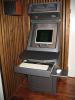
Here is mine, still something to be done: - monitor will get bigger... - bezel - marquee + led lights - remove wheels - remember to add joysticks + buttons... - speakers

-
My GameEx 10.34 autoupdated to GameEx 10.36 today after i plugged in the lan cable and the GameEx default language changed to italian here too. Not something i wished for

