



|



amos_82
-
Posts
366 -
Joined
Content Type
Profiles
Forums
Events
Downloads
Store
Articles
Everything posted by amos_82
-
Thanks Nologic, i thought it was going to be simple one to do
-
That was my best shot Im not quite sure what you are trying to do, can you explain in more detail? Hopefully some other people will have ideas for you.
-
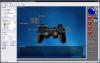
Hi people, just wondering if anyone knows how to make a custom control panel. Im trying to replace the arcade controls with a PS2 gamepad. I tried to use the theme editor, but im not sure if custom CP layouts are supported yet. So i entered the layout values from the theme editor screen into this file: C:\Program Files\GameEx\THEMES\CONTROLPANEL\ControlPanel.ini The only thing is...it didnt move anything Here's the screen from the theme editor: and here's a screen from gameex: Any ideas? Thanks

-
Hi Sbaby; you can exit emulators with key combinations by using the 'Advanced Config' option in the emulator options page of the config app. Im not sure about exiting mame. 1. Go to 'C:\Program Files\GameEx\CONFIG\EMULATORS' and copy the 'Visual Pinball V2.ini' file. And rename it to suit. 2. Change 'JoymappingEnabled=True' to false 3. Under the 'GAMEPADEXIT' options; add 'true' next to the buttons you want to include in the combination. 4. Save the file, & select it in the 'Advanced Config' option in the emulator options page of the config app. P.S. If you desperately want to use "UP + START1 + START2 " try this, but im not sure if the 'ButtonP1 and ButtonP2' will work. Left= Down= Right= Up=True ButtonP1=True ButtonP2=True Button1= Button2= Button3= Button4= Button5= Button6= Hope this helps
-
Hi stephen; i just checked your theme.ini definately works, im not sure where the problem is You could try updating gameex to the most recent version...other than that im out of ideas, sorry.
-
Can you post your theme.ini as a txt file & i'll see if there's anything wrong.
-
Hi Stephen, there's 2 ways: The first way is to use the config app to change the start page logo & custom background for each emulator. However, if you change to a different theme you will have to add all in again, or you will have the arrow.png as a background instead of firebrand_X's lovely stuff. The second method is the one i described before, which is to add this information to the 'theme.ini' in the "Default - Valhalla Default 1024x768" folder. Here's what to do if your editing the 'theme.ini' 1. Get a pen and paper handy, or open use notepad. 2. Open up the GameEx Configuration, and go to the emulator pages, and make a note of which emulator is assigned to each number. 3. Now add the names of the corresponding backgrounds & icons to the list below, i.e. [Emulator_6] StartPageLogo=3do CustomBackground=3dobak.png [Emulator_7] StartPageLogo=gba CustomBackground=gbabak.png (Its probably easiest to go into the 'logos' folder & view it as thumbnails to help find the names) It may seem like a pain, but its definately the best way. I hope i made sense p.s. Firebrand X, its lookin good my man, keep it up. I had a quick go on 'Demon's Crest' on the snes, its too hard for me, i think i'll still to the kiddies stuff
-
I think you need to change the Start Page logo aswell as the background for each emulator. Its much better to add this is the theme.ini instead of using the config app, gameex can forget which backgrounds to use when you switch themes because the filenames arent the same in all themes. So i'd add this stuff at the end of the emulator, here's an example of one: [Emulator_10] StartPageLogo=neogeo 2 CustomBackground=neogeobak.png Make sure to leave the .png at the end of the startpagelogo. Give it a try, its worth setting up
-
Looks like your a member of the insomnia club too Emph Maybe there should be a disclaimer on the setup wizard...excessive gaming may result in a lack of sleep!
-
You could be on to something katuuuz; GameEx could do with some more boot skins & bezels. I use tuneup utilities & objectdock to change the way xp looks, although objectdock interferes a bit with the gameex hideos.exe.
-
Back with a vengeance Tom... 2 releases in a day! Nicely done Headkaze, this should take the sting out of setting everything up. The setup really put me off gameex initially, when i downloaded it through an mce site I uninstalled gameex twice in a year, because i just expected everything to work straight away. Hopefully this with reduce the Q&A and the setup time. Congrats again
-
You can add your intro movie to the theme.ini by adding this line under the [General] section: StartupVideo=C:\Program Files\GameEx\THEMES\Default - My Theme\IMy Intro Movie Anyone who uses the theme will then see your intro, (provided they installed gameex in the default directory).
-
User Submitted Themes & Media (Uploads)
amos_82 replied to Tom Speirs's topic in GameEx Media Projects
Sorry bud, im one step ahead of ya...i made some of those in the 'MCE_Glossy___Update_Pack.zip' on page 3. Its a good idea though, i'd totally forgotten about them, so here they are again Horizontal___Vertical.zip -
User Submitted Themes & Media (Uploads)
amos_82 replied to Tom Speirs's topic in GameEx Media Projects
Sorry for the slow response Adultery & Firebrand, i took an early one last night. Ive added the text to all the icons & applied both of your images to the original files, see what you think... --- Credit to Adultery & Firebrand X --- Custom_Mame_Icons.zip Custom_Mame_Icons___CS3_PSD.zip (Create your own with this Photoshop file) (If you want some changed/added, just give me a shout ) -
Try this, right click on the .ini file, select properties & tick 'read-only' this should prevent the emulator from altering the option.
-
Its lookin good Firebrand, the only thing i'd change is the home & exit buttons, (they look a bit familiar ) . http://www.filesend.net/ is a good one to use, its free & easy, & there's good download speeds I think some people arent able to download from rapidshare.
-
Unfortunately we cant change it at the moment, i think Tom is aware of this, so hopefully it will be done in the future. So for the moment i would just make the MAMEBak.png & hope a fix is coming Or you could use the startbak.png, or bak.png i forget which one, but the mame will appear in unwanted areas if you do this.
-
Nice one firebrand_X, have to admit i was keeping an eye on this one from GameEx live Great work!
-
Completed Feature Requests (Moved)
amos_82 replied to jr9770's topic in FAQs, Guides, & Other Useful Information
Hi Tom, Yet another request to add to the list . Would it be possible to have an option to change the way the database is displayed? There's a few benefits of having an option to change from vertical stacking to horizontal. There's a mce dump from the tv guide below to show what i mean: This would allow much bigger screenshots, people running gameex on a low res arcade screen would appreciate this. Also there's greater flexibility for layouts, which might put those MCE critics to rest. It would be really useful for media pages like, Pictures & Videos (once multiple custom layouts are available) ---- Also would it be possible to alter the font size of the of the database independently of the game list? This would stop it from dominating the screen/causing errors. I hope im not asking too much bud, i dont know whats easy/difficult to programme Thanks Tom & Headkaze...your doing a fantastic job! -
I havent any experience of this; but read this webpage, http://www.aumha.org/win5/a/shutcut.php there is a link there called "shutdown.exe" which according to them should allow you to completely shutdown and poweroff your pc. You could use Gameex's LaunchOnExitNoWait function to send the shutdown command upon exiting gameex. Hopefully someone will show you the proper way to do it, im just taking a pop at it
-
Thanks guys Its not really a problem unless others have noticed it too. Your right though Smiff, i ended up using notepad it was the only sure way to make changes...i was getting confused when the ghosts started messing with me
-
Hi people, just wondering if anyone elses Configuration App is acting strangely? I added some more emulators today, & thought i'd re-shuffle them into a better order, plus delete some ones i dont use any more. The thing is that I cant completely delete them, (disabling isnt the problem), im trying to get the unused emulator spaces to appear as 'Emulator #' but the old emulator name still remains next to it. Ive tried editing the GameEx.ini to remove the unwanted emulators, but they still appear in the config app...spooky Any ideas? Alan
-
Backup these files before doing a fresh install: Config folder: GameEx.ini (this is where are your configuration settings are saved) Data Folder: These files contain your favourite & most played games + mame i think. GameList.ini gamelist.txt GameStats.ini That should save most of the vital stuff
-
Try this out: Launch After: taskkill.exe /F /IM VPA.exe
-
Hi Mangledmon & welcome to GameEx 1. You can specify most things in the theme.ini, it acts like an overide for peoples configurations. You'll find all the options in this file: C:\Program Files\GameEx\CONFIG\GameEx.ini To disable the media controls & the window add these lines to your theme.ini (before the [TaskBar] section) EnableMediaControls=False AllowWindowResize=False If the window command doesnt work then add these lines to the theme.ini before the [taskbar] [internal] Windowed=False 2. The logos can be selected either in the config app under emulator options - logo. Or you can do it in the theme.ini by adding this stuff at the end: [Emulator_1] StartPageLogo=your icon name without the .png extension [Emulator_2] StartPageLogo=genesis That just about covers it

