



|



headkaze
-
Posts
5120 -
Joined
-
Last visited
-
Days Won
37
Content Type
Profiles
Forums
Events
Downloads
Store
Articles
Everything posted by headkaze
-
Wow she's pretty hot. So what's the update on this hansolo?
-
Have you had a look at the Cyberlink codec settings? See if there is a subtitle option there.

-
Is this what you're looking for? http://maws.mameworld.info/maws/mame_lay.html
-
Have you checked VobSub? GameEx can control both ffdshow and VobSub subtitles.
-
You really can't go wrong with the Spesoft Video Converter. Not only is it free but it's made by our resident "brother in arms" Tom Speirs. Another program of Tom's I use is his Audio Converter. I find this program handy like recently I had to convert a flac file to m4a. Previously I would have to use the cumbersome iTunes to do it. Worked flawlessly. There are some other cool apps on his website worth checking out too BTW.
-
I thought that was fixed a long time ago. You can alt-tab to it I believe which is a temporary work-around.
-
Looking sweet. I recommend that when you run out of window real estate (which is going to be soon) that you consider breaking things up into pages in a tab control. They are really easy to use too. Always happy to help out and so glad you're using a real language and not something horrible like AutoHotkey. I can't believe people even attempt making a window based application in that.
-
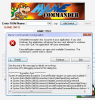
Nice work Adultery. I'm happy to help out in any way I can PS When I click "Add Switch" I get a database error. Just a continuation from my suggestion on using a log file, you should wrap methods in a try/catch block and output the error to the log.
-
You should also check DeviceCaps.TextureCaps.SupportsPower2 and DeviceCaps.TextureCaps.SupportsSquareOnly.
-
Okay guys.. done just for you

-
Looking cool mate. Just one minor suggestion.. if you change the menu item and it's video is the same as the last item it would be nice to not reload it but leave the previous one.
-
That's actually a GameEx issue. I've had problems with my own theme in that I lined up all the objects with the background and when I changed my cab's monitor it was a different aspect ratio and all the elements didn't line up properly. I'm not sure why Tom doesn't have the elements fit the exact rectangles or adapt them properly based on the window size but I have brought it to his attention a few times. Incidently the Theme Editor will adjust all the elements properly when you create a new theme with a different resolution. It would be nice if Tom could update GX to do the same as the window is resized so that all themes will look the same no matter what the resolution or window size.
-
WinUAE Loader is for SPS, GameBase Amiga and WHDLoad games only. It uses special databases to configure WinUAE for each game. Incidently there is an older tool I wrote called WinUAE Config Creator that can be used to generate individual uae configs for each game. You can use keyword filters in the filenames for using different configs. For example you can use the CD32.UAE profile for files that contain "CD32" or A1200.UAE for files that contain the word "AGA". Really I should have integrated this tool into WinUAE Loader..
-
Looking sweet Tom. Have you considered doing a "coverflow" style like the attached image? It's actually not that difficult to do using a few basic matrix transforms but you have to put DirectX into a "perspective" mode. There is a demo of this on the SVN called "AnimationExample2" under the demo folder. It also shows how to do a reflection, lighting and texture overlay as a mask to round the edges. I've been trying to get you to look at that demo for ages lol. If you can implement it doing a coverflow menu would be relativly easy.

-
Okay I updated the source code to support 255 emulators. Tom just has to compile it and include the binary in the next release. Glad to hear that's working!
-
I don't have hundreds on emulators setup on this machine but it displays the ones I do have. It has their layouts in "Template" and their backgrounds/foregrounds under "Object Browser".
-
Sorry I didn't chime in earlier. Yes the Theme Editor does support editing foreground and background images. It should also display all your emulators so not sure what is going wrong there. You do have to make sure "Custom Emulator Layouts" is enabled in the theme options for it to work though (Edit->Options->Settings tab). It was working at one stage but then Tom asked me to disable it and then I believe he re-enabled it. Perhaps something went awry in the process? If you can demonstrate to me the problem or post your theme so I can replicate it then I'm sure I can fix it.
-
Yup it's there!

-
In the next release the Setup Wizard will do a recursive search on files now.
-
.NET 2.0
-
Okay the problem is you don't have a default theme set. Go to Custom->Theme Selection in the Setup Wizard and set it to something. The error was because it couldn't find Theme.ini. I'm not sure why you didn't have a default theme set, but perhaps Tom has changed GameEx.ini in the default install. Either way I have modified the Setup Wizard so it will not cause an exception if a theme isn't set.
-
Okay I can replicate the problem using your GameEx.ini file. Will sort it out soon.
-
There is no SetupWizard.ini so not sure why it's trying to access this file. How did you install GameEx? Did you install it by running GameExSetup.exe?
-
So in your other thread where you say "OK machine updated, problem solved." you're not referring to this problem? Can you post your GameEx.log and GameEx.ini.
-
By the looks of it you have dragged a copy of SetupWizard.exe onto your desktop. It needs to launch from the GameEx folder. If you want an icon on your desktop then create a shortcut to it. EDIT: Judging by your "Firefox" icon you have shortcut arrows turned off. So they could be shortcuts but the fact the SetupWizard.exe can't find GameEx.ini does appear like it's not being launched from the correct location. Anyway I see in your other thread you say that updating your system has fixed your problem. I'm just curious that this happened on both an XP and Win7 machine. Seems a little odd.



