|



LucasBarton
-
Posts
172 -
Joined
-
Last visited
Content Type
Profiles
Forums
Events
Downloads
Store
Articles
Everything posted by LucasBarton
-
It run through the GUI.
-
It's not a GameEX issue because it does it outside as well. I've even gone so far as to make the emulator.ini file read only but it still switches to 800x600. The reason I need the lower resolution is because I'm running it on an older arcade monitor that doesn't support higher resolutions.
-
Hi, been a while since I've been on the forums. Well, not only do I have my HTPC running GameEx, I now have an arcade machine as well. I'm having a bit of a problem running Nebula CPS3 games in the correct resolution. I want to run them at 640x480 instead of the default 800x600. Whenever I select 640x480 as the default and then close the emulator and then re-open it, it goes back to 800x600. Even in the .ini file it says 640x480 for full screen mode yet when I start a game it goes straight to 800x600. Any ideas on how to remedy this problem?
-
GameEx media player goes black after 20 minutes
LucasBarton replied to LucasBarton's topic in General
Yep, that was the one I was talking about. Good find, lol. I don't know what he was talking about, because the help on these forums is awesome. -
GameEx media player goes black after 20 minutes
LucasBarton replied to LucasBarton's topic in General
Tom, I tried to find that thread but I was doing so much searching that I can't remember which one it was. I think it was posted back in December, but I really don't remember which one it was. Sorry. Thanks again for the help! -
GameEx media player goes black after 20 minutes
LucasBarton replied to LucasBarton's topic in General
Tom, you were right. I had the screensaver turned off, but I didn't go into the powersave options in XP. I thought that since inactivity didn't affect the emulators that it wouldn't affect the video player but I was wrong. Thanks There was someone in another thread who complained about the quality of assistance with GameEx. Well, I have to say that the help offered on this forum for GameEx is outstanding! Thanks Tom, Brian, Frequency, and all the others on this forum for your help! -
Question about Magic Engine and aspect changes
LucasBarton replied to LucasBarton's topic in General
I just got done playing through Gate of Thunder and the game kept the normal aspect ratio until the end credits, which were stretched to fill the whole screen. After the credits were over and the title screen reappeared, it was back to normal. So, apparently it's just an emulation bug. There must be something in the way some PC Engine titles are programmed that ME doesn't handle right. So, I think I've found the answer to my question. -
GameEx media player goes black after 20 minutes
LucasBarton replied to LucasBarton's topic in General
That's strange, because I only have 'Auto Exit Games After' on my 'Enable/Disable Features' list, which was already disabled. I'm using the latest version of GameEx, plus I looked at the older version that I had been using before and it doesn't have an 'Auto Exit Inactivity' option either. Regardless, I've left games running well over half an hour without any activity and it has never cut off. It only happens when watching videos. -
GameEx media player goes black after 20 minutes
LucasBarton replied to LucasBarton's topic in General
The only things I have running are GameEx, Xpadder, and AVG anti-virus. I don't have the HTPC hooked up to the internet, and I have the minimum number of programs running so it doesn't eat up resources. Keep in mind, this only happens when I watch a video with the GameEx media player. Doesn't happen with Windows Media Player. It's like clockwork, no matter what video I'm watching. I could probably get a stopwatch and time it and will happen at the same time no matter what it is I watch. I haven't tried installing GameEx on a different computer to see if it will happen again. I guess I could try that and it see what happens. Like I said before, sorry for all the new threads, but I always have all sorts of weird problems that I can't find anywhere else on the forums. -
Ok, I had been using an older version of GameEx and couldn't get it to play my .avis and .mpegs in my media folder. So, I went ahead and updated to the newest version of GameEx, 1.36. After doing that, the videos played fine and I thought I had solved everything. Turns out I have a new problem. Now when I watch a video the screen goes black and the audio cuts off after about 20 minutes. It does it on all my videos. I can hit the cancel button and it will go back to the GameEx menu. So, any ideas what could be causing this? Sorry to bombard the forums with a bunch of new threads, but I've been using the search option and don't find any solutions. If I can't get this to work, would it be possible to use an external video player like Windows Media Player?
-
Question about Magic Engine and aspect changes
LucasBarton replied to LucasBarton's topic in General
Good idea, but Magic Engine doesn't create individual cfg files for each game. It's weird because I can play Aldynes, 1941, Battle Ace, Madou Gran Zort, all of which are SGX games, and they keep the aspect ratio. Then I play Dai Makamura/Ghouls N Ghosts and it stretches it. Then I go back to Aldynes and it keeps the normal aspect ratio. Same with Forgotten Worlds. I can play Dracula X, Sapphire, Gate of Thunder, and all keep the aspect ratio. Play Forgotten Worlds and it's stretched. Go back to Dracula X and it's back to normal aspect ratio. Must be an emulation bug or something. -
Ok, I asked this over at the Magic Engine forums and it's dead over there, no activity whatsoever, so I thought I'd ask it here. As I've mentioned before, I use a widescreen TV but try to keep my games at the original aspect. I've played a ton of games using Magic Engine, standard TG16, Supergrafx, and CD, and they all work great. However, there are a some games, Dai Makamura/Ghouls N Ghosts and Forgotten Worlds in particular, that will not keep original aspect ratio. It has nothing to do with being a Supergrafx game or CD game because other Supergrafx and CD games keep aspect ratio. So, my question is, why do these games do this? Perhaps a special resolution setting is used in these games that Magic Engine automatically stretches or something? I have no idea what it is.
-
MAME not keeping aspect ratio on widescreen TV
LucasBarton replied to LucasBarton's topic in General
That did the trick! Thanks guys! -
MAME not keeping aspect ratio on widescreen TV
LucasBarton replied to LucasBarton's topic in General
Here's my MAME ini file: # <UNADORNED0> <NULL> (not set) # # CORE SEARCH PATH OPTIONS # rompath roms samplepath samples artpath artwork ctrlrpath ctrlr inipath ini fontpath . # # CORE OUTPUT DIRECTORY OPTIONS # cfg_directory cfg nvram_directory nvram memcard_directory memcard input_directory inp state_directory sta snapshot_directory snap diff_directory diff comment_directory comments # # CORE FILENAME OPTIONS # cheat_file cheat.dat # # CORE STATE/PLAYBACK OPTIONS # # state <NULL> (not set) autosave 0 # playback <NULL> (not set) # record <NULL> (not set) # mngwrite <NULL> (not set) # wavwrite <NULL> (not set) # # CORE PERFORMANCE OPTIONS # autoframeskip 0 frameskip 0 seconds_to_run 0 throttle 1 sleep 1 # # CORE ROTATION OPTIONS # rotate 1 ror 0 rol 0 autoror 0 autorol 0 flipx 0 flipy 0 # # CORE ARTWORK OPTIONS # artwork_crop 0 use_backdrops 0 use_overlays 0 use_bezels 0 # # CORE SCREEN OPTIONS # brightness 1.0 contrast 1.0 gamma 1.0 pause_brightness 0.650000 # # CORE VECTOR OPTIONS # antialias 1 beam 1.0 flicker 0 # # CORE SOUND OPTIONS # sound 1 samplerate 48000 samples 1 volume 0 # # CORE INPUT OPTIONS # ctrlr # # CORE DEBUGGING OPTIONS # log 0 verbose 0 # # CORE MISC OPTIONS # bios none cheat 1 skip_gameinfo 1 # # DEBUGGING OPTIONS # oslog 0 # # WINDOWS PERFORMANCE OPTIONS # priority 0 multithreading 0 # # WINDOWS VIDEO OPTIONS # video d3d numscreens 1 window 0 maximize 1 keepaspect 1 prescale 1 effect none waitvsync 1 syncrefresh 1 # # DIRECTDRAW-SPECIFIC OPTIONS # hwstretch 0 # # DIRECT3D-SPECIFIC OPTIONS # d3dversion 9 filter 1 # # PER-WINDOW VIDEO OPTIONS # aspect auto resolution auto screen0 auto aspect0 auto resolution0 auto view0 auto screen1 auto aspect1 auto resolution1 auto view1 auto screen2 auto aspect2 auto resolution2 auto view2 auto screen3 auto aspect3 auto resolution3 auto view3 auto # # FULL SCREEN OPTIONS # triplebuffer 0 switchres 0 full_screen_brightness 1.0 full_screen_contrast 1.0 full_screen_gamma 1.0 # # WINDOWS SOUND OPTIONS # audio_latency 1 # # INPUT DEVICE OPTIONS # mouse 1 joystick 1 lightgun 0 dual_lightgun 0 offscreen_reload 0 steadykey 0 joy_deadzone 0.3 joy_saturation 0.85 digital none # # AUTOMATIC DEVICE SELECTION OPTIONS # paddle_device keyboard adstick_device keyboard pedal_device keyboard dial_device joystick trackball_device keyboard lightgun_device keyboard positional_device keyboard -
MAME not keeping aspect ratio on widescreen TV
LucasBarton replied to LucasBarton's topic in General
Um, I don't know much about all this command line stuff. I'm no computer wiz really. I use Mame32, so is what you're talking about only valid with the DOS or command line version of Mame? Sorry, this is why I end up coming here so often when I have a problem. You guys are geniuses when it comes to this stuff, lol. -
Got the video problem sorted out. I updated GameEx to the most recent version and now it works. Didn't update the codecs or anything. Thanks anyway
-
For my HTPC, I use a 51 inch widescreen TV. I like to play my games in the original aspect ratio. I don't like the way stretching makes the games look. I had Mame32 working perfectly and now all of a sudden, it streches the games to fill the whole screen. Before, it kept the aspect ratio perfectly so that there would be black bars on the sides but not anymore. I didn't change anything. So, I erased all the config files and it still did it. I then completely erased Mame32 and reinstalled it and it still does it. I made sure that "keep aspect ratio" is checked and everything. Any ideas why it's doing this and how to fix it? All my other emulators have no problems like this. Only MAME is doing this.
-
Nope, that one didn't work either. Once I installed it, my preview videos stopped working and GameEx froze up. I seriously doubt that it's a codec issue since GameEx will play previews of all the movies. Perhaps I should've mentioned that I'm using an older version of GameEx, 1.0.0. That's the one that I saved on my back-up drive and everything worked perfect for me. Not sure if using the older version will be of importance or not.
-
I just installed the K-Lite codec pack and it messed everything up. I had to uninstall the K-Lite and re-install the FFDShow pack because it messed that up too. So, now I have the previews working but still the video player will not work. Keep in mind that I'm not talking about DVD rips, just avis and mpegs. I looked at the config and it all looks good from what I can. The videos work fine outside of GameEx, and the previews of the movies work, so I don't know why it will not play them fullscreen. Does GameEx use a built-in video player, or do I have to configure it to work with WMP or Classic or something else?
-
I managed to get my Sega CD stuff working by just having Fusion load the ISOs like you said. I also got my Turbo CD stuff working. I had to re-install Daemon Tools. DT is one picky program that seems to go haywire out of the blue. Thanks for the help. One more question. I'll have everything back to the way it was before if I can solve this last problem. All my preview videos work for my games. I have a bunch of movies and TV shows in my video section, and it previews them when I go down the lists. However, when I try to actually watch the videos, the screen goes black, I see something minimize and then maximize, and then it goes back to GameEX. I have the FFDShow stuff. Any ideas on what I need to do to get the video player to work?
-
Nope, neither one worked. After making these changes, Fusion opens but it doesn't load the image. Plus the Arcade Ambience mp3 keeps playing over the emu audio, which is weird. Like I said, I'm using batch files so I just need GameEx to load them up. If I double click them outside of GameEx, they work fine. As for the Turbo CD, once I changed the command line, now I get a specified drive not found error with Daemon Tools. Any more ideas?
-
Ok, I'm in the process of re-doing my HTPC and need some help. I saved my entire set-up on a back up hard drive just in case something were to happen to my PC. Well, I copied and pasted everything onto my new PC, checked all my paths and everything, but two emulators will not work for me, the Sega CD and Turbo CD, the ones that always gave me trouble in the past. For the Sega CD I'm using Fusion and I wrote some batch files to start the games with the emu. They used to work perfectly on my old system, and if I click on them outside of GameEx they work fine. However, inside of GameEx it will not work. I've included the .ini file so I hope someone can spot what I'm doing wrong. Also, with the Turbo CD I can't get Magic Engine to recognize that the disk is loaded in Daemon Tools. I've checked the paths and everything. I know that Daemon Tools is loading the image, but Magic Engine doesn't see it. I've posted the .ini to that too. Both emulators worked perfectly fine before. Any info on both would be greatly appreciated. [Emulator_8] Enabled=True STARTPAGENAME=Sega CD TITLETEXT=Sega CD StartPageLogo=Sega Mega CD ROMFilter=*.bat RomPath=C:\Emulators\SegaCD\BAT Files SnapPath=C:\Emulators\SegaCD\SegaCD intro videos TitlePath= BoxPath=C:\Emulators\SegaCD\SegaCD box pictures CartPath=C:\Emulators\SegaCD\SegaCD cd pictures ManualPath= WorkingPath=C:\Emulators\SegaCD MapKeys=True WaitBeforeKeys= SendKeys= ReplaceDash=True ReplaceUnder=True Capitals=True RemoveBrackets=True ShowDesktop=False Debug=False MAPFile= AlsoLaunch= Command=Fusion.exe -scd -fullscreen OLDatZip= LaunchBefore=[ROMPath]\[RomFile] LaunchAfter= configFile= ExcludedFiles= CustomBackground= PlayMusic=True DontShowInfo= PCGame= DATABASE=SEGACD GamesIn7Zips= PlayInScreenSaver= ShowMostPlayed= RandomMostPlayed= CDCheck= CDCheckFile= [GENERAL] DumbyValue= [Emulator_11] Enabled=True STARTPAGENAME=NEC TurboGrafx CD TITLETEXT=NEC TurboGrafx CD StartPageLogo=TGCD ROMFilter=*.cue RomPath=C:\Emulators\TurbografxCD\isos SnapPath=C:\Emulators\TurbografxCD\TurbografxCD intro videos TitlePath= BoxPath=C:\Emulators\TurbografxCD\TurbografxCD box pictures CartPath= ManualPath= WorkingPath=C:\Emulators\TurbografxCD MapKeys=True WaitBeforeKeys= SendKeys= ReplaceDash=False ReplaceUnder=False Capitals=False RemoveBrackets=False ShowDesktop=False Debug=False MAPFile= AlsoLaunch= Command=pce.exe "c:\emulators\TurbografxCD\syscard3.pce" OLDatZip= LaunchBefore=""C:\Program Files\DAEMON Tools\daemon.exe" -mount 0,"[RomPath]\[RomFile]"" LaunchAfter="C:\Program Files\DAEMON Tools\daemon.exe" -unmount 0 configFile= ExcludedFiles= CustomBackground= PlayMusic=False DontShowInfo=False PCGame=False DATABASE=NEC TurboGrafx CD GamesIn7Zips=False PlayInScreenSaver=False ShowMostPlayed=False RandomMostPlayed=False CDCheck=False CDCheckFile= [GENERAL] DumbyValue=
-
Thanks, for some reason it worked now. I didn't have to rename it or anything. Very odd. As for the database problem, I had to copy and paste a new database file from an older Gameex to get it to work. Strange, one minute Gameex was working fine, the next it wasn't. Computers are such a pain in the arse sometimes.
-
Ok, out of the blue Gameex stopped working and I have no idea why. I didn't delete anything, rename anything, move anything, it just stopped working. I decided to update to the latest version and it didn't fix the problem. Here's what it keeps saying: 15:40:04.2 6/24/2009: GameEx: Version 10.15: Starting L 15:40:04.2 6/24/2009: Operating System Platform: Win32NT 15:40:04.2 6/24/2009: Operating System Name: Windows XP 15:40:04.2 6/24/2009: Operating System Version: 5.1.2600 15:40:04.2 6/24/2009: Checking for versions of .net Framework installed 15:40:04.2 6/24/2009: .net Framework 1.1 Installed 15:40:04.2 6/24/2009: .net Framework 2.0 Installed 15:40:04.2 6/24/2009: Intel® Celeron® CPU 2.80GHz, 1023MB 15:40:04.2 6/24/2009: 2.8Ghz 15:40:04.2 6/24/2009: Running Randomize() 15:40:04.2 6/24/2009: Loading PlugIns 15:40:04.6 6/24/2009: Checking for applications to Launch On Startup 15:40:04.7 6/24/2009: Running Misc startup tasks 15:40:04.7 6/24/2009: Setting Menu types 15:40:04.7 6/24/2009: Opening Configuration File 15:40:04.7 6/24/2009: Getting Configuration Values 15:40:04.7 6/24/2009: Using Theme: Default - Future Retro 15:40:04.7 6/24/2009: Checking for alternate Image Directory for Theme: Default - Future Retro 15:40:04.8 6/24/2009: Launching HideOS.exe 15:40:04.8 6/24/2009: Initialising Video/MNG DLL's 15:40:05.0 6/24/2009: GameEx will check for media insertion (may affect performance) 15:40:05.0 6/24/2009: Hiding Taskbar 15:40:05.0 6/24/2009: Is Media Center running? 15:40:05.0 6/24/2009: Checking/Creating LCD Registry values 15:40:05.1 6/24/2009: Check Media Center Exit/Start Mode 15:40:05.1 6/24/2009: Media Center Mode 2 15:40:05.3 6/24/2009: Video previews on. Warning: Only recommended on modern systems 15:40:05.4 6/24/2009: Custom Game Device Input enabled: Getting custom codes 15:40:05.5 6/24/2009: Snap Delay set to: 2 15:40:05.5 6/24/2009: Get other settings 15:40:05.7 6/24/2009: Desktop set to Hide ICONS and set Background to Black 15:40:05.7 6/24/2009: Set: Find emulator artwork on best match basis 15:40:05.7 6/24/2009: Start work for Form 15:40:05.7 6/24/2009: Getting Original Screen Size 15:40:05.7 6/24/2009: Opening Database Connection 15:40:05.8 6/24/2009: --**-- 15:40:05.8 6/24/2009: Error: Unrecognized database format 'C:\Program Files\GameEx\DATA\data.mdb'. 15:40:05.8 6/24/2009: at System.Data.OleDb.OleDbConnectionInternal..ctor(OleDbConnectionString constr, OleDbConnection connection) 15:40:05.8 6/24/2009: at System.Data.OleDb.OleDbConnectionFactory.CreateConnection(DbConnectionOptions options, Object poolGroupProviderInfo, DbConnectionPool pool, DbConnection owningObject) 15:40:05.8 6/24/2009: at System.Data.ProviderBase.DbConnectionFactory.CreateNonPooledConnection(DbConnect ion owningConnection, DbConnectionPoolGroup poolGroup) 15:40:05.8 6/24/2009: at System.Data.ProviderBase.DbConnectionFactory.GetConnection(DbConnection owningConnection) 15:40:05.8 6/24/2009: at System.Data.ProviderBase.DbConnectionClosed.OpenConnection(DbConnection outerConnection, DbConnectionFactory connectionFactory) 15:40:05.8 6/24/2009: at System.Data.OleDb.OleDbConnection.Open() 15:40:05.8 6/24/2009: at t.a(Boolean A_0, String A_1, Boolean A_2) 15:40:05.8 6/24/2009: at t..ctor() 15:40:05.8 6/24/2009: Disposing Plugins 15:40:05.8 6/24/2009: GameEx is exiting with errors 15:40:07.5 6/24/2009: ERRORS DETECTED: EXITING Also, before all this happened, my gameex registration key stopped working. Tom told me to launch the file, but how do you launch a .gxkey file? Any help would be greatly appreciated.
-
Cabinets and HTPC Setups Running GameEx
LucasBarton replied to David R Hilgendorf's topic in Gamer Rigs
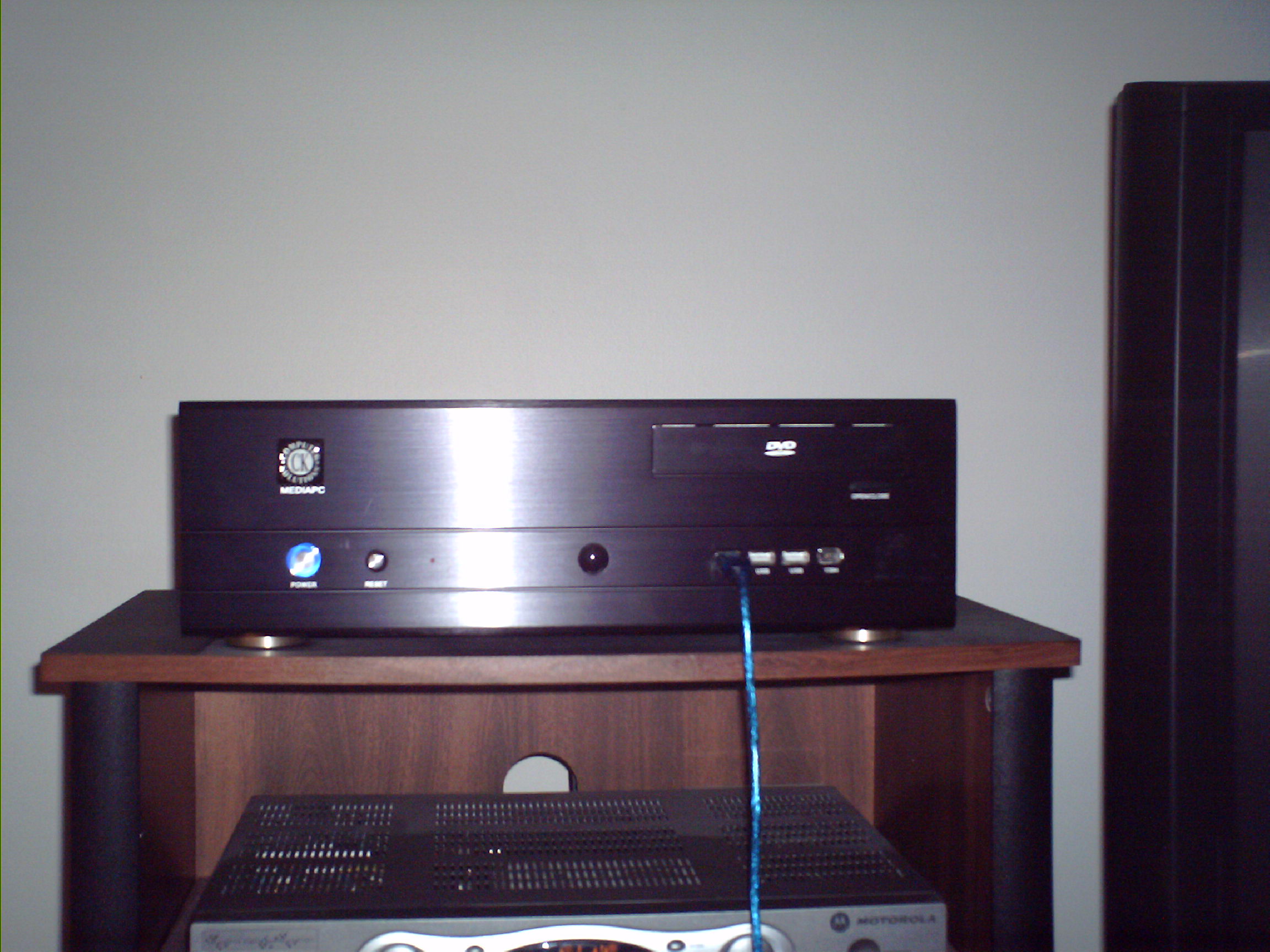
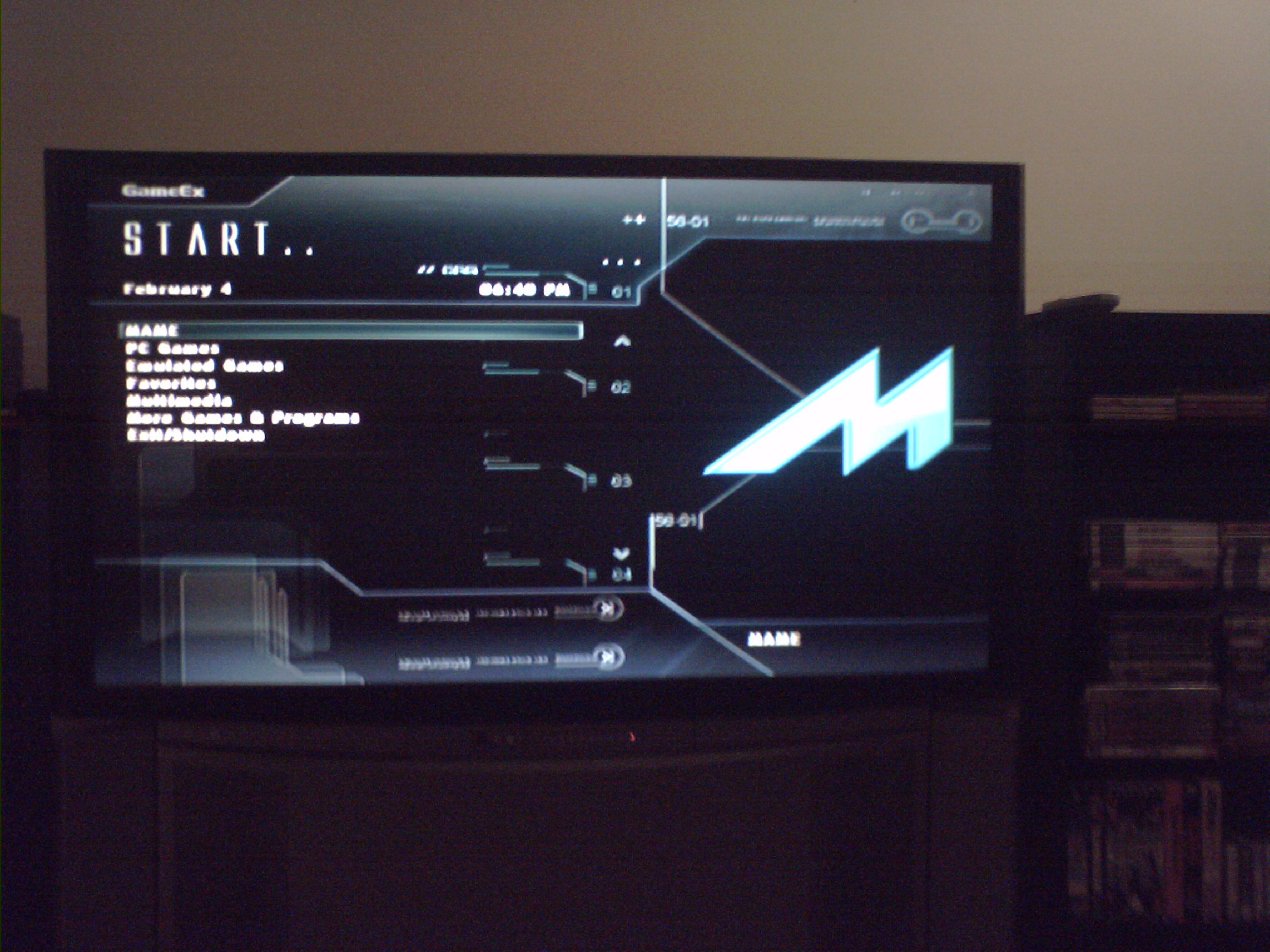
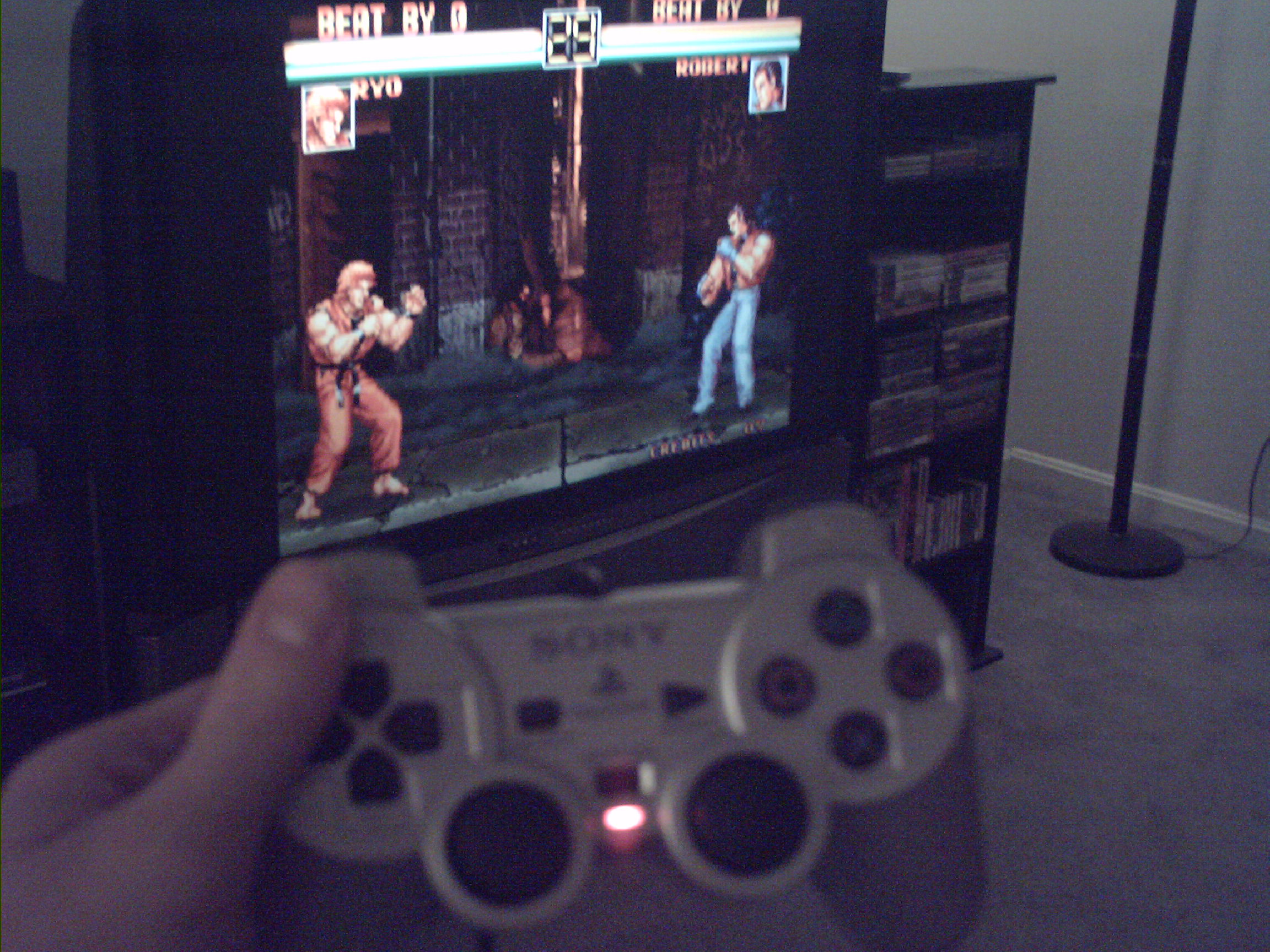
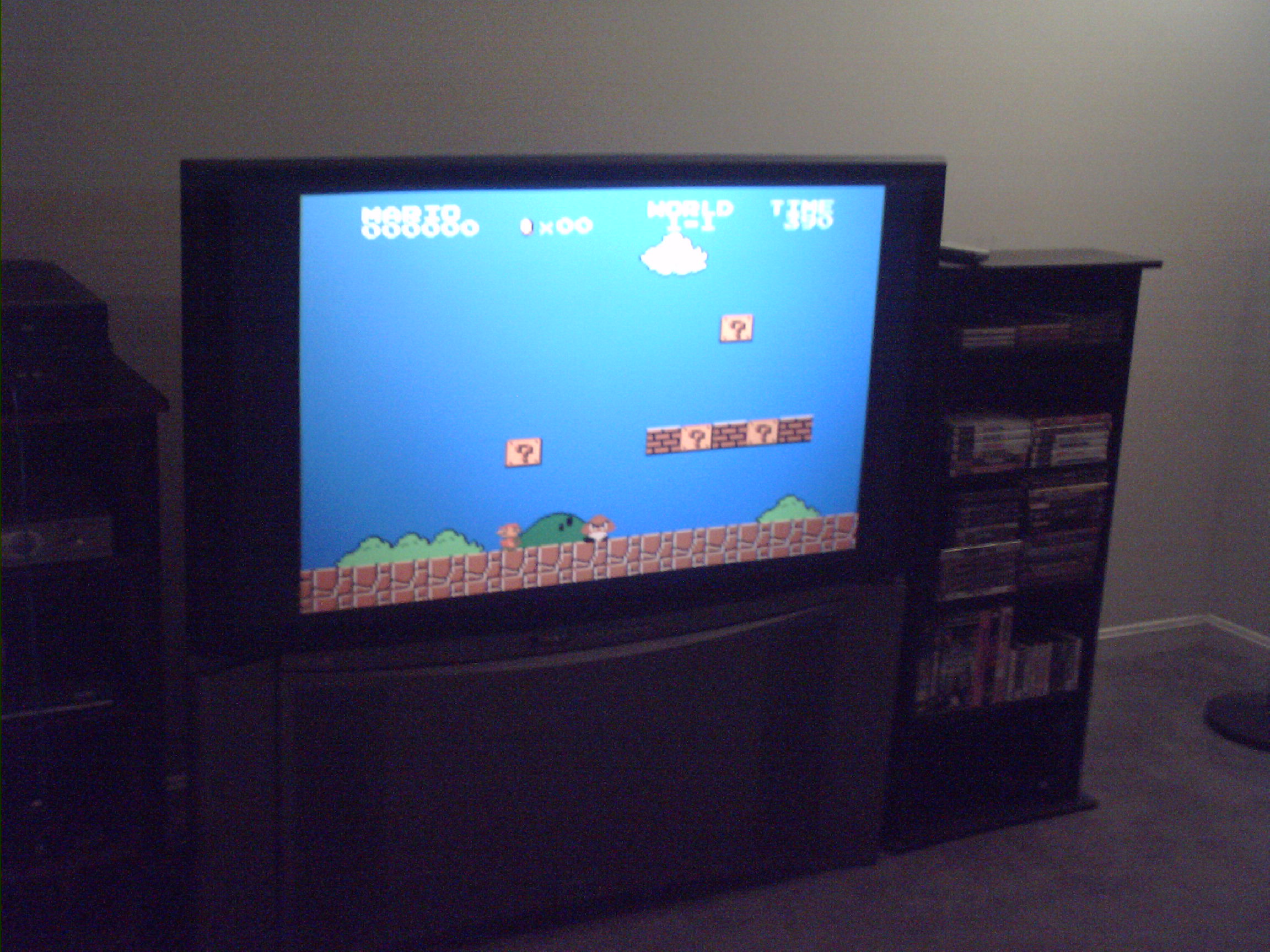
Just thought I'd upload a few pics of my gaming machine running GameEx. I had a PC custom built specifically to play this stuff, with an HDMI connection so I could hook it up to my 51 inch Hitachi CRT HDTV. It's been a dream come true for me. Let me know what you think. Also, here are a few low quality, no sound videos of it running on Youtube: http://www.youtube.com/watch?v=cm2J3bcsJWI http://www.youtube.com/watch?v=nP92mHYgW3M http://www.youtube.com/watch?v=FflFfwoIVAs http://www.youtube.com/watch?v=ChmV2NkqiAQ