



|



magenois
-
Posts
30 -
Joined
-
Last visited
magenois's Achievements

Super Member! (3/5)
0
Reputation
-
oh nice 😊 Do you mind sharing on how you got GameEx to launch without the window manager? I should get back to my project sometimes next week. I was able to get all the 15khz resolutions to work fine.
-
I appreciate the testing. I had to put my project on the backburner for a little while. I'll try that when I get back to it. Thanks Tom!
-
The latest version work perfectly. thanks for the quick update! I'll have a look at this. thanks for sharing.
-
Thanks very much Tom!
-
Thanks Tom. I am doing testing at the moment with Windows 10 if I can get 15khz resolutions to work so I can keep on using GameEx following my hardware upgrade. I have a brand new install of windows 10, I have installed the latest version of GameEx. When I launch GameEx I have the following error. I assume it's a missing dependency but cant figure which:
-
no. I have looked in the directory where I have Gameex and into the subdirectory, nothing. Edit: If you want me to do some troubleshooting or test more recent builds, let me know how I can help.
-
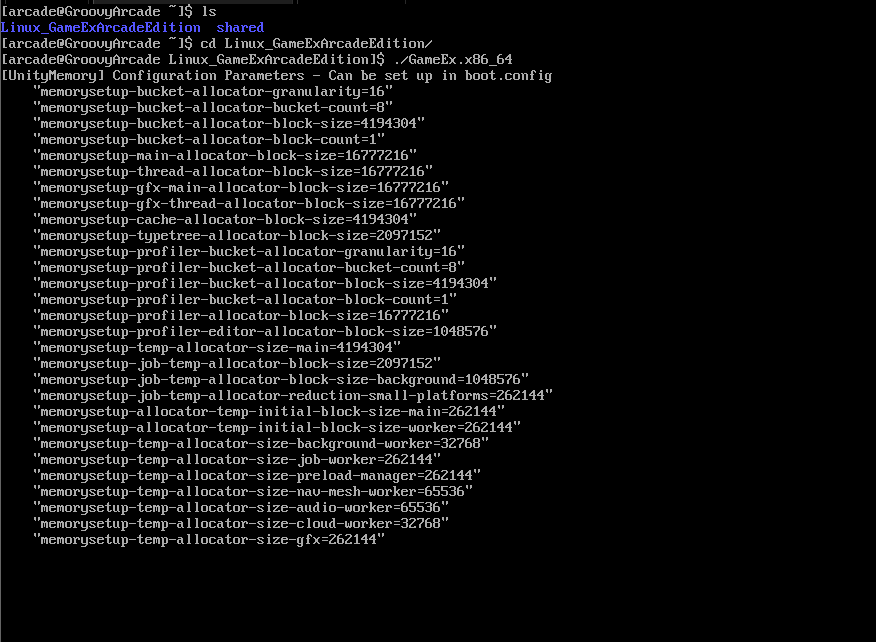
I did a quick test and no luck. I get this output then it stuck there forever.
-
My CRT is triple sync so, on windows at least, I ran GameEx at 640x480p and when launching a game groovymame would switch the resolution to the original game resolution. GameEx is looking good at 640x480 at least on the version I have. I haven't updated in many many years. Not sure about running 15khz resolutions on Windows 11. I would have to make some research but I really want to ditch windows. With XP we could hide it quite well but I'm not sure we can do the same with recent versions. I might as well wait until the multiplatform version of GameEx is ready.
-
Hello! I built my mame cabinet in 2010 with Windows XP, Soft15k and GameEx. I am using a wells gardner D9800 27" arcade CRT monitor. Now, I need to do a hardware refresh (new mobo and cpu) and I would like to use GroovyArcade as the operating system this time. It's a customized version of Arch Linux with patches to support arcade CRT native resolutions. I would also like to continue using GameEx as my frontend. The only emulators I am using at this time are mame and daphne. What's the best way (if there is one at all) to run gameex on groovyarcade? The multi-platform version of gameex is still in alpha so I dont think it's wise to use it at this time. Anyone has been successful in using gameex on groovyarcade? thanks in advance!
-
hello I havent had the time to test this until today. I can confirm that this procedure has fixed the issue on my cabinet. Thanks very much for sharing!
-
Thanks for sharing! I'll give it a try. Will this resets my favorites (I cant remember in which database they are stored)?
-
I did a full uninstall/reinstall of GameEx. The only thing I kept was my .ini file to preserve my settings. I see the same issue with the latest release of the 5 files discussed above. The vast majority of the ROMs will show the right information but some of them will show game information from a different game. At least I am not the only one seing this I will just keep on moving on configuring my new PC and wont bother with this issue anymore.
-
I'm going to try the uninstall/reinstall method later on today. Will report back. If it doesn't work, I will simply disable this feature and move on. thanks again for the help
-
I noticed the issue first when I was using the latest files of the "extras". The files I had were "0.171" release. I can try again with 0.170... what are the right sources for these files, there seems to be multiple sources, some "official" some less official?
-
yes I did double and triple checked everything. I tried with the most recent version of those files and went back to the ones that are shipped in the gameex installation package.